

Userology AI
AIAI-moderated usability testing platform that runs conversational sessions to generate fast, deep user insights at scale.
Userology AI
AI-moderated usability testing platform that runs conversational sessions to generate fast, deep user insights at scale.
About Userology AI
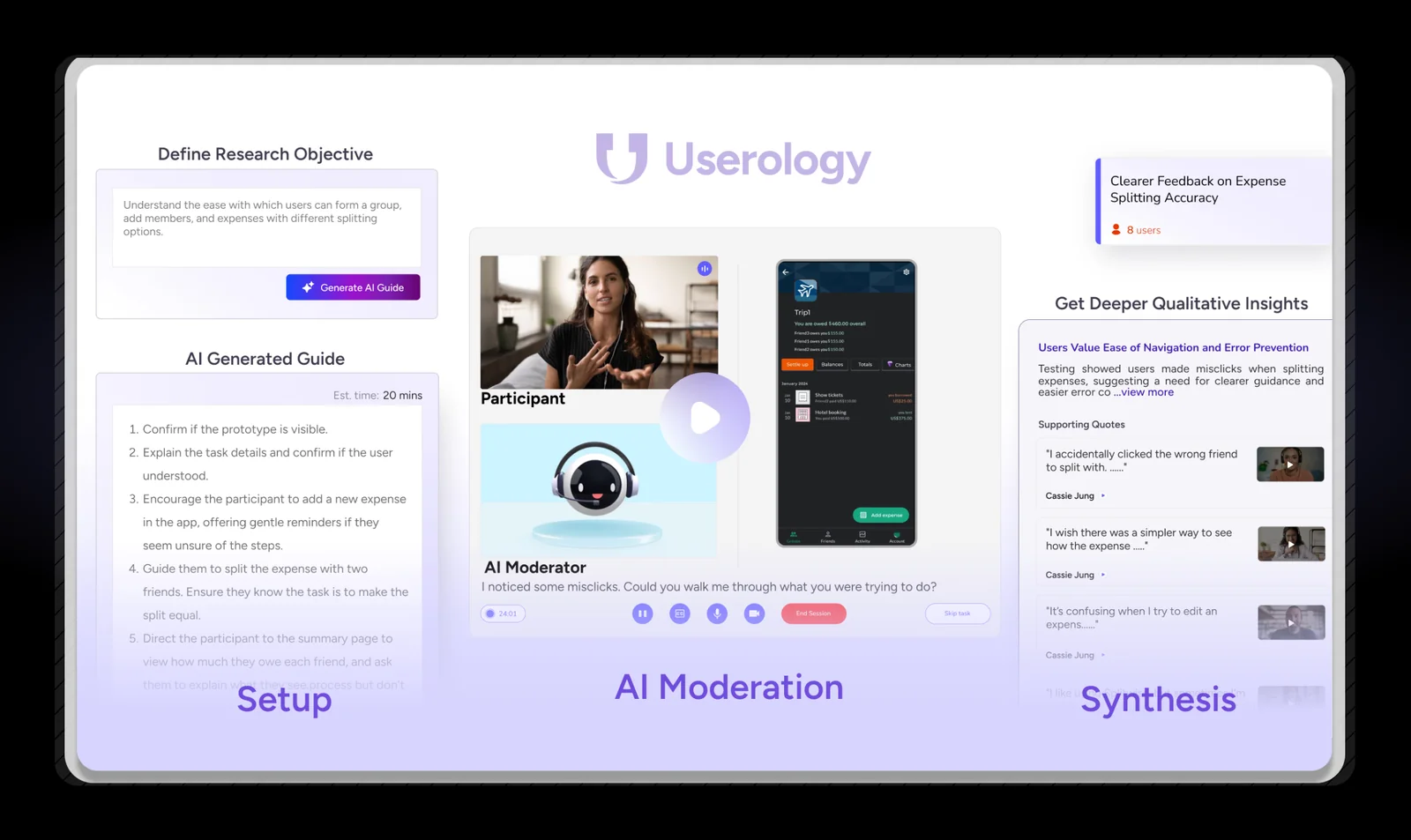
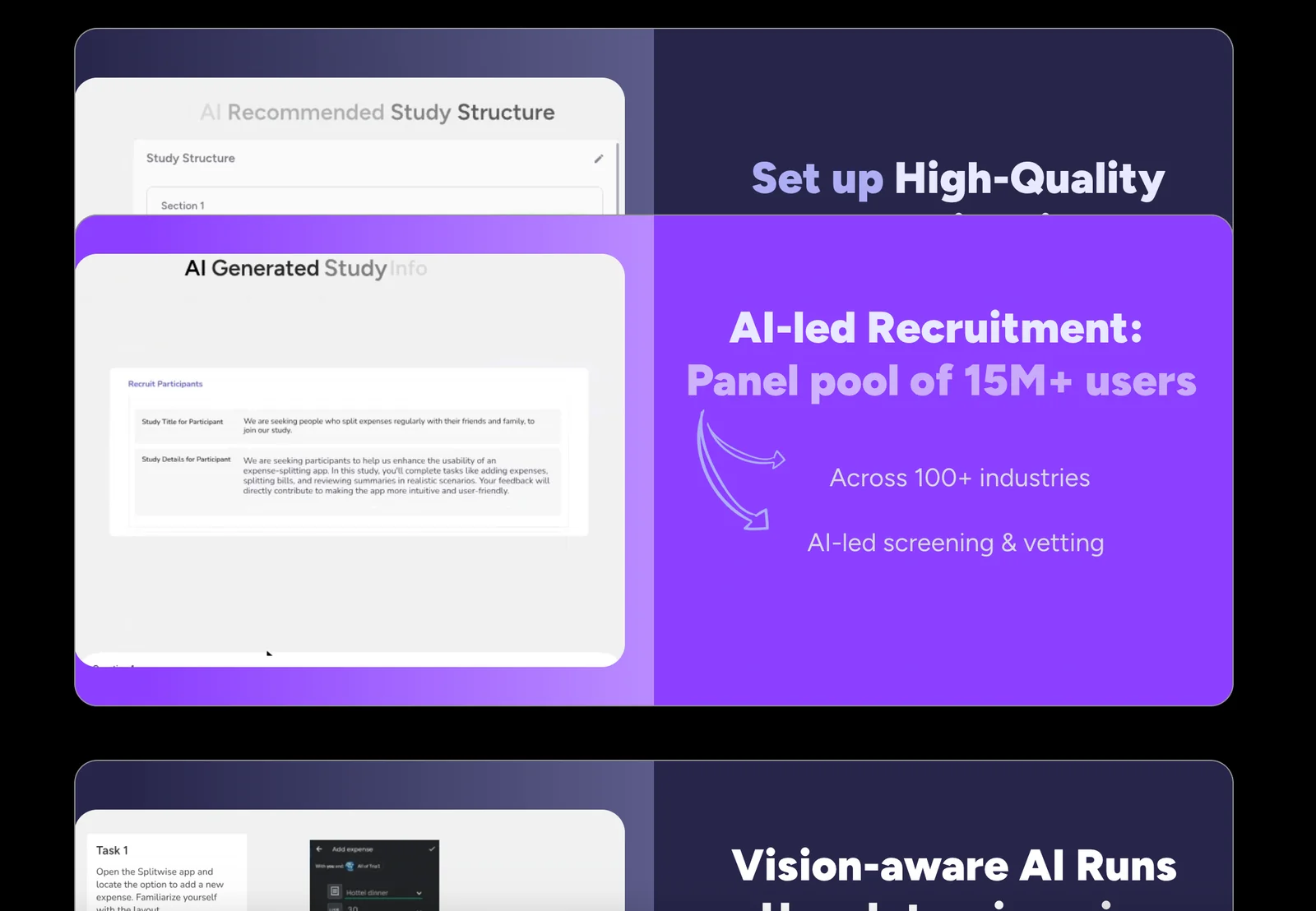
Userology provides an AI-moderated UX research platform that runs conversational usability tests without a human moderator, capturing user interactions, responses, and qualitative feedback. The system automatically conducts moderated sessions, records and analyzes screen/video and text data, and synthesizes insights to accelerate product research. Unique value comes from scaling moderated testing (including mobile testing) with vision-aware task analysis and automated synthesis, enabling teams to reduce bias, speed decisions, and extract richer insights from larger sample volumes than traditional manual moderation.
Screenshots
Key Features
Use Cases



Frequently asked questions about Userology AI
What are the pricing options for Userology AI?
Userology AI provides a freemium model featuring a free trial with 5 session credits, a Starter plan priced at $39 per month, and custom pricing for enterprise solutions. This range allows users to choose a plan that best suits their needs and budget.
Key Points
- Freemium Model: Start with a free trial.
- Starter Plan: Affordable monthly subscription.
- Enterprise Solutions: Tailored pricing for large organizations.
Detailed Explanation
Userology AI's pricing structure is designed to accommodate a variety of users, from individuals to large enterprises.
-
Freemium Model: Users can register for a free account that includes 5 session credits, allowing them to explore the platform's features without any upfront cost. This option is ideal for those testing the service.
-
Starter Plan: For $39 per month, users can access additional features and more session credits. This plan is perfect for small businesses or freelancers who need consistent access to Userology AI's tools for data analysis and user insights.
-
Enterprise Solutions: Custom pricing is available for larger organizations requiring extensive usage, advanced features, or dedicated support. This ensures that businesses can scale their use of Userology AI according to their specific needs.
Use Cases
- Freelancers: Utilize the free trial to assess the platform before committing to the Starter Plan.
- Small Businesses: The Starter Plan offers sufficient credits for ongoing projects, helping to optimize user experiences based on data-driven insights.
- Large Enterprises: Custom solutions can include bulk session credits and personalized support, enhancing user engagement strategies.
Best Practices / Tips
- Start with the Free Trial: Always begin with the free trial to understand how Userology AI fits your requirements before investing in a paid plan.
- Evaluate Your Needs: Assess how many session credits you will need monthly to choose between the Starter Plan and enterprise options effectively.
- Contact Sales for Custom Plans: For organizations with unique needs, reaching out to Userology AI's sales team can result in tailored solutions that may include discounts or additional features.
Additional Resources
How does the AI-moderated usability testing work?
Userology AI employs a conversational AI moderator to facilitate usability testing sessions. This approach ensures consistent questioning and probing, while effectively capturing user interactions and feedback for in-depth analysis. The AI-driven process enhances efficiency and accuracy, providing valuable insights into user experience.
Key Points
- Conversational AI Moderation: Provides consistent engagement and questioning.
- Real-Time Feedback Collection: Captures immediate user reactions and insights.
- Data-Driven Analysis: Facilitates in-depth evaluation of usability test results.
Detailed Explanation
AI-moderated usability testing is revolutionizing how designers and developers understand user experiences. Userology AI uses an intelligent conversational agent to guide participants through testing scenarios. Here’s how it works:
-
Session Setup: The AI moderator is programmed with a series of questions and prompts tailored to the specific usability goals of a website or application. This setup ensures that every session is aligned with predetermined objectives.
-
Engagement with Participants: During the usability test, the AI interacts with participants in a natural, conversational manner. This approach not only keeps users engaged but also encourages them to provide honest feedback about their experiences. For example, if a user hesitates at a navigation point, the AI can prompt them to elaborate on their feelings and thoughts.
-
Data Capture: As participants navigate through the interface, the AI captures their interactions in real-time. This includes click patterns, time spent on tasks, and verbal feedback. All this data is logged for subsequent analysis, helping teams identify pain points and areas for improvement.
-
Analysis and Reporting: After the testing sessions, Userology AI compiles the data into comprehensive reports that highlight user behavior trends, common issues, and suggestions for design enhancements. This analysis enables teams to make data-driven decisions to improve user experience.
Best Practices / Tips
- Define Clear Objectives: Before starting a usability test, establish specific goals to guide the AI's questioning and data collection.
- Pilot Testing: Conduct a pilot test to ensure the AI moderator effectively engages participants and captures useful feedback.
- Focus on User Diversity: Include a diverse group of users to gather a wide range of insights and perspectives during testing.
- Iterate Based on Feedback: Use findings from the AI-moderated sessions to make iterative improvements to your product.
Additional Resources
Is Userology AI easy to use for beginners?
Yes, Userology AI is designed to be user-friendly, making it accessible for beginners. With an intuitive interface and a free trial, new users can easily navigate the platform and explore its features without prior experience.
Key Points
- Intuitive Interface: Userology AI features a clean and organized layout.
- Free Trial: Users can start with a no-cost trial to familiarize themselves with the tool.
- Support Resources: Comprehensive tutorials and customer support are available.
Detailed Explanation
Userology AI stands out for its user-friendly design, which is particularly beneficial for beginners in the AI space. The platform employs a straightforward layout, allowing users to easily locate features such as data analysis tools, report generation, and user management. Here’s how beginners can get started:
-
Sign Up for the Free Trial: Visit the Userology AI website and create an account to access the free trial. This gives you a risk-free opportunity to explore the platform.
-
Explore the Dashboard: Once logged in, take a moment to familiarize yourself with the dashboard. Key features are prominently displayed, allowing for easy navigation.
-
Use the Tutorials: Userology AI provides step-by-step tutorials and video guides within the platform. These resources help you learn how to utilize various features effectively.
-
Experiment with Features: Start using core functionalities like data analysis and visualization tools. The platform allows for trial and error, making it a great learning environment.
-
Engage with Customer Support: If you encounter any challenges, Userology AI offers customer support that can assist you with common queries and technical issues.
Best Practices / Tips
- Start Small: Focus on a few key features first rather than trying to master everything at once.
- Utilize Tutorials: Always refer to the tutorials before attempting a new feature, as they provide valuable insights and tips.
- Join Community Forums: Engage with other users in online forums or social media groups dedicated to Userology AI for shared tips and troubleshooting advice.
- Regular Practice: Regularly using the platform will help reinforce your learning and increase your comfort level.
- Feedback Loop: Take advantage of feedback mechanisms on the platform to continually improve your usage experience.
Additional Resources
What technical requirements do I need to use Userology AI?
Userology AI is a web-based platform that requires a reliable internet connection and a compatible web browser such as Chrome, Firefox, or Safari. No advanced technical skills are necessary, making it user-friendly for individuals and businesses alike.
Key Points
- Web-Based Platform: Accessible from any device with internet connectivity.
- Compatible Browsers: Works best on updated versions of major browsers.
- User-Friendly: Designed for users of all skill levels, no coding required.
Detailed Explanation
To effectively use Userology AI, ensure your device meets the following technical requirements:
- Internet Connection: A stable and high-speed internet connection (minimum 5 Mbps recommended) is crucial for seamless operation.
- Compatible Web Browsers: Userology AI supports the latest versions of popular web browsers like Google Chrome, Mozilla Firefox, Microsoft Edge, and Safari. It’s important to keep your browser updated to avoid compatibility issues and security vulnerabilities.
- Device Compatibility: Userology AI can be accessed through desktops, laptops, tablets, and smartphones, provided they meet the minimum browser requirements.
Use Cases
- Small Businesses: Entrepreneurs can utilize Userology AI without needing to hire technical staff, making it ideal for startups.
- Educational Institutions: Teachers can integrate Userology AI into their curriculum to analyze student engagement without requiring extensive tech training.
- Marketers: Digital marketers can leverage Userology AI's insights to enhance user experience on websites, all without the need for coding skills.
Best Practices / Tips
- Keep Your Browser Updated: Regular updates not only improve security but also enhance performance and compatibility with Userology AI.
- Stable Internet Connection: Invest in a good quality internet service to prevent disruptions during usage.
- Explore Tutorials: Userology AI often provides tutorials or documentation to help new users get started quickly and effectively.
Additional Resources
How does Userology AI compare to other usability testing tools?
Userology AI excels in usability testing by leveraging AI-driven moderation and automated insight synthesis, allowing for faster, more scalable testing compared to traditional tools that depend on human moderators. This innovative approach enables organizations to gather actionable insights efficiently and effectively.
Key Points
- AI-Driven Insights: Userology AI automates the analysis process, delivering insights quickly.
- Scalability: It accommodates large user groups without a linear increase in resources.
- Cost-Effectiveness: Reduces the need for extensive human moderation, lowering overall costs.
Detailed Explanation
Userology AI differentiates itself from traditional usability testing tools by incorporating advanced artificial intelligence techniques. Traditional usability testing often requires human moderators to facilitate sessions, analyze data, and compile reports, which can be time-consuming and costly.
With Userology AI, the platform automates key aspects of usability testing. For instance, AI algorithms can analyze user interactions in real-time, identifying patterns and insights that human moderators may overlook. This capability allows businesses to conduct larger studies with a diverse range of users without a corresponding increase in time or budget.
Example Use Case
Imagine a tech company launching a new app. Using Userology AI, they can test the app's usability with hundreds of users simultaneously. The AI system quickly synthesizes user feedback, providing the company with actionable insights within hours rather than weeks. This rapid turnaround is invaluable in fast-paced development environments, allowing for timely adjustments based on user behavior.
Best Practices / Tips
- Define Clear Objectives: Before starting, outline what you want to learn from the usability tests to guide the AI's analysis.
- Leverage Diverse User Groups: Ensure a varied demographic of users to gather comprehensive insights that reflect different user experiences.
- Regularly Update Test Parameters: Continuously refine testing parameters based on previous findings to enhance the AI's accuracy over time.
Additional Resources
Explore more AI Ai Services tools
Browse all Ai Services tools →Browse by use case: Automation & Productivity
Compare Userology AI: vs ZeroClick · vs jurniti · vs Cadenya · vs OpenObserve