

Timbal
AIEnterprise AI platform for building, deploying and governing production agents, workflows, interfaces and knowledge bases on the models you choose.
Timbal
Enterprise AI platform for building, deploying and governing production agents, workflows, interfaces and knowledge bases on the models you choose.
About Timbal
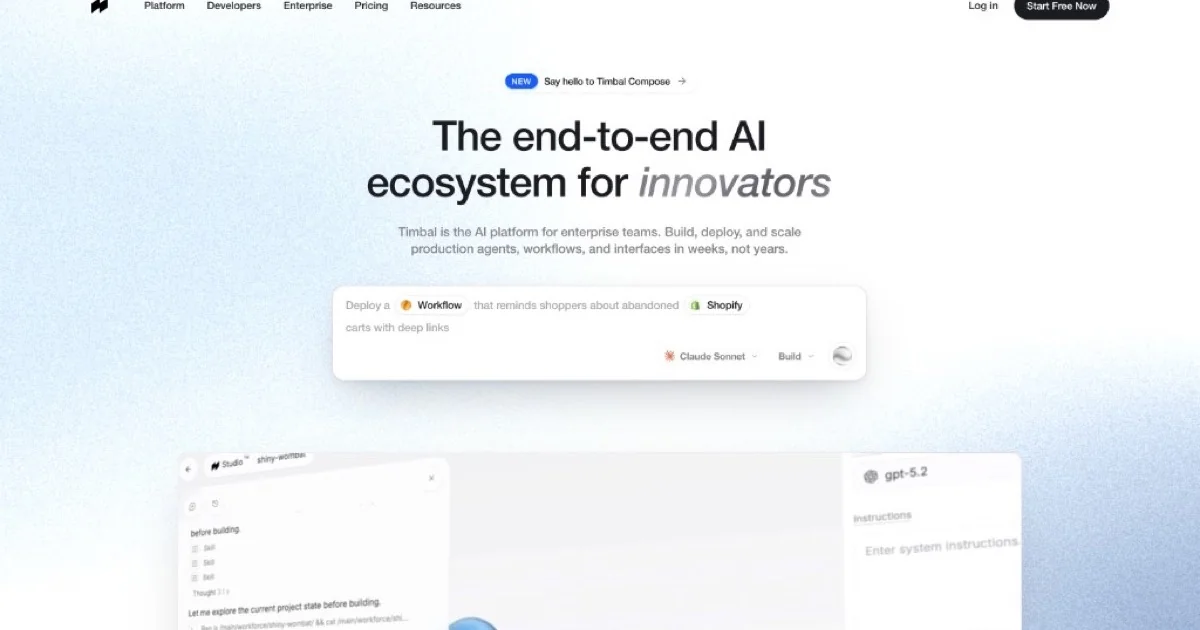
Timbal is an end-to-end AI platform aimed at enterprise teams that want to ship production agents and workflows in weeks rather than years. It bundles four core building blocks — Agents (autonomous, tool- and memory-enabled), Workflows (deterministic chained pipelines), Interfaces (custom UIs) and Knowledge Bases — plus a framework, SDK, CLI and API for developers. The platform runs on Timbal's ACE infrastructure with native MCP support so agents can plug into internal systems, and it is model-agnostic so teams can swap frontier or open models per workload. Enterprise concerns are first class: a Trust Center, security controls and ACE Outcomes measurement come standard, and voice agents and a full 'Timbal Workspace' suite are on the roadmap.
Screenshots
Key Features
Use Cases


Frequently asked questions about Timbal
What is Timbal?
Timbal is an enterprise AI platform designed to create, deploy, and manage production agents, workflows, interfaces, and knowledge bases using customizable models. It streamlines AI integration into business operations, allowing organizations to enhance efficiency and decision-making through advanced automation and machine learning capabilities.
Key Points
- Comprehensive AI Management: Timbal integrates various AI components for holistic management.
- Customizable Models: Users can choose and tailor models to fit specific business needs.
- Enhanced Workflow Automation: The platform improves operational efficiency by automating repetitive tasks.
Detailed Explanation
Timbal serves as a robust enterprise AI platform that enables organizations to build and deploy AI-driven solutions efficiently. It encompasses several key features:
-
Production Agents: Timbal allows businesses to create agents that can perform specific tasks autonomously. For instance, customer service bots can handle inquiries, reducing the workload on human agents.
-
Workflows: The platform provides tools to design complex workflows that integrate various processes and automate operations. For example, a marketing team can automate lead generation and follow-up processes, ensuring timely engagement with potential clients.
-
Interfaces and Knowledge Bases: Timbal supports the development of user-friendly interfaces and knowledge bases that facilitate interaction between users and AI systems. This feature is particularly useful in settings where employees need quick access to information, like in technical support environments.
-
Customization and Governance: Users can select the AI models that best fit their needs. Timbal also includes governance features to ensure compliance with data regulations and ethical standards, which is crucial for organizations handling sensitive information.
Best Practices / Tips
- Define Clear Objectives: Before implementing Timbal, identify specific business challenges that you want to address with AI.
- Start Small: Begin with a pilot project to understand the platform's capabilities and gather insights for broader implementation.
- Regularly Update Models: Ensure that the AI models in use are continuously updated to reflect the latest data and trends, enhancing reliability and accuracy.
- Train Your Team: Provide training to your team on how to use Timbal effectively, ensuring they understand its features and capabilities.
Additional Resources
How does Timbal work?
Timbal operates by integrating Composable Agents, deterministic workflows, and custom interfaces, enabling organizations to deploy autonomous agents that leverage enterprise data effectively. With a robust developer toolkit, it ensures seamless integration and management of internal workflows tailored to specific business needs.
Key Points
- Composable Agents: Autonomous agents equipped with reasoning and memory.
- Deterministic Workflows: Ensures predictable outcomes for complex processes.
- Custom Interfaces: Allows tailored user interfaces without separate projects.
Detailed Explanation
Timbal's architecture is designed to enhance business operations through several core components:
-
Composable Agents: These agents possess reasoning capabilities, enabling them to perform tasks autonomously. They can utilize various tools and maintain memory, making them suitable for production workloads. This flexibility allows businesses to adapt agents for specific tasks or roles within the organization.
-
Deterministic Workflows: Timbal provides the ability to chain steps and branch based on logic, ensuring predictable outcomes even in complex scenarios. This feature is particularly useful when organizations require certainty and reliability in their workflows, such as in regulatory compliance or critical business processes.
-
Custom Interfaces: Businesses can build bespoke user interfaces on top of Timbal’s agents and workflows without needing a separate frontend project. This integration simplifies the deployment process and allows teams to create a user experience that fits their unique needs.
-
Knowledge Bases: Timbal includes a first-class Retrieval-Augmented Generation (RAG) store that grounds agents in enterprise data, allowing for accurate and context-aware responses. This feature is critical for support teams leveraging internal knowledge bases to enhance customer service.
-
Developer Toolkit: Timbal provides a comprehensive framework, SDK, CLI, and API, allowing engineers to author and version everything as code. This capability facilitates efficient development cycles and easier collaboration across teams.
-
Enterprise Agent Rollouts: Large teams can deploy internal agents governed by the Autonomous Control Engine (ACE) across departments, ensuring consistency and compliance with organizational standards.
-
System-Level Integrations: IT departments can connect Timbal's agents to core systems, including SAP and various APIs, fostering seamless data flow and operational efficiency.
Best Practices / Tips
- Define Clear Objectives: Before deploying Timbal, clearly outline the goals and processes you wish to automate. This clarity will guide the creation of effective workflows and agents.
- Leverage Testing: Utilize the testing features in Timbal to ensure that workflows operate as expected, particularly when integrating with critical systems.
- Continuous Improvement: Regularly review and update your agents and workflows to adapt to changing business needs and optimize performance.
Additional Resources
What are the main features of Timbal?
Timbal offers key features like Composable Agents for autonomous decision-making, Deterministic Workflows for reliable outcomes, Custom Interfaces for tailored user experiences, a robust Knowledge Base for grounding agents in enterprise data, and a Developer Toolkit for seamless coding and version control.
Key Points
- Composable Agents: Intelligent agents equipped with reasoning and memory.
- Deterministic Workflows: Ensures predictable results for critical applications.
- Custom Interfaces: Create unique UIs without additional front-end development.
Detailed Explanation
Timbal stands out with its multi-faceted capabilities designed for advanced AI implementations:
-
Composable Agents: These are autonomous agents that possess reasoning abilities, tools, and memory functions. Ideal for production workloads, they can adapt and learn over time, making them suitable for tasks that require continuous improvement and contextual understanding. For instance, a customer service bot can evolve based on historical interactions, improving response accuracy.
-
Deterministic Workflows: In scenarios where uncertainty is unacceptable—such as in finance or healthcare—Timbal’s deterministic workflows allow users to chain steps and branch logic. This guarantees consistent outcomes, ensuring that critical processes adhere to strict guidelines. For example, a loan approval process can be designed to follow a predetermined path, eliminating the risks associated with non-deterministic agents.
-
Custom Interfaces: Timbal enables developers to build bespoke user interfaces directly on top of existing agents and workflows. This flexibility allows companies to create unique user experiences tailored to their specific needs without the hassle of separate front-end projects. For example, a marketing team can design a custom dashboard to visualize data from their AI agents.
-
Knowledge Bases: Timbal includes a first-class Retrieval-Augmented Generation (RAG) store. This feature allows agents to access and utilize enterprise data effectively, grounding their responses in accurate, up-to-date information. It can be particularly beneficial for organizations that rely on large datasets for decision-making.
-
Developer Toolkit: The comprehensive toolkit provided by Timbal includes a framework, SDK, command-line interface (CLI), and API. This suite allows engineers to author, manage, and version all components as code, promoting a streamlined development process. Teams can easily collaborate and maintain version control over their AI projects.
Best Practices / Tips
- Leverage Composable Agents: Utilize the adaptive capabilities of composable agents for tasks that evolve over time.
- Design for Deterministic Workflows: When building workflows, prioritize deterministic logic for mission-critical applications to mitigate risks.
- Invest in Custom Interfaces: Create interfaces that enhance user engagement and streamline the user experience, ensuring they are intuitive and aligned with business goals.
- Utilize Knowledge Bases Effectively: Regularly update your RAG store to ensure agents always have access to the most relevant and accurate data.
- Employ the Developer Toolkit: Make the most of the toolkit’s features for efficient coding practices and better collaboration among your engineering team.
Additional Resources
Who is Timbal for?
Timbal is designed for diverse users including enterprise teams deploying internal agents, operations teams managing workflows, product teams creating custom copilots, support teams utilizing knowledge bases, and IT teams integrating with core systems like SAP. It's a comprehensive tool for optimizing internal processes across various business functions.
Key Points
- Enterprise Agent Rollouts: Supports large teams deploying governed agents.
- Deterministic Business Workflows: Enables codification of approval chains and back-office processes.
- Custom Copilots: Facilitates tailored user interfaces for internal applications.
Detailed Explanation
Timbal serves multiple functions across various departments in an organization:
-
Enterprise Agent Rollouts: Large organizations benefit from deploying internal agents governed by ACE (Agent Control Environment). This allows teams to streamline communication and ensure consistent application of company policies across departments.
-
Deterministic Business Workflows: Operations teams can codify complex approval chains and back-office processes as Timbal workflows. For instance, a company can create a workflow for expense approvals, ensuring that each step is documented and executed flawlessly, minimizing delays and errors.
-
Custom Copilots: Product teams can build tailored copilots on Timbal, enhancing usability by creating unique user interfaces that cater to specific departmental needs. This results in better user experience and increased adoption of the tool within teams.
-
Grounded Q&A over Company Data: Support and knowledge teams can utilize Timbal’s knowledge bases to power grounded assistants. This allows them to provide accurate answers based on internal data, improving customer service and employee training.
-
System-Level Integrations: IT teams can connect Timbal agents to essential systems like SAP and Anthropic APIs using the Multi-Channel Platform (MCP). This integration ensures that data flows seamlessly between applications, enhancing overall productivity.
Best Practices / Tips
- Define Clear Objectives: Before deploying Timbal, outline specific goals for each team. This helps in customizing workflows and agents effectively.
- Train Team Members: Ensure all users receive training on how to leverage Timbal's features to maximize productivity.
- Regularly Update Knowledge Bases: Keep knowledge bases current to ensure that support teams provide accurate and timely information.
- Monitor Performance: Use analytics to track the effectiveness of workflows and agents, allowing for continuous improvement.
Additional Resources
How much does Timbal cost?
Timbal offers a free tier, allowing users to access basic features without any cost. For those seeking advanced capabilities, paid plans are available, typically ranging from $10 to $50 per month, depending on the features and usage requirements.
Key Points
- Timbal provides a free tier for basic access.
- Paid plans range from $10 to $50 per month.
- Advanced features include enhanced analytics and integrations.
Detailed Explanation
Timbal is a versatile tool designed to cater to various user needs, from beginners to advanced users. The free tier is perfect for individuals or small teams just starting, providing essential features like basic analytics and limited integrations. This tier allows users to explore the platform’s capabilities without financial commitment, making it an excellent option for those testing the waters.
For users looking for more robust functionality, Timbal offers several paid plans. These plans typically range from $10 to $50 per month, depending on the features included, such as enhanced analytics, additional integrations, and priority customer support. For example, the basic paid plan might include advanced reporting tools, while the higher-tier plan may offer custom integrations and dedicated account management.
Understanding which plan suits your needs involves analyzing your specific requirements. If you primarily need basic features with limited usage, the free tier may suffice. However, teams requiring comprehensive data insights and integrations should consider investing in a paid plan.
Best Practices / Tips
- Evaluate Your Needs: Before selecting a plan, assess what features are essential for your projects.
- Take Advantage of the Free Tier: Use the free version extensively to determine if Timbal meets your needs.
- Consider Long-term Plans: Some platforms offer discounts for annual subscriptions, which could save money in the long run.
- Stay Updated: Regularly check Timbal's website for any promotional offers or updates to pricing and features.
Additional Resources
How do I get started with Timbal?
To get started with Timbal, visit timbal.ai to sign up for an account. Once registered, you can explore its features, integrate AI tools, and access various resources to enhance your projects and workflows effectively.
Key Points
- Sign Up Process: Create an account easily on the website.
- Explore Features: Familiarize yourself with Timbal's offerings.
- AI Integration: Utilize AI tools to boost productivity.
Detailed Explanation
Starting with Timbal is straightforward. Here’s a step-by-step guide to help you navigate the process effectively:
-
Visit the Website: Go to timbal.ai. This is the official platform where you can find comprehensive information about Timbal's services and tools.
-
Sign Up: Click on the "Sign Up" button, usually located at the top right corner of the homepage. You’ll need to provide essential information such as your name, email address, and password to create your account. You may also have the option to sign up using social media accounts for quicker access.
-
Verify Your Email: After signing up, check your inbox for a verification email from Timbal. Click the verification link to activate your account.
-
Log In: Once your email is verified, return to the Timbal website and log in using your credentials.
-
Explore the Dashboard: After logging in, you will be directed to your dashboard. Here, you can explore various features, including project management tools, AI integrations, and analytics.
-
Utilize Resources: Timbal offers tutorials, webinars, and documentation to help you understand how to make the most out of its features. Access these resources from the dashboard or the help section.
-
Start a Project: Begin by creating a new project. You can choose from templates or start from scratch, incorporating AI tools to enhance your workflow.
Best Practices / Tips
- Take Advantage of Tutorials: Utilize the onboarding tutorials available on the Timbal platform to familiarize yourself with the interface and tools.
- Join the Community: Engage with other users in forums or social media groups to share insights and tips.
- Experiment with Features: Don’t hesitate to try different features and tools within Timbal to see what works best for your specific needs.
Additional Resources
Explore more AI Ai Services tools
Browse all Ai Services tools →Browse by use case: Automation & Productivity
Compare Timbal: vs BAND for Developers · vs NitroStack · vs GBrain · vs MentionBird