

Thumbfa.st
AICreate professional, face-consistent YouTube thumbnails in seconds with AI-generated designs and multiple variations.
Thumbfa.st
Create professional, face-consistent YouTube thumbnails in seconds with AI-generated designs and multiple variations.
About Thumbfa.st
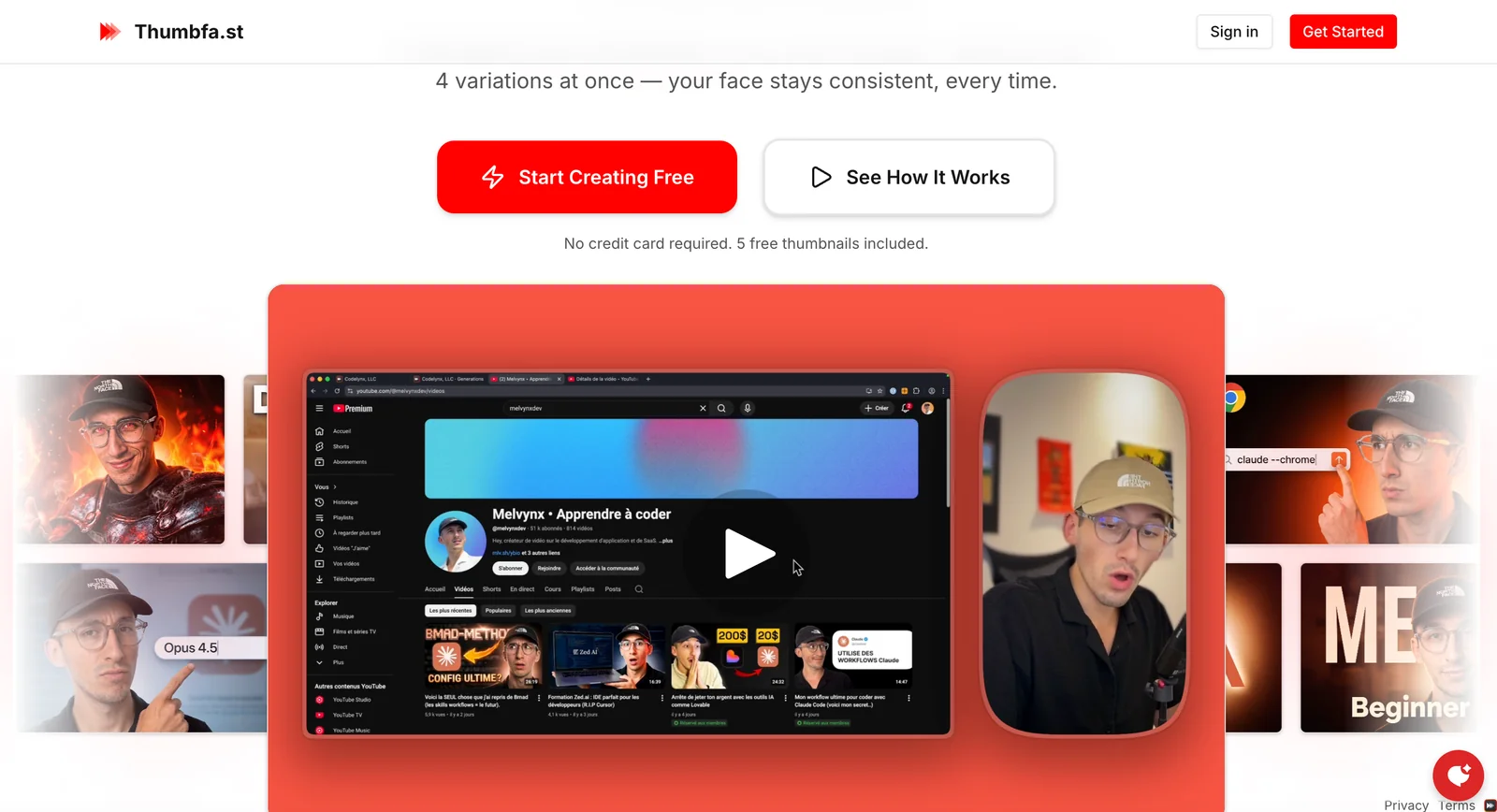
Thumbfa.st is a web tool that generates AI-powered YouTube thumbnails quickly, preserving the creator's face and style across outputs. Users can upload their face, provide an inspirational thumbnail or text prompts, and the system produces multiple variations (up to four at once) for fast iteration. The platform emphasizes consistency (your face stays consistent across variations), rapid production (thumbnails in minutes), and iterative refinement until the user is satisfied. Documentation indicates programmatic capabilities (NOW.TS API) for automating thumbnail creation and integrating generation into content workflows.
Screenshots
Key Features
Use Cases


Frequently asked questions about Thumbfa.st
What pricing options are available for Thumbfa.st and what features do they offer?
Thumbfa.st offers a freemium model with three pricing tiers: Free ($0/month) for 5 credits, Pro ($19/month) for 100 credits plus priority support, and Ultra ($49/month) for 300 credits, designed for power users. Annual plans provide savings of approximately 20%.
Key Points
- Freemium Model: Starting with a free tier to explore basic features.
- Flexible Pricing Tiers: Options tailored for casual users and professionals.
- Annual Savings: Cost-effective plans for long-term users.
Detailed Explanation
Thumbfa.st is a user-friendly thumbnail creation tool that caters to different user needs with its tiered pricing model:
-
Free Tier:
- Cost: $0/month
- Credits: 5 credits per month
- Features: Basic thumbnail creation tools, ideal for casual users or those just getting started.
-
Pro Tier:
- Cost: $19/month
- Credits: 100 credits per month
- Features: This plan includes priority customer support, allowing users to get timely assistance. It is perfect for regular users who require more credits for their projects, such as bloggers or small business owners.
-
Ultra Tier:
- Cost: $49/month
- Credits: 300 credits per month
- Features: Designed for power users, this plan offers the highest number of credits and is suitable for agencies or content creators who need a vast quantity of high-quality thumbnails regularly.
Annual subscriptions are also available, providing approximately 20% savings compared to monthly payments. This is an excellent option for users looking to maximize their budget while ensuring they have access to the necessary features throughout the year.
Best Practices / Tips
- Evaluate Your Needs: Choose a plan based on your thumbnail creation frequency and support requirements.
- Utilize Free Credits Wisely: Experiment with the free tier before committing to a paid plan to understand your usage patterns.
- Consider Annual Plans: If you are a frequent user, consider opting for an annual plan to take advantage of the savings.
Additional Resources
How can I create thumbnails quickly using Thumbfa.st?
To create thumbnails quickly using Thumbfa.st, sign up for an account, choose your preferred plan, and utilize the intuitive interface to upload inspiration images or describe your desired thumbnail. You can generate up to four variations simultaneously for fast and effective results.
Key Points
- User-Friendly Interface: Thumbfa.st offers an intuitive design for easy navigation.
- Multiple Variations: Generate up to four thumbnail options at once, saving time.
- Plan Selection: Choose from various subscription plans suited to your needs.
Detailed Explanation
Creating thumbnails with Thumbfa.st is a straightforward process. First, visit the Thumbfa.st website and sign up for an account. Once you've registered, you can select a plan that fits your requirements; options typically range from basic to premium, catering to different budgets and usage needs.
After logging in, navigate to the thumbnail creation interface. Here, you can either upload images that inspire your design or provide a descriptive text prompt detailing your vision. The platform's AI analyzes your inputs to generate up to four distinct thumbnail variations, allowing you to choose the one that best fits your project.
For example, if you’re creating a YouTube video thumbnail, you might upload a screenshot from the video or describe the theme, such as “adventure travel in the mountains.” The AI will then produce thumbnails that align with this theme, featuring different layouts, fonts, and color schemes for you to select from.
Best Practices / Tips
- Be Descriptive: When using text prompts, be as descriptive as possible to yield better results.
- Test Variations: Don’t hesitate to try different combinations of images and text prompts to see what works best.
- Stay On-Brand: Consider your branding guidelines when selecting colors and fonts for your thumbnails to ensure consistency across your content.
Additional Resources
What unique features does Thumbfa.st offer for YouTube thumbnail design?
Thumbfa.st offers unique features for YouTube thumbnail design, including consistent facial recognition across thumbnails, the ability to generate multiple variations simultaneously, and reference-based styling. These capabilities enhance brand recognition and facilitate efficient A/B testing, making it easier for creators to attract viewers.
Key Points
- Face Consistency: Ensures recognizable thumbnails.
- Multiple Variations: Generates several designs at once.
- Reference-Based Styling: Allows customization based on existing designs.
Detailed Explanation
Thumbfa.st is designed specifically for YouTube content creators, focusing on maximizing viewer engagement through visually appealing thumbnails. One of its standout features is face consistency. This ensures that faces in thumbnails remain recognizable across different designs, which is crucial for brand identity. For instance, if a creator regularly features their face, maintaining a consistent look can help in building a loyal audience.
Another significant feature is the ability to generate multiple variations of thumbnails in one go. This saves time and allows creators to experiment with different styles, colors, and text placements quickly. For example, a user can input their video title and receive various thumbnail designs, enabling easy comparison and selection.
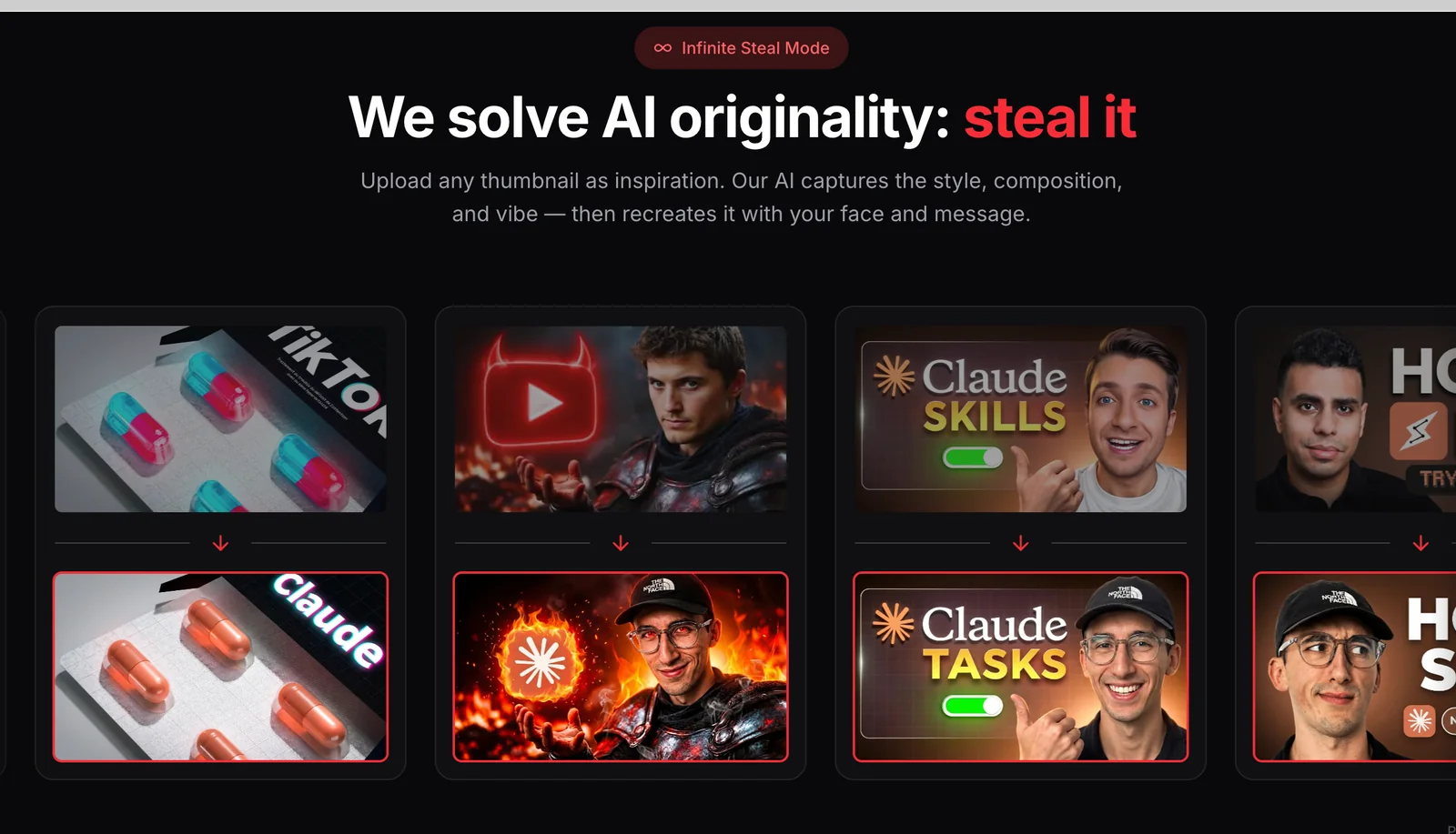
The reference-based styling feature allows users to upload an existing thumbnail or design they admire. Thumbfa.st then generates new thumbnails inspired by the uploaded reference. This is particularly useful for creators looking to maintain a specific aesthetic or brand theme across their content.
Best Practices / Tips
- Test Variations: Use the multiple variation feature to conduct A/B testing for thumbnails. Monitor which designs attract more clicks and adjust your strategy accordingly.
- Maintain Brand Consistency: Always ensure that your thumbnails reflect your brand's colors and style. Consistency helps viewers instantly recognize your content.
- Utilize Reference Images: Take advantage of the reference-based styling feature by uploading successful thumbnails from your previous videos or popular creators in your niche.
- Keep It Simple: Thumbnails should be visually appealing but not overly complicated. Ensure that the main message is easily readable, even on smaller screens.
Additional Resources
- Thumbfa.st Official Site - Explore all features and functionalities.
- YouTube Thumbnail Best Practices - Learn about effective thumbnail strategies.
- A/B Testing for Thumbnails - Find tutorials on how to optimize your thumbnails through A/B testing.
Can I integrate Thumbfa.st into my automated publishing pipeline?
Yes, you can integrate Thumbfa.st into your automated publishing pipeline using the NOW.TS API. This programmatic access allows developers to automate thumbnail generation, enhancing workflow efficiency and ensuring quick, consistent visual content for video publishing.
Key Points
- Programmatic API Access: Utilize the NOW.TS API for seamless integration.
- Automated Thumbnail Generation: Effortlessly create thumbnails for videos.
- Enhanced Workflow Efficiency: Streamline your publishing process with automation.
Detailed Explanation
Integrating Thumbfa.st into your automated publishing pipeline is a straightforward process thanks to the NOW.TS API. This API enables developers to programmatically generate thumbnails, which can be a game-changer for content creators and marketers looking to enhance their video presentation.
Steps to Integrate Thumbfa.st:
- API Key Acquisition: First, sign up for Thumbfa.st and obtain your API key.
- Documentation Review: Familiarize yourself with the Thumbfa.st API documentation to understand the endpoints and parameters available for thumbnail generation.
- Initial Setup: Set up your development environment, ensuring you have the necessary libraries for making HTTP requests.
- API Call Implementation: Write a script to call the NOW.TS API with the desired parameters, such as video file URLs and thumbnail specifications.
- Testing: Run tests to ensure thumbnails are generated correctly and troubleshoot any issues.
- Integration: Embed this script into your automated publishing pipeline, ensuring that thumbnails are generated as part of your video upload process.
For example, if you are using a platform like WordPress, you can create a custom plugin that triggers thumbnail generation when a new video is uploaded, thereby automating the entire workflow.
Best Practices / Tips
- Error Handling: Implement robust error handling in your API calls to manage any issues that arise during thumbnail generation.
- Caching Thumbnails: Consider caching generated thumbnails to reduce API calls and improve load times.
- Regular Updates: Keep an eye on API updates or changes in usage limits to ensure your integration remains functional and efficient.
- Optimize Thumbnail Size: Use optimal sizes and formats for thumbnails to improve loading speed and user experience.
Additional Resources
What tips do experienced users recommend for maximizing the value of Thumbfa.st?
Experienced users recommend maximizing the value of Thumbfa.st by leveraging the reference-based styling feature to replicate high-performing thumbnails, experimenting with diverse prompts to enhance creativity, and consistently analyzing performance metrics to optimize designs for improved click-through rates.
Key Points
- Utilize reference-based styling to replicate successful thumbnails.
- Experiment with varied prompts for creative improvement.
- Regularly review analytics for design optimization.
Detailed Explanation
To get the most out of Thumbfa.st, consider these strategies:
-
Reference-Based Styling: This feature allows you to select successful thumbnails as a template. By analyzing popular designs in your niche, you can mimic effective elements such as color schemes, fonts, and layouts. For instance, if a particular thumbnail with bright colors and bold text performs well, use it as a reference to create your variations.
-
Diverse Prompt Experimentation: Creativity is key in thumbnail design. Use different prompts to generate a variety of thumbnails. For example, if your initial prompt was "funny cat video," try variations like "epic cat fails" or "adorable kittens." This will help you identify which themes resonate best with your audience.
-
Analytics Review: Regularly check the analytics provided by Thumbfa.st to track click-through rates (CTR) and engagement. Identify which thumbnails are performing well and which are not. This data is crucial for refining your designs. For instance, if thumbnails featuring faces yield higher CTR, consider incorporating more human elements in future designs.
Best Practices / Tips
- A/B Testing: Implement A/B testing to compare different thumbnails. Upload two versions of a thumbnail and analyze which one drives more clicks.
- Stay Updated: Follow trends in your industry to keep your thumbnails relevant. Tools like Google Trends can help you identify popular topics.
- Avoid Overcrowding: Ensure your thumbnails are not overcrowded with text or images; clarity is essential for quick viewer comprehension.
- Maintain Brand Consistency: Use consistent colors and fonts that align with your brand identity, enhancing recognition across platforms.
Additional Resources
Explore more AI Ai Services tools
Browse all Ai Services tools →Browse by use case: Video Generation · Automation & Productivity
Compare Thumbfa.st: vs BAND for Developers · vs NitroStack · vs GBrain · vs MentionBird