

Supabase
AIOfficial MCPPostgres-first development platform providing hosted Postgres, Auth, instant APIs, Realtime, Functions, Storage and vector embeddings.
Supabase
Postgres-first development platform providing hosted Postgres, Auth, instant APIs, Realtime, Functions, Storage and vector embeddings.
About Supabase
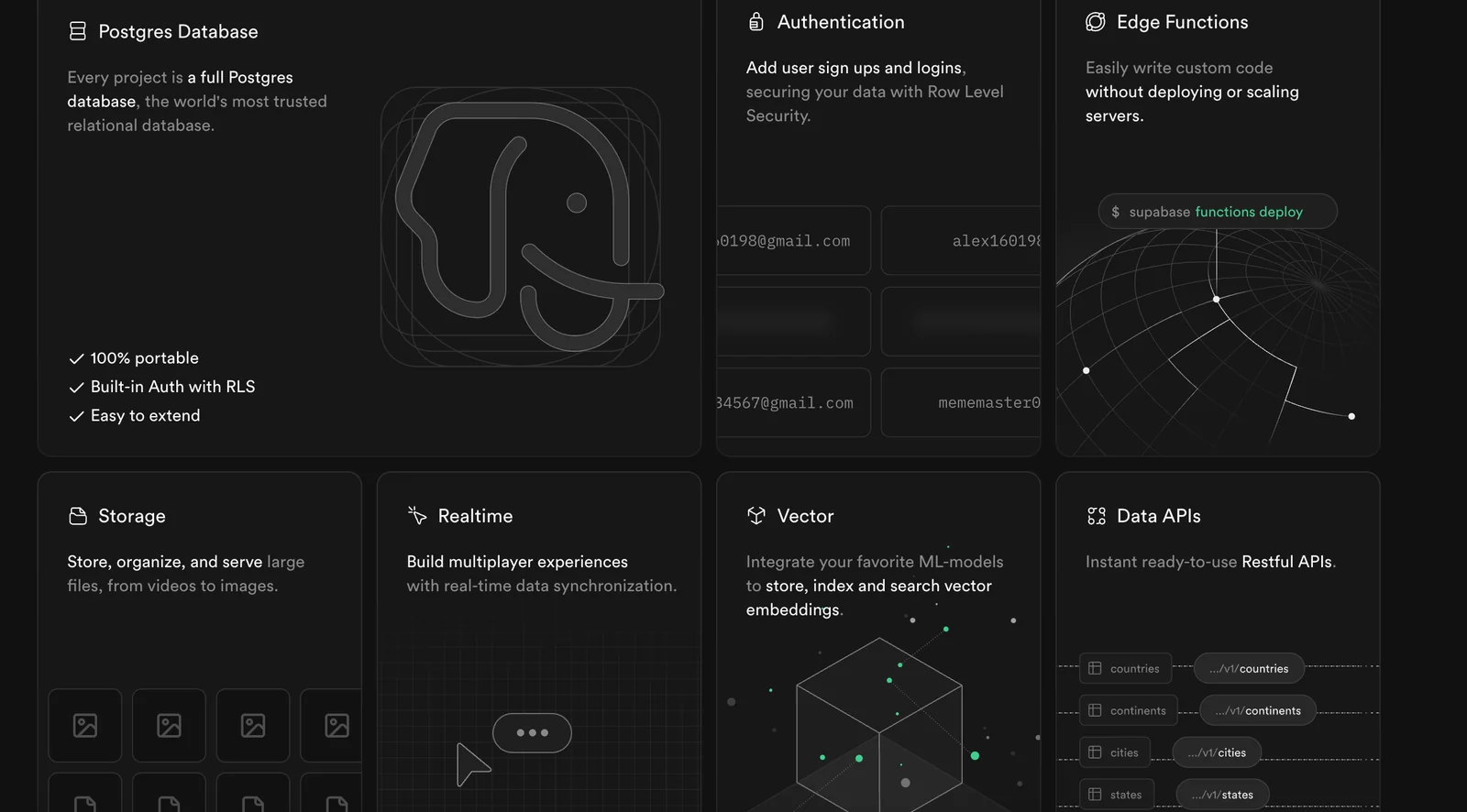
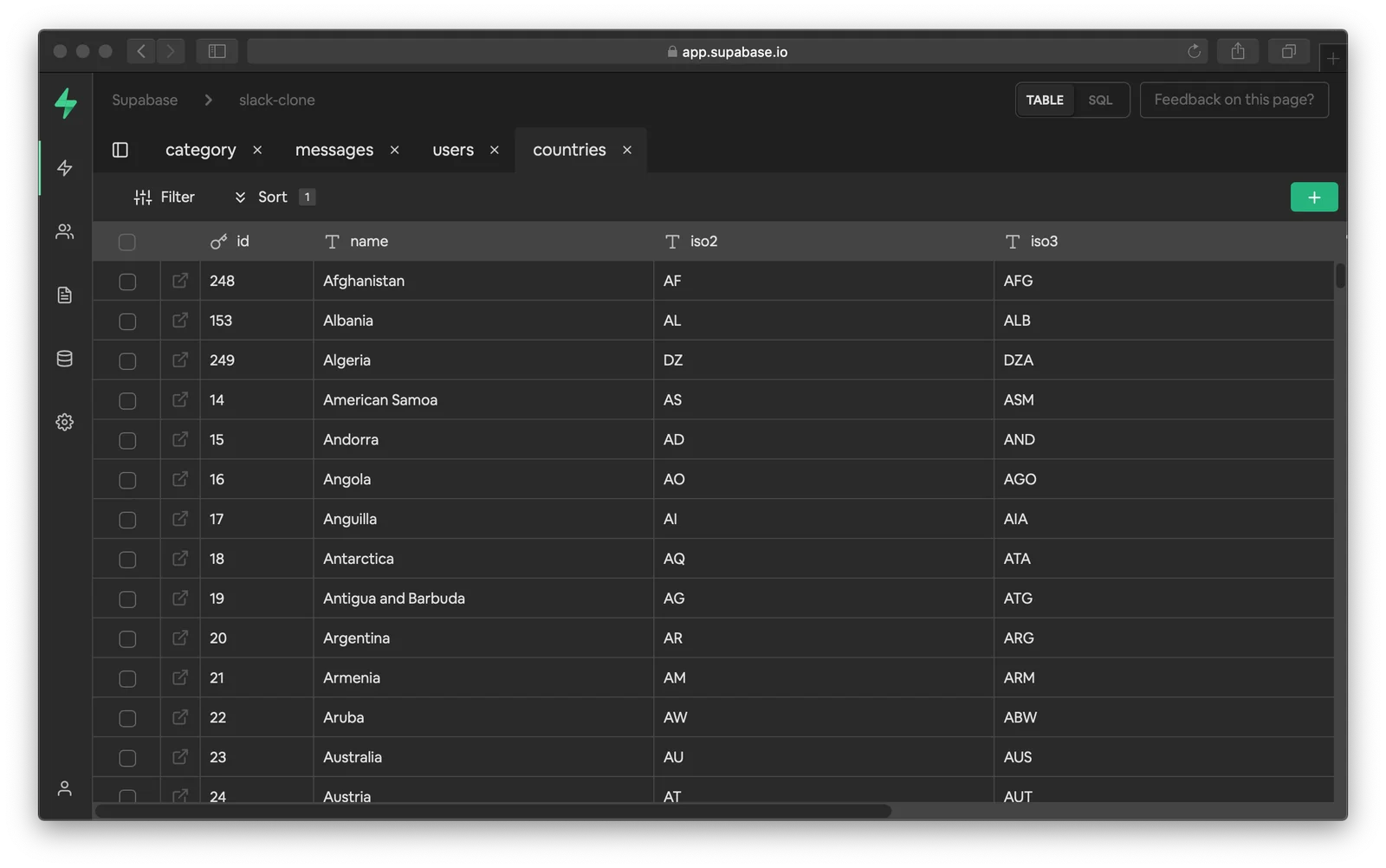
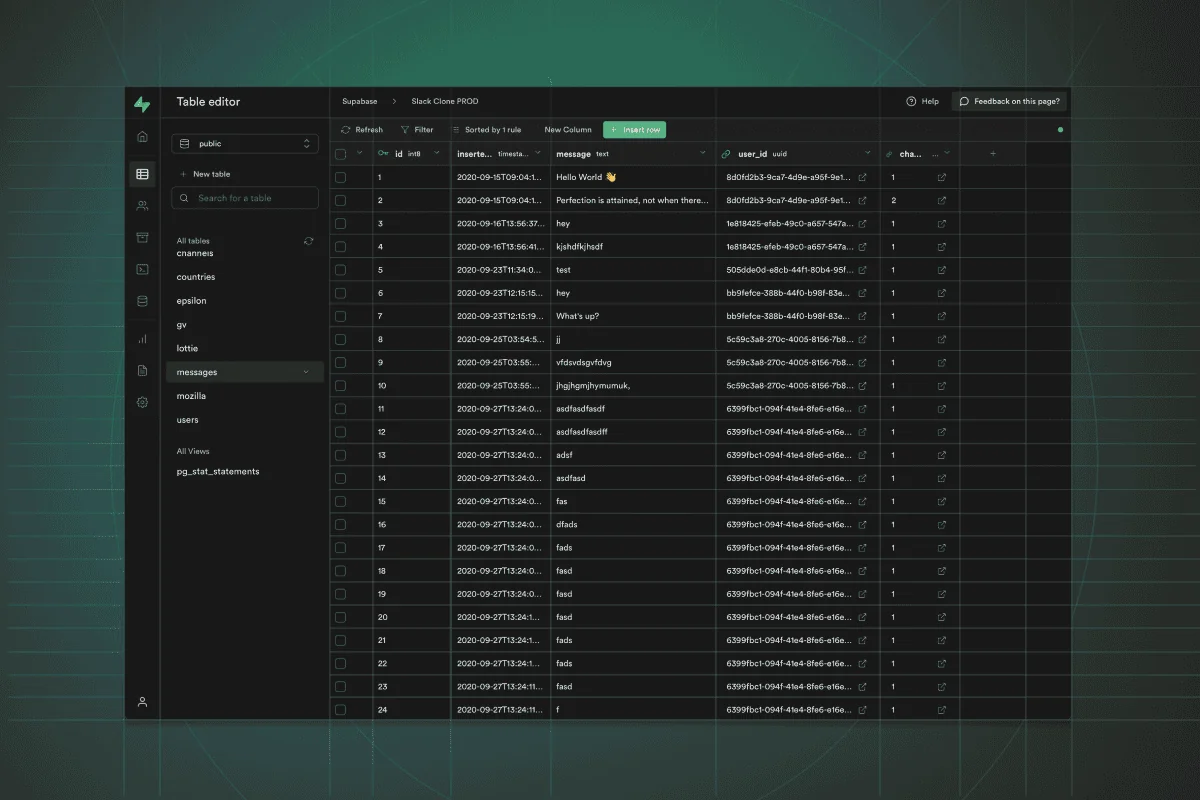
Supabase is a Postgres-first development platform that gives developers a hosted Postgres database combined with built-in services such as authentication, auto-generated REST/GraphQL APIs, realtime subscriptions, edge and database functions, file storage, and a vector/embeddings toolkit. It reuses and integrates enterprise-grade open-source components to provide a Firebase-like developer experience while remaining open source and self-hostable. Supabase offers client libraries (e.g., supabase-js), a dashboard, and local development tooling to speed development of web, mobile, and AI applications that require robust relational data, realtime updates, and semantic search.
Screenshots

Key Features
Use Cases
MCP Server
https://supabase.com/docs/guides/getting-started/mcphttps://mcp.supabase.com/mcp💡 MCP (Model Context Protocol) enables AI assistants to securely interact with local and remote resources.



Frequently asked questions about Supabase
What are the pricing options for Supabase?
Supabase offers a freemium pricing model with four main plans: Free ($0), Pro ($25/month), Team ($599/month), and customized Enterprise plans. Each plan includes distinct features and usage limits, catering to various project sizes and organizational needs.
Key Points
- Free Plan: Ideal for personal projects and small applications.
- Pro Plan: Best for individual developers and startups needing more resources.
- Team Plan: Designed for larger teams with advanced collaboration features.
Detailed Explanation
Supabase's pricing structure is designed to accommodate a variety of users, from hobbyists to large enterprises.
-
Free Plan ($0/month): Perfect for developers starting with personal projects or small applications. It includes features like 2 GB of database storage, 500 MB of file storage, and 25,000 monthly API requests. This plan allows users to explore Supabase's capabilities without financial commitment.
-
Pro Plan ($25/month): Targeted at individual developers and small businesses, offering 8 GB of database storage, 5 GB of file storage, and 50,000 monthly API requests. This plan also includes features such as authentication and additional integrations, making it suitable for growing applications.
-
Team Plan ($599/month): Suited for larger teams or organizations, it provides 80 GB of database storage, 100 GB of file storage, and 500,000 monthly API requests. This plan includes advanced features like team collaboration tools, custom domains, and priority support, which is essential for managing larger projects.
-
Enterprise Plans: Customizable plans tailored to specific business needs, including unlimited storage options and dedicated support. Pricing varies based on requirements and is negotiated directly with Supabase's sales team.
Best Practices / Tips
- Evaluate Your Needs: Before choosing a plan, assess your project requirements in terms of storage, API requests, and team collaboration.
- Start with Free: If you're new to Supabase, begin with the Free plan to familiarize yourself with the platform's features and capabilities.
- Monitor Usage: Regularly check your usage statistics to ensure you’re on the right plan and avoid unexpected overages.
Additional Resources
How can I get started with Supabase?
To get started with Supabase, visit their official website at supabase.com, create a free account, and follow the setup guide to launch your first project using the hosted PostgreSQL database. With its user-friendly interface, you can easily manage authentication, real-time subscriptions, and storage.
Key Points
- Create an account: Sign up for a free account on Supabase.
- Follow the setup guide: Utilize the official documentation to configure your project.
- Explore features: Familiarize yourself with Supabase’s database, authentication, and storage options.
Detailed Explanation
Step 1: Create an Account
Go to supabase.com and click on the "Start Your Project" button. You’ll need to provide your email, create a password, and verify your account. Once verified, log in to your dashboard.
Step 2: Set Up Your First Project
In your dashboard, click on "New Project." You'll be prompted to enter details such as:
- Project Name: Choose a unique name for your project.
- Database Password: Set a secure password for your PostgreSQL database.
- Region: Select a server location to optimize performance.
After filling in these details, click “Create new project.” Supabase will provision your PostgreSQL database, which may take a couple of minutes.
Step 3: Explore Supabase Features
Once your project is created, you can access the following features:
- Database Management: Use the SQL editor to run queries or manage tables.
- Authentication: Set up user authentication with email/password or social logins.
- Real-time Subscriptions: Implement real-time updates in your applications effortlessly.
- Storage: Manage file storage for your application needs.
Example Use Case
Suppose you’re building a web application for managing tasks. You can create tables for tasks, users, and categories. Utilize Supabase’s authentication to ensure that only registered users can access their tasks. Use real-time subscriptions to update the task list without refreshing the page.
Best Practices / Tips
- Secure Your Database: Always use strong passwords and enable SSL for database connections.
- Utilize Environment Variables: Store sensitive data like database passwords in environment variables.
- Regular Backups: Schedule regular backups of your database to prevent data loss.
- Monitor Performance: Use Supabase’s dashboard analytics to monitor database performance and optimize queries as needed.
Additional Resources
- Supabase Documentation - Comprehensive guides and tutorials.
- Supabase GitHub - Access the source code and community discussions.
- Supabase Community Forum - Engage with other users and share experiences.
What are the key features of Supabase?
Supabase offers essential features such as a hosted Postgres database, auto-generated APIs, robust authentication, real-time subscriptions, scalable storage solutions, and a vector embeddings toolkit tailored for AI functionalities. These features empower developers to build applications efficiently while leveraging the power of real-time data.
Key Points
- Hosted Postgres Database: A fully managed database solution.
- Auto-Generated APIs: Simplifies backend development.
- Real-Time Subscriptions: Enables instant data updates.
Detailed Explanation
Supabase is an open-source alternative to Firebase that provides a comprehensive backend solution for developers. Here are its key features in detail:
-
Hosted Postgres Database: Supabase uses PostgreSQL, a powerful relational database, which includes features like table relationships, advanced querying capabilities, and support for JSON data. This allows developers to manage structured and unstructured data effectively.
-
Auto-Generated APIs: When you create tables in Supabase, it automatically generates RESTful APIs for you. This means that you can interact with your database using standard HTTP methods (GET, POST, PUT, DELETE) without writing any backend code. This feature accelerates development and reduces boilerplate code.
-
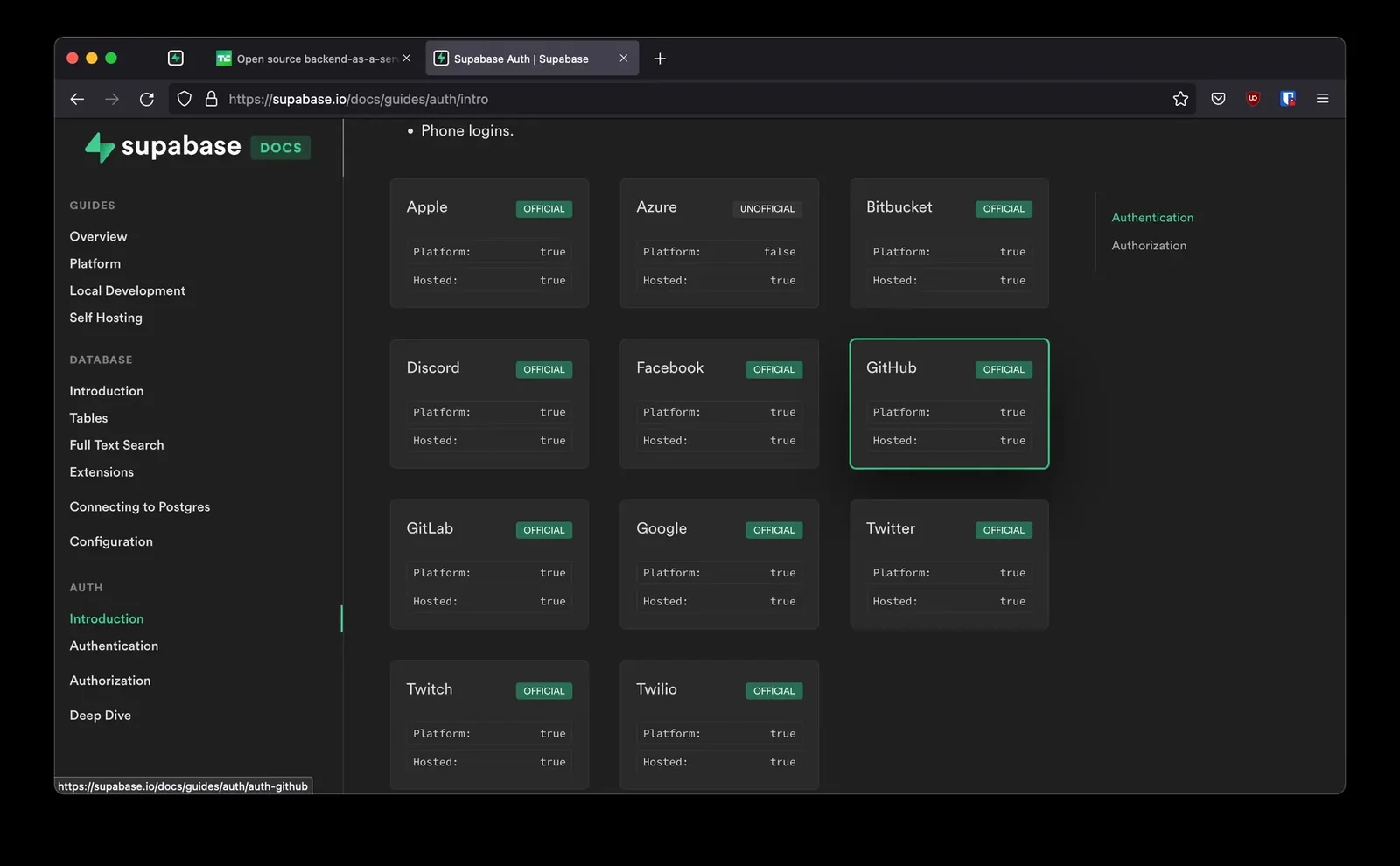
Authentication: Supabase provides built-in user management, including email/password authentication, OAuth providers (like Google and GitHub), and more. This makes it easy to secure your applications and manage users without implementing complex authentication systems.
-
Real-Time Subscriptions: With Supabase, you can subscribe to changes in your database in real-time. This feature is particularly useful for applications that require instant updates, such as chat applications or live dashboards. Notifications can be sent to clients as soon as data changes.
-
Storage: Supabase offers a scalable storage solution that allows you to upload and serve large files. This is great for applications that require media uploads, such as images or videos. The storage system integrates seamlessly with the rest of the Supabase services.
-
Vector Embeddings Toolkit: For AI functionalities, Supabase includes a vector embeddings toolkit. This feature is designed for machine learning applications, allowing developers to perform operations like similarity searches efficiently.
Best Practices / Tips
- Utilize the Documentation: Always refer to the official Supabase documentation for detailed guidelines on setting up and optimizing each feature.
- Monitor Performance: Use Supabase's built-in analytics to monitor database performance and user interactions, ensuring your application runs smoothly.
- Secure Your APIs: Implement appropriate security measures on your auto-generated APIs to protect sensitive data.
Additional Resources
How does Supabase compare to Firebase?
Supabase and Firebase are both backend-as-a-service platforms, but they differ significantly in their architecture and approach. Supabase uses PostgreSQL, which provides SQL support and relational database capabilities, while Firebase employs a NoSQL database. Additionally, Supabase emphasizes open-source technology, making it appealing for developers seeking flexibility and control.
Key Points
- Database Type: Supabase uses PostgreSQL (SQL) while Firebase uses NoSQL.
- Open Source: Supabase is open-source, offering greater customization options.
- Real-time Capabilities: Both platforms support real-time data updates but with different underlying technologies.
Detailed Explanation
Database Architecture
Supabase leverages PostgreSQL, a powerful relational database known for its robust performance and advanced features such as ACID compliance, complex queries, and data integrity. This makes it suitable for applications requiring structured data and transactional support.
In contrast, Firebase utilizes Firestore, a NoSQL database designed for scalability and ease of use. Firestore is optimized for unstructured data and provides a flexible data model, making it ideal for applications that need to handle various data types without strict schemas.
Real-time Features
Both Supabase and Firebase offer real-time capabilities, allowing developers to build interactive applications. Supabase implements real-time functionalities through PostgreSQL's LISTEN/NOTIFY feature, whereas Firebase relies on its native real-time database and Firestore updates. This means developers can use either platform to keep users updated with the latest data changes.
Open Source vs. Proprietary
One of the key differentiators is Supabase's commitment to open-source principles. This allows developers to self-host their Supabase instance, giving them complete control over their data and infrastructure. Firebase, while offering extensive features and integration with Google Cloud, is a proprietary platform with limited customization options.
Best Practices / Tips
- Choosing the Right Platform: Evaluate the data structure of your application. If you require complex queries and relationships, Supabase may be the better choice. For projects with rapidly changing, unstructured data, Firebase could be more suitable.
- Scalability Considerations: Consider your application's growth potential. Firebase is designed to scale effortlessly with user demand, while Supabase can also scale but may require more manual intervention for optimization.
- Cost Management: Both platforms offer free tiers, but review pricing details as your usage grows. Firebase has a pay-as-you-go model that can become costly, while Supabase’s pricing scales differently based on resources used.
Additional Resources
This comprehensive comparison between Supabase and Firebase equips developers with the necessary knowledge to choose the right backend service for their projects.
Does Supabase provide an API for integration?
Yes, Supabase provides an API for integration by automatically generating REST and GraphQL APIs from your Postgres schema. This allows developers to seamlessly integrate these APIs into their applications without the need for manual backend coding, significantly accelerating the development process.
Key Points
- Automatic API Generation: Supabase creates REST and GraphQL APIs directly from your database schema.
- No Manual Coding Required: Developers can focus on frontend development without backend complexities.
- Real-time Capabilities: Supabase supports real-time updates, enhancing app interactivity.
Detailed Explanation
Supabase simplifies backend development by automatically generating APIs based on your PostgreSQL database schema. When you set up a new project, Supabase scans your database tables and creates corresponding RESTful endpoints and GraphQL queries.
Example Use Case
For instance, if you have a "users" table, Supabase will automatically provide endpoints like /api/users for REST and a GraphQL query like query { users { id, name, email } }. This allows for efficient data retrieval without needing to write any server-side code.
Real-Time Capabilities
One of the standout features of Supabase is its real-time capabilities. By leveraging PostgreSQL's built-in features, you can subscribe to changes in your database. For example, when a new user registers, any application connected to the real-time endpoint will automatically receive updates, enhancing user experience and engagement.
Best Practices / Tips
- Utilize Migrations: When modifying your database schema, use Supabase’s migration tools to ensure your API updates accordingly.
- Explore Security Features: Implement row-level security to control access to your data through the API.
- Combine with Client Libraries: Use Supabase’s JavaScript client library for easy integration and to simplify API calls in your frontend applications.
Additional Resources
By leveraging Supabase’s automatic API generation, you can streamline your development process, enhance app interactivity, and focus on delivering a high-quality user experience.
Explore more AI Mcps tools
Browse all Mcps tools →Compare Supabase: vs ai-memory · vs CrawlForge MCP · vs Popcraft · vs Pomerado