

Stytch
AIOfficial MCPAPIs and SDKs for developer-first authentication, enabling passwordless and secure user sign-in across web and mobile.
Stytch
APIs and SDKs for developer-first authentication, enabling passwordless and secure user sign-in across web and mobile.
About Stytch
Stytch is an authentication platform that provides developer-focused APIs and SDKs to integrate secure authentication and authorization into web and mobile applications. It emphasizes passwordless flows (magic links, WebAuthn, phone/email verification), comprehensive client libraries for multiple languages and platforms, and features for managing users and organizations. Stytch is positioned to simplify building modern, secure auth experiences while improving user experience and reducing the security burden for engineering teams.
Screenshots


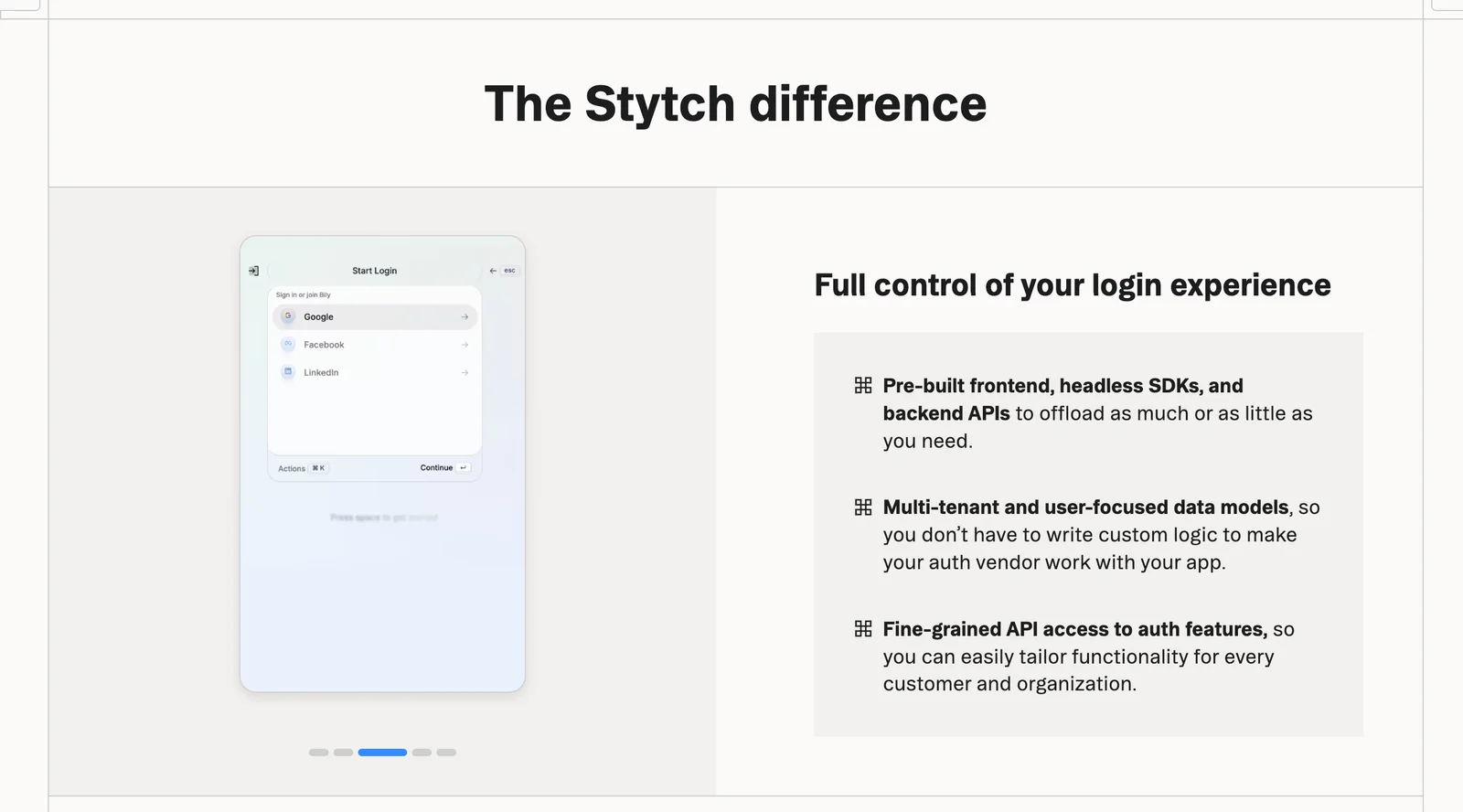

Key Features
Use Cases
MCP Server
https://stytch.com/docs/workspace-management/stytch-mcphttps://mcp.stytch.dev/mcp💡 MCP (Model Context Protocol) enables AI assistants to securely interact with local and remote resources.



Frequently asked questions about Stytch
What is the pricing structure for Stytch?
Stytch offers a freemium pricing model that allows free access for up to 10,000 monthly active users. After this threshold, usage-based fees apply, and custom pricing options are available for enterprise-level plans, ensuring flexibility for businesses of all sizes.
Key Points
- Free access for up to 10,000 monthly active users.
- Usage-based fees apply beyond the free tier.
- Custom pricing is available for enterprise plans.
Detailed Explanation
Stytch's pricing structure is designed to accommodate both startups and larger enterprises. The freemium model allows developers to integrate Stytch's authentication solutions without any initial investment, making it ideal for testing and early-stage projects.
-
Freemium Tier: Users can freely access Stytch's services for up to 10,000 monthly active users. This tier includes essential features such as passwordless login, user management, and extensive documentation to help developers get started quickly.
-
Usage-Based Fees: Once you surpass the 10,000 user limit, Stytch implements usage-based fees. This means you will pay according to the number of active users or specific API calls made, allowing for scalable pricing based on your application’s growth.
-
Enterprise Plans: For larger organizations, Stytch provides custom pricing options. These plans are tailored to meet specific business needs, including enhanced security features, dedicated support, and compliance requirements.
Example Pricing Breakdown
- Freemium: $0 for up to 10,000 users.
- Post-Freemium: Pricing typically starts at a predetermined rate per additional user or API call, which can vary based on the selected features.
- Enterprise Customization: Contact Stytch directly for a quote tailored to your business requirements.
Best Practices / Tips
- Monitor User Growth: Keep a close eye on your active user count to ensure you transition smoothly from the freemium to the paid model without unexpected costs.
- Utilize Documentation: Take full advantage of Stytch’s comprehensive documentation and support resources to understand the features available in each pricing tier, ensuring you optimize your usage.
- Evaluate Needs for Custom Plans: If you anticipate rapid growth or have specific compliance needs, consider reaching out for enterprise-level discussions early to secure the best pricing and features.
Additional Resources
How do I integrate Stytch's APIs for user authentication?
To integrate Stytch's APIs for user authentication, sign up on the Stytch website, select the appropriate SDK for your platform (like Go, Android, iOS, or JavaScript), and follow the documentation to implement passwordless authentication flows. This allows for secure, seamless user experiences.
Key Points
- Sign Up: Create an account on the Stytch website.
- Choose SDK: Select the SDK that matches your development environment.
- Implement Authentication: Follow the documentation to set up passwordless authentication.
Detailed Explanation
Integrating Stytch’s user authentication APIs involves several steps:
-
Sign Up for Stytch:
- Visit the Stytch website and create an account. This will give you access to the API keys and dashboard needed for setup.
-
Select the Right SDK:
- Stytch offers SDKs for various programming languages and platforms, including:
- Go: Ideal for backend services.
- Android/iOS: For mobile applications.
- JavaScript: Perfect for web applications.
- Choose the SDK that aligns with your project’s architecture.
- Stytch offers SDKs for various programming languages and platforms, including:
-
Follow Documentation:
- Refer to the Stytch API documentation for detailed guides on implementing passwordless authentication. This includes setting up user sessions, sending magic links, and verifying user identities.
-
Implement Passwordless Flows:
- Use Stytch’s features to enable users to authenticate via email or SMS. This not only enhances security but also improves user experience by eliminating passwords.
- Example flow: A user enters their email, receives a magic link, and clicks it to log in instantly.
Best Practices / Tips
- Utilize Webhooks: Set up webhooks to receive real-time notifications about user events, such as logins or registration.
- Test in Sandbox: Before going live, use the sandbox environment to test your implementation without affecting real users.
- Monitor Analytics: Keep track of user interactions and authentication success rates to identify potential issues.
- User Feedback: Collect feedback to improve the authentication experience continually.
Additional Resources
What are the key features of Stytch's authentication solutions?
Stytch's authentication solutions offer key features such as passwordless login, multi-factor authentication, social logins, user management APIs, and robust support for WebAuthn and FIDO standards. These features enhance security and user experience, making it easier for businesses to implement secure access for their users.
Key Points
- Passwordless Login: Streamlines user access without traditional passwords.
- Multi-Factor Authentication (MFA): Adds an extra layer of security beyond just a password.
- Social Logins: Enables users to log in via popular social networks for convenience.
Detailed Explanation
Stytch's authentication solutions are designed to improve security while enhancing user experience.
Passwordless Login
This feature allows users to access their accounts using email links or one-time passcodes sent via SMS, eliminating the need for passwords. This method reduces the risk of password-related security breaches and enhances user satisfaction. For instance, a user can request a login link, receive it in their email, and log in without remembering complex passwords.
Multi-Factor Authentication (MFA)
MFA requires users to verify their identity using two or more methods of authentication. Stytch supports various MFA methods, such as SMS codes, authenticator apps, or biometric verification. This significantly increases security, as even if a password is compromised, unauthorized access is still prevented.
Social Logins
Stytch supports social logins through platforms like Google, Facebook, and GitHub. This feature allows users to authenticate quickly using their existing social accounts, reducing friction during the signup and login processes. This is particularly useful for applications targeting younger demographics who prefer convenience and speed.
User Management APIs
Stytch provides comprehensive user management APIs that enable businesses to handle user authentication efficiently. These APIs allow for user creation, updating profiles, or managing account settings seamlessly. This is particularly beneficial for developers looking to integrate authentication into their applications without extensive backend work.
Support for WebAuthn and FIDO
Stytch's support for WebAuthn and FIDO (Fast Identity Online) standards enhances security by allowing the use of hardware tokens or biometric data for authentication. This means users can securely log in using physical devices like YubiKeys or fingerprint readers, making it a robust solution against phishing attacks.
Best Practices / Tips
- Implement MFA: Always enable multi-factor authentication for critical applications to protect sensitive information.
- Educate Users: Provide clear instructions on how to use passwordless login and MFA features to boost user adoption.
- Monitor Security: Regularly review security logs and user activity to identify potential issues early.
- Test Social Logins: Ensure social login options are functioning correctly and do not compromise user data.
Additional Resources
How does Stytch compare to other authentication tools?
Stytch excels among authentication tools by prioritizing passwordless options and providing robust, developer-friendly SDKs. This focus allows for seamless integration and a better user experience compared to traditional password-based systems, reducing user friction and enhancing security.
Key Points
- Passwordless Authentication: Stytch offers various passwordless methods, enhancing security and user convenience.
- Developer-Friendly SDKs: Its SDKs simplify implementation, making integration smoother for developers.
- Enhanced Security Features: Stytch includes advanced security measures like multi-factor authentication (MFA) and user behavior analytics.
Detailed Explanation
Stytch is designed to modernize the authentication landscape, emphasizing user convenience and security. Unlike traditional authentication systems that rely heavily on passwords, Stytch offers innovative passwordless options such as magic links, one-time passcodes (OTPs), and biometric authentication.
Passwordless Options
Stytch's passwordless authentication methods allow users to log in without remembering complex passwords. For example, a magic link sent via email allows instant access, while OTPs sent to mobile devices provide a secure one-time login mechanism. This approach not only enhances security by reducing password-related vulnerabilities but also improves the user experience by eliminating password resets.
Developer-Friendly SDKs
Stytch's SDKs are designed for ease of use, enabling developers to integrate authentication features quickly. With comprehensive documentation and support for various programming languages, developers can implement Stytch in their applications with minimal overhead. This developer-centric focus reduces the time and resources needed for implementation compared to other authentication solutions.
Enhanced Security Features
Stytch also incorporates advanced security features, such as multi-factor authentication (MFA). This adds an additional layer of security beyond just email or SMS verification, which is crucial for protecting sensitive user data. Additionally, user behavior analytics help identify and mitigate potential security threats, making Stytch a comprehensive solution for modern authentication needs.
Best Practices / Tips
- Leverage Passwordless Options: Encourage users to utilize passwordless methods to enhance security and improve login experiences.
- Regularly Update SDKs: Ensure you are using the latest version of Stytch SDKs to benefit from the latest features and security enhancements.
- Educate Users on Security: Provide clear guidance to users about the benefits of using passwordless options and how to set them up effectively.
Additional Resources
What technical requirements are needed to use Stytch's services?
Stytch's services require a basic understanding of APIs and SDKs for successful integration. Ensure your development environment supports essential programming languages such as Go, JavaScript, and Python. Adequate knowledge in these areas will facilitate seamless implementation and enhance user experience.
Key Points
- Basic knowledge of APIs and SDKs is essential.
- Supported programming languages include Go, JavaScript, and Python.
- Familiarity with web development concepts enhances integration.
Detailed Explanation
Stytch provides a robust platform for authentication and user management, which requires developers to integrate their services through APIs and SDKs. Here’s a breakdown of the technical requirements:
-
Understanding APIs: Application Programming Interfaces (APIs) are crucial for connecting your application with Stytch's services. Familiarity with RESTful APIs will enable developers to handle requests and responses efficiently.
-
Supported Languages: Stytch supports multiple programming languages. Here’s a quick overview:
- Go: Ideal for backend services, offering performance and efficiency.
- JavaScript: Essential for frontend applications, particularly when using frameworks like React or Angular.
- Python: Widely used in web development, making it accessible for many developers.
-
SDKs and Libraries: Stytch offers SDKs for easier integration. Using these libraries simplifies the coding process, allowing you to focus more on building features rather than the underlying authentication mechanics.
-
Development Environment: Make sure your environment is set up for the languages you choose. This includes:
- Installing necessary packages and dependencies.
- Setting up local servers for testing.
Best Practices / Tips
- Read the Documentation: Before starting, thoroughly review Stytch's official documentation. This will provide insights into best practices and common use cases.
- Start with Sample Projects: Utilize any available sample projects provided by Stytch to understand integration flow better.
- Test Thoroughly: Implement user testing to iron out any issues in the authentication process, ensuring a smooth user experience.
- Monitor Performance: Use analytics to monitor API calls and user interactions to optimize performance.
Additional Resources
Explore more AI Mcps tools
Browse all Mcps tools →Browse by use case: Code Generation
Compare Stytch: vs ai-memory · vs CrawlForge MCP · vs Popcraft · vs Pomerado