

Semrush
AIOfficial MCPAll-in-one SaaS platform for SEO, PPC, content, social media and traffic analytics to grow online visibility and marketing performance.
Semrush
All-in-one SaaS platform for SEO, PPC, content, social media and traffic analytics to grow online visibility and marketing performance.
About Semrush
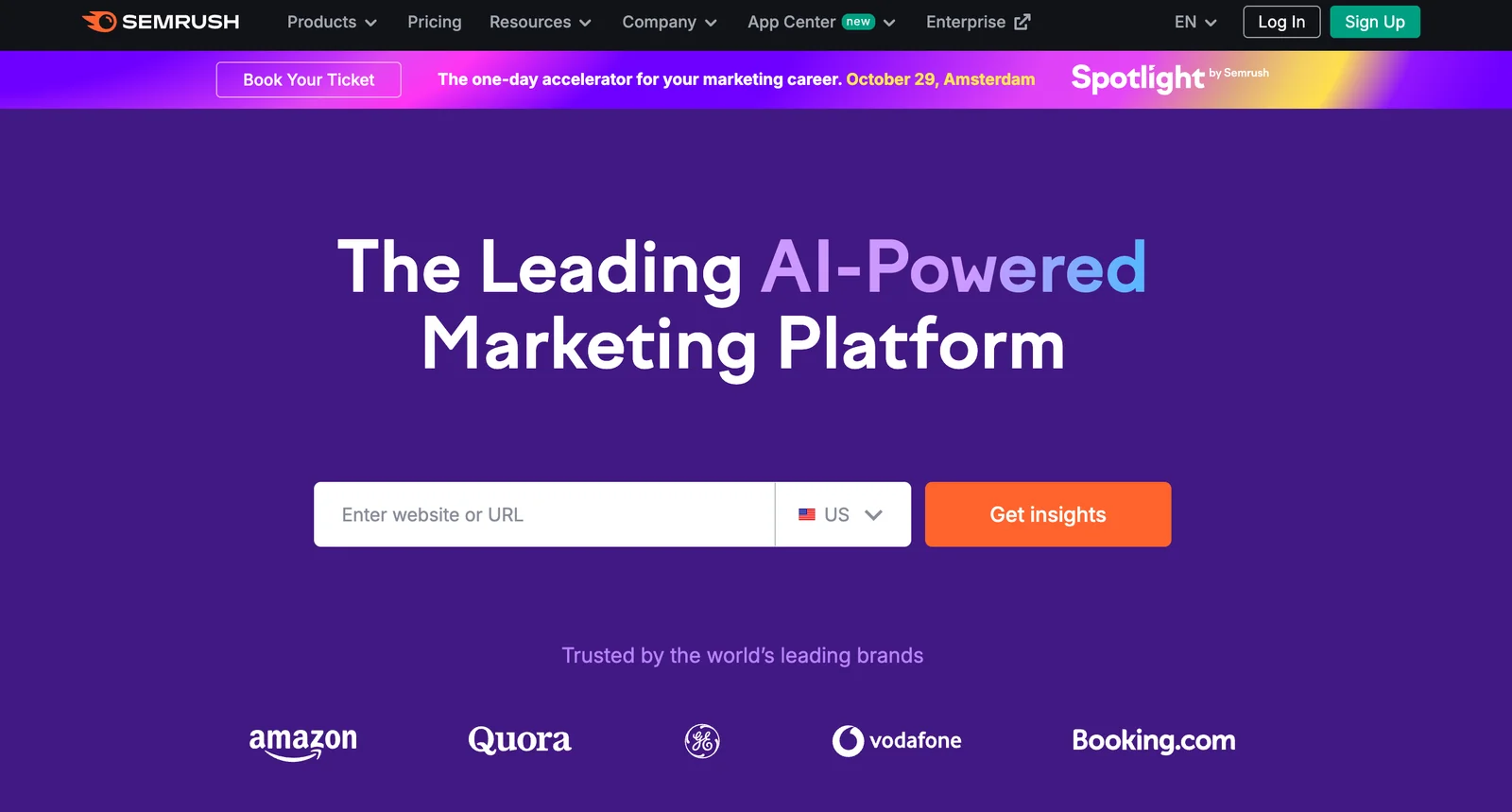
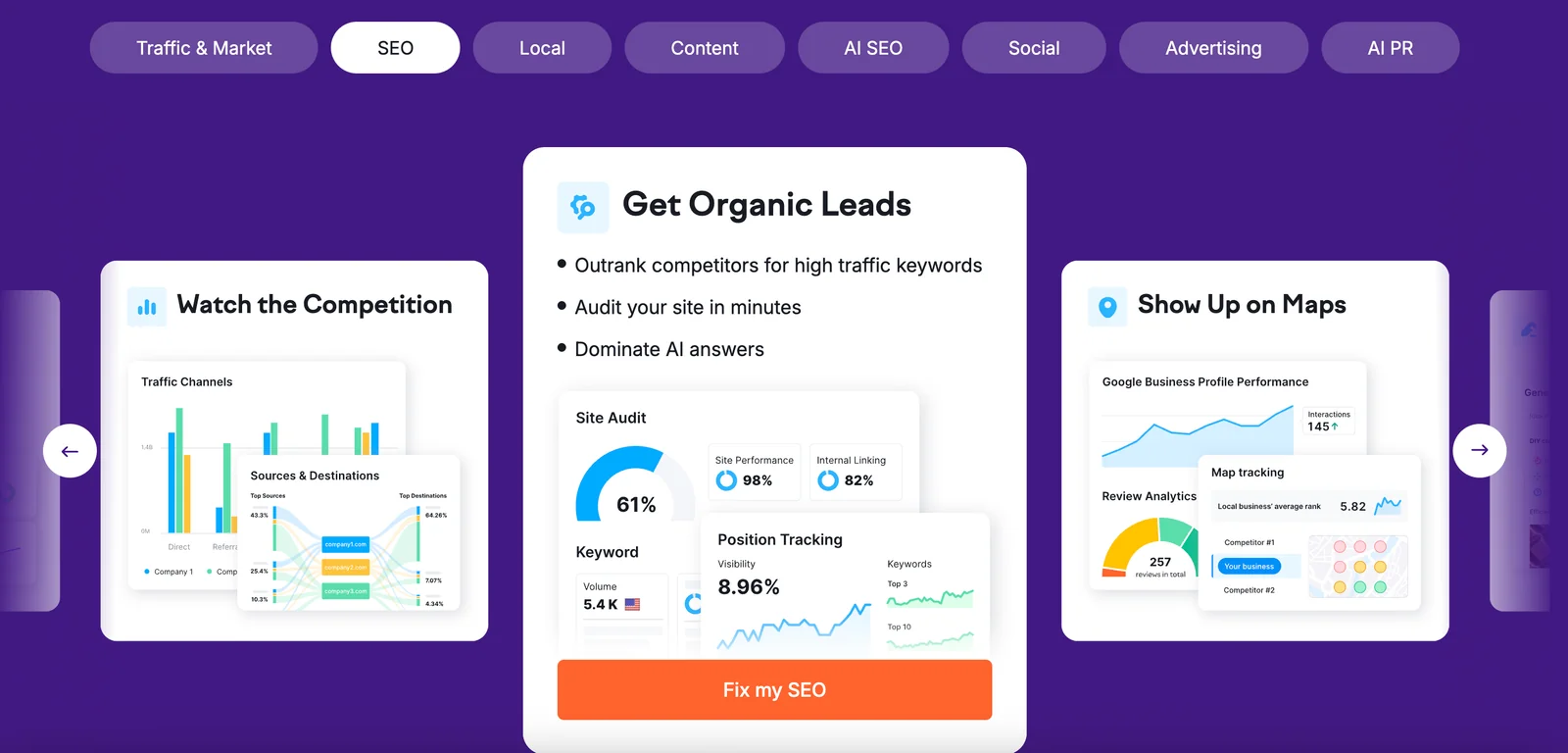
Semrush is an online visibility management and content-marketing SaaS platform that provides data-driven tools for SEO, paid search (PPC), content planning, social media, backlinks and traffic analytics. It aggregates large-scale search and advertising data to power keyword research, domain and competitor overviews, backlink analysis, rank tracking, site audits and content optimization. Semrush exposes this functionality via an interactive web UI and APIs (used by third-party wrappers and MCP adapters) so digital marketers can research opportunities, monitor performance, and create data-backed campaigns at scale.
Screenshots
Key Features
Use Cases
MCP Server
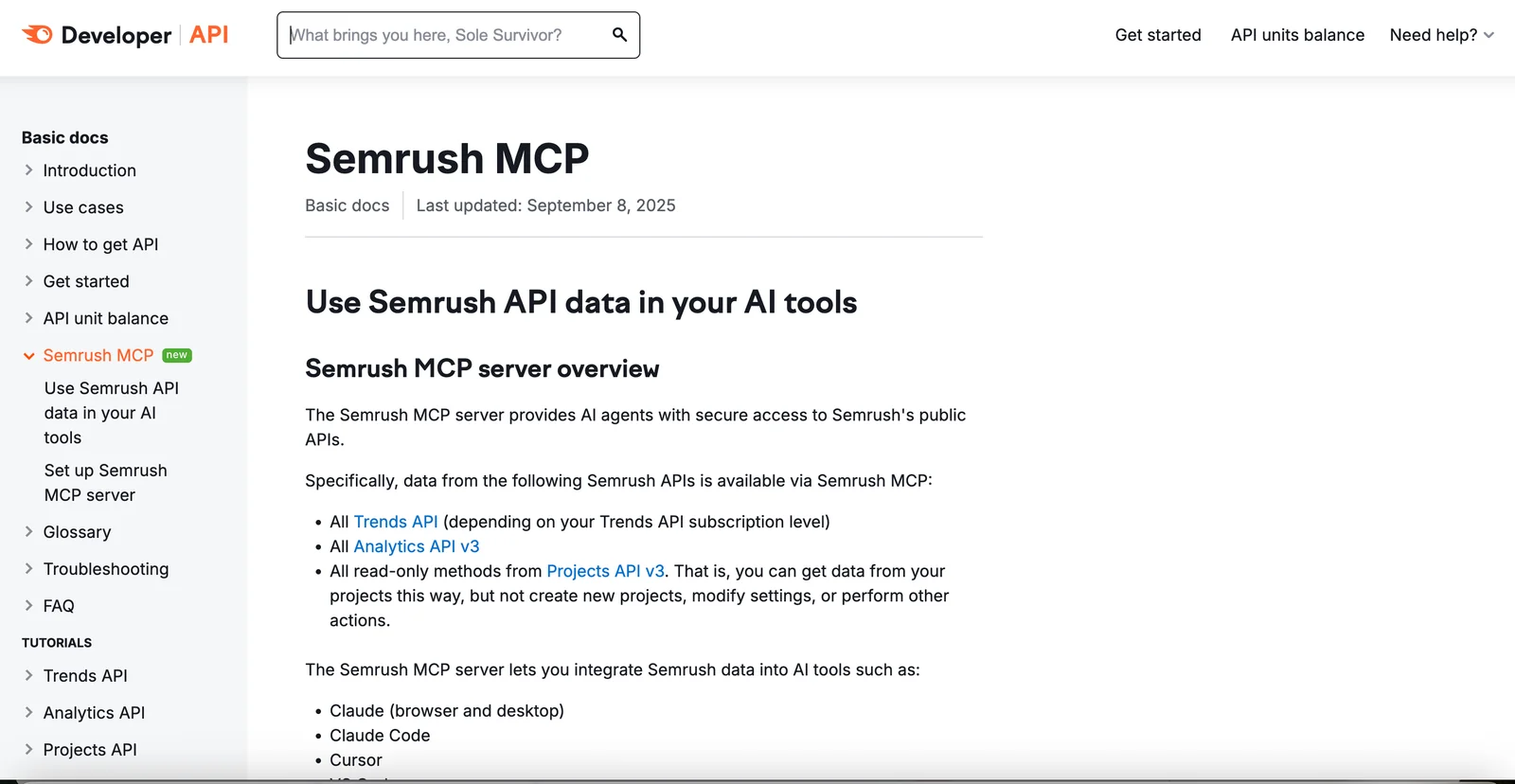
https://developer.semrush.com/api/basics/semrush-mcp/https://mcp.semrush.com/v1/mcp💡 MCP (Model Context Protocol) enables AI assistants to securely interact with local and remote resources.



Frequently asked questions about Semrush
What are the pricing options for Semrush?
Semrush offers a variety of pricing plans to suit different needs: Free ($0/month), Pro ($139.95/month), Guru ($249.95/month), Business ($499.95/month), and custom Enterprise plans with negotiated pricing. Opting for annual billing can yield a discount of approximately 17%.
Key Points
- Free Plan: Limited features for testing.
- Pro Plan: Ideal for freelancers and small businesses.
- Guru Plan: Best for growing agencies and marketing teams.
- Business Plan: Tailored for large businesses with advanced needs.
- Custom Plans: Flexible pricing for enterprises.
Detailed Explanation
Semrush's pricing structure is designed to cater to a wide range of users, from individuals to large enterprises.
-
Free Plan: This entry-level option allows users to explore basic features, including limited access to tools like keyword research and site audits. It's great for beginners wanting to test the platform without commitment.
-
Pro Plan ($139.95/month): Ideal for freelancers and small businesses, the Pro plan includes access to essential tools such as keyword tracking, SEO audits, and content marketing tools. It supports up to 5 projects and provides 500 keywords for tracking.
-
Guru Plan ($249.95/month): This plan is suitable for growing marketing agencies and offers advanced features like historical data, content optimization, and social media tools. Users can manage up to 15 projects and track 1,500 keywords.
-
Business Plan ($499.95/month): Designed for large businesses, the Business plan includes all Guru features plus additional capabilities like API access, white-label reports, and extended project limits. Users can manage up to 40 projects and track 5,000 keywords.
-
Custom/Enterprise Plans: For organizations with specific needs, Semrush offers custom pricing tailored to the requirements of large teams or enterprises. This option allows for scalability and access to premium features.
Annual billing is available for all paid plans, providing a discount of approximately 17%, making it a cost-effective choice for long-term users.
Best Practices / Tips
- Evaluate Your Needs: Before selecting a plan, assess your business goals and the features you need.
- Take Advantage of Free Trials: Use the free plan to explore features before upgrading.
- Consider Annual Billing: If you’re planning to use Semrush long-term, opt for annual billing to save money.
- Stay Updated on Promotions: Occasionally, Semrush offers promotional discounts which can further reduce costs.
Additional Resources
How do I get started with Semrush?
To get started with Semrush, visit their official website and sign up for a free account. This allows you to explore basic SEO tools and features. For enhanced functionality, consider selecting one of their paid plans, which offer advanced capabilities tailored to your needs.
Key Points
- Sign Up for an Account: Begin with a free account to access basic features.
- Explore Tools: Familiarize yourself with the various SEO tools available in your dashboard.
- Upgrade for More Features: Consider a paid plan for advanced tools and insights.
Detailed Explanation
-
Create Your Account:
- Navigate to Semrush's official website.
- Click on the "Sign Up" button and choose to register using your email or a social media account.
- Fill out your profile information and confirm your email address.
-
Understanding the Dashboard:
- Once logged in, you’ll be directed to your dashboard where you can start exploring tools like Keyword Research, Site Audit, and Backlink Analysis.
- Take advantage of the tutorial and onboarding resources that guide you through using these tools effectively.
-
Utilize Free Tools:
- As a free member, you can access limited functionalities, like the Keyword Magic Tool and the Site Audit tool, which help you analyze your website's health and performance.
-
Consider Upgrading:
- If you find the basic features helpful, explore the different paid plans starting from $119.95 per month. Each plan offers additional features such as more comprehensive reports, API access, and enhanced customer support.
Best Practices / Tips
- Start with the Free Trial: Use the free version to assess if Semrush meets your needs before committing to a paid plan.
- Take Advantage of Tutorials: Semrush offers extensive tutorials and webinars; utilize these resources to maximize your understanding and use of the platform.
- Regularly Monitor Performance: Set up regular audits and track your keyword rankings to adjust your SEO strategy as needed.
- Avoid Overlooking Competitor Analysis: Use the Competitive Research tools to understand what strategies are working for your competitors.
Additional Resources
By following these steps and utilizing the provided resources, you can effectively start using Semrush to enhance your SEO strategy.
What are the key features of Semrush?
Semrush is a comprehensive digital marketing tool that offers key features such as keyword research, site audits, backlink analysis, traffic insights, and position tracking. These tools empower marketers to enhance SEO strategies, optimize content, and improve overall website performance effectively.
Key Points
- Keyword Research: Discover high-traffic keywords and optimize content.
- Site Audits: Identify technical SEO issues and improve site health.
- Backlink Analysis: Assess and build quality backlinks for better authority.
Detailed Explanation
Semrush is designed to be an all-in-one platform for digital marketers.
Keyword Research
The Keyword Research tool allows users to uncover valuable keywords based on search volume, difficulty, and trends. For instance, marketers can identify long-tail keywords that have lower competition, making it easier to rank higher in search results. With options to filter keywords by location and language, you can tailor your SEO strategy to specific markets.
Site Audits
Conducting Site Audits with Semrush helps you identify on-page and technical SEO issues, such as broken links, missing meta tags, and slow-loading pages. The tool provides a comprehensive health score, allowing you to prioritize fixes based on their impact on your site's performance.
Backlink Analysis
The Backlink Analysis tool provides insights into your website's backlink profile and that of competitors. You can track the number of backlinks, their quality, and discover new link-building opportunities. This helps in enhancing your site's authority and visibility on search engines.
Traffic Insights
With Traffic Insights, users can analyze their website's traffic sources, user behavior, and demographics. This data is crucial for refining marketing strategies and targeting specific audience segments more effectively.
Position Tracking
Using Position Tracking, you can monitor your keyword rankings over time. This feature allows you to analyze how changes in your SEO strategy affect your rankings and adjust your approach accordingly.
Best Practices / Tips
- Utilize the Keyword Magic Tool: This tool helps find variations and related keywords to enhance your content strategy.
- Regularly Conduct Audits: Schedule monthly site audits to keep your website optimized and up to date with the latest SEO practices.
- Monitor Competitors: Use Semrush to analyze competitor strategies, uncover their backlinks, and identify gaps in your own approach.
Additional Resources
By leveraging these features and practices, Semrush can significantly enhance your SEO and marketing performance, helping your website achieve better visibility and traffic.
How does Semrush compare to other SEO tools?
Semrush excels among SEO tools due to its all-in-one platform, offering extensive features for SEO, PPC, and content marketing. It provides detailed analytics, competitive insights, and user-friendly interfaces, making it a preferred choice for marketers aiming to optimize their online presence effectively.
Key Points
- Comprehensive Features: Semrush offers tools for SEO audits, keyword research, PPC analysis, and content optimization.
- In-depth Competitive Analysis: Users can analyze competitors’ strategies, uncover their best-performing keywords, and track their rankings.
- User-Friendly Interface: The intuitive design makes it accessible for both beginners and advanced users.
Detailed Explanation
Semrush distinguishes itself through a robust suite of features tailored for digital marketing. Here are some highlights:
-
SEO Audit Tools: Semrush provides an extensive site audit tool that scans your website for SEO issues and offers actionable recommendations. This includes checking for broken links, duplicate content, and site speed, which are crucial for maintaining good SEO health.
-
Keyword Research: The platform allows users to find high-volume keywords and analyze their competition. With its Keyword Magic Tool, you can generate thousands of keyword ideas and filter them based on various metrics. This helps in creating effective content strategies.
-
PPC Insights: Semrush is not just for SEO; it also offers powerful PPC tools. Users can research competitors’ ad strategies, view ad copy, and discover the keywords they are bidding on, providing a comprehensive view of the paid search landscape.
-
Content Marketing Features: The Content Analyzer tool helps users assess the performance of their content across different metrics. It provides insights on engagement, shares, and backlinks, which can guide future content creation.
-
Reporting and Analytics: With customizable dashboards and automated reports, Semrush makes it easy to track your progress and share results with stakeholders. This feature is particularly valuable for agencies managing multiple clients.
Best Practices / Tips
- Utilize the Free Trial: Take advantage of Semrush's free trial to explore its features and determine if it meets your needs before committing to a subscription.
- Regularly Monitor Competitors: Use the competitive analysis tools to keep an eye on your rivals. Regularly updating your strategy based on competitor insights can give you a significant edge.
- Optimize for Local SEO: If your business targets local customers, use Semrush’s local SEO tools to optimize your Google My Business listing and local keyword targeting.
Additional Resources
By leveraging Semrush effectively, you can enhance your digital marketing efforts and achieve better results across all channels.
Does Semrush offer an API for integration?
Yes, Semrush offers a robust API that enables programmatic access to its extensive features and data. This API facilitates seamless integration of Semrush data into custom applications, analytics dashboards, and third-party software, enhancing data utilization for marketers and developers alike.
Key Points
- Comprehensive Data Access: The API provides access to various Semrush features, including keyword research, domain analysis, and site audits.
- Integration Flexibility: Users can connect Semrush data with other applications or platforms, streamlining workflows and enhancing decision-making.
- Developer-Friendly Documentation: Semrush offers detailed documentation to assist developers in effectively implementing the API.
Detailed Explanation
The Semrush API is a powerful tool that allows users to harness the rich data available from Semrush directly into their applications. Here are some key features:
-
Data Accessibility: The API provides access to a wide range of data sets, including:
- Keyword Data: Retrieve keyword volume, difficulty, and trends.
- Traffic Analytics: Analyze traffic sources and competitor web performance.
- Site Audit Metrics: Get insights on site health and optimization issues.
-
Use Cases: The API can be used in various scenarios:
- Custom Dashboards: Businesses can build tailored dashboards to visualize SEO performance and track metrics over time.
- Automated Reporting: Integrate API data into automated reports for clients or stakeholders, saving time and improving accuracy.
- Enhanced Analytics: Combine Semrush data with other analytics tools for deeper insights.
-
Technical Integration: Developers can easily integrate the API using common programming languages like Python, PHP, or JavaScript. The API follows RESTful principles, meaning it can be accessed via standard HTTP requests.
Best Practices / Tips
- Start with Documentation: Familiarize yourself with the Semrush API documentation to understand endpoints and data structures.
- Utilize Rate Limits: Be mindful of API call limits to avoid throttling; plan your requests efficiently.
- Test Thoroughly: Implement testing in a staging environment before deploying API integrations to ensure functionality and stability.
- Monitor Performance: Regularly review API usage and performance to optimize calls and data retrieval processes.
Additional Resources
Explore more AI Mcps tools
Browse all Mcps tools →Compare Semrush: vs OzBrain · vs QApilot MCP for Android · vs Noodle Seed · vs Chrome DevTools MCP