

Salesforce
AICloud-based CRM platform that unifies marketing, sales, service, commerce and IT with automation and integrated generative AI.
Salesforce
Cloud-based CRM platform that unifies marketing, sales, service, commerce and IT with automation and integrated generative AI.
About Salesforce
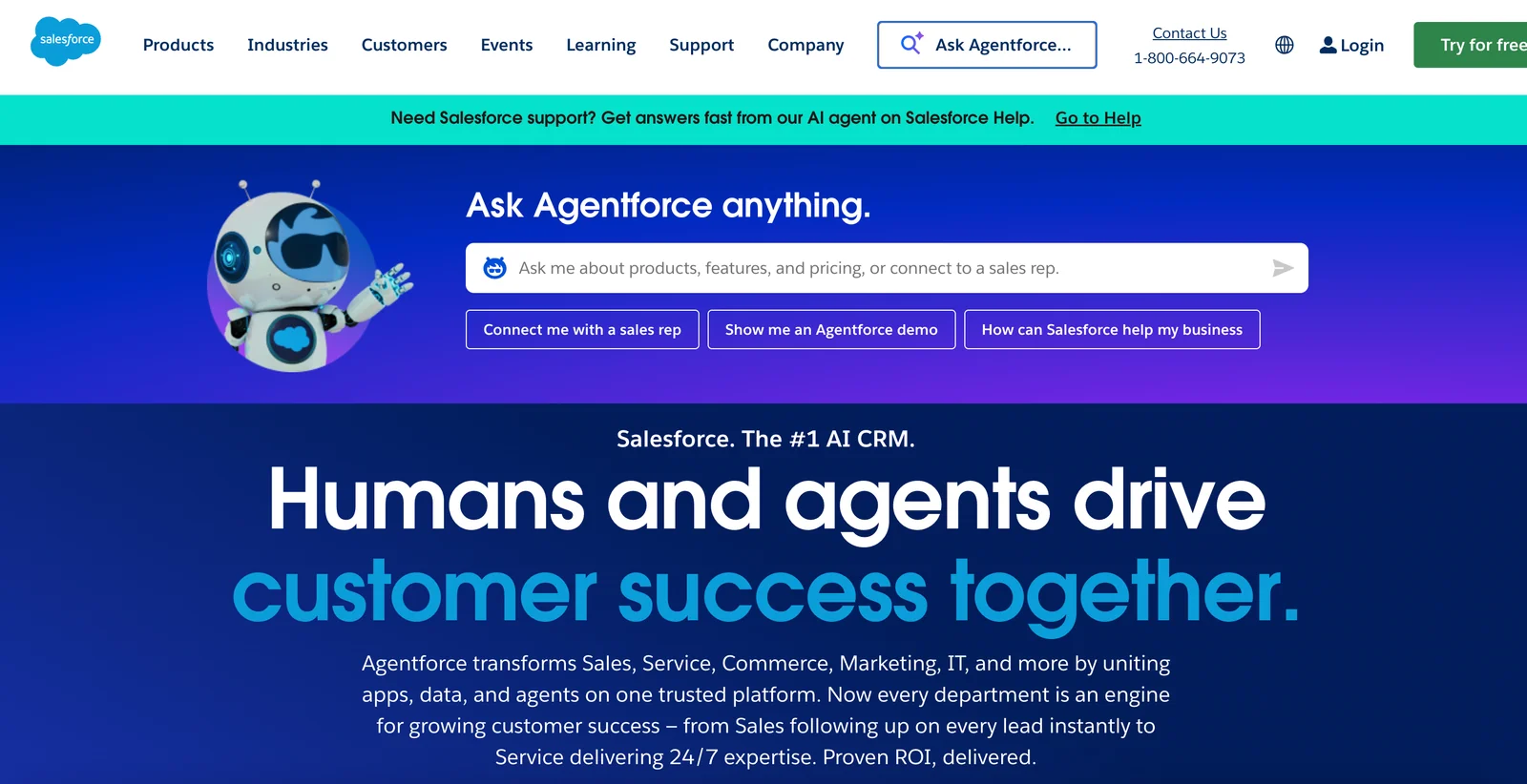
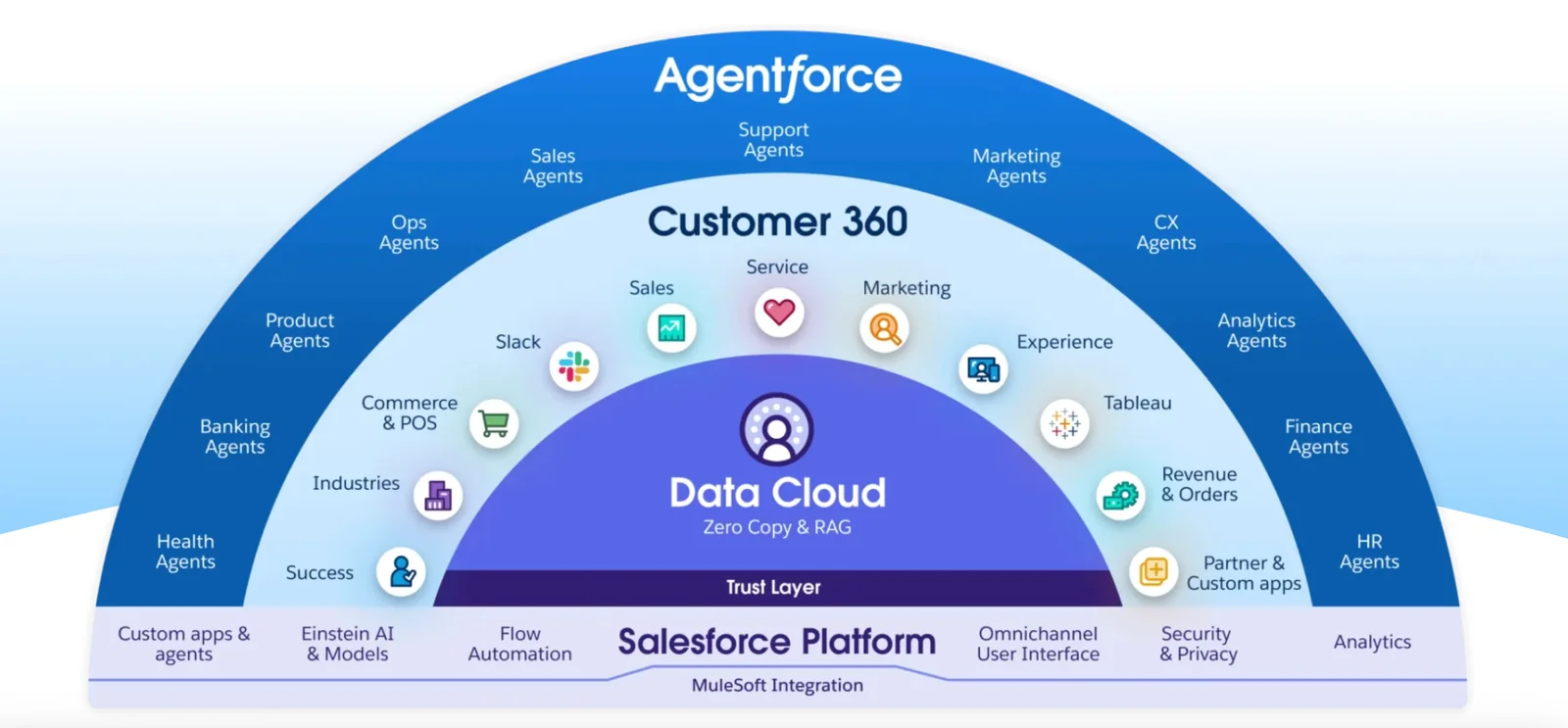
Salesforce is a cloud-based Customer Relationship Management (CRM) platform centered on Customer 360, which unifies data across marketing, sales, service, commerce and IT to create a single view of customers. It provides specialized clouds (Sales Cloud, Service Cloud, Commerce Cloud, Marketing, etc.), automation and workflow tools, a no-code/low-code/pro-code development platform, and developer tooling. Salesforce has integrated generative AI capabilities (Einstein and Einstein 1 Platform) and enterprise-ready LLMs (including partnerships such as OpenAI) to add AI-assisted insights, content generation and automation across its applications. The platform is extensible via APIs, AppExchange marketplace and open-source projects, and supports developer-centric workflows (CLI, org management, MCP integrations) to securely connect LLM-driven tools to org data.
Screenshots
Key Features
Use Cases



Frequently asked questions about Salesforce
What are the pricing options for Salesforce?
Salesforce offers a variety of pricing plans, starting with a free 14-day trial. Paid plans begin at $25 per user per month for Essentials and can exceed $500 per user per month for advanced tiers like Unlimited+. Custom pricing is available for larger enterprises, ensuring flexibility for every business size.
Key Points
- Free Trial: Experience Salesforce with a 14-day free trial.
- Affordable Options: Plans start at $25/user/month for small businesses.
- Premium Features: Advanced plans can cost $500+/user/month for extensive functionalities.
Detailed Explanation
Salesforce provides a flexible pricing structure to cater to different business needs. Here’s a breakdown of their primary plans:
-
Essentials: Designed for small businesses, this plan starts at $25/user/month, offering foundational features like account and contact management, lead tracking, and basic reporting.
-
Professional: At $75/user/month, this option adds more customization and automation features, ideal for growing teams needing more robust CRM capabilities.
-
Enterprise: Priced at $150/user/month, this plan provides advanced features such as API access, workflow automation, and extensive customization, perfect for medium to large businesses.
-
Unlimited: For $500/user/month and above, this tier offers the most comprehensive features, including unlimited customization, 24/7 support, and access to advanced analytics.
-
Custom Solutions: Salesforce also offers tailored pricing for enterprises needing specific features or support, allowing organizations to build a solution that fits their unique requirements.
Best Practices / Tips
- Evaluate Your Needs: Take advantage of the 14-day free trial to assess which features your team will benefit from the most.
- Consider User Count: Pricing is based on the number of users, so factor in future growth when selecting a plan.
- Explore Add-Ons: Look into additional modules like Marketing Cloud or Einstein Analytics for specialized functionalities that can enhance your CRM performance.
Additional Resources
By understanding these pricing options and features, businesses can effectively choose the right Salesforce plan that aligns with their objectives and budget.
How can I get started with Salesforce?
To get started with Salesforce, visit their official website and sign up for a free trial. This allows you to explore its core features for 30 days without commitment. Additionally, Salesforce provides extensive tutorials and documentation to help you effectively onboard and utilize the platform.
Key Points
- Sign up for a free trial on the Salesforce website.
- Explore core features and functionalities during the trial period.
- Access tutorials and documentation for comprehensive onboarding support.
Detailed Explanation
Salesforce is a powerful Customer Relationship Management (CRM) tool widely used by businesses to manage customer interactions and streamline operations. To begin your journey with Salesforce, follow these steps:
-
Create an Account:
- Go to the Salesforce website.
- Click on the “Start Free Trial” button.
- Fill out the required information to create your account. You’ll receive a confirmation email to verify your account.
-
Explore the Dashboard:
- Once logged in, familiarize yourself with the Salesforce dashboard. This is where you'll navigate through various features such as Sales Cloud, Service Cloud, and Marketing Cloud.
- Spend time exploring each section to understand how it can benefit your business.
-
Utilize Resources:
- Salesforce offers a wealth of resources, including the Trailhead platform, which features interactive tutorials to help users learn at their own pace.
- Access the Salesforce Help Center for detailed documentation covering various functionalities and troubleshooting tips.
-
Engage with the Community:
- Join the Salesforce community forums where you can ask questions and share experiences with other users.
- Participate in local user groups or online webinars to enhance your understanding of the platform.
Best Practices / Tips
- Set Clear Goals: Identify what you want to achieve with Salesforce—be it sales tracking, lead management, or customer service improvement.
- Start Small: Focus on a few core features initially to avoid overwhelming yourself. Gradually expand your usage as you become more comfortable.
- Customize Your Experience: Leverage Salesforce’s customization options to tailor the platform to your specific business needs.
- Regularly Update Your Skills: Salesforce frequently updates its features; stay informed through Trailhead and community resources.
Additional Resources
What are the key features of Salesforce?
Salesforce is a leading CRM platform that offers key features such as Customer 360 for unified customer data, integrated generative AI (Einstein) for enhanced insights, sales and service automation for efficiency, and customizable app development tools to cater to diverse business needs.
Key Points
- Customer 360: Unifies customer data across all channels.
- Einstein AI: Provides intelligent insights and automation.
- Sales and Service Automation: Streamlines processes for improved efficiency.
- Custom App Development: Tailors solutions to specific business requirements.
Detailed Explanation
Salesforce's Customer 360 is a powerful feature that allows businesses to create a holistic view of their customers by integrating data from various sources, including sales, marketing, and customer service. This unification helps enhance customer relationships and personalize experiences.
The Einstein AI functionality leverages machine learning to analyze data, predict customer behavior, and automate repetitive tasks. For instance, it can provide sales teams with insights on which leads to prioritize, thereby increasing conversion rates. Businesses can also utilize Einstein for customer service chatbots, improving response times and customer satisfaction.
Sales and Service Automation tools within Salesforce streamline processes such as lead tracking, case management, and reporting. Automation can reduce manual work, allowing teams to focus on strategic initiatives. For example, automated workflows can trigger follow-up emails after a sales call, ensuring timely communication with potential clients.
Additionally, Salesforce offers robust custom app development tools through its Lightning platform. Businesses can create tailored applications that address specific needs, whether it's for project management, inventory tracking, or customer feedback collection. This flexibility allows organizations to adapt Salesforce to their unique workflows.
Best Practices / Tips
- Regularly Update Data: Ensure that customer data is accurate and up-to-date for better insights.
- Leverage AI Insights: Utilize Einstein’s recommendations to enhance decision-making and operational efficiency.
- Automate Wisely: Identify repetitive tasks that can be automated, but maintain a balance to ensure personal customer interaction where needed.
- Explore Custom Solutions: Take advantage of Salesforce's app development tools to create solutions that fit your business processes perfectly.
Additional Resources
How does Salesforce compare to other CRM tools?
Salesforce is a leading CRM tool known for its extensive customization options, integrated AI capabilities, and a vast ecosystem of apps and integrations. Although it tends to be more expensive than many competitors, its powerful features often justify the investment for businesses looking to optimize their customer relationship management.
Key Points
- Customization: Highly customizable to meet specific business needs.
- AI Integration: Advanced AI features like Salesforce Einstein enhance decision-making.
- Ecosystem: Strong marketplace with thousands of apps and integrations.
Detailed Explanation
Salesforce differentiates itself from other CRM tools through its unparalleled customization capabilities. Users can tailor the interface, workflows, and features to align precisely with their business processes. This level of adaptability is essential for companies in diverse industries, allowing for unique configurations.
In terms of AI integration, Salesforce leverages its proprietary AI platform, Einstein, which provides predictive analytics, automated tasks, and intelligent recommendations. For example, sales teams can benefit from lead scoring and forecasting capabilities that help prioritize leads more effectively, resulting in higher conversion rates.
The Salesforce ecosystem is another significant advantage. With the AppExchange, businesses can access thousands of third-party applications that seamlessly integrate with Salesforce, enhancing its functionalities. This marketplace enables companies to add specific features such as marketing automation, customer support tools, and analytics without needing to develop these capabilities in-house.
Best Practices / Tips
- Evaluate Needs: Before adopting Salesforce, assess your specific CRM needs to determine if customization is necessary.
- Cost-Benefit Analysis: Conduct a thorough cost-benefit analysis to understand if the investment aligns with your business goals.
- Leverage Training: Take advantage of Salesforce's training resources and community forums to maximize the platform’s potential.
Additional Resources
Does Salesforce offer API access for integrations?
Yes, Salesforce offers robust API access for integrations, providing both REST and SOAP APIs. This functionality allows developers to create seamless integrations with third-party applications, utilizing tools like Salesforce CLI and SDKs to enhance custom integrations and automate processes effectively.
Key Points
- Comprehensive API Options: Salesforce supports both REST and SOAP APIs for flexible integration.
- Developer Tools: Salesforce CLI and SDKs are available for building custom integrations.
- Real-Time Data Access: APIs enable real-time data manipulation and retrieval.
Detailed Explanation
Salesforce’s API capabilities are designed to facilitate smooth integration with various applications and services. The two primary types of APIs are:
-
REST API: This is ideal for web and mobile applications. It uses standard HTTP methods and can return data in JSON format, making it lightweight and easy to work with.
-
SOAP API: This is perfect for enterprise-level applications that require formal contracts and complex transactions. It uses XML for messaging, which can be more robust for certain types of operations.
Use Cases
- Data Synchronization: Businesses can synchronize data between Salesforce and other platforms, ensuring that information is up-to-date across systems.
- Automated Workflows: By leveraging APIs, developers can automate processes such as lead generation and customer onboarding.
- Third-Party Application Integration: Integrate with marketing tools, ERP systems, and more to enhance functionality.
Step-by-Step Guidance
To get started with Salesforce APIs:
- Create a Salesforce Developer Account: Sign up for a free account to access API features.
- Generate API Keys: Access your account settings to generate the necessary API keys.
- Choose the API Type: Decide between REST or SOAP based on your application needs.
- Utilize Salesforce CLI: Use Salesforce CLI to manage your integrations effectively.
- Test Your Integration: Always test your API calls in a sandbox environment before deploying them to production.
Best Practices / Tips
- Use Rate Limiting: Be aware of the API call limits to avoid disruptions. Salesforce enforces limits to ensure fair use.
- Optimize Queries: Use selective queries to reduce the data load and improve response times.
- Monitor Performance: Regularly check API performance and error logs to identify and resolve issues quickly.
- Stay Updated on API Versions: Salesforce regularly updates its APIs. Ensure that you are using the latest version for optimal performance and security.
Additional Resources
Explore more AI Mcps tools
Browse all Mcps tools →Browse by use case: Automation & Productivity
Compare Salesforce: vs ai-memory · vs CrawlForge MCP · vs Popcraft · vs Pomerado