
Rep by Clarify
AIAI-native CRM that automates updates, follow-ups, and pipeline hygiene for founder-led startups.
Rep by Clarify
AI-native CRM that automates updates, follow-ups, and pipeline hygiene for founder-led startups.
About Rep by Clarify
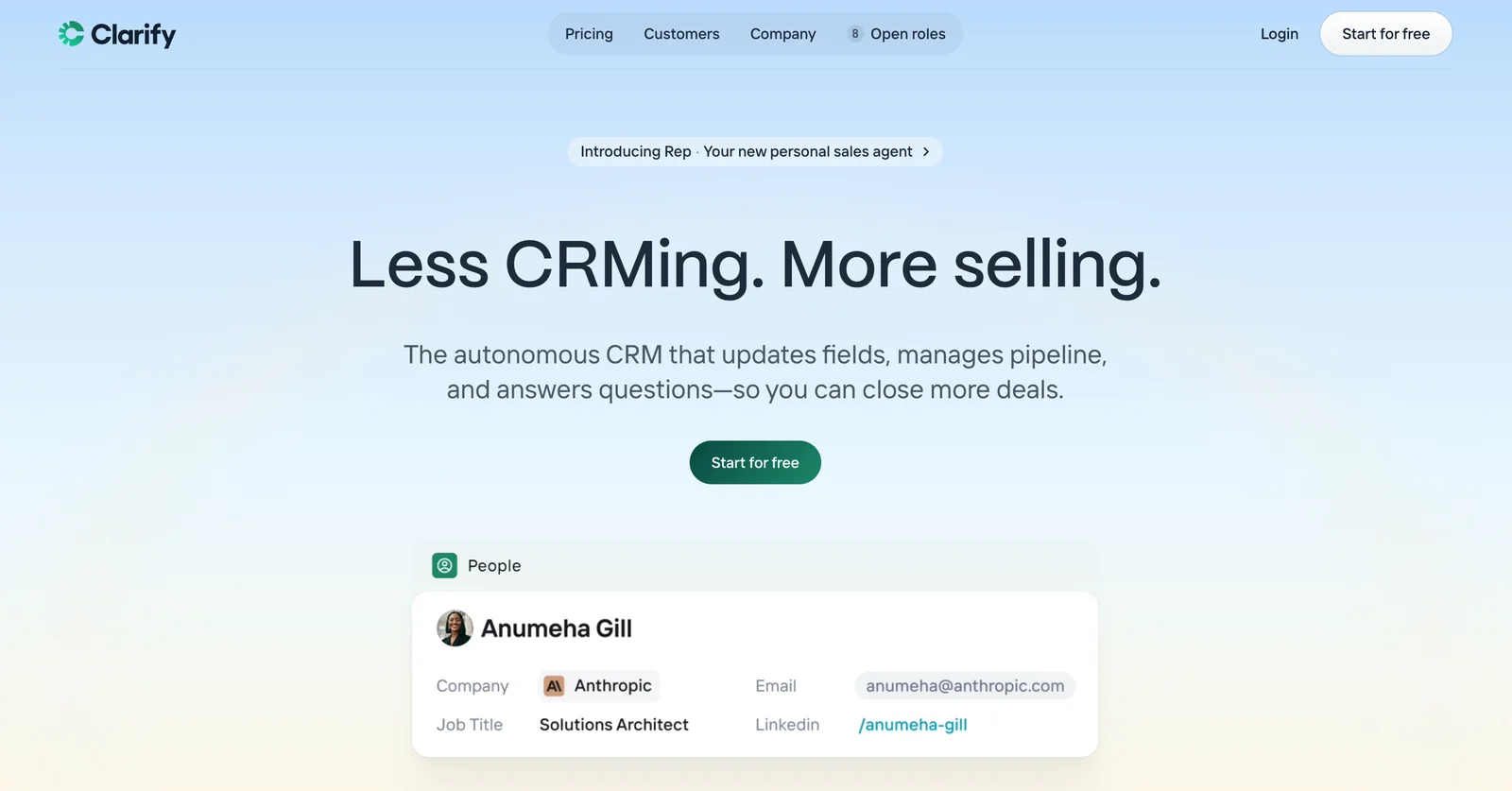
Clarify is an AI-native, autonomous CRM built for founder-led and early-stage startups. It uses AI to automate routine CRM work—capturing and updating records, generating follow-up actions, and keeping pipelines clean—so teams spend less time on data entry and more time selling. Clarify emphasizes lightweight, founder-friendly workflows to reduce CRM upkeep while improving deal visibility and prioritization.
Screenshots
Key Features
Use Cases



Frequently asked questions about Rep by Clarify
What pricing options are available for Rep by Clarify?
Rep by Clarify offers multiple pricing options, including a free plan with 2,500 credits per month, a Starter plan for $20 per month with 5,000 credits, and a custom Growth plan tailored for larger teams. All plans feature AI automation and support unlimited user seats.
Key Points
- Free Plan: 2,500 credits/month
- Starter Plan: $20/month with 5,000 credits
- Growth Plan: Custom pricing for larger teams
Detailed Explanation
Rep by Clarify's pricing structure is designed to accommodate various user needs, from individual users to large teams.
-
Free Plan: Ideal for new users or small projects, this plan offers 2,500 credits each month, allowing users to explore the platform's features without any financial commitment. This is a great way to test out AI automation tools and evaluate their effectiveness for your workflow.
-
Starter Plan: At $20 per month, the Starter plan provides 5,000 credits, making it suitable for small businesses or teams that require more functionality. This plan allows users to automate tasks and improve productivity without breaking the bank. It includes features such as unlimited user seats, enabling collaborative work.
-
Growth Plan: For larger organizations or teams with extensive needs, the Growth plan offers a customizable solution. Pricing for this plan varies based on the size and requirements of the team. It provides all the features of the lower tiers, plus advanced capabilities tailored to your organization's specific needs.
Best Practices / Tips
- Assess Your Needs: Before selecting a plan, evaluate your team's size and expected usage to choose the most cost-effective option.
- Utilize Free Credits Wisely: If you opt for the free plan, maximize your credits by focusing on high-impact tasks that demonstrate the tool's value.
- Consider Future Growth: If you anticipate scaling your team or increasing usage, the Growth plan might be the best long-term investment.
Additional Resources
How does Rep by Clarify automate follow-ups?
Rep by Clarify automates follow-ups by leveraging AI to create and schedule context-aware tasks based on conversation content and current deal status. This ensures timely communication, enhances engagement with prospects, and streamlines the sales process for better outcomes.
Key Points
- AI-driven task generation based on conversation insights
- Scheduling of follow-up tasks tailored to deal progress
- Enhanced prospect engagement through timely communication
Detailed Explanation
Rep by Clarify utilizes advanced artificial intelligence to streamline the follow-up process in sales communications. By analyzing past conversations and the current state of deals, the system generates specific follow-up tasks that are contextually relevant. For instance, if a sales representative discusses a product feature with a prospect, Rep can automatically schedule a follow-up reminder to send additional information or set up a demo.
This automation is not only time-saving but also ensures that no potential lead is neglected. The AI assesses various factors, such as the urgency of the follow-up and the nature of the conversation, to prioritize tasks effectively. For example, if a prospect expresses interest in a particular service, Rep can schedule a follow-up within a few days to capitalize on their interest while it is still fresh.
Moreover, the system allows sales teams to customize follow-up templates, making communication personal and relevant. This leads to improved response rates and higher chances of closing deals. Users can set preferences for how they want to engage, whether through email, phone calls, or in-app messages.
Best Practices / Tips
- Utilize Custom Templates: Make your follow-ups more personal by using tailored templates that reflect the conversation's context.
- Set Clear Priorities: Use the AI's insights to determine which prospects require immediate follow-up versus those that can be scheduled for later.
- Monitor Engagement Metrics: Regularly review response rates and engagement statistics to refine your follow-up strategies and improve effectiveness.
Additional Resources
How can I get started using Rep by Clarify?
To get started using Rep by Clarify, visit their official website and sign up for the free plan. This plan provides access to essential features and allows you to utilize up to 2,500 credits monthly, enabling you to explore the automation capabilities of their CRM effectively.
Key Points
- Free Plan Access: Sign up to unlock essential features.
- Monthly Credits: Utilize 2,500 credits to experiment with automation.
- User-Friendly Interface: Designed for easy navigation and functionality.
Detailed Explanation
To begin using Rep by Clarify, follow these steps:
-
Visit the Official Website: Go to Rep by Clarify’s website. Here, you will find detailed information about the features and benefits of the CRM tool.
-
Sign Up for Free: Click on the ‘Sign Up’ button. You’ll need to provide your email address and create a password. This free plan is perfect for individuals or small teams looking to streamline their customer relationship management.
-
Explore Features: Once registered, you can access core features such as lead tracking, automated follow-ups, and reporting tools. The 2,500 credits allow you to experiment with various automation capabilities, helping you understand how the platform can enhance your workflow.
-
Utilize Tutorials: The platform often provides tutorials and resources to help new users navigate easily. Make sure to check the help center for guides and FAQs.
-
Feedback and Support: If you encounter any issues or have questions, Rep by Clarify offers customer support through live chat and email.
Best Practices / Tips
- Maximize Your Credits: Use your 2,500 monthly credits wisely. Prioritize features that align with your business needs.
- Take Advantage of Tutorials: Familiarize yourself with the platform by watching video tutorials or reading help articles.
- Regularly Review Analytics: Utilize reporting features to analyze your CRM performance and adjust your strategies accordingly.
- Stay Updated: Keep an eye on Rep’s updates and new features to continuously improve your usage of the platform.
Additional Resources
What API integrations does Rep by Clarify support?
Rep by Clarify supports a variety of API integrations, including developer-friendly APIs and SDKs for programming languages such as Go, Python, and Node-RED/TypeScript. This functionality ensures seamless data exchange between your applications and the CRM, enhancing workflow efficiency and data management.
Key Points
- Supported Languages: Go, Python, Node-RED, and TypeScript.
- Integration Types: APIs and SDKs for diverse application needs.
- Data Flow: Facilitates seamless communication between applications and CRM.
Detailed Explanation
Rep by Clarify offers robust API integrations that cater to developers looking to enhance their application capabilities. The following programming languages are primarily supported:
- Go: Ideal for building fast, concurrent applications. Use Rep APIs to manage customer data efficiently.
- Python: Known for its simplicity and versatility, Python developers can leverage Rep's APIs to automate data handling and analysis tasks.
- Node-RED/TypeScript: Perfect for IoT applications and web development, integrations can be established to send and receive data between Rep and external systems seamlessly.
Example Use Cases
- E-commerce Platforms: Integrate Rep with your online store using Python to automatically sync customer orders and feedback.
- IoT Applications: Utilize Node-RED to collect data from smart devices and feed it directly into Rep for real-time analytics.
- Custom Dashboards: Build an interactive dashboard with Go that pulls CRM data from Rep, providing insights into customer interactions.
Best Practices / Tips
- Understand API Rate Limits: Check the documentation for any rate limits to avoid disruptions in data flow.
- Implement Error Handling: Always include error handling in your integrations to manage unexpected issues gracefully.
- Test Thoroughly: Before deploying, rigorously test your integrations in a staging environment to ensure they function as expected.
Additional Resources
How does Rep by Clarify compare to other CRM tools?
Rep by Clarify stands out from traditional CRM tools by offering a tailored solution for founder-led startups. It emphasizes automated data entry and follow-ups, allowing users to focus on lightweight workflows and efficient deal management, thereby reducing the time spent on CRM maintenance.
Key Points
- Targeted for Startups: Specifically created for founder-led startups.
- Automation Focus: Prioritizes automation of data entry and follow-ups.
- Lightweight Workflows: Designed for high-impact deal management without complexity.
Detailed Explanation
Rep by Clarify is uniquely positioned in the CRM market, catering specifically to the needs of founder-led startups. Unlike traditional CRM platforms, which often come with complex features that can overwhelm new businesses, Rep simplifies the user experience.
Key Features
-
Automated Data Entry: This feature minimizes manual input, reducing errors and saving time. For instance, when a lead is added, Rep can automatically populate relevant fields using AI, allowing founders to concentrate on strategy rather than data management.
-
Follow-Up Automation: Founders often juggle multiple tasks, and Rep's follow-up automation ensures timely communication with leads. Users can set reminders or automated messages that keep prospects engaged without requiring constant oversight.
-
Lightweight Workflow Management: Traditional CRMs often involve cumbersome processes. Rep’s streamlined workflows help startups manage their deals effectively. It offers a clear dashboard where users can see all ongoing deals and their statuses at a glance.
Use Cases
For example, a startup founder can integrate Rep with their email tools, allowing the system to track interactions and automatically log them in the CRM. This seamless integration means less time managing the CRM and more time closing deals.
Best Practices / Tips
-
Leverage Automation: Take full advantage of Rep’s automation capabilities for repetitive tasks. This will help maintain focus on strategic growth.
-
Customize Workflows: Personalize your workflows to fit your unique business model. Utilize Rep’s customization features to ensure it aligns with your sales process.
-
Regularly Review Metrics: Keep an eye on your dashboard metrics to identify trends and areas for improvement. Regular reviews can help refine your sales strategies.
Additional Resources
- Rep by Clarify Official Website
- Getting Started with Rep: User Guide
- CRM Best Practices for Startups
By understanding how Rep by Clarify differentiates itself from traditional CRM tools, founders can make informed decisions that align with their business goals.
Explore more AI Ai Services tools
Browse all Ai Services tools →Browse by use case: Automation & Productivity
Compare Rep by Clarify: vs ZeroClick · vs jurniti · vs Cadenya · vs OpenObserve