
Redis
AIOpen SourceAn in-memory real-time data platform and key-value store for caching, streaming, search, time-series, and vector workloads.
Redis
An in-memory real-time data platform and key-value store for caching, streaming, search, time-series, and vector workloads.
About Redis
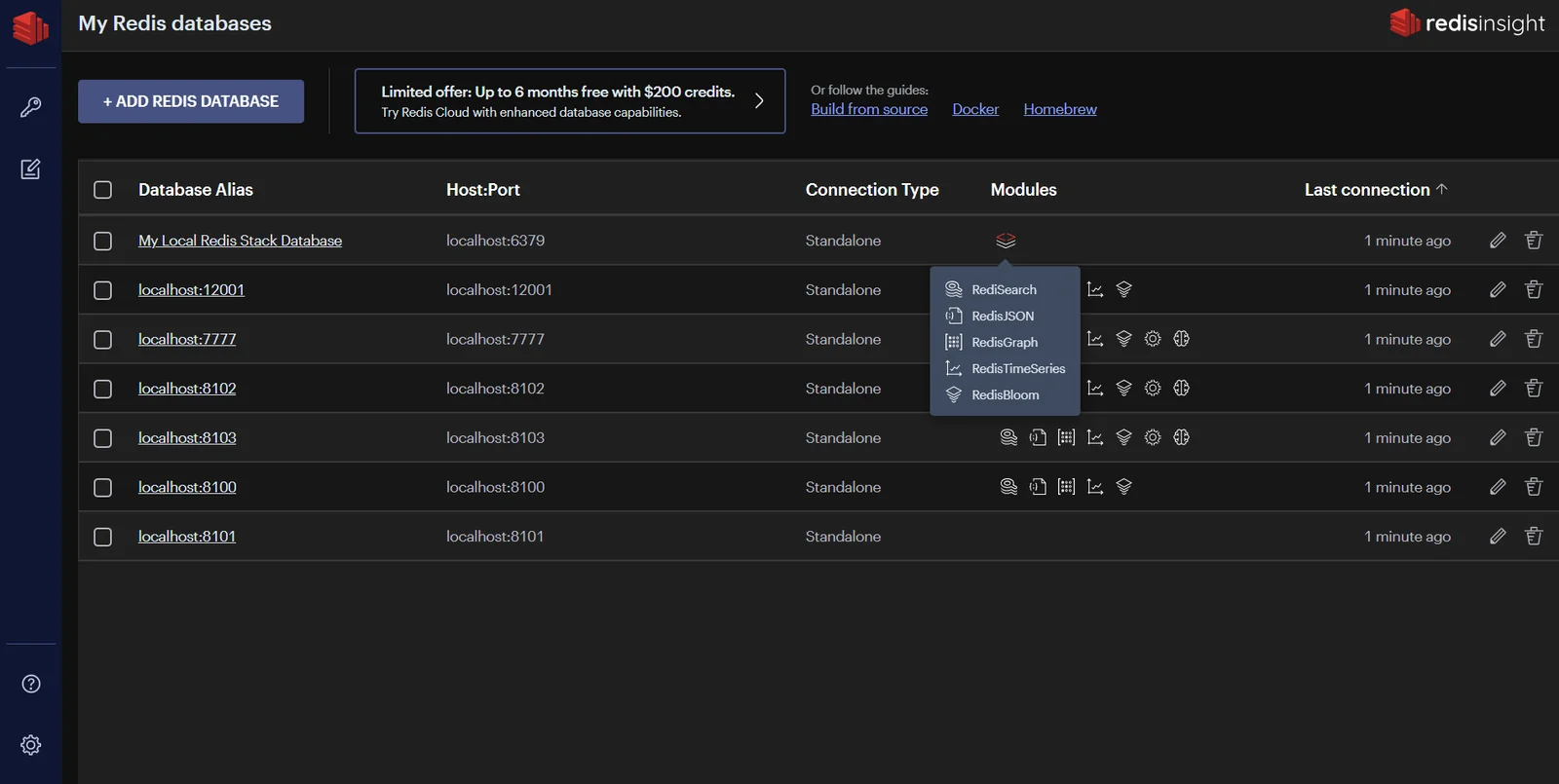
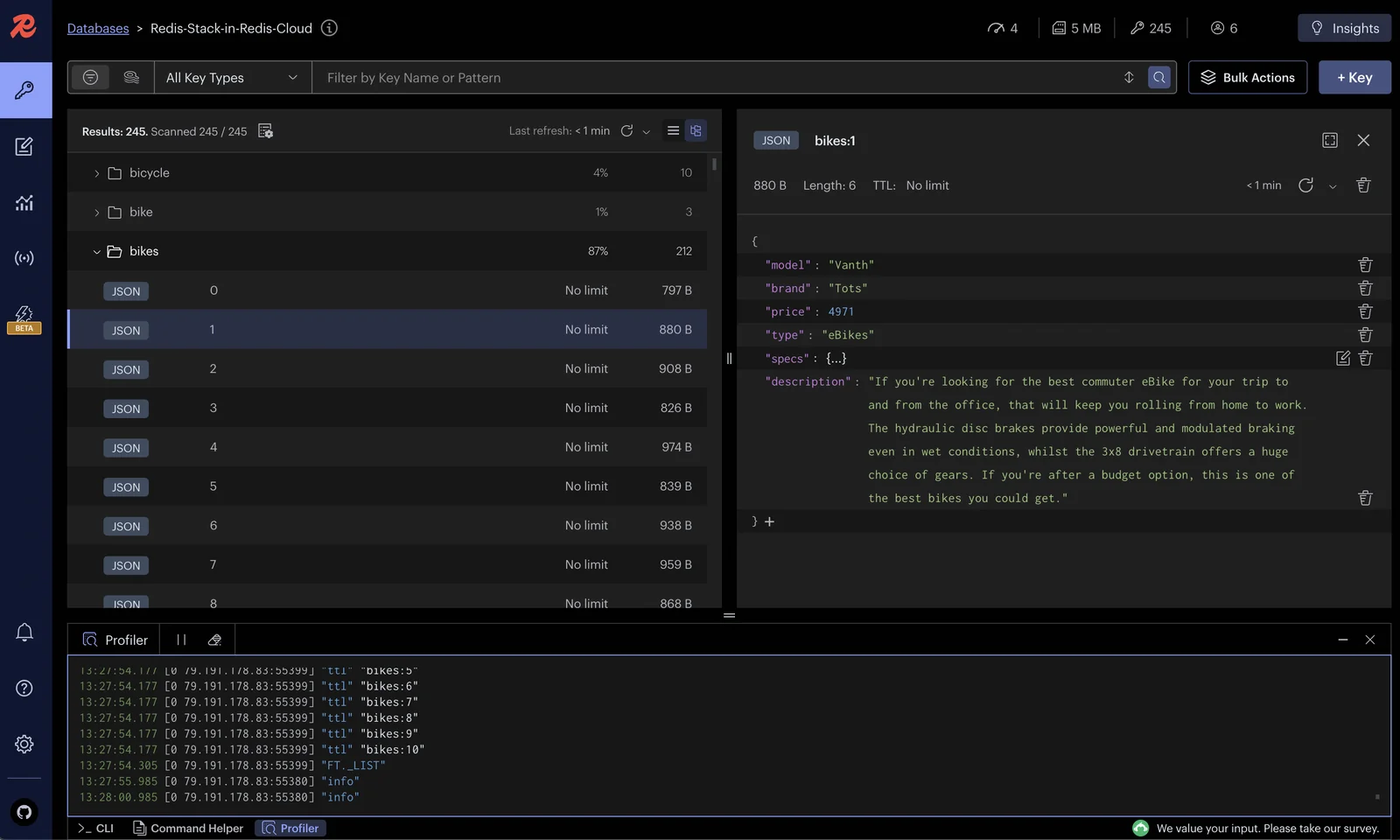
Redis is an open-source, in-memory data platform that provides ultra-low-latency data structures and services for real-time applications. It supports core data types (strings, hashes, lists, sets, sorted sets) and advanced capabilities via modules (RedisJSON, RediSearch, RedisTimeSeries, RedisBloom, RedisGraph and vector search). Redis can be deployed self-managed or via Redis Enterprise/Cloud for managed hosting, clustering, active-active geo-distribution, and enterprise features. Its combination of in-memory performance, rich data structures, persistence options (RDB/AOF), high-availability (Sentinel/Clustering), and module ecosystem makes it broadly useful for caching, messaging, analytics, and AI/agent memory workloads.
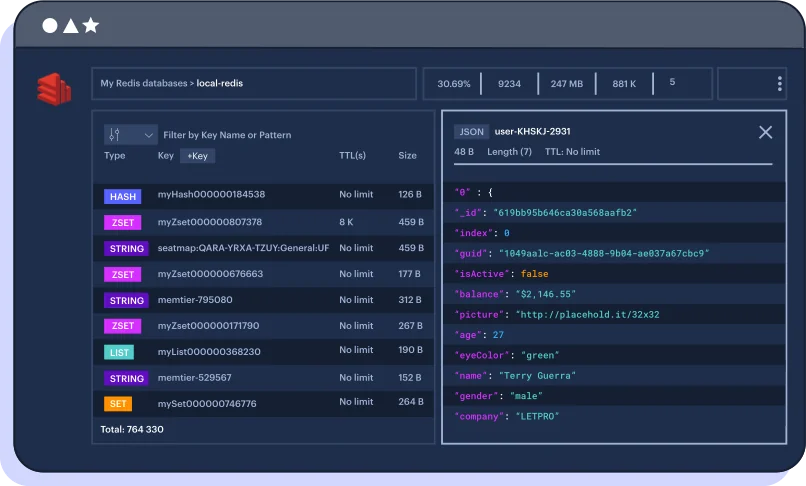
Screenshots

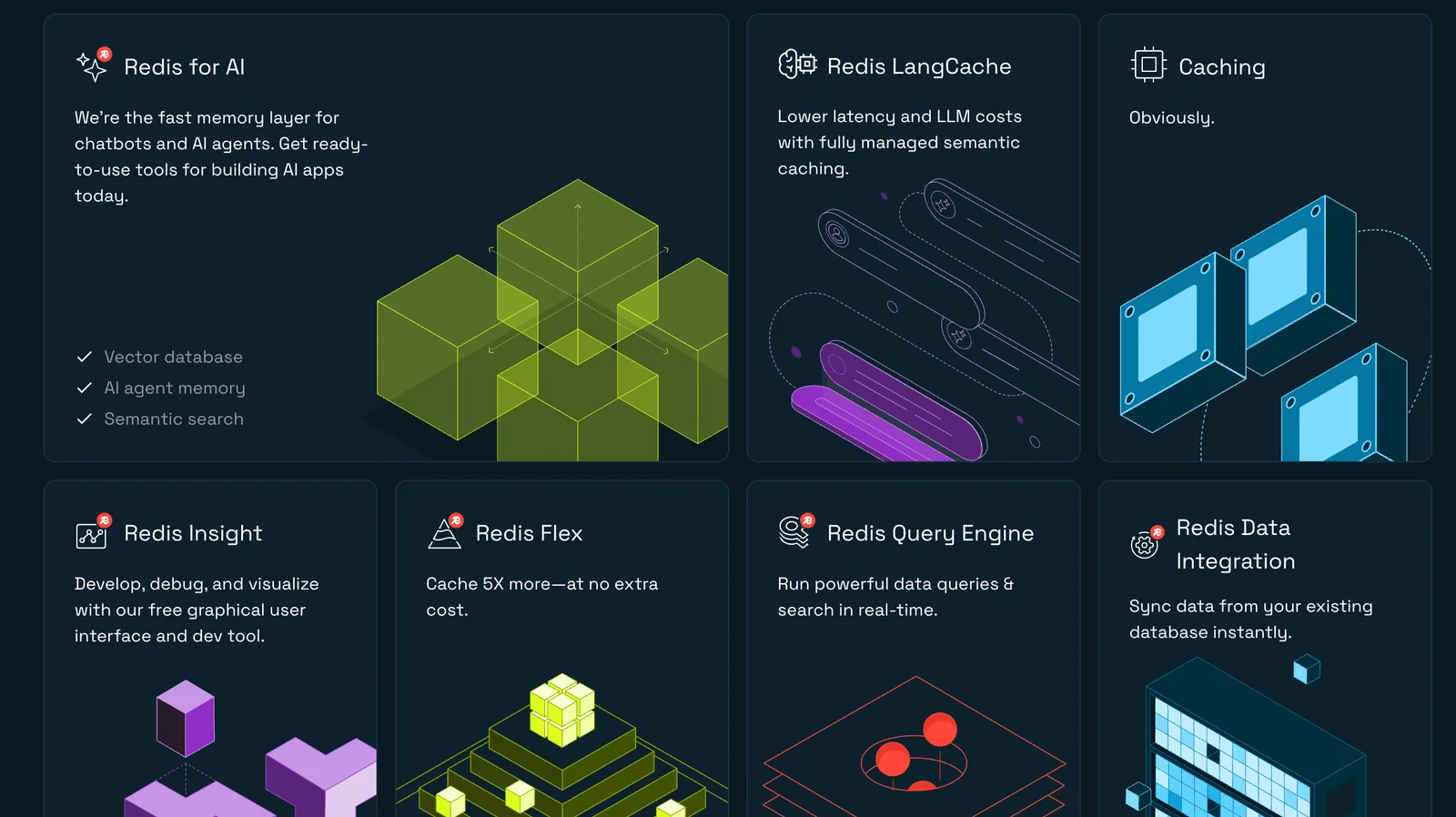
Key Features
Use Cases
MCP Server
https://redis.io/docs/latest/integrate/redis-mcp/💡 MCP (Model Context Protocol) enables AI assistants to securely interact with local and remote resources.



Frequently asked questions about Redis
What are the pricing options for Redis?
Redis offers a freemium pricing model that includes a free open-source option, Redis Cloud (Free) for small projects, and various paid tiers such as Redis Cloud Pro and Redis Enterprise for larger applications. Pricing is based on usage, storage, and additional features, making it scalable for different needs.
Key Points
- Freemium Model: Free open-source and Redis Cloud (Free) available.
- Paid Tiers: Options like Redis Cloud Pro and Redis Enterprise for advanced needs.
- Usage-Based Pricing: Costs vary based on usage, features, and storage requirements.
Detailed Explanation
Redis provides a range of pricing options tailored to various user needs.
-
Free Open-Source Version: This version is ideal for developers and small projects, allowing users to deploy Redis on their own hardware without any licensing fees.
-
Redis Cloud (Free): This tier is designed for users with minimal requirements, offering limited resources at no cost. It is perfect for testing, development, or small-scale applications.
-
Paid Tiers:
- Redis Cloud Pro: Starting at approximately $0.10 per hour, this tier offers additional resources, enhanced performance, and support for more significant applications. It includes features like automatic scaling, backup, and monitoring tools.
- Redis Enterprise: Tailored for large-scale applications, pricing starts around $500 per month and varies based on specific requirements like RAM and performance needs. This tier is designed for enterprise-level businesses requiring high availability, advanced security features, and multi-region deployments.
The pricing models are flexible, allowing users to scale their Redis services as their projects grow.
Best Practices / Tips
- Evaluate Your Needs: Start with the free tier to understand your requirements before committing to a paid plan.
- Monitor Usage: Keep track of your usage and optimize your applications to minimize costs.
- Leverage Trials: If considering a paid tier, take advantage of free trials to test features and performance.
Additional Resources
How do I get started with Redis?
To get started with Redis, visit the official website at redis.io, select the appropriate version (open-source or cloud), and follow the installation instructions tailored to your platform. Once installed, familiarize yourself with Redis commands and features through the documentation and tutorials available.
Key Points
- Choose between open-source and cloud versions.
- Follow installation instructions specific to your operating system.
- Explore the official documentation for commands and use cases.
Detailed Explanation
Redis is an in-memory data structure store, often used as a database, cache, and message broker. Here’s how to get started:
-
Visit the Official Website: Go to redis.io to access the latest version and documentation.
-
Select Your Version: Decide if you want to use the open-source version or Redis Enterprise Cloud. The open-source version is free and suitable for most users, while the cloud option offers additional features like scalability and automated backups.
-
Installation Instructions:
- For Windows: You can use Windows Subsystem for Linux (WSL) or download a precompiled version. Follow the instructions found in the documentation.
- For Linux: Use package managers like
apt-getoryum. For example, on Ubuntu, you can install Redis using:sudo apt update sudo apt install redis-server - For macOS: Use Homebrew with the command:
brew install redis
-
Configuration: After installation, configure Redis by editing the
redis.conffile, which allows you to set parameters like memory limits, persistence options, and network settings. -
Starting Redis: Start the Redis server by executing:
redis-server /path/to/redis.conf -
Testing Your Installation: Use the Redis CLI to test your installation. You can run commands like:
redis-cli pingA response of "PONG" confirms that Redis is operational.
Best Practices / Tips
- Use a Stable Environment: Ensure your server is stable and secure to avoid data loss.
- Monitor Performance: Utilize Redis monitoring tools to keep track of memory usage and performance metrics.
- Backup Regularly: Implement backup strategies, especially if using Redis in production, to prevent data loss.
- Avoid Blocking Operations: Be cautious with commands that can block the server for extended periods, as they may affect performance.
Additional Resources
By following these steps and utilizing the resources provided, you can effectively get started with Redis and harness its powerful capabilities for your applications.
What are the key features of Redis?
Redis is an advanced in-memory data structure store known for its high throughput and low latency. Key features include support for various data types, Pub/Sub messaging, clustering for scalability, and persistence options, making it ideal for applications that require fast and flexible data management.
Key Points
- In-Memory Data Store: Utilizes RAM for fast data access.
- Data Structures: Supports strings, hashes, lists, sets, and more.
- Scalability and Clustering: Allows horizontal scaling with clustering support.
Detailed Explanation
Redis excels as an in-memory data store, which means it keeps data in RAM rather than on disk. This design enables incredibly fast data retrieval, making it suitable for applications that demand real-time performance. Redis supports a rich set of data types, including:
- Strings: The simplest data type, used to store text or binary data.
- Hashes: Useful for storing objects (e.g., user profiles) with multiple fields.
- Lists: Ordered collections of strings, ideal for tasks like queuing.
- Sets: Unordered collections that support set operations, such as intersections.
- Sorted Sets: Similar to sets, but each element has a score, allowing for ordered retrieval.
Pub/Sub Messaging
The Publish/Subscribe (Pub/Sub) feature allows messages to be sent between clients in real-time. This is particularly beneficial for chat applications, notifications, and other scenarios where timely information dissemination is essential.
Clustering for Scalability
Redis clustering enables the distribution of data across multiple Redis nodes, enhancing performance and fault tolerance. This feature allows applications to handle more significant amounts of data and user requests, making Redis a scalable solution for large-scale applications.
Persistence Options
While Redis is primarily an in-memory store, it offers persistence options such as RDB (snapshotting) and AOF (Append Only File) to save data to disk, ensuring that you do not lose information in case of a server restart.
Best Practices / Tips
- Data Expiry: Use the expiration feature to automatically remove outdated data, optimizing memory usage.
- Connection Pooling: Implement connection pooling for better performance, especially in high-load environments.
- Monitoring and Metrics: Regularly monitor Redis performance metrics to prevent bottlenecks and ensure optimal performance.
- Data Backup: Regularly back up your Redis data using persistence options to avoid data loss.
Additional Resources
Utilizing these features effectively can help you leverage Redis for a wide range of applications, from caching to real-time analytics.
How does Redis compare to other data storage solutions?
Redis is a high-performance, in-memory data structure store that outperforms traditional databases in latency and throughput. It is ideal for caching, real-time analytics, and complex data structures, although it may not offer the same durability guarantees as persistent databases, making it less suitable for all use cases.
Key Points
- Performance: Redis offers exceptionally low latency and high throughput.
- Use Cases: Best suited for caching, real-time analytics, and managing complex data structures.
- Durability: Less durable than traditional persistent databases, which may affect data integrity in some applications.
Detailed Explanation
Redis operates in-memory, enabling lightning-fast data access and manipulation, which is significantly faster than disk-based databases. For instance, while traditional relational databases may have response times measured in milliseconds, Redis can often deliver responses in microseconds.
Performance Comparison
- Latency: Redis typically maintains a latency of less than 1 millisecond, making it ideal for applications needing real-time data processing, such as online gaming and financial services.
- Throughput: Redis can handle millions of requests per second for read and write operations, which is particularly valuable in high-traffic web applications.
Use Cases
-
Caching: By storing frequently accessed data in Redis, applications can reduce load times and server strain. For example, an e-commerce site might cache product details and user session data.
-
Real-Time Analytics: Redis' Pub/Sub messaging system supports real-time analytics, enabling applications to process streaming data efficiently, as seen in social media platforms that handle live updates.
-
Data Structures: Redis supports various data structures like strings, hashes, lists, sets, and sorted sets, allowing developers to implement complex data models easily.
Durability Concerns
While Redis offers features like snapshotting and append-only files for persistence, it primarily functions as an in-memory store. This means that in the event of a crash, data not saved to disk might be lost. For applications requiring strict durability, integrating Redis with a persistent database or using Redis in a clustered configuration can mitigate these risks.
Best Practices / Tips
- Use Redis for Caching: Implement Redis to cache results from frequently accessed databases to enhance performance.
- Monitor Memory Usage: Regularly check memory usage to prevent performance bottlenecks, as Redis stores all data in RAM.
- Choose Persistence Wisely: If data durability is essential, configure Redis with appropriate snapshotting or persistence options to suit your needs.
- Optimize Data Structures: Select the right data structures based on your application's requirements to leverage Redis' capabilities fully.
Additional Resources
What APIs does Redis support for integration?
Redis supports a wide range of APIs for integration across multiple programming languages, including Python, Java, JavaScript, Go, Ruby, PHP, and more. This extensive support simplifies the process of incorporating Redis into various applications. For detailed API guides and practical examples, consult the official Redis documentation.
Key Points
- Extensive API support across multiple programming languages.
- Facilitates easy integration into various applications.
- Comprehensive official documentation available for developers.
Detailed Explanation
Redis is an in-memory data structure store, widely used for caching, session management, and real-time analytics. It provides client libraries in numerous programming languages, ensuring developers can leverage its capabilities within their preferred environments.
Supported Languages:
- Python: Libraries like
redis-pyallow seamless interaction with Redis, enabling operations such as data retrieval and storage using simple Python commands. - Java: The
Jedislibrary is popular for Java applications, providing a straightforward API for Redis commands. - JavaScript: Node.js developers can use the
node-redisclient, which supports all Redis commands and offers promise-based APIs for asynchronous programming. - Go: The
go-redisclient provides a robust interface for integrating Redis with Go applications, supporting features such as connection pooling and pub/sub messaging.
Example Use Case:
For instance, a web application that requires user session management can utilize the redis-py library to store session data efficiently. By caching frequently accessed data, the application can significantly reduce load times and improve user experience.
Best Practices / Tips
- Select the Right Client: Choose a Redis client library that best fits your application's language and framework.
- Connection Management: Implement connection pooling to manage multiple connections efficiently, especially under high load.
- Read the Documentation: Always refer to the official Redis documentation for the latest updates, best practices, and examples for each programming language.
- Error Handling: Incorporate robust error handling mechanisms to manage connection timeouts and data retrieval issues.
Additional Resources
Explore more AI Mcps tools
Browse all Mcps tools →Compare Redis: vs ai-memory · vs CrawlForge MCP · vs Popcraft · vs Pomerado