

ReadMeeting
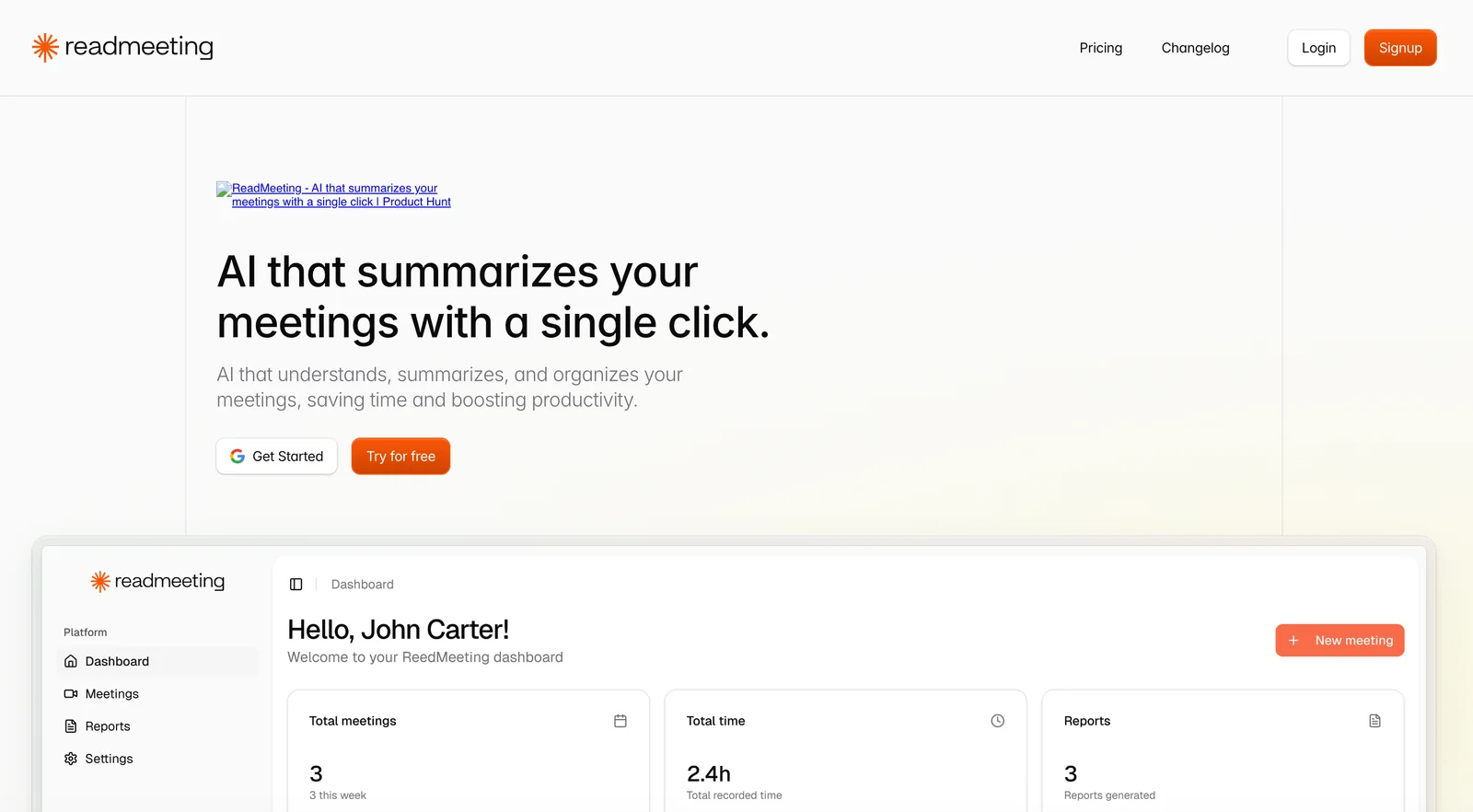
AIAutomatically summarizes meetings, highlighting key points, goals, and next steps to save time and boost productivity.
ReadMeeting
Automatically summarizes meetings, highlighting key points, goals, and next steps to save time and boost productivity.
About ReadMeeting
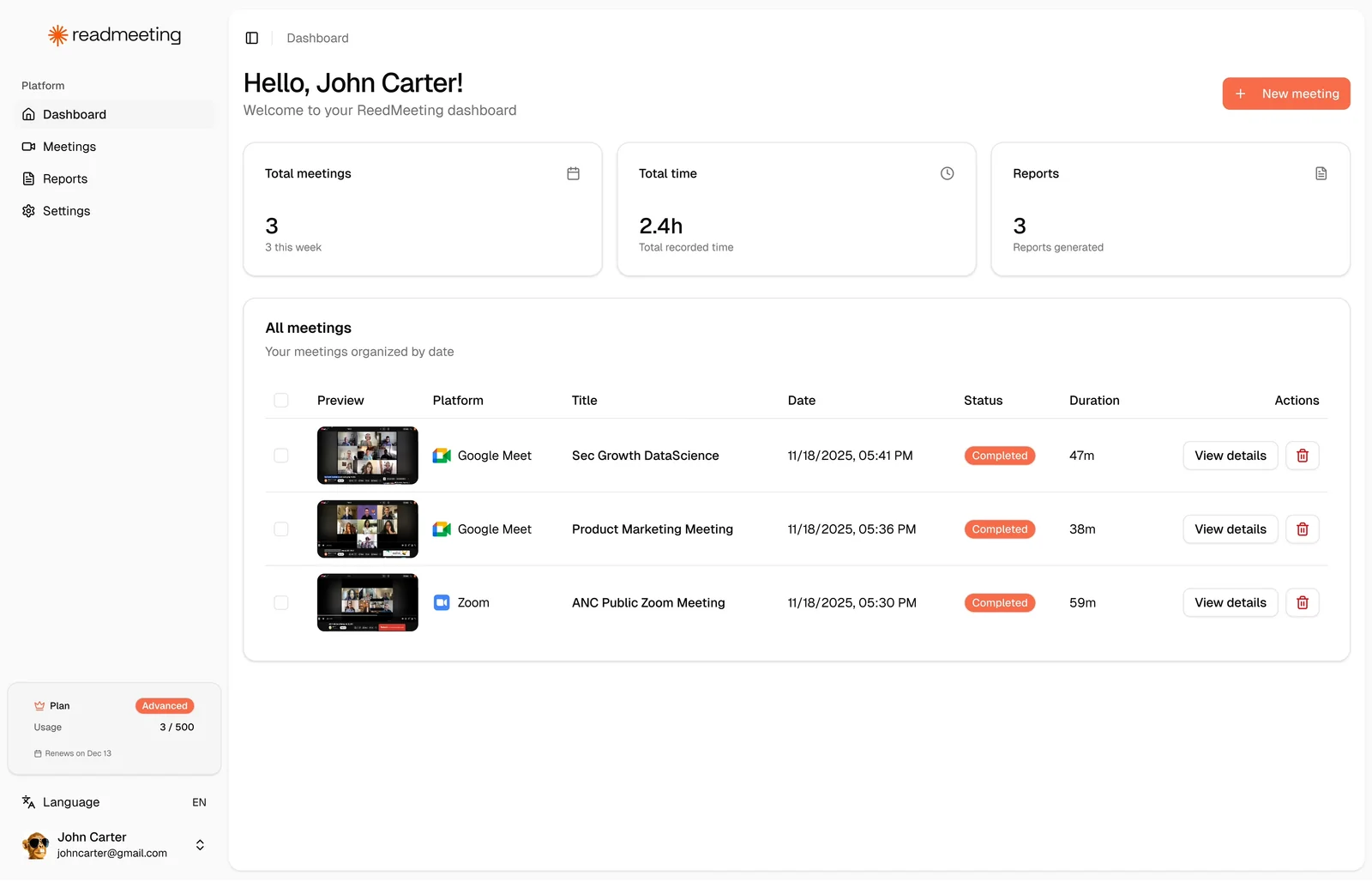
ReadMeeting uses artificial intelligence to automatically create concise summaries of meetings, emphasizing the most important points, stated goals, decisions, and identified next steps. By surfacing these highlights, ReadMeeting helps users quickly understand meeting outcomes without replaying recordings or reading full notes, enabling faster follow-up and improved team alignment. The tool is positioned to reduce time spent on meeting review and to increase actionable clarity for attendees and absentees alike.
Screenshots
Key Features
Use Cases



Frequently asked questions about ReadMeeting
What are the pricing options for ReadMeeting?
ReadMeeting offers a freemium pricing model that includes a free tier allowing users to host up to 3 meetings per month, each lasting up to 30 minutes. For users needing more features, custom paid plans are available by contacting their sales team for tailored options.
Key Points
- Freemium Model: Free tier includes 3 meetings/month.
- Meeting Duration: Each meeting can last up to 30 minutes.
- Custom Paid Plans: Higher limits and features through sales inquiries.
Detailed Explanation
ReadMeeting's freemium pricing structure is designed to cater to various user needs, making it accessible for casual users and businesses alike. The free tier allows individuals to run three meetings monthly, with each session capped at 30 minutes. This is ideal for users wanting to test the platform or for those with minimal meeting needs.
For users requiring more extensive capabilities, ReadMeeting provides customizable paid plans. These plans are tailored to enhance user experience, offering features like extended meeting durations, increased meeting limits, and additional functionalities such as recording options, transcription services, and integrations with other tools like calendar applications.
Example Use Cases
- Freelancers: A freelance consultant can utilize the free tier to host client catch-ups without incurring costs.
- Small Teams: A small team may opt for a paid plan to facilitate weekly meetings with extended durations and additional collaborative features.
- Corporate Teams: Larger organizations can contact ReadMeeting for enterprise-level solutions that accommodate numerous users and advanced features.
Best Practices / Tips
- Evaluate Needs: Before choosing a paid plan, assess how many meetings and the duration you typically require.
- Utilize Free Tier: Take full advantage of the free tier to understand the platform’s functionalities and limitations before committing to a paid plan.
- Contact Sales for Custom Solutions: If your team has specific requirements or needs a larger capacity, don’t hesitate to reach out to ReadMeeting’s sales team for a suitable plan.
Additional Resources
What key features does ReadMeeting provide for meeting summaries?
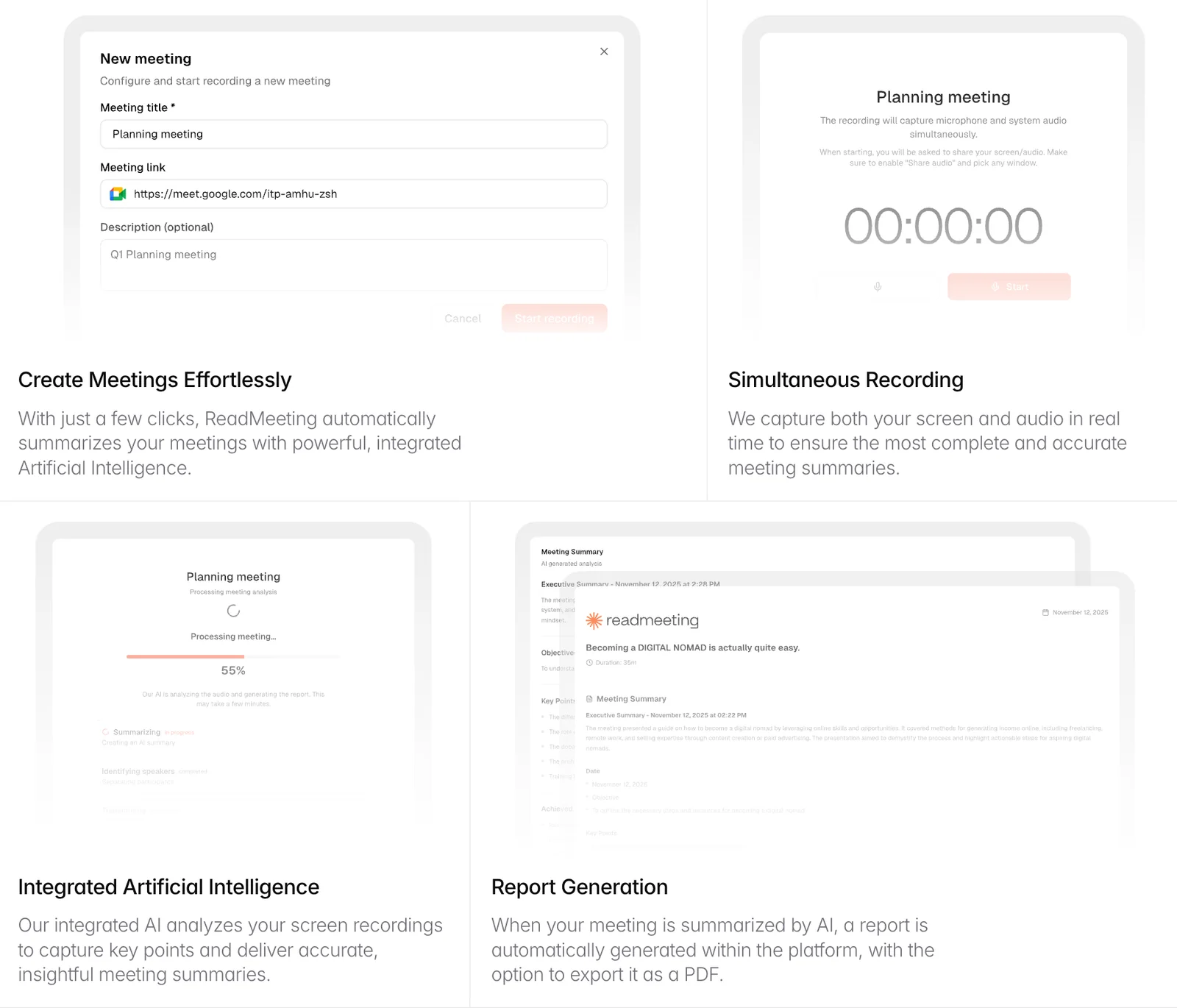
ReadMeeting provides essential features for meeting summaries, including automatic summarization of discussions, highlighting key points, identifying goals, and extracting actionable next steps. These features save time and enhance productivity, making it easier for teams to focus on outcomes and follow-up actions.
Key Points
- Automatic Summarization: Quickly condenses meeting content.
- Key Points Highlighting: Emphasizes critical information for easy reference.
- Next Steps Extraction: Identifies actionable items for team members.
Detailed Explanation
ReadMeeting leverages advanced AI algorithms to summarize meeting discussions, ensuring that all essential details are captured without manual effort. This feature is invaluable for professionals who attend multiple meetings and need to distill actionable insights efficiently.
-
Automatic Summarization: With ReadMeeting, users can upload audio or video recordings of their meetings. The tool processes these files, generating concise summaries that outline the main topics discussed. For instance, if a team meeting covers project updates and future goals, ReadMeeting will automatically distill these points into a clear summary.
-
Key Points Highlighting: ReadMeeting highlights the most significant points during meetings, allowing users to quickly grasp the essence of discussions. This feature is particularly useful in lengthy meetings where vital information can easily be overlooked. For example, if a marketing strategy is debated, the tool will highlight the agreed-upon tactics and deadlines.
-
Next Steps Extraction: After summarizing the meeting, ReadMeeting identifies and lists next steps for attendees. This ensures accountability and clarity on who is responsible for which actions. For example, if a team decides to conduct market research, ReadMeeting will extract this as a next step, assigning it to the relevant team member.
Best Practices / Tips
- Upload High-Quality Audio: Ensure that the audio quality of your meeting recordings is clear to enable better transcription accuracy.
- Review Summaries: Always review the generated summaries for accuracy, as context can sometimes be lost in automatic processes.
- Integrate with Workflow Tools: Consider integrating ReadMeeting with tools like Slack or Asana to streamline your follow-up processes.
Additional Resources
How do I get started using ReadMeeting for my meetings?
To get started using ReadMeeting for your meetings, visit their official website to sign up, choose a suitable pricing plan, and integrate the platform with your existing meeting software. This process will enable you to generate concise summaries and enhance meeting productivity effortlessly.
Key Points
- Easy Sign-Up: Register on the ReadMeeting website.
- Choose a Pricing Plan: Select a plan that fits your needs.
- Integration: Link ReadMeeting with your preferred meeting platform.
Detailed Explanation
To begin using ReadMeeting, first navigate to the ReadMeeting website. The sign-up process is straightforward: click on the "Sign Up" button, fill out your information, and confirm your email address.
Next, explore the various pricing plans available. ReadMeeting typically offers a free trial, enabling you to test the features before committing. Plans may vary based on the number of users or features available, so choose one that aligns with your meeting frequency and team size.
Once you have an account, integrating ReadMeeting with your existing meeting platform—such as Zoom, Google Meet, or Microsoft Teams—is essential. This integration allows ReadMeeting to automatically capture meeting data and generate summaries. Follow the prompts in your account settings to connect your meeting software seamlessly.
Example Use Case
For instance, if your team frequently uses Zoom, after integration, ReadMeeting can record your meetings, analyze discussions, and provide you with a summary that includes key points, action items, and decisions made during the meeting. This feature is particularly advantageous for teams looking to enhance collaboration and ensure accountability.
Best Practices / Tips
- Regularly Review Summaries: After each meeting, take time to review the summaries generated by ReadMeeting. This not only reinforces accountability but also helps clarify any misunderstandings.
- Utilize Action Items: Make sure to designate action items within the summary to ensure responsible follow-ups.
- Engage Your Team: Encourage team members to provide feedback on the summaries to optimize future meetings and enhance the effectiveness of ReadMeeting’s features.
Additional Resources
Using ReadMeeting effectively can transform your meeting experience, making it more organized and productive while ensuring that everyone stays informed.
What technical requirements are needed to use ReadMeeting?
ReadMeeting requires a stable internet connection and compatibility with major video conferencing tools such as Zoom, Microsoft Teams, and Google Meet. Ensure your device meets the recommended specifications for optimal performance during meetings.
Key Points
- Stable internet connection is essential for uninterrupted service.
- Compatible with major video conferencing platforms.
- Recommended device specifications enhance user experience.
Detailed Explanation
To effectively use ReadMeeting, ensure that your device is equipped with a reliable internet connection, ideally with a speed of at least 5 Mbps for both upload and download. This ensures that video and audio quality remain high during meetings.
ReadMeeting is designed to integrate seamlessly with popular video conferencing tools like Zoom, Microsoft Teams, and Google Meet. This compatibility allows users to easily import and analyze meeting transcripts from these platforms.
Recommended Device Specifications:
- Operating System: Windows 10 or later, macOS Mojave or later.
- Processor: Intel i5 or equivalent for smooth performance.
- RAM: At least 8 GB to handle multitasking effectively.
- Browser: Latest version of Chrome, Firefox, or Safari for optimal functionality.
By ensuring your device aligns with these specifications, you can enhance your experience and leverage ReadMeeting's full capabilities.
Best Practices / Tips
- Internet Connection: Use a wired connection if possible, as it tends to be more stable than Wi-Fi.
- Regular Updates: Keep your video conferencing apps and browser updated to avoid compatibility issues.
- Test Before Meetings: Conduct a test run before important meetings to ensure everything works smoothly.
Additional Resources
How does ReadMeeting compare to other meeting summarization tools?
ReadMeeting differentiates itself from other meeting summarization tools by emphasizing automatic summarization and providing actionable insights. Its user-friendly interface and freemium model make it particularly appealing for small teams, enhancing accessibility compared to alternative solutions.
Key Points
- Automatic Summarization: ReadMeeting uses AI to generate concise summaries effortlessly.
- Actionable Insights: It highlights key decisions and action items, ensuring clarity and follow-through.
- Freemium Model: Offers a cost-effective solution for small teams and startups.
Detailed Explanation
ReadMeeting leverages advanced AI algorithms to deliver efficient, automatic summarization of meetings. Unlike many tools that merely transcribe audio, ReadMeeting distills discussions into pertinent highlights, making it easier for users to track decisions and tasks.
Key Features:
- Automatic Summarization: By analyzing spoken content, ReadMeeting can automatically generate summaries that capture the essence of the discussion, saving users time and effort.
- Actionable Insights: The platform extracts essential action items and decisions, allowing team members to follow up effectively. For instance, if a project milestone is discussed, ReadMeeting will highlight it clearly.
- Freemium Model: With basic features available for free, ReadMeeting is accessible for small teams and startups. Users can choose to upgrade for advanced functionalities without a significant financial commitment.
Use Cases:
- Small Teams: Ideal for startups that need to streamline their meeting processes without incurring high costs.
- Remote Workers: Perfect for distributed teams, as it helps maintain clarity and accountability across different locations.
- Project Management: Assists project managers in keeping track of decisions and action items efficiently.
Best Practices / Tips
- Utilize Action Items: Make sure to review and act on the insights generated by ReadMeeting to enhance productivity.
- Regularly Update: Keep your team informed on how to utilize ReadMeeting’s features effectively, ensuring everyone is on the same page.
- Leverage the Freemium Model: Start with the free version to assess its suitability for your team's needs before committing to a paid plan.
Additional Resources
Explore more AI Ai Services tools
Browse all Ai Services tools →Browse by use case: Automation & Productivity
Compare ReadMeeting: vs ZeroClick · vs jurniti · vs Cadenya · vs OpenObserve