
Progress AI Observability
AIProgress AI Observability traces, debugs, cost-tracks and evaluates AI agents in production for .NET, Python and JavaScript.
Progress AI Observability
Progress AI Observability traces, debugs, cost-tracks and evaluates AI agents in production for .NET, Python and JavaScript.
About Progress AI Observability
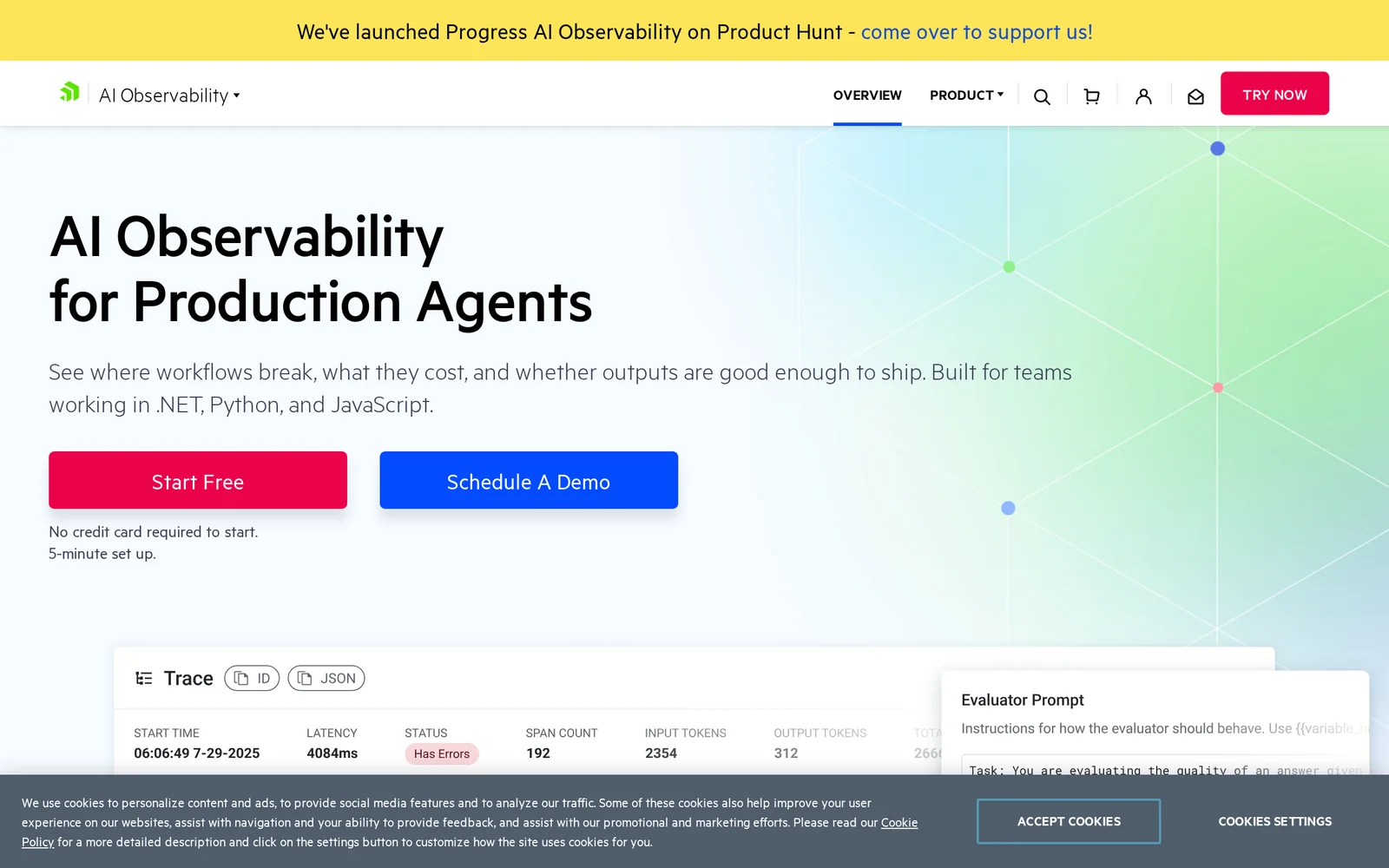
Progress AI Observability is a production-grade platform for teams building AI agents, LLM apps, RAG systems, and copilots in .NET, Python, or JavaScript. It captures full execution traces across prompts, model calls, tool use, and retrieval steps, then surfaces where workflows break, what they cost, and whether outputs are good enough to ship. Beyond raw tracing, it debugs agent failures with AI-specific context (skipped tools, bad retrieval, loops, retries), tracks token spend by model/workflow/provider, and runs LLM-as-a-judge evaluations on captured traces so quality changes can be compared side by side. Teams instrument their agents with an SDK (a few lines of code) and get a live dashboard covering latency, tokens, cost, and evaluation scores.
Screenshots
Key Features
Use Cases


Frequently asked questions about Progress AI Observability
What is Progress AI Observability?
Progress AI Observability is a comprehensive tool designed to trace, debug, cost-track, and evaluate AI agents in production environments for .NET, Python, and JavaScript applications. It enhances performance and reliability by providing real-time insights into AI operations.
Key Points
- Tracing and Debugging: Monitors AI agents to identify and resolve issues.
- Cost Tracking: Analyzes resource usage to optimize operational expenses.
- Cross-Platform Support: Compatible with .NET, Python, and JavaScript environments.
Detailed Explanation
Progress AI Observability offers advanced analytics for AI systems, enabling organizations to maintain high performance and reliability. By tracing AI agent operations, it helps developers identify bottlenecks or errors in real-time, ensuring swift debugging. For instance, if an AI model experiences latency, Progress AI can pinpoint where in the process the delay occurs, allowing for targeted fixes.
Moreover, the cost-tracking feature allows businesses to monitor the expenses associated with running AI applications. This is particularly valuable for companies looking to optimize their budgets while still leveraging powerful AI capabilities. For example, if a certain model is consuming excessive resources, adjustments can be made to either the model or the infrastructure utilized.
Support for .NET, Python, and JavaScript makes Progress AI Observability versatile for various development teams. Whether your team is building web applications, server-side services, or data-driven analytics, this tool integrates seamlessly with existing workflows, providing valuable insights across multiple platforms.
Best Practices / Tips
- Regular Monitoring: Conduct regular checks on AI performance metrics to catch issues early.
- Set Up Alerts: Utilize alert systems within Progress AI to notify teams of significant performance drops or anomalies.
- Optimize Resource Allocation: Periodically review cost-tracking reports to ensure efficient resource usage without compromising performance.
Additional Resources
- Progress AI Observability Documentation
- AI Performance Optimization Guide
- Webinar on AI Debugging Techniques
By implementing these practices and leveraging Progress AI Observability, organizations can ensure their AI agents operate efficiently and effectively, leading to improved overall performance and reduced operational costs.
How does Progress AI Observability work?
Progress AI Observability enables users to track and optimize AI workflows by integrating features like AI Trace Explorer, Workflow Debugging, and Cost Analysis. It helps diagnose issues, manage costs, and ensure quality in AI models, promoting efficient and scalable AI operations.
Key Points
- AI Trace Explorer: Captures detailed traces across various AI processes.
- Workflow Debugging: Identifies and resolves issues quickly.
- Cost Analysis: Helps teams manage and optimize AI-related expenditures.
Detailed Explanation
Progress AI Observability combines multiple powerful features to provide a comprehensive solution for monitoring and optimizing AI workflows.
-
AI Trace Explorer: This tool captures every span of activity, including prompts, model calls, tool interactions, and retrieval steps. It tracks latency, token usage, and output quality, enabling users to visualize the entire AI processing pipeline. For example, a user can see how a specific prompt leads to model responses and identify bottlenecks in real-time.
-
Workflow Debugging: This feature allows teams to diagnose issues within AI workflows, such as failed spans, skipped tools, and retries, all within a specific agent's context. By reducing root-cause analysis time from hours to minutes, users can swiftly address problems, ensuring smoother operations.
-
Cost Analysis: Progress AI Observability enables organizations to attribute costs accurately to specific models, providers, agents, and workflows. This insight is crucial for teams looking to optimize their AI infrastructure before scaling, allowing for better budgeting and financial planning.
-
LLM-as-a-Judge Evaluations: Users can run quality assessments on captured traces, scoring them for usefulness and policy alignment. This feature is essential for comparing changes in prompts or models, ensuring quality remains consistent.
-
Multi-Language SDK: The observability tool supports .NET, Python, and JavaScript applications, allowing developers to implement it easily with minimal code. Users can get their first trace operational in under five minutes, significantly enhancing their AI monitoring capabilities.
-
Enterprise AI Governance: This feature helps maintain trace history, evaluation records, and access controls, essential for scaling AI solutions in regulated industries.
Best Practices / Tips
- Monitor Regularly: Set up regular checks on AI performance to catch issues early.
- Optimize Costs: Use the Cost Analysis feature to identify token-hungry patterns and adjust workflows accordingly.
- Leverage Multi-Language SDK: Take advantage of the SDK's simplicity to integrate observability across various platforms.
- Pre-Release Testing: Always run Quality Regression Testing before releasing updates to catch potential quality drops.
Additional Resources
What are the main features of Progress AI Observability?
Progress AI Observability offers significant features including AI Trace Explorer for in-depth trace capturing, Workflow Debugging for diagnosing issues, detailed Cost Analysis for optimizing spending, LLM-as-a-Judge for evaluating model performance, and a Multi-Language SDK for easy integration. These tools collectively enhance monitoring and optimization of AI workflows.
Key Points
- AI Trace Explorer: Captures detailed spans across various calls.
- Workflow Debugging: Helps diagnose and resolve issues in AI workflows.
- Cost Analysis: Allows teams to monitor and optimize AI spending.
Detailed Explanation
Progress AI Observability includes a robust suite of features designed to enhance the monitoring and debugging of AI applications:
AI Trace Explorer
This feature captures every span throughout the AI processes, including:
- Prompts: The initial user inputs.
- Model Calls: Requests made to AI models.
- Tool Calls: Interactions with additional tools.
- Retrieval Steps: Accessing external data or resources.
It provides insights into latency, token usage, and outputs, enabling teams to identify bottlenecks and inefficiencies.
Workflow Debugging
With Workflow Debugging, users can diagnose:
- Failed Spans: Identify where processes are breaking down.
- Skipped Tools: Understand why certain tools are not being utilized.
- Retries and Cascading Failures: Analyze issues that cause multiple failures across workflows.
This feature provides agent-specific debugging context, making it easier to pinpoint and resolve issues.
Cost Analysis
The Cost Analysis feature helps teams attribute expenses to specific:
- Models: Identify which AI models are cost-effective.
- Providers: Evaluate spending across different cloud providers.
- Agents and Workflows: Understand which workflows are consuming the most resources.
By having a clear breakdown of costs, organizations can optimize their spending before scaling operations.
LLM-as-a-Judge Evaluations
This functionality allows teams to run evaluations on captured traces. They can assess:
- Quality: How well models are performing.
- Usefulness: The practical utility of AI outputs.
- Policy-Alignment: Ensuring compliance with organizational policies.
Comparative analysis of prompt and model changes helps refine AI performance.
Multi-Language SDK
Progress AI Observability offers a Multi-Language SDK that supports:
- .NET, Python, and JavaScript: Easily instrument applications with minimal code—typically achieving the first trace in under 5 minutes.
This feature lowers the entry barrier for teams looking to implement observability in their applications.
Best Practices / Tips
- Integrate Early: Implement observability from the start of your AI project to capture comprehensive data.
- Regularly Monitor Costs: Use the Cost Analysis feature to keep AI spending in check as your project scales.
- Leverage Debugging Tools: Make use of Workflow Debugging for continuous improvements and to address issues promptly.
- Conduct Regular Evaluations: Use LLM-as-a-Judge evaluations to assess and refine your AI models regularly.
Additional Resources
Who is Progress AI Observability for?
Progress AI Observability is designed for organizations and individuals involved in AI development and deployment. Key users include data scientists, engineers, finance teams, and compliance officers who need to streamline debugging, manage costs, and maintain quality across AI models and applications.
Key Points
- Agent Failure Debugging
- LLM Cost Governance
- Quality Regression Testing
- RAG Pipeline Tuning
- Enterprise AI Governance
Detailed Explanation
Progress AI Observability serves a diverse audience, primarily focusing on improving the efficiency and effectiveness of AI systems.
-
Agent Failure Debugging: This feature significantly reduces the time needed for root-cause analysis, transforming hours of work into minutes. By tracing failures across prompts, retrievals, and tools, users can quickly identify where a process broke down, leading to faster resolution and improved system reliability.
-
LLM Cost Governance: Organizations can utilize this tool to monitor and identify token-intensive interactions and costly models. This insight allows finance and engineering teams to manage budgets more effectively, ensuring they allocate resources where they are most needed and avoid unnecessary expenses.
-
Quality Regression Testing: Before deploying new AI models or updates, users can evaluate outputs using LLM judges. This proactive testing helps catch potential quality drops, ensuring that only high-quality models are released into production environments, which can safeguard brand reputation.
-
RAG Pipeline Tuning: AI systems often utilize retrieval-augmented generation (RAG) workflows. Progress AI Observability enables teams to identify stale contexts or ineffective retrieval methods within these workflows, providing the data needed to iterate and improve the system based on real production evidence.
-
Enterprise AI Governance: As organizations scale their AI initiatives, maintaining compliance with regulations is crucial. This tool helps maintain a comprehensive trace history, evaluation records, and access controls necessary for managing AI deployment in regulated industries, enhancing accountability and trust.
Best Practices / Tips
- Integrate Early: Implement Progress AI Observability early in your AI development cycle to gain insights from the start, making it easier to manage costs and quality.
- Regular Audits: Conduct regular reviews of the data provided by the observability tool to adapt to changing models and environments.
- Engage All Stakeholders: Involve both technical and non-technical teams (e.g., finance and compliance) to ensure comprehensive governance and cost management.
- Set Clear Metrics: Define clear metrics for success when using these tools to track improvements in debugging speed, cost efficiency, and quality assurance.
Additional Resources
How much does Progress AI Observability cost?
Progress AI Observability provides a free tier, allowing users to explore basic features without cost. For advanced functionalities, the platform offers several paid plans, which vary in pricing based on the number of users and the level of services required.
Key Points
- Progress AI Observability has a free tier for basic access.
- Paid plans are available for advanced features.
- Pricing varies based on user count and services.
Detailed Explanation
Progress AI Observability is designed to offer flexibility for users ranging from startups to large enterprises. The free tier allows users to monitor their applications with essential observability features, making it an excellent option for those just beginning their journey in AI observability.
For organizations needing more robust capabilities, Progress offers various paid plans. These plans often include features such as enhanced analytics, custom alerts, and integrations with other tools. The pricing structure typically scales based on the number of users and the specific features selected, ensuring that companies can choose a plan that aligns with their budget and operational needs.
For example, small teams may opt for a basic paid plan to access additional insights, while larger enterprises might require a comprehensive package that includes advanced data visualization and real-time monitoring. Understanding your organization's specific needs is crucial when selecting the right plan.
Best Practices / Tips
- Evaluate business needs: Before choosing a plan, assess your team's size and the features you require.
- Start with the free tier: Utilize the free tier to familiarize yourself with the platform and understand what additional features you might need later.
- Compare plans: Review the differences between the available paid plans to ensure you get the best value for your investment.
Additional Resources
How do I get started with Progress AI Observability?
To get started with Progress AI Observability, visit Telerik's AI Observability Platform to sign up for an account. You can explore features, set up your monitoring environment, and integrate it with your existing applications for enhanced observability and insights.
Key Points
- Easy account setup process
- Comprehensive feature exploration
- Seamless integration with existing applications
Detailed Explanation
Progress AI Observability is designed to enhance application performance monitoring and observability through advanced AI capabilities. To begin, follow these steps:
-
Sign Up: Navigate to the Progress AI Observability platform and click on “Sign Up.” Fill out the required information to create your account.
-
Explore Features: Once registered, take time to explore the platform’s features. Progress AI Observability offers tools for real-time monitoring, anomaly detection, and performance insights. Familiarize yourself with dashboards and reporting capabilities.
-
Integrate: Integrating Progress AI Observability with your existing applications is essential. The platform supports various integrations, including cloud services and on-premise solutions. Follow the provided documentation for specific guidance on connecting your applications.
-
Utilize Resources: Leverage tutorials, webinars, and community forums available on the platform to deepen your understanding and troubleshoot any challenges you encounter.
-
Monitor and Optimize: After integration, start monitoring your applications. Use the insights gained to optimize performance, identify bottlenecks, and enhance user experience.
Best Practices / Tips
- Start with a Pilot Project: Before full-scale implementation, try Progress AI Observability on a smaller project to gain insights without overwhelming your team.
- Regularly Review Dashboards: Set a routine to check performance dashboards to stay updated on your application’s health and resolve issues quickly.
- Engage with Community: Participate in user forums and discussions to learn from others’ experiences and best practices.
- Plan for Scalability: As your application grows, ensure that your observability setup can scale accordingly. Consider subscription tiers that fit your future needs.
Additional Resources
Explore more AI Ai Services tools
Browse all Ai Services tools →Compare Progress AI Observability: vs BAND for Developers · vs NitroStack · vs GBrain · vs MentionBird