

Prism
AIA free, LaTeX-native collaborative workspace for scientific writing that integrates OpenAI frontier models (GPT-5.2) into the authoring workflow.
Prism
A free, LaTeX-native collaborative workspace for scientific writing that integrates OpenAI frontier models (GPT-5.2) into the authoring workflow.
About Prism
Prism is a LaTeX-first online workspace from OpenAI designed for scientists to write, edit, compile, and collaborate on scientific documents. It embeds an editor-native assistant powered by OpenAI frontier models (notably GPT-5.2) that understands document context, generates LaTeX snippets, diagnoses compilation errors, and suggests fixes in-place. Prism supports project hosting, import/export workflows, integrations (e.g., Zotero, Git), version history, and editor controls like Keep and Undo for generated content—streamlining drafting, troubleshooting, and collaborative workflows for research manuscripts and technical documents.
Screenshots

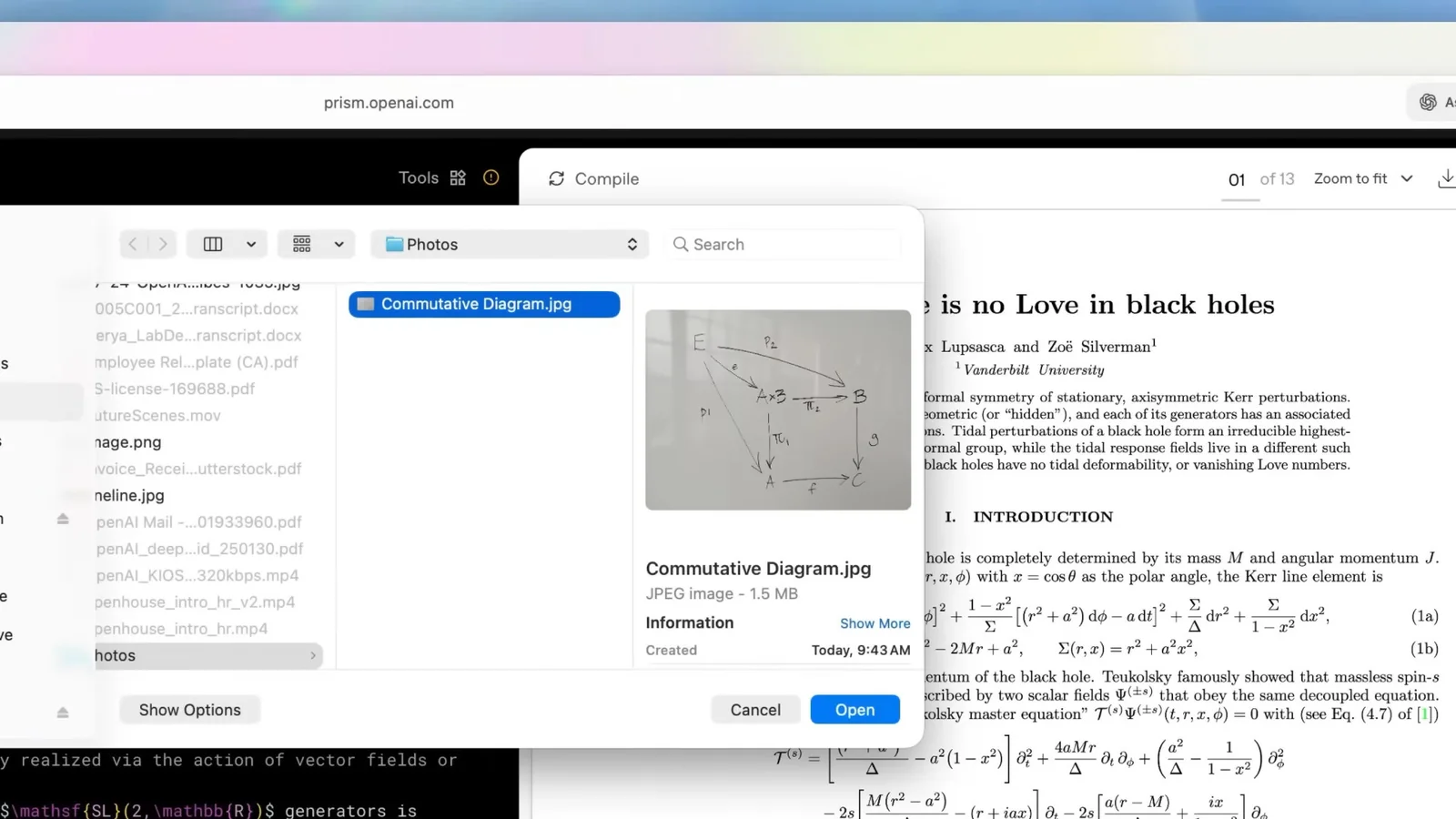
Key Features
Use Cases


Frequently asked questions about Prism
What unique features does Prism offer for collaborative scientific writing?
Prism offers unique features for collaborative scientific writing, including a LaTeX-native editor, an integrated GPT-5.2 assistant for code generation, real-time collaboration capabilities, and a built-in version history. These tools streamline the writing process and enhance teamwork among researchers.
Key Points
- LaTeX-Native Editor: Seamless integration for scientific formatting.
- Integrated GPT-5.2 Assistant: AI-driven support for code generation.
- Real-Time Collaboration: Enables multiple users to work simultaneously.
Detailed Explanation
Prism's LaTeX-native editor allows researchers to write and format complex equations and scientific documents effortlessly. This editor supports all LaTeX commands, making it easier for scientists accustomed to LaTeX to create polished documents without compatibility issues.
The integrated GPT-5.2 assistant is a standout feature that enhances productivity. This AI tool helps users generate LaTeX code by understanding natural language commands. For example, a researcher can type, “Create a matrix for this data,” and the assistant will provide the appropriate LaTeX output, saving time and minimizing errors.
In addition, Prism's real-time collaboration feature allows multiple users to edit documents simultaneously. This is particularly beneficial for research teams spread across different locations, as it facilitates instant feedback and collaborative writing. Comments and changes are visible in real-time, fostering a more interactive writing environment.
The built-in version history feature ensures that all changes are tracked, enabling users to revert to previous document states if necessary. This is crucial for maintaining the integrity of scientific work, as it allows researchers to manage revisions effectively and avoid losing important content.
Best Practices / Tips
- Utilize the GPT-5.2 Assistant: Take full advantage of the AI assistant by asking it specific questions to generate precise LaTeX code.
- Leverage Real-Time Collaboration: Schedule regular sessions with team members to utilize real-time editing, enhancing communication and teamwork.
- Regularly Check Version History: Frequently review the version history to keep track of all changes made, ensuring that no valuable information is lost during the editing process.
Additional Resources
How can I get started with Prism for my research project?
To get started with Prism for your research project, sign up for a ChatGPT account, then access the Prism workspace at https://prism.openai.com/. You can create new projects and invite collaborators immediately, enhancing teamwork and productivity in your research.
Key Points
- Create a ChatGPT account.
- Access the Prism workspace online.
- Initiate projects and collaborate seamlessly.
Detailed Explanation
To begin utilizing Prism effectively, follow these steps:
-
Create a ChatGPT Account: Visit the official ChatGPT website and complete the signup process. This account is essential as it provides access to various AI tools, including Prism.
-
Access Prism Workspace: Navigate to Prism's official site. You’ll find a user-friendly interface that promotes easy navigation between different functionalities.
-
Create Your Project: Once logged in, you can start a new project by selecting the “New Project” button. Fill in necessary details such as project title, description, and any relevant tags to categorize your work effectively.
-
Invite Collaborators: Collaboration is vital in research. Use the invite feature to add team members by entering their email addresses. You can assign varying levels of access based on the project needs.
-
Utilize Features: Explore Prism's features, such as data visualization tools and AI suggestions. These can enhance your research quality and efficiency.
Best Practices / Tips
- Keep Your Project Organized: Use clear naming conventions for files and folders to make navigation easier for you and your collaborators.
- Regular Updates: Encourage team members to update their contributions frequently to maintain project momentum.
- Leverage AI Tools: Take advantage of Prism's AI capabilities to analyze data and generate insights quickly, saving time and improving outcomes.
Additional Resources
By following these steps and tips, you can effectively leverage Prism for your research project, fostering collaboration and enhancing your research capabilities.
What technical requirements are needed to use Prism effectively?
Prism is a browser-based tool that requires any modern web browser for optimal use. For full functionality, ensure you have accounts set up with Zotero and Git, as Prism integrates seamlessly with these platforms to enhance your workflow and productivity.
Key Points
- Browser Compatibility: Supports modern web browsers like Chrome, Firefox, and Safari.
- Account Integration: Requires active accounts with Zotero and Git for enhanced features.
- Internet Connection: A stable internet connection is essential for effective usage.
Detailed Explanation
Prism operates entirely within a web browser, making it accessible across various devices, including desktops, laptops, and tablets. To maximize its potential, users should utilize the latest versions of popular browsers such as Google Chrome, Mozilla Firefox, or Apple Safari. Older browsers may lead to compatibility issues or a subpar experience.
Integration with Zotero and Git:
- Zotero: This reference management tool helps users organize research and citations. By integrating with Zotero, Prism allows you to import references directly, making it easier to manage citations within your projects. Make sure to install the Zotero browser extension and create a Zotero account to take advantage of this feature.
- Git: A version control system that enables collaboration and tracking changes in projects. Having a Git account set up allows you to save and share your work effectively. Users should familiarize themselves with basic Git commands and workflows to enhance their usage of Prism.
Best Practices / Tips
- Keep Your Browser Updated: Regularly update your browser to ensure compatibility and security.
- Stable Internet Connection: Use a reliable internet connection to avoid disruptions during your work sessions.
- Familiarize Yourself with Integrations: Take time to learn the functionalities of Zotero and Git to fully leverage them within Prism.
- Utilize Tutorials: Consider watching tutorials or reading guides on using Prism, Zotero, and Git effectively.
Additional Resources
How does Prism compare to other LaTeX editing tools like Overleaf?
Prism stands out from other LaTeX editing tools like Overleaf by incorporating advanced AI assistance with GPT-5.2, which enhances the editing process through real-time suggestions and error correction. This integration allows users to write faster and more accurately, a feature that Overleaf currently lacks.
Key Points
- AI Integration: Prism features GPT-5.2 for enhanced writing assistance.
- User Experience: The intuitive interface promotes faster document creation.
- Collaboration: While both platforms support collaboration, Prism’s AI tools streamline this process.
Detailed Explanation
Prism's integration of GPT-5.2 revolutionizes LaTeX editing by providing contextual suggestions as you write. This means that users can receive real-time feedback on syntax, grammar, and even complex mathematical expressions. For example, if you’re writing a document on quantum physics, Prism can assist with the LaTeX formatting of equations, ensuring correctness without the need for external lookups.
In contrast, Overleaf offers a robust editing environment with collaborative features but lacks this level of AI-driven assistance. Users often find themselves manually correcting errors or searching for LaTeX commands, which can slow down the writing process. In a competitive academic setting, the speed and accuracy provided by Prism's AI can be a significant advantage.
Prism also offers a unique user interface that enhances the writing experience. It includes features such as live previews and an integrated library of LaTeX templates. This allows users to focus on content creation rather than formatting, making it ideal for both beginners and seasoned professionals.
Best Practices / Tips
- Utilize AI Features: Take full advantage of GPT-5.2 by asking it to suggest improvements or corrections to your LaTeX code.
- Explore Templates: Use Prism's extensive library of templates to jump-start your projects.
- Leverage Collaboration Tools: If working in teams, utilize Prism's collaborative features to streamline group projects, making use of AI for uniformity in style and formatting.
- Stay Updated: Regularly check for updates to ensure you are using the latest features and enhancements offered by Prism.
Additional Resources
Explore more AI Ai Services tools
Browse all Ai Services tools →Browse by use case: Chatbots & Assistants
Compare Prism: vs BAND for Developers · vs NitroStack · vs GBrain · vs MentionBird