

Prava
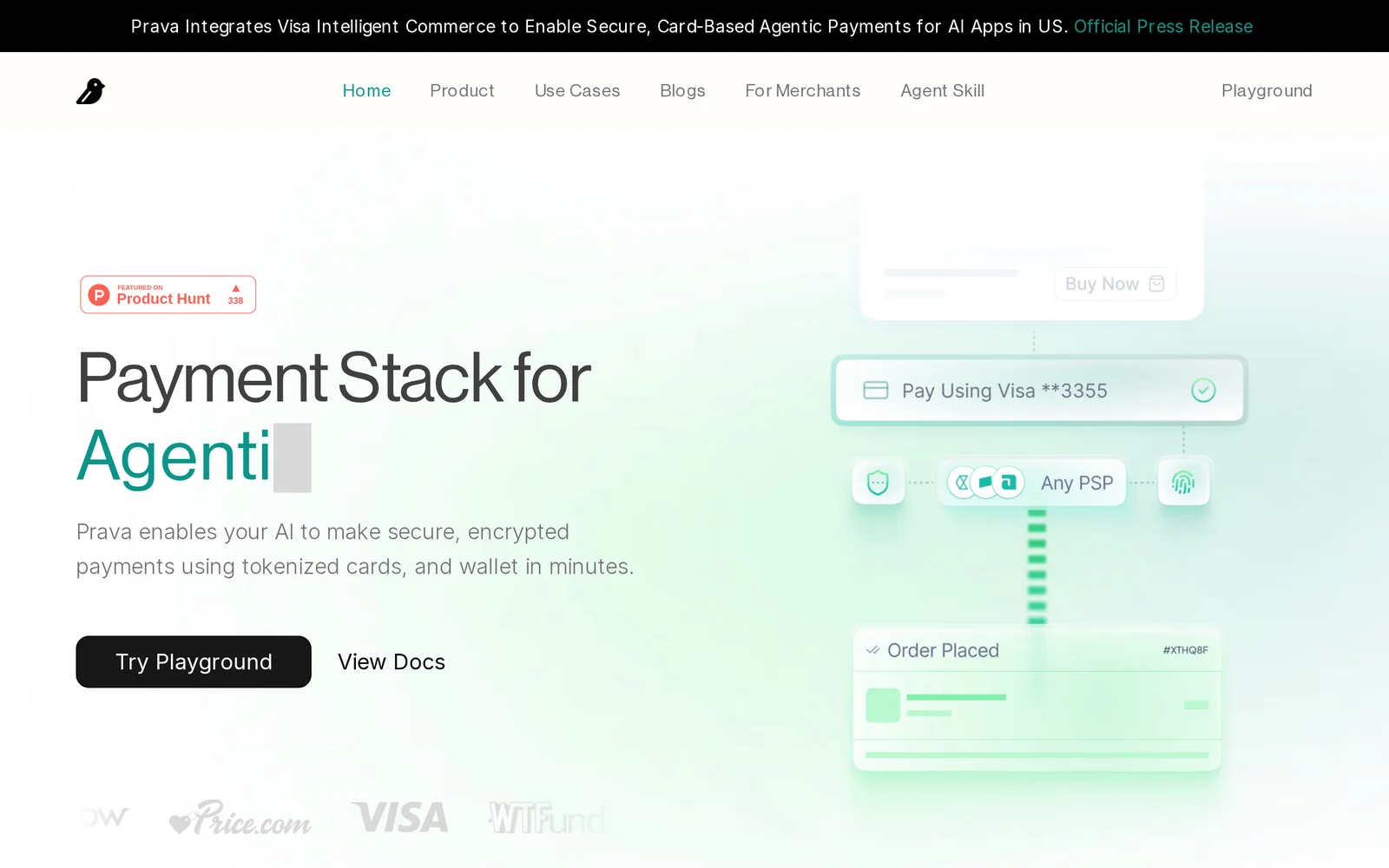
AIPayments API that enables AI agents to make secure, PCI-compliant autonomous purchases with built-in financial guardrails.
Prava
Payments API that enables AI agents to make secure, PCI-compliant autonomous purchases with built-in financial guardrails.
About Prava
Prava is a payments infrastructure focused on agentic commerce, enabling autonomous AI agents to execute purchases securely. It provides PCI-compliant card and wallet access paired with built-in financial guardrails to control spending and transaction risk. Targeted at deployments across the US and Southeast Asia, Prava emphasizes quick developer integration (advertised as "Integrate in 4 lines") and operational controls that let services safely delegate payment capabilities to automated agents.
Screenshots
Key Features
Use Cases



Frequently asked questions about Prava
What is Prava?
Prava is a Payments API designed for AI agents, enabling them to conduct secure, PCI-compliant autonomous purchases. It incorporates built-in financial guardrails, ensuring safe transactions while allowing for efficient payment processing in various applications, from e-commerce to automated service subscriptions.
Key Points
- Secure Transactions: Prava ensures PCI compliance for safe payments.
- AI Integration: Facilitates autonomous purchasing by AI agents.
- Financial Guardrails: Implements built-in controls to manage spending and prevent fraud.
Detailed Explanation
Prava offers a robust Payments API that allows AI agents to engage in autonomous transactions while maintaining high security. The API is designed to handle various payment methods, including credit card payments, digital wallets, and bank transfers, ensuring versatility for developers.
Use Cases
- E-commerce: AI agents can automatically purchase items based on predefined criteria, such as price drops or stock availability, streamlining inventory management and personalizing shopping experiences.
- Subscription Services: Businesses can use Prava to automate recurring payments for services, ensuring seamless continuity for customers without manual intervention.
- Smart Contracts: In blockchain applications, Prava can facilitate payments triggered by smart contracts, ensuring compliance and reducing the need for human oversight.
How It Works
- Integration: Developers can integrate the Prava API into their applications by following the comprehensive documentation provided.
- Configuration: Customize the API settings to establish financial guardrails, such as spending limits and transaction alerts.
- Transaction Monitoring: Use built-in analytics to monitor transactions in real-time, helping to identify and mitigate potential fraud.
Best Practices / Tips
- Implement Financial Controls: Set clear spending limits for AI agents to prevent overspending or unauthorized purchases.
- Regularly Update Security Protocols: Stay abreast of the latest security practices to maintain PCI compliance and protect sensitive customer data.
- Test Transactions: Before going live, conduct thorough testing to ensure the API functions as intended, catching any issues early.
Additional Resources
By leveraging Prava, businesses can harness the power of AI for efficient purchasing, while ensuring security and compliance are maintained at all times.
How does Prava work?
Prava works by integrating advanced AI capabilities to streamline daily workflows for users, enhancing productivity and efficiency. It offers tools for automation, data analysis, and task management, enabling individuals and teams to optimize their processes and improve decision-making.
Key Points
- AI Integration: Combines various AI technologies for seamless workflow.
- User-Centric Design: Tailored for individual and team efficiency.
- Versatile Applications: Suitable for multiple industries and tasks.
Detailed Explanation
Prava leverages artificial intelligence to automate and enhance various workflows, making daily tasks easier and more efficient. Its core functionalities include:
-
Automation of Repetitive Tasks: Prava can automate routine tasks such as data entry, scheduling, and report generation, allowing users to focus on more strategic activities. For instance, a marketing team can utilize Prava to automatically generate performance reports from multiple data sources, saving hours of manual work.
-
Data Analysis: Prava provides robust analytics tools that help users interpret complex data sets. Users can easily visualize trends, generate insights, and make data-driven decisions. For example, a financial analyst can use Prava to analyze historical sales data and forecast future trends, enhancing the accuracy of their predictions.
-
Task Management: The platform includes features that assist in project management and collaboration. Users can assign tasks, set deadlines, and track progress in real-time. This functionality is especially beneficial for teams working on tight schedules, as it ensures accountability and clarity in project execution.
-
Customizable Workflows: Prava allows users to build personalized workflows that fit their specific needs. Users can choose which AI capabilities to integrate, tailoring the system to suit their industry requirements, whether in healthcare, finance, or technology.
Best Practices / Tips
- Explore All Features: Take the time to familiarize yourself with all of Prava’s functionalities to leverage its full potential.
- Regular Updates: Ensure that you keep the software updated to access the latest features and security improvements.
- Training and Support: Utilize available training resources and customer support to maximize your understanding and usage of the platform.
- Integrate with Other Tools: Connect Prava with other software solutions you use to create a cohesive workflow environment.
Additional Resources
What are the main features of Prava?
Prava offers a range of advanced features, including powerful AI capabilities for data analysis, natural language processing, and user-friendly automation tools. These features enable businesses to enhance productivity, streamline workflows, and make data-driven decisions effectively.
Key Points
- Core AI Capabilities: Advanced analytics and predictive modeling.
- Natural Language Processing: Enables seamless interaction and understanding of user queries.
- Automation Tools: Streamlines repetitive tasks for improved efficiency.
Detailed Explanation
Prava stands out with its core AI capabilities that allow businesses to harness large datasets for actionable insights. For instance, the predictive modeling feature analyzes historical data to forecast future trends, empowering organizations to make informed strategic decisions.
Natural Language Processing (NLP)
Prava’s NLP functionality facilitates user engagement by enabling systems to understand and respond to human language. This is particularly useful in customer support scenarios, where users can interact with AI-driven chatbots to get real-time assistance. The NLP feature can interpret inquiries, reducing the time spent on resolving issues.
Automation Tools
The automation capabilities of Prava are designed to optimize workflows. Businesses can automate repetitive tasks such as data entry, scheduling, and report generation. For example, a marketing team can automate email campaigns based on user behavior, ensuring timely and relevant communication without manual intervention.
Best Practices / Tips
- Integrate AI Wisely: Ensure that AI tools align with your specific business needs for maximum impact.
- Regularly Update Data: Maintain data accuracy and relevance to enhance the effectiveness of AI analytics.
- Train Employees: Provide training for team members to fully leverage Prava's features, maximizing ROI.
Additional Resources
Who is Prava for?
Prava is designed for a diverse audience, including professionals, students, and businesses seeking to streamline their daily AI workflows. It benefits anyone who wants to enhance productivity, automate repetitive tasks, or leverage AI for data analysis and decision-making.
Key Points
- Target Audience: Professionals, students, and businesses.
- Use Cases: Automating workflows, enhancing productivity, data analysis.
- Accessibility: User-friendly interface suitable for all skill levels.
Detailed Explanation
Prava serves a wide range of users interested in integrating AI into their daily operations. For professionals, it offers tools to automate mundane tasks, such as scheduling, email management, and report generation. For students, Prava provides resources for research, writing assistance, and learning new skills through AI-driven tutorials.
Businesses can utilize Prava for data analysis, customer relationship management (CRM) enhancements, and workflow automation. For example, a marketing team might use Prava to analyze customer data and generate insights for targeted campaigns, while a project manager could automate status updates and progress reports.
Prava's intuitive interface is designed to accommodate users of all technical backgrounds. Whether you are a seasoned AI expert or a beginner, Prava allows you to access powerful tools without needing extensive programming knowledge.
Best Practices / Tips
- Start Small: Begin with basic tasks to familiarize yourself with Prava's capabilities before diving into complex workflows.
- Leverage Tutorials: Utilize Prava’s built-in tutorials to learn how to maximize its features effectively.
- Integrate with Existing Tools: Ensure Prava is compatible with your current software stack for seamless integration and workflow enhancement.
- Regular Updates: Keep your version of Prava updated to benefit from the latest features and security improvements.
Additional Resources
How much does Prava cost?
Prava is a premium product, and its pricing can vary based on specific features and subscription options. For the most accurate and up-to-date pricing details, it’s best to visit the official Prava website directly.
Key Points
- Prava offers various subscription plans.
- Pricing may differ based on user needs and organizational size.
- Check for promotional offers or discounts on the official site.
Detailed Explanation
Prava provides several subscription tiers, each designed to cater to different users' needs, such as individuals, teams, and enterprises. Typically, pricing starts at a base rate for individual users, with incremental costs added for additional features or user seats.
For example, an individual plan may be priced around $15 per month, while a team plan could start at $50 for up to five users. The enterprise tier often requires a custom quote based on specific requirements, such as advanced analytics, integrations, or priority support.
It's recommended to review the pricing structure on their official site, as they may also offer limited-time promotions or discounts for annual subscriptions, which can significantly reduce costs.
Best Practices / Tips
- Evaluate Your Needs: Before subscribing, assess what features you truly need to avoid paying for unnecessary extras.
- Take Advantage of Free Trials: If available, utilize any free trial period to explore how Prava fits your workflow.
- Keep an Eye on Promotions: Regularly check the official site for any seasonal discounts or bundle offers that could save you money.
Additional Resources
How do I get started with Prava?
To get started with Prava, visit https://prava.space/ to create an account. Once signed up, you can explore its features, including AI-driven tools for project management and collaboration, enhancing your workflow efficiency.
Key Points
- Sign Up: Create an account on Prava's official website.
- Explore Features: Familiarize yourself with the platform's tools and functionalities.
- Utilize Resources: Access tutorials and support for enhanced use.
Detailed Explanation
To begin your journey with Prava, follow these steps:
- Visit the Website: Navigate to Prava’s homepage.
- Create an Account: Click on the "Sign Up" button. You will need to provide your email address and create a secure password. After submitting your information, check your email for a verification link to activate your account.
- Explore the Dashboard: Once logged in, you'll arrive at the user-friendly dashboard. Here, you can find various tools, including:
- Project Management: Organize tasks and monitor project timelines.
- Collaboration Tools: Communicate with team members in real-time.
- AI Features: Leverage AI tools for data analysis and decision-making.
- Access Tutorials: Prava offers a range of tutorials and guides to help you maximize the platform's capabilities. Check the "Help" section for video tutorials and FAQs.
Best Practices / Tips
- Regularly Check Updates: Prava frequently releases new features. Stay informed by subscribing to their newsletter or following them on social media.
- Utilize Customer Support: If you encounter any issues, don’t hesitate to reach out to Prava’s customer support for assistance.
- Join Community Forums: Engaging with other users can provide valuable insights and tips on using Prava effectively.
Additional Resources
- Prava Help Center - Access user guides and FAQs.
- Prava Blog - Read about updates, tips, and industry insights.
- Prava User Community - Connect with other Prava users for advice and support.
Explore more AI Ai Agents tools
Browse all Ai Agents tools →Browse by use case: Automation & Productivity
Compare Prava: vs Sai · vs Mycel · vs Proto-Mind · vs Ami