

Plaid
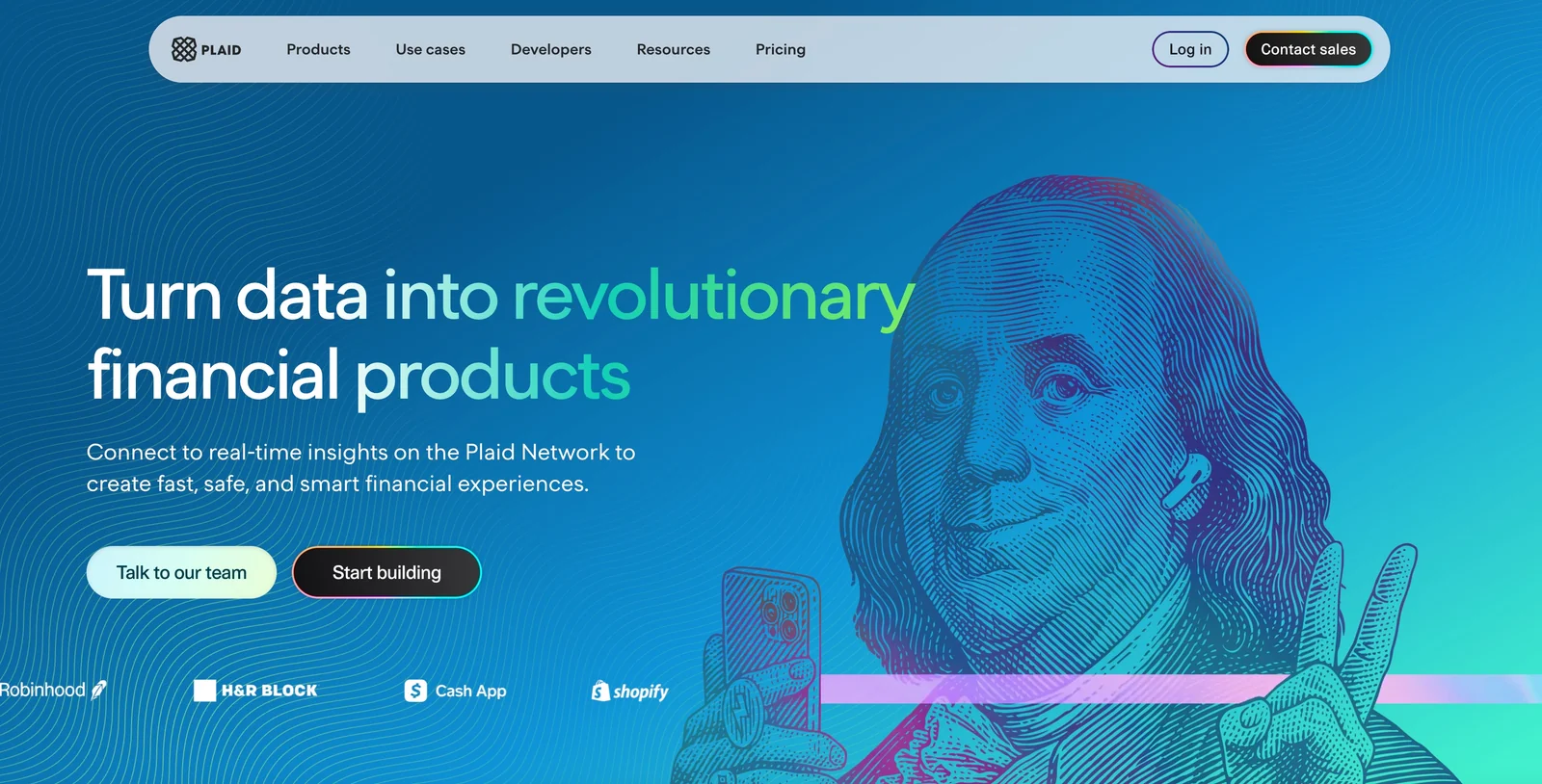
AIOfficial MCPPlaid enables companies to connect consumer bank accounts to apps and services to build secure fintech products and onboarding flows.
Plaid
Plaid enables companies to connect consumer bank accounts to apps and services to build secure fintech products and onboarding flows.
About Plaid
Plaid provides a developer-first financial infrastructure platform that connects applications to the industry's largest network of banks, fintechs, and consumers. It offers a suite of APIs and developer tools (including Link, Transactions, Auth, Balance, Identity, Transfer, webhooks, SDKs and sample apps) to securely fetch account and transaction data, verify account ownership, and enable payments and funding flows. Plaid's value is reduced integration complexity, improved onboarding and fraud reduction, and a sandboxed developer experience with sample applications and client libraries for rapid integration across platforms.
Screenshots
Key Features
Use Cases
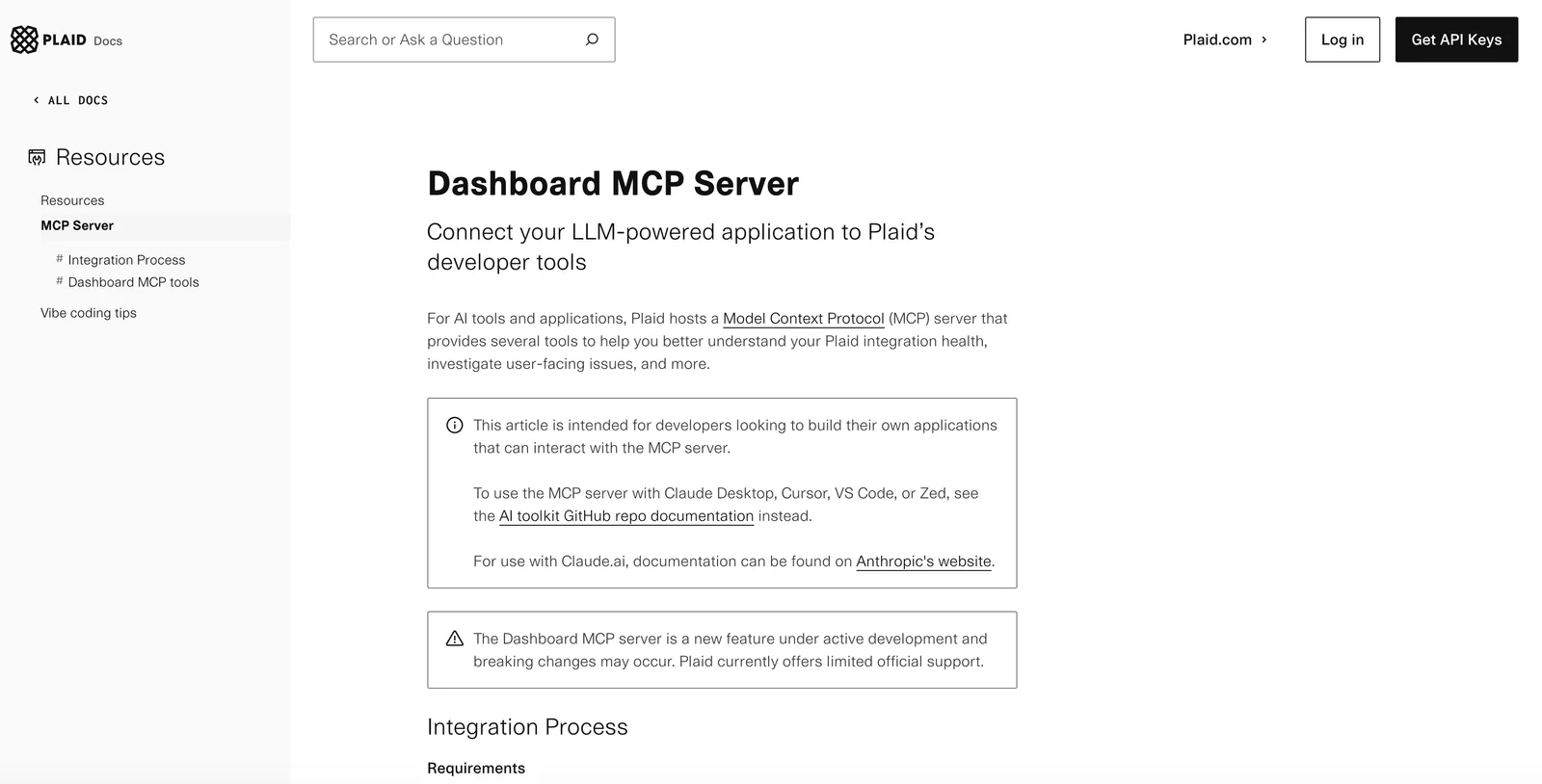
MCP Server
https://plaid.com/docs/resources/mcp/https://api.dashboard.plaid.com/mcp/sse💡 MCP (Model Context Protocol) enables AI assistants to securely interact with local and remote resources.



Frequently asked questions about Plaid
Is there a free version of Plaid available?
Yes, Plaid offers a free Sandbox environment for developers. This allows users to build and test integrations without incurring costs, providing access to core Plaid products and a limited number of free API requests, making it an excellent option for initial development and experimentation.
Key Points
- Free Sandbox Environment: Ideal for testing.
- Core Product Access: Includes essential features.
- Limited API Requests: Provides a set number of free calls.
Detailed Explanation
Plaid’s free Sandbox environment is specifically designed for developers looking to integrate financial services into their applications. This environment simulates a realistic experience, allowing developers to access Plaid's core products, such as Auth, Transactions, and Assets, without the risk of incurring costs.
How to Get Started
- Sign Up: Begin by creating an account on the Plaid website.
- Access the Sandbox: Once registered, you can immediately access the Sandbox environment.
- Explore APIs: Use the provided documentation to explore different APIs available in the Sandbox, such as:
- Auth API: Helps connect to bank accounts.
- Transactions API: Retrieves transaction details.
- Assets API: Estimates asset values.
Using the Sandbox, developers can make a limited number of API requests, allowing them to test their applications thoroughly before going live. This is beneficial for ensuring that the integration works seamlessly with real user data.
Best Practices / Tips
- Experiment Freely: Utilize the Sandbox environment to try various API endpoints without worrying about costs.
- Monitor Usage: Keep track of your API requests to ensure you stay within the free limits.
- Review Documentation: Familiarize yourself with Plaid's API documentation for best practices and troubleshooting.
Additional Resources
By leveraging these resources, developers can maximize their experience with Plaid's free offerings and create effective financial integrations.
What are the key features of Plaid?
Plaid offers essential features such as bank network access, secure account linking via Plaid Link, and robust APIs for managing transactions, authentication, and identity verification. These capabilities enable seamless integration of financial applications, enhancing user experience and ensuring secure financial data handling.
Key Points
- Bank Network Access: Connects to thousands of financial institutions.
- Plaid Link: A secure interface for users to connect their accounts.
- APIs: Facilitates transactions, authentication, and identity verification.
Detailed Explanation
Plaid is designed to simplify the way financial applications interact with users' bank accounts. Here’s a breakdown of its key features:
-
Bank Network Access: Plaid connects applications to over 11,000 financial institutions, allowing developers to access a wide range of banking data. This feature is crucial for apps that require real-time account information and transaction history.
-
Plaid Link: This is a user-friendly interface that securely links users' bank accounts to applications. With a simple setup process, users can authenticate their identities without worrying about data privacy. Plaid Link uses OAuth protocols to ensure secure connections, making it easy for users to authorize access.
-
APIs: Plaid offers several APIs that enable developers to perform various functions:
- Transactions API: Retrieves transaction details, helping apps provide budgeting and spending insights.
- Auth API: Verifies account ownership and provides account and routing numbers for ACH transfers.
- Identity API: Confirms user identities, which is essential for compliance with regulations and fraud prevention.
For instance, a budgeting app can use the Transactions API to categorize expenses, while a payment app can utilize the Auth API for secure transfers.
Best Practices / Tips
- Utilize Plaid Link: Always start with Plaid Link to streamline user onboarding and ensure secure connections.
- Stay Updated: Regularly check Plaid’s documentation for updates on API features and best practices to optimize integrations.
- Test Thoroughly: Before deploying your application, conduct rigorous testing with different financial institutions to ensure compatibility and performance.
Additional Resources
How do I get started with Plaid?
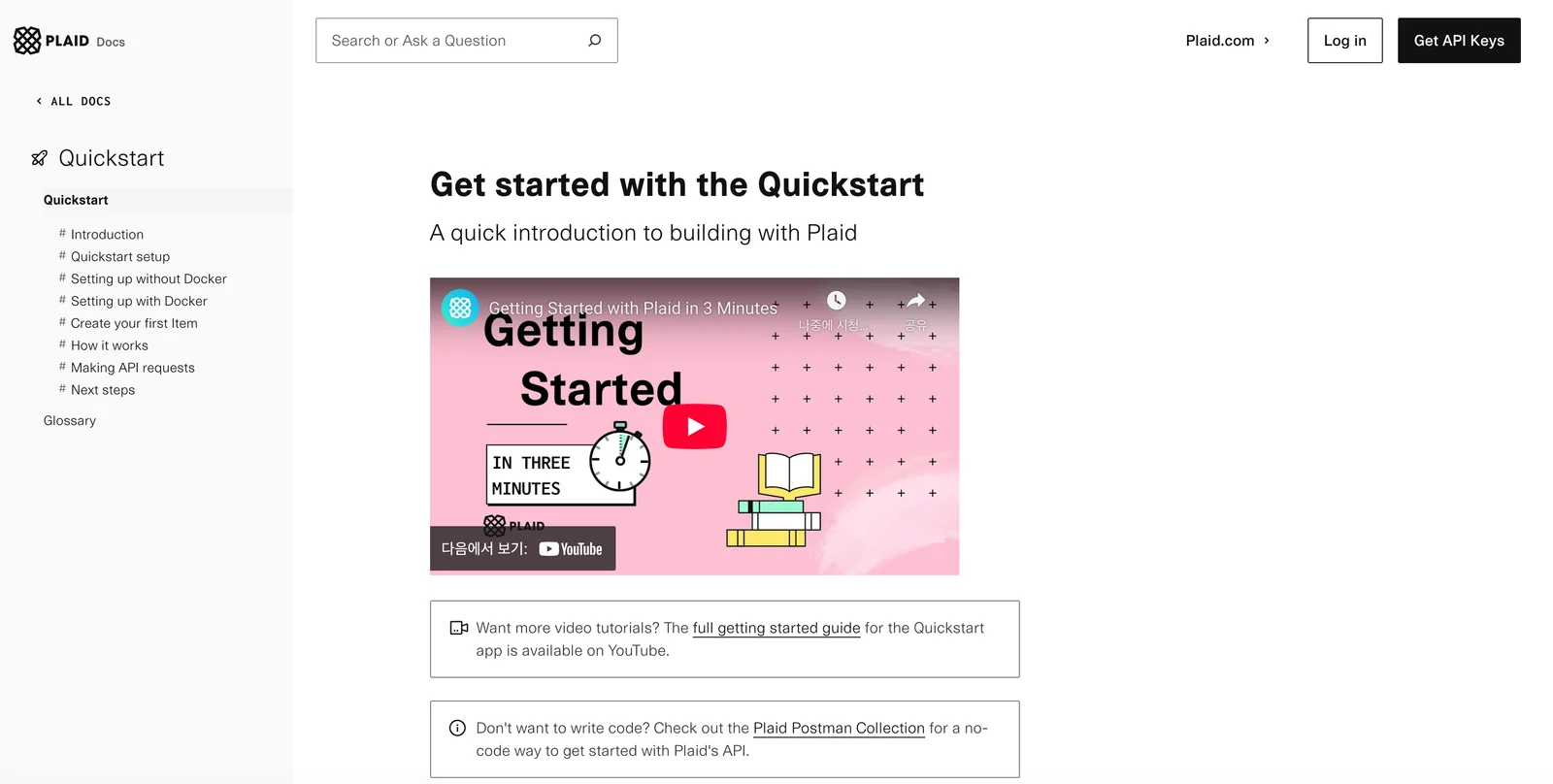
To get started with Plaid, create a developer account on their website, access the Sandbox environment for testing, and follow the quickstart guides to integrate Plaid's APIs into your application effectively.
Key Points
- Create a Developer Account: Sign up for access to Plaid's services.
- Utilize the Sandbox: Test your integration in a secure environment.
- Follow Quickstart Guides: Leverage the provided documentation for efficient API integration.
Detailed Explanation
Plaid is a financial technology platform that allows developers to connect applications with users' bank accounts. Here’s how to get started:
-
Create a Developer Account:
- Visit the Plaid website and click on “Get Started”.
- Complete the registration by providing the necessary details, including your email and setting a password.
-
Access the Sandbox:
- After signing up, log into your Plaid dashboard and navigate to the "Sandbox" section.
- The Sandbox environment simulates real-world bank interactions without the risk, allowing you to test and debug your application effectively.
- Use the provided test credentials to simulate different user scenarios.
-
Follow Quickstart Guides:
- Plaid provides comprehensive quickstart guides tailored for various programming languages, such as JavaScript, Python, and Ruby.
- Each guide includes step-by-step instructions on how to authenticate users and make API requests.
- Incorporate sample code snippets from these guides to streamline your development process.
Best Practices / Tips
- Understand API Limitations: Familiarize yourself with the rate limits and data access policies to avoid service interruptions.
- Use Test Data: Always test with the Sandbox environment before moving to production to ensure your integration is smooth.
- Monitor API Usage: After launching, keep an eye on your API usage metrics in the dashboard for performance tracking.
- Stay Updated: Follow Plaid’s developer blog for updates on features, best practices, and case studies.
Additional Resources
- Plaid API Documentation
- Getting Started with Plaid Video Tutorial
- Plaid Community Forum for peer support and shared experiences.
How can I integrate Plaid's API into my application?
Integrating Plaid's API into your application requires creating a developer account, utilizing Plaid Link for seamless user authentication, and implementing specific APIs tailored to your needs, such as transaction data retrieval and identity verification processes. This enables secure access to users' financial data.
Key Points
- Create a Developer Account: Sign up for access to Plaid’s API.
- Use Plaid Link: Implement user authentication for secure access.
- Implement Desired APIs: Choose from transaction, identity, and other relevant APIs.
Detailed Explanation
To successfully integrate Plaid's API, follow these steps:
-
Create a Developer Account:
- Visit the Plaid website and sign up for a developer account.
- After verification, you will receive API keys that are essential for making requests.
-
Implement Plaid Link:
- Plaid Link is a drop-in module that facilitates user authentication. It allows users to log into their bank accounts securely.
- To integrate Plaid Link, include the Plaid JavaScript library in your application. This can be done by adding the following script tag in your HTML:
<script src="https://cdn.plaid.com/link/v2/link.js"></script> - Configure Plaid Link by initializing it with your client ID and secret:
var linkHandler = Plaid.create({
  clientName: 'Your App Name',
  env: 'sandbox', // or 'development' or 'production'
  key: 'YOUR_PUBLIC_KEY',
  onSuccess: function(public_token, metadata) {
    // Send token to your server for further processing
  },
  onExit: function(err, metadata) {
    // Handle the case when the user exits the Link flow
  }
});
-
Integrate Required APIs:
- Depending on the functionalities you desire, you can implement different API endpoints. For example:
- Transactions: Use the
/transactions/getendpoint to retrieve users' transaction history. - Identity Verification: The
/identity/getendpoint allows you to verify account holder identities.
- Transactions: Use the
- Each API call requires the public token generated during the Plaid Link process.
- Depending on the functionalities you desire, you can implement different API endpoints. For example:
-
Backend Setup:
- Ensure that your server is configured to handle requests to Plaid’s API using the secret key.
- Implement error handling and data storage as needed for the retrieved financial data.
Best Practices / Tips
- Test in Sandbox Mode: Use Plaid's sandbox environment for testing before moving to production. This minimizes errors and allows you to refine your implementation.
- User Experience: Make sure the Plaid Link flow is seamless and user-friendly. Provide clear instructions for users to connect their bank accounts.
- Security Compliance: Always implement SSL (HTTPS) to protect sensitive data and comply with data protection regulations.
Additional Resources
How does Plaid compare to other fintech integration tools?
Plaid is a leading fintech integration tool known for its extensive bank network access, flexible pricing plans, and robust developer tools. It excels in providing a seamless user experience and quick integration, making it a preferred choice for developers and businesses compared to other fintech solutions.
Key Points
- Extensive Bank Network: Plaid connects with over 11,000 financial institutions.
- Flexible Pricing Plans: Offers tiered pricing to suit various business sizes and needs.
- Developer-Friendly Tools: Provides comprehensive APIs and SDKs for easy integration.
Detailed Explanation
Plaid's standout feature is its extensive bank network, allowing access to data from over 11,000 financial institutions in the U.S. and Canada. This broad connectivity enables businesses to offer various services, including account verification, transaction categorization, and balance checks, making it indispensable for fintech applications.
In terms of pricing, Plaid offers flexible plans tailored for startups and large enterprises. Their pricing structure includes a free tier for testing, with scalable options based on transaction volume and features utilized. This adaptability ensures businesses can start small and grow without facing prohibitive costs.
The robust developer tools provided by Plaid set it apart. With comprehensive APIs, detailed documentation, and responsive support, developers can integrate Plaid into their applications quickly and efficiently. For instance, using Plaid's Link, developers can streamline the onboarding process for users, simplifying the connection to their bank accounts.
Best Practices / Tips
- Leverage Documentation: Always refer to Plaid's official documentation for the latest updates on API features and best practices.
- Test with Sandbox Environment: Utilize Plaid's sandbox environment to test integrations without impacting live data.
- Monitor Usage: Regularly review your usage and adjust your plan according to your business growth to avoid unexpected charges.
Additional Resources
Explore more AI Mcps tools
Browse all Mcps tools →Browse by use case: Code Generation
Compare Plaid: vs ai-memory · vs CrawlForge MCP · vs Popcraft · vs Pomerado