

Orca
AIAn AI game development agent that writes game code, generates assets, and wires real-time systems from natural-language prompts.
Orca
An AI game development agent that writes game code, generates assets, and wires real-time systems from natural-language prompts.
About Orca
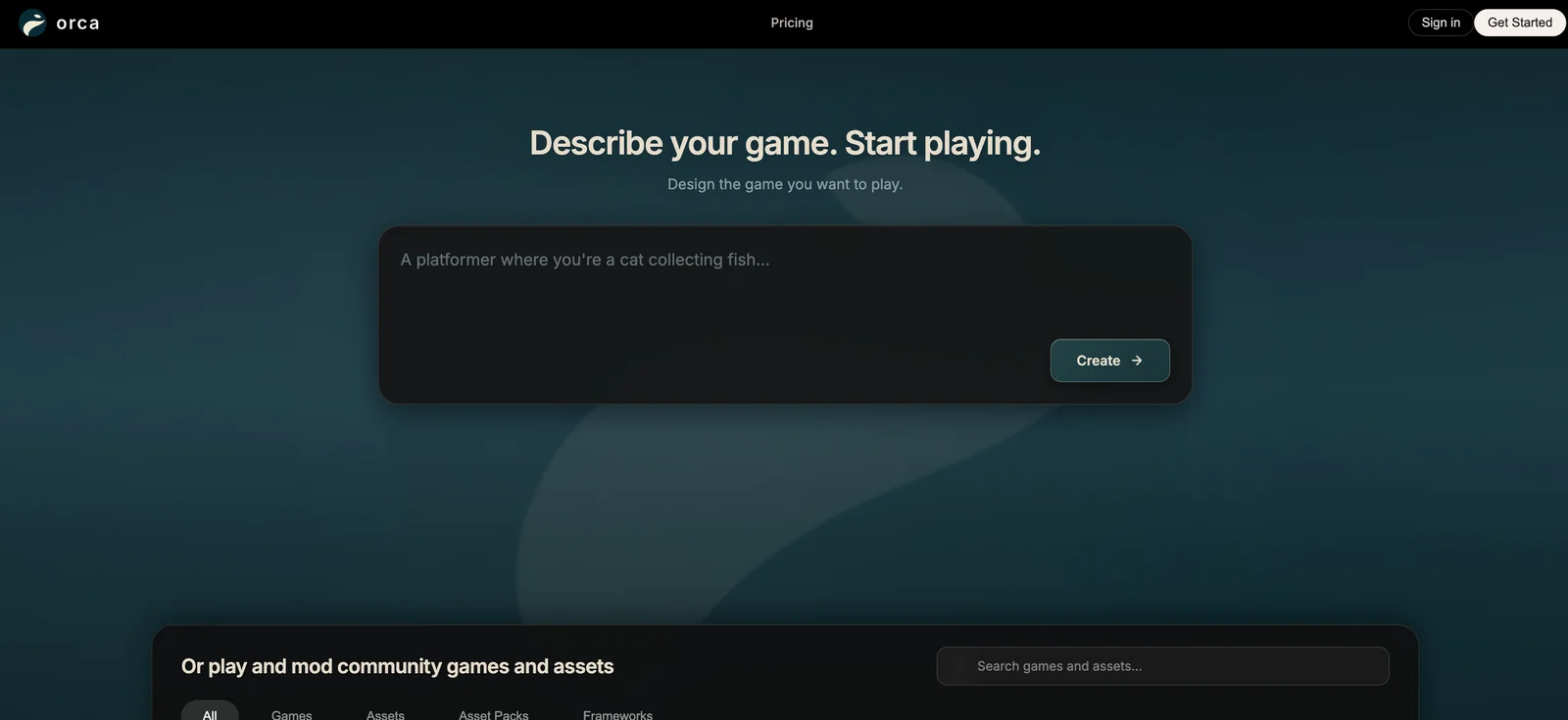
Orca is an AI-driven game development agent that converts natural-language instructions into playable game code, asset files, and linked runtime systems. It automates tasks such as code generation, asset creation (sprites/models/sounds), and integration of gameplay systems so developers can prototype and iterate quickly. Orca provides downloadable desktop builds for major platforms and is distributed via a GitHub project, aimed at accelerating indie and team workflows by removing repetitive engineering tasks and enabling rapid prototyping directly from plain English descriptions.
Screenshots
Key Features
Use Cases



Frequently asked questions about Orca
What is the pricing structure for Orca?
Orca offers a pricing structure that includes a free tier with essential features, a Pro+ plan at $60/month for 1,500 AI requests, and custom enterprise pricing tailored to specific business needs. The free version enables basic game development tasks without any upfront investment.
Key Points
- Free Tier: Access to core features without cost.
- Pro+ Plan: $60/month for 1,500 AI requests.
- Enterprise Solutions: Custom pricing based on specific requirements.
Detailed Explanation
Orca provides a versatile pricing structure designed to accommodate various users, from hobbyist game developers to large enterprises.
-
Free Tier: The free version of Orca is perfect for beginners or those exploring game development. It allows users to access core features, making it an excellent choice for prototyping or small projects without financial commitment.
-
Pro+ Plan: At $60 per month, the Pro+ plan unlocks advanced functionalities and 1,500 AI requests. This plan is ideal for developers who require more robust capabilities for creating complex game mechanics or enhancing player experiences. For example, a small indie game studio can leverage this plan to implement innovative AI-driven features without incurring high costs.
-
Custom Enterprise Pricing: For larger organizations or developers with specific needs, Orca offers custom pricing. This allows businesses to tailor their usage based on the volume of requests and specific features required. Enterprises can negotiate terms that align with their budget and project size, ensuring they get the most value from the platform.
Best Practices / Tips
- Evaluate Your Needs: Before choosing a plan, assess your project requirements. If you're just starting, the free tier may suffice. Consider upgrading to Pro+ as your project scales.
- Monitor Usage: Keep track of your AI request usage to avoid unexpected costs. The Pro+ plan includes 1,500 requests, which should be sufficient for most small to medium projects.
- Leverage Free Resources: Utilize the free tier to test Orca’s capabilities and refine your game ideas before committing to a paid plan.
Additional Resources
- Orca Official Pricing Page - Detailed breakdown of all available plans.
- Orca Documentation - Comprehensive guides and tutorials for getting started.
- Community Forum - Connect with other developers for tips and support.
What are the key features of Orca for game development?
Orca is a powerful game development tool that features natural-language game creation, automated asset generation, and real-time systems wiring. It's perfect for rapid prototyping and indie developers, supporting seamless cross-platform builds for Mac, Windows, and Linux.
Key Points
- Natural-Language Game Creation: Simplifies game design.
- Automated Asset Generation: Speeds up development.
- Cross-Platform Support: Compatible with major operating systems.
Detailed Explanation
Orca streamlines game development by utilizing natural language processing, enabling developers to create game mechanics and narratives without extensive coding knowledge. This feature allows users to describe game elements in plain English, which Orca transforms into functional code.
Automated Asset Generation
Orca’s asset generation capabilities automate the creation of 2D and 3D assets, including characters, environments, and sound effects. This feature is particularly beneficial for indie developers who may lack access to extensive artistic resources. By simply specifying desired attributes, users can generate unique assets that fit their game’s theme.
Real-Time Systems Wiring
The real-time systems wiring functionality allows developers to connect various game components dynamically. This feature aids in rapid prototyping, enabling swift adjustments and iterations. Developers can visualize and manipulate system interactions, making it easier to understand how different elements of the game work together.
Cross-Platform Support
Orca is designed to support cross-platform development, allowing games to be built for Mac, Windows, and Linux environments seamlessly. This flexibility ensures that developers can reach a wider audience without needing to create separate versions for different operating systems.
Best Practices / Tips
- Leverage Natural Language: Take advantage of Orca's natural-language interface to speed up game design. Write clear, concise descriptions of gameplay elements.
- Iterate Quickly: Utilize the real-time systems wiring feature for rapid testing and prototype iterations. This can significantly reduce development time.
- Optimize Asset Generation: Experiment with different parameters when generating assets to get the best results. Fine-tune attributes for a more personalized game experience.
Additional Resources
How do I start using Orca for game development?
To start using Orca for game development, download the binaries from the official GitHub repository, create natural language prompts that describe your game concept, and allow Orca to generate the necessary code and assets, enabling rapid prototyping of your ideas.
Key Points
- Download Orca binaries from GitHub.
- Write clear, concise natural language prompts.
- Utilize generated code and assets for rapid game prototyping.
Detailed Explanation
Orca is an innovative AI tool designed to streamline game development. To begin, visit the Orca GitHub repository and download the latest binaries compatible with your operating system. After installation, familiarize yourself with the interface and features.
Next, conceptualize your game idea. Write natural language prompts that clearly describe the game mechanics, characters, and environment. For example, you might input, “Create a 2D platformer where the player controls a knight who fights monsters in a medieval setting.” Orca interprets these prompts and generates relevant code snippets and assets, such as sprites and backgrounds, allowing you to visualize your game concept quickly.
As you prototype, you might want to tweak the generated outputs. Orca provides flexibility in adjusting the code, enabling you to customize gameplay mechanics or enhance visual elements. The rapid iteration process is invaluable, especially for indie developers or those new to game design.
Best Practices / Tips
- Be Specific: When writing prompts, include details like character types, environments, and game mechanics to improve the output's relevance.
- Iterate Frequently: Run multiple prompts and modify them based on the results to refine your game concept.
- Test Outputs: Regularly test the generated code and assets within your game engine to ensure compatibility and performance.
- Engage with the Community: Join Orca’s community forums or Discord groups to share insights, ask questions, and gather feedback from other developers.
Additional Resources
By following these steps and utilizing the resources provided, you can effectively harness Orca's capabilities for your game development projects.
What technical requirements should I know before using Orca?
Orca is compatible with Mac, Windows, and Linux operating systems, requiring a suitable environment for local execution. Ensure you have at least 2 GB of RAM, 500 MB of disk space, and the necessary permissions to run downloaded binaries effectively.
Key Points
- Compatible with Mac, Windows, and Linux
- Minimum requirements: 2 GB RAM, 500 MB disk space
- Necessary permissions for running binaries
Detailed Explanation
Before using Orca, it's essential to verify your system meets the technical requirements for optimal performance. Here’s a breakdown of what you need:
-
Operating System Compatibility: Orca supports the latest versions of MacOS, Windows 10 and above, and various Linux distributions (such as Ubuntu 18.04+). Make sure your OS is updated to avoid compatibility issues.
-
Memory and Disk Space: A minimum of 2 GB of RAM is recommended for smooth operation. If you plan to handle larger datasets or perform resource-intensive tasks, consider upgrading to at least 4 GB of RAM. Additionally, ensure you have at least 500 MB of free disk space for installation and temporary files.
-
Permissions: Running binaries often requires administrative privileges, especially on Windows and certain Linux configurations. Check your user account settings to ensure you can execute applications without restrictions.
-
Network Requirements: Depending on your usage of Orca, a stable internet connection may be required for updates or when using cloud-based features.
-
Dependencies: Some functionalities may require additional software or libraries. Refer to Orca's documentation for a list of dependencies that you may need to install.
Best Practices / Tips
- Regular Updates: Keep your Orca installation updated to benefit from the latest features and security patches.
- Check System Requirements: Before installation, always verify that your system meets the minimum requirements to avoid performance issues.
- Backup Your Data: Regularly back up your projects and any data processed through Orca to prevent loss in case of technical failures.
Additional Resources
How does Orca compare to other game development tools?
Orca differentiates itself from other game development tools by utilizing natural-language input for streamlined prototyping and automating asset creation and system wiring. This feature makes it especially advantageous for indie developers and educators who seek efficiency and ease in their projects.
Key Points
- Natural-Language Input: Simplifies game design by allowing users to describe game mechanics in plain language.
- Automated Asset Creation: Reduces the time spent on graphic and audio assets, enabling faster game development.
- User-Friendly for Beginners: Designed for indie developers and educators, it lowers the barrier to entry for game creation.
Detailed Explanation
Orca is a pioneering game development tool that leverages AI to enable developers to create games without the steep learning curve typical of other tools. By using natural-language processing (NLP), Orca allows users to articulate game mechanics, such as "create a character that jumps," which the software then translates into functional code. This unique feature significantly speeds up prototyping, making it a powerful asset for developers who want to quickly test game ideas.
Additionally, Orca automates the creation of game assets, including graphics and sound effects. For instance, if a developer needs a forest background, they can simply describe it in natural language, and Orca generates the necessary visuals, saving both time and resources. This automation also extends to wiring game systems together, allowing developers to focus more on creativity rather than technical implementation.
Orca is particularly beneficial for indie developers who often juggle multiple roles, from design to programming. Educators also find value in Orca, as it provides a hands-on learning experience for students without overwhelming them with complex coding languages.
Best Practices / Tips
- Start with Clear Descriptions: When using Orca, ensure that your natural language descriptions are clear and specific to maximize the tool’s efficacy.
- Utilize Templates: Take advantage of any pre-built templates provided by Orca to jumpstart your projects.
- Iterate Quickly: Use the rapid prototyping capabilities to test multiple game ideas in a short period, refining your concepts based on player feedback.
Additional Resources
Explore more AI Ai Agents tools
Browse all Ai Agents tools →Browse by use case: Code Generation · Automation & Productivity
Compare Orca: vs Playad · vs Concierge by Juniors AI · vs Scout by Fini · vs Ruflo