

Noro ADHD Planner
AIAI-powered planner that helps people with ADHD build routines, break tasks into manageable steps, and maintain focus with personalized reminders.
Noro ADHD Planner
AI-powered planner that helps people with ADHD build routines, break tasks into manageable steps, and maintain focus with personalized reminders.
About Noro ADHD Planner
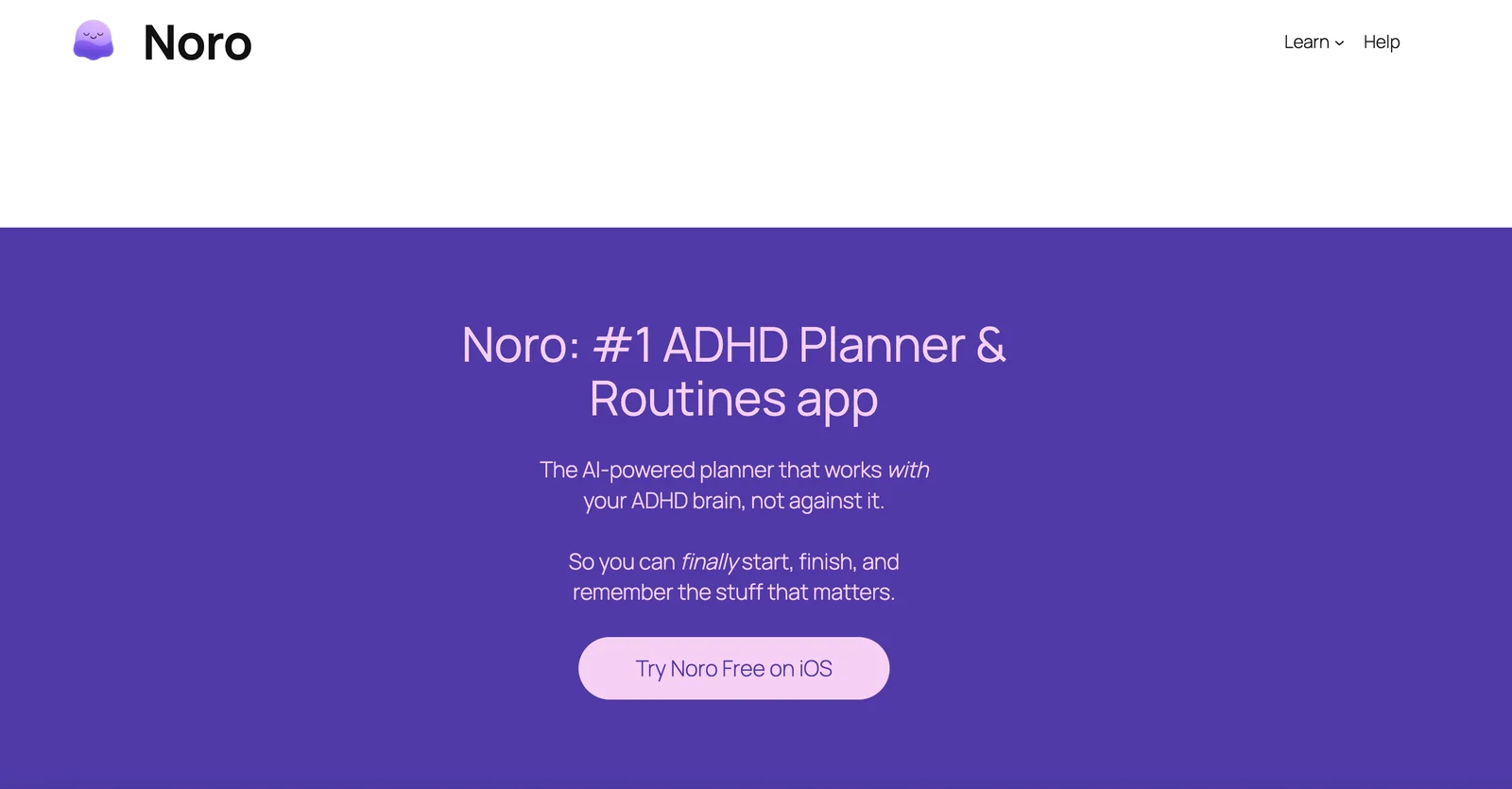
Noro is an AI-powered planning and routine app designed to support people with ADHD and neurodivergent users. It generates personalized daily routines, breaks tasks into smaller actionable steps, schedules reminders, and adapts suggestions based on user behavior and preferences. The app emphasizes habit formation, consistent routines, and practical task initiation strategies to reduce overwhelm and improve daily productivity. Noro aims to combine automated planning with human-centered design to make scheduling, focus, and routine maintenance easier for users who struggle with executive function.
Screenshots
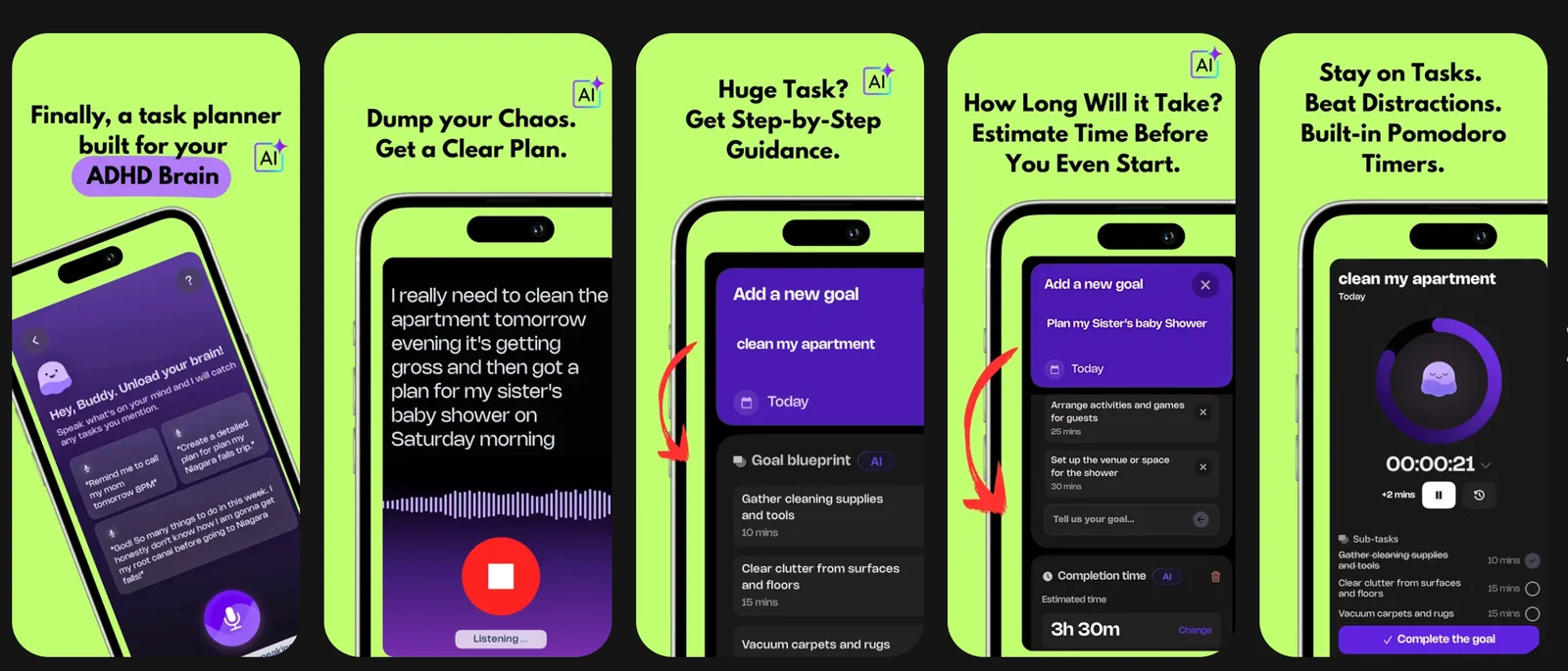
Key Features
Use Cases


Frequently asked questions about Noro ADHD Planner
What are the pricing options for the Noro ADHD Planner?
The Noro ADHD Planner offers a flexible FREEMIUM pricing model. Users can enjoy a free trial, subscribe weekly for $2.99, opt for yearly plans at $39 or $29 with a discount, or make a one-time lifetime purchase for $97. Each plan includes tailored features to support ADHD management.
Key Points
- FREEMIUM model with a free trial
- Weekly subscription for $2.99
- Yearly plans at $39 or discounted to $29
- Lifetime purchase option for $97
Detailed Explanation
The Noro ADHD Planner is designed to assist individuals with ADHD in managing their daily tasks and improving productivity. Here’s a closer look at the pricing options:
-
Free Trial: Users can start with a free trial that allows access to the planner's features for a limited period. This option is ideal for those who want to evaluate the tool before committing financially.
-
Weekly Subscription: At just $2.99 per week, this plan is perfect for users who want to try the service on a short-term basis without a long-term commitment. It provides full access to features aimed at enhancing focus and organization.
-
Yearly Plans: The yearly subscription offers two pricing tiers:
- Standard plan at $39 per year.
- Discounted plan at $29 per year, which is a significant saving for users who commit to a full year. This plan is cost-effective for long-term users seeking continuous support.
-
Lifetime Purchase: For those who prefer a one-time payment, the lifetime purchase option is available for $97. This is a great option for users who wish to avoid recurring payments and have uninterrupted access to the planner's features indefinitely.
Each plan includes features like customizable task lists, reminders, and progress tracking, tailored specifically for ADHD needs.
Best Practices / Tips
- Evaluate Needs: Before choosing a plan, assess your needs and how frequently you will use the planner. If you're new, starting with the free trial can help you gauge its effectiveness.
- Utilize Discounts: If you opt for a yearly plan, always check for promotional discounts that may lower the price, making it more affordable.
- Explore Features: Take full advantage of the features included in your plan to maximize the benefits of the Noro ADHD Planner. Engage with reminders and task management tools.
Additional Resources
How does the Noro ADHD Planner help with task management?
The Noro ADHD Planner enhances task management by breaking larger tasks into manageable microsteps, sending personalized reminders, and utilizing AI to suggest optimal scheduling. This approach significantly simplifies the initiation and completion of tasks for users, making productivity more achievable and less overwhelming.
Key Points
- Breaks tasks into microsteps for easier management.
- Provides personalized reminders to keep users on track.
- Utilizes AI for optimal scheduling recommendations.
Detailed Explanation
The Noro ADHD Planner is designed specifically for individuals with ADHD, helping them navigate daily tasks more effectively. Here’s how it works:
-
Task Breakdown: When users input a larger task, such as "complete project report," the planner automatically divides it into smaller, actionable steps like "research data," "draft outline," and "write introduction." This segmentation helps reduce feelings of overwhelm, making tasks feel more achievable.
-
Personalized Reminders: The planner allows users to set tailored reminders based on their preferences and routines. For example, if a user tends to forget to take breaks, they can set reminders to pause and recharge, enhancing focus and productivity.
-
AI Scheduling: The integrated AI analyzes user habits and preferences to suggest the best times to tackle specific tasks. For instance, if a user is most productive in the morning, the planner might recommend scheduling challenging tasks during that time slot, optimizing workflow.
These features not only assist in managing tasks but also foster a sense of accomplishment as users complete each microstep.
Best Practices / Tips
- Regularly Update Tasks: Make it a habit to review and update your tasks weekly to keep everything relevant and manageable.
- Set Realistic Microsteps: Ensure that each microstep is achievable within a short timeframe to maintain motivation.
- Use the Reminder Feature: Take full advantage of personalized reminders; set them for both work-related tasks and self-care activities.
Common pitfalls to avoid include setting overly ambitious tasks and neglecting to adjust reminders as your schedule changes. Adjusting your approach based on your evolving needs is key to effective task management.
Additional Resources
How do I start using the Noro ADHD Planner for my daily routine?
To start using the Noro ADHD Planner for your daily routine, first download the app from your device's app store, sign up for a free trial, and begin creating personalized routines by utilizing its task breakdown and scheduling features to effectively manage your daily activities.
Key Points
- Download and Sign Up: Get the app and create an account.
- Customize Routines: Use the task breakdown feature for tailored planning.
- Utilize Scheduling Tools: Implement effective scheduling to create a structured day.
Detailed Explanation
To effectively incorporate the Noro ADHD Planner into your daily life, follow these detailed steps:
-
Download the App: Search for “Noro ADHD Planner” in the Apple App Store or Google Play Store and download the app. It's available for free trial, which allows you to explore its features before committing to a subscription.
-
Sign Up for a Free Trial: Open the app and create an account by providing your email address and setting a password. The free trial typically lasts for 14 days, giving you ample time to evaluate the app’s effectiveness in managing your ADHD.
-
Create Personalized Routines:
- Task Breakdown: Once logged in, start by listing all your daily tasks. The app offers a task breakdown feature that allows you to divide larger tasks into smaller, manageable steps. For example, instead of “Clean the house,” break it down into “Vacuum the living room,” “Dust the shelves,” and so on.
- Scheduling Features: Use the scheduling tool to assign specific times for each task. The planner provides reminders that can help keep you on track throughout the day.
-
Track Your Progress: Utilize the built-in tracking features to monitor your completion rates. This will help you identify which tasks you excel at and which may require adjustments.
Best Practices / Tips
- Set Realistic Goals: Begin with a few tasks each day and gradually increase as you become more comfortable with the planner.
- Regularly Review: Make it a habit to review your tasks weekly to adjust your plan based on what works and what doesn’t.
- Avoid Overloading: Don’t fill your schedule to the brim; leave some buffer time for breaks and unexpected tasks.
- Use Visual Aids: If you’re a visual learner, consider integrating color coding for different types of tasks, which can enhance clarity and focus.
Additional Resources
- Noro ADHD Planner Official Website for detailed user guides and updates.
- ADHD Management Strategies for additional tips on managing ADHD in everyday life.
- Getting Started with Task Management Apps for insights on effectively using task management tools.
What technical requirements do I need to use Noro ADHD Planner?
Noro ADHD Planner requires a compatible smartphone or tablet with internet access to download the app and synchronize routines across devices. It supports both iOS and Android platforms, allowing users to manage their ADHD effectively from anywhere.
Key Points
- Device Compatibility: Works on iOS and Android devices.
- Internet Access: Requires stable internet for downloading and syncing.
- User-Friendly Interface: Designed for easy navigation and routine management.
Detailed Explanation
To effectively use the Noro ADHD Planner app, ensure your device meets the following technical requirements:
-
Operating System:
- For iOS users, ensure your device runs iOS 12.0 or later.
- For Android users, the app is compatible with Android version 8.0 (Oreo) or higher.
-
Internet Access:
- A reliable internet connection is necessary for downloading the app from the App Store or Google Play Store. It also enables real-time syncing of your routines and updates across all devices, ensuring you have the latest information.
-
Storage Space:
- Ensure your device has sufficient storage space, typically around 100 MB, to accommodate the app and any data it generates.
-
Screen Size:
- While the app is optimized for smartphones and tablets of various sizes, a larger screen can enhance usability and visibility, making it easier to manage tasks and routines.
-
Battery Life:
- Regular use of the app may consume battery life, so keep your device charged or use a power bank during extended sessions.
Best Practices / Tips
- Regular Updates: Always keep the app updated to benefit from new features and security improvements.
- Sync Frequently: Regularly sync your routines to prevent data loss or discrepancies between devices.
- Explore Features: Take advantage of built-in reminders, task categorization, and daily planners to maximize productivity.
- Privacy Settings: Review and adjust privacy settings to protect your data and ensure a secure experience.
Additional Resources
How does the Noro ADHD Planner compare to other ADHD planning tools?
The Noro ADHD Planner distinguishes itself from other ADHD planning tools with its AI-powered task breakdown and adaptive reminders. While some users may appreciate the simplicity of alternative interfaces, Noro’s advanced features provide a tailored experience that enhances productivity for individuals with ADHD.
Key Points
- AI-Powered Features: Noro utilizes artificial intelligence for personalized task management.
- Adaptive Reminders: The planner adjusts notifications based on user behavior to optimize time management.
- User Preferences: Some users favor simpler designs, which may make other tools more appealing.
Detailed Explanation
The Noro ADHD Planner is designed specifically for individuals with ADHD, utilizing cutting-edge AI technology to enhance planning and productivity.
-
AI-Powered Task Breakdown: Noro's AI analyzes your tasks, breaking them down into manageable steps. For example, if you have a project due, the planner will suggest subtasks and deadlines, helping you avoid feeling overwhelmed.
-
Adaptive Reminders: Unlike many other ADHD planners, Noro adjusts its reminders based on your activity patterns. If you frequently postpone tasks, it may send nudges earlier to encourage timely completion. This adaptability helps users stay on track without feeling pressured.
-
User Interface: While Noro offers sophisticated features, some users may prefer the minimalist designs of alternative tools like Todoist or Trello. These options can be less intimidating for those who favor straightforward task lists without the complexity of AI.
Overall, Noro’s advanced features cater to the unique needs of ADHD users, providing a more focused and effective planning experience.
Best Practices / Tips
- Experiment with Features: Take time to explore Noro’s AI capabilities; they can significantly improve your task management.
- Customize Reminders: Adjust the frequency and type of reminders to suit your productivity style, ensuring they enhance rather than distract from your workflow.
- Integrate with Other Tools: If you use other productivity applications, check if Noro can integrate with them for a seamless experience.
Additional Resources
Explore more AI Ai Services tools
Browse all Ai Services tools →Compare Noro ADHD Planner: vs BAND for Developers · vs NitroStack · vs GBrain · vs MentionBird