

n8n
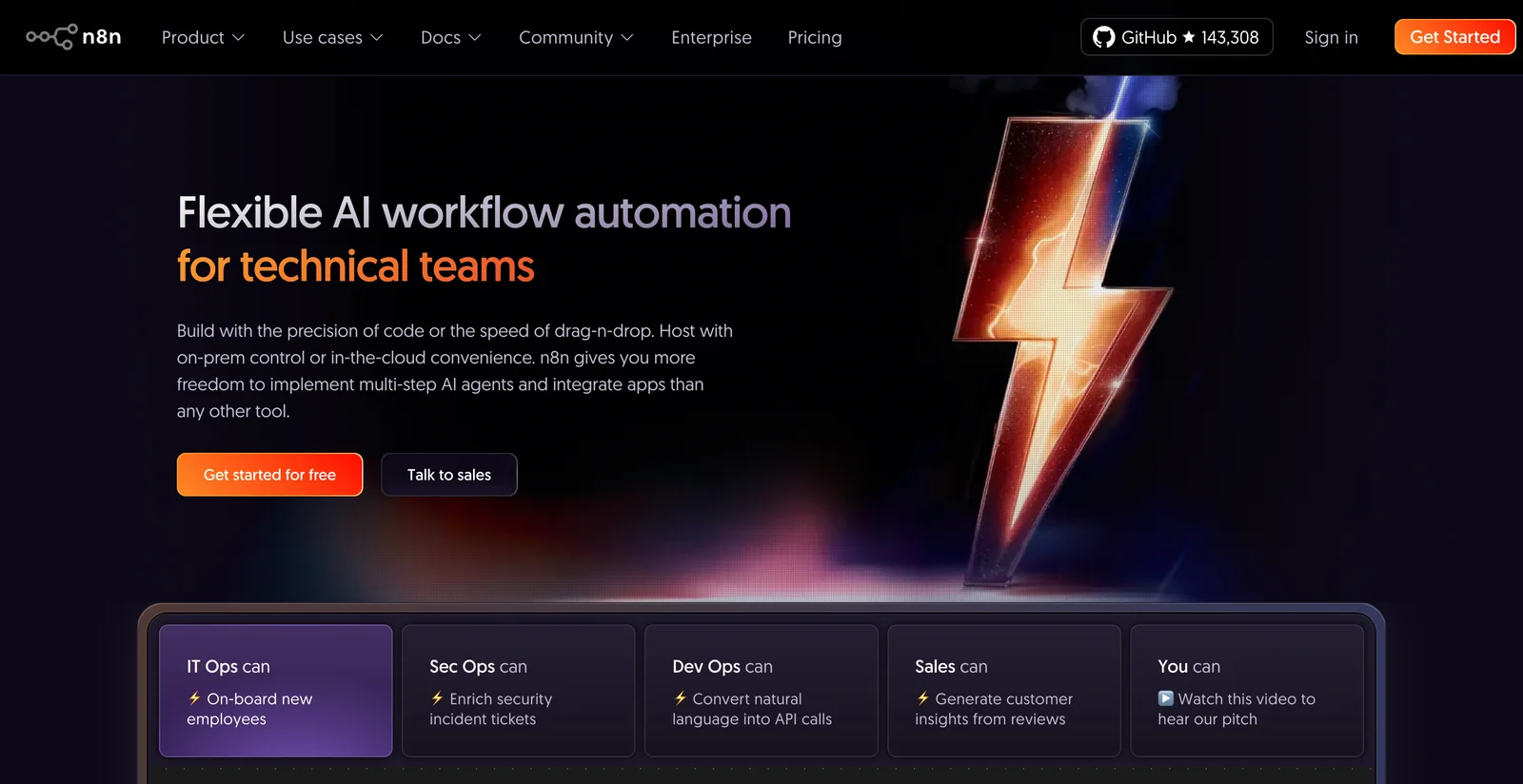
AIOpen SourceFree, source-available workflow automation platform combining visual no-code flows, code extensibility, native AI, and 400+ integrations.
n8n
Free, source-available workflow automation platform combining visual no-code flows, code extensibility, native AI, and 400+ integrations.
About n8n
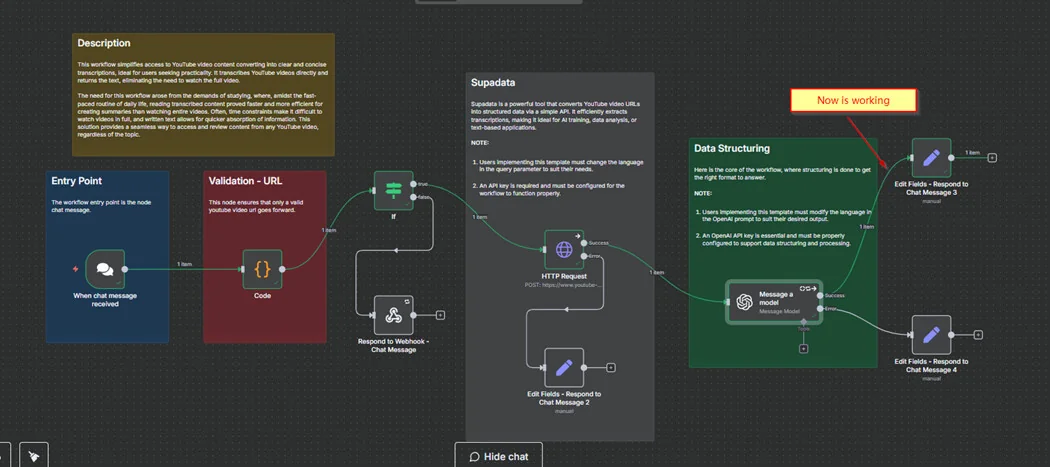
n8n is a node-based workflow automation platform that combines a visual no-code editor with the flexibility to add custom code, enabling technical teams to automate business processes and integrate systems. It offers native AI capabilities, a large ecosystem of 400+ integrations, and a fair-code / source-available approach so teams can self-host or use managed cloud offerings while retaining control over data and deployment. Developers can extend n8n with custom nodes, use webhooks and APIs for triggers, and deploy workflows for scheduled or event-driven automation across SaaS, databases, and internal systems. Its value lies in blending rapid visual automation building with deep extensibility, data ownership, and enterprise features like managed cloud and support plans.
Screenshots
Key Features
Use Cases



Frequently asked questions about n8n
What are the pricing options for n8n?
n8n offers a variety of pricing options, including a free Community edition, managed Cloud plans starting at €20 per month for up to 2,500 executions, and customized Enterprise solutions tailored to larger organizations. Visit n8n's official website for detailed pricing information.
Key Points
- Free Community Edition: Ideal for individual users and small projects.
- Cloud Plans: Starting at €20/month, suitable for small to medium businesses.
- Enterprise Solutions: Custom pricing for larger teams with advanced needs.
Detailed Explanation
n8n, an open-source workflow automation tool, provides flexible pricing structures to cater to various user needs.
-
Free Community Edition: This version is perfect for individuals or small teams wanting to automate workflows without incurring costs. It includes essential features but may have limitations in execution count and support.
-
Managed Cloud Plans: These plans begin at €20/month and allow for up to 2,500 executions. This is an excellent option for small to medium-sized businesses that require more resources and support. Additional tiers are available, offering increased execution limits and advanced features, making it easier to scale as your business grows.
-
Custom Enterprise Options: n8n also provides tailored solutions for larger organizations. Pricing is based on specific needs, such as the number of users, execution limits, and additional support or features required. This flexibility ensures that enterprises can optimize their workflow automation without overspending.
Best Practices / Tips
- Evaluate Your Needs: Before committing to a paid plan, assess your workflow needs and execution frequency to choose the most cost-effective option.
- Utilize the Community Edition: Start with the free version to familiarize yourself with n8n’s features and capabilities before upgrading.
- Consider Future Scaling: If you anticipate growth, explore the Cloud plans or Enterprise solutions early to ensure a seamless transition as your needs evolve.
Additional Resources
How do I get started using n8n?
To get started using n8n, visit the official website, select a plan that fits your needs, and follow the provided documentation to set up either the self-hosted or cloud version. The visual workflow builder is user-friendly, making it easy for beginners to automate tasks.
Key Points
- Choose between self-hosted or cloud options.
- Utilize the intuitive visual workflow builder.
- Follow comprehensive documentation for setup.
Detailed Explanation
To embark on your n8n journey, start by visiting the n8n official website. You'll find options to select a suitable plan, whether that’s the self-hosted version for complete control or the cloud version for ease of use.
-
Selecting a Plan:
- Self-Hosted: Ideal for businesses requiring data privacy and custom integrations. It can be installed on your own server or cloud provider.
- Cloud: Best for those who prefer a hassle-free setup, allowing you to focus on workflow automation without managing infrastructure.
-
Setting Up n8n:
- After selecting your plan, follow the setup instructions. For self-hosting, you'll need Docker installed and follow the installation guide to deploy n8n on your server.
- For cloud users, simply sign up, and you'll gain access to a pre-configured n8n instance.
-
Using the Visual Workflow Builder:
- The drag-and-drop interface allows you to create workflows easily. Start by adding nodes that represent different tasks or APIs you want to connect.
- You can also explore examples in the n8n marketplace to quickly implement common workflows.
Best Practices / Tips
- Explore Templates: Leverage pre-built workflows available in the n8n community to save time and understand best practices.
- Start Small: Begin with simple automations before tackling more complex workflows to build your confidence and understanding.
- Utilize Community Support: Join the n8n community forums or Discord channels for real-time assistance and tips from experienced users.
Additional Resources
By following these steps and utilizing the resources provided, you can effectively harness the power of n8n to automate your workflows and enhance productivity.
What are the key features of n8n?
n8n offers a powerful automation platform with a visual workflow builder, over 400 integrations, native AI capabilities, and flexible deployment options, including self-hosted and cloud solutions. Additionally, it supports custom functionalities through extensible nodes, making it suitable for a wide range of automation tasks.
Key Points
- Visual Workflow Builder: Create workflows easily with drag-and-drop functionality.
- Extensive Integrations: Access over 400 pre-built integrations with popular apps and services.
- Flexible Deployment Options: Choose between self-hosting or using n8n's cloud service.
Detailed Explanation
n8n's visual workflow builder is designed for users of all skill levels. With its intuitive drag-and-drop interface, you can construct complex workflows without needing to write code. For instance, you can automate tasks like sending emails when a new lead is added to your CRM.
The platform boasts over 400 integrations with various applications, including popular tools like Slack, Google Sheets, and Trello. This extensive library allows users to connect different services seamlessly, enabling powerful automations. For example, you can set up a workflow that automatically adds Slack messages to a Google Sheet for tracking purposes.
Moreover, n8n offers native AI capabilities, allowing you to incorporate AI-driven processes into your workflows. This can include tasks such as data analysis, natural language processing, or even generating content automatically.
Users have the flexibility to choose their preferred deployment option: either self-hosting n8n on their servers or using the cloud-hosted version provided by n8n. Self-hosting gives you full control over your data and infrastructure, while the cloud option simplifies setup and maintenance, making it accessible for users who prefer a hands-off approach.
Best Practices / Tips
- Utilize Templates: Leverage existing workflow templates in n8n to jumpstart your projects and save time.
- Monitor Performance: Regularly check the performance of your workflows to identify bottlenecks and optimize for efficiency.
- Explore Community Nodes: Take advantage of the n8n community to find and share custom nodes that enhance functionality.
Additional Resources
How does n8n compare to other automation tools?
n8n distinguishes itself from other automation tools through its open-source model, offering flexibility in hosting options. Users benefit from full data control via self-hosting, with no execution limits for self-hosted users, making it a powerful choice for businesses requiring custom automation solutions.
Key Points
- Open-Source Flexibility: n8n is open-source, allowing users to modify and extend functionalities.
- Self-Hosting Control: Users can choose to self-host, ensuring data privacy and security.
- Unlimited Workflows: There are no execution limits for self-hosted versions, enabling unlimited workflow automation.
Detailed Explanation
n8n is a versatile automation tool designed for developers and businesses looking for customizable workflows. Unlike many proprietary platforms such as Zapier or Integromat, n8n allows users to host their instances, which means they retain complete control over their data. This is critical for organizations with strict data compliance and security regulations.
Comparison with Other Tools
-
Pricing Structure:
- n8n: Free for self-hosting; cloud plans start at $20/month for additional features.
- Zapier: Basic plans start at $19.99/month with restrictions on tasks.
- Integromat: Offers a free tier but limits the number of operations.
-
Integration Capabilities: n8n supports a wide array of integrations, with over 200 apps and services, including CRMs, databases, and APIs. Users can create complex workflows that involve multiple services, which is often more limited in other tools due to tiered pricing plans.
-
Customization: The open-source nature of n8n allows developers to create custom nodes for unique business needs. For example, a user can build a node that connects proprietary software not available in standard integrations.
Best Practices / Tips
- Start Small: If new to automation, begin with simple workflows to understand the platform's capabilities before scaling up.
- Leverage Community Contributions: Utilize n8n's community plugins and nodes to enhance functionality without starting from scratch.
- Monitor Performance: For self-hosted solutions, regularly check server performance to ensure optimal workflow execution.
Additional Resources
By considering these factors and best practices, n8n can significantly enhance productivity and streamline workflows for users seeking flexible automation solutions.
Does n8n offer an API for integration?
Yes, n8n offers a programmatic HTTP API that enables users to interact with their workflows through API key authentication. This feature simplifies the integration of n8n with various applications and services, enhancing automation capabilities and workflow management.
Key Points
- Programmatic HTTP API: Facilitates workflow interaction.
- API Key Authentication: Ensures secure access.
- Integration Flexibility: Connects n8n with multiple applications.
Detailed Explanation
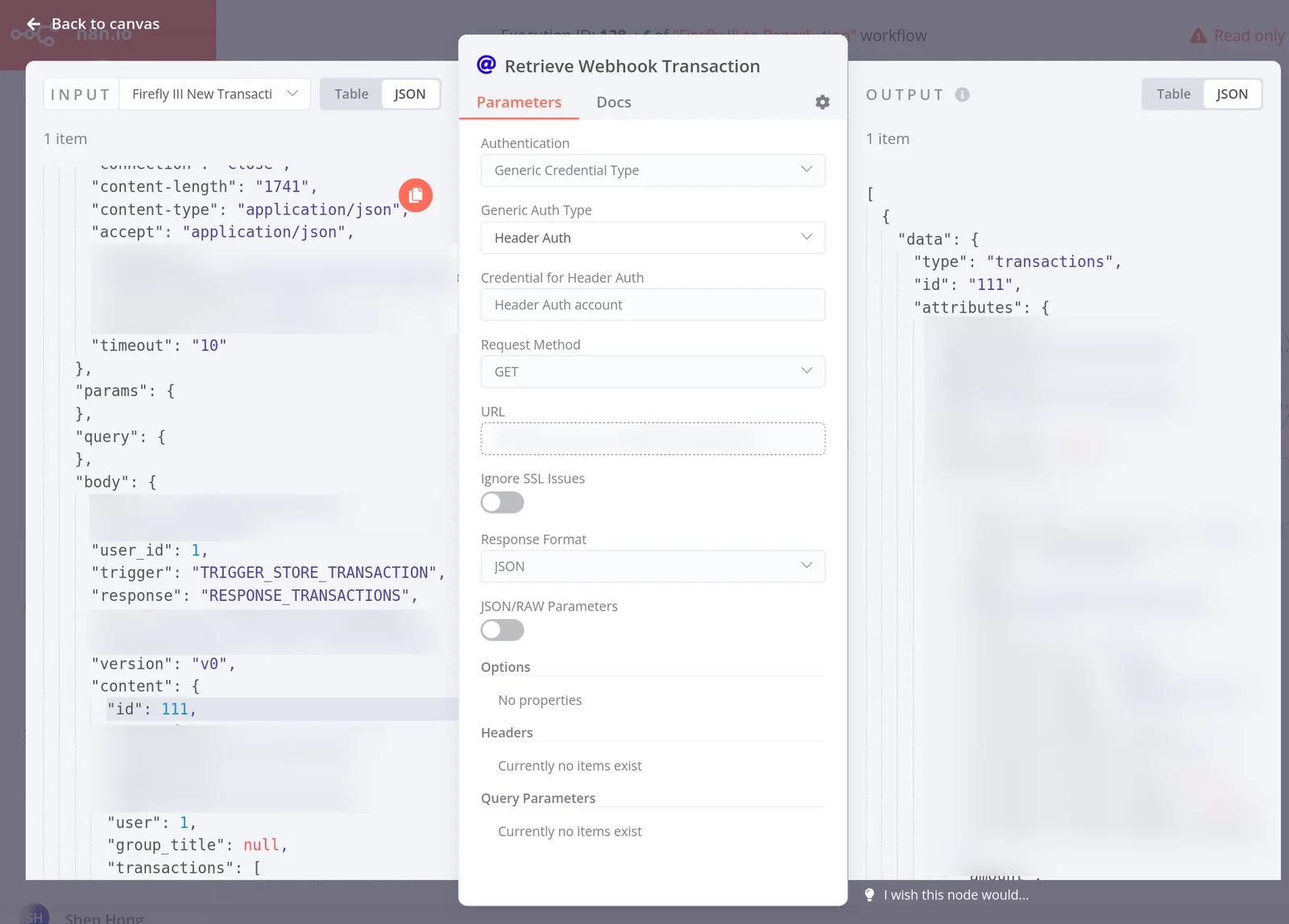
n8n's HTTP API provides a robust framework for users to automate and manage workflows programmatically. With this API, developers can initiate workflows, retrieve data, and modify workflows directly from external applications. The API supports various endpoints, allowing users to create, read, update, and delete workflows.
How to Use the n8n API
- Authenticate: Begin by generating an API key in n8n's user settings. This key is crucial for accessing the API securely.
- Make API Calls: Use tools like Postman or curl to send HTTP requests. For instance:
- Create a Workflow: Send a POST request to
/workflowswith the workflow details in JSON format. - Execute a Workflow: Trigger a workflow by sending a POST request to
/workflows/{id}/execute.
- Create a Workflow: Send a POST request to
- Handle Responses: The API returns JSON responses, providing confirmation of actions taken or data retrieved.
Example Use Cases
- Automate Data Transfer: Use the n8n API to transfer data between applications like Google Sheets and a CRM system.
- Webhook Integration: Set up webhooks to trigger n8n workflows from external events, enhancing real-time automation.
- Monitoring and Logging: Use the API to fetch logs and status updates on workflow executions for better monitoring.
Best Practices / Tips
- Secure Your API Key: Treat your API key like a password. Avoid exposing it in public repositories or client-side code.
- Rate Limiting: Be aware of any rate limits imposed by the n8n API to avoid service interruptions.
- Version Control: Keep track of API changes and version updates to ensure compatibility with your integrations.
Additional Resources
Explore more AI Ai Agents tools
Browse all Ai Agents tools →Browse by use case: Automation & Productivity
Compare n8n: vs Sai · vs Mycel · vs Proto-Mind · vs Ami