

Moxie Docs
AIMoxie Docs indexes your GitHub repos, generates convention-grounded docs, detects doc drift on every merge, and serves an MCP for coding agents.
Moxie Docs
Moxie Docs indexes your GitHub repos, generates convention-grounded docs, detects doc drift on every merge, and serves an MCP for coding agents.
About Moxie Docs
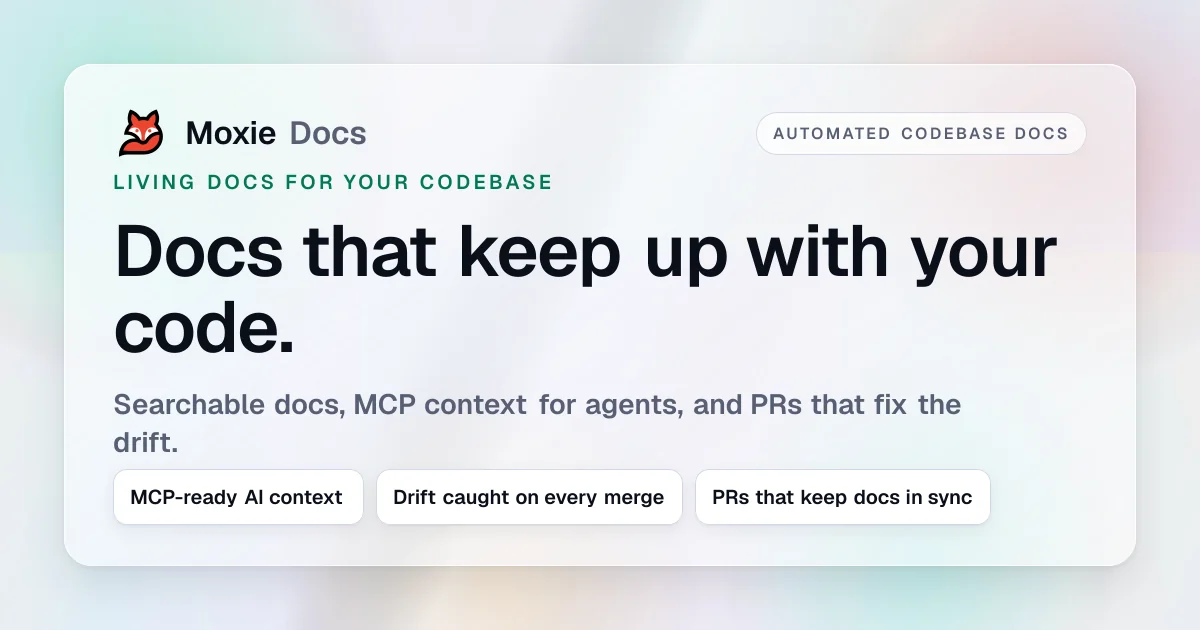
Moxie Docs turns a private GitHub repository into a living documentation and AI-context surface. It connects through a scoped GitHub App, indexes the code, and generates architecture and convention docs grounded in the source. On every merge it re-indexes, flags pages affected by code changes, regenerates stale documentation with cited diffs, and — on Pro and Team — runs Friday Cleanup to open weekly docs-only pull requests for review. The workspace exposes an MCP server so Cursor, Claude Code, and Codex fetch verified conventions instead of re-crawling the repo. Alongside the paid workspace, Moxie ships a suite of free browser-based utilities — README, AGENTS.md, ADR, .cursorrules, CLAUDE.md, .windsurfrules, Mermaid, SQL-to-ER, and llms.txt generators — that require no account.
Screenshots
Key Features
Use Cases


Frequently asked questions about Moxie Docs
What is Moxie Docs?
Moxie Docs is a documentation tool that indexes your GitHub repositories, generates structured documentation based on conventions, detects discrepancies in documentation with each code merge, and serves a Microservices Control Plane (MCP) for intelligent coding agents, enhancing collaboration and code quality.
Key Points
- GitHub Integration: Seamlessly connects with GitHub repositories.
- Documentation Generation: Automates the creation of convention-based documentation.
- Doc Drift Detection: Monitors changes in documentation with every code merge.
Detailed Explanation
Moxie Docs is designed to simplify the process of maintaining accurate and up-to-date documentation for software projects. By indexing your GitHub repositories, it provides a centralized view of your project’s documentation needs.
-
GitHub Integration: Moxie Docs connects directly to your GitHub repositories, pulling in code and existing documentation. This integration allows for real-time updates and ensures that your documentation reflects the latest changes in your codebase.
-
Documentation Generation: Using predefined conventions, Moxie Docs automatically generates comprehensive documentation. This documentation includes API references, code examples, and usage instructions, making it easier for developers to understand and utilize the project. For example, if your project follows RESTful API conventions, Moxie Docs will format the documentation accordingly.
-
Doc Drift Detection: A crucial feature of Moxie Docs is its ability to detect "doc drift," which refers to discrepancies between the code and its documentation. Whenever a merge occurs, Moxie Docs checks for inconsistencies, ensuring that any changes in the codebase are reflected in the documentation. This feature helps maintain accuracy and reliability, reducing the risk of outdated information leading to errors.
Best Practices / Tips
- Consistent Use of Conventions: Ensure that your team adheres to coding conventions for documentation. This will improve the quality of the autogenerated docs.
- Regular Updates: Regularly review and update your documentation, especially after significant code changes, to minimize doc drift.
- Utilize Feedback Loops: Encourage developers to provide feedback on documentation clarity and usefulness, leveraging Moxie Docs to continuously enhance the documentation process.
Additional Resources
How does Moxie Docs work?
Moxie Docs works by automating documentation synchronization with code changes, ensuring up-to-date architecture and convention documentation. It features merge-triggered re-indexing, documentation drift detection, automatic clean-up PRs, and integration with coding agents, making it an essential tool for maintaining living documentation in software development.
Key Points
- Merge-Triggered Re-Indexing: Keeps documentation in sync with repository changes.
- Documentation Drift Detection: Identifies and flags outdated documentation after code alterations.
- Automated Clean-Up PRs: Streamlines the process of maintaining documentation with weekly pull requests.
Detailed Explanation
Moxie Docs provides a robust solution for managing documentation in software projects. Here’s how it operates:
-
Merge-Triggered Re-Indexing: Each time a developer merges changes into the repository, Moxie Docs automatically triggers a fresh indexing process. This ensures that the documentation reflects the latest code state without requiring manual updates.
-
Grounded Convention Docs: Moxie Docs generates architecture and convention documentation directly from the source code. It employs deep analysis of symbols and import graphs specifically designed for languages like TypeScript, JavaScript, and Python, ensuring that documentation is both accurate and relevant.
-
Documentation Drift Detection: Moxie Docs monitors changes in the codebase, flagging any documentation that has become outdated due to recent updates. When a code change occurs, Moxie notifies users of the specific pages affected and provides cited diffs, allowing teams to understand what has changed and why.
-
Friday Cleanup PRs: For Pro and Team plans, Moxie Docs automatically initiates weekly documentation-only pull requests. This feature turns the task of keeping documentation current into a manageable review process, rather than a daunting rewrite project.
-
MCP Context Server: This server allows integration with AI coding agents like Cursor and Claude Code. Instead of re-crawling the repository, these agents can pull verified conventions directly from Moxie Docs, streamlining their operation and improving efficiency.
These features not only help in onboarding new engineers by providing them with a searchable, always-fresh guide to the codebase, but also ensure that documentation remains relevant and useful, minimizing the risks associated with stale documentation.
Best Practices / Tips
- Regularly Review PRs: Make it a habit to review the weekly cleanup PRs to ensure documentation is always aligned with the code.
- Integrate with AI Tools: Leverage the MCP Context Server to enhance your coding agents, ensuring they access the most current documentation easily.
- Set Up Notifications: Configure alerts for when documentation drift is detected, so your team can promptly address any discrepancies.
Additional Resources
What are the main features of Moxie Docs?
Moxie Docs offers several key features designed to keep documentation in sync with code changes. These include merge-triggered re-indexing, grounded convention documentation generation, documentation drift detection, weekly cleanup pull requests, and an MCP context server for efficient convention access.
Key Points
- Merge-triggered Re-indexing: Ensures documentation is always up-to-date with the latest code changes.
- Grounded Convention Documentation: Automatically generates documentation based on actual source code analysis.
- Documentation Drift Detection: Identifies and updates documentation affected by code changes.
Detailed Explanation
Moxie Docs is a powerful tool for developers looking to streamline their documentation process. Here’s a closer look at its main features:
-
Merge-triggered Re-indexing: Every time a code merge occurs in your repository, Moxie Docs performs a fresh indexing pass. This means your documentation is continually aligned with the current state of your codebase, eliminating the risk of outdated information.
-
Grounded Convention Documentation: Moxie Docs generates architecture and convention documentation that is rooted in your actual source code. Utilizing deep analysis of symbols and import graphs, it supports languages such as TypeScript, JavaScript, and Python. This feature not only saves time but also enhances the accuracy of your documentation.
-
Documentation Drift Detection: This feature proactively flags any documentation pages that have been affected by code changes. It regenerates outdated documentation while providing cited diffs, allowing reviewers to easily identify what has changed and the reasons behind those changes.
-
Friday Cleanup Pull Requests: For Pro and Team plans, Moxie Docs automatically opens weekly documentation-only pull requests. This approach simplifies keeping your documentation current, transforming it from a daunting rewrite project into a manageable review process.
-
MCP Context Server: Moxie Docs exposes an MCP server that enables tools like Cursor, Claude Code, and Codex to pull verified conventions directly from Moxie. This eliminates the need for these tools to re-crawl the repository in each session, thus saving time and resources.
Best Practices / Tips
- Regularly Review Pull Requests: Make it a routine to check the weekly cleanup pull requests. This ensures any necessary adjustments to your documentation are handled promptly.
- Leverage Grounded Convention Docs: Take full advantage of this feature by ensuring your team adheres to the coding conventions it generates, fostering consistency across the project.
- Integrate with CI/CD Tools: Consider integrating Moxie Docs with your continuous integration/continuous deployment (CI/CD) pipeline to automate documentation updates further.
Additional Resources
Who is Moxie Docs for?
Moxie Docs is designed for software developers, engineering teams, and organizations that seek to automate documentation processes. It facilitates real-time updates to technical documents, supports onboarding new engineers, and ensures documentation remains accurate and relevant, ultimately enhancing productivity and collaboration.
Key Points
- Automates documentation updates to align with current code.
- Supports onboarding by providing accessible documentation.
- Ensures documentation accuracy through regular reviews.
Detailed Explanation
Moxie Docs is particularly beneficial for:
-
Automating Living Documentation: By pointing Moxie at a private repository, you can ensure that your architecture and convention documents automatically reflect the current state of your code. This eliminates the need for manual rewrites, saving time and reducing errors.
-
Feeding AI Coding Agents: Integrating Moxie with the MCP server allows coding agents like Cursor and Claude to pull verified coding conventions directly from Moxie. This ensures that coding agents utilize the most accurate information without needing to re-crawl the entire codebase, speeding up development.
-
Onboarding New Engineers: New hires can access a searchable, always-updated guide to the codebase, complete with symbol and import-graph context. This reduces the learning curve and helps new engineers become productive more quickly.
-
Catching Documentation Drift: Moxie Docs alerts teams when a merged pull request (PR) leaves documentation outdated. It highlights cited diffs that indicate what needs updating, ensuring that documentation remains aligned with code changes.
-
Weekly Documentation Cleanup: Moxie encourages a structured approach to maintaining documentation accuracy through a weekly cleanup PR. This routine review process helps teams stay on top of documentation changes, ensuring it remains current and relevant.
Best Practices / Tips
- Integrate Early: Implement Moxie Docs at the start of your project to benefit from automated updates from day one.
- Regular Reviews: Schedule weekly or bi-weekly reviews to address documentation drift proactively.
- Encourage Team Usage: Foster a culture where team members routinely refer to Moxie Docs, making it a central part of your development workflow.
- Customize Documentation: Tailor the documentation structure to meet your team’s specific needs for maximum effectiveness.
Additional Resources
How much does Moxie Docs cost?
Moxie Docs offers a free tier that allows users to access basic features, while paid plans start at $10 per user per month for more advanced functionalities. This pricing structure makes Moxie Docs suitable for both individual users and teams seeking enhanced document management solutions.
Key Points
- Moxie Docs provides a free tier for basic use.
- Paid plans start at $10 per user per month.
- Advanced features include collaboration tools and integration options.
Detailed Explanation
Moxie Docs is designed to facilitate document management and collaboration. The free tier allows users to create and manage documents with essential features, making it ideal for individuals or small teams. As you scale your needs, Moxie Docs offers several paid plans that start at $10 per user per month.
Paid Plans Overview:
-
Basic Plan ($10/month):
- Ideal for small teams.
- Features include collaborative editing, version history, and basic integrations with other tools like Google Drive and Dropbox.
-
Pro Plan ($20/month):
- Best for larger teams or businesses.
- Features include advanced analytics, custom domain support, and priority customer support.
-
Enterprise Plan (Custom pricing):
- Tailored for organizations with specific needs.
- Includes personalized onboarding, dedicated account management, and advanced security features.
These plans are structured to provide flexibility based on team size and requirements, ensuring that users can choose the best option for their needs.
Best Practices / Tips
- Start with the Free Tier: If you're new to Moxie Docs, use the free plan to assess its suitability for your needs before committing to a paid plan.
- Compare Features: Review the features of each paid plan carefully to ensure you select the one that aligns with your business objectives.
- Utilize Customer Support: Take advantage of Moxie Docs' customer support, especially if you opt for paid plans, to maximize your tool's potential.
Additional Resources
How do I get started with Moxie Docs?
To get started with Moxie Docs, visit moxiedocs.com to sign up for an account. Once registered, you can explore the platform's features, such as document creation, collaboration tools, and templates to streamline your documentation process.
Key Points
- Easy Sign-Up: Create an account in just a few minutes.
- User-Friendly Interface: Navigate the platform effortlessly with intuitive design.
- Comprehensive Features: Utilize powerful tools for documentation and collaboration.
Detailed Explanation
To begin your journey with Moxie Docs, follow these steps:
-
Visit the Website: Go to moxiedocs.com. The homepage provides an overview of Moxie Docs' functionalities.
-
Sign Up: Click on the "Sign Up" button. You'll be prompted to enter your email address and create a password. Moxie Docs often offers a free trial, allowing you to explore features without immediate commitment.
-
Explore Features: After signing up, log in to your account. The dashboard will guide you through various features, such as:
- Document Creation: Use templates or start from scratch to create your documents.
- Collaboration Tools: Invite team members to contribute and edit in real-time, enhancing productivity.
- Organizational Tools: Use tags and categories to keep your documents organized and easily accessible.
-
Utilize Resources: Moxie Docs offers tutorials and guides to help you maximize the platform's capabilities. Check their help center for valuable tips and tricks.
Best Practices / Tips
- Start with Templates: Use pre-built templates to save time and maintain consistency in your documentation.
- Engage Your Team: Encourage your team to provide input during the creation process to enhance quality and ownership.
- Regular Updates: Keep your documents up-to-date to ensure accuracy and relevance. Set a reminder to review content periodically.
Additional Resources
- Moxie Docs Help Center – Find tutorials, FAQs, and support.
- Moxie Docs Blog – Stay informed about new features and best practices.
- Moxie Docs Pricing Plans – Explore different pricing tiers and select the plan that fits your needs.
Explore more AI Ai Services tools
Browse all Ai Services tools →Browse by use case: Automation & Productivity
Compare Moxie Docs: vs BAND for Developers · vs NitroStack · vs GBrain · vs MentionBird