

MLflow
AIOpen SourceFreeOpen-source platform to manage the ML lifecycle with experiment tracking, reproducible projects, model packaging and a central model registry.
MLflow
Open-source platform to manage the ML lifecycle with experiment tracking, reproducible projects, model packaging and a central model registry.
About MLflow
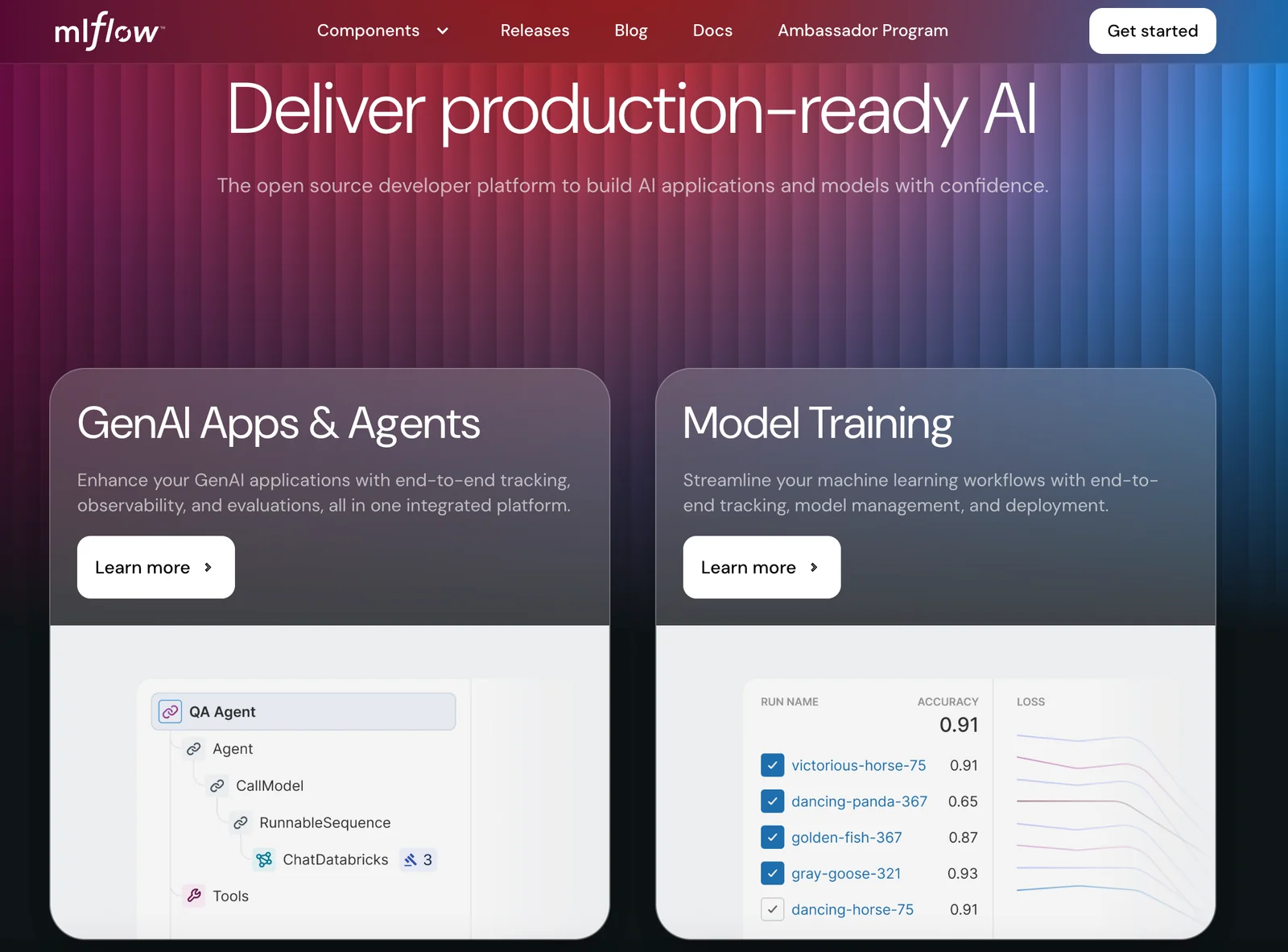
MLflow is an open-source developer platform that simplifies the end-to-end machine learning lifecycle by providing components for experiment tracking, reproducible project packaging, standardized model formats, and a central model registry. It lets teams log parameters, metrics, artifacts and code for runs; package reproducible runs as Projects; store and serve models in multiple deployment ‘flavors’; and manage model versions, stages, and associated metadata in the Model Registry. MLflow integrates with many ML libraries, deployment targets, and storage backends, enabling cross-tool interoperability and observability for both traditional ML and modern LLM/GenAI workflows.
Screenshots
Key Features
Use Cases



Frequently asked questions about MLflow
Is MLflow free to use?
Yes, MLflow is a free, open-source platform designed for managing the machine learning lifecycle. Users can either self-host MLflow on their servers or utilize managed services like Databricks Community Edition, which also offers a free tier, making it accessible for individuals and teams.
Key Points
- Open-source availability: MLflow is completely free to use.
- Self-hosting option: Users can run MLflow on their own infrastructure.
- Managed services: Free tiers are available through platforms like Databricks.
Detailed Explanation
MLflow is a powerful tool that supports various stages of machine learning projects, including experimentation, reproducibility, and deployment. Being open-source, it allows users to inspect the code and customize it as needed.
-
Self-Hosting: Users can download and install MLflow on their own servers, giving them complete control over their ML environment. This option is ideal for organizations with strict data governance policies or those that require specific configurations.
-
Managed Services: Databricks offers a Community Edition, which includes MLflow at no cost. This managed service simplifies the setup process, as users do not need to manage infrastructure. It’s particularly beneficial for newcomers to machine learning who want a straightforward way to experiment with MLflow features.
-
Features: MLflow includes functionalities such as tracking experiments, packaging ML code, and managing models. These features help streamline workflows and improve collaboration among data science teams.
Best Practices / Tips
- Start with the Community Edition: If you're new to MLflow, begin with Databricks' Community Edition to familiarize yourself with the platform without any financial investment.
- Leverage Documentation: Utilize the official MLflow documentation for installation guidance and feature walkthroughs.
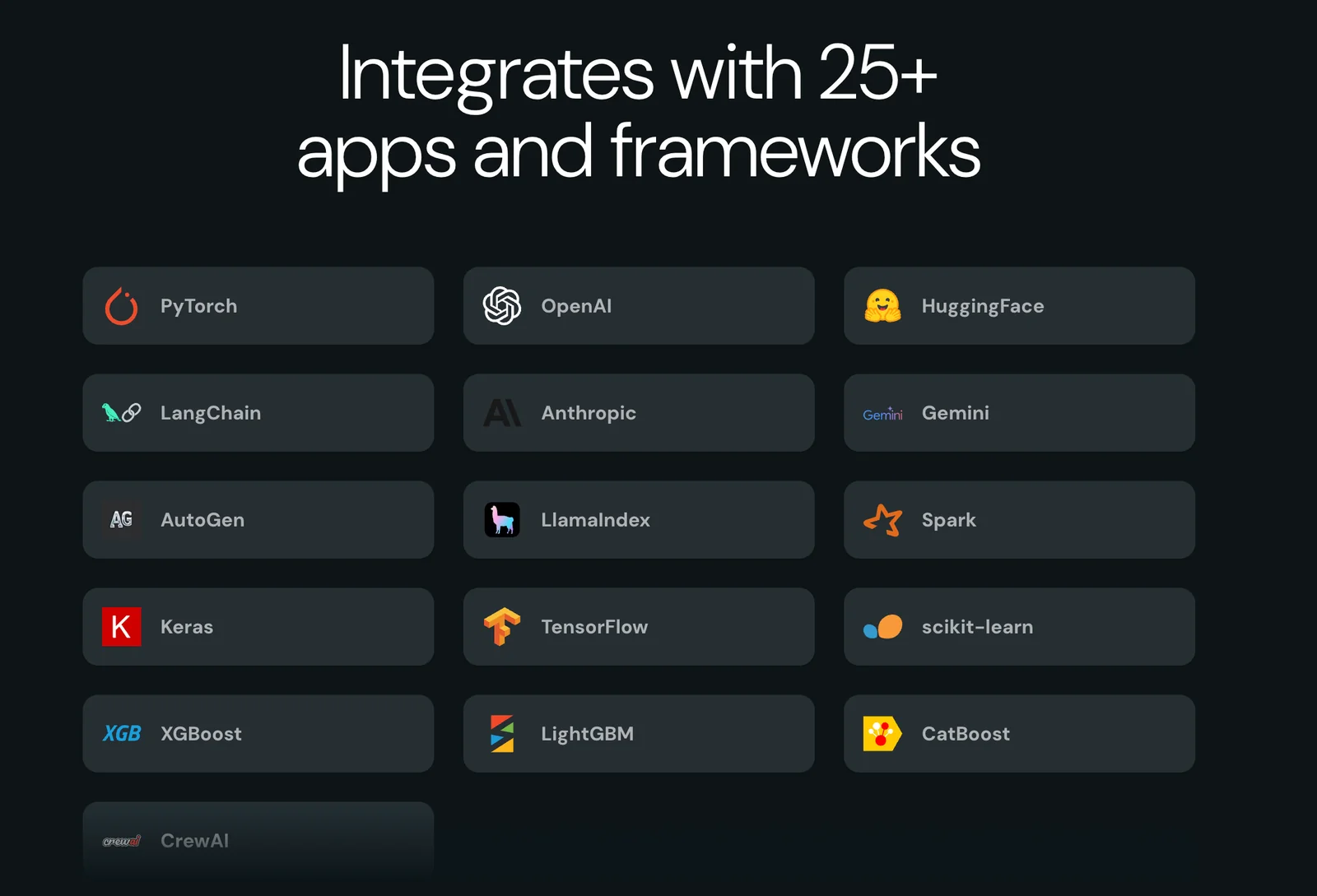
- Integrate with Other Tools: MLflow can be combined with popular libraries like TensorFlow, PyTorch, and Scikit-learn, which enhances its capabilities.
Additional Resources
What are the key features of MLflow?
MLflow is an open-source platform that streamlines the machine learning lifecycle with key features such as experiment tracking, model packaging, a centralized model registry, and seamless integrations with various storage backends, enhancing productivity and collaboration among data scientists and engineers.
Key Points
- Experiment Tracking: Log, compare, and visualize your machine learning experiments.
- Model Packaging: Simplify the deployment process with consistent model formats.
- Centralized Model Registry: Manage and version your models in one place.
Detailed Explanation
MLflow is designed to address the complexities of machine learning projects by providing a cohesive framework that supports various stages of the ML lifecycle. Here’s a breakdown of its key features:
-
Experiment Tracking: MLflow allows users to log metrics, parameters, and artifacts associated with each experiment. This feature is invaluable for data scientists who want to compare different model versions or track performance over time. For instance, you can log the accuracy of multiple models trained with varying hyperparameters, making it easier to identify the best-performing model.
-
Model Packaging: With MLflow, models can be packaged in a standardized format, facilitating easier deployment across different environments. This means you can take a model that was developed in a Jupyter notebook and deploy it in production without worrying about compatibility issues. MLflow supports several flavors of models, including TensorFlow, PyTorch, and Scikit-Learn.
-
Centralized Model Registry: MLflow provides a centralized storage solution for all your models, allowing users to manage lifecycle stages such as development, staging, and production. You can easily register a new model version, transition models between stages, and even annotate them with tags for better organization. This feature is crucial for teams working on collaborative projects, enabling better governance and traceability.
-
Integration with Storage Backends: MLflow seamlessly integrates with various storage backends, including AWS S3, Azure Blob Storage, and Google Cloud Storage. This flexibility allows teams to store their data and models in the environment that best suits their workflow, enhancing accessibility and performance.
Best Practices / Tips
- Consistent Logging: Always log parameters and metrics consistently to facilitate easier comparisons later. Use a standardized naming convention for your experiments.
- Version Control for Models: Leverage the model registry to maintain version control. This ensures that you can easily revert to a previous model version if needed.
- Explore Integrations: Take advantage of MLflow's integrations with other tools and platforms to enhance your workflow. For example, consider using it alongside tools like Apache Spark for distributed training.
- Automate Workflows: Use MLflow’s REST API to automate model deployment and testing, reducing manual effort and potential errors.
Additional Resources
How do I get started with MLflow?
To get started with MLflow, visit the official website at mlflow.org, download the software, and consult the comprehensive documentation for setup and usage guidance. This includes features for experiment tracking, model management, and deployment, making it easier to manage the machine learning lifecycle.
Key Points
- Official Website: Access MLflow at mlflow.org.
- Download and Installation: Install MLflow via pip or conda.
- Documentation: Explore guides for experiment tracking and model management.
Detailed Explanation
MLflow is an open-source platform designed to manage the machine learning lifecycle, including experimentation, reproducibility, and deployment. Here’s how to get started effectively:
-
Download MLflow: You can install MLflow using pip with the command:
pip install mlflowAlternatively, if you prefer Anaconda, use:
conda install -c conda-forge mlflow -
Set Up Your Environment: Ensure you have Python (version 3.6 or higher) and the necessary dependencies. It’s recommended to create a virtual environment to avoid conflicts with other packages.
-
Explore Documentation: The MLflow documentation provides detailed instructions on:
- Experiment Tracking: Learn how to log parameters, metrics, and artifacts. Start with the basic tracking API to record your experiments.
- Model Management: Understand how to save and load models, manage model versions, and use the MLflow Models feature to deploy in various formats (e.g., TensorFlow, PyTorch, Scikit-Learn).
-
Run Your First Experiment: Follow the quickstart guide in the documentation to run your first experiment. This includes setting up an MLflow server to log your runs and visualize results through the MLflow UI.
Best Practices / Tips
- Use Version Control: Integrate MLflow with Git to track changes in your code and experiments.
- Organize Experiments: Create a naming convention for your experiments to maintain clarity.
- Utilize MLflow Tracking UI: Access the UI by running
mlflow uiin your terminal. This will help visualize your metrics and compare different runs easily.
Additional Resources
By following these steps, you will be well-equipped to leverage MLflow for managing your machine learning projects effectively.
What APIs does MLflow support for integration?
MLflow supports various APIs for integration, including Python, R, and Java SDKs, as well as a REST API. These APIs enhance MLflow's usability across different platforms and tools, making it an excellent choice for managing machine learning workflows effectively.
Key Points
- Diverse SDKs: MLflow provides SDKs for Python, R, and Java, catering to a wide range of developers.
- REST API: A comprehensive REST API allows for seamless integration with other applications and services.
- Interoperability: MLflow's APIs facilitate interoperability, enabling users to connect with existing ML tools and frameworks.
Detailed Explanation
MLflow's robust API support is designed to streamline the machine learning lifecycle.
Python SDK
The Python SDK is the most commonly used API due to Python's popularity in the data science community. It offers features for tracking experiments, packaging models, and managing the deployment process. For example, you can log metrics, parameters, and artifacts easily with just a few lines of code, using functions like mlflow.log_metric() and mlflow.log_param().
R SDK
The R SDK caters to statisticians and data scientists who prefer using R for their analyses. It allows similar functionalities as the Python SDK, such as tracking experiments and managing models, making it easy for R users to integrate MLflow into their workflows.
Java SDK
With the growing use of Java in enterprise environments, MLflow's Java SDK provides essential features for integrating machine learning pipelines into Java applications. This SDK supports logging information and fetching model details programmatically.
REST API
The REST API is a powerful tool that enables integration with any programming language or platform that can make HTTP requests. This flexibility allows teams to incorporate MLflow into diverse environments, enhancing collaboration among different technology stacks. For instance, you can use cURL or Postman to interact with the API for logging metrics or retrieving models.
Best Practices / Tips
- Choose the Right SDK: Select the SDK that best fits your team's expertise and the existing technology stack.
- Utilize REST API: When building applications that need to communicate with multiple services, leveraging the REST API can simplify integration.
- Version Control: Always version your models and experiments to maintain a clear history and facilitate reproducibility.
Additional Resources
How does MLflow compare to other ML lifecycle tools?
MLflow is a leading machine learning lifecycle tool that excels due to its open-source framework, extensive model tracking capabilities, and seamless integration into existing data workflows. Unlike many competitors, MLflow provides a flexible platform that supports various frameworks and tools, making it an advantageous choice for data scientists and developers.
Key Points
- Open-Source Flexibility: MLflow is open-source, allowing customization and community contributions.
- Comprehensive Features: It offers robust functionalities for experiment tracking, model management, and deployment.
- Integration Ease: MLflow integrates easily with popular data science libraries and cloud platforms.
Detailed Explanation
MLflow differentiates itself from other ML lifecycle tools like Kubeflow, TensorBoard, and DVC through its unique combination of features and user-friendliness. Here’s how:
-
Open-Source Flexibility: Being open-source, MLflow allows organizations to modify the tool to fit their specific needs. This flexibility is a significant advantage over proprietary solutions, which may have limitations and higher costs. Companies can contribute to MLflow’s development, continually enhancing its capabilities.
-
Comprehensive Features: MLflow encompasses four main components:
- MLflow Tracking: This enables users to log parameters, metrics, and artifacts, making it easy to compare different runs and identify the best-performing models.
- MLflow Projects: This component standardizes the packaging of code in a reusable format, facilitating collaboration across teams.
- MLflow Models: It provides a consistent way to manage models and deploy them in various environments.
- MLflow Registry: This serves as a centralized repository for all models, allowing versioning and model lineage tracking.
-
Integration Ease: MLflow can seamlessly integrate with popular machine learning frameworks like TensorFlow, PyTorch, and Scikit-learn. It also supports deployment to various cloud platforms, including AWS, Azure, and Google Cloud, enabling a straightforward transition from development to production.
Use Cases
- Team Collaboration: Data science teams can use MLflow to collaborate on projects, ensuring everyone is on the same page with versioned models and shared experiment results.
- Model Deployment: Organizations can quickly deploy ML models into production, leveraging MLflow's built-in deployment tools that support REST API serving.
Best Practices / Tips
- Regularly Update MLflow: Ensure you are using the latest version to benefit from new features and security updates.
- Adopt a Standardized Workflow: Create a consistent process for logging experiments to facilitate easier model comparison and reproducibility.
- Utilize the Community: Engage with the MLflow community for support, plugins, and best practices, enhancing your implementation.
Additional Resources
By leveraging MLflow's powerful features and community support, organizations can optimize their machine learning workflows effectively.
Explore more AI Ai Tools tools
Browse all Ai Tools tools →Compare MLflow: vs CleanSlop · vs Kalender Sync · vs UseIt Studio · vs Woven Video