

MCP.so
AIFreeA public directory and index of Model Context Protocol (MCP) servers for discovery, integration, and community-curated listings.
MCP.so
A public directory and index of Model Context Protocol (MCP) servers for discovery, integration, and community-curated listings.
About MCP.so
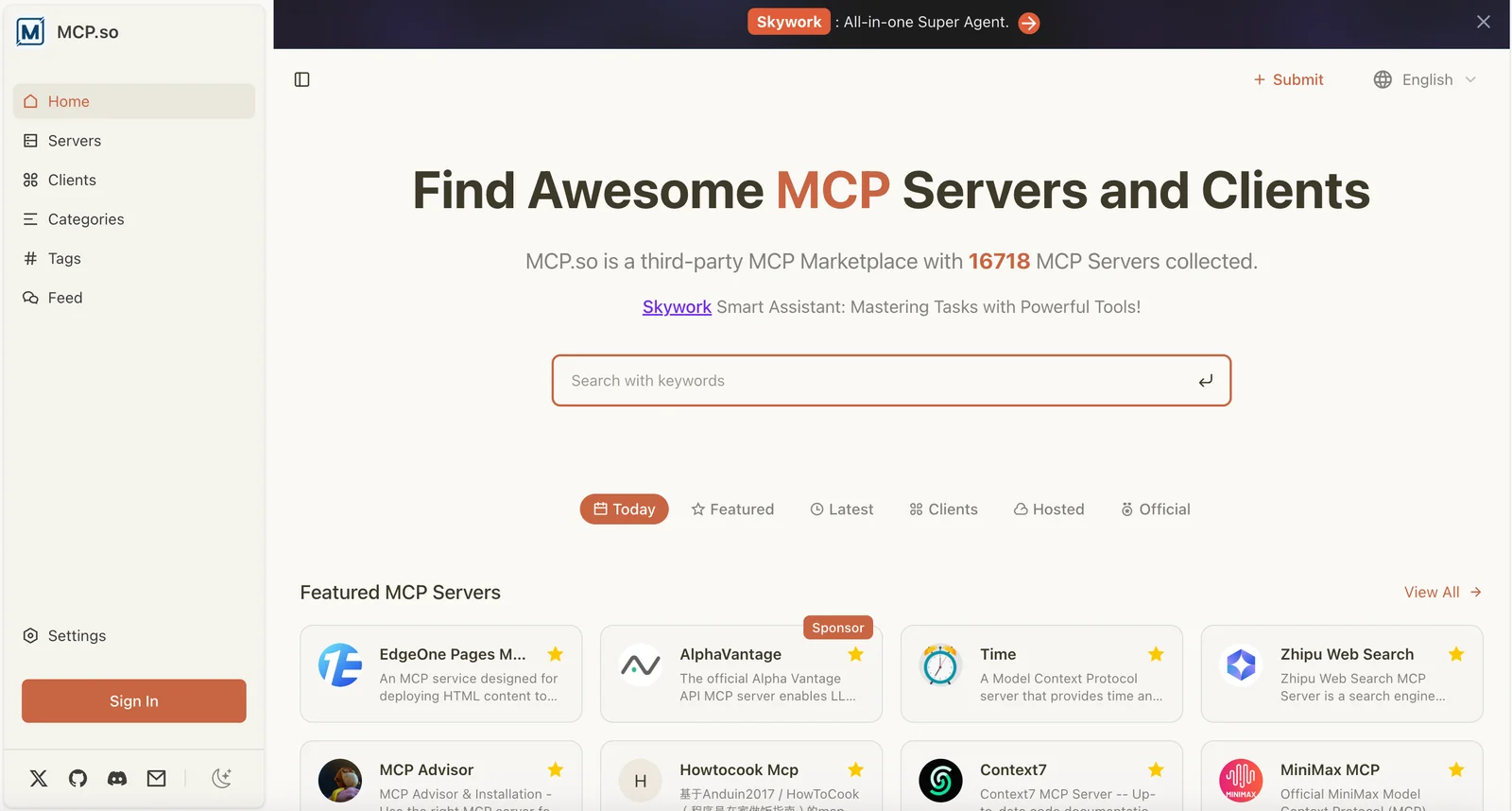
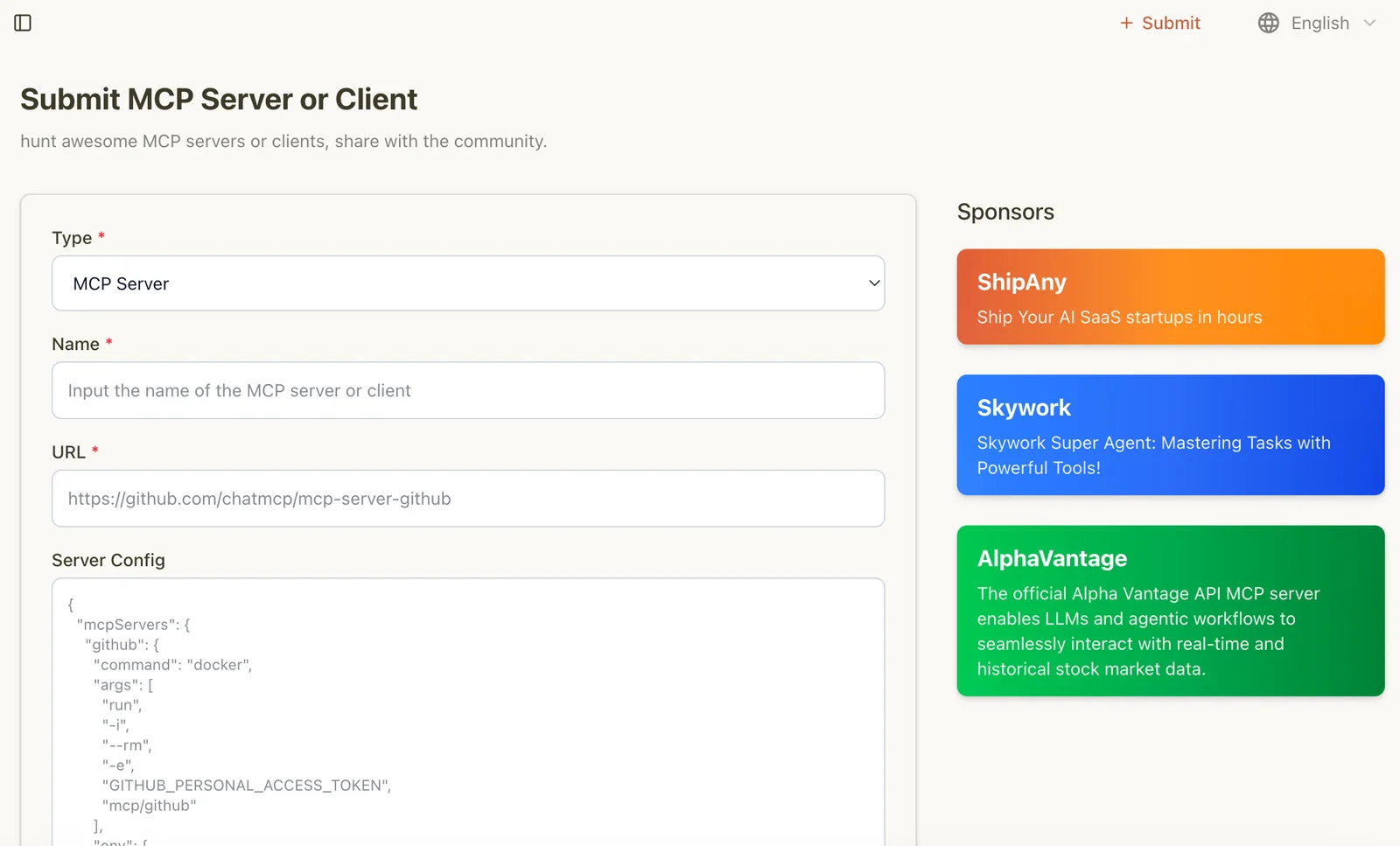
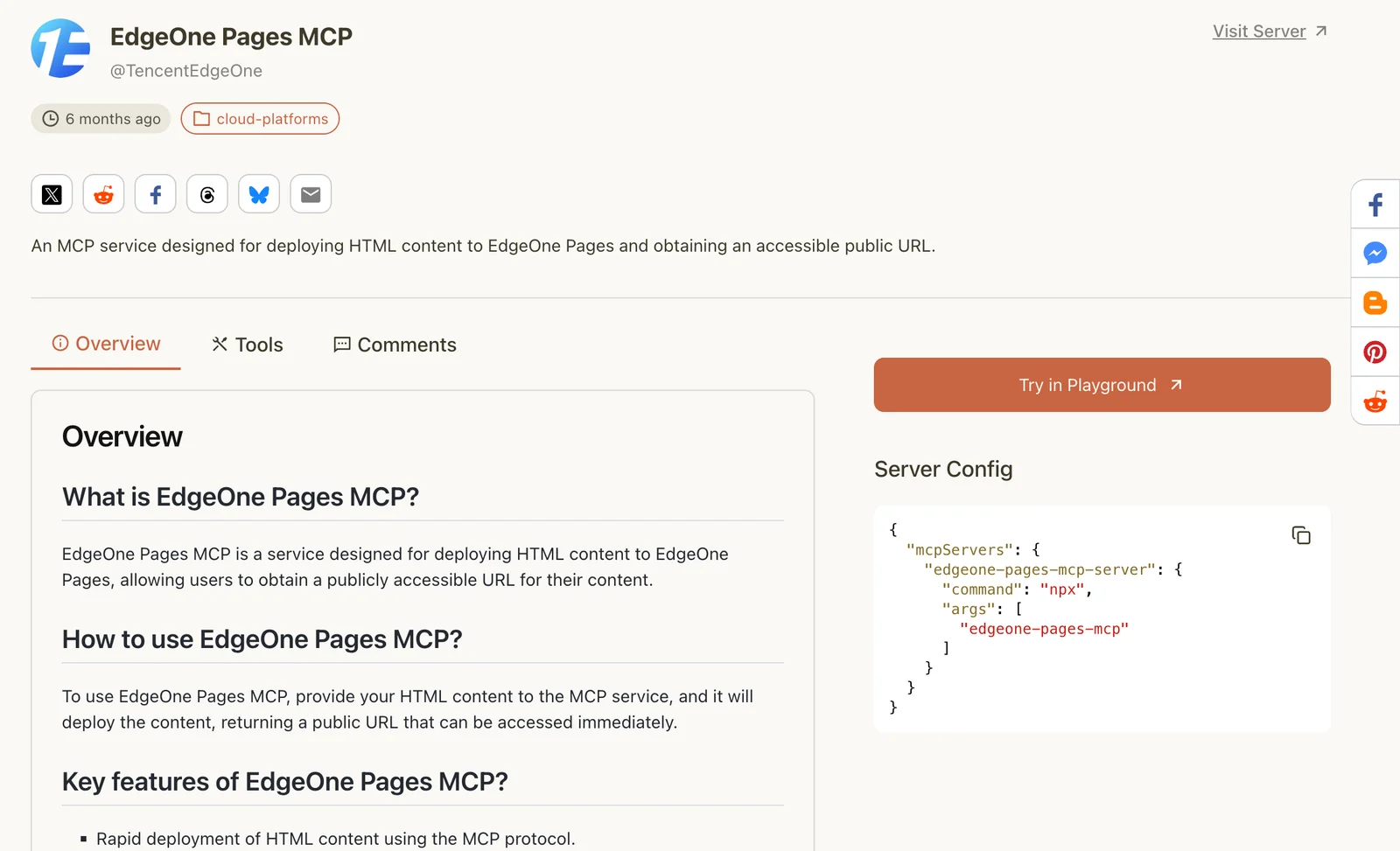
MCP.so is a centralized catalog that indexes and surfaces available MCP (Model Context Protocol) servers and integrations to extend LLMs and agentic tools. It aggregates community and official MCP server implementations, highlights integrations (for example Claude MCP integration), and links to repos, SDKs, and installation instructions. By providing searchable metadata, curated "Awesome" lists, and direct links to server projects, MCP.so speeds discovery and adoption of MCP servers for developers and organizations building context-aware AI workflows.
Screenshots
Key Features
Use Cases



Frequently asked questions about MCP.so
Is MCP.so free or paid?
MCP.so is completely free to use, offering access to a public searchable directory of MCP servers without any subscription fees or paid tiers. Users can enjoy its full functionalities without worrying about hidden costs or premium services.
Key Points
- No Subscription Fees: MCP.so does not charge users for access.
- Public Searchable Directory: Easily find and connect with MCP servers.
- User-Friendly Interface: Designed for seamless navigation and usability.
Detailed Explanation
MCP.so provides an entirely free platform for users looking to discover and utilize MCP servers. The website features a public directory that allows anyone to search for servers based on various criteria such as location, server type, and popularity.
How It Works:
- Access the Directory: Visit MCP.so, where the homepage features a search bar for quick access to the server list.
- Search Filters: Utilize filters to narrow down results, making it easier to find the specific type of MCP server you need.
- Join Servers: After locating a suitable server, simply follow the provided link to join or connect.
This structure ensures that all users, regardless of their technical background, can easily navigate the platform without incurring any costs.
Best Practices / Tips
- Explore Filters: Make use of the search filters to find the most relevant servers quickly.
- Bookmark Favorites: Keep track of your preferred servers by bookmarking them for easy access in the future.
- Stay Updated: Regularly check for updates on new servers added to the directory to maximize your options.
Additional Resources
- MCP.so Official Website - Explore the directory.
- User Guide - Detailed instructions on using the platform effectively.
- Community Forum - Connect with other users for tips and support.
What are the key features of MCP.so?
MCP.so features a centralized registry, integration highlights, curated listings, capability tagging, and links to SDKs. These tools empower developers to efficiently find, evaluate, and integrate MCP servers, streamlining the development process and enhancing productivity.
Key Points
- Centralized Registry: A one-stop platform for all MCP server resources.
- Integration Highlights: Detailed insights on integrating with various systems.
- Curated Listings: Handpicked server options tailored to specific needs.
Detailed Explanation
MCP.so serves as an essential resource for developers seeking to integrate MCP servers seamlessly into their applications. Here’s a breakdown of its key features:
-
Centralized Registry: This feature acts as a comprehensive database, allowing developers to access all MCP servers in one location. This registry simplifies the search process, making it easy to compare different server options and their functionalities.
-
Integration Highlights: MCP.so provides in-depth guides and documentation for integrating various MCP servers with different platforms. This includes step-by-step instructions, helping developers avoid common integration pitfalls and ensuring a smoother workflow.
-
Curated Listings: The platform offers curated listings of MCP servers based on user requirements, such as scalability, performance, and compatibility with existing systems. This helps developers quickly identify the best server for their specific project needs.
-
Capability Tagging: Each server is tagged with its capabilities, such as support for specific programming languages or integration with third-party services. This feature makes it easier for developers to filter options and find servers that meet their technical requirements.
-
Links to SDKs: MCP.so includes direct links to Software Development Kits (SDKs) relevant to each server, providing developers with the necessary tools to implement the servers in their applications quickly.
Best Practices / Tips
- Leverage the Centralized Registry: Regularly check the registry for updates or new server listings to ensure you are using the most up-to-date resources.
- Utilize Integration Guides: Always refer to the integration highlights for a clearer understanding of how to implement servers properly in your projects.
- Explore Curated Listings: Use curated listings to save time in the selection process; they can help you find optimal solutions faster.
Additional Resources
By utilizing these features and best practices, developers can maximize their efficiency and effectiveness when working with MCP servers, leading to better project outcomes and smoother development experiences.
How do I get started with MCP.so?
To get started with MCP.so, visit the official website at https://mcp.so/. You can browse and search for MCP server listings without any registration required. Simply explore the available servers and choose one that suits your needs.
Key Points
- No Registration Needed: Access listings without signing up.
- User-Friendly Interface: Easily navigate and filter servers.
- Wide Range of Servers: Find various MCP server types to fit your preferences.
Detailed Explanation
MCP.so is a platform designed for gamers looking to enhance their Minecraft experience by finding and connecting to various multiplayer servers. To start, follow these simple steps:
-
Visit the Website: Go to MCP.so. The homepage displays a list of active servers.
-
Browse Server Listings: Use the search bar or filters to find specific types of servers, such as survival, creative, or minigames.
-
Select a Server: Click on a server listing to view detailed information, including player limits, game modes, and user ratings.
-
Join the Server: Once you find a suitable server, copy the IP address and open Minecraft. Go to the multiplayer section, click "Add Server," and paste the IP to join.
MCP.so makes it easy to discover new gaming environments and communities without the need for registration or complicated setup processes. This streamlined approach allows you to jump straight into gameplay.
Best Practices / Tips
- Use Filters Wisely: Take advantage of the filtering options to narrow down your search to your preferred game modes and player counts.
- Check Ratings and Reviews: Look at user ratings to gauge the quality and activity of a server before joining.
- Stay Updated: Regularly check for new server listings and updates to find the latest gaming experiences.
Avoid common pitfalls such as joining servers with low activity or poor reviews, as these may result in a less enjoyable gaming experience.
Additional Resources
- MCP.so Official Documentation - For detailed instructions and FAQs.
- Minecraft Server Types Explained - Understand different server types available in Minecraft.
- Minecraft Community Forums - Engage with other players for tips and recommendations.
By following these guidelines, you can effectively navigate MCP.so and enrich your Minecraft multiplayer experience.
Does MCP.so support API integrations?
Yes, MCP.so supports API integrations, offering developers access to various MCP server projects and their APIs. This functionality allows seamless integration with popular tools like Claude, enhancing the capabilities of applications built on the MCP platform.
Key Points
- Wide Range of Integrations: MCP.so connects with multiple APIs from various server projects.
- Enhanced Functionality: Integrating with tools like Claude can expand application capabilities.
- Developer-Friendly Resources: Comprehensive documentation and examples are available for ease of use.
Detailed Explanation
MCP.so provides robust API integration support, making it easier for developers to connect their applications with various MCP server projects. For instance, developers can utilize APIs to integrate advanced AI tools like Claude, enhancing their applications with AI-driven functionalities such as natural language processing, data analysis, and more.
To begin integrating APIs with MCP.so, developers can follow these steps:
-
Explore Available APIs: Visit the MCP.so documentation to explore the range of available APIs. Each API is typically accompanied by detailed descriptions and functionalities.
-
Authenticate and Connect: Most APIs require authentication. Developers must obtain API keys or tokens to access these services securely.
-
Implement API Calls: Using programming languages such as JavaScript, Python, or others, developers can make API calls to retrieve or send data as needed.
-
Test and Optimize: Conduct thorough testing to ensure that API integrations are functioning correctly. Monitor performance and optimize as necessary based on user feedback and application requirements.
By leveraging these integrations, developers can significantly improve their applications’ performance, user engagement, and overall functionality.
Best Practices / Tips
- Read Documentation Thoroughly: Always refer to the official documentation for each API to understand its capabilities and limitations.
- Handle Errors Gracefully: Implement error handling in your application to manage API failures or unexpected responses.
- Optimize API Calls: Minimize the number of API calls to improve application performance and reduce latency.
- Stay Updated: Keep track of any updates or changes in the API you’re using to ensure compatibility and security.
Additional Resources
How does MCP.so compare to other MCP tools?
MCP.so distinguishes itself from other MCP tools through its extensive community-curated directory, completely free access, and an emphasis on user-friendly discovery. Unlike many paid alternatives, it offers a rich resource for both beginners and experienced users looking for AI tools.
Key Points
- Community-Curated Directory: Offers quality and relevance.
- Free Access: Eliminates barriers for users.
- User-Friendly Discovery: Simplifies the search process.
Detailed Explanation
MCP.so is designed to provide a comprehensive and intuitive platform for discovering machine learning tools and resources. One of its standout features is the community-curated directory, which is continually updated by users, ensuring that the information is not only relevant but also reflects the latest trends and tools in the AI landscape. This curatorial approach enhances trust and reliability compared to traditional directories that may not have the same level of user engagement.
In contrast to many paid MCP tools, which often place access behind a subscription or one-time fee, MCP.so is completely free. This democratization of access allows users from various backgrounds—students, freelancers, and professionals—to utilize cutting-edge AI tools without financial constraints. Free access broadens the user base and fosters a more diverse community.
The platform also prioritizes ease of discovery. Its intuitive interface allows users to filter tools by categories, functionality, and popularity, making it simple to find exactly what they need. For instance, if a user is looking for image processing tools, they can quickly navigate the directory to find tools specifically tailored to their requirements, enhancing their workflow efficiency.
Best Practices / Tips
- Explore Community Contributions: Regularly check the directory for new tools and updates contributed by users.
- Utilize Filters: Make use of filtering options to narrow down results based on specific needs or industries.
- Engage with the Community: Participate in discussions or forums to gain insights and recommendations from other users.
Additional Resources
By leveraging MCP.so, users can access a wealth of resources without incurring costs, making it a practical choice for anyone interested in exploring machine learning and AI tools.
Explore more AI Mcps tools
Browse all Mcps tools →Compare MCP.so: vs ai-memory · vs CrawlForge MCP · vs Popcraft · vs Pomerado