

MCP Bridge — Connect any API to any AI agent
AIAuto-generate MCP tool definitions from REST, GraphQL, SOAP, or gRPC APIs to connect any API to any AI agent, self-hosted and production-ready.
MCP Bridge — Connect any API to any AI agent
Auto-generate MCP tool definitions from REST, GraphQL, SOAP, or gRPC APIs to connect any API to any AI agent, self-hosted and production-ready.
About MCP Bridge — Connect any API to any AI agent
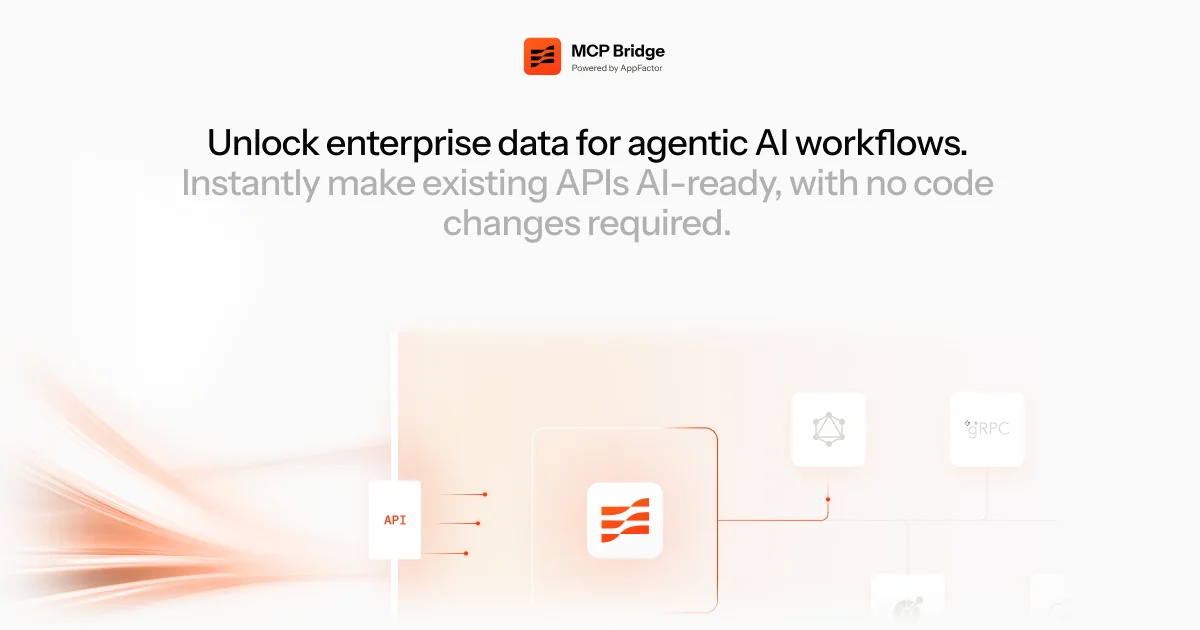
MCP Bridge (by AppFactor) converts existing API schemas into Model Context Protocol (MCP) tools so AI agents can discover and invoke enterprise services without custom adapters or rewrites. It imports OpenAPI/GraphQL/WSDL/gRPC schemas, auto-generates typed tool definitions with parameter mappings and behavioural annotations, validates and maps inputs at runtime, handles authentication, and post-processes responses to reduce token usage. Designed for self-hosted, high-throughput deployments (implemented in Rust), MCP Bridge is intended for platform and enterprise teams who need secure, governed, and scalable access to internal and third-party APIs from LLM agents.
Screenshots
Key Features
Use Cases



Frequently asked questions about MCP Bridge — Connect any API to any AI agent
What is MCP Bridge — Connect any API to any AI agent?
AppFactor MCP Bridge is a powerful tool that connects any API to AI agents, enabling seamless integration of enterprise data into scalable workflows. It transforms existing APIs to be AI-ready instantly, eliminating the risk of long-term technical debt while enhancing operational efficiency.
Key Points
- Seamless API Integration: Connects various APIs to AI agents effortlessly.
- AI-Ready Transformation: Instant adaptation of existing APIs for AI capabilities.
- Scalability: Supports enterprise-level workflows without incurring technical debt.
Detailed Explanation
MCP Bridge by AppFactor is designed to streamline the integration of application programming interfaces (APIs) with artificial intelligence (AI) agents. This solution is particularly beneficial for organizations looking to leverage their existing data without the need for extensive redevelopment or the creation of new APIs.
-
Seamless API Integration: MCP Bridge allows businesses to connect various APIs to AI agents, making data more accessible and actionable. For instance, a marketing analytics tool can be integrated with a machine learning model to predict consumer behavior based on historical data in real-time.
-
AI-Ready Transformation: By converting existing APIs to be AI-ready, MCP Bridge enables organizations to harness the power of AI without the burden of development costs and time. This transformation is crucial for enterprises that aim to remain competitive in rapidly changing markets.
-
Scalability: As businesses grow, their data needs evolve. MCP Bridge provides a scalable solution, allowing companies to expand their AI capabilities as needed without incurring technical debt. This flexibility ensures that organizations can adapt quickly to new challenges and opportunities.
Best Practices / Tips
- Assess Your APIs: Evaluate your existing APIs to identify which ones can benefit from AI integration. Prioritize those that handle large datasets or critical business functions.
- Plan for Scalability: When implementing MCP Bridge, consider future growth. Select configurations that will allow for easy scaling as your data needs increase.
- Monitor Performance: After integration, continuously monitor the performance of your AI agents. Use analytics to ensure that the integration is delivering the desired outcomes and make adjustments as necessary.
Additional Resources
- AppFactor Official Website for detailed documentation on MCP Bridge.
- API Integration Best Practices for tips on effective API management.
- Understanding AI and API Interactions for insights on the synergy between AI and APIs.
How does MCP Bridge — Connect any API to any AI agent work?
MCP Bridge — Connect any API to any AI agent works by seamlessly integrating various APIs with AI agents, enhancing daily workflows through advanced automation and streamlined data exchange. This tool simplifies interactions between disparate systems, empowering users to optimize their tasks efficiently.
Key Points
- Seamless API Integration: Connects multiple APIs to AI agents effortlessly.
- Enhanced Automation: Streamlines workflows by automating routine tasks.
- User Empowerment: Enables users to utilize AI capabilities effectively in their operations.
Detailed Explanation
MCP Bridge serves as a middleware solution that connects any API to an AI agent, allowing for real-time data exchange and task automation. For instance, if a business uses a customer relationship management (CRM) system and wants to integrate it with an AI chatbot, MCP Bridge facilitates this connection.
How It Works:
- API Connectivity: Users select the API they want to connect, whether it's for data retrieval, updates, or other functions.
- AI Agent Configuration: Users configure the AI agent to respond or act based on the data received from the API.
- Workflow Automation: Once set up, tasks such as customer inquiries, data updates, or report generation can be automated, allowing the AI to perform actions without manual input.
This integration is beneficial for businesses looking to improve efficiency by reducing the time spent on repetitive tasks, allowing employees to focus on more strategic initiatives.
Best Practices / Tips
- Define Clear Objectives: Before integrating, outline what tasks you want to automate to ensure the setup aligns with your business goals.
- Test Connections: Always test the API connections initially to troubleshoot any potential issues before full deployment.
- Monitor Performance: Regularly review the performance of your AI agents to identify areas for improvement and ensure optimal functionality.
Additional Resources
What are the main features of MCP Bridge — Connect any API to any AI agent?
MCP Bridge is a powerful tool that connects any API to any AI agent, offering features such as seamless integration, robust data handling, and enhanced AI functionalities. This enables users to automate workflows, access real-time data, and leverage AI capabilities without extensive coding knowledge.
Key Points
- Seamless API Integration: Easily connect various APIs to AI agents.
- Enhanced AI Functionality: Utilize advanced AI capabilities across integrated systems.
- User-Friendly Interface: Simplifies the process for non-developers to set up integrations.
Detailed Explanation
MCP Bridge stands out due to its ability to seamlessly integrate APIs with AI agents, making it a versatile tool for businesses looking to enhance their operational efficiency. Here are some of its core features:
-
Seamless API Integration: MCP Bridge supports a wide array of APIs, allowing users to connect to services like CRM platforms, databases, and cloud applications. This flexibility means that businesses can automate tasks and streamline their workflows without needing extensive technical expertise.
-
Enhanced AI Functionality: In addition to connecting APIs, MCP Bridge enhances the capabilities of AI agents. For instance, it allows AI tools to access real-time data from external sources, enabling smarter decision-making and more personalized customer interactions. This can significantly improve user experiences and operational efficiency.
-
User-Friendly Interface: The platform is designed with a focus on usability. Non-technical users can set up connections through a straightforward interface, which reduces the learning curve associated with API integrations. This accessibility empowers more team members to contribute to automation initiatives.
Use Cases
- E-commerce Automation: Connect inventory management systems with AI chatbots to provide customers with real-time product availability.
- Data Analysis: Integrate data from various APIs for comprehensive analytics, allowing AI agents to generate insights from diverse datasets.
- Customer Support: Use MCP Bridge to link support ticket systems to AI agents, enabling automated responses based on ticket data.
Best Practices / Tips
- Start Small: Begin with one API integration to understand the process and gradually expand as you gain confidence.
- Document Your Integrations: Keep a record of all API connections and their purposes to streamline troubleshooting and future enhancements.
- Monitor Performance: Regularly assess the performance of your integrations to ensure they meet your business needs and adjust as necessary.
Additional Resources
Who is MCP Bridge — Connect any API to any AI agent for?
MCP Bridge is a powerful integration tool designed to seamlessly connect any API to various AI agents, enhancing day-to-day AI workflows. It is particularly beneficial for developers, businesses, and enthusiasts seeking to streamline their processes and improve automation across applications.
Key Points
- Versatile API Integration: MCP Bridge supports a wide variety of APIs, allowing for flexible connections between different systems.
- Enhanced Workflow Automation: It simplifies complex tasks by automating interactions between AI agents and external services.
- User-Friendly Interface: Offers an intuitive dashboard for easy setup and management of API connections.
Detailed Explanation
MCP Bridge serves as a middleware solution that links APIs to AI agents, facilitating data exchange and task automation. This tool is highly useful in various scenarios:
-
Customer Support Automation: Businesses can connect their customer service API with AI agents to provide instant support, reducing response times and improving customer satisfaction. For example, integrating a chatbot with a ticketing system allows for automatic issue logging and resolution tracking.
-
Data Processing: Organizations can utilize MCP Bridge to connect data sources with AI analytics tools. By doing so, they can automate data retrieval, processing, and reporting. For instance, linking a sales API to an AI-driven analytics platform can yield real-time insights into sales performance.
-
IoT Device Management: In smart home or industrial applications, MCP Bridge can connect IoT devices to AI agents for smarter control and monitoring. For example, linking a weather API to an AI agent can enable automated adjustments in HVAC systems based on real-time weather data.
Best Practices / Tips
- Thorough Documentation: Always refer to the official MCP Bridge documentation for detailed instructions and troubleshooting tips.
- Testing Connections: Before deploying, rigorously test your API connections to ensure reliability and performance.
- Monitor Performance: Regularly analyze the performance of your integrations to identify any bottlenecks or issues that could impact efficiency.
- Security Measures: Implement robust security protocols, such as API keys and OAuth, to protect sensitive data during transfers.
Additional Resources
By leveraging MCP Bridge effectively, users can significantly enhance their AI-driven workflows, making operations more efficient and responsive to changing needs.
How much does MCP Bridge — Connect any API to any AI agent cost?
The cost of MCP Bridge — Connect any API to any AI agent varies based on usage and subscription plans. For detailed pricing information, visit the official MCP Bridge website, where you can review their plans tailored to different needs and integrations.
Key Points
- Pricing is subscription-based, with different tiers.
- Plans vary based on usage, features, and support levels.
- Pricing details are updated regularly on the official website.
Detailed Explanation
MCP Bridge offers a flexible pricing model designed to accommodate a variety of users, from small businesses to large enterprises. The pricing structure is generally subscription-based, allowing customers to choose plans that best fit their usage needs and budget.
-
Basic Plan: Ideal for individual users or small teams, this plan typically offers essential features at a lower cost. It might include limited API calls and basic support.
-
Pro Plan: This tier is suitable for medium-sized businesses that require more extensive API integrations and higher limits on API calls. It usually comes with additional features like advanced analytics and priority support.
-
Enterprise Plan: For large organizations, this customizable plan provides unlimited API calls, enhanced security features, dedicated support, and integration assistance. Pricing for this tier often involves a consultation to tailor the services to specific needs.
Use Cases
- Startups can benefit from the Basic Plan to test their AI integrations without a significant financial commitment.
- Medium Businesses may find the Pro Plan advantageous for scaling their operations with multiple API integrations.
- Large Corporations can leverage the Enterprise Plan to ensure robust support and security, particularly when handling sensitive data.
Best Practices / Tips
- Evaluate Your Needs: Assess how many API calls you anticipate needing and what features are essential for your operations to choose the right plan.
- Monitor Usage: Regularly review your API usage to avoid overages and unnecessary costs.
- Take Advantage of Trials: If available, utilize free trials to understand the platform’s capabilities before committing to a subscription.
Additional Resources
How do I get started with MCP Bridge — Connect any API to any AI agent?
To get started with MCP Bridge and connect any API to any AI agent, simply visit mcp-bridge.ai to sign up. Once registered, you can explore the platform's features and integrate APIs with AI agents seamlessly.
Key Points
- User-Friendly Sign-Up: Quick registration process.
- Versatile API Connectivity: Connect various APIs to AI agents.
- Comprehensive Documentation: Access guides and resources for integration.
Detailed Explanation
MCP Bridge is a versatile platform that enables users to connect any API to various AI agents efficiently. Here’s how to get started:
-
Visit the Sign-Up Page: Go to mcp-bridge.ai and click on the "Sign Up" button. You will need to provide basic information like your email and create a password.
-
Explore the Dashboard: After signing in, familiarize yourself with the user-friendly dashboard. The interface allows you to access different features such as API connection management, AI agent selection, and integration tools.
-
Connect Your APIs:
- Click on the API connection option.
- Select the API you wish to integrate. MCP Bridge supports a wide variety of APIs, ensuring flexibility.
- Follow the prompts to enter the necessary credentials and configurations.
-
Select Your AI Agent: Choose the AI agent you want to connect with the API you have selected. MCP Bridge supports multiple AI platforms, enabling diverse applications.
-
Test Your Integration: Once everything is set up, use the testing feature to ensure that the API and AI agent communicate effectively. This step is crucial for troubleshooting and ensuring smooth operation.
-
Deploy and Monitor: After successful testing, deploy your integration. Keep an eye on performance metrics available on the dashboard to optimize your setup further.
Best Practices / Tips
- Start Small: Begin with simple APIs before moving on to complex integrations.
- Use Documentation: Take advantage of the comprehensive guides available on the platform to navigate integration challenges.
- Monitor Regularly: Regularly check the performance of your API connections to ensure they are functioning as expected and to troubleshoot any issues.
Additional Resources
For more information, refer to the following:
- MCP Bridge Official Documentation
- API Integration Best Practices
- Community Forum for user discussions and support.
Explore more AI Mcps tools
Browse all Mcps tools →Browse by use case: Code Generation
Compare MCP Bridge — Connect any API to any AI agent: vs ai-memory · vs CrawlForge MCP · vs Popcraft · vs Pomerado