
Marble
AIA super-simple headless CMS for collaborative publishing of articles, changelogs, and product updates.
Marble
A super-simple headless CMS for collaborative publishing of articles, changelogs, and product updates.
About Marble
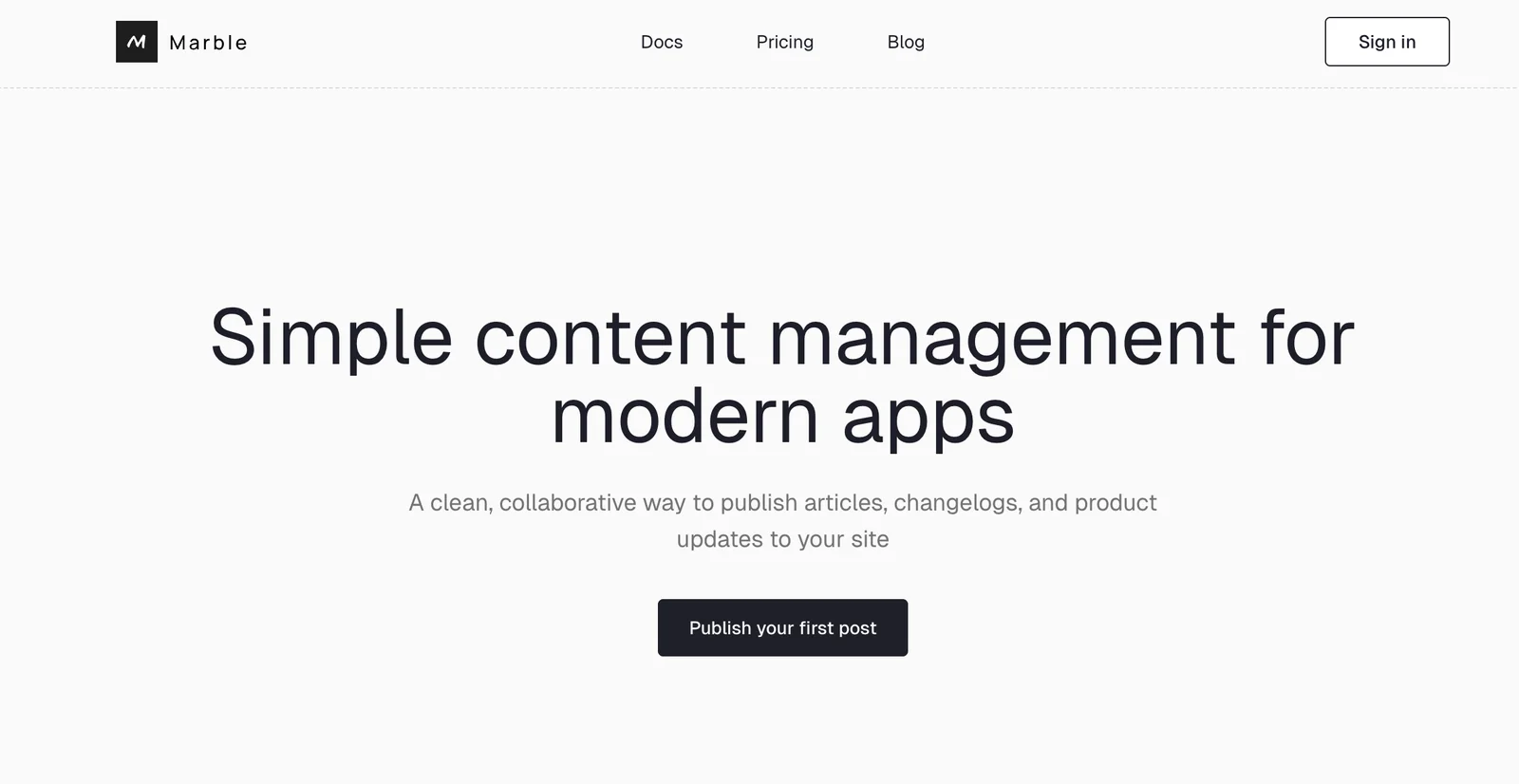
Marble is a lightweight, headless CMS focused on writers and developers for publishing articles, changelogs and product updates. It exposes an API-driven content model that developers can fetch from static sites or apps, supports webhook-based cache revalidation, and provides templates and example integrations (Next.js, Astro) to simplify developer adoption. Marble's value is its simplicity and developer-first integrations that make it easy to manage editorial content while integrating into modern static and server-rendered workflows.
Screenshots
Key Features
Use Cases


Frequently asked questions about Marble
What is the pricing structure for Marble?
Marble utilizes a freemium pricing model, featuring a free tier that includes essential functionalities. For users seeking advanced features, they offer custom pricing options for Pro/Team and Enterprise plans. For specific pricing details, it’s best to contact Marble directly for tailored solutions.
Key Points
- Freemium Model: Access to basic features at no cost.
- Pro/Team and Enterprise Plans: Custom pricing for advanced functionalities.
- Direct Contact Recommended: For personalized pricing information.
Detailed Explanation
Marble's pricing structure is designed to cater to a wide range of users, from individuals to large enterprises. The freemium model allows users to start using the platform without any financial commitment, making it accessible for those wanting to explore core features such as basic project management tools and reporting functionalities.
For teams and organizations that require more nuanced capabilities, Marble provides Pro/Team and Enterprise plans. These plans typically include advanced features like enhanced collaboration tools, priority support, and increased storage options. The exact pricing for these tiers can vary significantly based on the number of users, specific feature requirements, and the level of support needed.
To get a precise quote tailored to your organization’s needs, reaching out to Marble’s sales team is recommended. They can provide a customized proposal, ensuring you receive the most value for your investment.
Use Cases
- Freemium Users: Individuals or small teams testing Marble for personal projects.
- Pro Teams: Businesses needing collaborative features for team projects.
- Enterprise Solutions: Large organizations requiring extensive integration with existing systems and dedicated support.
Best Practices / Tips
- Evaluate Your Needs: Before selecting a plan, assess your team's size and required features.
- Utilize Free Trials: Take advantage of the free tier to determine if Marble meets your needs before committing financially.
- Contact Sales for Custom Solutions: Don’t hesitate to reach out to Marble for a personalized quote and to discuss specific features that may enhance your usage.
Additional Resources
What are the key features of Marble CMS?
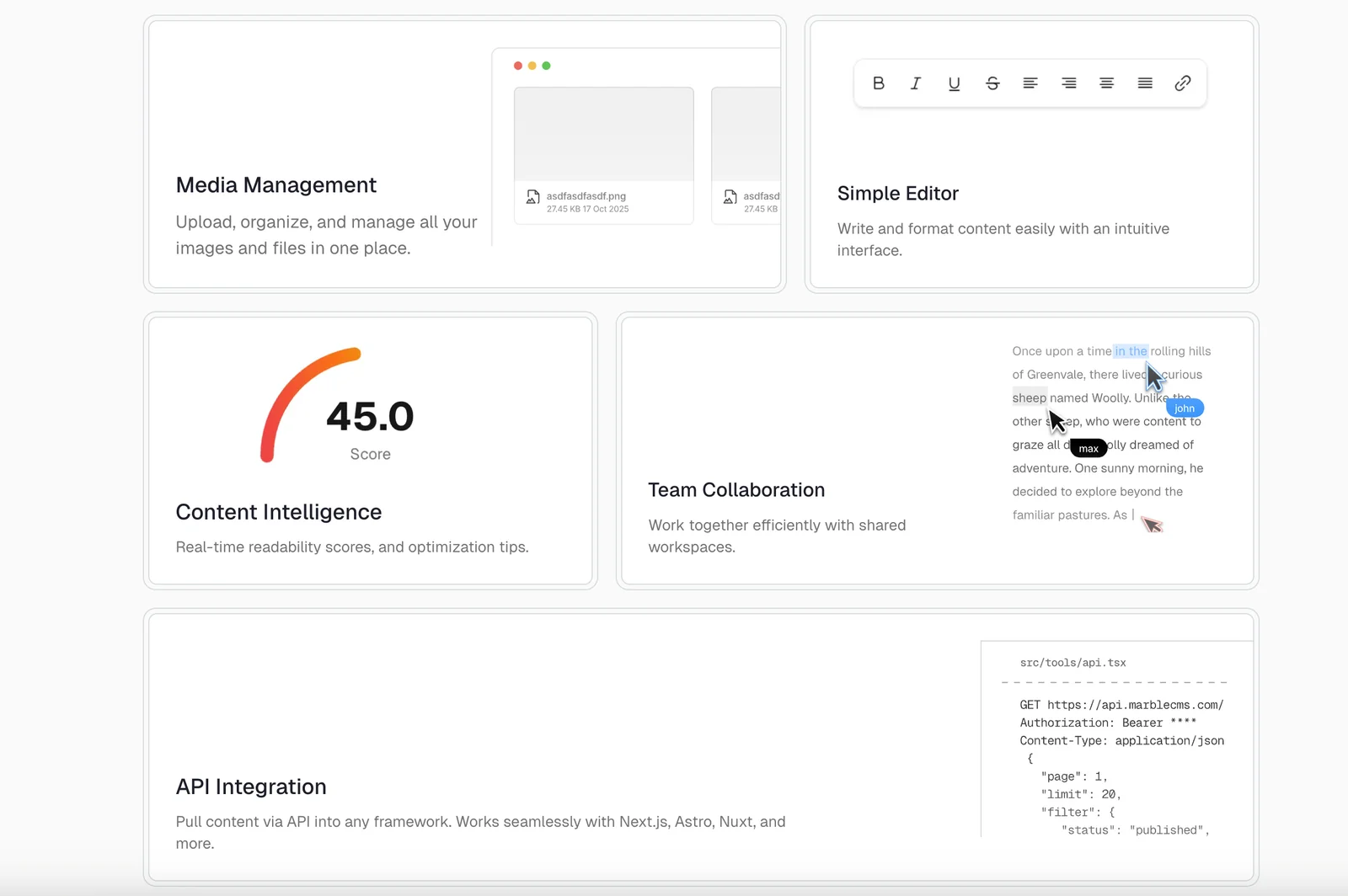
Marble CMS offers a range of powerful features including a distraction-free editor, AI-powered writing assistance, SEO tips for optimizing content, and extensive support for webhooks and API access. It is specifically designed to facilitate collaborative publishing of articles, allowing teams to work together seamlessly on updates.
Key Points
- Distraction-Free Editor: Focus on content creation without interruptions.
- AI-Powered Writing Assistance: Enhance your writing with intelligent suggestions.
- SEO Tips: Built-in guidance to improve search engine rankings.
Detailed Explanation
Marble CMS stands out due to its user-friendly interface and innovative features aimed at enhancing the content creation process. The distraction-free editor allows writers to immerse themselves in their work without unnecessary notifications or clutter, promoting greater focus and productivity.
The AI-powered writing assistance helps users generate ideas, improve grammar, and suggest relevant keywords, ensuring that the content meets high standards. This feature is especially beneficial for less experienced writers who may struggle with crafting compelling narratives.
Additionally, Marble CMS includes SEO tips directly within the editing interface. These suggestions cover best practices for keyword usage, meta descriptions, and link-building strategies to help boost visibility on search engines. By incorporating these tips, users can optimize their articles for higher rankings and drive more traffic.
Furthermore, Marble CMS supports webhooks and API access, which is crucial for developers looking to integrate the CMS with other applications or services. This capability allows for seamless data exchange, enabling users to automate workflows or synchronize content across platforms.
Best Practices / Tips
- Utilize the Distraction-Free Editor: Make it a habit to use this feature during your writing sessions to maximize focus and creativity.
- Leverage AI Writing Assistance: Don’t hesitate to rely on AI suggestions to enhance your content quality. It can save time and improve effectiveness.
- Implement SEO Tips Early: Incorporate SEO recommendations as you write, rather than as an afterthought. This proactive approach will streamline the optimization process.
- Explore Webhook and API Capabilities: Familiarize yourself with these features to enhance your workflow and integrate Marble CMS with your existing tools.
Additional Resources
How do I get started with using Marble for my projects?
To get started with Marble for your projects, visit their official website, sign up for a free account, and familiarize yourself with the intuitive editor and collaboration tools. These features allow you to effortlessly create and publish content while working with your team in real-time.
Key Points
- Sign Up for a Free Account: Create your profile to access Marble's features.
- Explore the User-Friendly Editor: Learn to navigate the editor for efficient content creation.
- Utilize Collaboration Features: Enhance teamwork and streamline project management.
Detailed Explanation
To begin using Marble, the first step is to navigate to the official Marble website and click on the "Sign Up" button. The registration process is quick and straightforward, requiring only your email address and a password. Once registered, log in to access your dashboard.
Familiarizing Yourself with the Editor
Marble’s editor is designed for users of all skill levels. Here's how to make the most of it:
- Dashboard Overview: After logging in, the dashboard presents an overview of your projects. Explore existing templates to see how others structure their content.
- Creating New Projects: Click on “New Project” to start. You can choose from various templates tailored to different project needs, like articles, reports, or presentations.
- Content Editing: The editor features a drag-and-drop interface, enabling you to add text, images, and multimedia effortlessly. Use formatting tools for headings, lists, and links to enhance readability.
Collaboration Features
Collaboration is a key strength of Marble. Here’s how to leverage it:
- Team Invitations: Invite team members by entering their email addresses in the collaboration section. They will receive an invitation to join your project.
- Real-Time Editing: Multiple users can edit the same document simultaneously, making it easy to brainstorm and implement feedback instantly.
- Commenting System: Use the commenting feature to leave notes or suggestions on specific sections of the project, fostering productive discussions.
Best Practices / Tips
- Explore Tutorials: Marble offers tutorials and webinars that can help you understand the platform more deeply.
- Set Clear Goals: Before starting a project, define what you want to achieve. Clear objectives guide your content creation process.
- Utilize Templates: Don't hesitate to use existing templates as a foundation; they can save time and inspire your content structure.
- Regular Backups: Ensure your work is saved regularly. Marble automatically saves changes, but it's wise to download copies periodically.
Additional Resources
- Marble Help Center - Access guides and FAQs for troubleshooting.
- YouTube Tutorials - Watch tutorials to see real-life examples of Marble in use.
- Community Forum - Engage with other Marble users for tips and support.
What technical skills do I need to use Marble effectively?
While Marble is user-friendly, having fundamental skills in APIs and content management systems (CMS) will greatly enhance your experience. This knowledge is particularly beneficial for utilizing integrations and advanced features effectively, allowing you to leverage Marble’s full potential.
Key Points
- Understanding APIs: Familiarity with APIs enhances integration capabilities.
- Content Management Systems: Basic CMS knowledge aids in content organization.
- Technical Problem-Solving: Skills in troubleshooting improve user experience.
Detailed Explanation
To use Marble effectively, it's essential to grasp the following technical skills:
-
APIs: Understanding Application Programming Interfaces (APIs) is crucial because Marble integrates with various third-party applications. For instance, if you're looking to connect your data from a CRM system into Marble, knowing how to use APIs will allow you to streamline this process. Familiarize yourself with RESTful APIs, JSON data format, and how to make API calls.
-
Content Management Systems (CMS): Marble functions as a content management platform, so having a handle on CMS basics will empower you to manage your content efficiently. This includes knowing how to create, edit, and publish content as well as understanding the structure and taxonomy of your site. Familiarizing yourself with platforms like WordPress or Drupal can be particularly beneficial.
-
Technical Problem-Solving: Being able to troubleshoot common issues will significantly enhance your Marble experience. For example, if you encounter integration problems or content display issues, having a basic understanding of how web technologies work (HTML, CSS, and JavaScript) can help you resolve these challenges faster.
Best Practices / Tips
- Start Small: Begin with basic API calls and gradually increase complexity as you become more comfortable.
- Utilize Documentation: Refer to Marble’s official documentation for detailed instructions on API integrations and CMS management—this can save you time and effort.
- Join User Communities: Engage with forums or online communities where Marble users share tips and solutions. This can provide valuable insights and support.
Additional Resources
How does Marble compare to other headless CMS options?
Marble is a headless CMS that excels in simplicity, AI writing tools, and collaborative features, making it particularly suitable for teams. Unlike other platforms that may offer extensive functionalities, Marble prioritizes user-friendliness and rapid deployment, ensuring a seamless content management experience.
Key Points
- Simplicity: User-friendly interface for quick onboarding.
- AI Writing Tools: Integrated features for enhanced content creation.
- Collaboration: Real-time editing and feedback capabilities for teams.
Detailed Explanation
Marble stands out in the competitive landscape of headless Content Management Systems (CMS) due to its focus on ease of use and team collaboration. While other platforms, such as Contentful or Strapi, often provide a vast array of complex features, they can lead to a steeper learning curve, especially for teams with varying technical expertise.
Simplicity
Marble's intuitive interface allows users to create and manage content without extensive training. This is particularly beneficial for small to medium-sized teams that need to allocate resources efficiently. For instance, a marketing team can onboard new members quickly, enabling them to contribute to campaigns without the need for extensive technical knowledge.
AI Writing Tools
One of Marble's standout features is its integration of AI writing tools. This functionality assists content creators by providing suggestions, grammar checks, and even content generation based on predefined parameters. For example, a blog post can be drafted in minutes, which significantly reduces the time spent on content creation compared to traditional CMS platforms.
Collaboration
Collaboration features in Marble allow multiple team members to work on content simultaneously, enhancing productivity. Real-time editing and feedback functionalities ensure that everyone stays on the same page, which is crucial for teams operating in different locations. For example, a content team can review and edit articles in real-time, streamlining the publishing process.
Best Practices / Tips
- Start Small: When transitioning to Marble, begin with a small project to familiarize your team with its features.
- Leverage AI Tools: Utilize the AI writing tools to enhance content quality and speed up the creation process.
- Encourage Collaboration: Foster a culture of collaboration by encouraging team members to use the real-time editing features effectively.
Additional Resources
By considering these aspects, teams can effectively leverage Marble's strengths to enhance their content management processes while enjoying a more streamlined and collaborative workflow.
Explore more AI Ai Services tools
Browse all Ai Services tools →Compare Marble: vs BAND for Developers · vs NitroStack · vs GBrain · vs MentionBird