

ManyPI
AIPlatform to extract, transform, and automate web data for developers, researchers, and data teams.
ManyPI
Platform to extract, transform, and automate web data for developers, researchers, and data teams.
About ManyPI
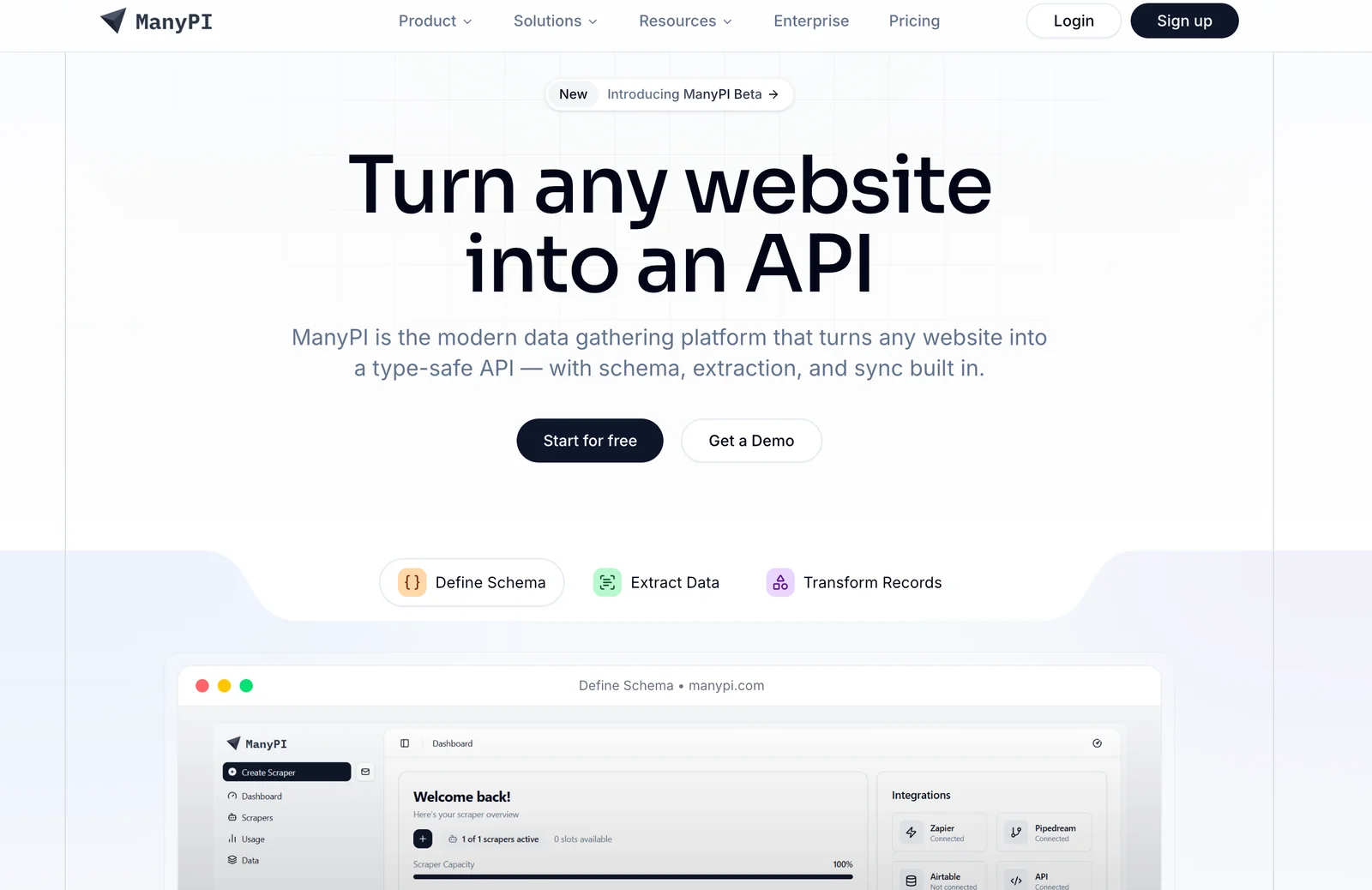
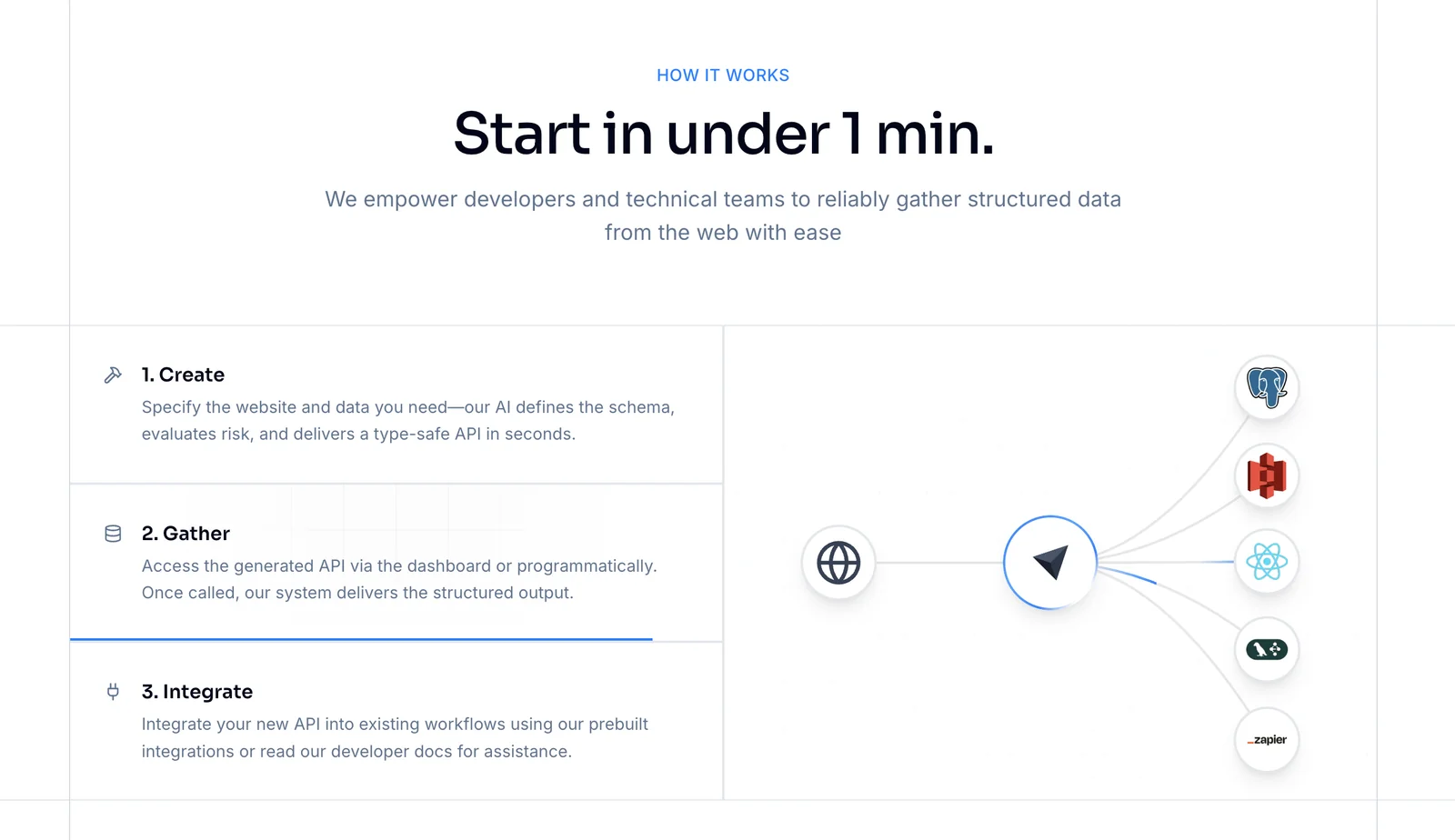
ManyPI is a web data extraction platform that helps teams collect, transform, and automate delivery of data from websites. It provides tools to build extraction workflows, clean and normalize scraped content, and schedule or trigger recurring data collection. Designed for developers, researchers, and data teams, ManyPI emphasizes integration with developer workflows through APIs and programmatic access, enabling automated pipelines that feed analytics, databases, or downstream applications.
Screenshots
Key Features
Use Cases



Frequently asked questions about ManyPI
How do I get started with ManyPI for web data extraction?
To get started with ManyPI for web data extraction, sign up for a free account on their official website. You can access core features like data extraction and transformation without needing to provide a credit card, making it easy to explore the platform's capabilities.
Key Points
- Free Account Setup: No credit card required.
- Core Features: Access extraction and transformation tools.
- User-Friendly Interface: Easy to navigate for beginners.
Detailed Explanation
ManyPI provides a straightforward approach to web data extraction, making it accessible for users at any skill level. To begin, visit the ManyPI website and click on the "Sign Up" button. Fill out the required information, including your email and password. Once your account is created, you'll receive a confirmation email.
Core Features Overview
- Data Extraction: Utilize ManyPI's intuitive interface to extract data from various websites. You can choose specific elements to scrape, such as text, images, or links.
- Data Transformation: After extraction, use ManyPI's transformation tools to clean and format the data into a usable format like CSV, JSON, or Excel. This is essential for analyzing data effectively.
- Templates and Automation: ManyPI offers pre-built templates for popular websites, saving you time and effort. You can also schedule extractions to run automatically at specified intervals.
Best Practices / Tips
- Start Small: Begin with a simple project to familiarize yourself with ManyPI's features. Choose a website with straightforward layouts for your initial data extraction tasks.
- Utilize Tutorials: ManyPI provides tutorials and documentation to help you maximize your use of the platform. Take advantage of these resources to learn best practices.
- Monitor Data Accuracy: Regularly check the accuracy of the extracted data, especially if you're using it for business decisions. Ensure that the extraction process is capturing the most relevant and up-to-date information.
Additional Resources
By following these steps and tips, you can effectively leverage ManyPI for all your web data extraction needs.
What is the pricing structure for ManyPI, and are there free options?
ManyPI employs a freemium pricing model, providing a free tier suitable for small projects with generous limits. For users seeking advanced features and additional capabilities, custom paid plans are available, allowing for tailored solutions based on specific needs and project requirements.
Key Points
- ManyPI offers a freemium pricing model.
- The free tier is ideal for small projects.
- Custom paid plans provide access to advanced features.
Detailed Explanation
ManyPI's pricing structure is designed to accommodate a wide range of users, from individual developers to larger teams. The freemium model allows you to start using ManyPI without any financial commitment.
Free Tier Features
- Generous Limits: Users can access a significant amount of features, including basic project management tools, limited API calls, and access to community support.
- Ideal for Small Projects: Perfect for freelancers or startups testing their ideas, the free tier allows you to build and deploy projects without upfront costs.
Paid Plans
For users needing more robust features, ManyPI offers custom paid plans. These plans may include:
- Increased API Limits: Higher limits on API requests to support larger applications.
- Advanced Analytics: Access to in-depth data and insights for improved decision-making.
- Dedicated Support: Priority customer service and technical support to resolve issues quickly.
Example Use Cases
- Freelancers: Can utilize the free tier to manage client projects efficiently.
- Small Businesses: May start with the free version and scale up to a paid plan as their needs grow.
Best Practices / Tips
- Evaluate Your Needs: Consider starting with the free tier to gauge your requirements before committing to a paid plan.
- Stay Updated: Regularly check for updates or changes in pricing structures to ensure you're getting the best value for your investment.
- Utilize Community Resources: Engage with the ManyPI community for tips and best practices that can enhance your project outcomes.
Additional Resources
Is ManyPI suitable for beginners without technical skills?
Yes, ManyPI is highly suitable for beginners without technical skills. It features a user-friendly interface, comprehensive documentation, and a supportive community, making it easy for new users to navigate and effectively utilize the platform.
Key Points
- User-Friendly Interface: Designed for ease of use.
- Comprehensive Documentation: Provides step-by-step guides and tutorials.
- Active Community Support: Access to forums and user groups for assistance.
Detailed Explanation
ManyPI is an intuitive platform that allows users to create and manage projects without needing extensive technical knowledge. Its interface is straightforward, enabling beginners to focus on learning rather than struggling with complex setups.
User-Friendly Interface
ManyPI’s dashboard is designed to be visually appealing and easy to navigate, with clear labels and organized sections. Users can easily find tools and features without any prior experience.
Comprehensive Documentation
The platform offers extensive documentation that includes tutorials, FAQs, and troubleshooting guides. For instance, a beginner can follow a simple step-by-step tutorial to set up their first project in under an hour. This documentation is updated regularly to keep pace with new features.
Active Community Support
ManyPI boasts a vibrant community where users can ask questions and share experiences. Forums and social media groups provide a space for beginners to seek help or advice from more experienced users. This communal aspect fosters a supportive learning environment.
Best Practices / Tips
- Start with Tutorials: Begin your journey by following basic tutorials available in the documentation.
- Engage with the Community: Join forums and social media groups to ask questions and learn from peers.
- Practice Regularly: Regular practice will help reinforce what you learn and build your confidence.
- Utilize Templates: Leverage pre-built templates within ManyPI to streamline your project setup and reduce initial complexity.
Additional Resources
What features does ManyPI offer for automating web data extraction?
ManyPI offers powerful features for automating web data extraction, including configurable extractors, data transformation pipelines, automation and scheduling capabilities, and developer APIs for seamless integration into existing workflows. These tools enable users to efficiently gather, process, and manage data from various online sources.
Key Points
- Configurable Extractors: Tailor data collection to specific needs.
- Data Transformation Pipelines: Clean and organize data effortlessly.
- Automation and Scheduling: Set up regular data extraction tasks.
Detailed Explanation
ManyPI’s configurable extractors allow users to define how data should be collected from websites. You can specify HTML elements, such as tags and attributes, to ensure that the right data is captured. This flexibility is essential for targeting specific information, whether it's product details from an e-commerce site or articles from a news platform.
The data transformation pipelines feature enables users to clean and format extracted data without needing complex coding skills. For instance, you can convert raw data into structured formats like CSV or JSON, making it easier for analysis or integration with other tools.
With automation and scheduling, ManyPI lets users set up extraction tasks to run at specified intervals. This is particularly useful for businesses that require up-to-date information regularly, such as monitoring competitors’ pricing or tracking market trends. Users can schedule tasks daily, weekly, or monthly, ensuring they always have current data available.
Lastly, the developer APIs provide the flexibility to integrate ManyPI’s capabilities into existing software solutions. This feature is beneficial for developers looking to enhance their applications with data extraction functionalities, allowing for seamless interaction between different systems.
Best Practices / Tips
- Test Your Extractors: Before fully deploying extractors, test them on sample data to ensure accuracy.
- Monitor Performance: Keep an eye on the performance of scheduled tasks to prevent failures or data loss.
- Utilize Documentation: Leverage ManyPI's official documentation for advanced features and troubleshooting tips.
Additional Resources
By employing these features and following best practices, you can maximize the effectiveness of ManyPI for automated web data extraction, ensuring you capture valuable insights efficiently.
How does ManyPI compare to other web scraping tools?
ManyPI excels as a web scraping tool due to its intuitive interface and robust automation features. It offers a unique freemium model, enabling users to extract both structured and unstructured data effortlessly, making it a strong competitor against other popular scraping tools.
Key Points
- User-Friendly Interface: ManyPI is designed for ease of use, catering to both beginners and experienced users.
- Freemium Model: Users can access essential features for free, making it cost-effective.
- Versatile Data Extraction: Supports both structured and unstructured data, ideal for various applications.
Detailed Explanation
ManyPI sets itself apart from traditional web scraping tools like Scrapy or Beautiful Soup by combining simplicity with advanced capabilities.
-
User-Friendly Interface: ManyPI features a drag-and-drop interface that allows users to set up scraping tasks without needing to write extensive code. This is particularly beneficial for users who lack technical expertise. For instance, a marketing analyst can quickly gather data from competitor websites without prior programming knowledge.
-
Freemium Model: ManyPI provides a tiered pricing structure, allowing users to access basic features for free. This model is advantageous for startups and small businesses that want to explore web scraping without financial commitment. Users can upgrade to premium plans for advanced features like API access and larger data volumes.
-
Versatile Data Extraction: Whether you need to scrape product information, customer reviews, or social media content, ManyPI can handle both structured data (like tables) and unstructured data (like text). The tool’s versatility makes it suitable for various industries, including e-commerce, market research, and competitive analysis.
Best Practices / Tips
- Start with a Clear Goal: Define what data you need and how you will use it. This will guide your scraping strategy and help you avoid unnecessary complexity.
- Regularly Update Your Scraping Tasks: Websites frequently change their layouts, which can break your scraping tasks. Regular testing ensures your data extraction remains effective.
- Respect Website Policies: Always check the robots.txt file of the website you’re scraping to ensure compliance with their data usage policies.
Additional Resources
Explore more AI Ai Services tools
Browse all Ai Services tools →Browse by use case: Automation & Productivity
Compare ManyPI: vs Context.dev · vs ZeroClick · vs jurniti · vs Cadenya