

Liner
AIAI-powered research search that returns trusted, citable sources and concise answers faster than Google Scholar.
Liner
AI-powered research search that returns trusted, citable sources and concise answers faster than Google Scholar.
About Liner
Liner is an AI-driven research search tool designed to surface reliable, citable sources and deliver concise, answer-focused results so researchers spend less time filtering. It uses large language models to summarize documents, extract key findings, and present provenance for sources to support citation and verification. Liner also supports content generation workflows—such as concise summaries, code snippets, and draft emails—anchored to verifiable references so outputs remain traceable to original sources.
Screenshots
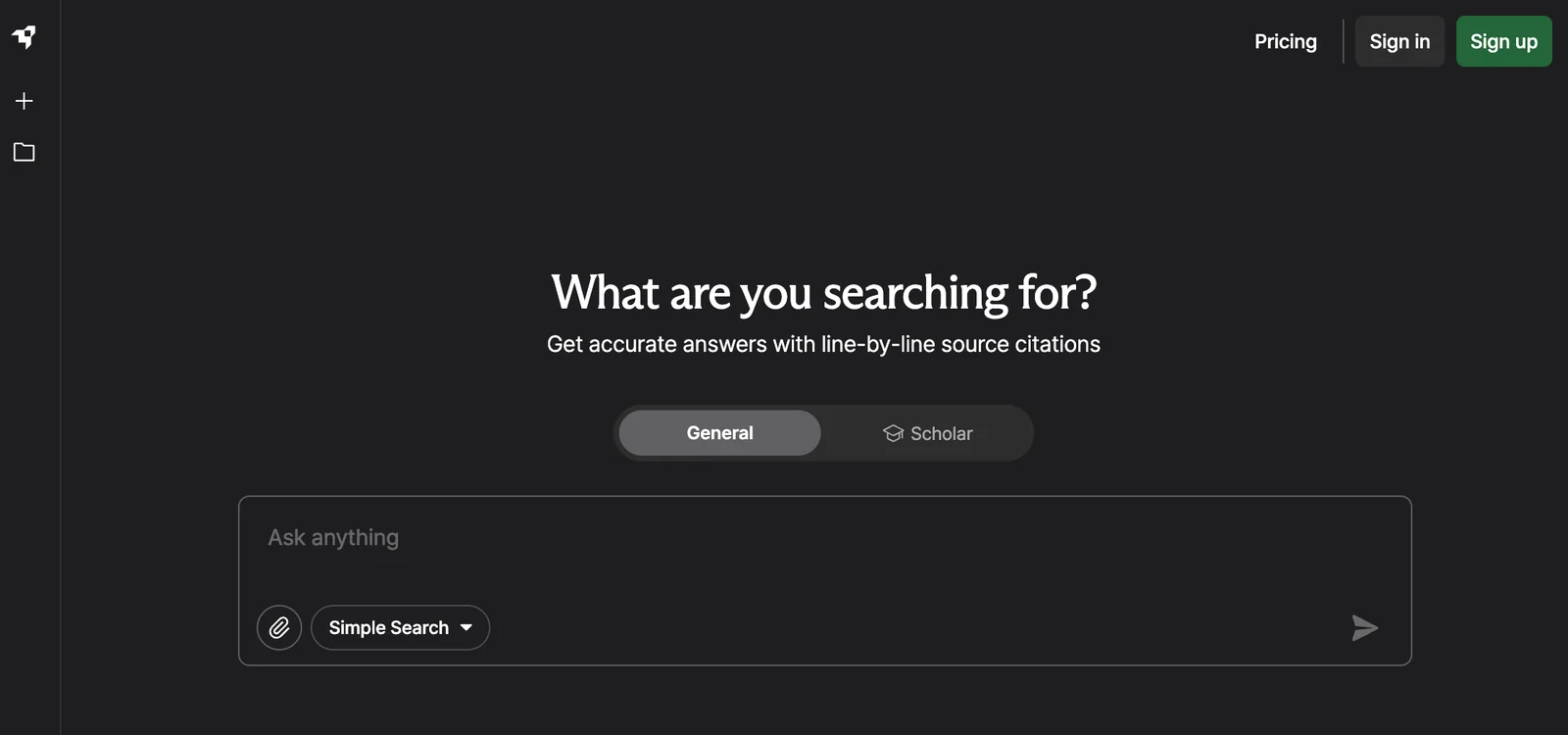

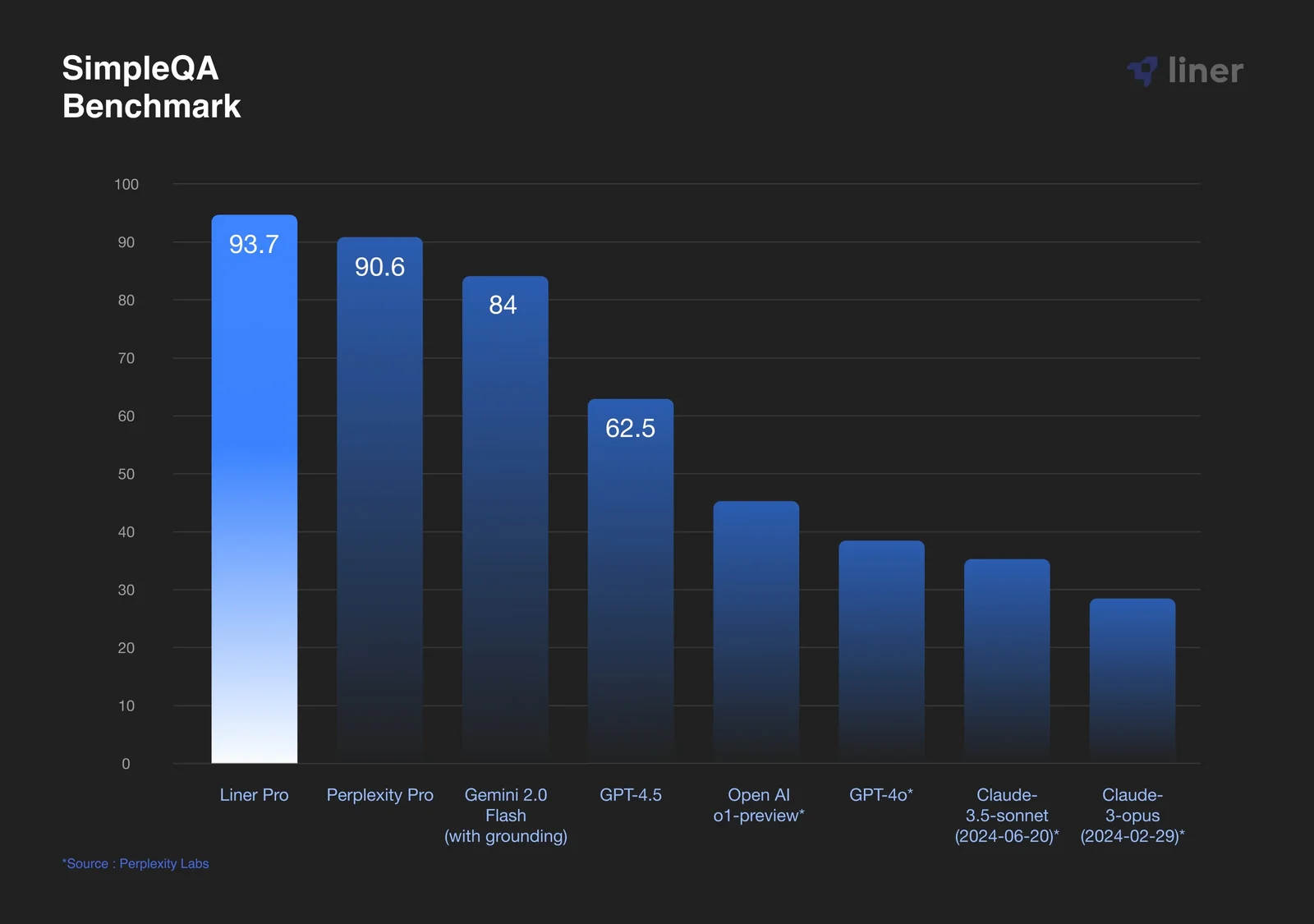
Key Features
Use Cases



Frequently asked questions about Liner
What are the pricing options for Liner?
Liner offers several pricing options tailored to different user needs: a Free plan for basic access, Essential at $19.58/month, Professional at $27.08/month, and Business plans ranging from $95.99 to $179.99/month. Custom pricing is available for Enterprise users.
Key Points
- Free Plan: Basic features at no cost.
- Tiered Pricing: Options for individuals and businesses.
- Custom Solutions: Tailored pricing for large organizations.
Detailed Explanation
Liner provides a flexible pricing structure that caters to various users, from casual individuals to large enterprises.
-
Free Plan: Ideal for new users, this plan includes essential features such as basic highlighting and note-taking capabilities. It allows users to explore the platform without any financial commitment.
-
Essential Plan ($19.58/month): This plan is designed for individuals or small teams who require more advanced features. In addition to the free features, users gain access to enhanced tools, including advanced search capabilities and unlimited highlights.
-
Professional Plan ($27.08/month): Targeted at professionals needing increased functionality, this plan offers additional features like collaborative tools for team projects, priority support, and increased storage for highlights and notes.
-
Business Plans ($95.99 to $179.99/month): These plans are crafted for organizations that need robust features for multiple users. They include advanced analytics, team management tools, and customizable settings to fit specific business needs.
-
Enterprise Solutions: For larger organizations, Liner offers custom pricing based on specific requirements and usage. This option allows for tailored features to enhance productivity and collaboration among larger teams.
Best Practices / Tips
- Evaluate Your Needs: Before choosing a plan, assess your usage patterns and requirements. If you only need basic features, the Free plan might suffice.
- Try Before You Buy: Consider starting with the Free plan to explore Liner's functionalities before committing to a paid plan.
- Utilize Discounts: Look for seasonal promotions or annual subscription discounts that could lower your overall costs.
Additional Resources
What key features does Liner provide?
Liner provides key features that enhance research productivity, including citable source retrieval, answer-focused summaries, LLM-powered content generation, and rapid scholarly search capabilities. Its multi-format extraction and workflow optimization tools streamline the research process, making it easier for users to gather and utilize information effectively.
Key Points
- Citable Source Retrieval: Easily access and cite reliable sources.
- Answer-Focused Summaries: Get concise information tailored to specific queries.
- LLM-Powered Generation: Leverage advanced language models for content creation.
Detailed Explanation
Liner's citable source retrieval feature enables researchers to quickly find and reference academic papers, articles, or studies. This is particularly useful for students and professionals who need to substantiate their work with credible sources. By simply inputting keywords or phrases, users can locate pertinent documents that include citation information.
The answer-focused summaries function allows users to receive succinct overviews of complex topics. For instance, if a researcher is exploring climate change, Liner can generate a brief summary that highlights key facts and recent findings, saving time compared to reading through lengthy articles.
In addition, Liner's LLM-powered content generation helps users create original text based on their requirements. This feature is particularly beneficial for drafting research proposals, articles, or reports quickly and efficiently. Users can input specific parameters, and the AI generates coherent and contextually relevant content.
The faster scholarly search capability enables users to conduct searches across multiple databases simultaneously, reducing the time spent finding relevant literature. This feature supports various formats, including PDFs, web articles, and academic journals, offering a comprehensive tool for researchers.
Best Practices / Tips
- Use Keywords Strategically: When using the citable source retrieval, input specific and relevant keywords to get the most accurate results.
- Leverage Summaries: Start your research by reading summaries to gauge if the full text is relevant before investing time in detailed reading.
- Experiment with LLM Features: Test different prompts in the LLM-powered generation tool to refine the output according to your needs.
Avoid common pitfalls like using overly broad search terms, which can yield irrelevant results. Instead, be specific to enhance the accuracy of your findings.
Additional Resources
How do I start using Liner for my research?
To start using Liner for your research, visit their official website at getliner.com, create a free account, and familiarize yourself with the features offered in the Basic model. This will help you enhance your research efficiency and organization.
Key Points
- User-Friendly Interface: Liner is designed for easy navigation.
- Research Features: Highlight, annotate, and save web pages.
- Free and Paid Options: Start with a free account to explore features.
Detailed Explanation
Liner is a powerful tool designed to streamline your research process by allowing you to highlight text, annotate pages, and save content from the web. Here’s how to get started:
- Visit the Website: Go to getliner.com and click on “Sign Up.”
- Create an Account: You can sign up using your email or social media accounts. The Basic model is free and offers essential features.
- Explore Features: Once your account is created, explore Liner's offerings:
- Highlighting: Use the highlight tool to mark important sections on web pages.
- Annotations: Add notes to your highlights for better context.
- Organizing Research: Save your highlighted content in folders for easy access.
For example, if you're researching a topic for an academic paper, you can highlight key points from multiple sources and access them all in one place, facilitating easier analysis and comparison.
Best Practices / Tips
- Utilize Folders: Organize your research by creating folders for different topics.
- Regularly Sync: If using Liner on multiple devices, ensure your account syncs regularly to avoid losing any highlights or notes.
- Explore Premium Features: Consider upgrading to a paid plan for advanced capabilities like unlimited highlights and PDF export options, which can significantly enhance your research experience.
Additional Resources
By following these steps and tips, you can effectively utilize Liner to enhance your research capabilities and stay organized.
Does Liner offer an API for integration?
Yes, Liner does offer an API for integration, although specific details are not publicly available. For comprehensive information about their API capabilities and how to integrate Liner with your applications, visit their official website or reach out to their support team.
Key Points
- Liner provides an API for integration.
- Specific API details are not publicly disclosed.
- Contacting support can yield more information.
Detailed Explanation
Liner's API allows developers to integrate its features into various applications, enabling seamless access to Liner’s functionalities within custom workflows. While detailed documentation might not be readily available on their website, you can discover the potential use cases for the API, such as:
- Content Highlighting: Integrate Liner to allow users to highlight text on web pages directly through your application.
- Bookmarking: Use the API to enable users to save articles or sections for later reference, enhancing user engagement.
- Data Extraction: Retrieve highlighted data or notes from Liner to analyze user preferences and improve content recommendations.
To get started, developers can typically request API access through Liner’s contact form. Once access is granted, detailed documentation will guide you through authentication and usage.
Best Practices / Tips
- Documentation Check: Regularly check Liner’s official website for any updates on API documentation and capabilities.
- User Feedback: Engage with users to understand how they utilize the API, helping you to tailor the integration for better user experience.
- Testing: Thoroughly test the API in a staging environment before deploying it to ensure functionality and performance.
Additional Resources
How does Liner compare to Google Scholar?
Liner provides a faster and more efficient way to retrieve citable sources and concise answers compared to Google Scholar. This efficiency is particularly beneficial for literature reviews and enhances research productivity, allowing users to focus on critical insights and relevant data without sifting through extensive results.
Key Points
- Speed of Retrieval: Liner delivers results quickly, improving research efficiency.
- Conciseness: Offers summarized insights and citable sources, saving time.
- User-Friendly Interface: Designed for ease of use, making research accessible.
Detailed Explanation
Liner's distinctive features set it apart from Google Scholar, especially in terms of speed and usability. For researchers, time is of the essence. Liner minimizes the time spent searching for relevant literature by providing quick access to citable sources. Unlike Google Scholar, which can return thousands of results requiring extensive filtering, Liner curates information efficiently, presenting concise summaries and relevant citations right away.
For example, if you're researching a specific topic like "machine learning," Liner pulls together critical insights from reputable sources in seconds, allowing you to focus on content that is immediately useful. This contrasts with Google Scholar, where you may need to wade through numerous articles to find the necessary information, often leading to information overload.
Furthermore, Liner's user interface enhances productivity. It’s designed with a clean layout that makes navigation intuitive. Users can easily bookmark and highlight important sections, which can be a significant advantage during the research process.
Best Practices / Tips
- Utilize Tags and Highlights: Make use of Liner’s tagging and highlighting features to organize your research effectively.
- Combine Tools: While Liner is efficient, consider using it alongside Google Scholar for comprehensive coverage of academic literature.
- Stay Updated: Regularly check for updates and new features in Liner to maximize your productivity.
Additional Resources
Explore more AI Ai Agents tools
Browse all Ai Agents tools →Browse by use case: Code Generation · Automation & Productivity
Compare Liner: vs Sai · vs Mycel · vs Proto-Mind · vs Ami