

LangGraph
AIOpen SourceGraph-based orchestration framework for building stateful, controllable language agents with platform support for deployment, debugging, and streaming.
LangGraph
Graph-based orchestration framework for building stateful, controllable language agents with platform support for deployment, debugging, and streaming.
About LangGraph
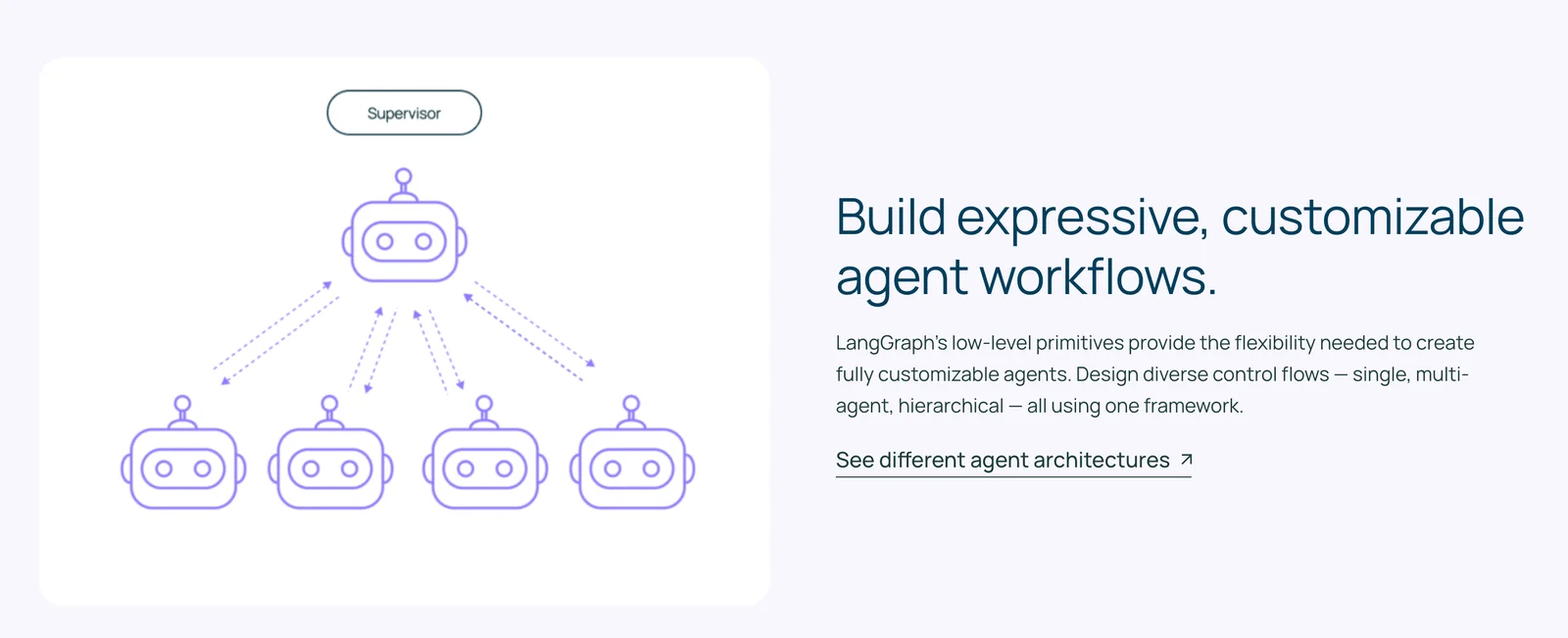
LangGraph is a low-level orchestration framework from LangChain for building, managing, and deploying long-running, stateful language agents using a directed graph model. Developers define nodes and edges to represent actions, agents, tools, and conditional branching, allowing complex, cyclic workflows and multi-agent coordination while preserving application state. LangGraph exposes APIs for state management, provides a visual studio for debugging and observing intermediate steps, and integrates with a paid LangGraph Platform for scalable deployment, token-by-token streaming, and enterprise features. It is open-source (MIT) for core orchestration libraries across multiple ecosystems (Python, JavaScript, Java) while the Platform offers operational capabilities for production use.
Screenshots
Key Features
Use Cases



Frequently asked questions about LangGraph
What is the pricing structure for LangGraph?
LangGraph provides a freemium pricing model that includes free self-hosted options and a paid tier based on usage, starting at $0.001 per node executed. Custom pricing is available for enterprise solutions to accommodate larger-scale needs.
Key Points
- Freemium Model: Offers both free and paid options.
- Usage-Based Pricing: Starts at $0.001 per node.
- Enterprise Solutions: Custom pricing for large organizations.
Detailed Explanation
LangGraph's pricing structure is designed to accommodate a wide range of users, from individuals to large enterprises. The freemium model allows users to explore the platform without initial costs. This includes self-hosted options where developers can run LangGraph on their own infrastructure, providing flexibility and control.
For businesses that require more robust features and scalability, the usage-based paid tier is the optimal choice. Pricing begins at $0.001 per node executed, meaning users only pay for what they use. This model is particularly beneficial for projects with varying workloads as it allows for cost-efficient scaling based on actual usage.
For organizations with extensive needs, LangGraph offers enterprise solutions with custom pricing. This can include tailored support, additional features, and dedicated resources to ensure that large-scale implementations run smoothly. Enterprises can collaborate with LangGraph to create a pricing plan that fits their specific requirements.
Best Practices / Tips
- Evaluate Your Needs: Before choosing between free and paid options, estimate your expected usage to determine the most cost-effective plan.
- Monitor Usage: Keep track of node execution to avoid unexpected costs, especially if you opt for the paid tier.
- Explore Self-Hosting: If you have the technical capability, consider the self-hosted option to save costs and maintain data control.
Additional Resources
How do I start using LangGraph for my projects?
To start using LangGraph for your projects, download the open-source library from the official website. Follow the setup guides tailored for either Python or JavaScript. You can choose between self-hosted or cloud SaaS options depending on your project requirements.
Key Points
- Download the LangGraph library from the official website.
- Follow setup guides for Python or JavaScript.
- Choose between self-hosted or cloud SaaS options.
Detailed Explanation
LangGraph is an open-source library designed to facilitate the integration of AI language models into your applications. Here’s how to get started:
-
Download the Library: Visit the LangGraph official website to download the latest version of the library. Ensure you choose the correct version compatible with your operating system.
-
Choose Your Environment: Decide whether you want to deploy LangGraph as a self-hosted solution or use it as a cloud-based Software as a Service (SaaS). Self-hosting allows for greater control and customization, while cloud SaaS can simplify deployment and scaling.
-
Follow Setup Guides: Depending on your preferred programming language, follow these guides:
- Python: Use pip to install LangGraph with the command
pip install langgraph. Refer to the Python setup guide for detailed instructions. - JavaScript: Install LangGraph using npm with the command
npm install langgraph. Check the JavaScript setup guide for further details.
- Python: Use pip to install LangGraph with the command
-
Configuration: After installation, configure the library according to your project needs. This may involve setting API keys, adjusting parameters for model performance, or specifying input/output formats.
-
Example Usage: Begin coding by importing LangGraph into your project. For Python, you might start with:
from langgraph import LangGraph
lg = LangGraph()
response = lg.generate("Hello, how can I help you?")
print(response)
Best Practices / Tips
- Start Small: If you're new to LangGraph, begin with simple examples to familiarize yourself with its functionality. Gradually incorporate more complex features as you gain confidence.
- Monitor Performance: Keep track of how well the models perform in your specific projects. Adjust configurations as needed to optimize results.
- Documentation: Regularly refer to the official documentation for updates, best practices, and examples.
Additional Resources
- LangGraph GitHub Repository for source code and contributions.
- Community Forum for discussions, troubleshooting, and sharing insights with other users.
- Tutorials section for step-by-step guides on specific use cases.
What are the key features of LangGraph?
LangGraph offers key features such as graph-oriented orchestration, state management APIs, a visual debugging studio, and multi-agent coordination. These functionalities empower users to design complex workflows, manage states effectively, and enable real-time monitoring for enhanced productivity and efficiency in AI-driven applications.
Key Points
- Graph-Oriented Orchestration: Facilitates complex workflow management.
- State Management APIs: Ensures effective handling of data states throughout processes.
- Visual Debugging Studio: Simplifies troubleshooting with an intuitive interface.
Detailed Explanation
LangGraph is designed to streamline the development and management of AI workflows.
-
Graph-Oriented Orchestration: This feature allows users to visualize and manage workflows in a graph format, making it easier to understand and optimize the flow of tasks. For instance, users can create dependencies between tasks, ensuring that certain processes are completed before others begin. This is particularly useful in complex AI applications where multiple tasks need to run in tandem.
-
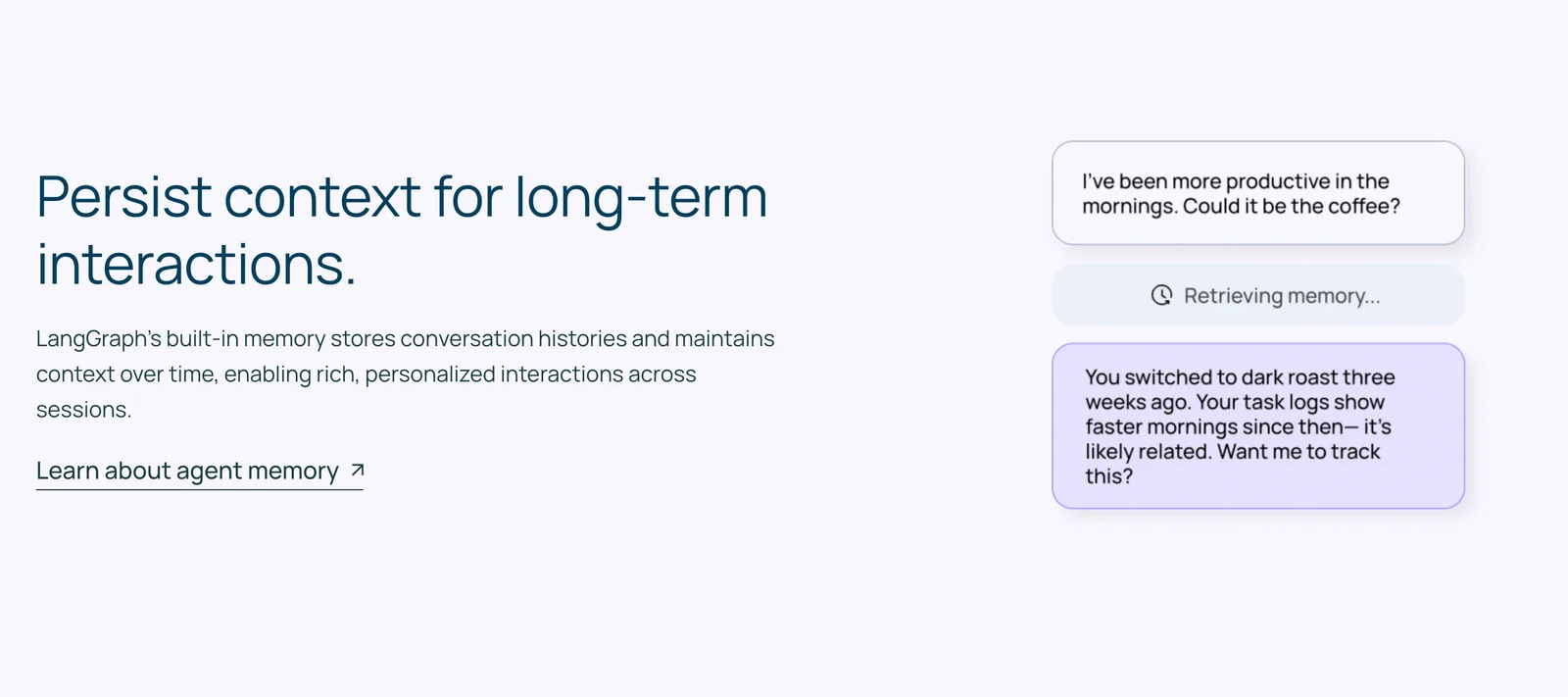
State Management APIs: LangGraph’s robust state management APIs enable developers to maintain and manipulate the state of various components within their applications. This means that as data flows through the system, the current state can be efficiently tracked and modified, ensuring consistency and reliability. For example, in a chatbot application, the state management API can help track the context of a conversation, allowing for more natural interactions.
-
Visual Debugging Studio: The visual debugging studio provides an intuitive interface for developers to troubleshoot and refine their workflows. By visualizing the workflow, users can easily identify bottlenecks or errors in the process. This feature is particularly beneficial for teams working on complex projects, as it allows for collaborative debugging and faster issue resolution.
-
Multi-Agent Coordination: LangGraph supports the coordination of multiple agents, which can work simultaneously on different tasks. This feature is crucial for applications requiring parallel processing, such as data analysis or real-time decision-making systems. By efficiently managing these agents, users can achieve faster results and better resource utilization.
Best Practices / Tips
- Leverage Visual Tools: Always utilize the visual debugging studio for troubleshooting; it can significantly reduce time spent identifying issues.
- Optimize State Management: Regularly review your state management strategies to ensure they align with your application's evolving needs.
- Experiment with Agent Coordination: Test different configurations of multi-agent coordination to find the optimal setup for your specific application, which can enhance performance and response times.
Additional Resources
How does LangGraph compare to other AI orchestration tools?
LangGraph outperforms many AI orchestration tools with its unique graph-based architecture designed for multi-agent workflows and efficient state management. While its feature set is robust, other tools may excel in user experience or offer broader integration options, making them suitable for different use cases.
Key Points
- Graph-Based Architecture: LangGraph’s design enables complex multi-agent workflows.
- State Management: It provides advanced state management for seamless transitions.
- User Experience Variability: Other tools may prioritize user interface and integrations.
Detailed Explanation
LangGraph's graph-based architecture allows for the visualization of workflows, making it easier to manage interactions between multiple agents. This is particularly advantageous for projects requiring intricate collaboration among AI agents. For example, in a customer support scenario, LangGraph can dynamically route queries based on agent availability and expertise, ensuring efficient resolution.
In contrast, other AI orchestration tools like Airflow or Zapier focus on user interface and ease of use. These platforms may prioritize drag-and-drop functionality, making them accessible for non-technical users. For instance, Zapier allows users to create automated workflows through an intuitive interface, which can appeal to small business owners less familiar with coding or complex architectures.
Use Case Comparison
- LangGraph: Ideal for developers working on complex AI applications needing fine-grained control over agent interactions.
- Zapier: Best for small businesses looking to automate simple tasks without deep technical knowledge.
- Airflow: Suited for data engineering projects requiring robust scheduling and execution of data pipelines.
Best Practices / Tips
- Assess Your Needs: Determine whether you need advanced multi-agent capabilities or a simple automation tool.
- Explore Integrations: Review the integration options of each tool to ensure compatibility with your existing systems.
- Trial Period: Utilize free trials to test workflows in both LangGraph and alternative tools to evaluate performance and suitability.
Additional Resources
- LangGraph Official Documentation
- AI Orchestration Tools Comparison Guide
- Graph-Based Workflows Explained
By understanding the strengths and limitations of LangGraph in comparison to other AI orchestration tools, users can make informed decisions that align with their project requirements and technical capabilities.
What APIs and integrations does LangGraph support?
LangGraph supports various APIs and integrations, including state management APIs and SDKs for Python and JavaScript. This enables developers to create customized agent designs and workflows efficiently, enhancing their application’s functionality and user experience.
Key Points
- APIs for State Management: Essential for maintaining consistent application behavior.
- SDK Support: Includes Python and JavaScript, catering to diverse development needs.
- Custom Workflows: Facilitates the creation of tailored agent designs for specific use cases.
Detailed Explanation
LangGraph provides robust APIs that allow developers to manage application state effectively. This is crucial for ensuring that user interactions are seamless and consistent across various components of an application. By utilizing the state management API, developers can maintain the integrity of data and user context, which is essential in complex applications.
Supported SDKs
LangGraph offers SDKs in popular programming languages such as Python and JavaScript. These SDKs simplify integration, allowing developers to easily connect with LangGraph's capabilities. For instance, Python SDK can be used for backend services, while JavaScript SDK is perfect for frontend applications. This dual support enables developers to leverage the full potential of LangGraph in both server-side and client-side environments.
Custom Workflows
Developers can create custom workflows tailored to their specific needs, enhancing the overall functionality of their applications. For example, by using LangGraph's APIs, a developer can design a chatbot that interacts with users in a personalized manner, adapting responses based on the context of the conversation. This flexibility allows for innovative solutions in various fields, from customer support to interactive learning environments.
Best Practices / Tips
- Utilize Documentation: Always refer to the official LangGraph documentation for the latest updates and comprehensive examples of API usage.
- Experiment with SDKs: Take advantage of both Python and JavaScript SDKs to discover which best fits your project requirements.
- Test Custom Workflows: Regularly test your workflows to ensure they perform as expected and provide a positive user experience.
Additional Resources
Explore more AI Ai Agents tools
Browse all Ai Agents tools →Browse by use case: Code Generation · Automation & Productivity
Compare LangGraph: vs Apache Maka · vs Construct Computer · vs ShogunAI · vs fx