

Intercom
AIOfficial MCPCustomer messaging platform with the Fin AI agent, Messenger SDKs, and APIs to automate support and in-app communications.
Intercom
Customer messaging platform with the Fin AI agent, Messenger SDKs, and APIs to automate support and in-app communications.
About Intercom
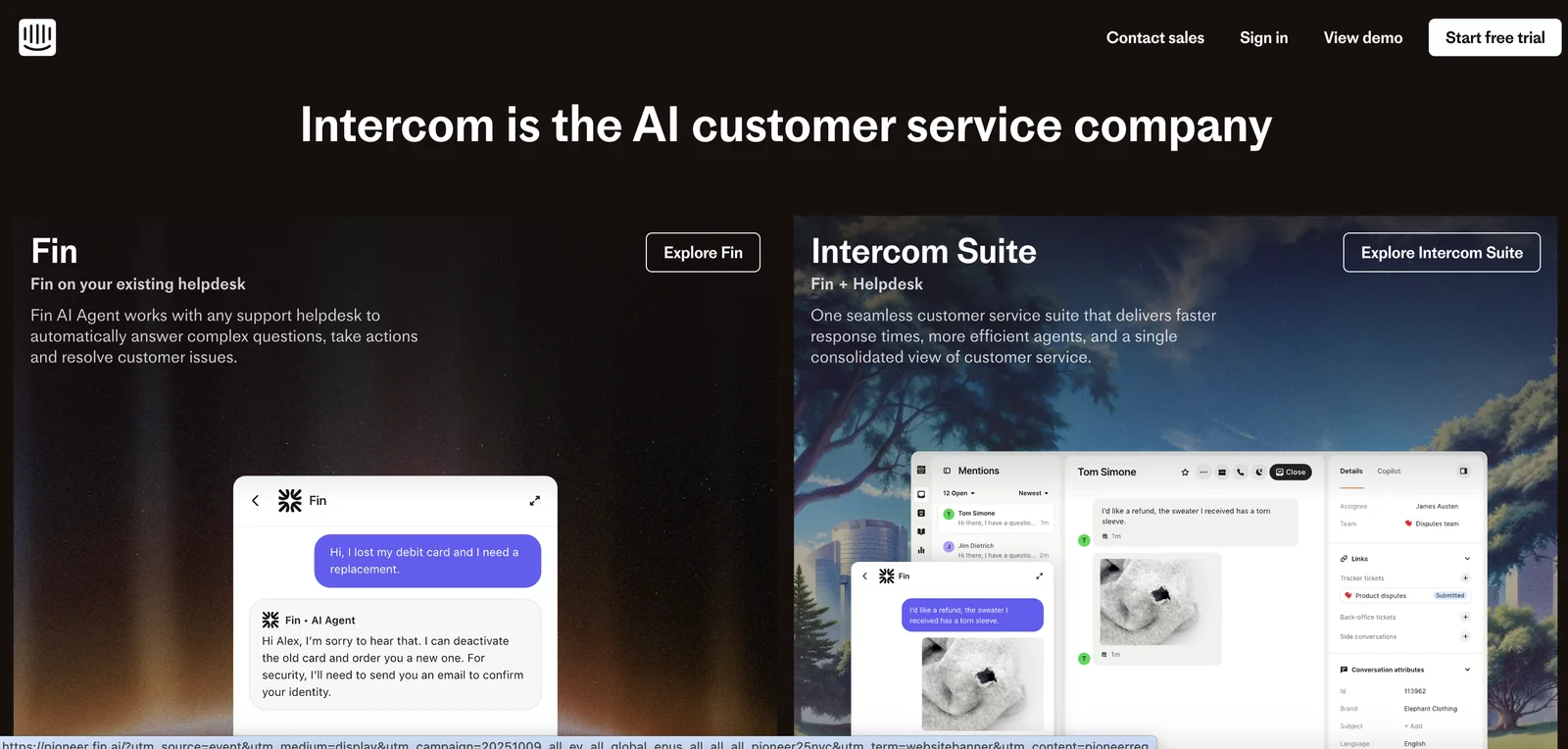
Intercom is a customer messaging and support platform that combines a conversational Messenger, developer SDKs, APIs, and an AI agent called Fin to automate and scale customer service. The Messenger provides a home for customer conversations and self-service resources both for logged-in and logged-out users, configurable home screens, and multiple message formats. Intercom offers mobile and web SDKs plus language client libraries to embed messaging, target or schedule messages, and synchronize user and company data. The Fin AI agent handles complex queries and delivers high-quality answers when employed on Intercom or other helpdesk systems, reducing manual support load and improving response consistency.
Screenshots
Key Features
Use Cases
MCP Server
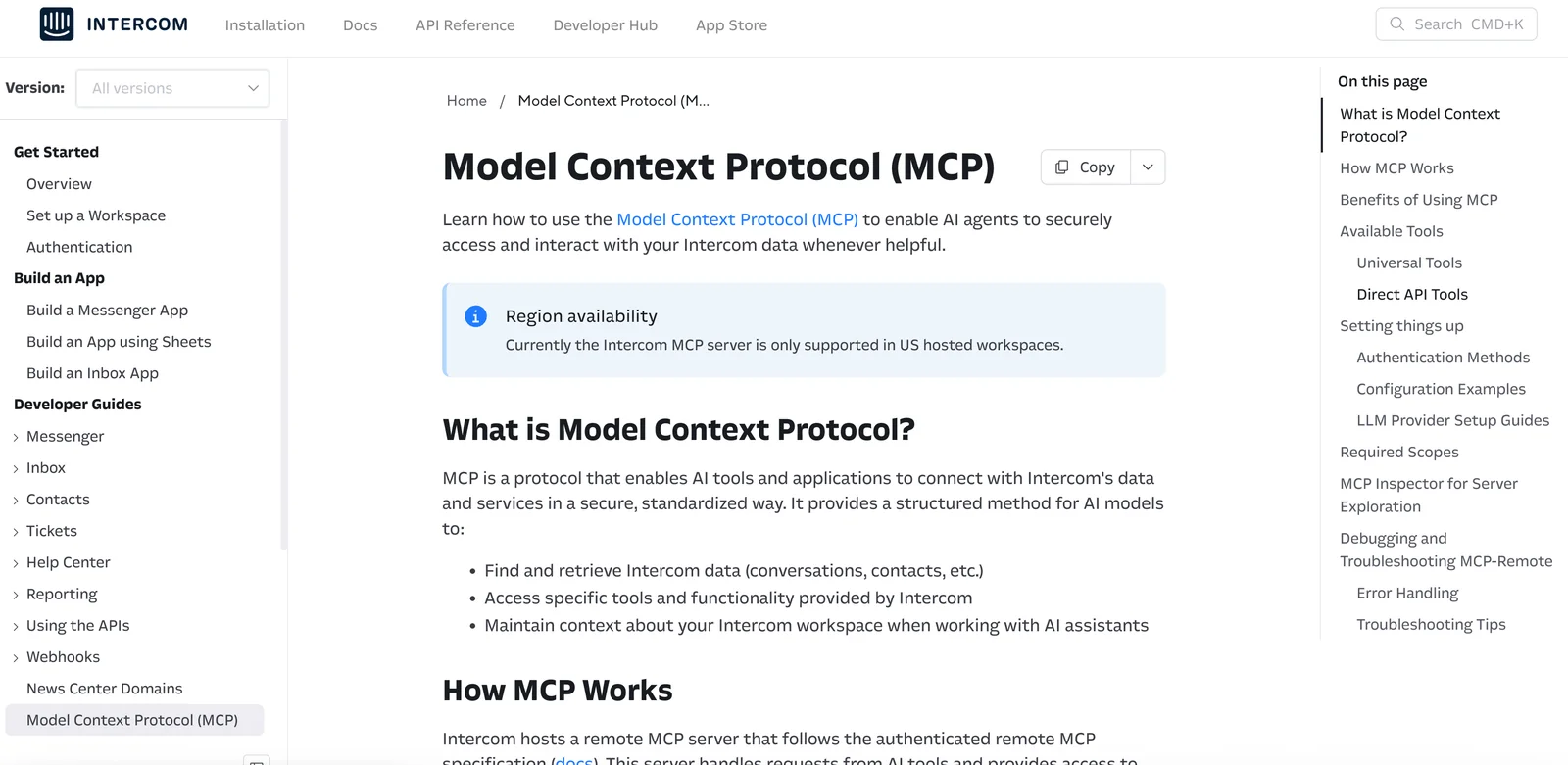
https://developers.intercom.com/docs/guides/mcphttps://mcp.intercom.com/mcphttps://mcp.intercom.com/sse💡 MCP (Model Context Protocol) enables AI assistants to securely interact with local and remote resources.



Frequently asked questions about Intercom
What are the pricing options for Intercom?
Intercom offers several pricing tiers: the Entry plan starts at $29 per seat per month, the Pro plan is priced at $85 per seat per month (billed annually), and the Advanced plan begins at approximately $395 per seat per month. Additionally, the Fin AI Agent costs $0.99 per resolution.
Key Points
- Entry plan: $29/seat/month
- Pro plan: $85/seat/month (annual billing)
- Advanced plan: starts at $395/seat/month
Detailed Explanation
Intercom's pricing structure caters to various business needs, making it a versatile choice for customer communication.
-
Entry Plan:
- Ideal for startups or small teams, this plan provides essential features like basic messaging and automated responses. It is perfect for businesses just starting with customer engagement tools.
-
Pro Plan:
- Aimed at growing businesses, the Pro plan includes advanced features such as custom reporting, team management, and targeted messaging. It is best suited for companies that need more sophisticated customer support solutions and are willing to commit annually for better pricing.
-
Advanced Plan:
- This tier is designed for larger enterprises that require extensive functionality, including API access, advanced analytics, and more robust integrations. It supports high-volume customer interactions and is tailored for organizations focused on scaling their customer support operations.
-
Fin AI Agent:
- The Fin AI Agent provides an innovative way to automate customer service inquiries. It is billed at $0.99 per resolution, making it a cost-effective solution for businesses looking to enhance efficiency while managing customer interactions.
Best Practices / Tips
- Evaluate Needs: Before selecting a plan, assess your team's size and specific needs. Choosing the right tier can maximize your investment.
- Consider Annual Billing: Opting for annual billing can save you significant costs over time, especially with the Pro plan.
- Monitor Usage: Regularly review how many seats you’re utilizing and adjust your plan accordingly to avoid overpaying.
- Utilize Free Trials: Take advantage of Intercom’s free trials to explore features before committing to a paid tier.
Additional Resources
What features does Intercom offer?
Intercom offers a suite of features designed to enhance customer engagement and support, including the Fin AI Agent for query management, a customizable Messenger for in-app communication, mobile SDKs for seamless integration, and targeted messaging to improve user interaction.
Key Points
- Fin AI Agent: Automated support for user queries.
- Customizable Messenger: Tailored in-app communication tools.
- Mobile SDKs: Integration capabilities for mobile applications.
Detailed Explanation
Intercom's Fin AI Agent utilizes artificial intelligence to automate responses to user queries, significantly reducing response times and improving user satisfaction. This feature can handle FAQs, provide personalized recommendations, and escalate complex issues to human agents.
The Customizable Messenger allows businesses to create tailored communication experiences for users. This includes changing the appearance, messages, and behavior of the chat interface to align with brand identity and user preferences, enhancing the overall user experience.
Mobile SDKs enable developers to integrate Intercom's features directly into mobile applications, facilitating real-time communication and support. This is particularly important for businesses looking to engage users on-the-go, providing them with timely assistance and updates.
Intercom also supports targeted messaging, which allows businesses to send personalized messages based on user behavior and demographics. This feature helps improve engagement rates by delivering relevant content to the right users at the right time, ultimately driving conversions.
Best Practices / Tips
- Utilize AI Effectively: Leverage the Fin AI Agent to handle common queries, freeing up human agents for complex issues.
- Customize Communication: Regularly update the Messenger appearance and functionality to reflect seasonal promotions or new features.
- Segment Your Audience: Use targeted messaging to cater to different user segments, ensuring that content resonates with specific user needs.
Additional Resources
By leveraging these features and best practices, businesses can create an engaging and supportive customer experience, leading to improved satisfaction and loyalty.
How do I get started with Intercom?
To get started with Intercom, visit their official website and sign up for an account. After registration, integrate the Messenger SDK into your application, configure the Fin AI Agent, and start crafting targeted messages to engage your users effectively.
Key Points
- Sign up on Intercom's official website.
- Integrate the Messenger SDK into your application.
- Set up the Fin AI Agent for automated support.
Detailed Explanation
-
Sign Up: Begin by visiting the Intercom official website and clicking on the “Get Started” button. Fill out the necessary information to create your account. Intercom offers various pricing plans, including a free trial for new users, allowing you to explore features before committing.
-
Integrate the Messenger SDK: Once registered, access the developer section of your account. Follow the integration guide to add the Messenger SDK to your app. This process involves inserting a small piece of JavaScript code into your website or app, enabling Intercom's messaging features for real-time user interaction.
-
Set Up the Fin AI Agent: After integration, configure the Fin AI Agent to automate user interactions. This AI-driven tool can handle common queries, thereby reducing response time and improving user satisfaction. Customize the agent's responses based on your user needs and business goals.
-
Create Targeted Messages: Utilize Intercom’s platform to design personalized messages for different user segments. This can include onboarding messages, promotional offers, or feedback requests. The targeted messaging feature helps enhance user engagement and retention by delivering relevant content at the right time.
Best Practices / Tips
- Leverage Analytics: Use Intercom's analytics tools to track user engagement and adjust your messaging strategies accordingly. Analyzing user behavior can help you improve communication effectiveness.
- A/B Testing: Experiment with different message formats and timings to see what resonates best with your audience. A/B testing can lead to optimized messaging strategies that drive better results.
- User Segmentation: Segment your users based on their behavior, demographics, or engagement levels. Tailoring messages to specific user groups enhances relevance and increases conversion rates.
- Avoid Over-Messaging: Be mindful of the frequency of your messages to prevent annoying users. Find a balance that keeps users informed without overwhelming them.
Additional Resources
Can I integrate Intercom with other tools using an API?
Yes, you can integrate Intercom with other tools using its REST APIs and client libraries. This functionality allows developers to connect third-party applications, manage user data seamlessly, and automate workflows, enhancing your customer support and engagement capabilities.
Key Points
- REST APIs: Intercom offers robust REST APIs for seamless integration.
- Client Libraries: Available in various programming languages for easy implementation.
- Automation: Streamline processes by connecting Intercom with other applications.
Detailed Explanation
Intercom provides developers with a suite of REST APIs that enable integration with various third-party tools. These APIs allow you to perform operations such as sending messages, managing user data, and tracking events. With client libraries available in languages like JavaScript, Ruby, Python, and PHP, developers can quickly implement integrations tailored to their unique needs.
For example, if you want to sync user data between Intercom and your CRM, you can use the APIs to pull user information from your CRM and push updates to Intercom. This ensures that your customer support team always has access to the latest user information, which can improve response times and service quality.
Additionally, you can automate workflows by setting up webhooks to trigger actions in other applications based on events in Intercom. For instance, if a user reaches out to support, a webhook can automatically create a ticket in your project management tool, streamlining the process and improving team efficiency.
Best Practices / Tips
- Documentation: Always refer to the official Intercom API documentation for detailed guidance and updates.
- Rate Limits: Be aware of API rate limits to avoid disruptions in service. Intercom has specific limits on how often you can call their APIs.
- Testing: Use a staging environment to test your integrations before going live. This helps you identify and resolve issues without affecting your production environment.
- Error Handling: Implement robust error handling in your integration code to manage any issues that may arise during API calls.
Additional Resources
- Intercom API Documentation
- Intercom Webhooks Documentation
- Integrating Intercom with Zapier for no-code automation solutions.
How does Intercom compare to other customer messaging platforms?
Intercom stands out among customer messaging platforms for its robust AI capabilities and intuitive user interface, making it particularly effective for automated support. While it offers advanced features that enhance customer interaction, its pricing can be higher compared to other platforms, which may deter budget-conscious businesses.
Key Points
- Advanced AI Features: Intercom utilizes AI to automate responses and improve customer engagement.
- User-Friendly Interface: The platform is designed for ease of use, appealing to both customers and support teams.
- Pricing Considerations: Intercom's premium features come at a higher cost, which may not suit every business budget.
Detailed Explanation
Intercom is a comprehensive customer messaging platform that excels in providing support and engagement through its advanced artificial intelligence. Its key features include:
-
Automated Messaging: Intercom's AI-driven chatbots can handle common queries, ensuring that customers receive timely responses without human intervention. This is particularly useful for businesses with high volumes of inquiries.
-
Targeted Communication: The platform allows businesses to segment their audience and send personalized messages based on user behavior, improving engagement rates. For example, a SaaS company might use Intercom to target users who have not logged in for a week, prompting them with a re-engagement message.
-
Integration Capabilities: Intercom integrates seamlessly with various tools like Salesforce, Zapier, and Slack, enabling businesses to streamline their workflows and enhance communication across channels.
-
Analytics and Reporting: Intercom provides robust analytics that help businesses understand customer interactions, measure satisfaction, and refine their messaging strategies. This data-driven approach allows companies to optimize their customer service efforts continually.
When comparing Intercom to alternatives like Zendesk or Drift, it's essential to consider the specific needs of your business. For instance, while Drift offers strong marketing automation features, Intercom is often preferred for its customer support capabilities.
Best Practices / Tips
- Evaluate Your Needs: Before choosing Intercom, assess your customer support volume and the complexity of your inquiries to ensure it justifies the investment.
- Utilize AI Wisely: While automation can enhance efficiency, ensure you have a balance of human touch in customer interactions to maintain satisfaction.
- Monitor Performance: Regularly analyze the performance metrics provided by Intercom to identify areas for improvement, ensuring that you are maximizing your investment.
Additional Resources
Explore more AI Mcps tools
Browse all Mcps tools →Browse by use case: Automation & Productivity
Compare Intercom: vs ai-memory · vs CrawlForge MCP · vs Popcraft · vs Pomerado