

Graspeo
AIFree AI quiz generator that creates quizzes from PDFs, text, or YouTube videos in seconds.
Graspeo
Free AI quiz generator that creates quizzes from PDFs, text, or YouTube videos in seconds.
About Graspeo
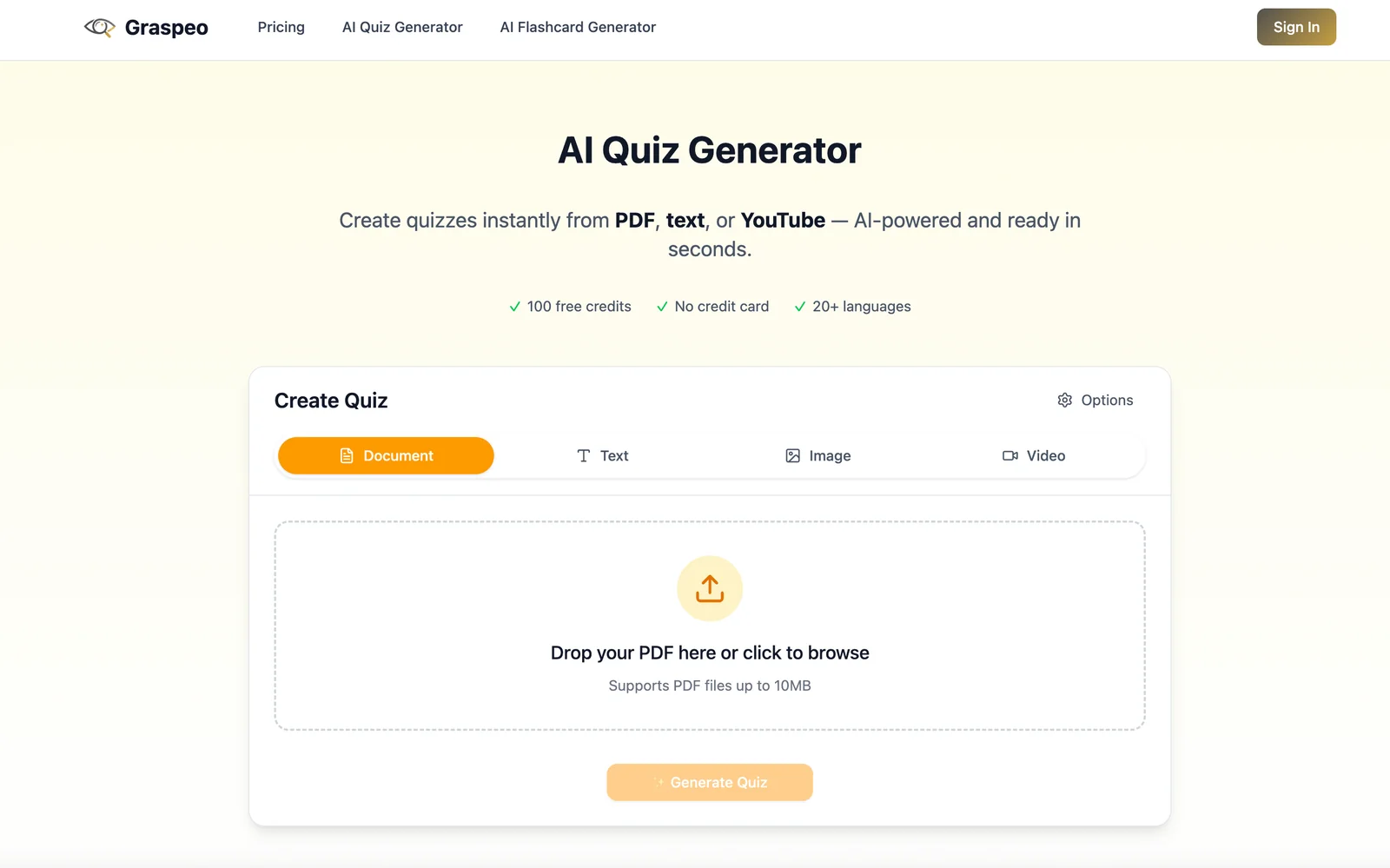
Graspeo is a web-based quiz generator that transforms PDFs, plain text, and YouTube videos into ready-made quizzes in seconds. Users can upload documents, paste text, or provide video links and Graspeo automatically extracts key content to produce question sets for study and assessment. The service is positioned for students, teachers, and test-preparation use, offering an immediate workflow for creating practice quizzes and formative assessments. New users receive 100 free credits to get started.
Screenshots
Key Features
Use Cases



Frequently asked questions about Graspeo
What is the pricing structure of Graspeo?
Graspeo operates on a freemium pricing model, offering users 100 free credits for generating quizzes from various sources like PDFs, text, or YouTube videos. Currently, there are no publicly listed paid tiers on their website, making it accessible for users to start without any financial commitment.
Key Points
- Graspeo provides 100 free credits for quiz creation.
- The platform supports quiz generation from PDFs, text, and YouTube videos.
- No paid subscription options are currently available to users.
Detailed Explanation
Graspeo is designed to facilitate quiz generation effortlessly, especially for educators, content creators, and trainers. The freemium model allows users to explore the tool without any upfront costs.
-
Free Credits: When you sign up, you receive 100 free credits. Each credit can be used to generate a quiz question from your input material, whether it’s a PDF document, plain text, or even a video from YouTube.
-
Quiz Generation Process: To create a quiz, simply upload your material or provide the URL for a YouTube video. Graspeo analyzes the content and generates relevant quiz questions, which can be customized for your audience.
-
Future Pricing Potential: Although there are currently no paid tiers, it's important to stay updated on Graspeo's official website or their newsletters, as companies often evolve their pricing structures based on user feedback and market demand.
Best Practices / Tips
- Maximize Free Credits: Use your initial credits wisely by selecting diverse materials for quiz generation, which can help you understand the tool’s capabilities better.
- Test Different Formats: Experiment with PDFs, text, and videos to see which format yields the best quiz results for your needs.
- Stay Updated: Regularly check Graspeo’s website or follow their social media for any announcements regarding new features or pricing changes.
Additional Resources
How does the multi-source quiz generation feature work?
Graspeo's multi-source quiz generation feature enables users to create quizzes quickly by extracting key points from various inputs, such as uploaded PDFs, pasted text, or YouTube video links. This process transforms the content into engaging questions in just seconds, streamlining the quiz creation experience.
Key Points
- Multiple Input Sources: Supports PDFs, text, and video links.
- Fast Processing: Converts content into questions within seconds.
- User-Friendly Interface: Simplifies quiz creation for all users.
Detailed Explanation
Graspeo's innovative quiz generation feature allows users to pull information from a variety of sources effortlessly. Here's how it works:
-
Multiple Input Options: Users can upload documents in PDF format, paste snippets of text, or provide links to YouTube videos. This flexibility ensures that educators, trainers, and content creators can utilize existing materials without needing to rewrite them.
-
Automatic Key Point Extraction: Once the content is imported, Graspeo employs advanced AI algorithms to analyze and extract key points. For instance, if you upload a PDF of a biology textbook chapter, the tool will identify crucial concepts and generate relevant questions, such as "What is the primary function of cell membranes?"
-
Quick Question Generation: After processing the input, the system quickly compiles these key points into a structured quiz format. Users can expect a seamless transition from source material to a fully functional quiz, ready for distribution or use in educational settings.
Example Use Case
Imagine a teacher preparing for an upcoming class. They can simply upload a PDF of their lecture notes, and within moments, Graspeo generates a quiz with questions that cover all key topics, allowing for effective revision and engagement with the material.
Best Practices / Tips
- Use Clear Input Sources: Ensure your PDFs or text are well-organized and free from excessive formatting to improve key point extraction accuracy.
- Review Generated Questions: Always review the automatically generated questions for clarity and relevance to ensure they align with your teaching objectives.
- Combine Different Sources: Utilize various media forms (text, video, etc.) to create diverse quizzes that cater to different learning styles.
Additional Resources
- Graspeo Official Documentation
- How to Create Effective Quizzes
- Video Tutorial on Multi-Source Quiz Generation
By leveraging Graspeo's multi-source quiz generation feature, users can enhance learning experiences and foster engagement in educational settings, making quiz creation both efficient and effective.
How can I start using Graspeo to create quizzes?
To start using Graspeo for creating quizzes, visit their official website and create an account. Upon registration, you will receive 100 free credits, allowing you to generate quizzes from various sources tailored to your needs.
Key Points
- Easy Registration: Sign up quickly on the Graspeo website.
- Free Credits: Enjoy 100 credits to kickstart your quiz creation.
- Diverse Sources: Generate quizzes from multiple content sources.
Detailed Explanation
Graspeo is an intuitive tool designed for educators, trainers, and content creators looking to develop engaging quizzes. To get started, follow these simple steps:
- Visit the Graspeo Website: Navigate to Graspeo.com to access the platform.
- Create an Account: Click on the sign-up button and fill in the necessary details such as your name, email address, and password.
- Receive Free Credits: After confirming your email, you will be credited with 100 free quiz generation credits, which you can use right away.
- Choose Your Sources: Graspeo allows you to create quizzes from various sources, including websites, documents, and existing content. Simply select a source, and Graspeo will extract relevant information to formulate questions.
- Customize Your Quiz: Tailor the quiz by modifying questions, adding images, or adjusting the difficulty level to suit your audience.
For instance, if you have a blog post that you want to turn into a quiz, simply input the URL, and Graspeo will generate quiz questions based on the content.
Best Practices / Tips
- Explore Templates: Utilize existing quiz templates provided by Graspeo to save time and enhance quality.
- Leverage Analytics: After your quizzes are published, use Graspeo's analytics feature to track performance and engagement, allowing you to refine future quizzes.
- Engage Your Audience: Consider the preferences of your audience. Use varied question types (multiple choice, true/false, etc.) to keep users engaged.
- Avoid Duplicate Content: Ensure that the content you input is original or properly cited to avoid copyright issues.
Additional Resources
By following these steps and tips, you can effectively leverage Graspeo to create compelling quizzes that enhance learning and engagement.
What technical requirements do I need to use Graspeo?
Graspeo is an online platform that requires only a modern web browser to function, eliminating the need for any software installations. This makes it accessible from any device with internet connectivity, including desktops, laptops, tablets, and smartphones.
Key Points
- Browser Compatibility: Works with modern web browsers like Chrome, Firefox, and Safari.
- Device Accessibility: Use Graspeo on desktops, laptops, tablets, and smartphones.
- No Installation Needed: Fully web-based platform for easy access.
Detailed Explanation
Graspeo is designed for seamless online operation, providing users with flexibility and convenience. It functions across various operating systems, including Windows, macOS, iOS, and Android, as long as users have a modern web browser.
Supported Browsers
To ensure optimal performance, users should use updated versions of popular web browsers:
- Google Chrome: Recommended for its speed and compatibility.
- Mozilla Firefox: Known for its privacy features and customization options.
- Apple Safari: Best for Mac users, offering smooth integration with Apple devices.
- Microsoft Edge: Provides good performance for Windows users.
Internet Connection
A stable internet connection is essential for using Graspeo without interruptions. The platform is designed to handle various connection speeds, but for the best experience, a high-speed broadband connection is recommended.
Use Cases
Graspeo caters to a variety of users, including:
- Businesses: For online collaboration and project management.
- Educators: To facilitate remote learning and classroom engagement.
- Content Creators: For sharing and publishing multimedia content.
Best Practices / Tips
- Regularly Update Your Browser: Keeping your browser up to date enhances security and functionality.
- Check Your Internet Speed: Use speed test tools to ensure you have adequate bandwidth for uninterrupted use.
- Clear Cache and Cookies: Periodically clearing your browser's cache can improve loading times and performance.
Additional Resources
By following these guidelines, users can maximize their experience on Graspeo, ensuring smooth and efficient access to its features.
How does Graspeo compare to other quiz generation tools?
Graspeo is unique among quiz generation tools due to its instant quiz creation capabilities from various formats like PDFs, text, and YouTube videos. It features a user-friendly web interface and eliminates the need for complex installations, setting it apart from many competitors in the market.
Key Points
- Instant Quiz Creation: Generate quizzes directly from PDFs, text, and YouTube videos.
- User-Friendly Interface: No complex installations required, making it accessible for all users.
- Versatile Output Formats: Offers various quiz types suitable for different educational needs.
Detailed Explanation
Graspeo excels in its ability to quickly transform diverse content types into engaging quizzes. Unlike many traditional quiz tools, which often require manual input, Graspeo automates the quiz creation process. For instance, educators can upload a PDF of their lecture notes, and Graspeo can generate quizzes that test comprehension based on that material.
Use Cases:
- Educators: Teachers can create quizzes from their lecture materials, enhancing student interaction and assessment efficiency.
- Content Creators: YouTubers can generate quizzes based on their video content, engaging viewers and promoting retention.
- Corporate Training: Businesses can use Graspeo to create training assessments from existing documents, ensuring employees understand key materials.
Moreover, Graspeo’s web interface allows users to customize quizzes easily, adjusting question types and difficulty levels to suit different audiences. This adaptability makes it an attractive option for both formal education and informal learning environments.
Best Practices / Tips
- Optimize Content: When uploading PDFs or videos, ensure the material is clear and well-structured to improve quiz accuracy.
- Engage Users: Use varied question formats (multiple choice, true/false, etc.) to keep quizzes interesting.
- Regular Updates: Keep content fresh by regularly updating quizzes based on new materials or feedback.
Additional Resources
Explore more AI Ai Services tools
Browse all Ai Services tools →Browse by use case: Automation & Productivity
Compare Graspeo: vs ZeroClick · vs jurniti · vs Cadenya · vs OpenObserve