
Google Agent Development Kit
AIOpen SourceFreeOpen-source, code-first toolkit for building, orchestrating, and deploying modular multi-agent systems across models and environments.
Google Agent Development Kit
Open-source, code-first toolkit for building, orchestrating, and deploying modular multi-agent systems across models and environments.
About Google Agent Development Kit
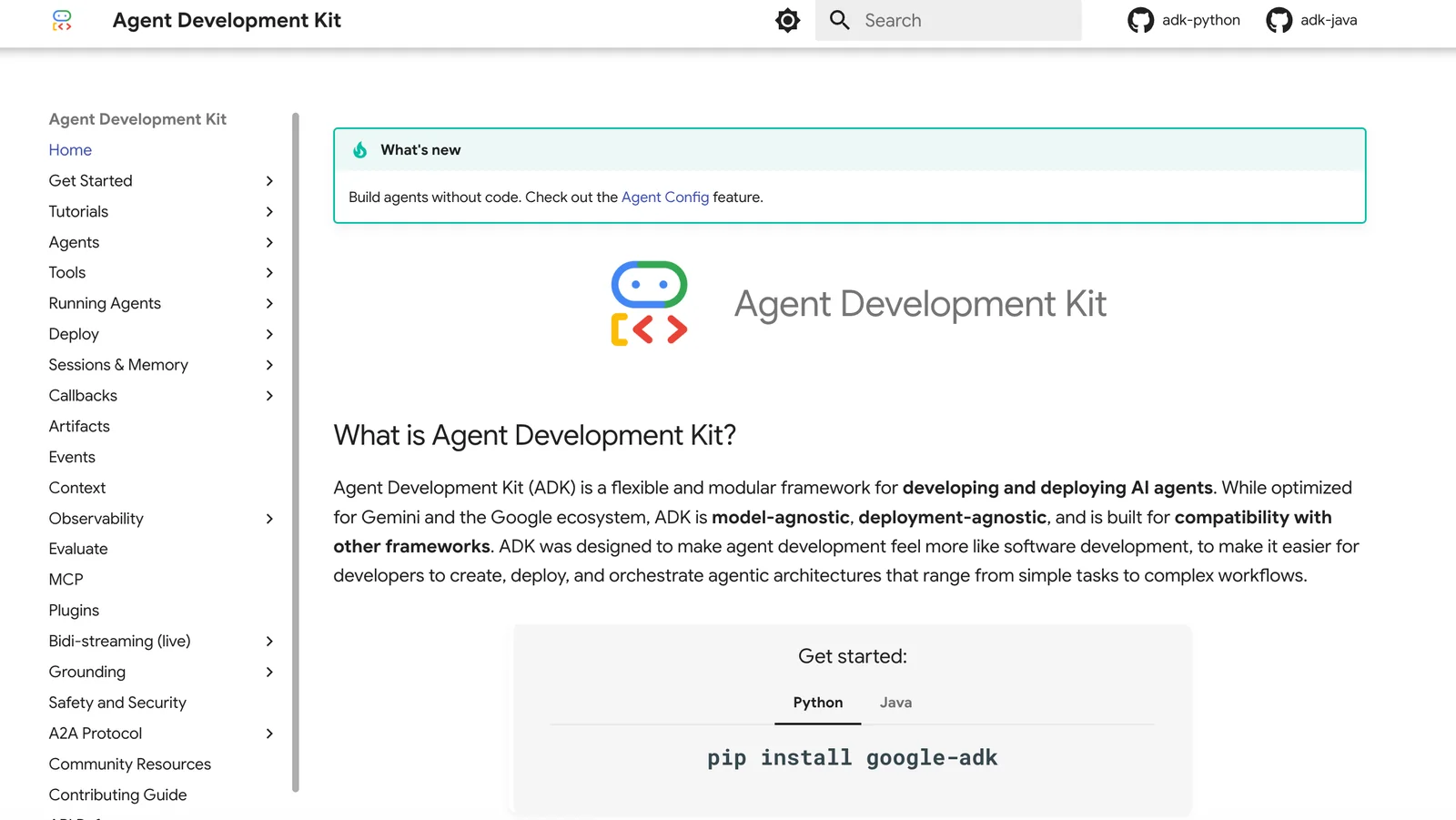
Agent Development Kit (ADK) is an open-source, code-first toolkit from Google for building, evaluating, and deploying AI agents and multi-agent workflows. ADK provides Python and Java libraries, a developer web UI, and libraries for orchestration, memory/context tracking, tool integration, and testing so developers can define agent logic, tools, and tests directly in code. It is model-agnostic (optimized for Gemini but can connect to other LLMs), deployment-agnostic (runs locally or in cloud environments), and emphasizes modularity so projects can scale from single-purpose assistants to complex multi-agent systems without rewriting core components.
Screenshots
Key Features
Use Cases



Frequently asked questions about Google Agent Development Kit
Is the Google Agent Development Kit free to use?
Yes, the Google Agent Development Kit (ADK) is free and open-source. While there are no costs associated with the toolkit itself, users may face charges for additional services, such as model usage and cloud infrastructure when deploying their agents.
Key Points
- The Google ADK is entirely free and open-source.
- Users may incur costs for cloud services or model usage.
- Ideal for developers building conversational agents.
Detailed Explanation
The Google Agent Development Kit (ADK) is designed to facilitate the creation of intelligent conversational agents, making it accessible for developers at no cost. With its open-source nature, the ADK encourages innovation and collaboration within the developer community.
When utilizing the ADK, developers can create robust agents that can handle various tasks, such as customer support, information retrieval, or personal assistants. However, while the ADK itself is free, deploying these agents often requires additional resources.
For instance, if your agent relies on Google Cloud services for machine learning models, you may incur costs based on your usage. Google Cloud offers a pay-as-you-go pricing model, which means you only pay for what you use, but it's crucial to monitor usage to avoid unexpected charges.
Example Use Case
A common use case for the ADK is developing a customer service chatbot. After building the agent using the ADK, the developer might deploy it on Google Cloud. Here, they would need to consider expenses related to API calls, data storage, and computing power, which can add up depending on the traffic and complexity of interactions.
Best Practices / Tips
- Start Small: Begin with a basic agent to understand the framework before scaling up.
- Monitor Costs: Regularly check your Google Cloud usage to manage costs effectively.
- Optimize Models: Use efficient algorithms and data handling practices to minimize resource consumption.
- Engage with Community: Join forums and communities related to the Google ADK for support and updates.
Additional Resources
What are the key features of Google Agent Development Kit?
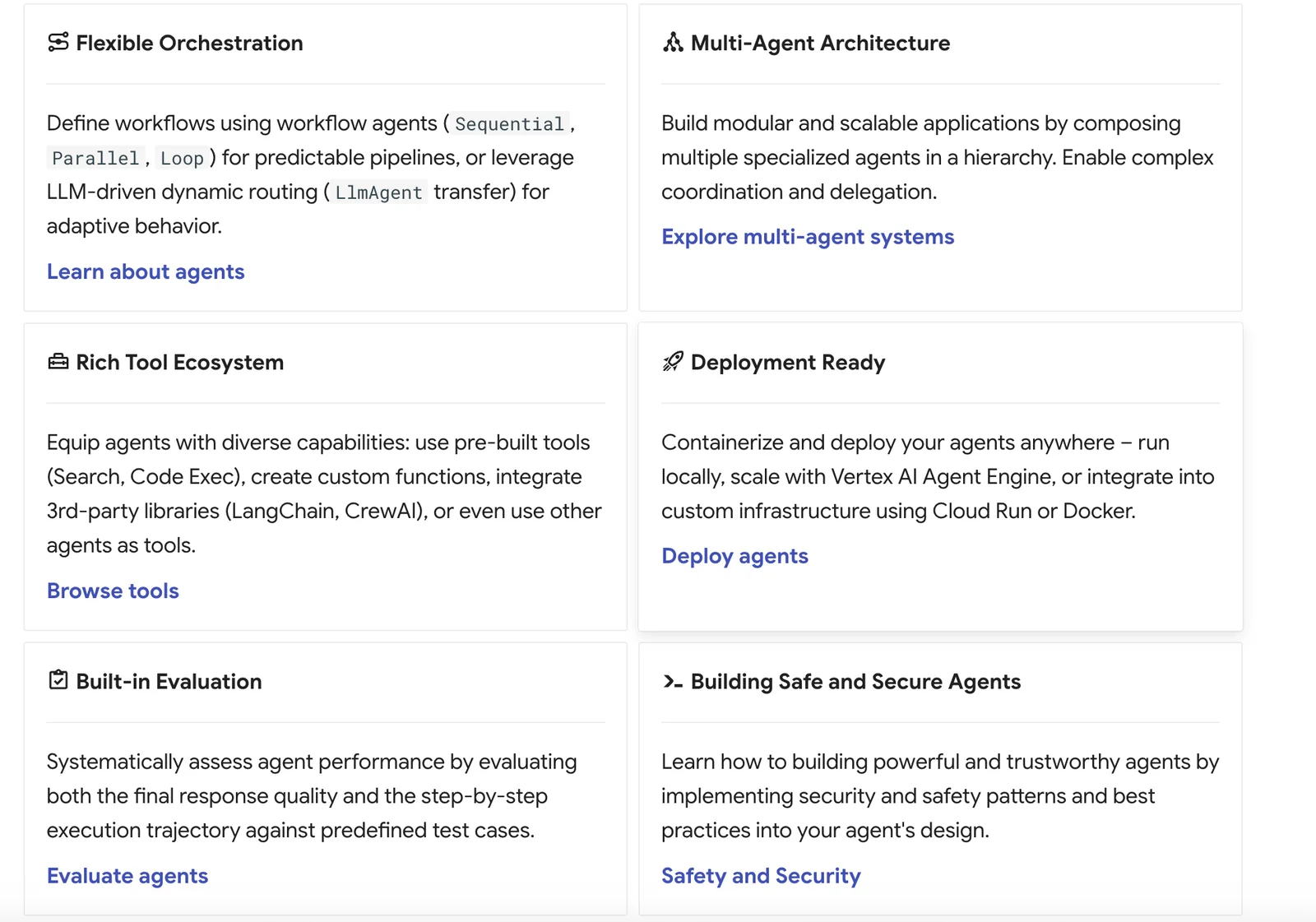
The Google Agent Development Kit (ADK) features code-first tooling, model-agnostic connectors, built-in orchestration for multi-agent workflows, and integrated context and memory management. These capabilities enable developers to create flexible, scalable, and efficient AI agents suitable for various applications.
Key Points
- Code-First Tooling: Facilitates direct coding for customization.
- Model-Agnostic Connectors: Supports integration with various AI models.
- Built-In Orchestration: Manages multi-agent workflows seamlessly.
Detailed Explanation
The Google Agent Development Kit (ADK) is designed for developers aiming to build sophisticated AI agents.
-
Code-First Tooling: This feature allows developers to write code directly, offering greater customization and flexibility. You can create agent behaviors using programming languages familiar to your team, enhancing productivity and reducing the learning curve.
-
Model-Agnostic Connectors: The ADK supports a variety of AI models, meaning developers can integrate tools like TensorFlow, PyTorch, or any proprietary solutions without being locked into a single ecosystem. This flexibility ensures that you can choose the best model for your specific use case.
-
Built-In Orchestration for Multi-Agent Workflows: The ADK simplifies the management of multiple agents working together. For instance, if you're developing a customer service solution, different agents can handle inquiries, process orders, and escalate issues without manual intervention. This orchestration leads to smoother user experiences and efficient task handling.
-
Integrated Context and Memory Management: ADK provides advanced context and memory management features, allowing agents to remember past interactions with users. This capability is crucial for applications requiring continuity, such as personalized recommendations or ongoing conversations.
Best Practices / Tips
- Utilize Code Repositories: Store your code in version-controlled repositories like GitHub for easy collaboration and version management.
- Test Regularly: Implement unit tests and integration tests to ensure each agent performs as expected, particularly when changes are made.
- Monitor Performance: Use analytics tools to track how agents interact with users and optimize their performance based on real-world usage patterns.
- Stay Updated: Regularly check for updates in the ADK documentation to leverage new features and improvements.
Additional Resources
- Google Agent Development Kit Documentation
- Getting Started with AI Agents
- Community Forums for AI Development
By leveraging the features and best practices outlined, developers can maximize the potential of the Google Agent Development Kit to create robust and efficient AI agents tailored to their needs.
How do I get started with the Google Agent Development Kit?
To get started with the Google Agent Development Kit (ADK), visit the official Google Cloud website for detailed documentation and sample projects. Download the source code from GitHub and follow the tutorials to create your first conversational agent effectively.
Key Points
- Access detailed documentation and tutorials on the official website.
- Download the Google ADK source code from GitHub.
- Follow step-by-step guides to build and deploy your first agent.
Detailed Explanation
The Google Agent Development Kit (ADK) is a powerful tool for creating conversational agents that can be integrated into various platforms. To begin your journey with the Google ADK, follow these steps:
-
Visit the Official Website: Start by accessing the Google Cloud documentation for the ADK. This resource provides comprehensive guides and examples tailored for beginners and advanced users alike.
-
Download the Source Code: Go to GitHub and download the Google ADK source code. You'll find various libraries and frameworks that assist in building AI-driven agents.
-
Follow Tutorials: Engage with the step-by-step tutorials available on the official site. These tutorials cover everything from the basics of setting up your environment to deploying your agent on platforms like Google Assistant.
-
Explore Sample Projects: Review sample projects that demonstrate different use cases, such as creating a customer support bot or a personal assistant. These examples can provide inspiration and practical insights.
-
Set Up Your Development Environment: Ensure you have the necessary software installed, including Node.js, npm, and other dependencies mentioned in the documentation.
Best Practices / Tips
- Start Simple: Begin with a basic agent to understand the workflow before adding complex functionalities.
- Utilize Pre-Built Agents: Leverage pre-built agents provided in the Google documentation to speed up development.
- Test Frequently: Use the built-in testing tools to simulate conversations and identify issues early in the development process.
- Engage with the Community: Join forums and groups related to Google ADK. Sharing experiences and solutions can enhance your learning.
Additional Resources
- Google Cloud Dialogflow Documentation
- GitHub Repository for Google ADK
- Tutorials on Building Conversational Agents
By following these steps and best practices, you can effectively utilize the Google ADK to create powerful conversational agents.
Can I integrate third-party APIs with Google ADK?
Yes, you can integrate third-party APIs with the Google Agent Development Kit (ADK). This flexibility allows you to enhance your agents' capabilities by incorporating any Python or Java functions, making your applications more powerful and versatile.
Key Points
- Support for Multiple Languages: The ADK supports both Python and Java for API integration.
- Enhanced Functionality: Integrating third-party APIs can significantly expand the features of your agents.
- Seamless Integration: The process is designed to be intuitive, facilitating easy connections with various services.
Detailed Explanation
Integrating third-party APIs with the Google Agent Development Kit (ADK) is a straightforward process that enhances the functionality and performance of your agents. The ADK allows developers to create voice-activated applications that can respond to user queries in a more dynamic way.
Step-by-Step Integration
-
Choose Your API: Identify the third-party API you want to integrate, ensuring it offers the necessary functionality for your project. Popular choices include APIs for weather data, payment processing, or social media interaction.
-
Set Up Your Development Environment: Ensure you have the Google ADK set up in your local environment. This includes having either Python or Java installed, depending on your preference.
-
Create an Agent Function: Write a function in Python or Java that calls the third-party API. For instance, if you’re using a weather API, your function should handle API requests and format the responses.
-
Deploy the Function: Integrate your function within your Google agent's capabilities. This may involve updating the agent's configuration files to include the new function.
-
Test Thoroughly: After integration, conduct rigorous testing to ensure that the API interacts seamlessly with your agent. This includes checking for proper response formatting and error handling.
Use Cases
- Weather Reporting: Integrate a weather API to provide real-time weather updates based on user location queries.
- E-commerce Functions: Use payment processing APIs to allow users to complete transactions through voice commands.
- Social Media Interactions: Connect to social media APIs to fetch updates or post content directly through voice commands.
Best Practices / Tips
- Read API Documentation: Thoroughly understand the API’s limits, authentication methods, and response formats before integration.
- Manage API Keys Securely: Keep your API keys secure by using environment variables or secure storage solutions.
- Monitor API Usage: Stay within the usage limits of the API to avoid interruptions or additional charges, especially with paid APIs.
Additional Resources
How does Google Agent Development Kit compare to other AI tools?
The Google Agent Development Kit (ADK) is an open-source platform that excels in multi-agent orchestration and supports various large language models (LLMs), providing high flexibility. However, it demands more technical expertise during setup and deployment compared to other AI tools, which may be more user-friendly for non-technical users.
Key Points
- Open-Source Flexibility: The Google ADK allows customization and integration with various applications.
- Multi-Agent Orchestration: It efficiently manages multiple agents, enhancing the functionality of AI applications.
- Technical Expertise Required: The setup process can be complex, necessitating programming knowledge.
Detailed Explanation
The Google Agent Development Kit stands out from other AI tools due to its open-source nature, which gives developers extensive control over the customization of their AI agents. Unlike proprietary software, the ADK facilitates modifications tailored to specific project needs, enabling unique functionalities that can adapt to various use cases.
Multi-Agent Orchestration
One of the key features of the Google ADK is its robust multi-agent orchestration capabilities. This functionality allows developers to deploy multiple AI agents that can communicate and collaborate in real-time. For example, in customer service applications, one agent can handle inquiries while another processes transactions, leading to a more efficient workflow and improved user experience.
Support for Various LLMs
Google ADK supports various large language models (LLMs), such as BERT and GPT-3. This flexibility allows developers to choose the most suitable model for their specific needs, ensuring high-quality responses and interactions. This adaptability can significantly enhance the performance of chatbots, virtual assistants, and other AI-driven applications.
Technical Expertise Requirement
While the Google ADK offers powerful features, it does have a steeper learning curve than some other AI tools, such as Microsoft Bot Framework or Dialogflow. Developers need a solid understanding of programming languages like Python or JavaScript to set up and deploy applications effectively. This requirement can be a barrier for teams lacking technical resources.
Best Practices / Tips
- Invest in Learning: If you're new to programming, consider taking online courses to improve your skills in languages relevant to the ADK.
- Start with Simple Projects: Begin with basic applications to understand the framework before tackling more complex solutions.
- Utilize Community Resources: Engage with forums and communities around the Google ADK for support and shared knowledge.
- Documentation Review: Regularly consult the official Google ADK documentation for updates and best practices.
Additional Resources
Explore more AI Ai Agents tools
Browse all Ai Agents tools →Browse by use case: Code Generation · Automation & Productivity
Compare Google Agent Development Kit: vs Sai · vs Mycel · vs Proto-Mind · vs Ami