
Fireflies
AIOfficial MCPAI meeting assistant that transcribes, summarizes, and analyzes meetings across major conferencing platforms in real time.
Fireflies
AI meeting assistant that transcribes, summarizes, and analyzes meetings across major conferencing platforms in real time.
About Fireflies
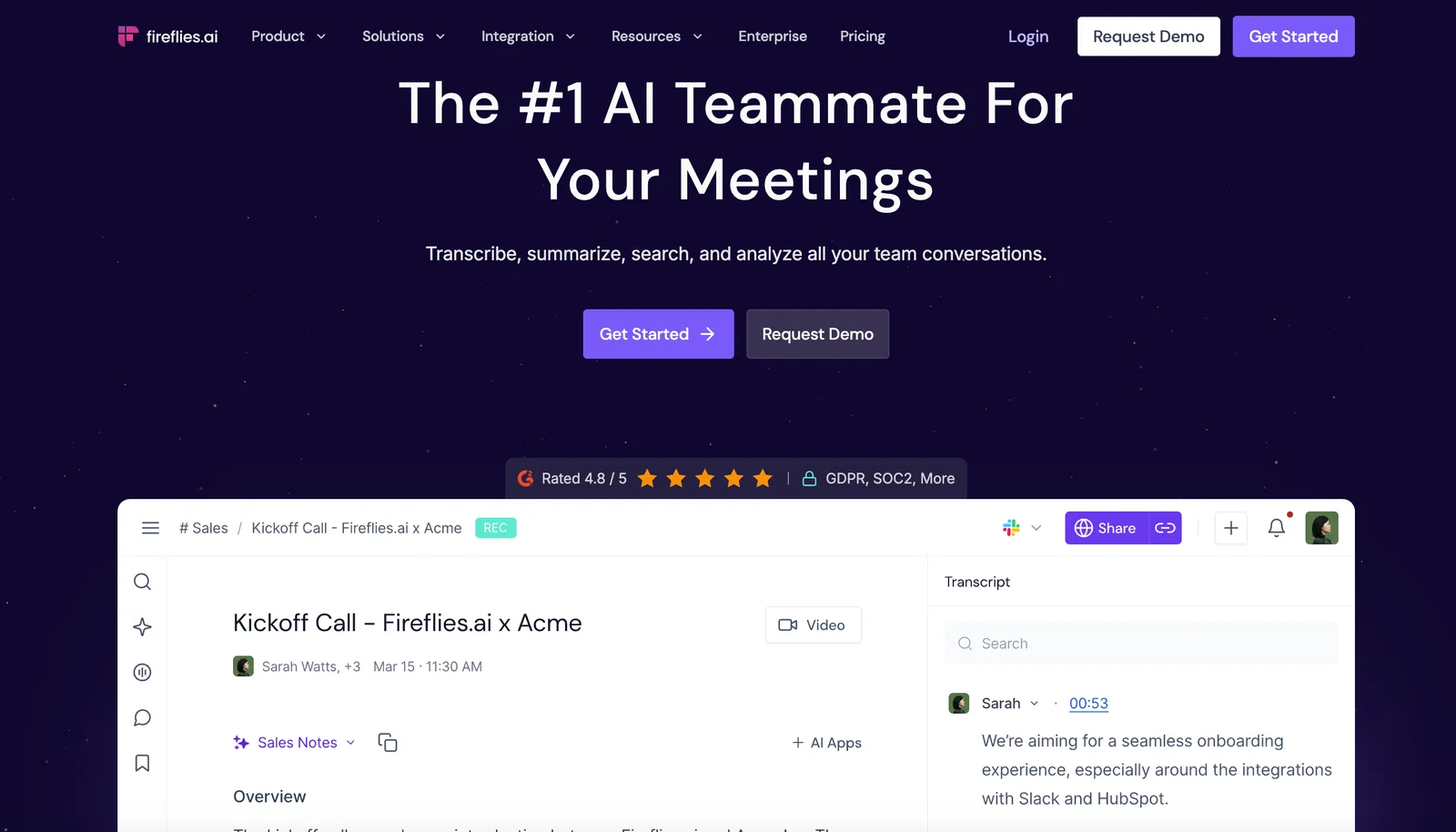
Fireflies.ai provides an AI-powered meeting teammate that records meetings, generates verbatim transcripts, and produces smart summaries using generative models. It integrates with major conferencing platforms (Zoom, Google Meet, Microsoft Teams, Webex and others) to capture audio in real time or after the meeting, then surfaces searchable transcripts, condensed summaries, and analytical insights to streamline follow-ups and knowledge capture. The platform emphasizes automation of note-taking and meeting analysis to save time and improve team alignment.
Screenshots
Key Features
Use Cases
MCP Server
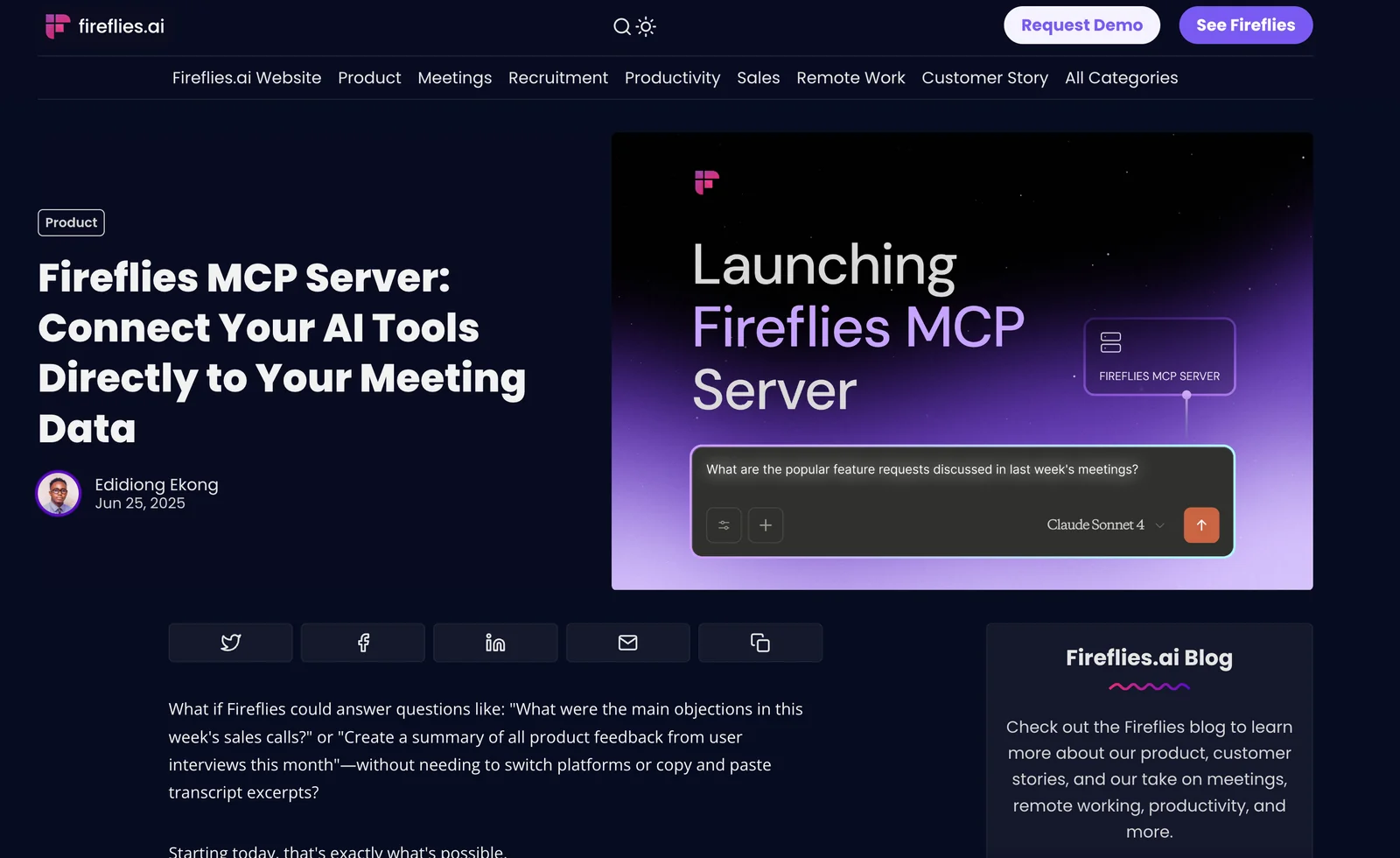
https://fireflies.ai/blog/fireflies-mcp-serverhttps://api.fireflies.ai/mcp💡 MCP (Model Context Protocol) enables AI assistants to securely interact with local and remote resources.



Frequently asked questions about Fireflies
What are the pricing options for Fireflies?
Fireflies offers a freemium pricing model with four tiers: Free ($0/user/month), Pro ($10/user/month), Business (approximately $19–$29/user/month), and Enterprise (custom pricing). Each tier is designed to cater to varying user needs, from basic features to advanced functionalities suited for larger teams.
Key Points
- Free Tier: Basic features at no cost.
- Pro Tier: Enhanced functionalities for individual users.
- Business Tier: Suitable for teams with additional capabilities.
- Enterprise Tier: Custom pricing for large organizations.
Detailed Explanation
Fireflies provides a flexible pricing structure to accommodate users ranging from freelancers to large enterprises.
-
Free Tier: This option allows users to access basic features such as note-taking and meeting transcription without any cost. It’s perfect for individuals or small teams looking to try out the service.
-
Pro Tier: At $10/user/month, this tier includes advanced features like integration with other tools (e.g., Zoom, Slack) and enhanced transcription accuracy. Ideal for professionals needing more robust functionalities.
-
Business Tier: Priced between $19–$29/user/month, this plan is tailored for teams. It includes features such as collaboration tools, team analytics, and priority support, making it suitable for organizations that require more extensive capabilities.
-
Enterprise Tier: This option offers custom pricing based on specific organizational needs. It includes all features from previous tiers, plus advanced security measures, dedicated account management, and tailored integrations.
Best Practices / Tips
- Evaluate Your Needs: Before selecting a tier, assess your requirements. For individuals, the Free or Pro tiers may suffice. For teams, the Business tier is typically more beneficial.
- Trial Period: Take advantage of any trial offers to explore features before committing to a paid plan.
- Team Collaboration: Consider the Business or Enterprise tiers if your team relies heavily on collaboration, as these plans provide tools that enhance teamwork and project management.
Additional Resources
How do I get started using Fireflies?
To get started with Fireflies, visit their official website, create a free account, and follow the setup guide to integrate it with your preferred video conferencing platform, such as Zoom or Google Meet. This easy process will allow you to begin leveraging AI for meeting notes and transcription.
Key Points
- Create a free account on the Fireflies website.
- Integrate Fireflies with your video conferencing tools.
- Access helpful resources to maximize your experience.
Detailed Explanation
Fireflies is an AI-driven tool designed to enhance productivity during meetings by automatically recording, transcribing, and summarizing discussions. Here's how to get started:
-
Visit the Official Website: Go to Fireflies.ai to begin your journey. This is the hub for all Fireflies features and resources.
-
Sign Up for a Free Account: Click on the "Sign Up" button. You can register using your email or through social media accounts like Google or Slack. The free plan offers essential features, making it perfect for individuals and small teams.
-
Follow the Setup Guide: After creating your account, Fireflies will provide a step-by-step setup guide. This will include instructions for integrating with popular conferencing platforms like Zoom, Microsoft Teams, and Google Meet. For example, you might need to allow Fireflies permission to join your meetings automatically.
-
Start Using Fireflies: Once set up, Fireflies will join your scheduled meetings and begin recording automatically. You can access the transcripts and notes through your Fireflies dashboard afterward.
Best Practices / Tips
-
Test Before Important Meetings: Conduct a trial run to ensure everything is working correctly. Schedule a mock meeting to check the audio quality and integration with your conferencing tool.
-
Utilize Tags and Notes: During meetings, you can add tags and comments to specific sections of the transcript for better organization and accessibility.
-
Share Transcripts with Your Team: After a meeting, share the transcripts with your colleagues. Fireflies allows you to easily export notes via email or direct links.
-
Explore Advanced Features: As your needs grow, consider upgrading to a paid plan to access advanced features like custom vocabulary, integrations with other productivity tools, and enhanced collaboration options.
Additional Resources
- Fireflies Official Documentation - Comprehensive guides on setting up and optimizing Fireflies.
- Fireflies Blog - Articles on productivity tips and best practices for using AI in meetings.
- YouTube Tutorials - Video guides demonstrating Fireflies features and tips for effective use.
What features does Fireflies offer for meeting transcription?
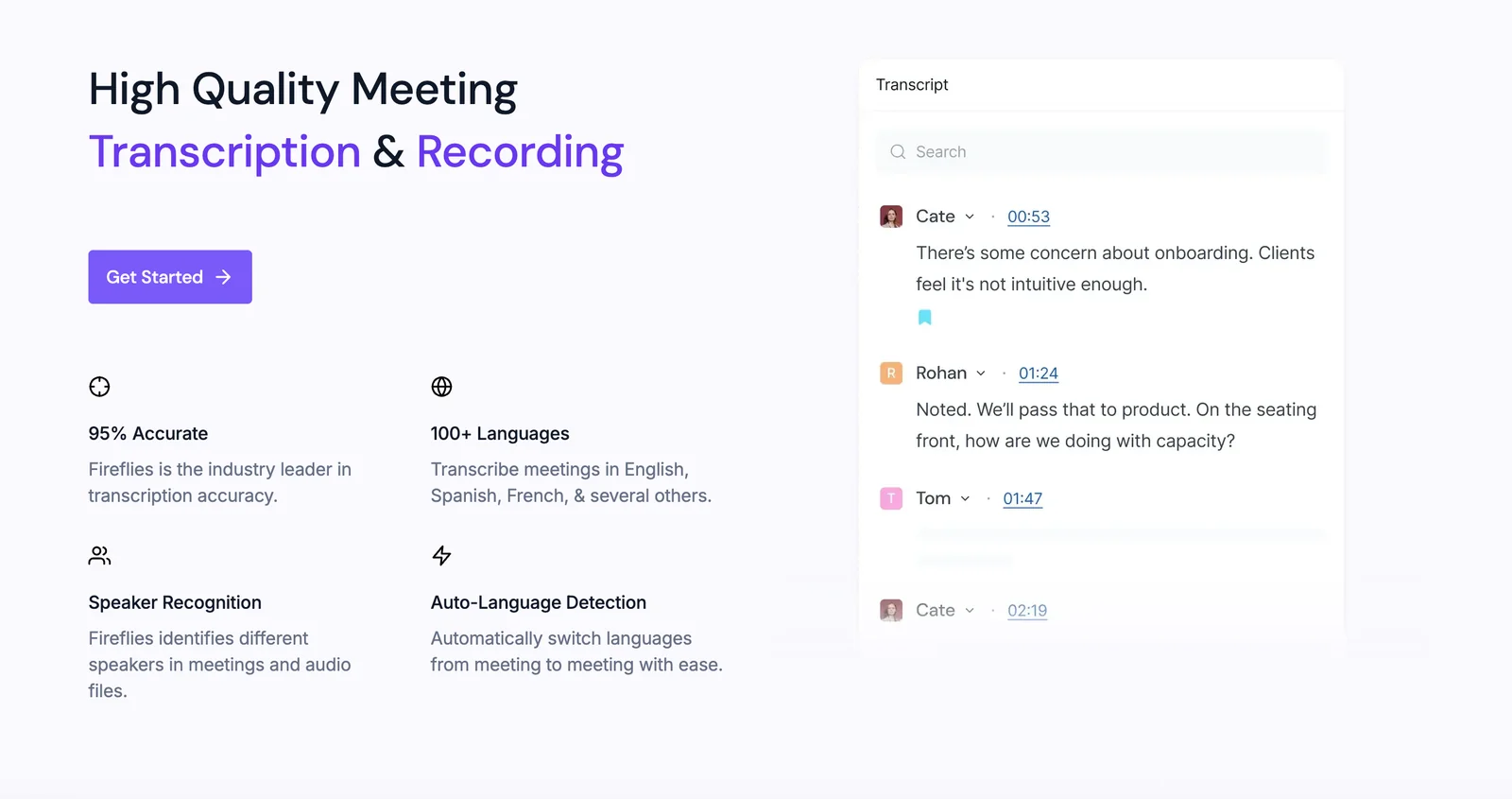
Fireflies offers advanced meeting transcription features, including real-time transcription, smart summaries, multi-platform integration, searchable meeting content, and insightful meeting analysis. These capabilities help users enhance productivity and streamline communication, making it easier to capture and utilize meeting insights effectively.
Key Points
- Real-Time Transcription: Capture spoken dialogue instantly.
- Smart Summaries: Generate concise summaries of discussions.
- Multi-Platform Integration: Seamlessly connect with various tools.
Detailed Explanation
Fireflies is an AI-powered meeting assistant designed to facilitate efficient communication and documentation. Here’s a closer look at its standout features:
1. Real-Time Transcription
Fireflies provides instant transcription during meetings, ensuring that no critical information is missed. This feature is particularly useful during long discussions or brainstorming sessions, allowing participants to focus on the conversation rather than taking notes. The real-time aspect means that you can review the conversation as it unfolds.
2. Smart Summaries
After each meeting, Fireflies generates smart summaries that condense discussions into actionable items. This feature is ideal for busy professionals who need to quickly recall key points without sifting through entire transcripts. Users can customize the summary format to highlight specific details relevant to their teams.
3. Multi-Platform Integration
Fireflies integrates with popular platforms like Zoom, Microsoft Teams, Google Meet, and Slack, allowing for seamless operation across different environments. This integration means that users can initiate transcription without having to switch tools, thus maintaining workflow continuity.
4. Searchable Meeting Content
All recorded meetings and transcripts are stored in a searchable format. This functionality enables users to easily locate specific discussions, topics, or decisions made during previous meetings, saving time and improving organizational efficiency.
5. Meeting Analysis
Fireflies offers analytical features that provide insights into team communication patterns and effectiveness. By analyzing meeting data, organizations can identify areas for improvement, such as the frequency of certain topics or participant engagement levels.
Best Practices / Tips
- Set Up Proper Integration: Ensure Fireflies is connected to all relevant meeting tools for optimal use.
- Customize Meeting Goals: Before meetings, define objectives to help Fireflies generate more relevant smart summaries.
- Regularly Review Transcripts: Make it a habit to review transcripts and summaries to stay updated on discussions and decisions.
Additional Resources
Is Fireflies compatible with other conferencing tools?
Yes, Fireflies is compatible with major conferencing tools such as Zoom, Google Meet, Microsoft Teams, and Webex, enabling seamless meeting capture and transcription. This integration enhances productivity by automating note-taking and providing detailed meeting summaries.
Key Points
- Wide Integration: Compatible with leading conferencing platforms.
- Automated Transcription: Captures and transcribes meetings effortlessly.
- Enhanced Collaboration: Facilitates sharing of meeting insights across teams.
Detailed Explanation
Fireflies is designed to integrate effortlessly with popular conferencing tools, including:
- Zoom: Automatically records and transcribes your meetings, allowing you to focus on discussions rather than note-taking.
- Google Meet: Seamlessly captures conversations and generates meeting summaries that can be shared with participants post-meeting.
- Microsoft Teams: Integrates within your workflow, offering easy access to meeting transcriptions and insights directly in your Teams environment.
- Webex: Provides similar capabilities, ensuring that important discussions are documented and accessible for future reference.
By using Fireflies with these platforms, users can streamline their meeting processes. For instance, during a Zoom meeting, Fireflies can join as a participant, record the session, and then provide a detailed transcript and summary, which can be shared with team members who were unable to attend.
Best Practices / Tips
- Set Up Notifications: Ensure that Fireflies is configured to notify you when a meeting is ready for transcription.
- Review Transcripts: Regularly check and edit transcripts for accuracy, as automated tools can make errors, especially with technical jargon.
- Utilize Tags and Highlights: Use Fireflies’ tagging system to highlight key points in meeting notes for easy reference later.
- Integrate with Task Management Tools: Link Fireflies with tools like Asana or Trello to convert meeting insights into actionable tasks directly.
Additional Resources
How does Fireflies compare to other meeting assistants?
Fireflies distinguishes itself from other meeting assistants like Otter.ai by offering real-time transcription and AI-generated smart summaries. However, users on the free plan may encounter limitations in features compared to competitors, which may affect their overall experience and usability in diverse meeting environments.
Key Points
- Real-Time Transcription: Fireflies provides immediate transcription, enhancing meeting productivity.
- Smart Summaries: The tool generates concise summaries, making it easier to capture essential points.
- Free Plan Limitations: Compared to Otter.ai and others, the free plan may restrict access to advanced features.
Detailed Explanation
Fireflies is an AI-powered meeting assistant that facilitates seamless meeting experiences. One of its standout features is real-time transcription, which allows users to capture spoken dialogue instantly. This is particularly useful for teams that require accurate notes or want to ensure that no critical information is missed during discussions.
In addition to transcription, Fireflies offers smart summaries. This feature intelligently summarizes meeting notes, highlighting key decisions and action items. For example, after a team meeting, users can receive a brief overview of what was discussed, making it easier to follow up on tasks without sifting through lengthy transcripts.
While Fireflies excels in these areas, it is essential to note that the free plan has limitations. Users might find themselves restricted in the number of meetings they can record or the duration of those recordings. In contrast, competitors like Otter.ai often provide more generous free tiers, which could offer additional functionality like integrations with other applications or longer recording capabilities.
Best Practices / Tips
- Evaluate Your Needs: Before choosing Fireflies or any other meeting assistant, assess your specific requirements, such as the number of meetings you conduct and the importance of transcription accuracy.
- Utilize Integrations: Take advantage of Fireflies' integrations with tools like Zoom and Google Meet to streamline your workflow.
- Consider Upgrading: If you find the free plan limiting, consider upgrading to a paid plan to unlock more features, such as advanced analytics and enhanced transcription capabilities.
Additional Resources
Explore more AI Mcps tools
Browse all Mcps tools →Compare Fireflies: vs ai-memory · vs CrawlForge MCP · vs Popcraft · vs Pomerado