

Composio MCP
AIManaged Model Context Protocol (MCP) server platform for discovering, connecting, and automating integrations with productivity apps.
Composio MCP
Managed Model Context Protocol (MCP) server platform for discovering, connecting, and automating integrations with productivity apps.
About Composio MCP
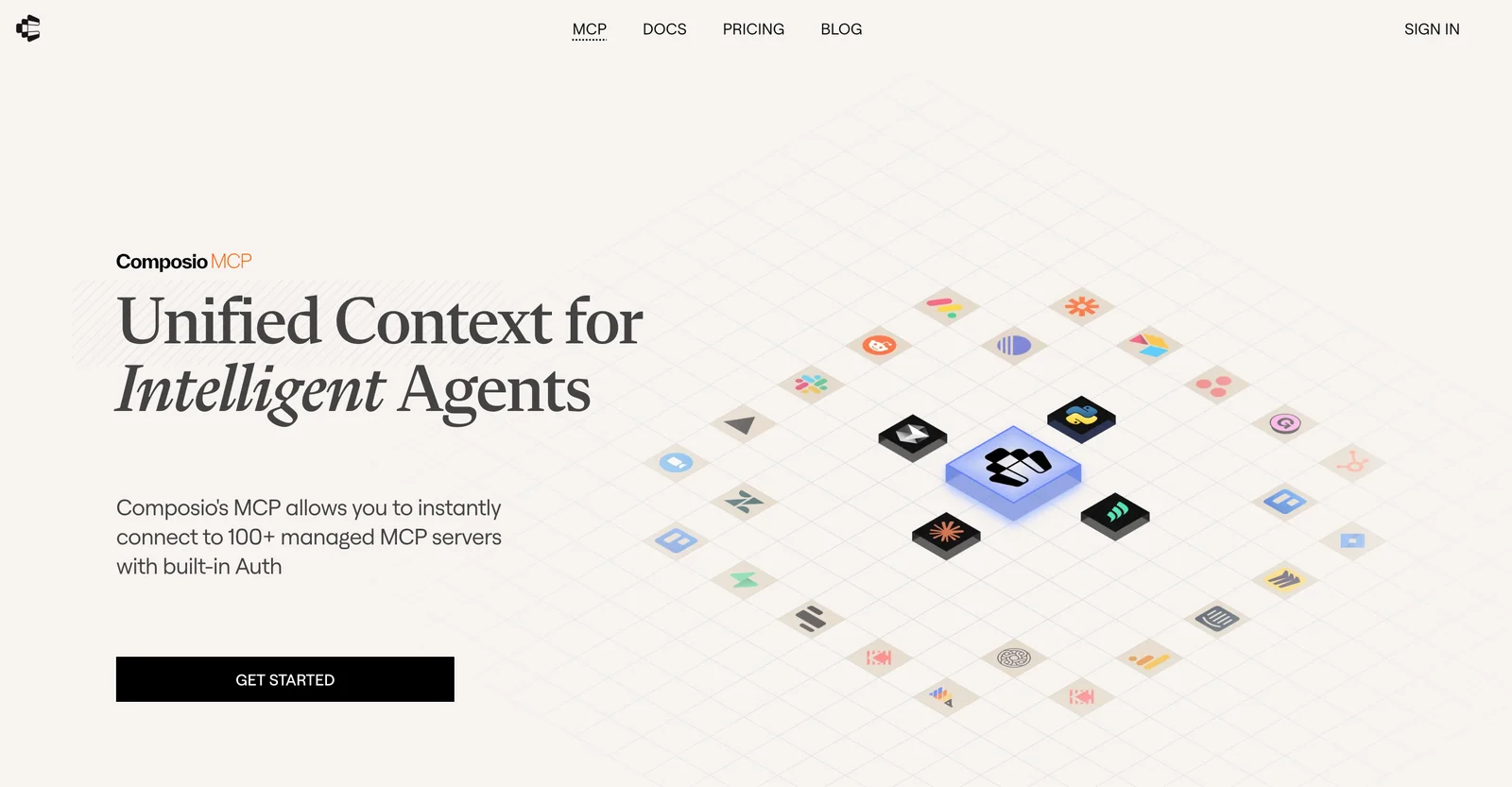
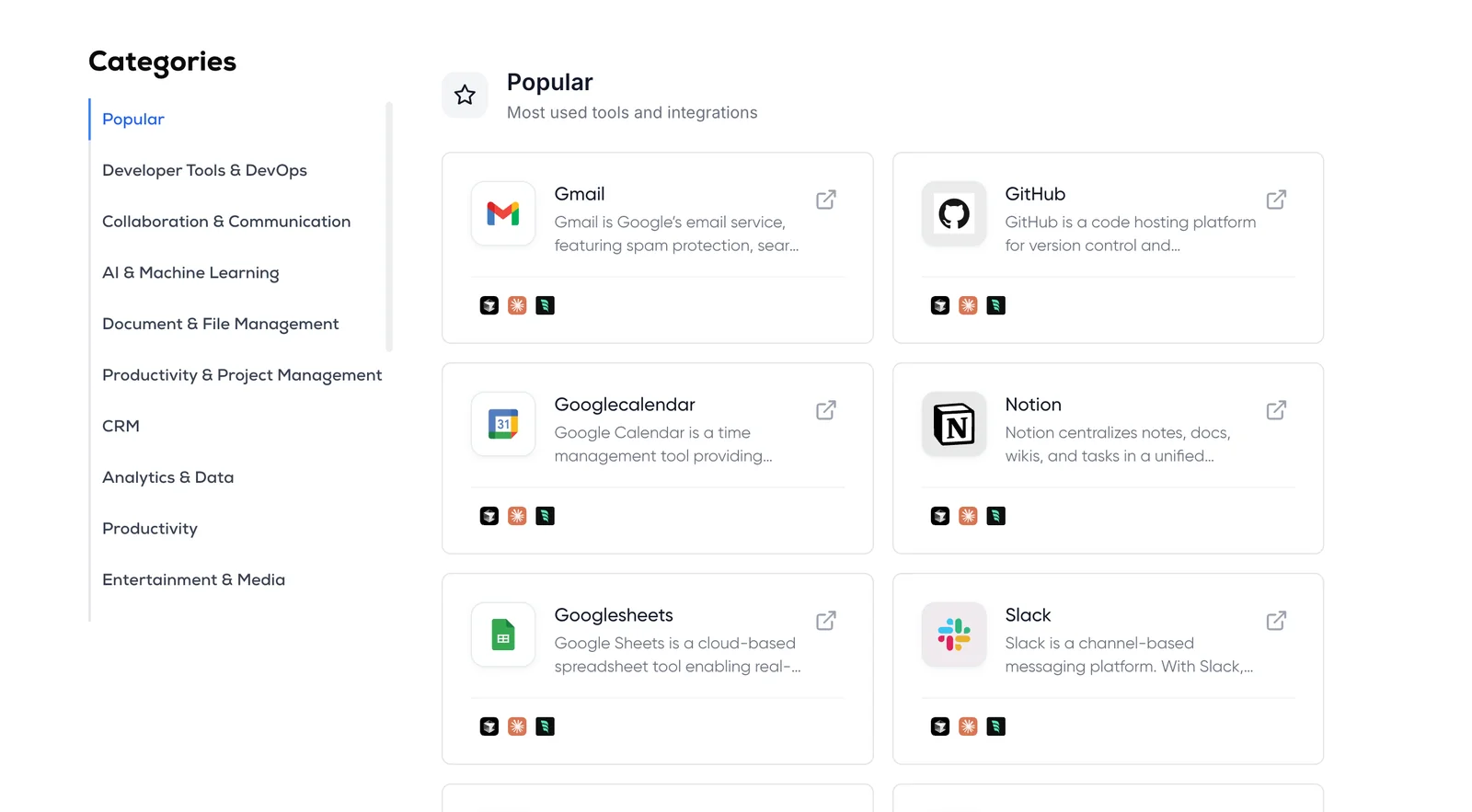
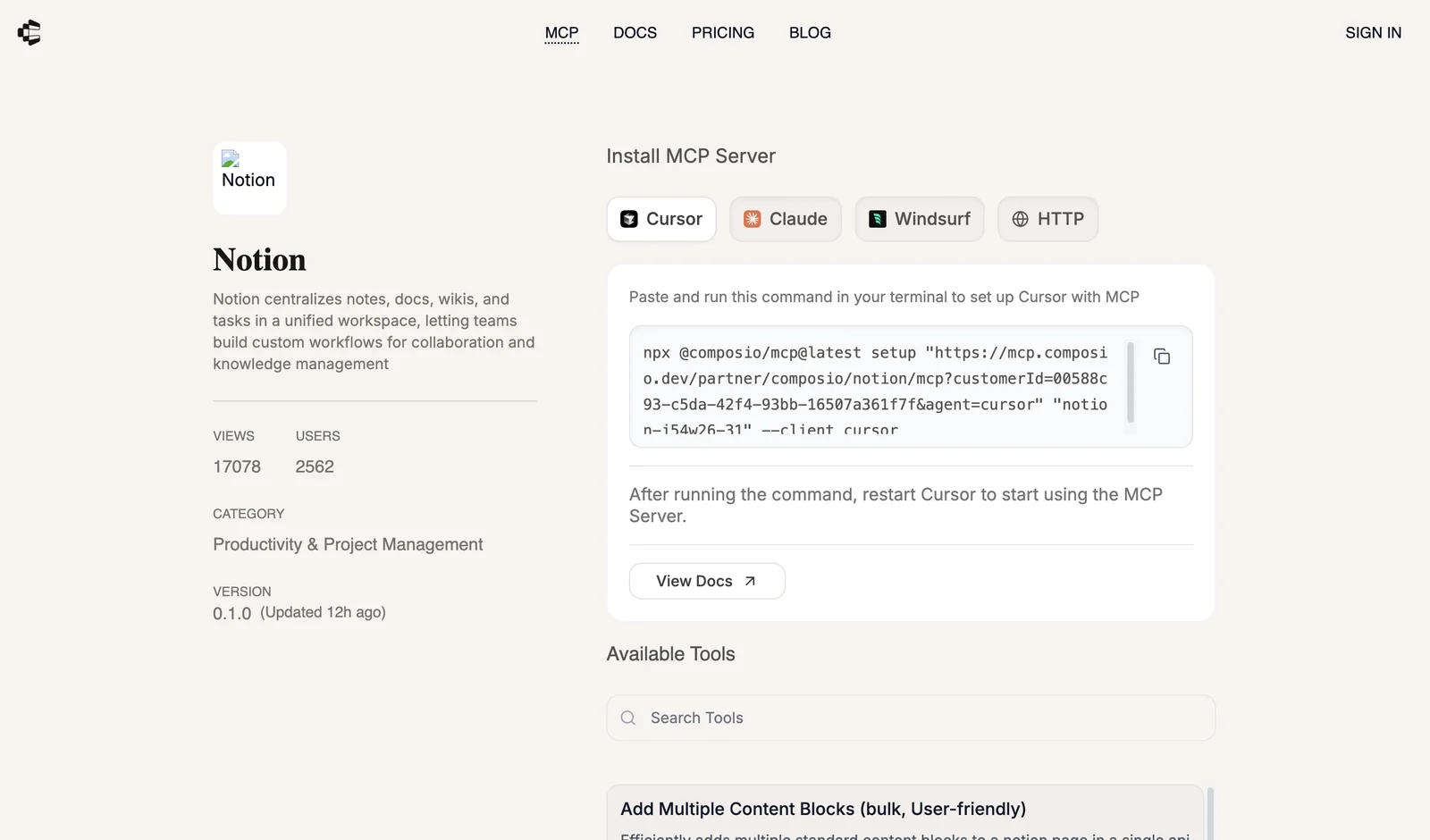
Composio MCP (mcp.composio.dev) is a managed Model Context Protocol server platform that connects AI agents and LLM-based tools to external services via standardized MCP servers. It provides pre-built MCP servers and connectors for hundreds of business and productivity applications (Gmail, Slack, Notion, GitHub, Linear, Google Workspace, Airtable, etc.), handling OAuth, API keys, and basic auth flows so developers and agents do not need to implement individual integrations. Composio MCP includes SDKs, examples (OpenAI Agents integration, VS Code Rube server), and optimizations for tool-calling to simplify building agent experiences that perform real actions across user services. The platform standardizes integrations to be MCP-compliant, enabling interoperability with any MCP-capable client while reducing maintenance overhead for integration servers.
Screenshots
Key Features
Use Cases



Frequently asked questions about Composio MCP
What are the pricing options for Composio MCP?
Composio MCP offers three pricing tiers: 'Individual / Free Forever' at $0/month, 'Starter' at $119/month, and 'Growth' at $1,499/month. Each tier is designed to meet varying user needs, providing different levels of features, support, and scalability.
Key Points
- Individual / Free Forever: Basic features with no cost.
- Starter: Enhanced features for small to medium projects.
- Growth: Comprehensive support for larger organizations.
Detailed Explanation
Composio MCP's pricing structure is tailored to accommodate a range of users, from individuals to large organizations.
-
Individual / Free Forever: This plan is ideal for beginners or casual users who want to explore Composio MCP's capabilities without financial commitment. It includes essential tools for content creation and management, making it perfect for students or hobbyists.
-
Starter: Priced at $119/month, this tier is suitable for freelancers and small businesses looking for more advanced features. It typically includes functionalities like collaboration tools, enhanced analytics, and priority support. Users can leverage this plan to scale their projects and improve productivity.
-
Growth: At $1,499/month, the Growth tier is designed for larger teams and enterprises that require full access to all features. This plan provides unlimited projects, advanced integrations, dedicated account managers, and personalized support, ensuring that larger organizations can effectively manage complex workflows.
Best Practices / Tips
- Evaluate Your Needs: Before selecting a pricing tier, assess your project requirements and budget. The free tier may suffice for initial exploration, while the Starter or Growth tiers offer more robust features for serious projects.
- Take Advantage of Free Trials: If available, utilize any free trial periods to experience the features of higher tiers before committing financially.
- Monitor Usage: Regularly review which features you use most and adjust your plan accordingly to avoid unnecessary expenses.
Additional Resources
How can I start using Composio MCP?
To start using Composio MCP, visit the official website, where you can sign up for a free account. After signing up, explore the quickstart guides and SDKs available to help you integrate various applications easily and effectively.
Key Points
- Free Account Signup: Register on the official website.
- Access Quickstart Guides: Utilize resources for a smooth start.
- Integrate with SDKs: Leverage Software Development Kits for application integration.
Detailed Explanation
To effectively begin your journey with Composio MCP, first, navigate to the official Composio MCP website. Here, you will see an option to create a free account, which allows you to access the platform's features without any initial investment. Signing up typically requires basic information such as your name, email address, and a password.
Once registered, you will gain access to a variety of quickstart guides designed to help you understand the platform's functionalities quickly. These guides cover essential topics like setting up your workspace, managing projects, and utilizing key features of Composio MCP.
Additionally, you can download Software Development Kits (SDKs) that are tailored for different programming languages and platforms. These SDKs facilitate the integration of Composio MCP with various applications, making it easier to streamline workflows and enhance productivity.
Example Use Case
For instance, if you are a developer looking to integrate Composio MCP with your existing project management tools, the SDKs provide predefined libraries and functions, allowing for a seamless connection. Following the documentation in the quickstart guides, you can set up your environment within minutes.
Best Practices / Tips
- Explore Tutorials: Take advantage of video tutorials and webinars offered on the website to deepen your understanding.
- Join the Community: Engage with other users in forums or community groups to share experiences and solutions.
- Regularly Update: Keep your SDKs and integration methods updated to leverage the latest features and security enhancements.
Additional Resources
By following these steps and utilizing the available resources, you can effectively kickstart your experience with Composio MCP and maximize its potential for your projects.
What are the key features of Composio MCP?
Composio MCP offers built-in authentication for over 300 applications, pre-built servers for popular services, multi-app orchestration capabilities, and compliance with the Model Context Protocol. These features enable seamless integrations and efficient workflow management across various platforms.
Key Points
- Built-in Authentication: Secure access to 300+ apps.
- Pre-built MCP Servers: Streamlined setup for popular services.
- Multi-App Orchestration: Efficiently manage multiple integrations.
Detailed Explanation
Composio MCP stands out for its robust authentication features, providing users with secure access to over 300 applications, including major platforms like Google Workspace, Microsoft 365, and Slack. This built-in authentication ensures that your data remains secure while allowing easy integration with existing systems.
The platform also includes pre-built MCP servers for popular services, which significantly reduces setup time. These servers are optimized for seamless integration, allowing users to quickly connect their applications without extensive configuration. For example, a marketing team can set up a pre-built server to connect their email marketing tool with their CRM in just a few clicks.
Multi-app orchestration is another key feature, enabling users to manage workflows across various applications. This capability allows for automated data transfers and task management, leading to increased productivity. For instance, you can automate the process of pulling reports from different applications and compiling them into a single dashboard.
Finally, Composio MCP adheres to the Model Context Protocol (MCP), which promotes interoperability between diverse applications. This compliance ensures that integrations are not only seamless but also scalable, making it easier to expand your tech stack as your business grows.
Best Practices / Tips
- Evaluate Your Needs: Before implementing Composio MCP, assess which applications you use most frequently to maximize the benefits of built-in authentication.
- Utilize Pre-built Servers: Take advantage of the available pre-built servers to save time and reduce complexity during setup.
- Monitor Multi-App Workflows: Regularly review your multi-app orchestration processes to identify areas for optimization, ensuring workflows remain efficient.
Additional Resources
How does Composio MCP compare to other integration tools?
Composio MCP excels among integration tools due to its managed server platform and built-in authentication, simplifying integration across multiple applications without extensive coding. This user-friendly approach sets it apart from competitors, making it ideal for businesses looking for efficient and effective integration solutions.
Key Points
- Managed Server Platform: Composio MCP operates on a managed server platform, reducing the need for in-house server management.
- Built-in Authentication: It offers built-in authentication for various applications, enhancing security and ease of access.
- Reduced Coding Requirements: Unlike many competitors, Composio MCP minimizes the need for extensive coding, making it accessible for users with limited technical skills.
Detailed Explanation
Composio MCP's managed server platform provides a seamless integration experience by handling server maintenance, updates, and security automatically. This means businesses can focus on their core operations rather than managing IT infrastructure.
The built-in authentication feature supports multiple applications, allowing users to easily connect tools like CRM systems, marketing platforms, and data analytics software securely. This is particularly beneficial for organizations that require strict access controls and data protection.
In comparison to other integration tools that often require extensive coding knowledge, Composio MCP streamlines the process. Users can implement integrations through a user-friendly interface, which includes drag-and-drop functionalities and pre-built templates. For instance, integrating a marketing automation tool with a CRM can be accomplished in just a few clicks, significantly reducing the time to deployment.
Best Practices / Tips
- Evaluate Your Needs: Assess your specific integration requirements before choosing any tool. Composio MCP is particularly effective for businesses prioritizing ease of use and security.
- Train Your Team: Ensure that your team is trained on how to maximize the use of Composio MCP. Familiarity with its features can lead to more efficient use.
- Monitor Performance: Regularly check the performance of your integrations to ensure they are functioning optimally. Use Composio MCP’s monitoring features to track any issues.
Additional Resources
What integration options does Composio MCP provide?
Composio MCP offers seamless integration with over 300 applications, including popular tools like Gmail, Slack, and Notion. This enables users to automate workflows effortlessly, eliminating the need for complex API or OAuth handling, thus streamlining productivity and enhancing collaboration.
Key Points
- Wide Range of Integrations: Connect with over 300 applications.
- User-Friendly Automation: Simplifies workflow automation without technical expertise.
- Popular Platforms Supported: Integrate with major tools like Gmail, Slack, and Notion.
Detailed Explanation
Composio MCP facilitates a broad array of integrations, making it a versatile tool for businesses and individuals aiming to enhance their workflow efficiency. By connecting with over 300 applications, users can automate repetitive tasks, synchronize data, and streamline communication across platforms.
For instance, integrating Gmail allows users to automatically create tasks from emails, while Slack integration can push notifications for project updates directly into channels. Notion users can sync notes and databases, ensuring that all team members have access to the latest information without manual updates.
Integration Process:
- Select Your Application: Choose from the extensive list of over 300 supported applications.
- Authenticate with OAuth: For supported apps, authentication is straightforward, often requiring only a few clicks.
- Configure Automation: Use Composio's intuitive interface to set up workflows, defining triggers and actions to automate processes seamlessly.
Best Practices / Tips
- Start Small: Begin with one or two integrations to understand how automation can benefit your workflow.
- Monitor Performance: Regularly check integration performance to ensure that automated processes are functioning as expected.
- Leverage Templates: Use pre-built templates for common workflows to save time and reduce setup complexity.
Additional Resources
Explore more AI Mcps tools
Browse all Mcps tools →Browse by use case: Code Generation · Automation & Productivity
Compare Composio MCP: vs ai-memory · vs CrawlForge MCP · vs Popcraft · vs Pomerado