

Cloudinary
AIOfficial MCPFast, scalable cloud media platform for uploading, transforming, optimizing, storing and delivering images and videos.
Cloudinary
Fast, scalable cloud media platform for uploading, transforming, optimizing, storing and delivering images and videos.
About Cloudinary
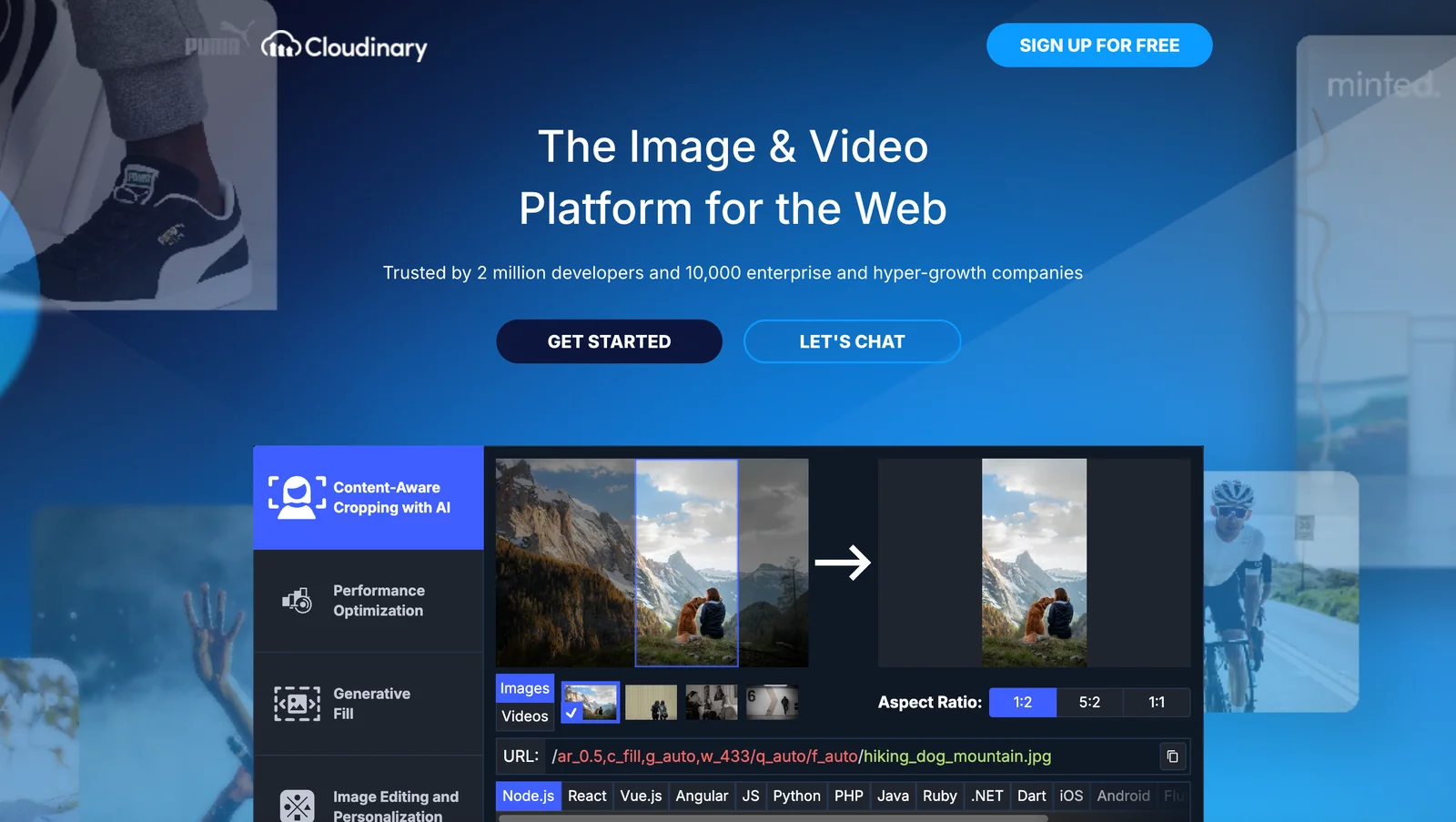
Cloudinary is a cloud-based media management platform that enables developers and teams to upload, store, transform, optimize and deliver images and videos via comprehensive APIs, SDKs, and UI widgets. It provides on-the-fly, URL-driven transformations, automatic format and quality optimization, adaptive delivery through multiple CDNs, and client SDKs for web and mobile to integrate uploads and asset management. Cloudinary's value is in combining storage, dynamic transformations, optimization, secure upload flows (including unsigned uploads and upload presets), and global delivery into a single managed pipeline that reduces development overhead and improves end-user visual performance.
Screenshots
Key Features
Use Cases
MCP Server
https://cloudinary.com/documentation/cloudinary_llm_mcphttps://asset-management.mcp.cloudinary.com/ssehttps://environment-config.mcp.cloudinary.com/ssehttps://structured-metadata.mcp.cloudinary.com/ssehttps://analysis.mcp.cloudinary.com/sse💡 MCP (Model Context Protocol) enables AI assistants to securely interact with local and remote resources.



Frequently asked questions about Cloudinary
What are the pricing options for Cloudinary?
Cloudinary offers a flexible pricing model that includes a Free plan at $0/month, Plus at $89/month, Advanced at $224/month, and customizable Enterprise pricing. Each tier provides varying monthly credits and features designed to meet different user needs, from developers to large enterprises.
Key Points
- Freemium Model: Cloudinary provides a Free plan to get started.
- Tiered Pricing: Plans range from $89/month to customized Enterprise solutions.
- Feature Variability: Each plan includes different monthly credits and capabilities.
Detailed Explanation
Cloudinary's pricing structure is designed to accommodate a wide range of users, from small startups to large enterprises. Here’s a breakdown of each plan:
-
Free Plan: Ideal for individual developers or small projects, this plan allows users to explore basic features with limited monthly credits. It’s perfect for testing and small-scale implementations.
-
Plus Plan ($89/month): This plan is suited for growing businesses needing more resources. It includes increased monthly credits and additional features such as advanced image transformation and support for more file formats.
-
Advanced Plan ($224/month): Targeted toward larger teams, this plan offers even more comprehensive features, including more extensive analytics, higher monthly credits, and priority support. It’s designed for businesses that require robust media management.
-
Enterprise Plan: Custom pricing for organizations needing extensive resources and tailored solutions. This plan includes personalized support, dedicated account management, and advanced security features, making it suitable for large enterprises with specific needs.
Use Cases
- E-commerce: Businesses can utilize the Advanced Plan for high-resolution product images and dynamic media delivery.
- Marketing: Agencies can take advantage of the Plus Plan to manage and optimize media assets for campaigns efficiently.
- Developers: Individual developers can start with the Free Plan to integrate media capabilities into applications without upfront costs.
Best Practices / Tips
- Evaluate Needs: Before choosing a plan, assess your project requirements and expected media usage to select the most cost-effective option.
- Monitor Usage: Regularly review your monthly credits and features to avoid unexpected charges, especially if your media usage grows.
- Leverage Free Tier: Use the Free plan to experiment with Cloudinary’s capabilities and features before committing to a paid plan.
Additional Resources
- Cloudinary Pricing Page
- Cloudinary Documentation
- Cloudinary Blog for updates and tips on media management.
How do I get started with Cloudinary?
To get started with Cloudinary, sign up for a free account on their official website. After registration, you can leverage their SDKs and APIs to upload and manage your media assets efficiently. The comprehensive documentation guides you through each step, ensuring a smooth onboarding experience.
Key Points
- Free Account Setup: Begin with a no-cost account to access basic features.
- SDKs and APIs: Utilize various Software Development Kits and Application Programming Interfaces for integration.
- Comprehensive Documentation: Access detailed guides to help you navigate features and functionalities.
Detailed Explanation
Starting with Cloudinary is straightforward. Here’s a step-by-step guide:
-
Sign Up: Visit the Cloudinary website and click on the “Sign Up” button. Fill out your details to create your free account.
-
Explore the Dashboard: After signing in, familiarize yourself with the Cloudinary dashboard. This is where you can manage your media assets, view analytics, and configure settings.
-
Upload Media Assets: Use the “Upload” feature to add images, videos, and other media. You can drag and drop files directly into the interface or use their API for bulk uploads.
-
Utilize SDKs: Select the appropriate SDK for your programming language (e.g., JavaScript, Ruby, Python). Follow the installation instructions provided in the documentation to integrate Cloudinary into your project.
-
Manage Assets: Use Cloudinary’s tools to transform, optimize, and deliver your media dynamically. The platform supports various formats and provides features like automatic image resizing and lazy loading.
-
Refer to Documentation: Cloudinary’s documentation is extensive. Explore it for information on advanced features like video transformations, responsive delivery, and more.
Best Practices / Tips
- Start Small: Begin with basic features before exploring advanced functionalities to avoid overwhelm.
- Leverage Free Tier: Take full advantage of the free account limits (25 monthly credits) to test and learn about the platform.
- Optimize Images: Always use Cloudinary’s optimization features to reduce load times, enhance SEO, and improve user experience.
- Monitor Usage: Regularly check your account dashboard to monitor usage and avoid exceeding free tier limits.
Additional Resources
By following these steps and utilizing available resources, you can effectively start using Cloudinary to enhance your media management capabilities.
What features does Cloudinary offer for media management?
Cloudinary offers a comprehensive suite of media management features, including on-the-fly image and video transformations, automatic optimization, global CDN delivery, and a user-friendly media management console. These tools streamline the process of handling digital assets, making it easier for developers and marketers alike.
Key Points
- On-the-fly transformations: Modify images and videos dynamically.
- Automatic optimization: Enhance media quality while reducing file sizes.
- Global CDN delivery: Ensure fast media access worldwide.
Detailed Explanation
Cloudinary's robust platform elevates media management through several key features:
1. On-the-Fly Transformations
Cloudinary allows users to manipulate images and videos in real-time using URL-based parameters. For example, you can resize, crop, or apply effects directly via the URL, enabling dynamic content delivery tailored to specific needs. This feature is particularly beneficial for e-commerce sites needing to adapt visuals for different devices or screen sizes.
2. Automatic Optimization
With built-in automatic optimization, Cloudinary intelligently compresses images and videos without sacrificing quality. This feature significantly improves website loading speeds, which is crucial for SEO and user experience. For instance, images can be automatically converted to the WebP format, which offers superior compression rates compared to traditional formats like JPEG or PNG.
3. Global CDN Delivery
Cloudinary ensures that media is delivered swiftly to users around the world through its global Content Delivery Network (CDN). This minimizes latency, allowing websites to load faster regardless of the user's location. By utilizing a CDN, businesses can enhance their site’s performance, positively impacting search engine rankings.
4. Media Management Console
The intuitive media management console simplifies the organization and retrieval of digital assets. Users can easily search, tag, and categorize images and videos, making asset management more efficient. This centralized approach helps teams collaborate better, ensuring that everyone has access to the latest media resources.
Best Practices / Tips
- Utilize URL parameters: Experiment with different transformation parameters in your URLs to meet specific design requirements.
- Regularly audit media: Periodically review and optimize your media library to eliminate unused assets and ensure efficient storage.
- Monitor performance: Use analytics tools to track media loading times and adjust your optimization settings accordingly.
Additional Resources
How does Cloudinary's API integration work?
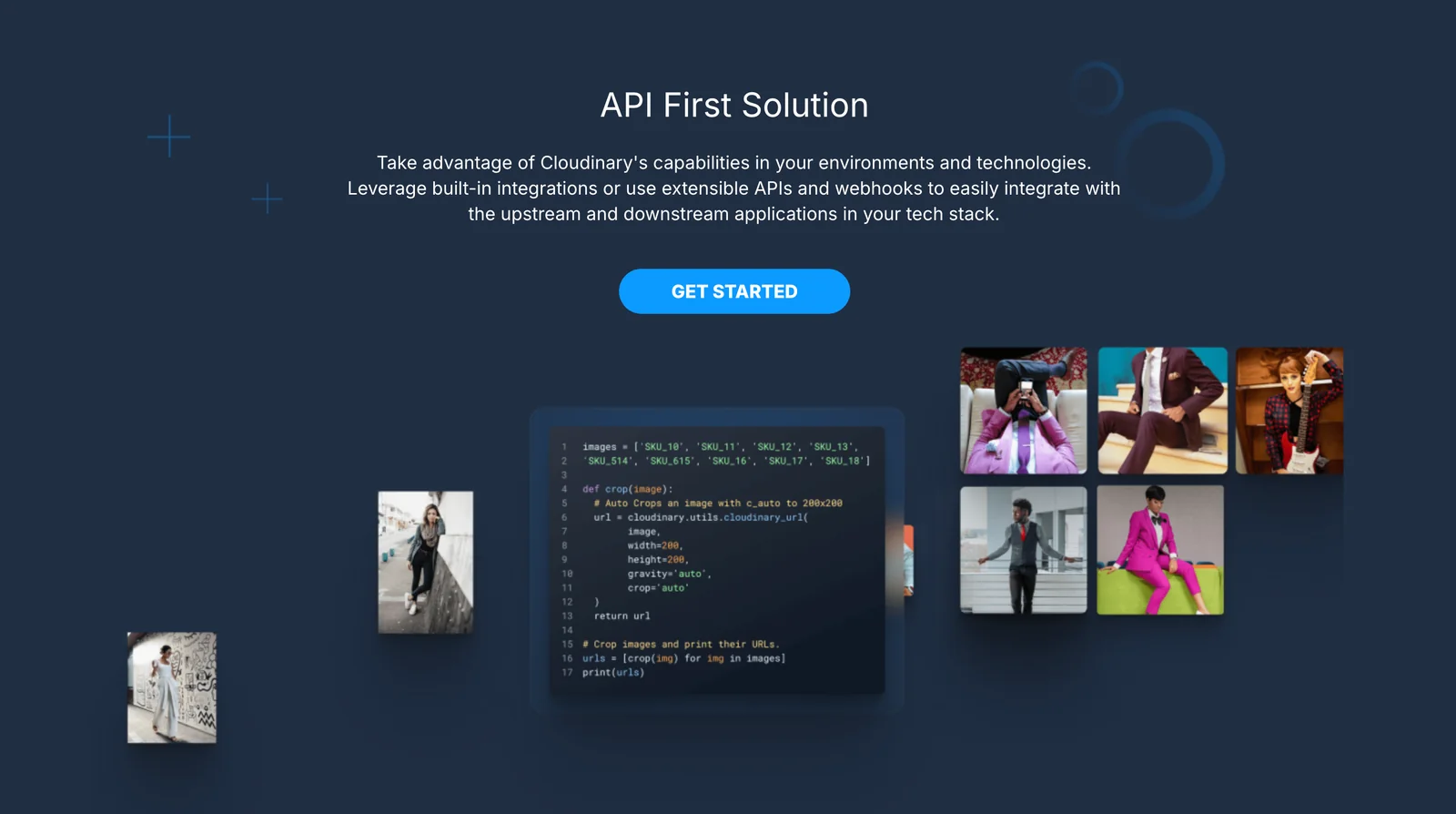
Cloudinary's API integration enables seamless media management through RESTful APIs and SDKs in popular programming languages like JavaScript, Java, and Python. Users can effortlessly upload, transform, and deliver images and videos programmatically, enhancing application performance and user experience.
Key Points
- RESTful APIs: Cloudinary uses RESTful APIs for easy integration.
- SDK Support: Available SDKs for JavaScript, Java, Python, and more.
- Media Transformation: Programmatic image and video transformations enhance delivery.
Detailed Explanation
Cloudinary's API integration allows developers to manage media assets effectively. The RESTful APIs provide flexible endpoints for various operations, including:
-
Upload: You can upload images and videos directly to Cloudinary using simple HTTP requests. For instance, using the JavaScript SDK, you can call
cloudinary.uploader.upload()to send your media file. -
Transform: Cloudinary offers powerful transformation capabilities. You can modify the size, format, and quality of images or videos on-the-fly. For example, adding transformations in the URL allows you to resize an image by appending parameters like
w_300,h_300,c_fillto the resource URL. -
Deliver: Once your media is uploaded and transformed, Cloudinary provides a fast and reliable content delivery network (CDN) to deliver your assets globally. This ensures quick load times and a smooth user experience.
Use Cases
- E-commerce Sites: Automatically resize product images for different devices.
- Social Media Apps: Transform and optimize user-uploaded content for faster loading.
- Blogs and Content Sites: Serve images in next-gen formats like WebP for better performance.
Best Practices / Tips
- Optimize Image Formats: Use the appropriate format for different media types. For example, JPEG for photos and PNG for images with transparency.
- Cache Control: Leverage Cloudinary's caching features to improve load times and reduce server load.
- Use Transformations Wisely: Avoid unnecessary transformations that can affect performance. Always test the impact of transformations on load times.
Additional Resources
How does Cloudinary compare to other media management tools?
Cloudinary is a leader in media management tools, offering advanced real-time transformations and content delivery network (CDN) capabilities. Unlike many competitors, it provides flexible APIs, automated optimization, and extensive support for various media formats, making it ideal for businesses seeking scalable and efficient media solutions.
Key Points
- Real-Time Transformations: Cloudinary allows users to apply image and video transformations on-the-fly.
- CDN Integration: Its CDN capabilities ensure faster loading times and improved user experience.
- API Flexibility: Provides APIs that seamlessly integrate with various development environments.
Detailed Explanation
Cloudinary excels in media management through its robust features tailored for developers and marketers alike. Here’s how it compares with other tools:
1. Real-Time Transformations
Cloudinary's ability to manipulate images and videos in real-time is unparalleled. Users can resize, crop, and apply filters without pre-processing uploads. For example, if a user uploads a high-resolution image, they can request a smaller version for mobile devices instantly, ensuring optimal performance.
2. CDN Delivery
The integrated CDN delivers media efficiently worldwide. This means that users experience reduced latency and faster loading times. For instance, if a webpage includes multiple images, Cloudinary serves them from the nearest server, enhancing user engagement and retention.
3. Comprehensive API Support
With extensive API support, Cloudinary allows developers to automate media workflows and integrate deeply with applications. This flexibility enables businesses to customize their media management processes to match their specific needs, unlike some competitors that offer limited APIs.
Best Practices / Tips
- Utilize Transformations: Take full advantage of real-time transformations to optimize media for various devices. This can enhance user experience and reduce bandwidth costs.
- Leverage CDN Features: Actively use CDN features to ensure media is always delivered from the fastest available location.
- Monitor Performance: Regularly check analytics provided by Cloudinary to understand media usage patterns and optimize accordingly.
Additional Resources
Explore more AI Mcps tools
Browse all Mcps tools →Browse by use case: Image Generation · Video Generation
Compare Cloudinary: vs ai-memory · vs CrawlForge MCP · vs Popcraft · vs Pomerado