

ClawHub
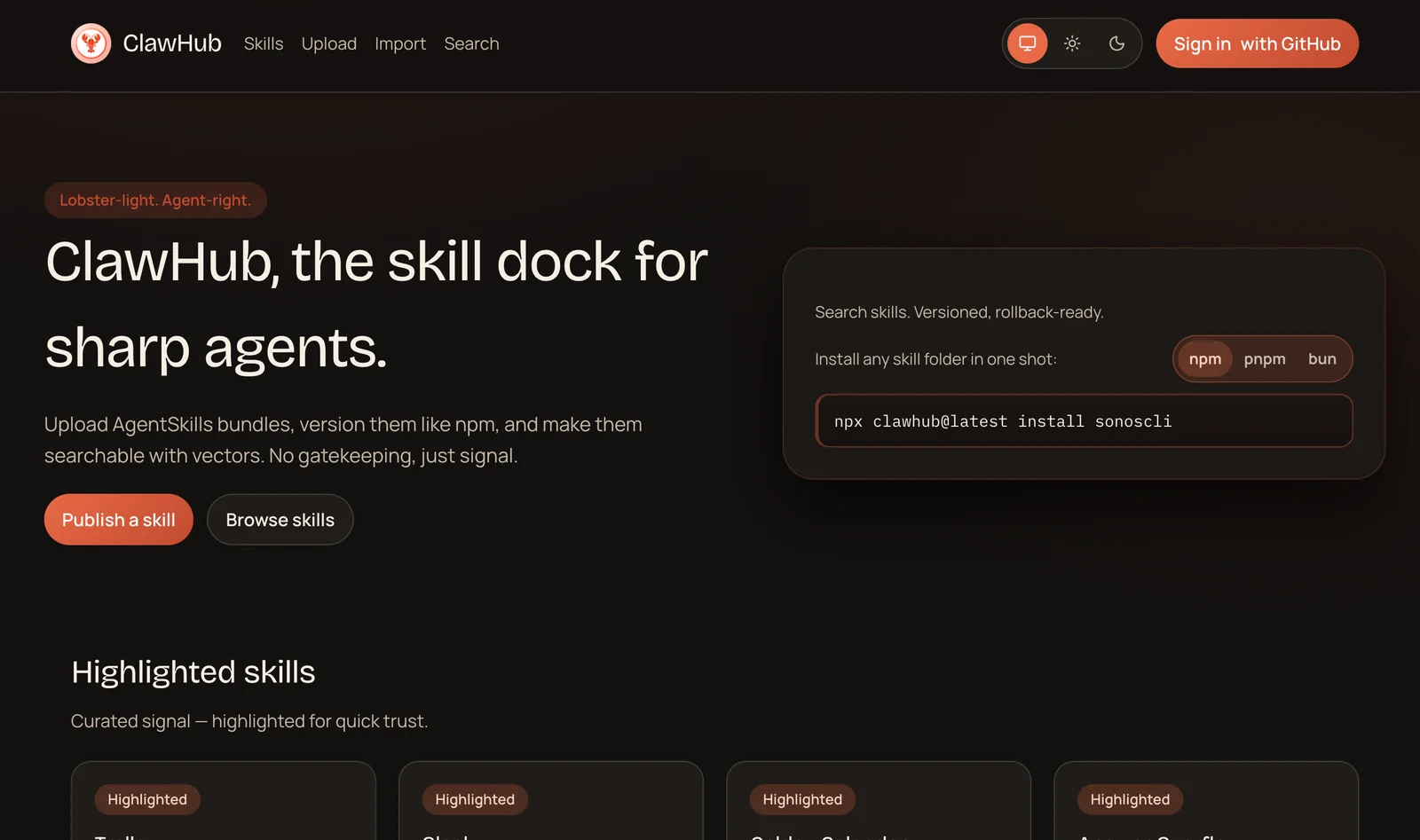
AIOpen SourceFreeA fast skill registry for agents that provides semantic (vector) search and a CLI + web interface for publishing and discovering skills.
ClawHub
A fast skill registry for agents that provides semantic (vector) search and a CLI + web interface for publishing and discovering skills.
About ClawHub
ClawHub is a skill registry and discovery service designed for agent ecosystems (notably OpenClaw/Clawdbot). It indexes and serves skill metadata and artifacts, enabling semantic discovery via vector search powered by OpenAI embeddings and Convex vector search. ClawHub includes a web UI, a CLI for publishing/syncing skills, an API schema for integration, and supports GitHub OAuth for authentication. It can be self-hosted or used via the default hosted site, and emphasizes fast, embeddable search and a structured registry schema for agent orchestration and automation.
Screenshots
Key Features
Use Cases



Frequently asked questions about ClawHub
What pricing options are available for ClawHub?
ClawHub is a free and open-source tool under the MIT license, allowing users to self-host without incurring costs. However, if you opt to use third-party services like OpenAI for additional functionality, those may involve separate fees.
Key Points
- ClawHub is free to use and self-host.
- Open-source under the MIT license.
- Third-party service costs may apply.
Detailed Explanation
ClawHub offers flexibility as a free, open-source platform, making it accessible for individuals and organizations looking to implement AI solutions without upfront costs. Being under the MIT license means you can modify and distribute the software freely, fostering community collaboration and innovation.
Self-Hosting
Self-hosting ClawHub allows users to set up the application on their own servers, which eliminates any software licensing fees. This option is ideal for developers or businesses with the technical ability to manage their infrastructure while maintaining full control over their data.
Third-Party Services
While ClawHub itself is free, integrating with third-party AI services, such as OpenAI, can lead to additional costs. For instance, using OpenAI's GPT models may require a subscription or pay-per-use fees based on API calls. It's crucial to evaluate these costs when planning your budget.
Use Cases
- Small Businesses: ClawHub can be deployed as an internal tool for managing customer inquiries at no initial cost, leveraging self-hosting.
- Developers: Individuals can customize ClawHub to suit specific project needs, ensuring that they pay only for any external APIs used.
- Educational Institutions: Institutions can utilize ClawHub for research projects, benefiting from the open-source nature to adapt the tool for educational purposes.
Best Practices / Tips
- Evaluate Your Needs: Before self-hosting, assess your technical capabilities and server requirements to ensure a smooth setup.
- Monitor Third-Party Costs: If using services like OpenAI, keep track of API usage to avoid unexpected charges.
- Stay Updated: Regularly check for updates or community contributions to ClawHub to enhance security and performance.
Additional Resources
- ClawHub GitHub Repository - Access the source code and community discussions.
- OpenAI Pricing - Review the costs associated with using OpenAI services.
- MIT License Overview - Understand the implications of using software under the MIT license.
How does ClawHub's semantic search feature work?
ClawHub's semantic search feature utilizes OpenAI embeddings to perform vector-based searches. This technology enables users to find skills based on their contextual meaning rather than relying solely on exact keywords, significantly improving the accuracy and relevance of skill retrieval.
Key Points
- Vector-based Search: Leverages advanced AI algorithms for meaning-based queries.
- Enhanced Accuracy: Improves the relevance of search results by understanding context.
- User-Friendly: Simplifies skill discovery for users without needing precise terminology.
Detailed Explanation
ClawHub's semantic search feature harnesses the power of OpenAI embeddings, which convert text into high-dimensional vectors. When a user searches for a skill, these vectors allow the system to analyze the relationships between words and concepts rather than just matching keywords.
How It Works:
- Embedding Generation: When you input a query, ClawHub generates an embedding that represents the meaning of your words in numerical form.
- Contextual Matching: The system compares your query's embedding against a database of existing skills, finding matches based on semantic similarity rather than keyword overlap.
- Results Display: The most relevant skills are then displayed, allowing users to discover related skills that they might not have initially considered.
Use Cases:
- Career Development: A user searching for "data analysis" might also find relevant skills like "statistical modeling" or "data visualization."
- Team Collaboration: Teams can identify overlapping skills, improving project assignments and collaboration.
Best Practices / Tips
- Use Natural Language: When searching, phrase your queries in a conversational manner for optimal results.
- Explore Related Skills: Always check the suggestions provided by ClawHub to uncover additional competencies that could benefit your profile.
- Regular Updates: Keep your skills updated in the platform to ensure the semantic search reflects the latest industry trends.
Additional Resources
How do I get started with using ClawHub?
To get started with ClawHub, download the open-source code from GitHub, set up your environment following the provided instructions, and utilize the Command Line Interface (CLI) to publish and manage your skills effectively.
Key Points
- Download the code from GitHub.
- Set up your development environment.
- Use the CLI for skill management.
Detailed Explanation
ClawHub is an innovative platform designed for developers looking to create and manage skills efficiently. To embark on your journey with ClawHub:
-
Download the Open-Source Code: Visit the ClawHub GitHub repository to download the latest version of the open-source code. Ensure you choose the correct branch that fits your project requirements.
-
Set Up Your Environment: Follow the installation instructions provided in the repository’s README file. This typically involves installing necessary dependencies, such as Node.js or Python, and configuring your local environment to support ClawHub's features. Proper setup ensures seamless functionality.
-
Utilize the CLI: Once your environment is ready, open your terminal or command prompt. Use the ClawHub CLI to create, publish, and manage your skills. For example, you can run commands like
clawhub create skill-nameto initiate a new skill project.
Best Practices / Tips
- Follow the Documentation: Thoroughly read the official ClawHub documentation to understand features, commands, and best practices. This can greatly reduce troubleshooting time.
- Version Control: Utilize Git for version control to manage your codebase efficiently. Regular commits and branching strategies can help you track changes and collaborate with others.
- Testing: Before publishing your skills, ensure rigorous testing is conducted to catch bugs early. Use unit tests and user feedback to refine your skills.
Additional Resources
By following these steps and utilizing the resources provided, you can effectively get started with ClawHub and begin creating impactful skills.
What technical skills do I need to use ClawHub effectively?
To use ClawHub effectively, you should possess basic technical skills such as familiarity with command-line interfaces and API integrations. These skills significantly improve your ability to self-host and automate tasks, enhancing your overall experience with the platform.
Key Points
- Command-Line Interface (CLI) Skills: Understanding basic CLI commands can streamline your workflow.
- API Integration Knowledge: Familiarity with APIs allows for better automation and integration with other tools.
- Self-Hosting Proficiency: Knowing how to set up and manage servers can enhance your control over ClawHub.
Detailed Explanation
ClawHub is designed to be user-friendly, making it accessible even for those with limited technical expertise. However, to maximize its potential, certain technical skills are beneficial:
-
Command-Line Interface (CLI) Skills: Many operations in ClawHub can be executed more efficiently using the command line. For example, navigating directories, managing files, and executing scripts are tasks that can be accomplished quickly through CLI commands. If you're unfamiliar with command line basics, consider tutorials on common commands for your operating system (e.g.,
cd,ls,cpfor Linux/macOS ordir,cd,copyfor Windows). -
API Integration Knowledge: Understanding how to work with APIs is crucial for automating tasks and integrating ClawHub with other software tools. For instance, if you want to pull data from ClawHub into a reporting tool, knowing how to make API calls can save time and effort. Familiarize yourself with RESTful APIs and JSON format to facilitate these integrations.
-
Self-Hosting Proficiency: If you plan to self-host ClawHub, having knowledge about server management is essential. This includes skills in setting up a web server, managing databases, and ensuring security measures are in place. Tools like Docker can simplify the self-hosting process, so learning about containerization is also beneficial.
Best Practices / Tips
- Practice Command-Line Basics: Spend time learning CLI commands. Websites like Codecademy offer free resources for beginners.
- Utilize API Documentation: Always refer to ClawHub’s official API documentation for integration and automation tasks. This will help you understand endpoints, required parameters, and authentication methods.
- Engage with Community Forums: Participate in ClawHub forums or groups. Sharing experiences and seeking advice can significantly improve your learning curve.
- Regular Updates: Keep your ClawHub and related tools updated to benefit from the latest features and security patches.
Additional Resources
How does ClawHub compare to other skill registries?
ClawHub distinguishes itself from other skill registries through its open-source framework, advanced semantic search capabilities, and user-friendly CLI tools. These features provide greater flexibility and customization for developers, making it a superior option compared to traditional proprietary registries.
Key Points
- Open-Source Flexibility: ClawHub allows for extensive customization and community contributions.
- Semantic Search Capabilities: Enhanced search functions help users find relevant skills quickly.
- User-Friendly CLI Tools: Command-line interface tools streamline the development process.
Detailed Explanation
ClawHub is an innovative skill registry designed specifically for developers seeking flexibility and efficiency. Unlike proprietary solutions that often come with restrictive licenses and limited customization options, ClawHub's open-source nature encourages collaboration and innovation. This means developers can modify the platform to suit their specific needs, fostering a community-driven environment.
Open-Source Flexibility
Being open-source, ClawHub allows developers to access the source code, enabling them to tailor the platform to their workflows. This adaptability is particularly beneficial for teams that require specific features or integrations that may not be available in commercial alternatives. The community can contribute improvements, ensuring the tool evolves with user needs.
Semantic Search Capabilities
ClawHub's semantic search functionality sets it apart from traditional skill registries. It utilizes advanced algorithms to provide more relevant search results, enabling users to find specific skills or expertise quickly. For example, if a user searches for "data analysis," ClawHub can return a list of professionals with related skills, such as "data visualization" or "statistical modeling," enhancing discovery.
User-Friendly CLI Tools
The command-line interface (CLI) tools provided by ClawHub streamline various tasks, making it easier for developers to manage their skills and projects. For instance, users can quickly add, edit, or remove skills using simple commands, reducing the time spent on administrative tasks. This efficiency allows developers to focus more on their core projects.
Best Practices / Tips
- Leverage Community: Engage with the ClawHub community for support and to share enhancements.
- Regular Updates: Keep the platform updated to benefit from the latest features and security patches.
- Documentation: Utilize ClawHub's extensive documentation to understand the full capabilities of the platform and maximize its potential.
Additional Resources
Explore more AI Ai Services tools
Browse all Ai Services tools →Compare ClawHub: vs Cadenya · vs OpenObserve · vs Experiential Labs · vs Dial