

Bruin
AIEnd-to-end AI data platform that watches sources, answers questions, builds dashboards, and takes automated actions across team channels.
Bruin
End-to-end AI data platform that watches sources, answers questions, builds dashboards, and takes automated actions across team channels.
About Bruin
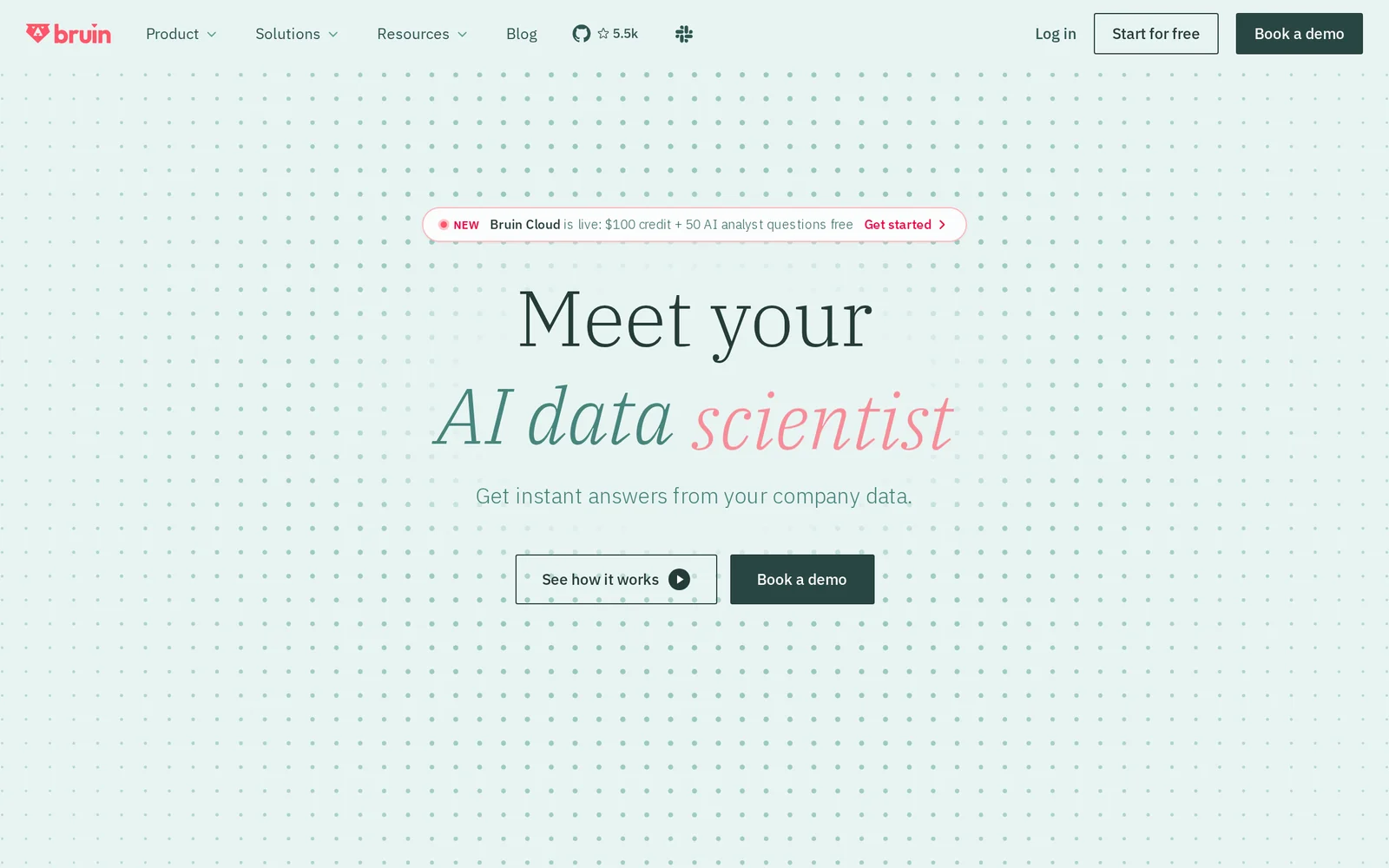
Bruin is an end-to-end AI data platform that functions as an agentic "AI data team": it continuously watches data sources, answers natural-language questions inside chat and email, builds dashboards and briefs from prompts, and takes automated actions when issues are detected. It connects to thousands of sources and runs production-grade SQL and Python pipelines with column-level lineage, data quality checks, and a git-native CLI for reproducible engineering. Bruin's unique value is combining real data engineering (ingestion, transformation, quality) with conversational delivery and agentic automation—auto-pausing bad ad spend, repairing broken reports, replaying failed pipelines, and notifying the right person in Slack/Teams/WhatsApp.
Screenshots
Key Features
Use Cases


Frequently asked questions about Bruin
What is Bruin?
Bruin is an advanced AI data platform that acts as your virtual data team. It allows users to ask questions through various channels like Slack and Teams, build dashboards from simple chat prompts, and automatically trace data issues. Bruin seamlessly integrates with over 200 tools for enhanced data management.
Key Points
- AI-Powered Data Assistance: Interact with data using natural language queries.
- Dashboard Creation: Easily build visual dashboards from chat prompts.
- Integration Capabilities: Connects with over 200 popular tools for streamlined workflows.
Detailed Explanation
Bruin revolutionizes data management by using artificial intelligence to simplify data queries and reporting. Users can engage with Bruin via popular communication platforms such as Slack, Microsoft Teams, and Google Chat, making it accessible and convenient.
Key Features:
- Natural Language Processing: Bruin understands and processes inquiries made in everyday language, allowing users to ask complex questions without needing technical expertise.
- Dashboard Functionality: Users can create visually compelling dashboards directly from their chat prompts, enabling real-time data visualization tailored to specific needs.
- Automated Data Issue Tracing: Bruin can automatically identify and trace data issues, providing insights into data integrity and operational efficiency.
For example, a marketing team can ask Bruin, "Show me the sales performance of our last campaign," and receive a comprehensive dashboard within minutes, complete with relevant metrics and visualizations.
Best Practices / Tips
- Leverage Natural Language: When asking questions, use simple, clear language to get the most accurate responses.
- Explore Integration Options: Take advantage of Bruin’s ability to connect with diverse tools like Salesforce, Google Analytics, and more to centralize data management.
- Regular Updates: Keep your Bruin platform updated to ensure optimal performance and access to the latest features.
Additional Resources
By utilizing Bruin effectively, organizations can enhance their data-driven decision-making processes and improve overall productivity.
How does Bruin work?
Bruin leverages advanced AI capabilities to streamline everyday workflows for users. By integrating machine learning, natural language processing, and automation, Bruin enhances productivity, simplifies complex tasks, and delivers intelligent insights tailored to individual needs.
Key Points
- AI-Driven Automation: Bruin automates repetitive tasks, saving users time.
- Natural Language Processing (NLP): It understands and processes user commands in everyday language.
- Personalized Insights: Bruin analyzes user behavior to offer tailored recommendations.
Detailed Explanation
Bruin operates by utilizing sophisticated AI technologies to facilitate various workflows. Here’s how it effectively assists users:
-
AI-Driven Automation: Bruin automates mundane tasks like scheduling meetings, managing emails, and generating reports. For example, users can set up automated reminders for important deadlines, allowing them to focus on more strategic activities.
-
Natural Language Processing (NLP): By incorporating NLP, Bruin can interpret user queries expressed in natural language. Users can interact with Bruin as they would with a human assistant. For instance, asking “What are my tasks for today?” will yield a concise list of prioritized tasks.
-
Personalized Insights: Bruin analyzes user data to provide customized insights. For example, it can identify trends in work habits and suggest methods to improve efficiency, catering specifically to the user’s style and preferences. This feature is particularly beneficial for project management, where timely insights can lead to better decision-making.
Best Practices / Tips
- Utilize Voice Commands: Take advantage of Bruin’s voice recognition capabilities to enhance speed and efficiency. Commands like “Schedule a meeting with the marketing team” can save time.
- Regularly Update Preferences: Keep Bruin informed about your preferences and work habits to improve its suggestions. Regular updates ensure that the AI learns and adapts to your evolving needs.
- Leverage Integrations: Integrate Bruin with other productivity tools (e.g., calendars, task managers) to create a seamless workflow experience. This helps in centralizing tasks and enhances collaboration.
Additional Resources
What are the main features of Bruin?
Bruin is an advanced AI platform that offers a range of key features, including machine learning capabilities, natural language processing, and data analytics. These features empower users to automate processes, gain insights from data, and improve decision-making efficiency across various industries.
Key Points
- Machine Learning Capabilities: Bruin utilizes algorithms to learn from data patterns for predictive insights.
- Natural Language Processing (NLP): Enables understanding and generation of human language for improved user interaction.
- Data Analytics: Provides tools for in-depth analysis, helping organizations make data-driven decisions.
Detailed Explanation
Bruin's machine learning capabilities allow organizations to build predictive models that can anticipate trends and behaviors, significantly enhancing decision-making processes. For instance, a retail company can analyze customer purchase data to forecast future sales, optimizing inventory management.
Natural Language Processing (NLP) is another standout feature of Bruin. It facilitates seamless interactions between users and the AI, enabling tasks such as sentiment analysis, chatbots, and automated customer service solutions. For example, businesses can deploy Bruin to analyze customer feedback from social media, helping them improve products and services based on real-time insights.
Moreover, Bruin excels in data analytics, offering comprehensive visualization tools that help users interpret complex datasets easily. Companies can leverage these analytics to identify key performance indicators (KPIs) and track business performance over time, leading to more informed strategic planning.
Best Practices / Tips
- Integrate Machine Learning Early: Start using Bruin's machine learning capabilities in your projects to maximize their impact.
- Utilize NLP for Improved User Engagement: Implement natural language features in customer interactions to enhance user experience.
- Regularly Analyze Data: Make it a habit to analyze data frequently using Bruin's analytics tools to stay ahead of market trends.
Additional Resources
By leveraging Bruin's features effectively, businesses can achieve significant improvements in efficiency and decision-making.
Who is Bruin for?
Bruin is designed for individuals and teams looking to enhance their daily workflows with artificial intelligence. It is particularly beneficial for business professionals, content creators, educators, and anyone seeking to streamline tasks, improve efficiency, and leverage AI capabilities for better decision-making.
Key Points
- Target Audience: Individuals and teams across various industries.
- Use Cases: Ideal for business professionals, content creators, and educators.
- Benefits: Enhances efficiency, streamlines tasks, and improves decision-making.
Detailed Explanation
Bruin's utility spans a wide range of users, making it a versatile tool for enhancing productivity.
-
Business Professionals: Bruin can assist in automating routine tasks such as scheduling meetings, managing emails, and generating reports. For instance, marketing teams can utilize Bruin to analyze customer data and generate insights for targeted campaigns, significantly reducing the time spent on data interpretation.
-
Content Creators: Writers and bloggers can leverage Bruin for content ideation, grammar checking, and SEO optimization. With AI-driven suggestions, content creators can enhance their writing quality and improve their chances of ranking higher on search engines. For example, Bruin can provide keyword recommendations based on trending topics.
-
Educators: Teachers and trainers can use Bruin to develop personalized learning plans and automate administrative tasks. By implementing AI, educators can focus more on teaching and less on paperwork, thereby enhancing the learning experience for students.
Best Practices / Tips
- Identify Specific Needs: Before integrating Bruin, assess your workflow to identify repetitive tasks that can be automated. This will maximize the tool's efficiency.
- Regularly Update Your Knowledge: Stay informed about new features and updates from Bruin to ensure you’re utilizing the tool effectively.
- Combine with Other Tools: Consider using Bruin alongside other productivity tools for a more comprehensive workflow solution. For example, pairing Bruin with project management software can streamline project tracking and communication.
Additional Resources
By leveraging Bruin, users can significantly improve their efficiency and productivity across various tasks, making it a valuable addition to anyone's digital toolkit.
How much does Bruin cost?
Bruin's pricing varies based on the subscription plan and features you choose. For the most accurate and up-to-date pricing details, visit the Bruin official website, where you can select a plan that best suits your needs and budget.
Key Points
- Bruin offers multiple subscription tiers.
- Pricing may depend on specific features.
- Discounts may be available for annual subscriptions.
Detailed Explanation
Bruin provides a variety of subscription plans tailored to different user requirements. Typically, these plans range from basic to premium, each offering a distinct set of features. For instance:
-
Basic Plan: This entry-level option includes essential features suitable for individual users or small teams. Pricing for the basic plan usually starts at around $10 per month.
-
Pro Plan: Designed for growing teams, the Pro plan includes advanced features such as enhanced analytics and collaboration tools. Pricing often starts at approximately $25 per month.
-
Enterprise Plan: For larger organizations, the Enterprise plan offers custom solutions with advanced security, dedicated support, and scalability options. Pricing is usually negotiated based on the specific needs of the organization.
Visit the Bruin official website to view the latest pricing details and any promotional offers that may be available. Additionally, you can explore free trials to assess which plan aligns best with your requirements before committing.
Best Practices / Tips
- Evaluate Your Needs: Before selecting a plan, consider your specific needs regarding features and user capacity.
- Take Advantage of Free Trials: Many platforms, including Bruin, offer free trials. Use this opportunity to test functionalities without any financial commitment.
- Check for Discounts: Look out for seasonal discounts or special offers, especially for annual subscriptions, which can significantly reduce your overall costs.
- Stay Updated: Pricing and features may change, so regularly check the official website for the most current information.
Additional Resources
How do I get started with Bruin?
To get started with Bruin, visit getbruin.com to sign up. Once registered, you can explore its features, set up your profile, and begin utilizing the platform to enhance your productivity and organization.
Key Points
- Easy Sign-Up Process: Complete a straightforward registration form.
- Explore Features: Get familiar with Bruin's tools and functionalities.
- Personalized Setup: Customize your profile to maximize efficiency.
Detailed Explanation
Getting started with Bruin is simple and intuitive. Here’s a step-by-step guide:
-
Visit the Website: Navigate to getbruin.com. This is the official site where you can access all necessary information about the platform.
-
Create an Account: Click on the “Sign Up” button. You will be prompted to enter essential details such as your email address and a secure password. Make sure to use a valid email as you'll need to verify your account.
-
Verify Your Email: After signing up, check your email for a verification link. Click on it to activate your account. This step is crucial to ensure the security of your profile.
-
Explore the Dashboard: Once your account is activated, log in to Bruin. The dashboard will guide you through various features, including task management, calendar integration, and collaboration tools.
-
Set Up Your Profile: Personalize your profile by adding relevant information such as your goals, projects, and preferred settings. This customization helps optimize your experience on Bruin.
-
Familiarize Yourself with Features: Take some time to explore the different tools available. From task lists to project boards, understanding these features will help you utilize Bruin effectively.
Best Practices / Tips
- Utilize Tutorials: Bruin often offers tutorials and guides for first-time users. Take advantage of these resources to maximize your understanding of the platform.
- Regular Updates: Keep your profile and tasks updated regularly to avoid clutter and improve productivity.
- Engage with Community: Join Bruin’s community forums or social media groups to share experiences and tips with other users.
- Avoid Overcomplicating Tasks: Start with simple task lists and gradually explore more complex project management features.
Additional Resources
- Bruin Official Documentation - Comprehensive guides and FAQs.
- Bruin Community Forum - Connect with other users for tips and support.
- Video Tutorials - Visual guides to help you navigate the platform effectively.
Explore more AI Ai Services tools
Browse all Ai Services tools →Browse by use case: Automation & Productivity
Compare Bruin: vs BAND for Developers · vs NitroStack · vs GBrain · vs MentionBird