

Arcade
AIOfficial MCPA tool-calling platform that lets AI securely act on users' behalf via authenticated integrations and developer SDKs.
Arcade
A tool-calling platform that lets AI securely act on users' behalf via authenticated integrations and developer SDKs.
About Arcade
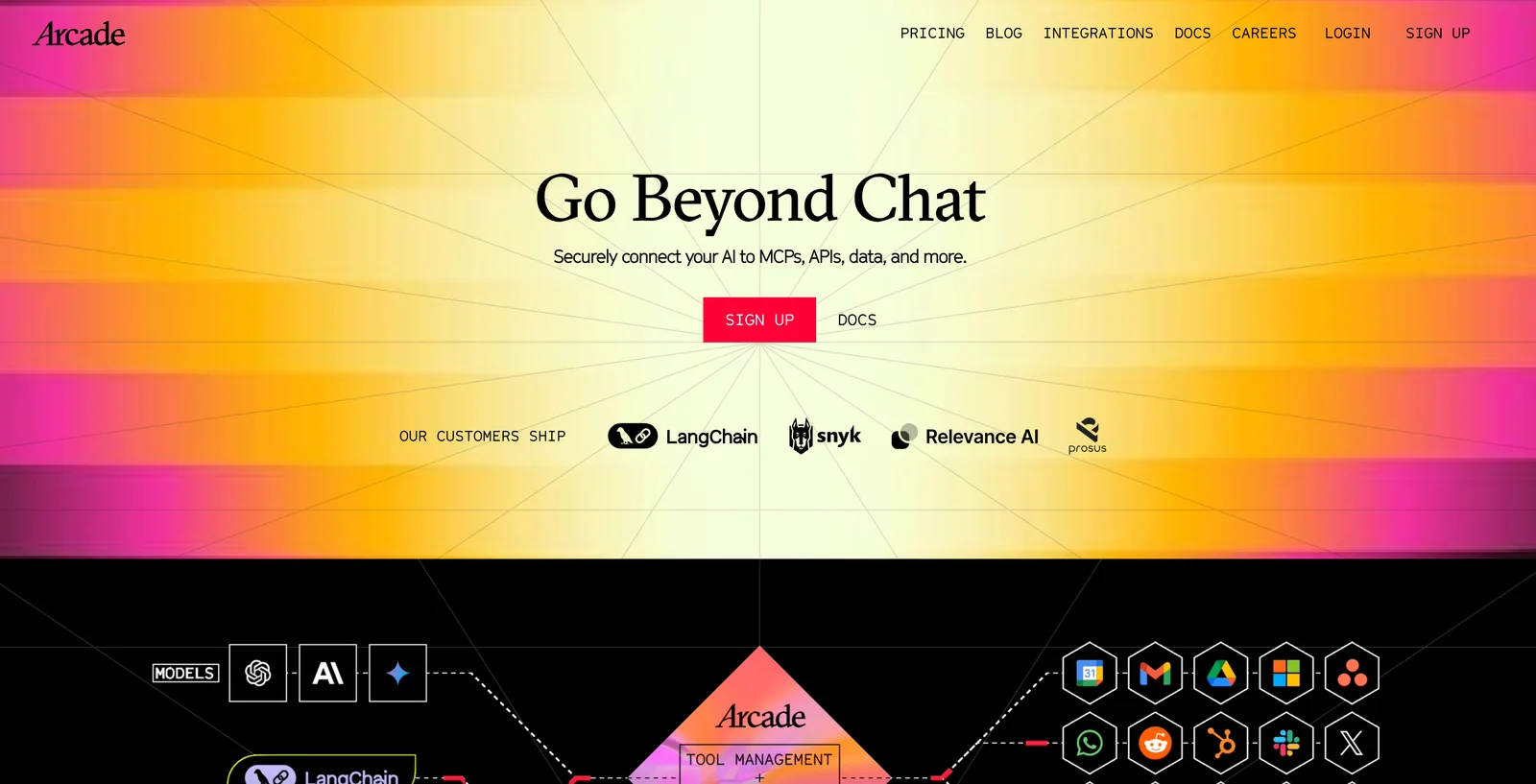
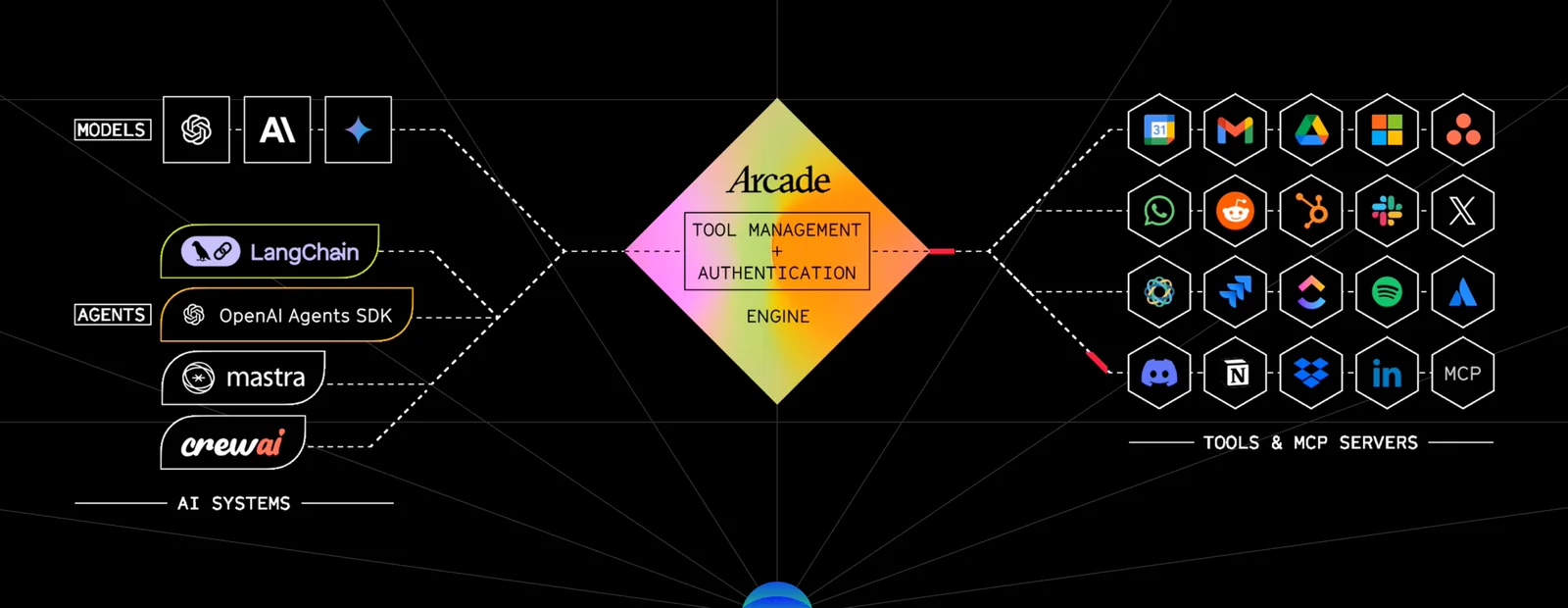
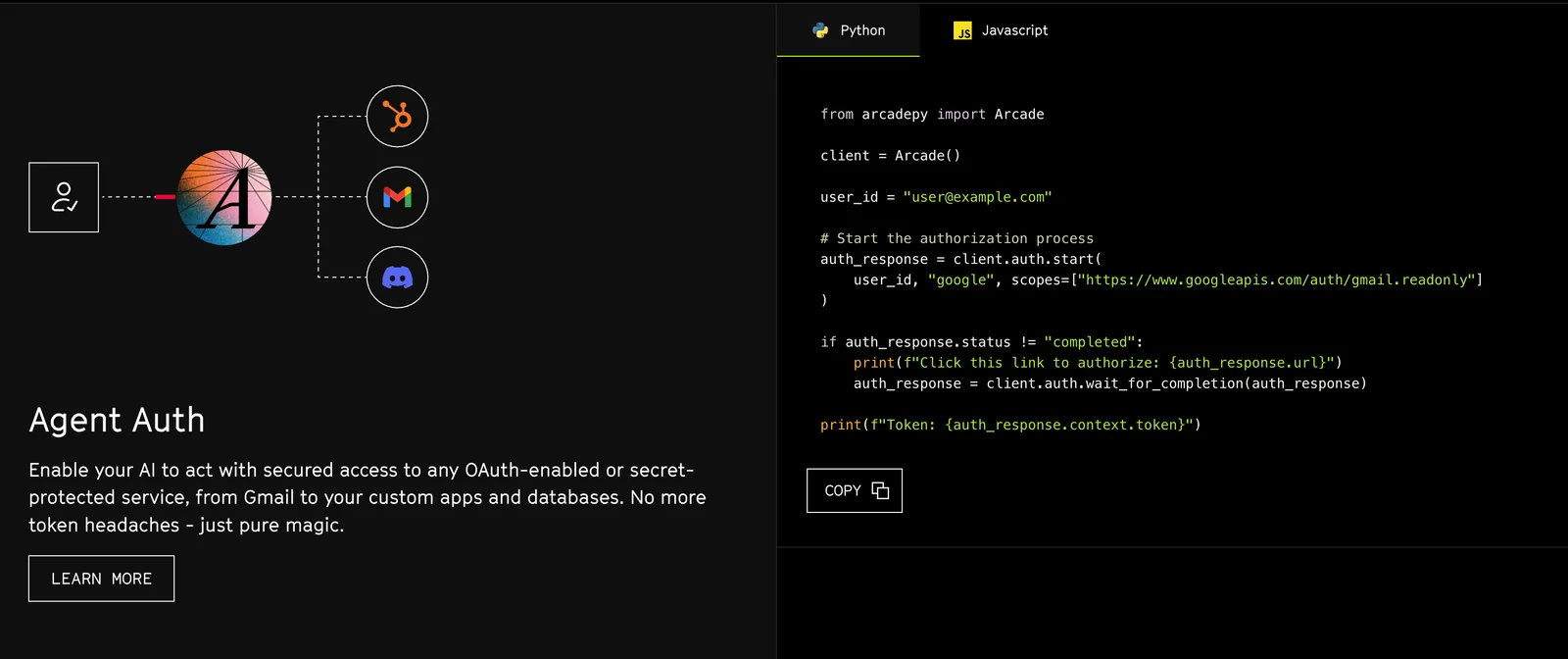
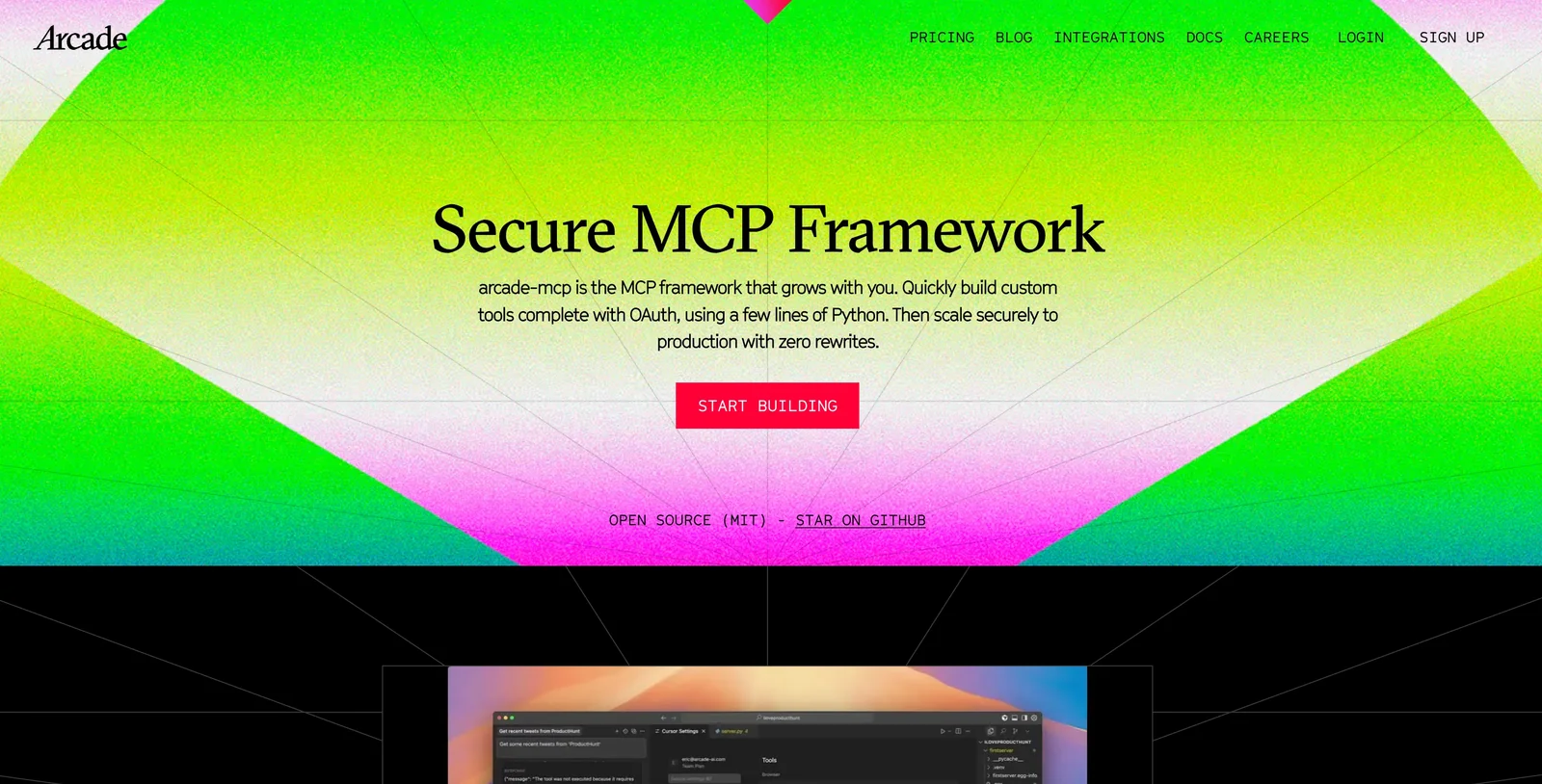
Arcade is an AI tool-calling platform that enables LLM-based agents to securely call authenticated integrations ("tools") and perform actions on behalf of users. It provides a Tool Development Kit, official SDKs (Python, TypeScript, Go), MCP server framework, hosted agent examples (chat, Slack, social media), and documentation to build, test, deploy, and manage tools and agent behaviors. Arcade manages user authentication flows for tools and offers CLI and libraries for local testing, evaluation, and production deployment, streamlining creation of action-oriented autonomous agents.
Screenshots
Key Features
Use Cases
MCP Server
https://www.arcade.dev/mcphttps://docs.arcade.dev/en/home/custom-mcp-server-quickstart💡 MCP (Model Context Protocol) enables AI assistants to securely interact with local and remote resources.



Frequently asked questions about Arcade
What are the pricing options for Arcade?
Arcade provides a flexible freemium pricing model, offering a free tier along with paid plans that start at $9 per month. Available plans include Starter, Pro, Growth, and customizable options for enterprises, enabling users to scale their usage as needed.
Key Points
- Freemium Model: Arcade starts with a free tier.
- Paid Plans: Pricing begins at $9/month.
- Scalable Options: Plans are designed for different user needs, including enterprise solutions.
Detailed Explanation
Arcade’s pricing structure is designed to cater to a variety of users, from individuals to large enterprises. The free tier allows users to explore basic functionalities without any financial commitment, making it an ideal choice for those just starting out or testing the platform's capabilities.
The paid plans include:
- Starter Plan: Priced at $9/month, this plan is suitable for small teams or individuals needing essential features.
- Pro Plan: Designed for growing businesses, offering advanced tools and analytics for approximately $29/month.
- Growth Plan: Aimed at larger teams, this plan usually costs around $79/month, providing extensive features and priority support.
- Custom Enterprise Pricing: For organizations requiring tailored solutions, enterprise pricing is available based on specific needs, ensuring scalability and comprehensive support.
Each plan comes with a distinct set of features, such as enhanced collaboration tools, integrations with other software, and analytics capabilities, allowing users to choose the most suitable option for their needs.
Best Practices / Tips
- Evaluate Your Needs: Before selecting a plan, assess your current and anticipated usage to ensure you choose the most cost-effective option.
- Take Advantage of the Free Tier: Use the free version to familiarize yourself with Arcade’s features before committing to a paid plan.
- Monitor Usage: Regularly review your usage and team size, as you may need to upgrade to a higher tier to accommodate growth.
- Ask for Custom Solutions: If you are part of a larger organization, reach out to Arcade for custom enterprise solutions that fit your specific requirements.
Additional Resources
This comprehensive breakdown ensures you can make an informed decision about which Arcade pricing plan aligns with your needs.
How can I get started with using Arcade?
To get started with Arcade, sign up for the free tier, which provides access to public servers and basic features without requiring a credit card. After signing up, you can explore the Tool Development Kit (TDK) and Software Development Kits (SDKs) to create your applications effectively.
Key Points
- Free tier access without credit card requirements
- Tool Development Kit (TDK) for building applications
- Software Development Kits (SDKs) available for multiple platforms
Detailed Explanation
Arcade is a versatile platform designed for developers looking to create engaging applications. To begin, visit the Arcade website and click on the sign-up button. The free tier offers an excellent opportunity to familiarize yourself with the platform's features, including access to public servers.
Once you have created your account, dive into the Tool Development Kit (TDK). The TDK provides a comprehensive set of tools to assist in developing applications within the Arcade ecosystem. It includes templates, tutorials, and sample projects, making it easier for beginners to start coding.
Additionally, you can utilize the Software Development Kits (SDKs), which are available for various programming languages. These SDKs enhance your development experience by providing libraries, APIs, and documentation tailored to different platforms. Familiarizing yourself with these resources is crucial for building robust applications.
Best Practices / Tips
- Explore the Documentation: Spend time reading through Arcade’s official documentation to understand its features and capabilities fully.
- Utilize Community Resources: Engage with the Arcade community forums and GitHub repositories to learn from experienced developers and share insights.
- Start Small: Begin with simple projects to gain confidence before tackling more complex applications.
- Test Regularly: Use the public servers to test your applications frequently, ensuring they function as intended.
Additional Resources
What are the key features of Arcade?
Arcade offers key features such as authenticated integrations, a Tool Development Kit, multi-language SDKs, and a robust framework for deploying custom servers. These capabilities facilitate secure AI interactions and enable developers to prototype rapidly, streamlining the development process for innovative applications.
Key Points
- Authenticated Integrations: Ensures secure connections and data handling.
- Tool Development Kit (TDK): Simplifies the creation of custom tools.
- Multi-Language SDKs: Supports diverse programming languages for wider accessibility.
Detailed Explanation
Arcade is designed to enhance the development of AI applications through several core features:
Authenticated Integrations
Arcade's authenticated integrations allow developers to securely connect their applications with various third-party services. This means sensitive data remains protected while enabling seamless functionality, which is crucial for applications that handle personal or financial information.
Example: A financial app can use Arcade to authenticate its integration with payment gateways securely, ensuring user data is encrypted during transactions.
Tool Development Kit (TDK)
The Tool Development Kit is a powerful resource for developers, allowing them to create custom tools tailored to their specific needs. The TDK includes templates, libraries, and components that speed up the development process, making it easier to build and iterate on new features.
Use Case: A gaming company could use the TDK to develop a custom matchmaking tool that analyzes player statistics and provides optimized game pairings.
Multi-Language SDKs
Arcade supports multiple programming languages, including Python, JavaScript, and Java, making it accessible to a broader range of developers. This flexibility ensures that teams can work in their preferred languages without the need for extensive retraining.
Example: A startup could leverage Arcade's SDKs to integrate AI functionality into its mobile app, using Swift for iOS and Kotlin for Android development.
Best Practices / Tips
- Ensure Security: Always use authenticated integrations when dealing with sensitive data to avoid breaches.
- Leverage the TDK: Make the most of the Tool Development Kit to streamline development; don’t reinvent the wheel.
- Choose the Right SDK: Pick the SDK that best fits your team's skill set to minimize the learning curve and maximize productivity.
Additional Resources
Does Arcade support integration with third-party APIs?
Yes, Arcade supports integration with various third-party APIs through its authenticated integrations. This functionality allows AI agents to securely perform actions on behalf of users across different platforms, enhancing automation and workflow efficiency.
Key Points
- Wide Range of Integrations: Arcade connects with numerous popular APIs.
- Secure Authentication: Integrations are secured, ensuring user data safety.
- Enhanced Functionality: Enables AI agents to automate tasks across diverse platforms.
Detailed Explanation
Arcade's integration capabilities allow businesses to leverage third-party APIs effectively. By utilizing authenticated integrations, users can connect their AI agents to services like payment gateways, social media platforms, and CRM systems. This integration not only facilitates seamless data exchange but also empowers users to automate repetitive tasks.
For example, a business using Arcade can integrate with a payment processing API like Stripe. This allows the AI agent to process transactions directly, send receipts, and update customer records without manual intervention. Similarly, integrating with social media APIs can enable automated posting, engagement tracking, and analytics, streamlining marketing efforts.
To set up an integration, users typically navigate to the API settings within the Arcade platform. They will need to authenticate their accounts with the third-party service, usually through OAuth or API keys. Once authenticated, users can configure the specific actions the AI agent can perform, such as fetching data or executing commands.
Best Practices / Tips
- Understand API Limits: Each third-party API may have usage limits; familiarize yourself with these to avoid disruptions.
- Use Secure Authentication: Always opt for secure methods (like OAuth) when connecting to third-party APIs to protect user data.
- Test Integrations Thoroughly: Before deploying, thoroughly test your integrations to ensure they work as expected and handle errors gracefully.
Additional Resources
- Arcade API Documentation - Comprehensive details on integrating with third-party APIs.
- OAuth 2.0 Guide - Learn about secure authentication methods.
- Stripe API Documentation - Explore how to integrate payment processing with Arcade.
How does Arcade compare to other AI tool platforms?
Arcade differentiates itself from other AI tool platforms through its emphasis on secure authenticated integrations and an extensive Tool Development Kit. With a robust freemium model, it provides accessibility for developers at all levels, unlike many competitors that may have limited free options or more restrictive access.
Key Points
- Secure Authenticated Integrations: Arcade prioritizes user security, ensuring safe connections to various data sources.
- Comprehensive Tool Development Kit: The platform offers a versatile toolkit that simplifies the development process for users.
- Robust Freemium Model: Arcade’s freemium model allows users to explore features without financial commitment, appealing to a wider audience.
Detailed Explanation
Arcade's standout feature is its secure authenticated integrations. This capability allows developers to connect their applications to various services securely, protecting sensitive information. For instance, developers can integrate Arcade with cloud storage solutions or APIs without compromising data integrity.
Additionally, the Tool Development Kit (TDK) provided by Arcade is comprehensive and user-friendly. It includes libraries, templates, and documentation that facilitate the rapid development of AI-powered applications. This is particularly beneficial for startups and individual developers who require reliable tools without extensive coding knowledge.
The freemium model offered by Arcade is a significant advantage. Unlike competitors like OpenAI and others that may charge from the outset, Arcade allows users to access a basic set of features for free. This approach encourages experimentation and innovation, enabling developers to scale up as their needs grow.
Best Practices / Tips
-
Utilize the TDK: Familiarize yourself with the Tool Development Kit to maximize its potential. Explore the documentation and example projects to accelerate your learning curve.
-
Security First: Always prioritize secure integrations when connecting third-party services. Use best practices for API security, such as OAuth tokens and encrypted connections.
-
Start with Free Features: Take advantage of Arcade's freemium model. Begin by using the free features to prototype your application, then upgrade as necessary when you need more advanced capabilities.
-
Engage with the Community: Join forums and user groups to share experiences and gain insights on best practices and troubleshooting.
-
Regularly Update: Keep your tools and integrations updated to leverage new features and security enhancements offered by Arcade.
Additional Resources
Explore more AI Mcps tools
Browse all Mcps tools →Browse by use case: Code Generation · Automation & Productivity
Compare Arcade: vs ai-memory · vs CrawlForge MCP · vs Popcraft · vs Pomerado