

Agently
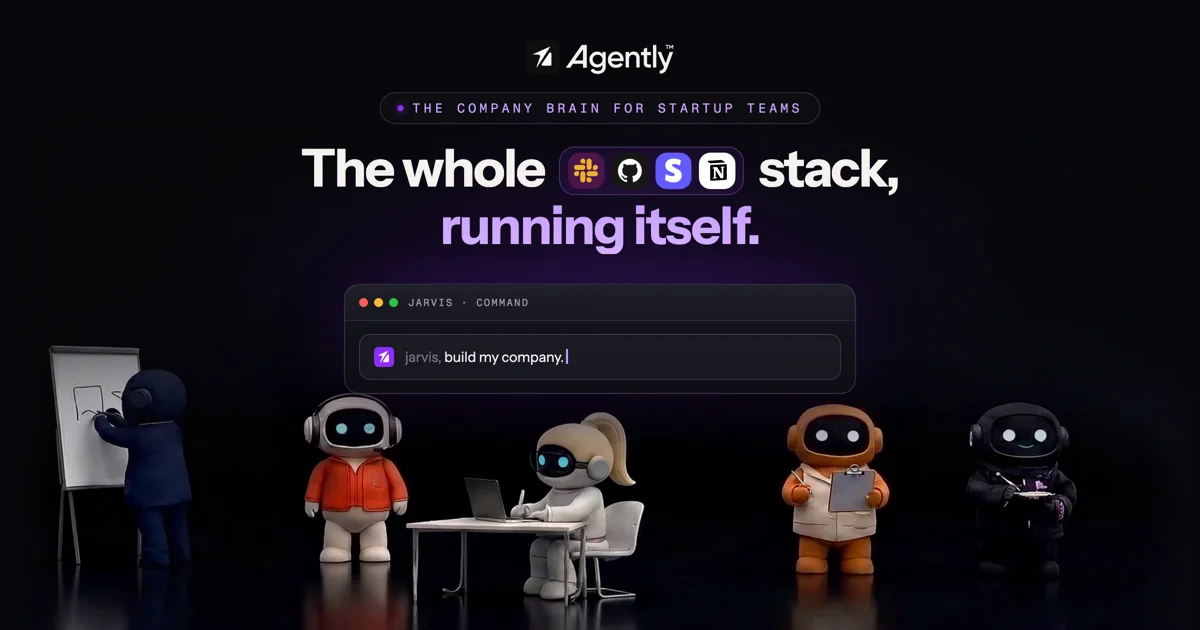
AICompany brain across your entire stack that spawns specialized AI agents, orchestrated by Jarvis, to autonomously ship real work.
Agently
Company brain across your entire stack that spawns specialized AI agents, orchestrated by Jarvis, to autonomously ship real work.
About Agently
Agently is an autonomous-company platform that ingests data from 100+ SaaS tools — Slack, Linear, Notion, Google Drive, Stripe, HubSpot, GitHub, Gmail, Figma, PostHog, Asana, Jira and more — through two-way OAuth MCP connectors and builds a live 'company brain' spanning millions of nodes. On top of that brain, an orchestrator named Jarvis spawns specialized agents (Researcher, Revenue, Growth, Support, Ops, Briefer) that draft, send, update, and report in the background. Outputs land as real artifacts — docs, presentations, sheets, HTML pages, gated PDFs — instead of chat logs, giving founders shippable receipts of what changed. It positions itself as the operating system for teams that want to run a large company with a five-person crew.
Screenshots
Key Features
Use Cases



Frequently asked questions about Agently
What is Agently?
Agently is an innovative AI-driven platform that integrates seamlessly with your existing technology stack. It deploys specialized AI agents, managed by Jarvis, to autonomously complete complex tasks, enhancing productivity and efficiency across various business operations.
Key Points
- AI-Powered Task Management: Agently utilizes AI agents to handle specialized tasks.
- Integration with Existing Systems: It works across your entire tech stack.
- Autonomous Operation: Jarvis orchestrates agents to deliver results without manual intervention.
Detailed Explanation
Agently revolutionizes how businesses manage tasks by leveraging cutting-edge artificial intelligence. The platform creates "brain" capabilities that connect various software tools and databases, allowing specialized AI agents to operate within your existing infrastructure. This means that whether you're using CRM, ERP, or project management tools, Agently can integrate with them to enhance functionality.
Use Cases
- Project Management: Agently can automate task assignments and deadlines, ensuring that every team member is aligned with project goals.
- Customer Support: AI agents can handle inquiries and support tickets autonomously, reducing response times and improving customer satisfaction.
- Data Analysis: Specialized agents can analyze large datasets, providing actionable insights without requiring manual data crunching from your team.
The orchestration by Jarvis allows these agents to communicate effectively, ensuring that they work in harmony to achieve the desired outcomes. This significantly reduces the need for human oversight, allowing teams to focus on strategic initiatives rather than mundane tasks.
Best Practices / Tips
- Start Small: Implement Agently in one department before scaling it to the entire organization. This allows for adjustments and learning.
- Customize AI Agents: Tailor the AI agents to fit the specific needs of your business processes for maximum effectiveness.
- Monitor Performance: Regularly review the outcomes produced by AI agents to ensure that they meet your quality standards and adjust as necessary.
Additional Resources
How does Agently work?
Agently functions by integrating over 100 tools through two-way OAuth connectors, employing a meta-agent named Jarvis to orchestrate tasks between specialized agents. It automates key processes such as revenue operations, customer support escalations, and produces shareable artifacts like presentations and reports, streamlining workflows for teams.
Key Points
- Integration with Tools: Connects seamlessly with platforms like Slack, Notion, and HubSpot.
- Orchestration by Jarvis: A meta-agent that manages task distribution among specialized agents.
- Automation of Workflows: Generates actionable insights and artifacts for various business needs.
Detailed Explanation
Agently's innovative framework simplifies operations by utilizing a combination of integrations and automation. Here's how it works:
-
Comprehensive Tool Integration: Agently connects to over 100 tools, including Slack, Notion, Linear, Stripe, HubSpot, GitHub, Gmail, Google Drive, Figma, PostHog, Asana, and Jira. This live ingestion allows real-time data processing and task management across platforms, ensuring that information is current and actionable.
-
Jarvis Orchestrator: The core of Agently is the Jarvis meta-agent, which facilitates the operation of specialized agents. Jarvis intelligently routes tasks based on priority and context, enabling users to focus on decision-making while the system handles execution. This structure is particularly beneficial for founders and small teams, as it reduces the need for repetitive meetings and streamlines communication.
-
Specialized Agents: Agently features a roster of specialized agents designed for specific functions: Researcher, Revenue, Growth, Support, Ops, and Briefer. Each agent is triggered by real signals from the integrated tools, allowing for proactive management of tasks such as catching at-risk renewals or responding to escalated customer support tickets.
-
Signal-to-Action Loop: This dynamic feature detects critical business signals—such as failed charges or escalated tickets—and initiates appropriate follow-up actions. By maintaining an audit trail of these actions, teams can review and optimize their responses over time.
-
Output of Artifacts: Agently produces tangible outputs, including presentations, gated PDFs, spreadsheets, HTML pages, and Notion-style documents. These artifacts can be easily shared or exported, facilitating collaboration and communication across teams.
Best Practices / Tips
- Maximize Integrations: Leverage the full suite of integrations to ensure all relevant data sources are utilized.
- Define Clear Signals: Clearly define the business signals that should trigger actions to enhance the effectiveness of the Signal-to-Action Loop.
- Regularly Update Workflows: Review and update workflows to adapt to changing business needs and tool capabilities.
Additional Resources
What are the main features of Agently?
Agently offers powerful features designed to enhance productivity and collaboration. Key functionalities include integration with over 100 tools, a meta-agent orchestrator, specialized agents for various business needs, a signal-to-action loop for proactive management, and the ability to generate shareable artifacts like presentations and documents.
Key Points
- Integration Across 100+ Tools: Seamlessly connects with various platforms.
- Jarvis Orchestrator: A meta-agent for task management and direction setting.
- Specialized Agent Roster: Prebuilt agents for targeted business functions.
Detailed Explanation
Agently stands out by integrating with more than 100 tools, including popular platforms like Slack, Notion, and HubSpot. This allows teams to streamline workflows and enhance communication, ensuring that all critical data is accessible in one place.
Integration Across Tools
With live ingestion capabilities, Agently utilizes two-way OAuth MCP connectors to pull data from various applications. For example, if you're using GitHub for version control and Asana for project management, Agently can consolidate updates and tasks into a single dashboard, providing a comprehensive view of project status.
Jarvis Orchestrator
The Jarvis Orchestrator acts as a meta-agent, spinning up specialized agents for specific tasks like research or customer support. This ensures that work is routed efficiently, allowing founders and team leaders to focus on strategic direction while Agently handles the execution. Imagine a scenario where a product update requires input from various departments; Jarvis can coordinate this seamlessly.
Specialized Agent Roster
Agently's specialized agents, such as Researcher, Revenue, and Growth agents, are automatically triggered by real-time signals from connected tools. This means that if there's an escalated support ticket, the Support agent will take action immediately, ensuring swift resolution and maintaining customer satisfaction.
Signal-to-Action Loop
The signal-to-action loop is a unique feature that proactively identifies key business events—like at-risk renewals or failed charges—and automatically triggers appropriate follow-up actions. This ensures that no critical tasks are overlooked, helping businesses maintain healthy operations.
Shippable Pages Artifacts
Agently allows teams to create shareable artifacts like presentations, gated PDFs, and HTML pages, which can be exported or shared directly from the platform. This is particularly useful for marketing teams looking to produce content quickly without needing extensive design resources.
Best Practices / Tips
- Regularly Review Integrations: Ensure all necessary tools are integrated for maximum efficiency.
- Utilize Specialized Agents: Leverage the prebuilt agents to automate routine tasks and improve productivity.
- Monitor the Signal-to-Action Loop: Regularly review alerts and actions taken by the system to adapt strategies as needed.
Additional Resources
Who is Agently for?
Agently is designed for a diverse range of users, including executives, solo founders, small teams, and revenue operations professionals. It streamlines tasks like drafting weekly briefs, managing customer support escalations, and conducting growth audits, making it an essential tool for anyone looking to enhance productivity and decision-making.
Key Points
- Weekly Briefs and Board Updates: Automate status documents and presentations.
- Revenue Operations: Manage financial health with alerts and recovery emails.
- Customer Support: Track and resolve escalated tickets efficiently.
Detailed Explanation
Agently is a versatile tool tailored for various professionals seeking to optimize their workflow. Here are key user scenarios:
-
Weekly Briefs and Board Updates: Agently automates the process of drafting weekly status documents and board updates. By pulling live data from various platforms, it enables users to create comprehensive reports without manual effort, ensuring that decision-makers have the most current information at their fingertips.
-
Revenue Operations on Autopilot: For teams concerned about revenue health, Agently monitors critical metrics such as failed Stripe charges and at-risk renewals. It automatically drafts recovery emails to clients and updates deals in HubSpot, allowing revenue operations teams to focus on strategy rather than administrative tasks.
-
Customer Support Escalations: Agently integrates with platforms like Linear and Slack to monitor escalated tickets. It pulls contextual information from Notion and Gmail, enabling customer support teams to respond quickly and effectively, thereby enhancing customer satisfaction and retention.
-
Growth and Distribution Audits: Users can generate comprehensive funnel diagnostics and distribution audits. Agently can compile these into gated PDFs, complete with metrics and actionable recommendations, making it easier for marketing and growth teams to optimize their strategies.
-
Executive One-Person Chief of Staff: Solo founders and small teams can replace recurring meetings with AI-generated briefs and deliverables. This feature saves time and resources, allowing teams to focus on execution rather than coordination.
Best Practices / Tips
- Maximize Data Sources: Integrate Agently with as many tools as possible (e.g., Notion, HubSpot, Stripe) to enrich data accuracy and context.
- Regularly Update Templates: Customize and update your document templates to ensure they reflect the latest branding and messaging.
- Monitor Performance Metrics: Use Agently’s analytics to monitor how well the tool is serving your needs, adjusting your approach as necessary.
Additional Resources
How much does Agently cost?
Agently is a subscription-based product, with pricing that varies based on the features and usage level. For the most accurate and up-to-date pricing, visit the official Agently website.
Key Points
- Pricing varies based on subscription tiers.
- Offers a free trial for new users.
- Discounts may be available for annual plans.
Detailed Explanation
Agently is designed to streamline marketing and automation tasks, making it essential for businesses looking to enhance their online presence. The pricing structure typically includes multiple tiers, each offering different features. The basic tier may cater to startups, while advanced tiers are geared towards larger organizations requiring more extensive capabilities.
-
Pricing Tiers:
- Basic Plan: Generally starts at around $19/month, suitable for small businesses or individual users.
- Pro Plan: Typically around $49/month, includes advanced features like analytics and integrations with other tools.
- Enterprise Plan: Custom pricing for larger organizations needing tailored solutions.
-
Free Trial: New users can often take advantage of a limited-time free trial, allowing them to explore Agently’s features without financial commitment. This is beneficial for assessing whether the software meets specific business needs.
-
Discounts: For those who decide to commit long-term, Agently usually offers discounts for annual subscriptions. This can lead to significant savings over time.
Best Practices / Tips
- Evaluate Your Needs: Before selecting a plan, assess your business requirements and choose a tier that aligns with your goals to avoid paying for unnecessary features.
- Utilize the Free Trial: Take full advantage of the free trial period to explore all functionalities and determine if the tool fits your workflow.
- Monitor for Promotions: Keep an eye out for seasonal promotions or discounts that Agently may offer, especially during major sales events.
Additional Resources
How do I get started with Agently?
To get started with Agently, visit agently.dev to sign up for an account. Once registered, you can explore its features, including project management tools and AI capabilities, designed to streamline your workflow and boost productivity.
Key Points
- Easy registration process
- User-friendly interface
- Access to AI tools for productivity
Detailed Explanation
Agently is a powerful tool designed to enhance project management through AI capabilities. To begin, navigate to agently.dev and create your account by providing your email and setting a password. After confirming your email address, log in to your dashboard.
Once inside, you’ll find a user-friendly interface with easy navigation. Start by exploring the various features available:
- Project Management: Create projects, set deadlines, and assign tasks to team members.
- AI Tools: Utilize AI-driven insights to optimize workflows, predict project timelines, and automate repetitive tasks.
- Collaboration Features: Use built-in communication tools to keep your team connected and engaged.
Examples of use cases include managing marketing campaigns, software development projects, and team collaborations, all tailored to your specific needs.
Best Practices / Tips
- Familiarize Yourself with Tutorials: Take advantage of onboarding tutorials available on the platform to maximize your understanding of Agently’s features.
- Integrate with Other Tools: Connect Agently with other software tools you currently use (like Slack or Trello) to streamline your workflow.
- Regularly Update Your Projects: Keep your projects current by regularly updating tasks and deadlines to ensure everyone stays aligned.
Avoid common pitfalls such as neglecting to set clear project milestones, which can lead to confusion and missed deadlines.
Additional Resources
By following this guide, you will be well-prepared to make the most of Agently and enhance your project management experience.
Explore more AI Ai Agents tools
Browse all Ai Agents tools →Browse by use case: Automation & Productivity
Compare Agently: vs Sai · vs Mycel · vs Proto-Mind · vs Ami