
AbleMouse AI edition
AIOpen SourceFreeOpen-source assistive input project offering an affordable alternative to MouthPad, eye-trackers, and similar systems.
AbleMouse AI edition
Open-source assistive input project offering an affordable alternative to MouthPad, eye-trackers, and similar systems.
About AbleMouse AI edition
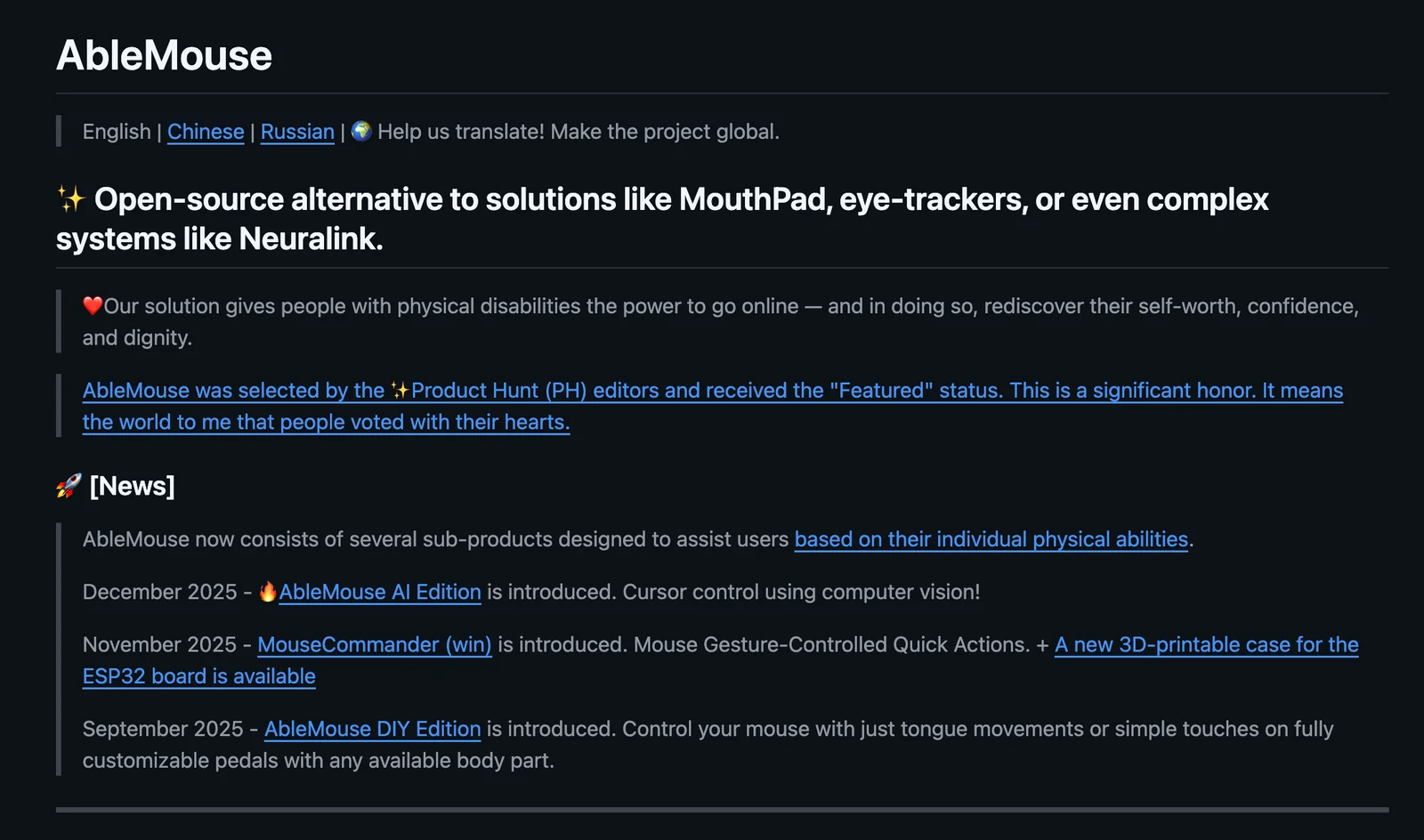
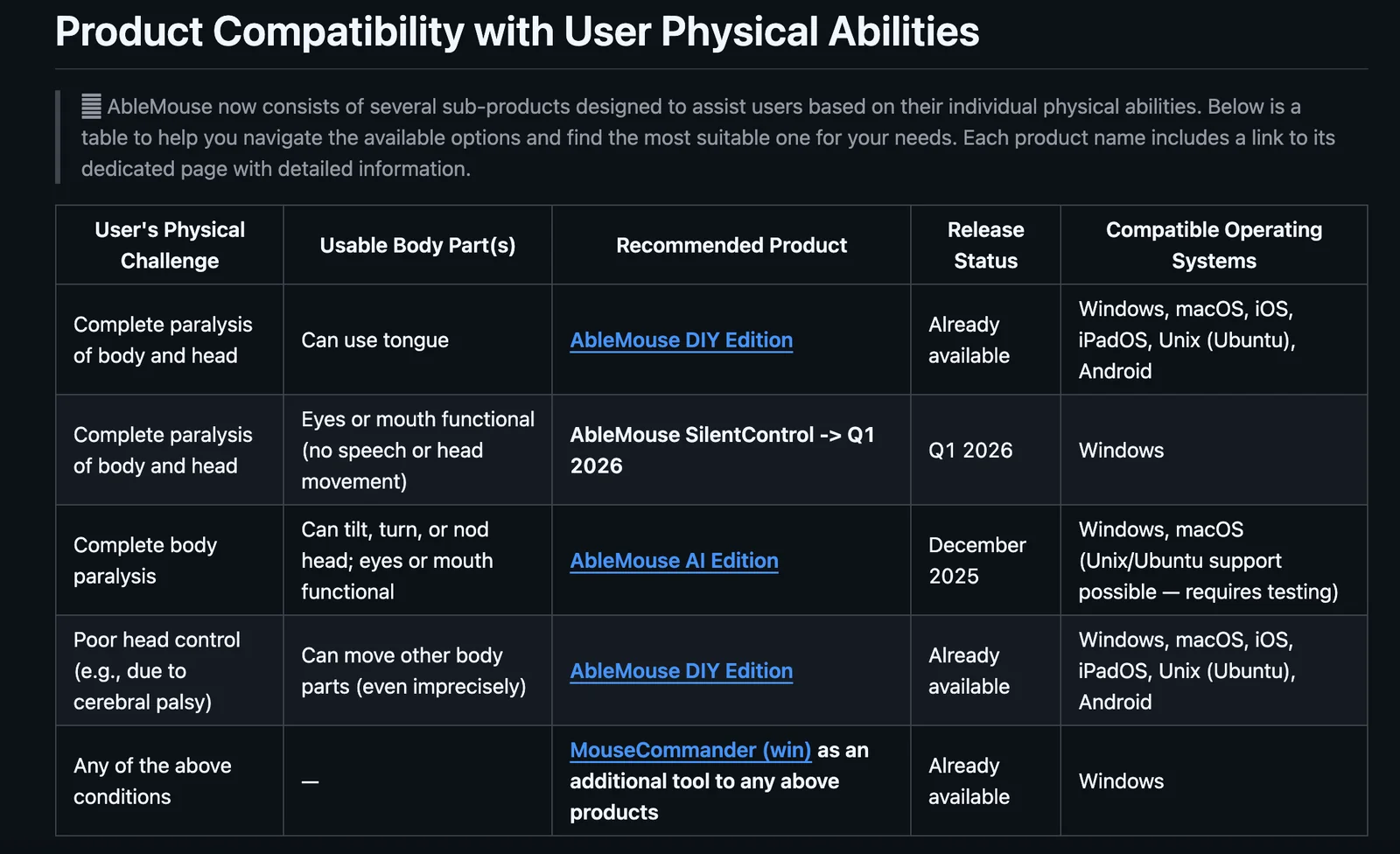
AbleMouse (AI edition) is an open-source assistive technology project that aims to provide an affordable, community-driven alternative to expensive input systems such as MouthPad, commercial eye-trackers, or invasive interfaces like Neuralink. The project delivers source code and designs so users, caregivers, and researchers can build, customize, and deploy alternative pointing and input solutions. Its value lies in accessibility, cost reduction, and enabling broader access to assistive interfaces through open collaboration and modifiability.
Screenshots
Key Features
Use Cases



Frequently asked questions about AbleMouse AI edition
What is the pricing structure for AbleMouse AI edition?
AbleMouse AI edition is entirely free as it is an open-source project available on GitHub. Users can access the complete source code without any charges, and there are no paid plans. This ensures that everyone can utilize its features without financial barriers.
Key Points
- Completely Free: AbleMouse AI edition has no associated costs.
- Open-Source Availability: The source code is publicly accessible on GitHub.
- No Paid Plans: There are no premium versions or subscriptions.
Detailed Explanation
AbleMouse AI edition is designed to be a user-friendly tool for those looking to leverage artificial intelligence capabilities without incurring costs. As an open-source project, it allows developers and enthusiasts to modify, distribute, and use the software freely.
The project is hosted on GitHub, a platform known for fostering collaborative development. Users can download the source code, contribute to its enhancements, or integrate it into their own projects. This open-source nature not only promotes transparency but also encourages community support and innovation.
Use Cases
- Developers: Programmers can customize AbleMouse AI to fit specific project needs.
- Researchers: Academics can use it as a basis for experimental AI applications.
- Students: Learners can explore AI concepts hands-on without financial constraints.
Best Practices / Tips
- Explore GitHub: Familiarize yourself with the repository to understand its features and community contributions.
- Contribute: If you have coding skills, consider contributing to the project to enhance its capabilities.
- Stay Updated: Follow releases and updates on GitHub to benefit from new features and improvements.
Additional Resources
What are the key features of AbleMouse AI edition?
AbleMouse AI edition features a fully open-source codebase, assistive input specifically designed for users with motor impairments, and a highly customizable interface. This makes it an economical alternative to high-priced devices such as MouthPad and eye-trackers, providing significant accessibility benefits.
Key Points
- Open-Source Codebase: Enhances flexibility and customization.
- Assistive Input: Tailored for users with motor impairments.
- Customizable Interface: Allows for personal preferences to be incorporated easily.
Detailed Explanation
AbleMouse AI edition is a groundbreaking tool aimed at enhancing accessibility for individuals with motor impairments.
-
Open-Source Codebase: The open-source nature of AbleMouse allows developers and users to modify and enhance the software according to their specific needs. This flexibility means that anyone can contribute to its development or adapt it to better serve different user requirements. Open-source projects also promote community engagement, leading to continuous improvements and updates.
-
Assistive Input: The assistive input feature is crucial for users who may struggle with traditional input methods. AbleMouse supports various input devices, including switches and adaptive hardware, ensuring that users can navigate digital environments effectively. This feature is particularly beneficial for individuals with conditions such as cerebral palsy or spinal cord injuries, who may find it difficult to use standard keyboards and mice.
-
Customizable Interface: The interface of AbleMouse can be tailored to meet individual user preferences. Users can adjust the size, color, and layout of the interface, making it easier to navigate according to their unique needs. This customization promotes a more inclusive experience, allowing users to interact with technology in a way that feels natural to them.
Best Practices / Tips
- Regularly Update the Software: Ensure that you are using the latest version of AbleMouse to benefit from new features and security updates.
- Experiment with Settings: Take time to explore the customization options available. Adjusting settings can significantly enhance the user experience.
- Community Engagement: Participate in forums or online groups related to AbleMouse to share experiences and learn from other users. Community support can provide valuable insights.
Additional Resources
How can I get started using AbleMouse AI edition?
To get started with AbleMouse AI edition, visit the official GitHub repository to download the source code. Follow the detailed documentation provided for installation and setup instructions, ensuring compatibility with your specific hardware requirements.
Key Points
- Access the official GitHub repository.
- Download and install the source code.
- Follow documentation for hardware-specific setup.
Detailed Explanation
To begin using AbleMouse AI edition, first, navigate to the AbleMouse GitHub repository. Here, you can download the latest version of the source code. Make sure you choose the version compatible with your operating system, whether it be Windows, macOS, or Linux.
Once downloaded, extract the files to a directory on your computer. The documentation included in the repository provides a comprehensive guide for installation. Follow the step-by-step instructions carefully, as they are tailored to different hardware configurations. For example, if you're using a Raspberry Pi, specific commands may be required to ensure the software runs smoothly.
The installation process generally involves setting up dependencies, which can be managed using package managers like npm for Node.js or pip for Python. After installing the required libraries, you can configure the settings according to your preferences.
Best Practices / Tips
- Check Compatibility: Ensure your hardware meets the minimum requirements before installation, as performance may vary based on system specifications.
- Follow Documentation Closely: The setup can differ based on operating systems; adhere strictly to the instructions for your OS.
- Backup Your Data: Before installation, back up any important data to prevent loss during the setup process.
- Join the Community: Engage with the AbleMouse community forums for additional support and tips from other users.
Additional Resources
- AbleMouse GitHub Repository
- Official Documentation
- Community Forums for troubleshooting and user tips
Can AbleMouse AI edition integrate with other assistive technologies?
Yes, AbleMouse AI edition can seamlessly integrate with various assistive technologies. Its open-source codebase allows developers to customize and adapt the software, making it suitable for diverse accessibility needs, ensuring a tailored experience for users with disabilities.
Key Points
- Customizable Integration: AbleMouse can be adapted to work with multiple assistive technologies.
- Open-Source Flexibility: The open-source nature allows developers to modify the code as needed.
- Enhanced Accessibility: Supports specific user requirements and improves the overall user experience.
Detailed Explanation
AbleMouse AI edition is designed with flexibility in mind, allowing integration with various assistive technologies such as screen readers, speech recognition software, and adaptive hardware. For instance, developers can modify the codebase to ensure compatibility with tools like JAWS (Job Access With Speech) or Dragon NaturallySpeaking.
Use Cases
- Screen Readers: Users with visual impairments can benefit from AbleMouse’s integration with screen readers, ensuring that on-screen elements are easily navigable.
- Switch Devices: For individuals with limited mobility, AbleMouse can be set up to work with switch devices, enabling control through simple switches instead of traditional input methods.
- Voice Control: Integrating with voice recognition software allows users to interact with their devices using verbal commands, enhancing accessibility and ease of use.
Best Practices / Tips
- Test Integrations: Always test the integration with different assistive technologies to ensure compatibility and functionality.
- User Feedback: Gather feedback from users who rely on assistive technologies to continuously improve the integration.
- Stay Updated: Keep the AbleMouse software updated to take advantage of new features and compatibility improvements with other assistive technologies.
Additional Resources
This structure not only enhances the visibility of the content for search engines but also improves usability for individuals seeking specific information on AbleMouse and its capabilities in the realm of assistive technologies.
How does AbleMouse AI edition compare to commercial eye-trackers?
AbleMouse AI edition is a cost-effective alternative to commercial eye-trackers, offering similar tracking capabilities without the hefty price tag. It stands out due to its customizable features and community-driven contributions, making it accessible for various users, from researchers to individuals with disabilities.
Key Points
- Affordability: AbleMouse is significantly cheaper than traditional eye-trackers.
- Customizability: Users can tailor the software to meet specific needs.
- Community Contributions: Open-source model encourages enhancements from users.
Detailed Explanation
AbleMouse AI edition provides an innovative approach to eye-tracking technology, especially for users who need assistive technology but may not have the budget for high-end commercial solutions. Unlike traditional eye-trackers, which can range from $1,000 to $10,000, AbleMouse is available for free or at a minimal cost. This makes it an attractive option for students, researchers, and individuals with disabilities.
Key Features:
- Affordable Pricing: AbleMouse can be downloaded and used at little to no cost, making it accessible for educational institutions and non-profits.
- Customization: Users can adjust settings to suit their specific needs, such as sensitivity and tracking parameters, unlike fixed commercial models.
- Community Support: Being an open-source tool, it invites contributions from developers and users, resulting in continuous improvements and updates.
Use Cases:
- Accessibility: Individuals with mobility impairments can use AbleMouse to navigate computers simply by looking at the screen.
- Research: Academics can utilize this tool for eye-tracking studies without the constraints of commercial equipment.
- Gaming: Gamers can enhance their experience by integrating eye-tracking into gameplay with this affordable solution.
Best Practices / Tips
- Test Settings: Before extensive use, spend time adjusting the sensitivity and calibration settings for optimal performance.
- Stay Updated: Regularly check for community updates or patches to ensure the software runs smoothly.
- Utilize Online Forums: Join forums or user groups to share experiences and learn from others' customizations.
Additional Resources
Explore more AI Ai Services tools
Browse all Ai Services tools →Compare AbleMouse AI edition: vs Cadenya · vs OpenObserve · vs Experiential Labs · vs Dial