

Zapier
AIOfficial MCPPlatform to automate workflows, connect 8,000+ apps, and orchestrate agents and AI-driven actions across services.
Zapier
Platform to automate workflows, connect 8,000+ apps, and orchestrate agents and AI-driven actions across services.
About Zapier
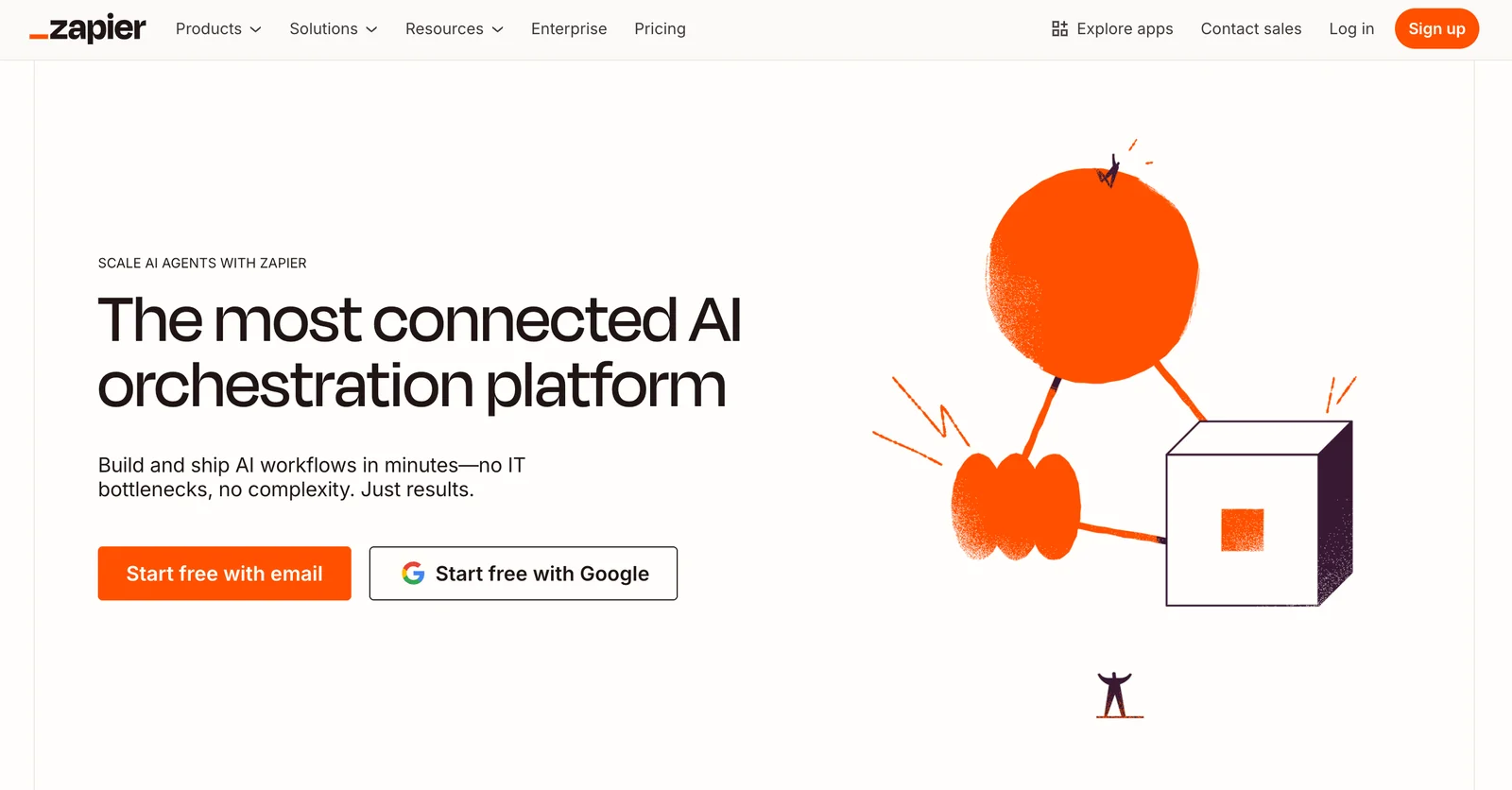
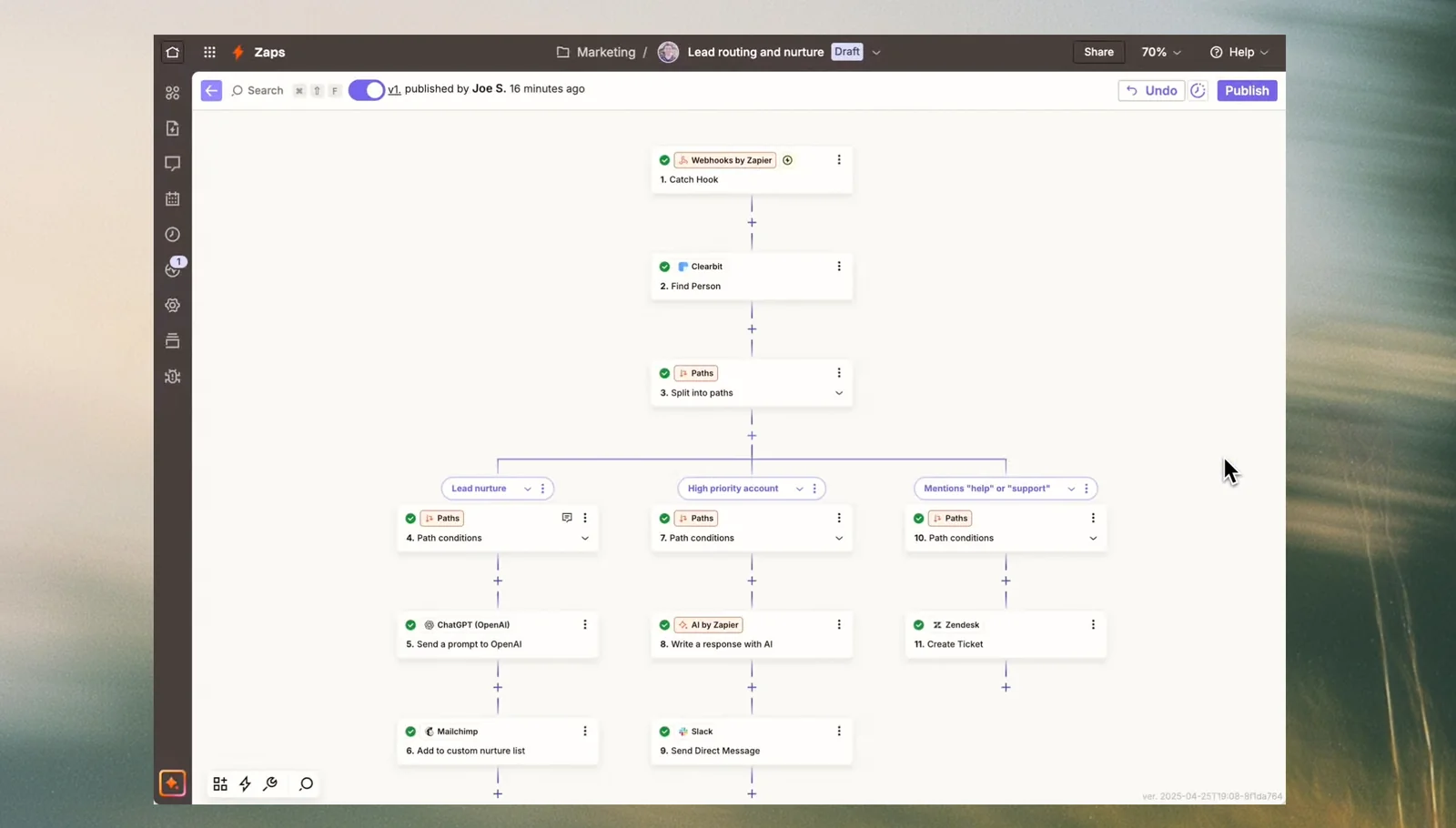
Zapier is a workflow automation and orchestration platform that connects thousands of web apps to automate repetitive tasks and enable AI-driven agents to take real actions. Users can build automations with a visual no-code builder or develop advanced integrations via the Zapier Platform CLI; Zapier handles authentication, triggers, actions, and data mapping across services. The platform also exposes a Model Context Protocol (MCP) endpoint so AI assistants can directly access 8,000+ apps and tens of thousands of actions without writing custom API integrations. Zapier's combination of a large connector ecosystem, developer tooling, and AI orchestration features makes it useful for both non-technical users and engineering teams seeking to extend assistants into real workflows.
Screenshots
Key Features
Use Cases
MCP Server
https://zapier.com/mcp💡 MCP (Model Context Protocol) enables AI assistants to securely interact with local and remote resources.



Frequently asked questions about Zapier
What are the pricing options for Zapier?
Zapier offers a freemium pricing model that includes several tiers: Free ($0/month), Starter (from $19.99/month), Professional (from $49/month), Team (from $69/month), and Enterprise (pricing upon request). Each tier provides unique features and varying task limits to suit different business needs.
Key Points
- Free Tier: Basic features for personal use
- Starter Tier: Increased task limits and multi-step Zaps
- Professional Tier: Advanced features like custom logic and priority support
Detailed Explanation
Zapier’s pricing model is designed to cater to a wide range of users, from individuals to large enterprises.
-
Free Tier: Ideal for users just starting with automation, this plan allows for 5 Zaps and 100 tasks per month. It’s perfect for testing the platform or managing simple workflows.
-
Starter Tier: At $19.99/month, users can create up to 20 Zaps and utilize 750 tasks monthly. This tier includes multi-step Zaps, which allow users to automate complex workflows involving multiple applications.
-
Professional Tier: For $49/month, this plan offers unlimited Zaps and 2,000 tasks per month. It provides advanced features like conditional logic, which lets users create Zaps that operate based on specific triggers and conditions, making it suitable for businesses with intricate workflows.
-
Team Tier: Priced at $69/month, this plan supports collaboration among team members, allowing for shared workspaces and enhanced security features. Users can create unlimited Zaps and utilize 50,000 tasks monthly.
-
Enterprise Tier: Pricing for this tier is available upon request and is tailored for larger organizations needing custom solutions, advanced security, and dedicated support. This option scales according to the specific needs and usage of the business.
Best Practices / Tips
- Evaluate Your Needs: Before selecting a plan, assess how many tasks you typically execute monthly and the complexity of your workflows.
- Take Advantage of the Free Trial: Use the free tier to explore the platform and determine which features are essential for your automation needs.
- Consider Upgrading: If you find the free or starter tier limiting, consider upgrading to Professional or Team to access more features and increased task limits.
Additional Resources
How do I get started using Zapier?
To get started using Zapier, visit their official website, sign up for a free account, and utilize their intuitive no-code visual builder to create automations by connecting over 8,000 apps. Explore their tutorials and guides to maximize your automation potential.
Key Points
- Free Account Setup: Create a free account to access basic features.
- No-Code Visual Builder: Use the user-friendly interface to design automations.
- Wide App Integration: Connect with over 8,000 applications seamlessly.
Detailed Explanation
Zapier is a powerful automation tool that enables users to create workflows, known as “Zaps,” that connect different applications and automate repetitive tasks. Here’s how to get started:
-
Sign Up: Go to the Zapier website and click on "Sign Up." You can register using your email or sign in with Google.
-
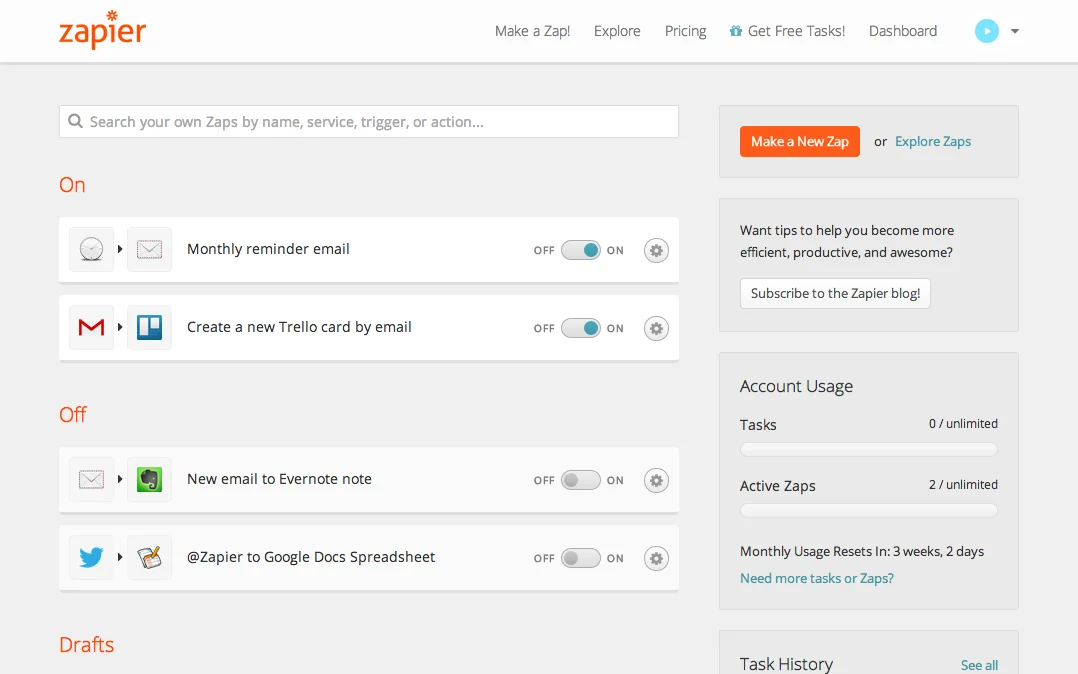
Explore the Dashboard: Once registered, you’ll be directed to your dashboard. Familiarize yourself with the layout, which includes options for creating Zaps, browsing templates, and accessing your connected apps.
-
Create Your First Zap:
- Click on “Make a Zap.”
- Choose a Trigger app (the app that starts the automation) and set the specific event that triggers it.
- Select an Action app (the app that performs the task) and define what action should occur when the trigger happens.
-
Test Your Zap: After setting up your trigger and action, run a test to ensure everything works as expected. This step is crucial for troubleshooting.
-
Activate Your Zap: Once tested, turn your Zap on, and it will run automatically based on the conditions you set.
-
Utilize Resources: Zapier provides a wealth of tutorials and guides. Check out their Help Center for in-depth articles and video tutorials.
Best Practices / Tips
- Start Simple: Begin with basic automations to understand how Zaps work before creating complex workflows.
- Use Templates: Leverage pre-built templates available in the Zapier library to save time and get inspired by popular automations.
- Monitor Performance: Regularly check your Zaps to ensure they are running smoothly and adjust them as necessary.
- Optimize Triggers: Use filters and delays to refine when and how your Zaps operate, ensuring they only run when truly needed.
Additional Resources
- Zapier Learning Center - Access tutorials and use cases.
- Zapier Pricing Plans - Explore various plans, including a free tier and premium options.
- Zapier Community - Join discussions and seek help from other users.
What are the key features of Zapier?
Zapier is a powerful automation tool that features a no-code visual builder, supports multi-step workflows, integrates with over 8,000 applications, and provides advanced options like conditional logic and custom API calls. These features make it easy to create complex automations without any programming knowledge.
Key Points
- No-Code Visual Builder: Easily design workflows without coding.
- Multi-Step Workflows: Create automations that connect multiple apps in a single process.
- Integration with 8,000+ Apps: Access a vast library of applications for seamless connectivity.
Detailed Explanation
Zapier’s no-code visual builder allows users to drag and drop elements, making it accessible for non-technical individuals. Users can quickly set up workflows, known as "Zaps," that automate repetitive tasks. For example, a user can create a Zap to automatically save email attachments from Gmail to Google Drive, streamlining file management.
The multi-step workflows feature enhances functionality by enabling users to connect multiple applications in a single automation sequence. For instance, you can set up a Zap that triggers when a new lead is added in a CRM (like Salesforce), sends a welcome email via Mailchimp, and adds the lead to a spreadsheet in Google Sheets—all in one workflow.
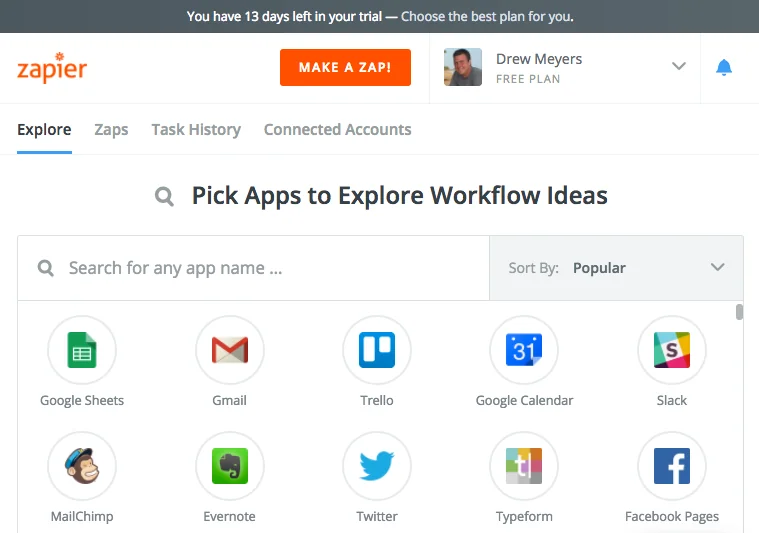
With integration with over 8,000 apps, Zapier supports a wide range of services, including popular platforms like Slack, Trello, and Shopify. This extensive compatibility allows businesses to tailor their automation to their specific needs, improving efficiency and productivity.
Zapier also offers advanced features such as conditional logic, which allows users to set specific conditions for actions (e.g., only send a follow-up email if a lead responds within 24 hours). Additionally, users can utilize custom API calls to connect with less common applications or services that may not be listed in Zapier’s standard offerings.
Best Practices / Tips
- Start Simple: Begin with basic Zaps to familiarize yourself with the interface and gradually add complexity.
- Utilize Templates: Take advantage of pre-built Zap templates to save time and gain inspiration.
- Monitor Performance: Regularly check the performance of your Zaps to ensure they are functioning as intended and adjust them based on usage patterns.
- Test Your Zaps: Always run tests to validate that your workflows perform correctly before deploying them into your daily operations.
Additional Resources
How does Zapier compare to other automation tools?
Zapier stands out among automation tools due to its extensive ecosystem of over 8,000 integrations and an intuitive visual interface that caters to non-technical users. While it excels in accessibility, other platforms may provide more advanced coding capabilities or specialized integrations tailored to specific industries.
Key Points
- Extensive App Ecosystem: Zapier integrates with over 8,000 apps, making it one of the most versatile automation tools available.
- User-Friendly Interface: Its visual interface allows users to create automations (Zaps) without needing coding skills.
- Advanced Alternatives: Competitors like Integromat and Automate.io may offer more complex features for developers.
Detailed Explanation
Zapier’s comprehensive library of integrations allows businesses to connect a plethora of apps seamlessly. For example, you can automate tasks between Google Sheets, Slack, and Mailchimp, saving time on repetitive processes. The platform is designed for ease of use; users can create multi-step Zaps that trigger actions across various applications with simple drag-and-drop functionality.
In contrast, other automation tools like Integromat (now called Make) provide advanced features such as conditional logic and more intricate workflows, ideal for users with programming knowledge. This makes them suitable for complex automation scenarios where Zapier might fall short. Additionally, tools like Microsoft Power Automate focus more on enterprise-level solutions with deep integrations into the Microsoft ecosystem.
Use Cases
- Marketing Automation: Use Zapier to automatically add new leads from Facebook Ads into your CRM for follow-up.
- Project Management: Automatically create Trello cards from new emails, streamlining project workflows.
- E-commerce: Sync new orders from Shopify to Google Sheets for better inventory tracking.
Best Practices / Tips
- Explore Templates: Use Zapier’s pre-built templates to kickstart your automation process, saving time on setup.
- Test Your Zaps: Always test your automations before going live to ensure they function as expected.
- Monitor Performance: Regularly check your Zaps for errors and performance metrics to optimize efficiency.
Additional Resources
Does Zapier provide an API for integrations?
Yes, Zapier provides a comprehensive API that enables developers to create custom integrations, automate workflows, and securely manage OAuth-based access for connected applications. This functionality empowers teams to enhance productivity and streamline processes through tailored solutions.
Key Points
- Robust API: Zapier's API allows for extensive customization.
- Developer Platform: Offers tools for building and managing integrations.
- OAuth Security: Ensures secure access to connected applications.
Detailed Explanation
Zapier’s API is designed to facilitate seamless interactions between various applications and services, making it a powerful tool for developers. With the API, you can create custom integrations that suit specific business needs without extensive coding knowledge.
Key Features:
- Custom Integrations: Developers can use the API to connect any app to Zapier, enabling unique workflows tailored to business requirements.
- Automation of Workflows: Automate repetitive tasks by connecting various apps and services. For instance, you can set up a Zap that triggers an action in one app when an event occurs in another.
- OAuth-Based Access: The API supports OAuth, which allows for secure authentication and authorization, ensuring that user data remains protected during integration.
Example Use Cases:
- E-commerce: Automatically add new customers from your e-commerce platform to your email marketing service.
- Project Management: Create tasks in project management tools based on incoming emails or form submissions.
- Customer Support: Log support tickets in your helpdesk software whenever a new chat is initiated on your website.
Best Practices / Tips
- Start with Pre-Built Integrations: Before diving into custom API development, explore Zapier's pre-built integrations to see if they meet your needs.
- Utilize Webhooks: For real-time data transfer, consider using webhooks, which can trigger actions immediately without delays.
- Review API Documentation: Familiarize yourself with Zapier's API documentation to understand endpoints, authentication methods, and rate limits.
- Test Your Integrations: Always run tests to ensure your integrations work as intended before deploying them in a live environment.
Additional Resources
By leveraging Zapier's API, businesses can optimize their operations and enhance overall productivity through effective integration of applications.
Explore more AI Mcps tools
Browse all Mcps tools →Browse by use case: Automation & Productivity
Compare Zapier: vs Pomerado · vs Manifold MCP · vs Lune · vs SineFrame M3