

YouArt
AICreate agentic, no-code workflows by chatting — transform ideas into images and videos by connecting 20+ AI models via natural language.
YouArt
Create agentic, no-code workflows by chatting — transform ideas into images and videos by connecting 20+ AI models via natural language.
About YouArt
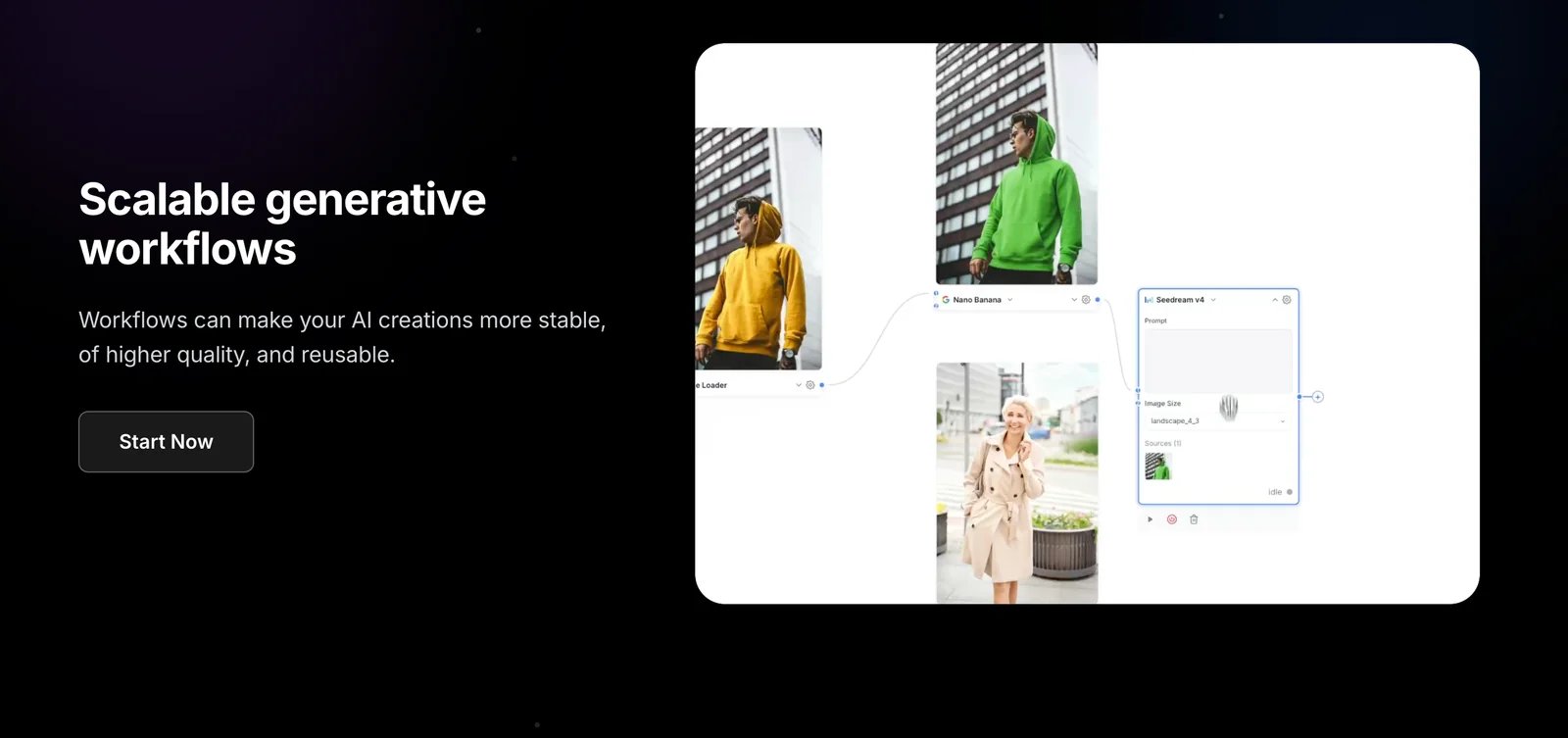
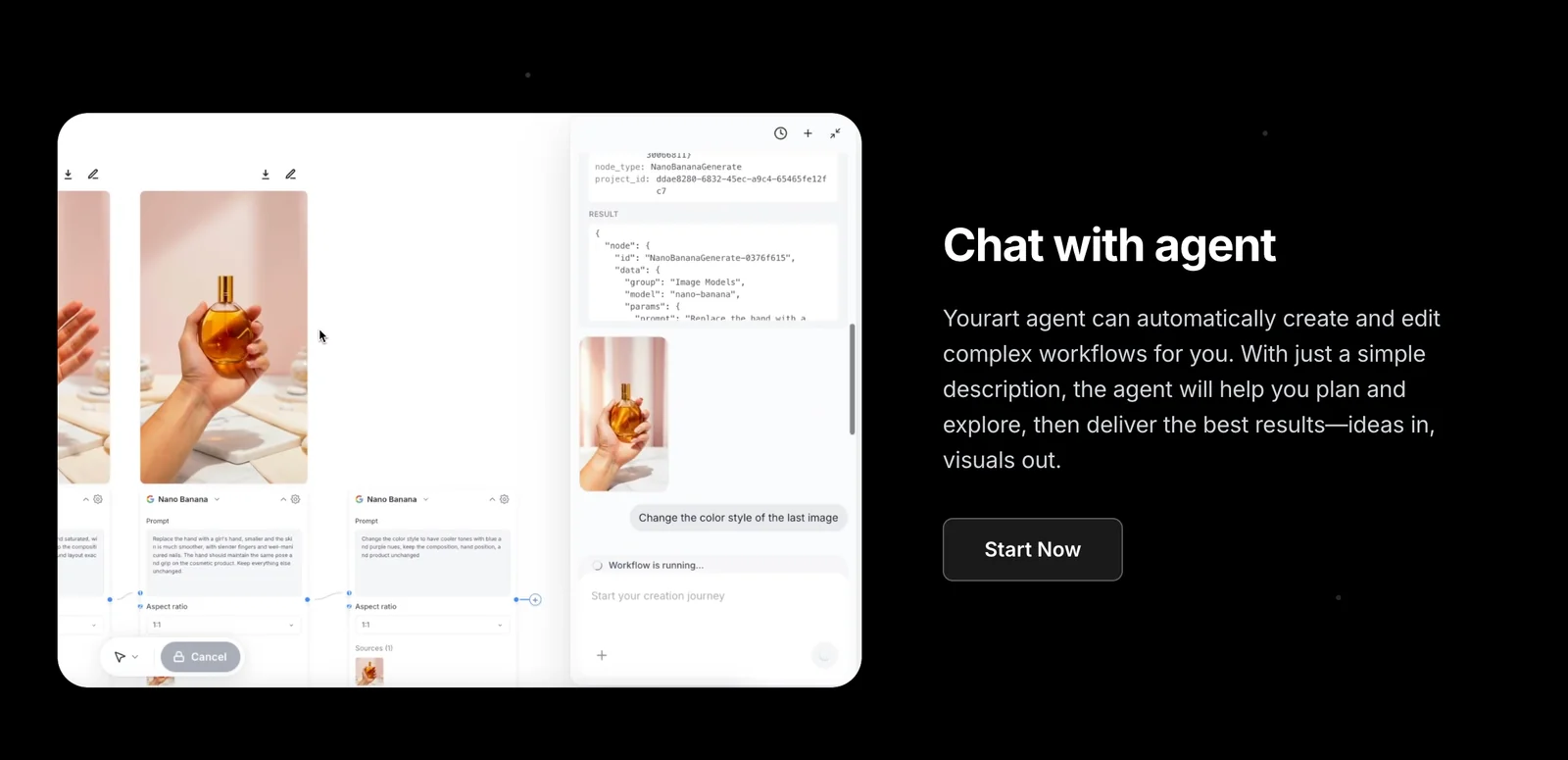
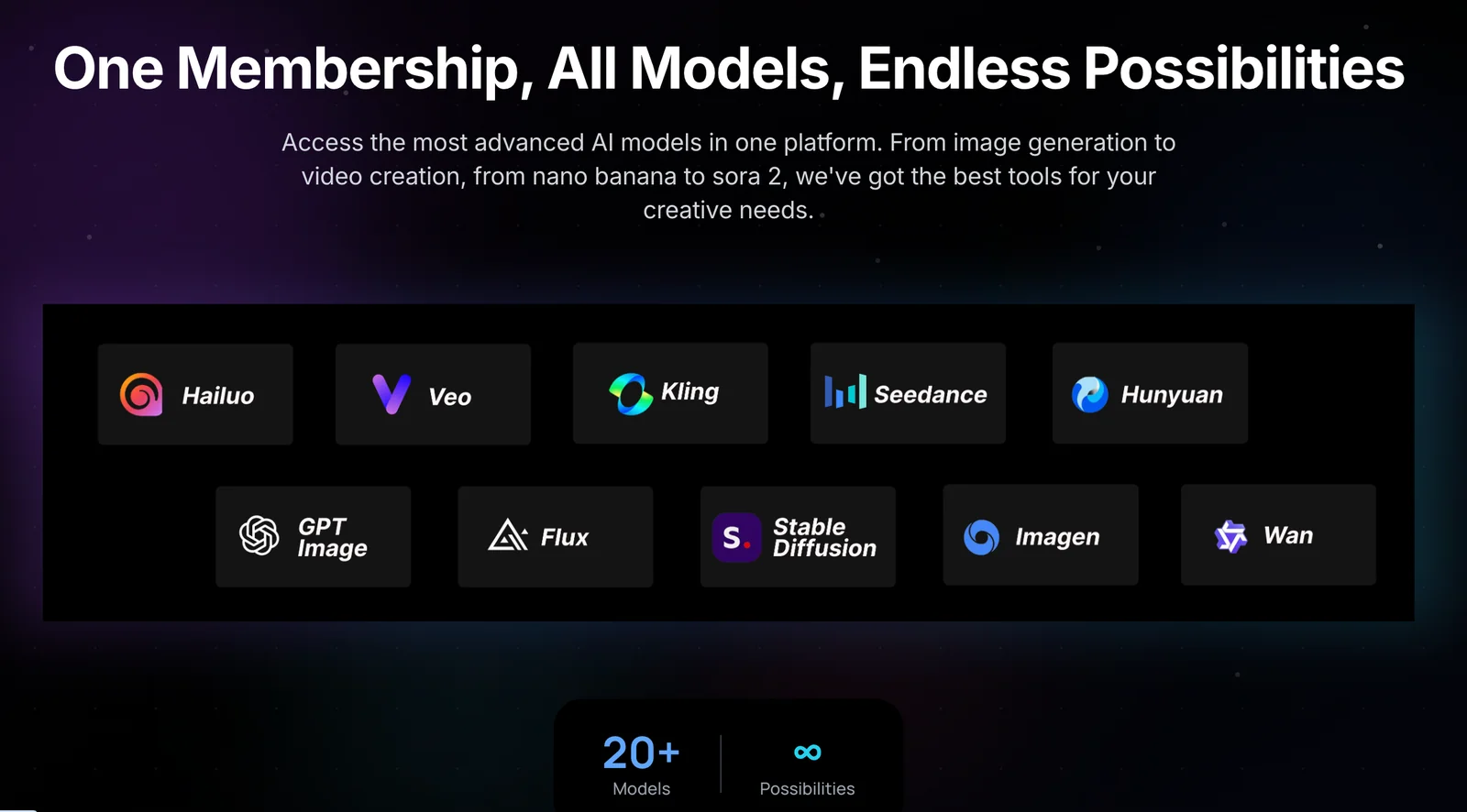
YouArt is an agentic AI studio that converts plain-language descriptions into complete, executable creative workflows. Users simply chat or describe what they want and the platform assembles and orchestrates multi-step pipelines that connect over 20 AI models to produce images and videos without any coding. The conversational interface supports iterative refinement, letting creators adjust results through follow-up prompts while the system handles model selection, sequencing, and execution. YouArt's value lies in making complex multi-model content creation accessible through natural language and automated orchestration.
Screenshots
Key Features
Use Cases



Frequently asked questions about YouArt
What pricing options are available for YouArt?
YouArt provides a freemium pricing model that includes a free tier, a Basic plan for $7.99 per month, and custom-priced Pro and Max plans designed for professionals and teams. Each tier varies in features and generation limits, catering to different user needs.
Key Points
- Freemium model with a free tier
- Basic plan priced at $7.99 per month
- Custom-priced Pro and Max plans for advanced users
Detailed Explanation
YouArt's pricing structure is designed to accommodate a wide range of users, from casual creators to professional teams.
-
Free Tier: This option allows users to access basic features without any financial commitment. Ideal for beginners, it offers limited generation capabilities to explore the platform.
-
Basic Plan: For $7.99 per month, users gain access to additional features, including increased generation limits and enhanced customization options. This plan is perfect for hobbyists or small businesses looking to create unique content without a substantial investment.
-
Pro and Max Plans: Tailored for professionals and larger teams, these custom-priced plans offer advanced features such as priority support, higher generation limits, and collaboration tools. Users can contact YouArt directly for pricing tailored to their specific needs, ensuring they only pay for what they require.
Example Use Cases:
- A graphic designer could start with the free tier to test YouArt's capabilities before upgrading to the Basic plan for more extensive projects.
- A marketing team might opt for the Pro plan to manage multiple projects simultaneously, benefiting from collaboration features.
Best Practices / Tips
- Start with the Free Tier: If you're new to YouArt, begin with the free tier to familiarize yourself with the platform before committing financially.
- Evaluate Your Needs: Understand your content generation needs. If you frequently create high volumes of content, consider the Basic or custom-priced plans to avoid limitations.
- Check for Promotions: Keep an eye on seasonal promotions or discounts that YouArt may offer, allowing you to save on subscription costs.
Additional Resources
How can I create workflows using YouArt?
YouArt enables users to create workflows by describing their ideas in natural language. The platform seamlessly integrates over 20 AI models to carry out complex, multi-step tasks without requiring any coding skills, making automation accessible to everyone.
Key Points
- User-Friendly Interface: Create workflows using simple text descriptions.
- AI Model Integration: Leverage multiple AI models for diverse tasks.
- No Coding Required: Automate processes without programming knowledge.
Detailed Explanation
Creating workflows in YouArt is an intuitive process. To start, simply log into your YouArt account and navigate to the workflow creation section. Here’s how to effectively create a workflow:
-
Describe Your Task: Begin by typing a detailed description of the task you want to automate. For instance, you might write, “Generate a weekly report on sales data and send it to my email.”
-
Select AI Models: YouArt will automatically suggest the most suitable AI models based on your description. You can choose from over 20 models, such as those for data analysis, content generation, or image processing.
-
Define Workflow Steps: You can break down your task into smaller steps. For example:
- Pull sales data from your database.
- Analyze the data for trends.
- Generate a report.
- Email the report to specified recipients.
-
Review and Execute: Once you have defined your workflow, review it for accuracy. You can then execute the workflow, and YouArt will manage the process, utilizing the selected AI models to complete each step.
-
Monitor Progress: After execution, you can track the workflow’s progress and receive notifications upon completion. This feature allows for real-time adjustments and optimizations.
Best Practices / Tips
- Be Specific: The more specific you are in your descriptions, the better the AI models will perform. Instead of saying “analyze data,” specify the type of analysis, such as “compare this week’s sales to last week’s sales.”
- Iterate and Improve: After running your workflow, take note of areas that can be optimized. Adjust the descriptions or steps to enhance efficiency.
- Utilize Templates: If you frequently perform similar tasks, consider saving your workflows as templates for quick future access.
Additional Resources
- YouArt Official Documentation for detailed guides and examples.
- YouArt Community Forums to connect with other users and share tips.
- Explore YouArt’s Blog for updates on new features and best practices in AI automation.
What are the key features of YouArt that set it apart from other AI tools?
YouArt stands out from other AI tools with its conversational interface for seamless workflow creation, multi-model orchestration for flexible project management, no-code execution for accessibility, and comprehensive support for both image and video outputs. These features make it particularly user-friendly for non-technical users seeking creative solutions.
Key Points
- Conversational Interface: Simplifies workflow creation.
- Multi-Model Orchestration: Enables flexible project management.
- No-Code Execution: Accessible for non-technical users.
Detailed Explanation
YouArt's conversational interface allows users to interact with the tool naturally, making it easier to create and modify workflows without needing extensive technical knowledge. This feature resembles chatting with a virtual assistant, guiding users step-by-step through their projects.
The multi-model orchestration capability is another game-changer. Users can manage various AI models simultaneously, allowing for complex projects that require different outputs. For example, a user can generate a video that combines both visual and auditory elements from distinct AI models, streamlining the creative process.
Moreover, YouArt's no-code execution empowers users without programming skills to create sophisticated outputs. This accessibility is crucial for artists, marketers, and content creators who may not have a technical background but wish to leverage AI technology. By simply dragging and dropping elements, users can produce professional-quality visuals and videos.
Lastly, YouArt's support for both image and video outputs sets it apart. This versatility allows creators to use a single platform for various media types, making it easier to maintain brand consistency across different formats.
Best Practices / Tips
- Utilize Templates: Start with pre-built templates available in YouArt to save time and ensure quality.
- Experiment with Models: Try different AI models to see which best suits your project's needs. YouArt’s flexibility allows for easy switching.
- Regular Updates: Stay updated with YouArt’s latest features and enhancements by following their blog or news section to maximize the tool's capabilities.
Additional Resources
Can YouArt integrate with other applications or APIs?
Yes, YouArt can integrate with other applications or APIs, though specific integration details are not extensively documented. Users are encouraged to reach out to YouArt support for tailored guidance on integration capabilities and to explore how to connect with external tools.
Key Points
- YouArt utilizes over 20 AI models internally.
- Integration capabilities with external applications are not fully specified.
- Direct support from YouArt is recommended for technical inquiries.
Detailed Explanation
YouArt is designed to leverage a suite of more than 20 internal AI models, enhancing its functionality and user experience. While the platform excels in orchestrating these models, the specifics of integrating with third-party applications or APIs remain somewhat ambiguous. Users interested in connecting YouArt with external tools, such as CRM systems, data analytics platforms, or content management systems, should take the following steps:
-
Research Available APIs: Begin by checking YouArt's official website or user documentation for any mention of API support or integration guidelines.
-
Contact Support: For precise information, reaching out to YouArt’s support team is advisable. They can provide insights into potential integration options and any upcoming features that may facilitate external connections.
-
Community Forums: Engaging in user forums or community discussions can also yield valuable insights. Often, other users share their experiences regarding integrations, which can guide your approach.
-
Use Cases: Consider specific use cases for integration, such as automating workflows, enhancing user engagement through connected services, or utilizing data from other platforms to enrich content creation within YouArt.
Best Practices / Tips
- Clarify Your Needs: Before contacting support, clearly define what you want to achieve with the integration. This will help the support team address your queries more effectively.
- Stay Updated: Keep an eye on YouArt’s updates and release notes. New features may provide enhanced integration capabilities in the future.
- Test Integrations: If you manage to set up an integration, conduct thorough testing to ensure it functions as expected and meets your operational requirements.
Additional Resources
How does YouArt compare to other content generation tools?
YouArt stands out among content generation tools due to its no-code, conversational interface, which simplifies workflow creation for non-technical users. Unlike traditional design tools that require manual coding and extensive setup, YouArt enables quick and intuitive content generation, making it a preferred choice for many.
Key Points
- User-Friendly Interface: YouArt’s no-code design allows anyone to create content effortlessly.
- Conversational Workflow: Engages users through natural dialogue, making the process intuitive.
- Versatility: Suitable for various content types, from blogs to social media posts.
Detailed Explanation
YouArt's primary advantage lies in its user-friendly interface, which eliminates the need for programming knowledge. Users can start creating content by simply answering questions posed by the tool. This conversational approach streamlines the content generation process, allowing for rapid turnaround times.
For example, a user can generate a blog post by inputting a topic, and YouArt will guide them through a series of prompts to refine their ideas. This method not only saves time but also reduces the learning curve typically associated with more complex content generation tools.
In comparison to traditional tools like Adobe Creative Suite, which may require hours of training and experience, YouArt allows marketing teams, small business owners, and content creators to produce polished content quickly. Its versatility is another plus; whether you need social media updates, email campaigns, or detailed articles, YouArt can handle various formats seamlessly.
Best Practices / Tips
- Explore Templates: Utilize available templates to speed up the content creation process.
- Iterate and Refine: Use the conversational prompts to iteratively improve your content until it meets your standards.
- Keep It Simple: Focus on clear and concise inputs for better outputs; avoid overly complex instructions.
Common pitfalls include overloading the system with too much information at once or neglecting the guidance provided during the workflow. Staying engaged with the conversational flow can lead to more effective results.
Additional Resources
Explore more AI Ai Services tools
Browse all Ai Services tools →Browse by use case: Image Generation · Video Generation · Chatbots & Assistants · Automation & Productivity
Compare YouArt: vs Claude Academy · vs Switchyard · vs Router by Ramp · vs Supernova