

ツSupercut for Windows
AIBlazing-fast, AI-powered Windows screen & camera recorder that auto-edits and instantly shares polished 4K videos for teams.
ツSupercut for Windows
Blazing-fast, AI-powered Windows screen & camera recorder that auto-edits and instantly shares polished 4K videos for teams.
About ツSupercut for Windows
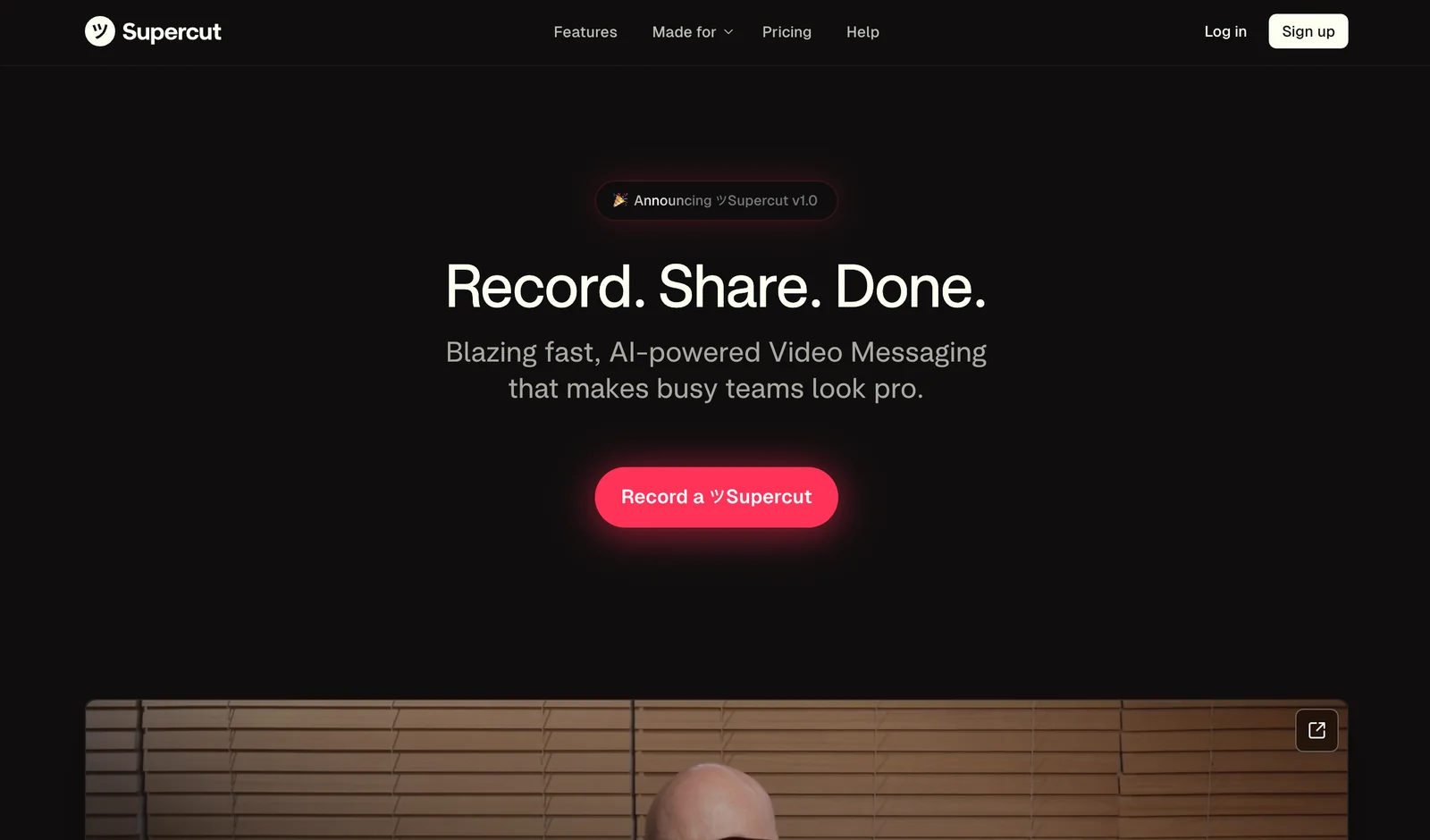
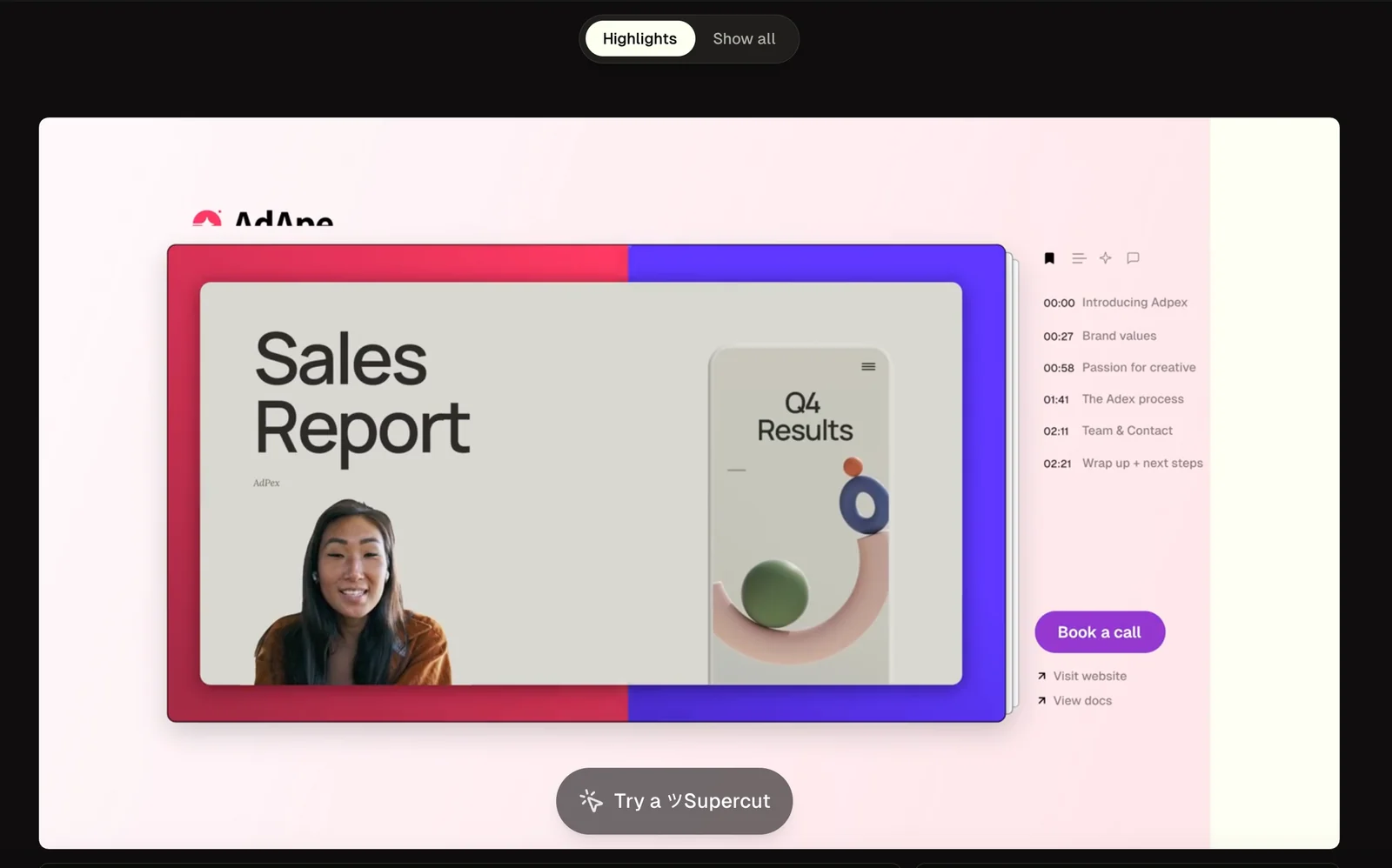
ツSupercut is an AI-powered video messaging tool focused on fast, native screen and camera recording for Windows. It captures high-resolution (4K-ready) recordings, automatically edits and composes polished videos with multiple layout options and branding, and provides instant sharing workflows for teams. The Windows-native app emphasizes speed, simplicity, and professional-looking asynchronous video communication for internal updates, demos, support, and external outreach.
Screenshots
Key Features
Use Cases



Frequently asked questions about ツSupercut for Windows
What pricing options are available for ツSupercut for Windows?
ツSupercut offers a freemium pricing model, which includes a free version with basic features, a 14-day full-access trial, and a custom-priced Pro plan designed for teams seeking advanced functionalities. This flexibility allows users to choose a plan that best fits their needs.
Key Points
- Freemium Model: Access basic features for free.
- 14-Day Trial: Experience full features risk-free.
- Custom Pro Plan: Tailored pricing for teams and organizations.
Detailed Explanation
ツSupercut’s pricing structure is designed to cater to a wide range of users. The free version provides essential editing tools suitable for casual users or those just starting in video editing. This includes basic cutting, trimming, and merging capabilities that allow users to create simple video projects without any financial commitment.
The 14-day full-access trial offers users a chance to explore the software’s complete suite of features without any restrictions. This trial is ideal for individuals or teams who want to evaluate whether the advanced functionalities, such as collaborative editing tools, cloud storage options, and premium support, align with their project requirements.
For businesses or teams with specific needs, the custom-priced Pro plan unlocks advanced features tailored to larger-scale projects. This plan typically includes enhanced collaboration tools, priority customer support, and additional storage. Pricing for the Pro plan varies based on the number of users and specific feature sets required, making it a flexible option for organizations of any size.
Best Practices / Tips
- Start with the Free Version: Begin with the free version to familiarize yourself with the basic tools before committing to the trial or Pro plan.
- Utilize the Trial Period: Make the most of the 14-day trial by testing all features thoroughly, ensuring that they meet your editing needs.
- Contact Sales for Custom Quotes: If considering the Pro plan, reach out to the sales team for a tailored quote that reflects your team's size and requirements.
Additional Resources
- ツSupercut Official Website
- User Guide and Documentation
- Community Forum for user tips and support.
What are the key features of ツSupercut for Windows?
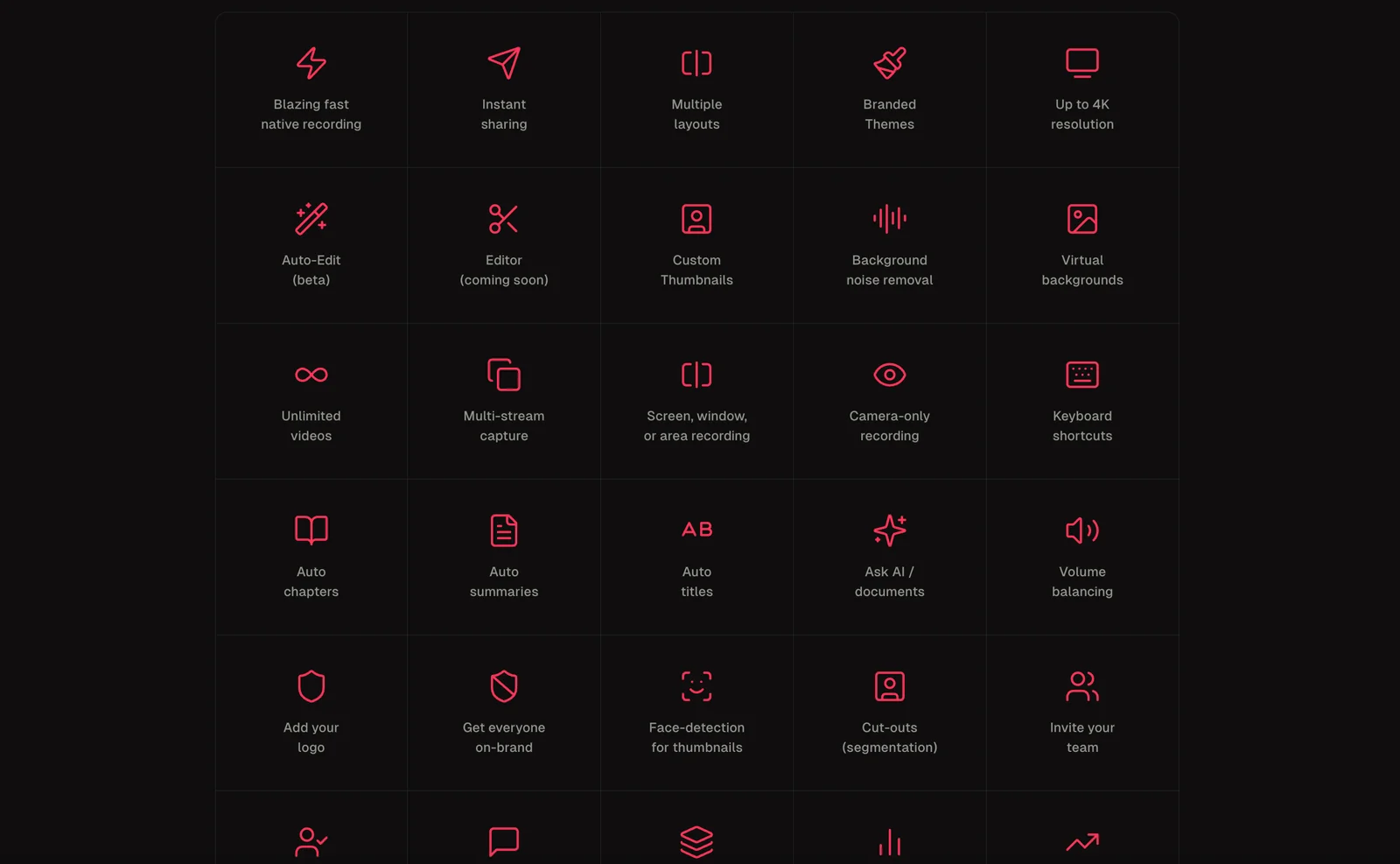
ツSupercut for Windows offers key features like native 4K recording, AI-driven automatic editing, multiple layout options, instant sharing, and comprehensive branding controls, making it an ideal solution for seamless screen and camera capture tailored for team collaboration and content creation.
Key Points
- Native 4K Recording
- AI-Driven Automatic Editing
- Multiple Layout Options
Detailed Explanation
ツSupercut excels in providing native 4K recording, ensuring that your video quality is top-notch, which is essential for professional presentations and content creation. This feature supports high-resolution output, making it suitable for platforms that demand high-quality visuals.
The AI-driven automatic editing feature is a game-changer. It analyzes your footage and automatically identifies key moments, allowing you to generate polished videos quickly. This is particularly useful for teams that need to produce video content efficiently without sacrificing quality. For instance, educators can use this feature to create engaging lecture summaries or highlight reels.
With multiple layout options, ツSupercut allows users to customize their video presentations easily. You can choose from various templates and formats to suit different types of content, whether you’re creating a tutorial, a marketing video, or a corporate presentation. This flexibility ensures that your videos can meet diverse audience needs.
The instant sharing capability enables users to distribute their finished videos directly to social media platforms or internal networks with a single click. This streamlines the workflow and enhances collaboration among team members by allowing immediate access to content.
Best Practices / Tips
- Utilize Templates: Take advantage of the multiple layout options to maintain brand consistency across your videos. Using templates can save time and ensure a professional look.
- Leverage AI for Efficiency: Allow the AI-driven editing tool to assist in creating rough cuts, then refine your edits for a polished final product.
- Test Video Quality: Always preview your 4K recordings on different devices to ensure optimal playback quality across platforms.
Additional Resources
How do I get started with ツSupercut for Windows?
To get started with ツSupercut for Windows, simply download the app from the Microsoft Store or the official website. After installation, follow the onboarding instructions to configure your workspace, allowing you to efficiently record, edit, and produce high-quality videos with ease.
Key Points
- Download from the Microsoft Store or official website.
- Complete the installation and onboarding process.
- Configure your workspace for optimal use.
Detailed Explanation
To begin using ツSupercut on your Windows device, follow these steps:
-
Download the App:
- Visit the Microsoft Store or the official ツSupercut website.
- Click on the "Download" button. Ensure your system meets the requirements for the latest version.
-
Installation:
- Locate the downloaded file in your downloads folder.
- Double-click the installer and follow the on-screen prompts to install the application.
-
Onboarding Process:
- Launch ツSupercut after installation.
- You will be guided through an onboarding process, where you can learn about the app's features.
- Set up your workspace by selecting your preferred layout and tool configurations.
-
Start Recording:
- Once your workspace is configured, click on the “Record” button to begin capturing your video content.
- Explore other features like editing tools, effects, and export options to enhance your videos.
Best Practices / Tips
- Familiarize Yourself: Spend time exploring the features during the onboarding process to maximize productivity.
- Use Keyboard Shortcuts: Learn the keyboard shortcuts for faster navigation and operation within the app.
- Regular Updates: Keep the application updated to benefit from the latest features and security enhancements.
- Backup Your Projects: Regularly save and back up your projects to avoid data loss.
Additional Resources
- ツSupercut Official Documentation
- Tutorial Videos on YouTube
- User Community Forum for tips and support.
What are the system requirements for ツSupercut for Windows?
ツSupercut for Windows requires a compatible Windows OS, at least 8 GB of RAM, and adequate storage for recordings. For the best user experience, it is recommended to have an updated graphics card and a multi-core processor that meets or exceeds these specifications.
Key Points
- Operating System Compatibility: Must support the latest Windows versions.
- Memory Requirements: A minimum of 8 GB of RAM is essential for smooth operation.
- Storage Needs: Ample disk space is necessary for storing recordings and projects.
Detailed Explanation
To run ツSupercut effectively on your Windows machine, your system must meet specific requirements. Here’s a breakdown:
-
Operating System: ツSupercut is compatible with Windows 10 and 11. Users running older versions like Windows 8 or 7 may experience functionality issues or may not be able to install the software at all. Ensuring your OS is up-to-date is crucial for compatibility and security.
-
Memory (RAM): The minimum requirement is 8 GB of RAM. Having more RAM, such as 16 GB or 32 GB, can significantly enhance performance, especially when working with large projects or multiple applications simultaneously. This is particularly important for video editing and rendering tasks, which can be resource-intensive.
-
Storage: Sufficient storage is vital for saving recordings, project files, and temporary data. A minimum of 500 MB of free disk space is necessary for installation, but having a dedicated SSD with at least 1 TB of space is recommended for optimal performance. This ensures faster data access and smoother operation.
-
Processor: While not explicitly mentioned, a multi-core processor (Intel i5 or AMD Ryzen 5 or better) is recommended for efficient processing. The more powerful the processor, the better the performance during editing and rendering tasks.
-
Graphics Card: For optimal video playback and rendering, a dedicated graphics card (NVIDIA GeForce GTX 1050 or AMD equivalent) can enhance performance. This is especially true for users who plan to utilize advanced features like real-time rendering or effects.
Best Practices / Tips
- Upgrade Your Hardware: If your current system does not meet the requirements, consider upgrading your RAM or investing in a solid-state drive (SSD) for faster performance.
- Regularly Update Software: Ensure that both your Windows OS and ツSupercut are updated to the latest versions to benefit from performance enhancements and security patches.
- Monitor Resource Usage: Use task manager tools to monitor CPU, RAM, and disk usage while running ツSupercut, allowing you to identify potential bottlenecks in performance.
Additional Resources
How does ツSupercut compare to other screen recording tools?
Unlike many alternatives, ツSupercut distinguishes itself with AI-driven auto-editing and seamless 4K sharing, making it ideal for professional teams. Its customizable branding options and instant sharing capabilities enhance collaboration, ensuring it stands out in the crowded market of screen recording tools.
Key Points
- AI-Driven Auto-Editing: Automates the editing process, saving time and improving efficiency.
- 4K Sharing: Ensures high-quality video output for professional presentations.
- Branding Options: Allows customization to maintain brand identity during presentations.
Detailed Explanation
ツSupercut integrates advanced AI technology to streamline the screen recording and editing process. Its auto-editing feature analyzes your footage and automatically selects the best clips, removing the need for manual editing. This is particularly beneficial for teams that require quick turnaround times.
For example, a marketing team can create promotional videos in minutes, leveraging the tool's ability to generate polished content without extensive editing expertise. Additionally, its support for 4K resolution ensures that all output is crisp and professional, making it suitable for high-stakes presentations or client pitches.
The branding options available in ツSupercut allow users to incorporate logos, color schemes, and other brand elements directly into their recordings. This level of customization is crucial for businesses focused on maintaining their branding across all visual content. Furthermore, the tool's instant sharing capabilities facilitate real-time collaboration, enabling team members to share recordings across platforms like Slack or Google Drive seamlessly.
Best Practices / Tips
- Utilize AI Features: Take full advantage of the auto-editing feature to save time. Experiment with different settings to see what best fits your project needs.
- Customize Branding: Invest time in setting up your branding options to ensure consistency across your video content.
- Test Sharing Options: Use the instant sharing feature to streamline communication within your team, testing various platforms to find the most effective workflow.
Additional Resources
Explore more AI Ai Services tools
Browse all Ai Services tools →Browse by use case: Video Generation
Compare ツSupercut for Windows: vs Claude Academy · vs Switchyard · vs Router by Ramp · vs Supernova