

Google Vids
AIAI-powered video creation and editing tool by Google for producing, editing, collaborating on, and sharing videos.
Google Vids
AI-powered video creation and editing tool by Google for producing, editing, collaborating on, and sharing videos.
About Google Vids
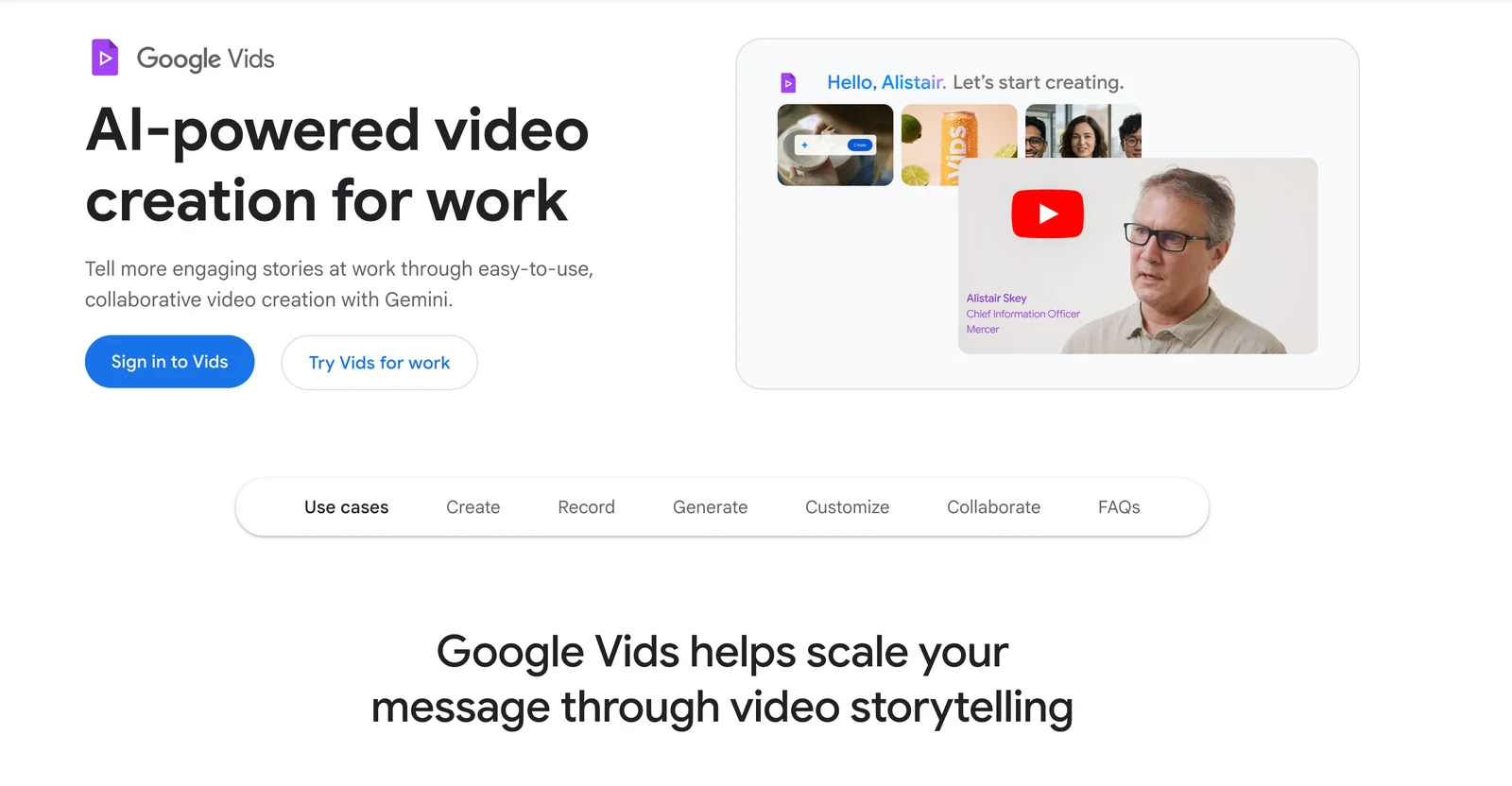
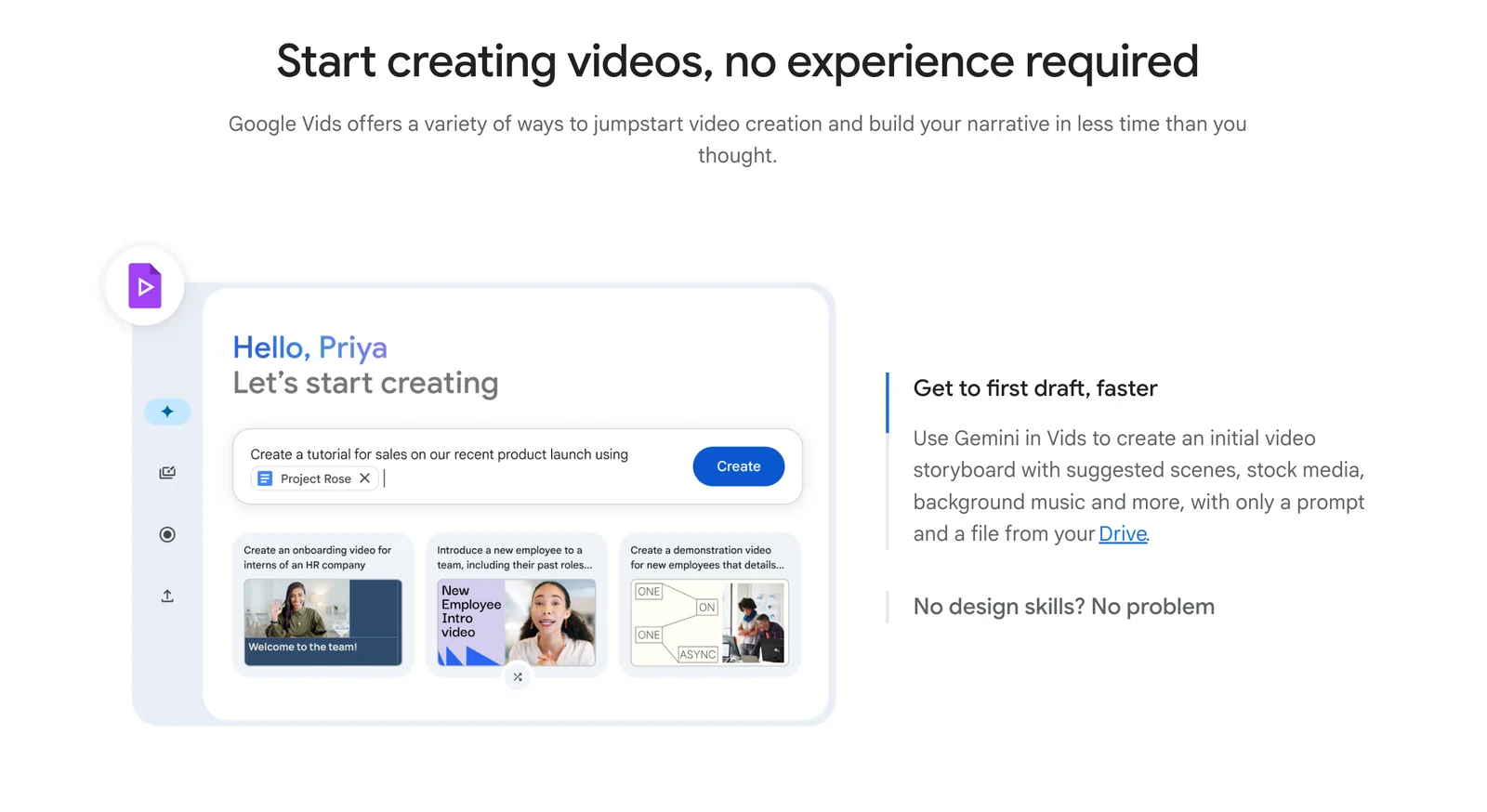
Google Vids is an AI-powered online video creation and editing app from Google, built to help teams and individuals rapidly produce polished video content. It combines generative capabilities (image-to-video, script and storyboard generation, AI avatars and voices) with editing tools (screen recording, clip trimming, timeline editing) and tight Google Workspace integrations for converting slides to videos and collaborative review. Vids aims to streamline video production workflows by automating content creation steps, speeding up editing, and enabling easy sharing and co-editing inside Google Workspace.
Screenshots
Key Features
Use Cases


Frequently asked questions about Google Vids
What is the pricing structure for Google Vids?
Google Vids operates on a freemium model, offering a free version and two premium tiers: Google AI Pro at $19.99/month and Google AI Ultra at $124.99/month. Additionally, custom pricing is available for Workspace Business and Enterprise users, providing tailored solutions based on specific organizational needs.
Key Points
- Freemium model with a free version.
- Google AI Pro at $19.99/month.
- Google AI Ultra at $124.99/month with custom pricing for businesses.
Detailed Explanation
Google Vids is designed to cater to a wide range of users, from individuals to large enterprises. The pricing structure is as follows:
-
Free Version: This tier allows users to access basic features without any cost, making it ideal for casual users or those wanting to explore the platform.
-
Google AI Pro: At $19.99/month, this tier unlocks advanced features including enhanced video editing tools, AI-driven suggestions, and priority customer support. It is perfect for content creators and small businesses looking to improve their video quality and efficiency.
-
Google AI Ultra: For $124.99/month, this premium option offers the most comprehensive suite of tools, including unlimited project storage, advanced analytics, and collaborative features for teams. This tier is suited for larger organizations that require extensive functionality and robust performance.
-
Custom Pricing for Businesses: Google Vids also provides tailored pricing options for Workspace Business and Enterprise users. This customization ensures that larger organizations can optimize their video production needs without overspending on unused features.
Best Practices / Tips
-
Start with the Free Version: If you're new to video creation, begin with the free version to familiarize yourself with the platform before committing to a paid tier.
-
Evaluate Your Needs: Assess your video production requirements to determine whether the Pro or Ultra plan is the best fit. Consider factors like team size, project volume, and specific features needed.
-
Check for Discounts: Occasionally, Google Vids may offer promotional discounts or bundle deals, especially for annual subscriptions. Keep an eye out for these offers to save money.
Additional Resources
What are the key features of Google Vids?
Google Vids offers powerful features like AI script generation, image-to-video conversion, AI avatars, screen recording, collaborative editing, and pre-designed templates. These tools enhance video quality and streamline the production process, making it accessible for creators at all levels.
Key Points
- AI Script Generation: Automates content creation.
- Image-to-Video Conversion: Transforms static images into dynamic videos.
- Collaborative Editing: Facilitates teamwork for video projects.
Detailed Explanation
Google Vids is an innovative video creation platform designed to enhance the efficiency and quality of video production.
AI Script Generation
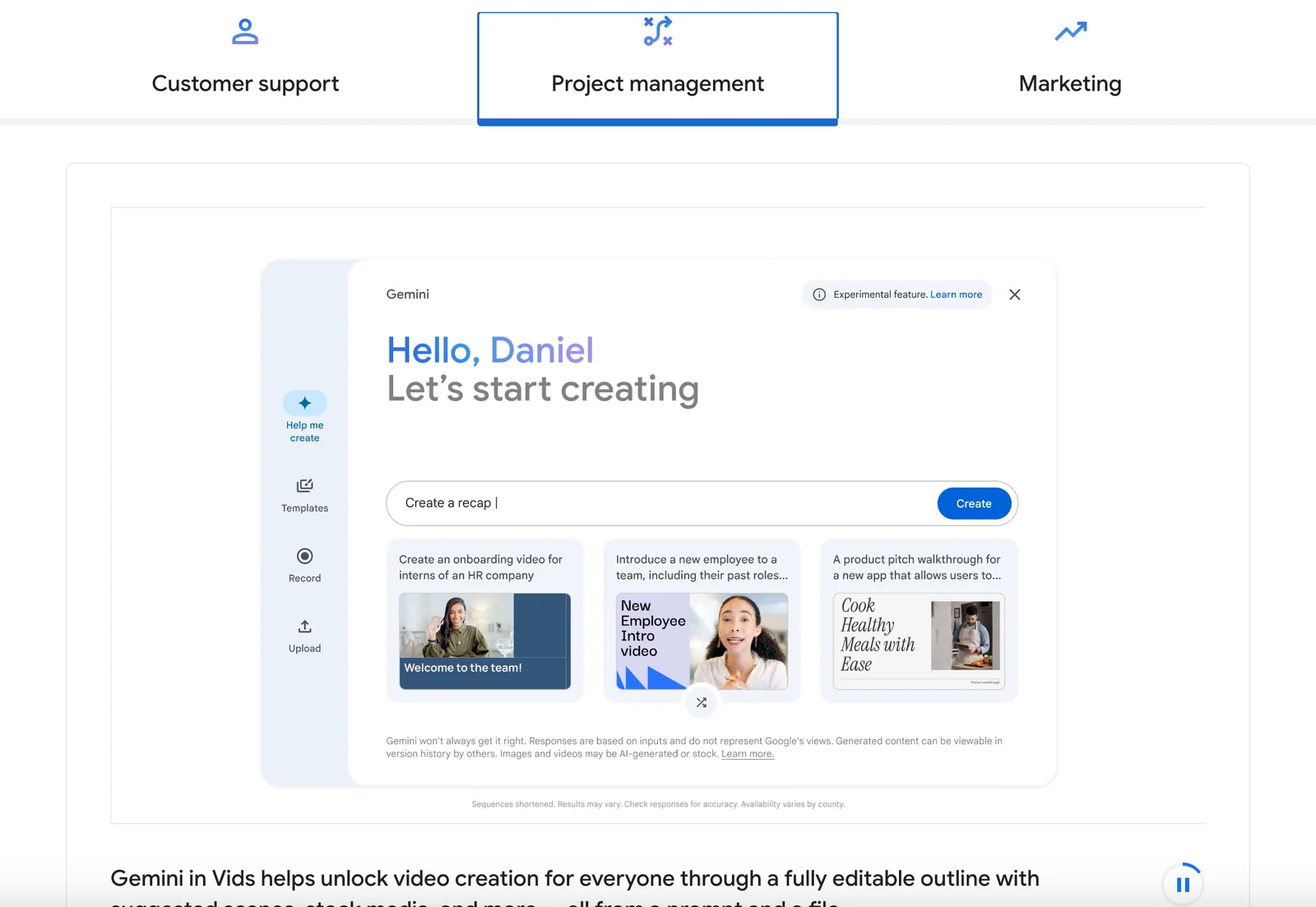
This feature leverages advanced algorithms to create scripts based on user-provided topics or keywords. For instance, if you're a marketing professional, you can input "social media marketing tips," and Google Vids will generate a tailored script, saving you time and effort.
Image-to-Video Conversion
Convert still images into engaging videos effortlessly. Users can upload a series of photos, and the platform animates them, adding transitions and effects. This is particularly useful for businesses looking to create promotional videos without the need for extensive video editing skills.
AI Avatars
Google Vids includes customizable AI avatars that can narrate your scripts. These avatars add a human touch to your videos, making them more relatable. For example, educators can create tutorial videos featuring an avatar that explains concepts clearly.
Screen Recording
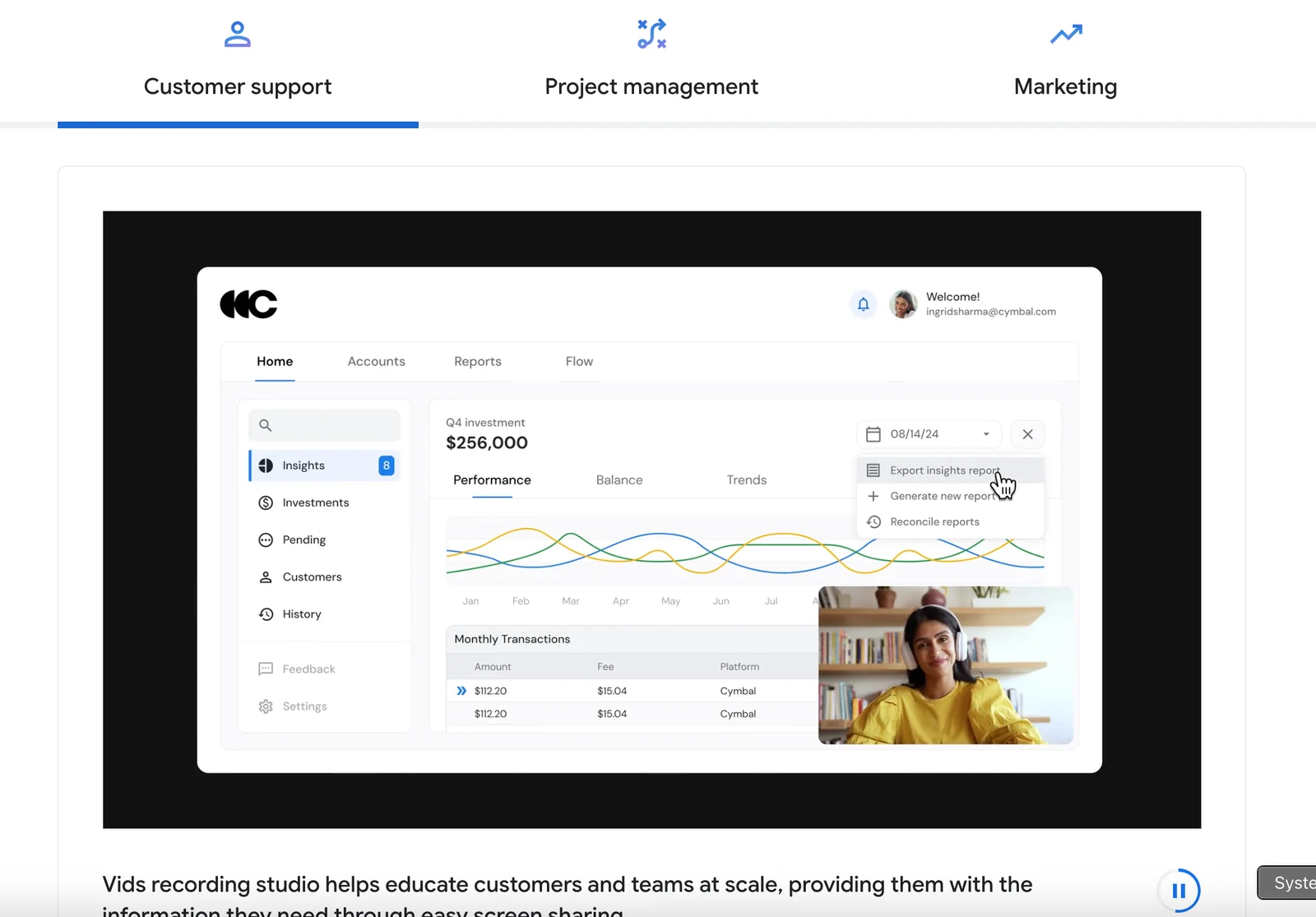
The built-in screen recording feature allows users to capture on-screen activities. This is ideal for creating tutorials or product demos, enabling viewers to see real-time interactions.
Collaborative Editing
Google Vids supports collaborative editing, allowing multiple users to work on the same video project simultaneously. This is especially beneficial for teams in remote work environments, ensuring that feedback and revisions are integrated seamlessly.
Templates for Quick Production
The platform offers a variety of templates for different types of videos, such as promotional clips, educational content, or social media posts. These templates help users produce high-quality videos quickly, even if they lack prior experience.
Best Practices / Tips
- Use Keywords Wisely: Optimize your scripts by including relevant keywords to enhance SEO. This will make your videos more discoverable on platforms like YouTube.
- Keep It Short: Attention spans are short; aim for concise videos that deliver your message effectively.
- Leverage Analytics: Utilize the analytics tools available within Google Vids to track viewer engagement and refine your video content strategy.
Additional Resources
How do I get started with Google Vids?
To get started with Google Vids, sign in using your Google Workspace account. Then, navigate to the video creation tool at docs.google.com/videos/create to explore features for creating and editing videos effortlessly.
Key Points
- Access the tool via Google Workspace.
- Explore various video creation features.
- Utilize editing tools for enhancing videos.
Detailed Explanation
Google Vids is a powerful tool designed for creating and editing videos seamlessly. To begin, you must have a Google Workspace account. Once logged in, follow these steps:
- Navigate to the Tool: Open your web browser and go to docs.google.com/videos/create.
- Choose a Template: Google Vids offers various templates tailored for different video types, including educational content, promotional videos, and social media clips.
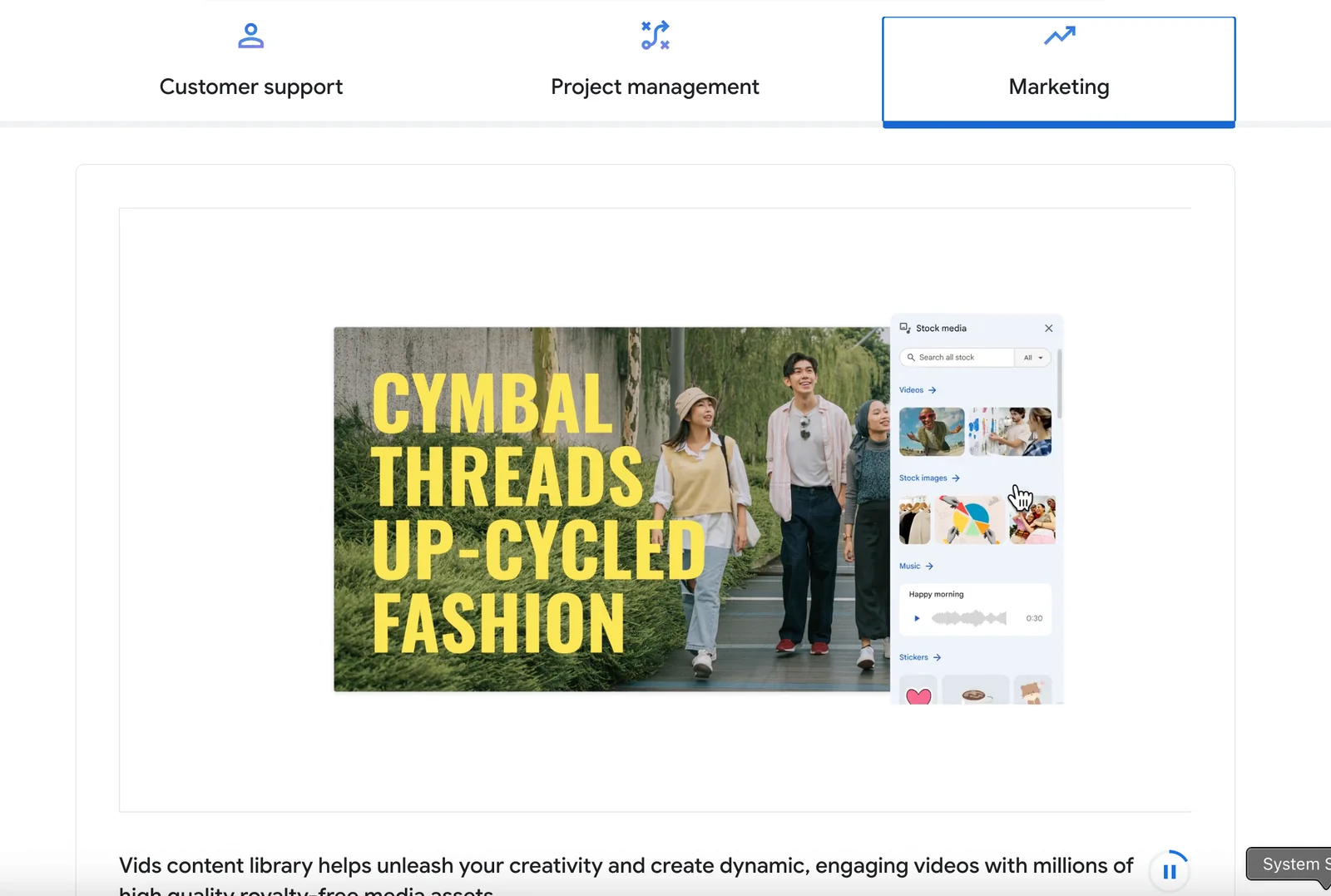
- Add Media: Upload your own images and video clips, or select from a library of stock footage available within the tool.
- Edit Your Video: Use the intuitive editing interface to trim clips, add transitions, and overlay text or graphics. You can adjust audio levels and add background music.
- Preview and Export: Once satisfied with your edits, preview the video. If everything looks good, export it in your desired format.
This streamlined process allows users of all skill levels to create professional-looking videos without extensive technical knowledge.
Best Practices / Tips
- Plan Your Content: Before starting, outline your video's message and structure. This will save time during the editing process.
- Use High-Quality Assets: When uploading images or videos, ensure they are high resolution to maintain a professional appearance.
- Experiment with Features: Don’t hesitate to explore different editing tools and effects to enhance your video creatively.
- Keep It Concise: Aim for shorter videos when possible, as they tend to engage viewers better on platforms like social media.
Additional Resources
- Google Workspace Learning Center
- YouTube Video Creation Tips
- Google Vids Help Center (Link to be updated when official support documentation is available)
Can Google Vids integrate with other Google Workspace tools?
Yes, Google Vids integrates seamlessly with other Google Workspace tools like Slides, Drive, and Docs. This integration enhances collaboration, enabling users to produce videos efficiently using existing content directly from their Google Workspace environment.
Key Points
- Seamless Collaboration: Google Vids allows real-time collaboration with team members.
- Content Utilization: Users can leverage existing documents and presentations for video production.
- Enhanced Workflow: Integration streamlines the workflow, saving time and resources.
Detailed Explanation
Google Vids is designed to enhance productivity by integrating tightly with Google Workspace tools. For instance, when using Google Slides, users can easily convert slide presentations into engaging videos, complete with voiceovers or animations. This feature is particularly useful for educators and marketers who want to create tutorials or promotional content quickly.
In Google Drive, users can access and manage video files alongside other documents, allowing for a centralized location for all project materials. You can import images, audio, and video clips stored in Drive directly into your projects within Google Vids. This not only simplifies the video creation process but also ensures that all assets are readily available.
Moreover, Google Docs can serve as a script or storyboard for your video. You can draft your content in Docs, then use it as a reference while creating your video in Google Vids. This integration means you can work on multiple aspects of your video project within the familiar Google Workspace ecosystem, making collaboration with team members straightforward and efficient.
Best Practices / Tips
- Utilize Templates: Use templates in Google Slides to speed up video creation. Customize these templates to fit your brand.
- Organize Files in Drive: Keep all relevant video assets organized in Google Drive folders to enhance accessibility and collaboration.
- Collaborate in Real-Time: Encourage team members to use comments and suggestions in Google Docs as you develop your script, creating a more refined final product.
- Export Options: Familiarize yourself with the export options in Google Vids to find the best format for your audience—whether it's social media, YouTube, or internal use.
Additional Resources
How does Google Vids compare to other video editing tools?
Google Vids stands out among video editing tools due to its AI-driven features, seamless collaboration capabilities, and robust integration with Google Workspace. These attributes make it particularly beneficial for enterprise users seeking streamlined video production processes and enhanced team efficiency.
Key Points
- AI-Driven Features: Automates editing tasks, saving time.
- Collaborative Editing: Multiple users can work simultaneously, improving workflow.
- Google Workspace Integration: Easily combines with other Google tools for better productivity.
Detailed Explanation
Google Vids utilizes advanced artificial intelligence to simplify video editing tasks. For example, its AI can automatically suggest edits based on content analysis, which significantly reduces the time required for manual adjustments. This feature is particularly useful for businesses that need to produce a high volume of content rapidly.
The collaborative editing feature allows teams to work on projects simultaneously, enabling real-time feedback and faster revisions. Users can share projects, leave comments, and make edits all within the platform, creating a more cohesive workflow. This is especially advantageous for remote teams or those operating across different locations.
Moreover, Google Vids integrates seamlessly with Google Workspace, allowing users to import images, graphics, and other media directly from Google Drive. This integration streamlines the process of gathering and utilizing resources, making it easier to maintain brand consistency across all video content.
Best Practices / Tips
- Leverage AI Features: Take advantage of the AI editing suggestions to save time and enhance your video quality.
- Utilize Collaboration Tools: Make full use of the real-time editing and commenting features to facilitate team discussions and feedback.
- Integrate with Google Tools: Use Google Drive and Google Docs to organize your media and script content efficiently, ensuring easy access during editing.
Additional Resources
Explore more AI Ai Services tools
Browse all Ai Services tools →Browse by use case: Video Generation
Compare Google Vids: vs Claude Academy · vs Switchyard · vs Router by Ramp · vs Supernova