

OpenAgent
AIOpen SourceFreeOpen-source, multimodal agentic AI framework that composes foundation models to search, reason, and complete general tasks.
OpenAgent
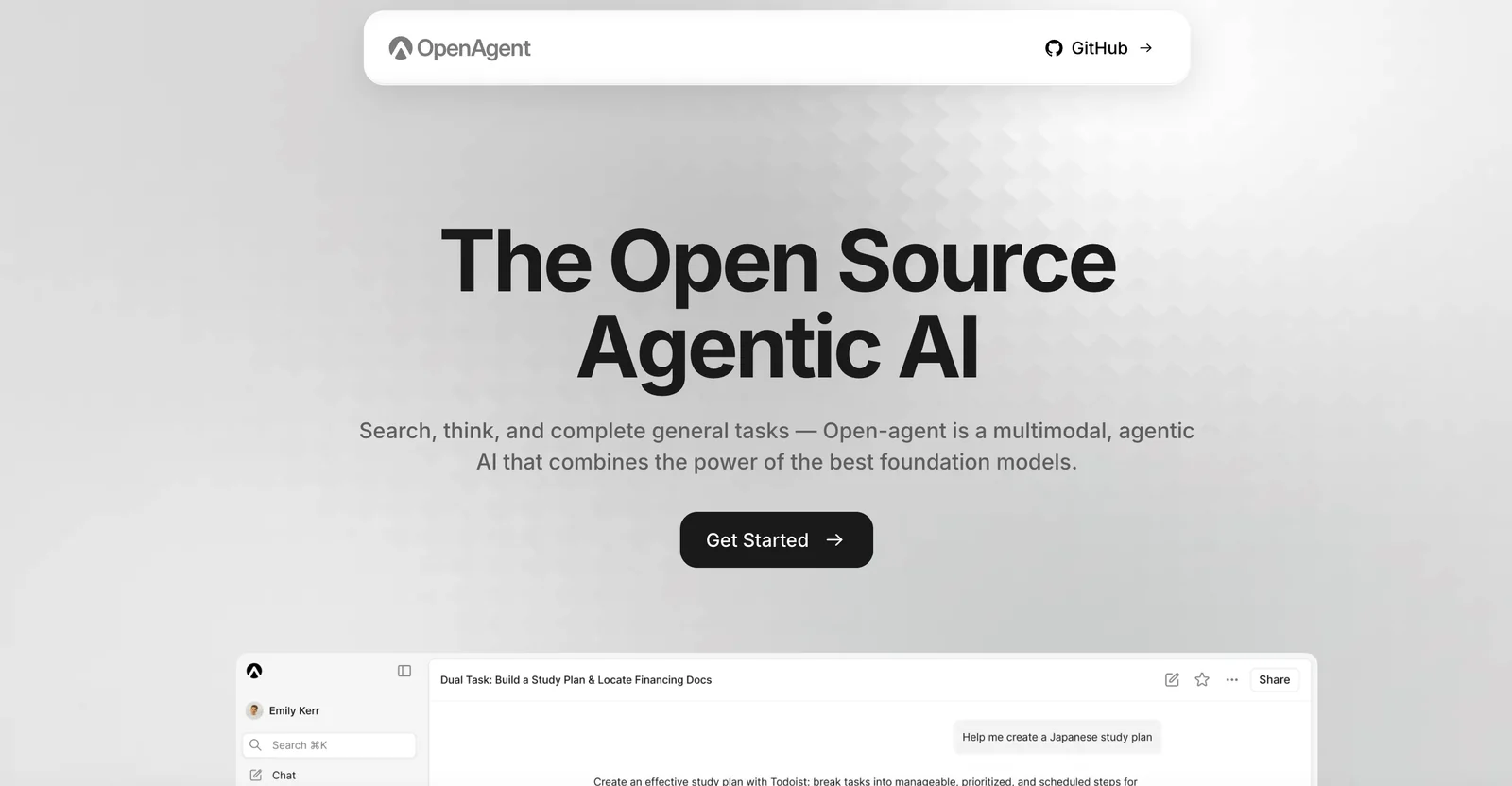
Open-source, multimodal agentic AI framework that composes foundation models to search, reason, and complete general tasks.
About OpenAgent
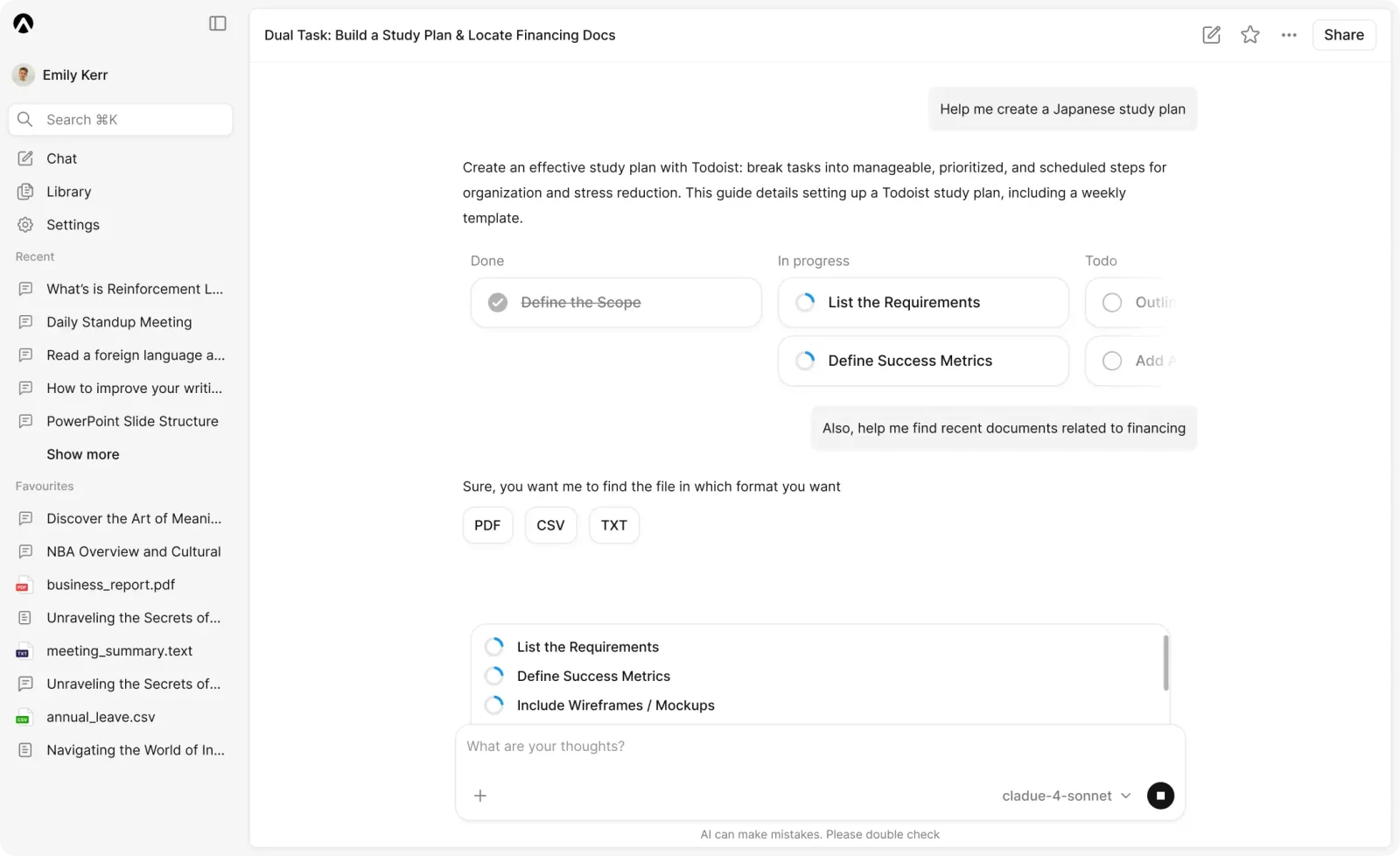
OpenAgent is an open-source agentic AI framework that combines multiple foundation models and tools to build multi-agent systems capable of performing complex, real-world tasks. It orchestrates model ensembles (commercial and open models) and external tools/plugins to enable autonomous workflows such as web browsing, data analysis, and high-sensitivity compute. The project emphasizes verifiable compute and Web3-ready use cases (e.g., DeFAI, DeSci), is deployable via standard developer tooling (Docker, docker-compose), and serves as an open alternative to proprietary agent SDKs and agent platforms.
Screenshots
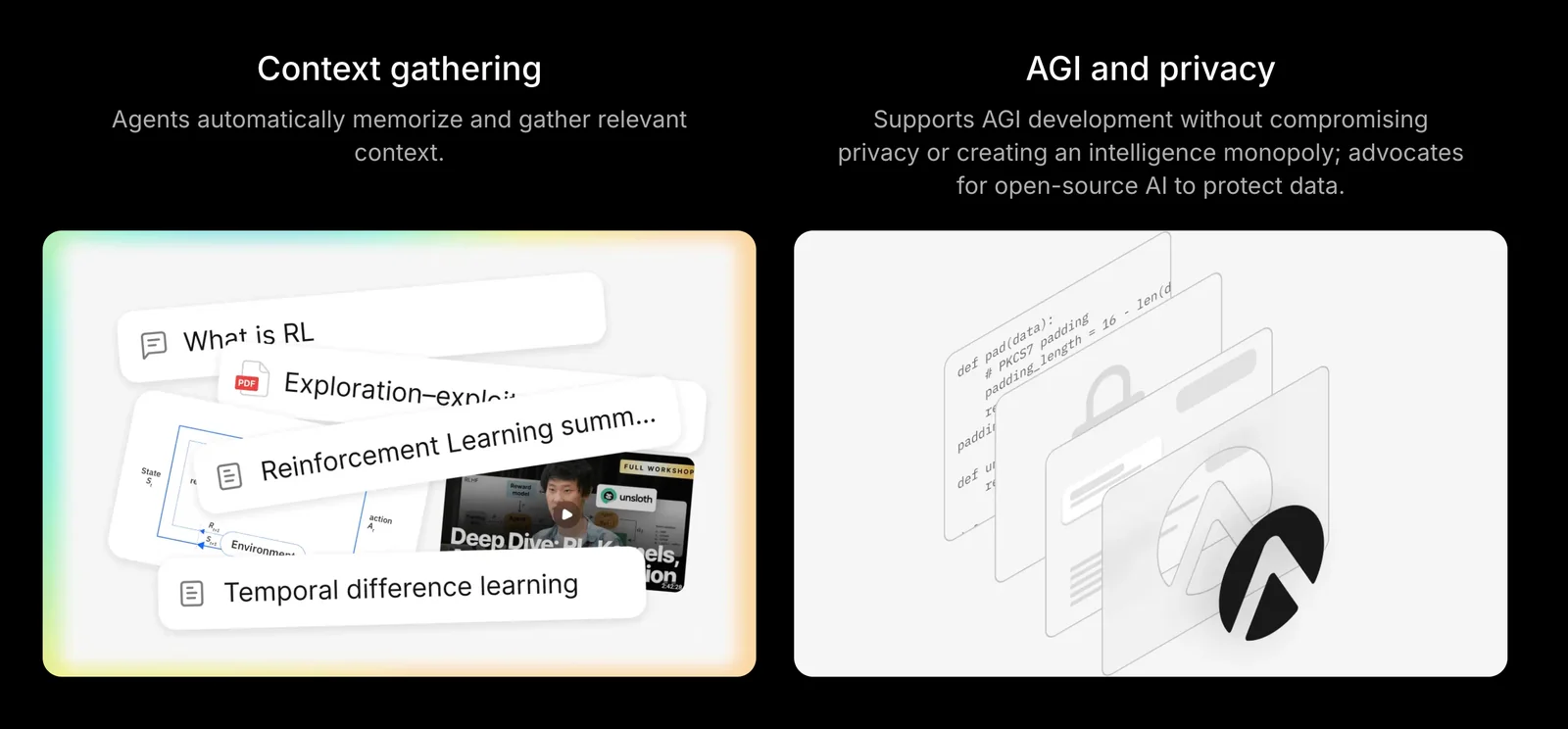
Key Features
Use Cases



Frequently asked questions about OpenAgent
Is OpenAgent free to use?
Yes, OpenAgent is completely free to use because it is open-source software. Users can access the full source code and choose to self-host it without any cost, making it an affordable option for developers and businesses looking for customizable AI solutions.
Key Points
- Open-source Availability: OpenAgent's source code is publicly accessible.
- Self-hosting Options: Users can easily self-host the software without any associated fees.
- Community Support: A robust community contributes to ongoing development and troubleshooting.
Detailed Explanation
OpenAgent is an open-source AI tool designed to assist developers and businesses with various tasks, including natural language processing and chatbot functionalities. Being open-source means that anyone can view, modify, and distribute the software, fostering innovation and collaboration.
How to Use OpenAgent for Free
- Access the Source Code: You can find OpenAgent's source code on platforms like GitHub. Simply search for "OpenAgent GitHub" to locate the repository.
- Download and Install: Follow the installation instructions provided in the repository. This usually involves cloning the repository and setting up the environment on your local machine or server.
- Self-hosting: OpenAgent can be deployed on your own server, allowing you to customize and scale the application according to your needs without incurring any costs.
Use Cases
- Chatbots: Create intelligent chatbots for customer support using OpenAgent's NLP capabilities.
- Content Generation: Automate content creation for blogs or social media.
- Data Analysis: Use OpenAgent to analyze large datasets and generate insights.
Best Practices / Tips
- Stay Updated: Regularly check for updates in the OpenAgent community to ensure you are using the latest features and security patches.
- Engage with the Community: Join forums or groups related to OpenAgent to share experiences and seek help.
- Backup Regularly: When self-hosting, ensure you have a backup plan to avoid data loss.
Additional Resources
What are the main features of OpenAgent?
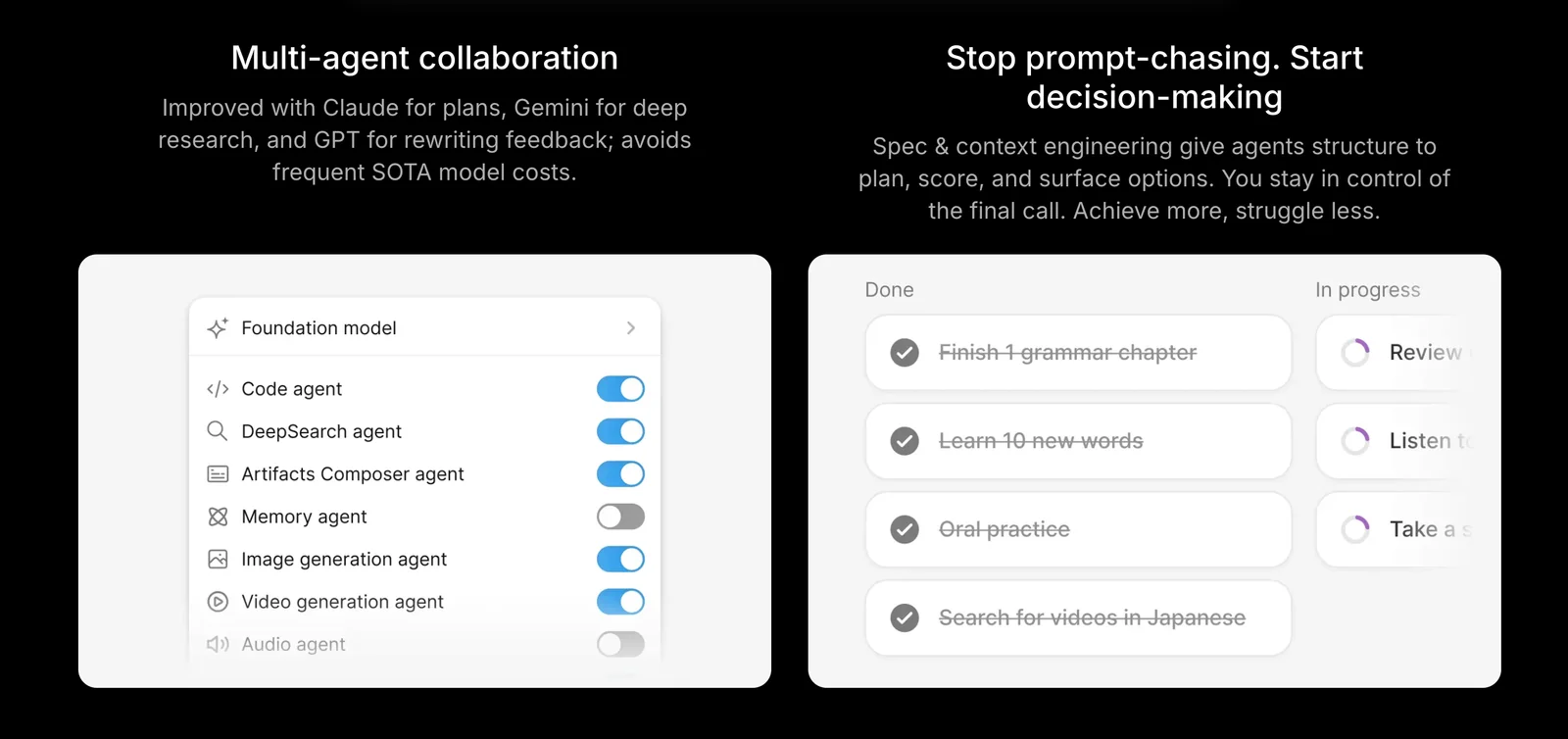
OpenAgent provides advanced features such as multi-agent orchestration, model ensemble integration, verifiable compute, and tool/plugin execution, all designed to optimize automation and enhance collaboration among AI systems, making it a powerful choice for developers and businesses aiming to streamline their workflows.
Key Points
- Multi-Agent Orchestration: Facilitates coordination between various AI agents.
- Model Ensemble Integration: Combines multiple models for improved performance.
- Verifiable Compute: Ensures trust and transparency in computations.
Detailed Explanation
OpenAgent is an innovative platform that enhances the capabilities of artificial intelligence through several key features:
Multi-Agent Orchestration
This feature allows different AI agents to work together seamlessly, sharing tasks and data. For instance, a customer service AI can collaborate with a data analysis AI to provide instant customer support while analyzing past interactions for improved responses. This orchestration maximizes efficiency and reduces response times significantly.
Model Ensemble Integration
By integrating multiple AI models, OpenAgent can improve accuracy and reliability in predictions and outputs. For example, using a combination of models for sentiment analysis can yield better insights than relying on a single model, as it can account for various linguistic nuances and contexts.
Verifiable Compute
This feature is crucial for industries where trust is paramount, such as finance and healthcare. Verifiable compute ensures that the results generated by AI are trustworthy and can be audited. This is achieved through cryptographic techniques that allow users to verify the integrity of computations without exposing sensitive data.
Tool/Plugin Execution
OpenAgent supports the execution of various tools and plugins, enhancing its functionality. Users can extend capabilities by integrating third-party applications or custom scripts. For example, integrating a machine learning library can allow users to train and deploy models directly within the OpenAgent environment.
Best Practices / Tips
- Leverage Multi-Agent Systems: Utilize multi-agent orchestration for complex tasks that require collaboration.
- Experiment with Ensemble Models: Test different combinations of models to find the best-performing ensemble for your specific use case.
- Ensure Compliance with Verifiable Compute: Use verifiable compute features to enhance transparency and compliance, especially in regulated industries.
- Regularly Update Plugins: Keep all plugins and tools updated to benefit from the latest features and security enhancements.
Additional Resources
How do I get started with OpenAgent?
To get started with OpenAgent, download the source code from the official OpenAgent website, then follow the detailed installation and setup instructions provided in the documentation. This process will guide you through the essential steps to configure and run OpenAgent effectively.
Key Points
- Download the source code from the official website.
- Follow the installation and setup documentation carefully.
- Ensure your environment meets the system requirements.
Detailed Explanation
OpenAgent is a powerful framework for building AI solutions. To begin, visit the OpenAgent official website and locate the download section. Here’s a step-by-step guide to help you through the initial setup:
-
Download the Source Code: Choose the latest stable release of OpenAgent. The source code is usually available in a zip file or via a Git repository. If you prefer using Git, you can clone the repository with the command:
git clone https://github.com/OpenAgent/OpenAgent.git -
Check System Requirements: Before installation, ensure your system meets the required specifications, such as having Python, Node.js, or other dependencies installed. Check the documentation for a complete list of prerequisites.
-
Installation: Navigate to the downloaded directory in your terminal and run the installation command. This typically involves using package managers like
npmorpip:npm installor
pip install -r requirements.txt -
Configuration: After installation, you may need to configure settings based on your project needs. The configuration files are usually located in a specified directory. Make sure to review these files to adjust parameters such as database connections, API keys, and other critical settings.
-
Running the Application: Finally, start the OpenAgent application using the command:
npm startor the respective command for your setup. This will launch the application, and you can access it via your web browser at the specified local address.
Best Practices / Tips
- Keep Dependencies Updated: Regularly update the libraries and dependencies to ensure compatibility and security.
- Utilize the Documentation: The official documentation is an invaluable resource. Refer to it whenever you encounter issues or need detailed explanations of features.
- Backup Configuration: Keep a backup of your configuration files before making significant changes to avoid loss of settings.
- Test in a Staging Environment: Before deploying your application to production, test in a staging environment to ensure everything functions correctly.
Additional Resources
- OpenAgent Documentation
- OpenAgent GitHub Repository
- Community Forums for support and discussions
Does OpenAgent support API integrations?
Yes, OpenAgent supports API integrations, enabling users to connect various foundation models and tools seamlessly. Users can easily provide their own API keys for commercial models, enhancing customization and functionality.
Key Points
- Flexible API Integrations: Connect multiple models effortlessly.
- User-Controlled API Keys: Enhance security and customization.
- Support for Commercial Models: Access premium features easily.
Detailed Explanation
OpenAgent's API integration capabilities allow users to link various AI models and tools, significantly extending the platform's functionality. This feature is particularly advantageous for businesses that require tailored solutions. By enabling users to provide their own API keys, OpenAgent ensures that sensitive information remains secure while allowing for greater customization.
Use Cases
- Custom AI Solutions: Businesses can integrate specialized models for unique tasks, such as sentiment analysis or customer service automation.
- Enhanced Data Processing: Users can connect data pipelines to AI models for real-time analytics.
- Interoperability: OpenAgent facilitates seamless communication between different software systems, making it easier for teams to collaborate.
Step-by-Step Guidance
- Obtain Your API Key: Register with the commercial model provider to get your API key.
- Access OpenAgent Settings: Navigate to the API integration section in your OpenAgent dashboard.
- Input Your API Key: Enter the API key in the designated field to establish the connection.
- Test the Integration: Run a test to ensure that the connection works properly and data flows smoothly.
Best Practices / Tips
- Keep Your API Key Secure: Never share your API key publicly to prevent unauthorized access.
- Regularly Update Integrations: Ensure that you stay updated with the latest versions of the models you are using to take advantage of new features.
- Monitor Performance: Regularly check the performance of your integrations to identify any issues early.
Additional Resources
How does OpenAgent compare to other AI frameworks?
OpenAgent differentiates itself from other AI frameworks through its open-source architecture and robust support for multi-agent orchestration. Unlike proprietary frameworks, OpenAgent allows for greater flexibility and customization, making it ideal for developers seeking to create versatile AI solutions.
Key Points
- Open-Source Flexibility: OpenAgent is built on an open-source model, allowing developers to modify and extend its capabilities.
- Multi-Agent Orchestration: It excels in managing multiple agents, facilitating complex interactions and tasks.
- Community Support: A strong community contributes to continuous improvement and shared resources.
Detailed Explanation
OpenAgent is an innovative framework designed to support the development of AI systems that utilize multiple agents for enhanced functionality. Its open-source nature means that developers can access the source code freely, modify it, and share enhancements with the community. This flexibility is a significant advantage over proprietary frameworks, which often come with licensing fees and restrictions on usage.
Multi-Agent Orchestration
OpenAgent’s multi-agent orchestration capability is particularly noteworthy. It allows different agents to work together seamlessly, sharing information and tasks. For example, in a customer service application, you could deploy one agent for handling inquiries, another for processing transactions, and a third for analytics. This division of labor leads to more efficient workflows and improved user experiences.
Comparison with Other Frameworks
When compared to popular AI frameworks like TensorFlow or PyTorch, OpenAgent stands out due to its specialized focus on agent-based architecture. While TensorFlow is primarily for deep learning and PyTorch excels in research and model prototyping, OpenAgent provides a unique platform for building systems that require multiple interacting components.
Best Practices / Tips
- Embrace Open-Source Contributions: Engage with the OpenAgent community to share insights and improvements. Participating in forums can provide valuable support.
- Plan Your Architecture: Before implementing OpenAgent, sketch out how multiple agents will interact and share data to ensure efficient orchestration.
- Test Extensively: Since OpenAgent allows for customization, perform thorough testing to identify any issues that may arise from modifications you implement.
Additional Resources
- OpenAgent Official Documentation
- GitHub Repository for OpenAgent
- Community Forum for OpenAgent Users
By leveraging these resources, developers can maximize the potential of OpenAgent for their specific AI needs.
Explore more AI Ai Agents tools
Browse all Ai Agents tools →Browse by use case: Automation & Productivity
Compare OpenAgent: vs Sai · vs Mycel · vs Proto-Mind · vs Ami