

Auriko
AICache-aware LLM router and inference platform with one API across major providers and zero provider price markup.
Auriko
Cache-aware LLM router and inference platform with one API across major providers and zero provider price markup.
About Auriko
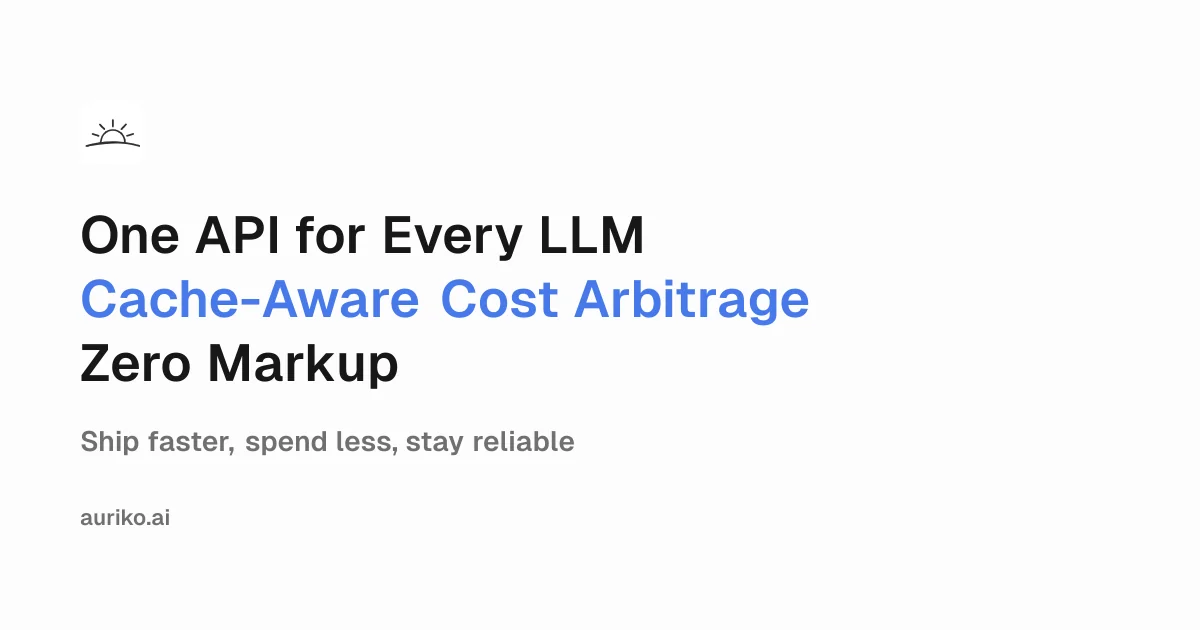
Auriko is an inference platform that acts as a 'trading desk' for LLM calls, unifying access to OpenAI, Anthropic, Google, xAI, Fireworks, Together, DeepSeek, Moonshot, Z.ai, MiniMax and other providers behind a single OpenAI-compatible API. Its differentiator is cache-aware routing: rather than picking a model at random, Auriko estimates the true cost of each candidate route using provider cache mechanics and workload patterns, then dispatches the request to minimize spend, time-to-first-token or throughput depending on your focus mode. It supports BYOK, load balancing, fallback routes and deterministic routing that always selects the highest-scoring eligible provider. Auriko charges no markup on provider tokens, so users pay the underlying provider rate plus a fixed platform fee.
Screenshots
Key Features
Use Cases



Frequently asked questions about Auriko
What is Auriko?
Auriko is a cache-aware LLM (Large Language Model) router and inference platform that simplifies AI integration. It provides a unified API across major AI providers without any markup on provider pricing, allowing developers to efficiently manage AI resources and optimize their applications.
Key Points
- Cache-aware technology: Auriko optimizes the use of cached data to improve performance.
- Unified API access: One API allows seamless integration with various leading AI providers.
- No price markup: Users benefit from transparency in pricing without additional fees.
Detailed Explanation
Auriko acts as an intermediary that connects users to multiple large language model providers, such as OpenAI, Google, and others, through a single API. This setup significantly reduces the complexity of integrating various models into applications.
How It Works
- Caching Mechanism: Auriko employs a sophisticated caching mechanism that stores frequently accessed model responses. This reduces latency and enhances response time for applications that require real-time data processing.
- Unified Interface: Developers can access different AI models and capabilities from a single endpoint, saving time and reducing the need for extensive integration efforts.
- Cost Efficiency: By eliminating price markups, Auriko ensures that users pay only for the actual cost of the AI services they consume. This transparency fosters trust and allows businesses to budget effectively.
Use Cases
- Chatbots: Businesses can deploy chatbots across multiple platforms without worrying about the underlying AI provider.
- Content Generation: Writers and marketers can utilize Auriko to generate content by leveraging multiple models for different styles and tones.
- Data Analysis: Analysts can access various AI tools for insights without switching between different provider APIs.
Best Practices / Tips
- Evaluate Model Performance: Experiment with different models available through Auriko to determine which works best for your specific use case.
- Monitor Usage: Keep track of API calls and response times to ensure optimal performance and manage costs effectively.
- Leverage Caching: Optimize your application to take full advantage of Auriko's caching capabilities for frequently requested data.
Additional Resources
How does Auriko work?
Auriko operates by using a Unified API that integrates multiple AI providers like OpenAI and Google, employing cache-aware routing for cost efficiency. It also supports various focus modes, deterministic routing for consistent performance, and allows teams to use their existing provider contracts, significantly optimizing production costs.
Key Points
- Unified API: Integrates multiple AI providers for streamlined access.
- Cache-Aware Routing: Routes requests based on cost and provider workload.
- Focus Modes: Offers optimization for cost, latency, and throughput.
Detailed Explanation
Auriko simplifies access to various AI models through a Unified API, which acts as a single endpoint to connect with top providers such as OpenAI, Anthropic, and Google. This integration eliminates the complexity of managing multiple APIs, allowing developers to focus on their applications.
Cache-Aware Routing
The Cache-Aware Routing feature enhances efficiency by estimating costs based on the cache hit behavior and workload of each provider. This means that requests are routed to the most cost-effective provider based on historical data, which can lead to significant savings in inference costs, particularly for high-volume applications.
Multiple Focus Modes
Auriko offers Multiple Focus Modes that allow users to prioritize specific metrics:
- Cost Optimization: Routes traffic to the cheapest provider.
- Time-to-First-Token: Reduces latency for real-time applications.
- Throughput Maximization: Ensures high-volume processing.
These modes can be customized with optional weights to balance the priorities according to project needs.
Deterministic Routing
For production environments, Auriko's Deterministic Routing (Pro) ensures that the highest-scoring route is consistently chosen. This reproducibility is crucial for maintaining stable performance in user-facing applications.
BYOK Support
With Bring Your Own Key (BYOK) functionality, enterprises can maintain their existing contracts and quotas with AI providers while leveraging Auriko's routing capabilities. This feature is particularly advantageous for organizations looking to optimize costs without sacrificing control over their contracts.
Reliability and Fallback
Auriko enhances reliability through automatic fallback routes, shielding applications from provider outages. This ensures uninterrupted service for users, making it ideal for applications that demand high availability.
Multi-Model A/B Testing
Multi-Model A/B Testing capabilities allow product teams to experiment with different backend models easily. This feature eliminates the need for extensive rewrites of client code, enabling rapid iteration and testing of various AI solutions.
Best Practices / Tips
- Monitor Usage: Regularly analyze routing performance to adjust focus modes effectively.
- Set Up Alerts: Implement alerts for provider outages to ensure immediate action can be taken.
- Experiment: Take advantage of A/B testing to find the optimal model for your specific use case.
Additional Resources
What are the main features of Auriko?
Aurikos's main features include a Unified API for seamless access to multiple AI providers, Cache-Aware Routing for cost-effective requests, Multiple Focus Modes for optimizing performance, Deterministic Routing for consistent results, and Bring Your Own Key (BYOK) support to maintain existing contracts.
Key Points
- Unified API: Access multiple AI providers through a single endpoint.
- Cache-Aware Routing: Optimize requests based on cache behavior and workload.
- Multiple Focus Modes: Tailor routing for specific performance metrics.
Detailed Explanation
Aurika streamlines AI interactions by providing a Unified API that integrates various providers like OpenAI, Anthropic, Google, and more, allowing developers to switch between services effortlessly. This flexibility is vital for businesses looking to leverage the best AI solutions without being locked into a single provider.
The Cache-Aware Routing feature ensures that requests are optimized based on each provider's cache hit behavior and workload patterns. For example, if a particular AI provider has a high cache hit rate for specific requests, Auriko will direct requests to that provider, ultimately reducing latency and operational costs.
Aurika also offers Multiple Focus Modes: cost, time-to-first-token, throughput, and a balanced mode. This allows users to prioritize their needs; for instance, a company focusing on minimizing costs can select the cost mode, while a real-time application may benefit from the time-to-first-token mode.
With Deterministic Routing (Pro), Auriko guarantees that the highest-scoring eligible route is chosen consistently. This feature is particularly useful for production environments where reproducibility is crucial, ensuring that results are reliable and predictable.
Finally, the Bring Your Own Key (BYOK) support enables teams to maintain their existing provider contracts and quotas while enjoying the benefits of Auriko's advanced routing capabilities. This feature is essential for organizations that have established relationships with AI providers and want to maximize their investments.
Best Practices / Tips
- Analyze Usage Patterns: Regularly review your request patterns to identify which providers are most effective for your needs.
- Experiment with Focus Modes: Test different focus modes to determine which yields the best results based on your specific use cases.
- Monitor Performance: Continuously assess the performance of your AI applications to ensure you are getting the best value from Auriko's routing capabilities.
Additional Resources
Who is Auriko for?
Auriko is designed for engineering teams, operations teams, enterprises, and product teams who seek to optimize costs, ensure reliability, and enhance performance in AI applications. It is particularly beneficial for those using production LLMs, managing real-time applications, or conducting multi-model A/B testing.
Key Points
- Cost Reduction: Optimize inference costs with the most economical providers.
- Reliability: Automatically manage fallback routes to maintain service during outages.
- Performance Optimization: Enhance latency-sensitive applications for real-time user interactions.
Detailed Explanation
Auriko serves a diverse range of users by addressing specific needs in the AI and machine learning landscape:
-
Production LLM Cost Reduction: Engineering teams can significantly reduce their inference expenses by utilizing Auriko to route chat and retrieval-augmented generation (RAG) traffic to the most cost-effective, cache-friendly providers. This strategy not only minimizes costs but also maximizes the efficiency of AI deployments.
-
Reliability Fallback: Operations teams benefit from Auriko’s automatic fallback routes. In situations where a primary provider faces outages, Auriko ensures that user-facing agents remain functional by seamlessly switching to backup services. This capability is crucial for maintaining user trust and satisfaction during downtimes.
-
Latency-Sensitive Applications: For applications that require real-time interactions, such as live streaming services, Auriko helps optimize time-to-first-token performance. This means that when a user initiates an action, they receive a response almost instantaneously, enhancing the overall user experience.
-
BYOK Enterprise Deployments: Enterprises looking to maintain control over their token spending while utilizing Auriko can route their traffic through the platform while adhering to their own provider contracts. This flexibility allows businesses to optimize costs without sacrificing control or compliance.
-
Multi-Model A/B Testing: Product teams can leverage Auriko to run experiments on different backend models without the need to rewrite client code. This functionality allows for more efficient testing and iteration, ultimately leading to better product outcomes.
Best Practices / Tips
- Evaluate Providers: Regularly assess the performance and pricing of various AI providers to ensure you are utilizing the most cost-effective solutions through Auriko.
- Monitor Latency: Use analytics tools to monitor latency metrics closely, especially for real-time applications, to ensure optimal performance.
- Test Regularly: Implement a systematic approach to multi-model A/B testing to gather actionable data that can inform your product development strategy.
Additional Resources
How much does Auriko cost?
Auriko offers a free tier that includes basic features, while its paid plans start at $10 per month for advanced functionalities. The pricing structure scales depending on the features and user requirements, making it suitable for both individual users and larger teams.
Key Points
- Auriko provides a free tier for entry-level users.
- Paid plans start at $10 per month, offering advanced features.
- Pricing scales based on the number of users and feature requirements.
Detailed Explanation
Auriko is designed to cater to a wide range of users, from individuals to larger organizations. The free tier allows users to explore the platform's basic functionalities without any financial commitment. This tier is perfect for freelancers or small teams looking to manage their projects without upfront costs.
For users needing more advanced features, Auriko's paid plans begin at $10 per month, which includes enhanced tools for project management, collaboration, and reporting. As the needs grow, the pricing adjusts based on the number of users and selected features. For example, teams can opt for a plan that includes integrations with other tools, enhanced customer support, or additional storage capacity.
Auriko’s pricing model is structured to provide flexibility. Users can upgrade or downgrade their plans as their requirements change, ensuring that they only pay for what they use. Additionally, there are often promotional discounts for annual subscriptions, which can reduce costs significantly.
Best Practices / Tips
- Utilize the Free Tier: Start with the free tier to assess if Auriko meets your needs before committing to a paid plan.
- Evaluate Team Size: Consider how many users will need access to Auriko, as this will influence the total cost.
- Explore Upgrades Wisely: Review the features of each paid plan carefully to determine if the additional functionalities justify the cost.
- Keep an Eye on Promotions: Frequently check for seasonal promotions or discounts that can lower your subscription costs.
Additional Resources
- Auriko Official Pricing Page - For the most current pricing and feature details.
- Auriko User Guide - To explore features and best usage practices.
- Auriko Support Center - For assistance with account issues or feature inquiries.
How do I get started with Auriko?
To get started with Auriko, visit https://www.auriko.ai/ to sign up for an account. Once registered, you can explore the platform's features, including AI-driven tools and resources tailored to enhance your productivity and streamline your workflows.
Key Points
- Sign Up: Create your Auriko account easily.
- Explore Features: Discover AI tools designed for various applications.
- Utilize Resources: Access tutorials and support for effective usage.
Detailed Explanation
To begin with Auriko, navigate to Auriko's official website. Click on the "Sign Up" button, fill in the required information, and verify your email address to activate your account.
Once logged in, take a moment to familiarize yourself with the dashboard. Auriko offers a range of AI-driven features that can help you automate tasks, analyze data, and improve overall efficiency. For instance, you can utilize the AI text generation tool to create content or implement automated workflows to manage routine tasks.
Auriko also provides comprehensive tutorials and documentation. These resources help guide you through various functionalities, making it easier to harness the platform’s full potential.
Step-by-Step Guide:
- Visit the Website: Go to www.auriko.ai.
- Create an Account: Click "Sign Up" and complete the registration form.
- Verify Your Email: Check your inbox for a verification email and confirm your account.
- Log In: Access your new account to explore available tools.
- Utilize Tutorials: Refer to the provided guides to learn how to use specific features effectively.
Best Practices / Tips
- Set Clear Goals: Define what you want to achieve with Auriko, whether it’s automating tasks or enhancing content generation.
- Explore All Features: Take the time to navigate through all available tools and resources.
- Join the Community: Participate in Auriko's forums or social media groups to connect with other users and share best practices.
- Regular Updates: Keep an eye on new features and updates, as Auriko frequently improves its offerings.
Additional Resources
By following these steps and utilizing the resources available, you can effectively start using Auriko to enhance your productivity and streamline your workflow.
Explore more AI Ai Services tools
Browse all Ai Services tools →Compare Auriko: vs Claude Academy · vs Switchyard · vs Router by Ramp · vs Supernova