
Claude Code Templates
AIOpen SourceFreeA collection of ready-to-use templates and a Node.js CLI to configure, monitor, and extend Anthropic's Claude Code with agents, commands, MCPs, and hooks.
Claude Code Templates
A collection of ready-to-use templates and a Node.js CLI to configure, monitor, and extend Anthropic's Claude Code with agents, commands, MCPs, and hooks.
About Claude Code Templates
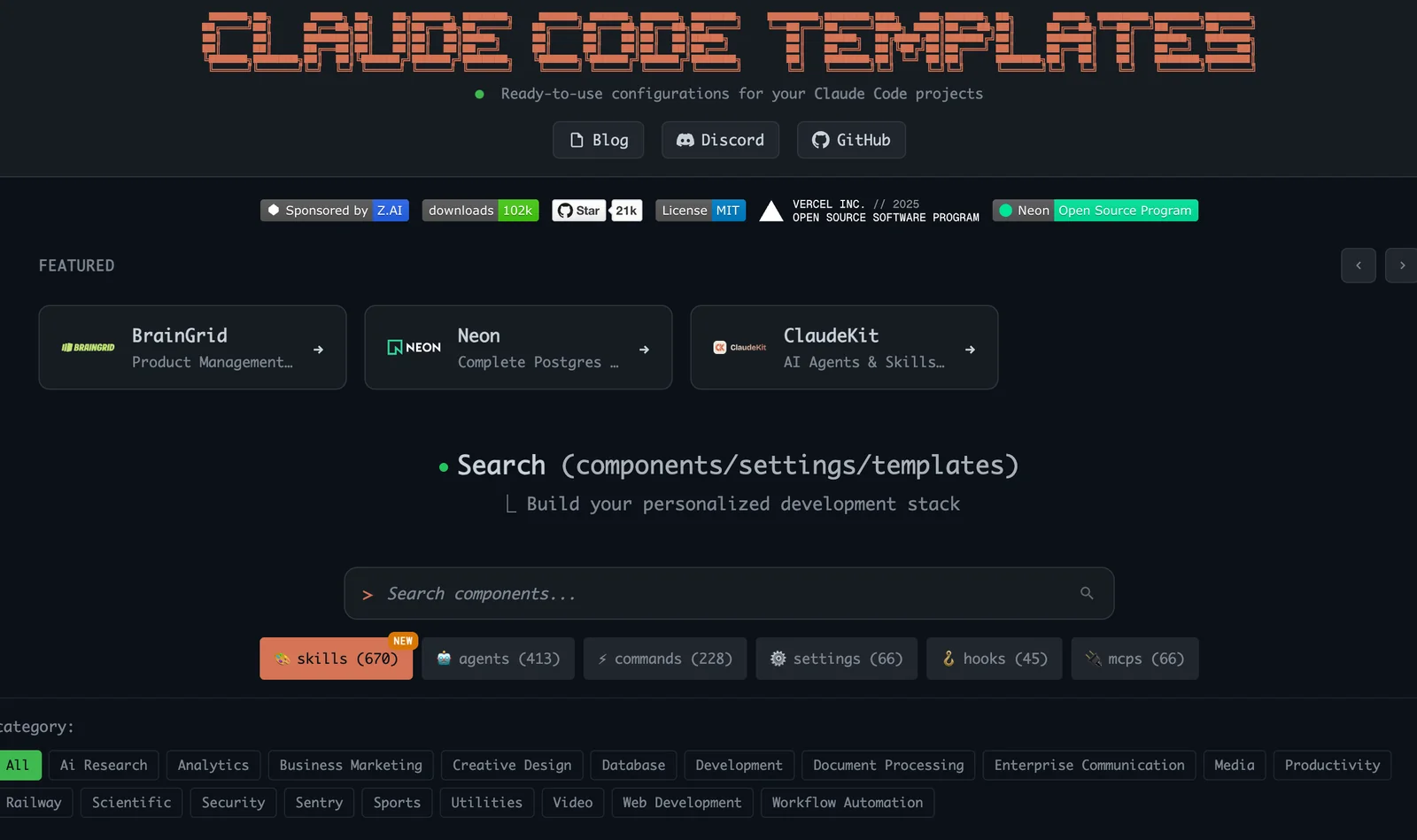
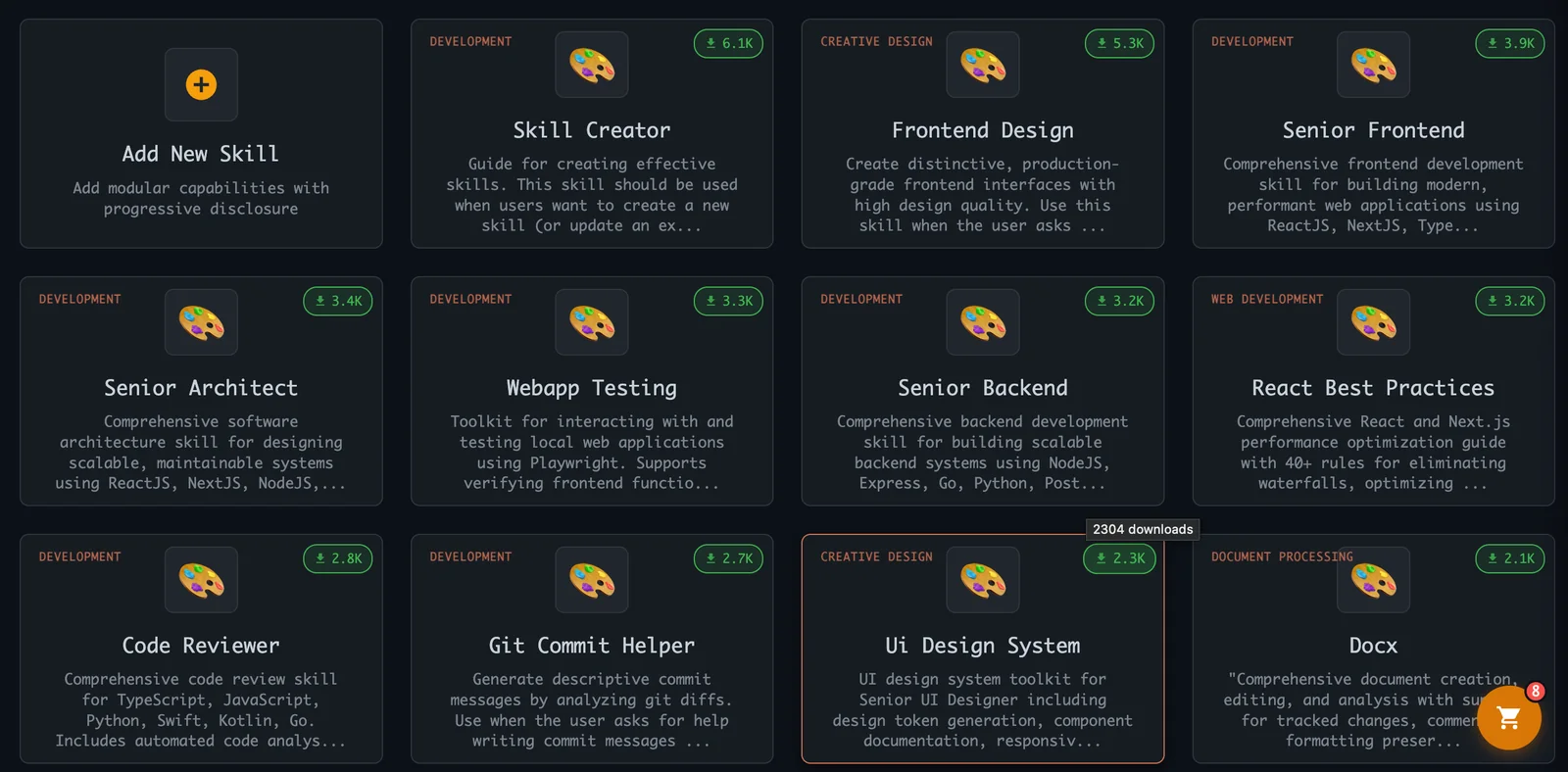
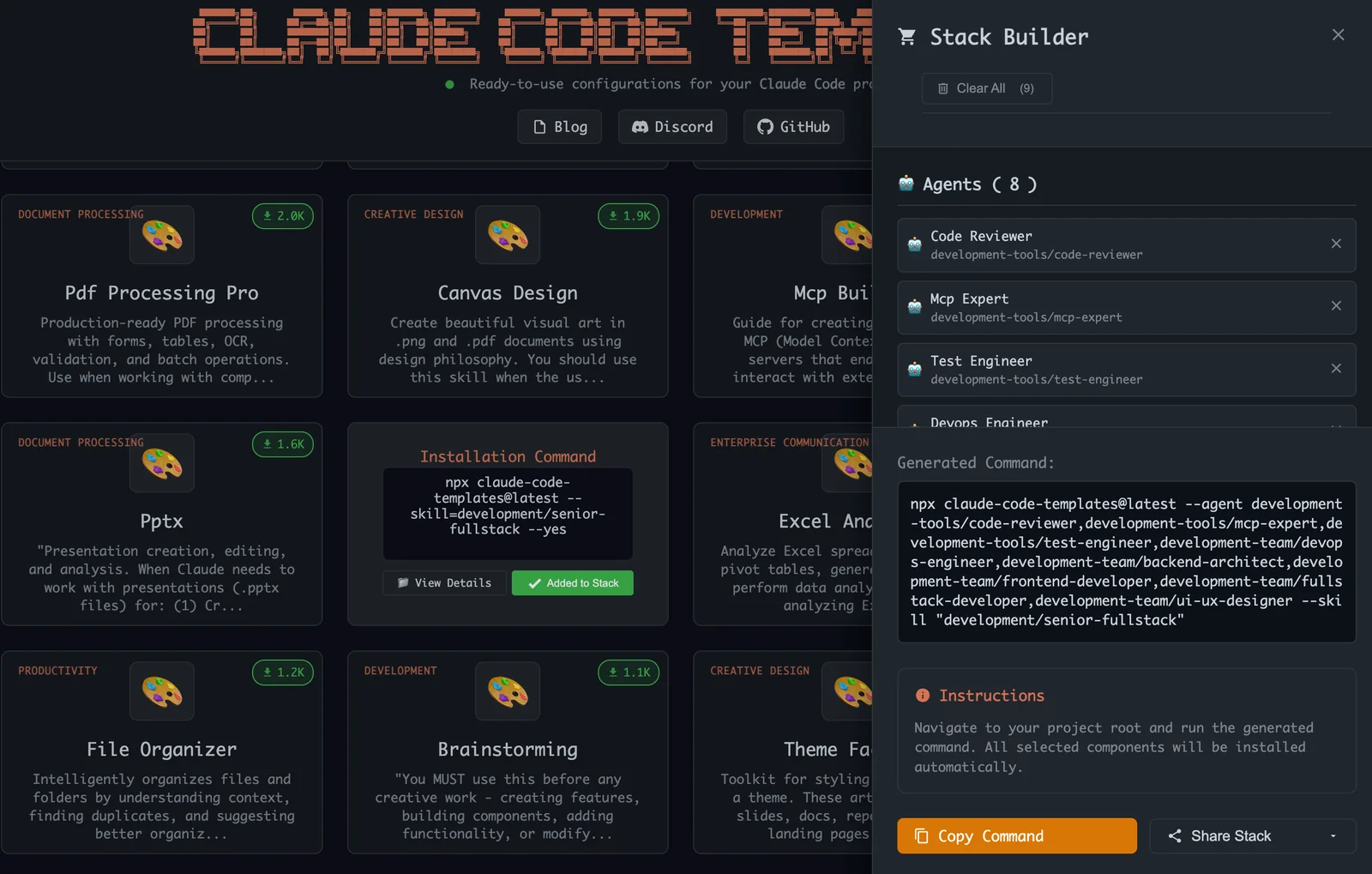
Claude Code Templates is a curated catalog and CLI for accelerating development with Anthropic's Claude Code. It provides ready-made agents, custom commands, settings, hooks, MCP integrations, and project templates that can be installed and managed via a Node.js CLI and a companion static website. The project adds observability and diagnostics (real-time analytics, health checks, session insights), a skills manager dashboard, Cloudflare sandbox integration with the Claude Agent SDK, and a security validation system for components. It helps teams standardize Claude Code installations, speed up onboarding, and maintain safe, production-ready component catalogs.
Screenshots
Key Features
Use Cases


Frequently asked questions about Claude Code Templates
What are the pricing options for Claude Code Templates?
Claude Code Templates is completely free and open-source, providing users with full access to its extensive catalog of templates, the Node.js CLI, and all features at no cost. This makes it an excellent choice for developers looking for robust tools without financial commitment.
Key Points
- Free and Open-Source: No licensing fees or subscriptions are required.
- Comprehensive Templates Catalog: Access a wide variety of pre-built templates for various applications.
- User-Friendly Node.js CLI: Simplifies the process of integrating templates into projects.
Detailed Explanation
Claude Code Templates stands out in the development community due to its completely free and open-source model. This means that users can download, modify, and share the code without any licensing fees.
The templates catalog includes a diverse selection of templates designed for various programming challenges. For instance, developers can find templates for web applications, APIs, and even microservices, all optimized for performance. The Node.js Command Line Interface (CLI) enhances usability, allowing developers to generate projects quickly from the command line, significantly speeding up the development process.
Use Cases
- Web Development: Quickly scaffold a web application using pre-defined templates, ensuring best practices in coding.
- APIs: Create RESTful services with minimal configuration, leveraging the templates to handle routing and middleware.
- Microservices: Utilize templates designed for microservices architecture, making it easier to build scalable applications.
Best Practices / Tips
- Explore the Documentation: Before diving into template usage, familiarize yourself with the official documentation to understand all available features and functionalities.
- Customize Templates: While the templates are ready-to-use, consider modifying them to better fit your project requirements and coding style.
- Participate in the Community: Engage with other users through forums or GitHub to share insights and improvements on existing templates.
Additional Resources
By leveraging Claude Code Templates, developers can significantly enhance their productivity while minimizing costs, making it an invaluable resource in any developer's toolkit.
What key features does Claude Code Templates offer?
Claude Code Templates offers a robust set of features, including a comprehensive catalog of ready-made components, real-time analytics for performance monitoring, a Node.js Command Line Interface (CLI) for streamlined management, and an intuitive skills manager dashboard for easy tracking and oversight of your coding projects.
Key Points
- Comprehensive Catalog: Access a wide range of pre-built components.
- Real-Time Analytics: Monitor performance metrics instantly.
- Node.js CLI: Manage your projects efficiently via the command line.
- Skills Manager Dashboard: Easily track and manage coding skills.
Detailed Explanation
Claude Code Templates is designed to enhance developer productivity and streamline project management. Here’s a breakdown of its key features:
Comprehensive Catalog
The catalog consists of numerous ready-to-use components that can significantly reduce development time. With templates covering various functionalities, developers can quickly integrate features without starting from scratch. For instance, templates for user authentication, data visualization, and API integration are readily available, allowing teams to focus on customizing their application rather than building fundamental features.
Real-Time Analytics
Real-time analytics provide developers with immediate insights into application performance. This feature includes metrics such as user engagement, error rates, and resource utilization, enabling teams to make data-driven decisions. For example, if analytics indicate a spike in error rates, developers can quickly identify and resolve issues, ensuring a smoother user experience.
Node.js CLI
The Node.js Command Line Interface (CLI) allows developers to manage their projects efficiently. This tool simplifies tasks such as initializing new projects, running scripts, and deploying applications. The CLI can automate repetitive tasks, thereby enhancing productivity. For instance, developers can set up new templates or update existing ones with simple command-line instructions, streamlining workflows.
Skills Manager Dashboard
The skills manager dashboard offers a user-friendly interface for tracking individual and team skills. This feature helps identify areas for improvement and facilitates targeted training. By visualizing skill sets, teams can focus on enhancing specific capabilities that align with project requirements. For example, if a team needs to strengthen its JavaScript skills, the dashboard can highlight relevant resources and training opportunities.
Best Practices / Tips
- Utilize Templates: Take full advantage of the comprehensive catalog to save time on development.
- Monitor Analytics Regularly: Make it a habit to check real-time analytics to catch issues early.
- Familiarize with CLI Commands: Spend time learning the Node.js CLI commands to enhance your productivity.
- Engage with the Dashboard: Regularly review the skills manager dashboard to ensure you’re up-to-date with team capabilities.
Additional Resources
By leveraging these features effectively, developers can enhance their coding efficiency and project outcomes with Claude Code Templates.
How do I start using Claude Code Templates for my project?
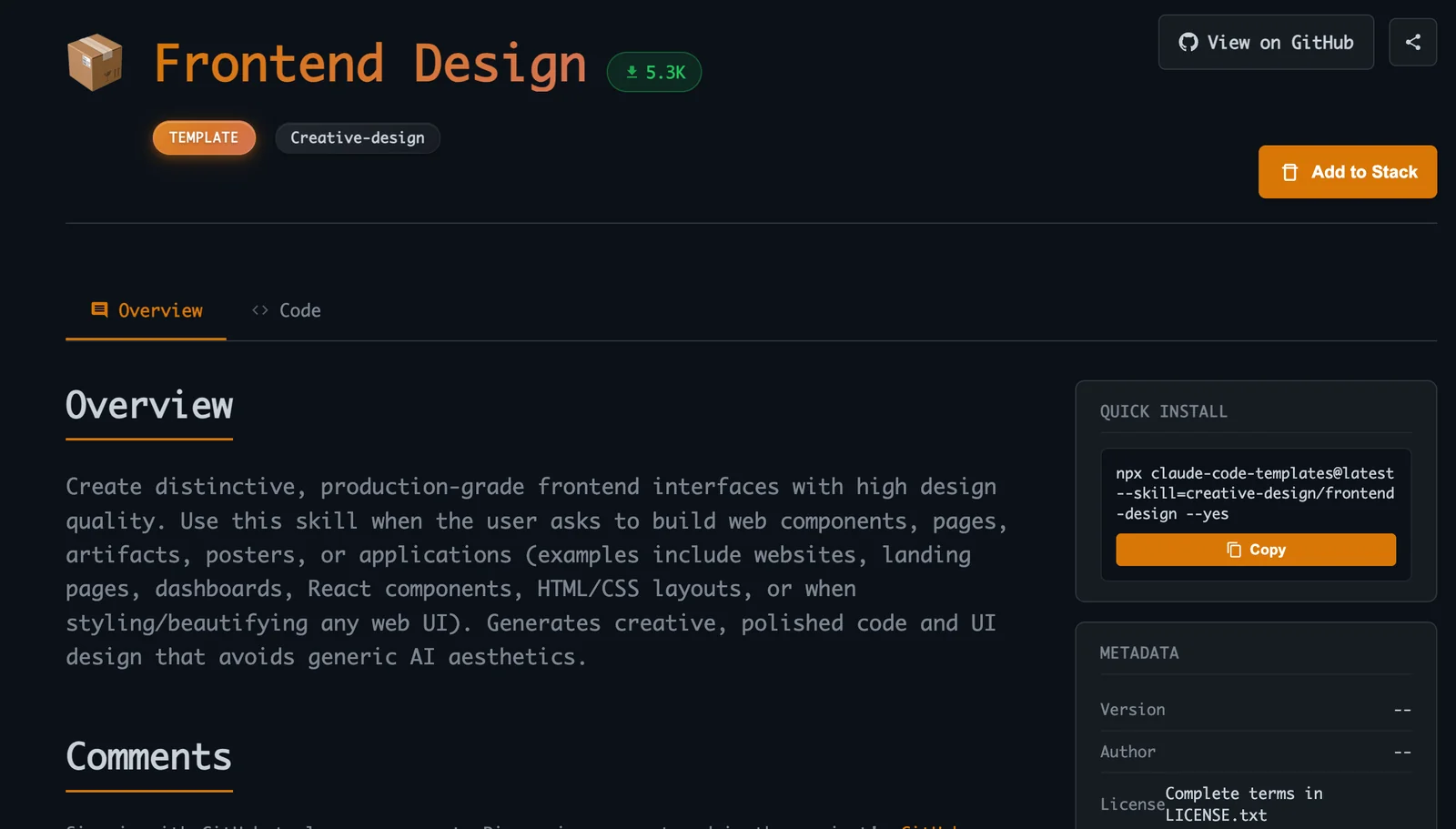
To start using Claude Code Templates for your project, install the CLI by running npx claude-code-templates in your terminal. After installation, explore the catalog of available agents and commands to efficiently set up your development environment and streamline your workflow.
Key Points
- Install the CLI using
npx claude-code-templates. - Access the catalog of agents and commands.
- Customize templates to fit your project needs.
Detailed Explanation
To effectively utilize Claude Code Templates, follow these steps:
-
Installation: Open your terminal and execute the command:
npx claude-code-templatesThis command installs the necessary CLI tools that allow you to access and utilize Claude’s various code templates.
-
Exploration: Once installed, you can explore the available templates and commands. Use:
claude-code-templates --helpThis command lists all available options and helps you understand how to leverage them for your project.
-
Selecting Templates: Navigate through the catalog of agents, which are pre-configured code setups tailored for different programming languages and frameworks. For example, if you're working with JavaScript, look for templates that support React, Node.js, or Vue.js.
-
Customization: After selecting a template, you can customize it based on your project requirements. Consider modifying configurations, adding necessary dependencies, or adjusting for specific coding standards.
-
Execution: Finally, run your selected template using the appropriate command. For instance:
claude-code-templates create [template-name]This command initializes your project with the chosen template.
Best Practices / Tips
- Regularly Update: Keep the CLI updated to access the latest features and templates. Run
npx claude-code-templates updateperiodically. - Explore Documentation: Familiarize yourself with the official documentation for in-depth guidance and advanced features.
- Use Version Control: Always use Git or another version control system when setting up your projects to manage changes effectively.
Additional Resources
- Claude Code Templates Documentation
- GitHub Repository for Claude Code Templates
- Best Practices for Code Template Customization
By following these steps and tips, you can effectively start using Claude Code Templates to enhance your development process and create projects more efficiently.
What technical requirements are needed to run Claude Code Templates?
To run Claude Code Templates, you must have Node.js installed on your machine, as the command-line interface (CLI) operates through npm. Additionally, ensure your environment is configured to support necessary integrations for Model Control Plugins (MCPs) and other relevant plugins.
Key Points
- Node.js Requirement: Ensure Node.js is installed.
- CLI Utilization: The CLI functions via npm.
- Integration Support: Configure your environment for MCPs and plugins.
Detailed Explanation
Claude Code Templates are designed to streamline coding processes. To effectively run these templates, follow these technical requirements:
-
Install Node.js:
- Download the latest version of Node.js from nodejs.org.
- Follow the installation instructions specific to your operating system (Windows, macOS, or Linux).
- Verify the installation by running
node -vandnpm -vin your command line to check the versions.
-
Command-Line Interface (CLI):
- The CLI of Claude Code Templates utilizes npm, which is a package manager for Node.js. It simplifies the installation of packages and dependencies.
- Use commands like
npm installto set up required packages for your project.
-
Configuring Integrations:
- Ensure your development environment supports integrations for Model Control Plugins (MCPs) and any other plugins needed.
- This may involve additional configurations in your IDE or text editor, such as Visual Studio Code or Atom.
Best Practices / Tips
- Keep Node.js Updated: Regularly check for Node.js updates to leverage new features and security patches.
- Use a Package Manager: Familiarize yourself with npm commands to manage your packages effectively, like
npm updateandnpm uninstall. - Test Your Setup: After installation, create a simple project to test if the templates run correctly, ensuring all dependencies are properly configured.
Additional Resources
- Node.js Official Documentation
- npm Documentation
- Claude Code Templates GitHub Repository (ensure to replace with the actual link)
How does Claude Code Templates compare to other AI tools?
Claude Code Templates stands out among AI tools by being completely free and open-source, offering an extensive library of pre-configured components. Its community-driven approach fosters continuous improvements, making it a unique solution compared to proprietary options with limited customization and higher costs.
Key Points
- Cost-Effective: Claude Code Templates is free and open-source.
- Community-Driven: Continuous updates and improvements from user contributions.
- Extensive Library: Offers a rich set of pre-configured components for developers.
Detailed Explanation
Claude Code Templates allows developers to rapidly prototype and deploy applications using an extensive library of pre-built components. Unlike proprietary tools that often come with a hefty price tag and restrictions on usage, Claude Code Templates promotes a collaborative environment. This means users can contribute to the codebase, report issues, and suggest enhancements, ensuring the tool evolves based on real user needs.
For instance, if a developer needs a specific template for a web application, they can easily find and customize existing components without starting from scratch. This not only saves time but also encourages innovation as developers share their own templates and modifications with the community.
In comparison, other AI tools may lock users into specific pricing tiers or features, limiting flexibility. For example, tools like GitHub Copilot require a subscription, which can be a barrier for individual developers or small teams. Claude Code Templates, with its open-source nature, democratizes access to powerful coding tools.
Best Practices / Tips
- Engage with the Community: Join forums or chat groups related to Claude Code Templates to share and learn from others.
- Contribute: If you create a new template or improve an existing one, consider contributing back to the repository.
- Stay Updated: Regularly check for updates and community contributions to leverage the latest features and improvements.
Additional Resources
Explore more AI Ai Services tools
Browse all Ai Services tools →Browse by use case: Automation & Productivity
Compare Claude Code Templates: vs Claude Academy · vs Switchyard · vs Router by Ramp · vs Supernova