
StreamAlive
AILive audience engagement platform offering interactive tools and real-time metrics for in-person, hybrid, and streaming sessions.
StreamAlive
Live audience engagement platform offering interactive tools and real-time metrics for in-person, hybrid, and streaming sessions.
About StreamAlive
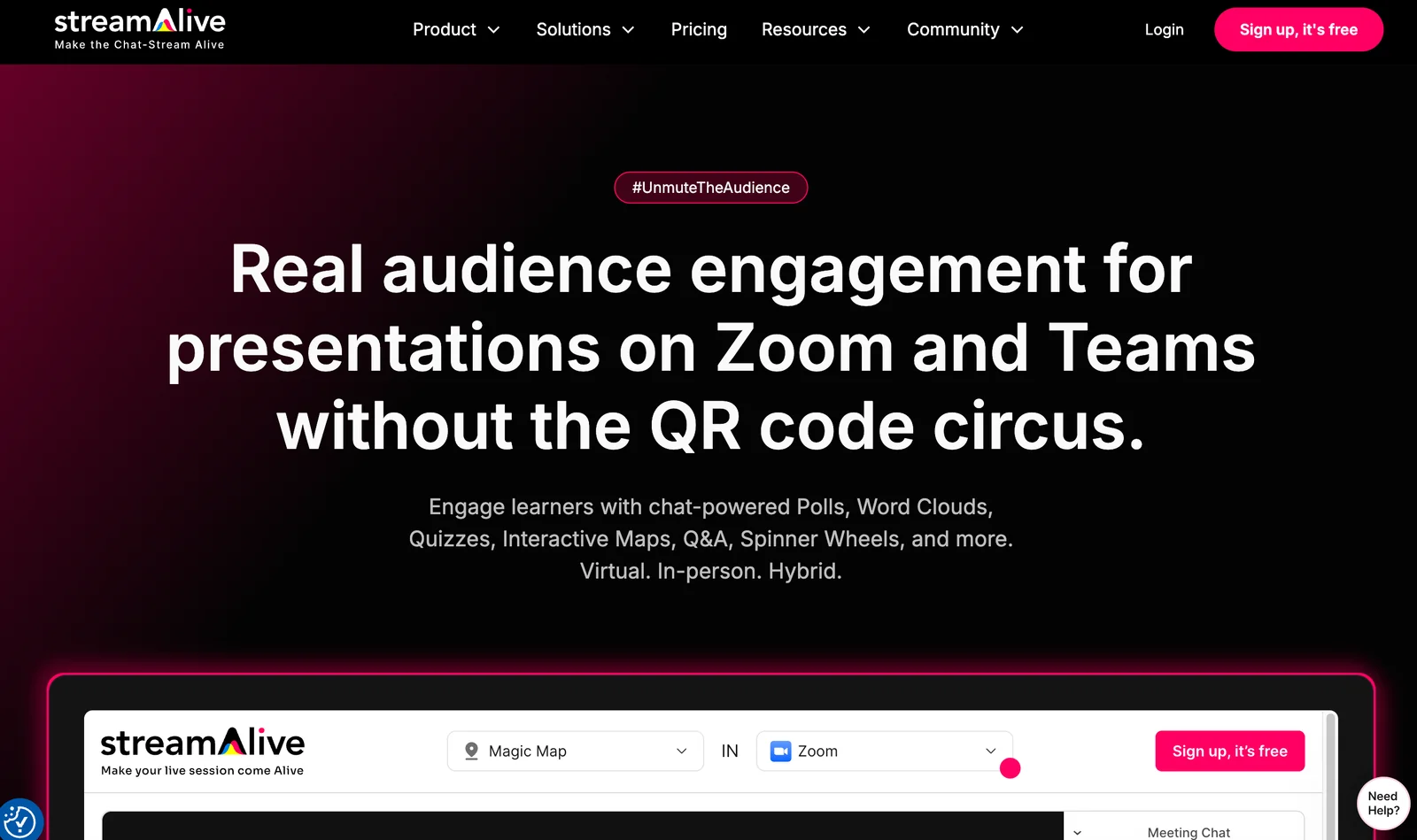
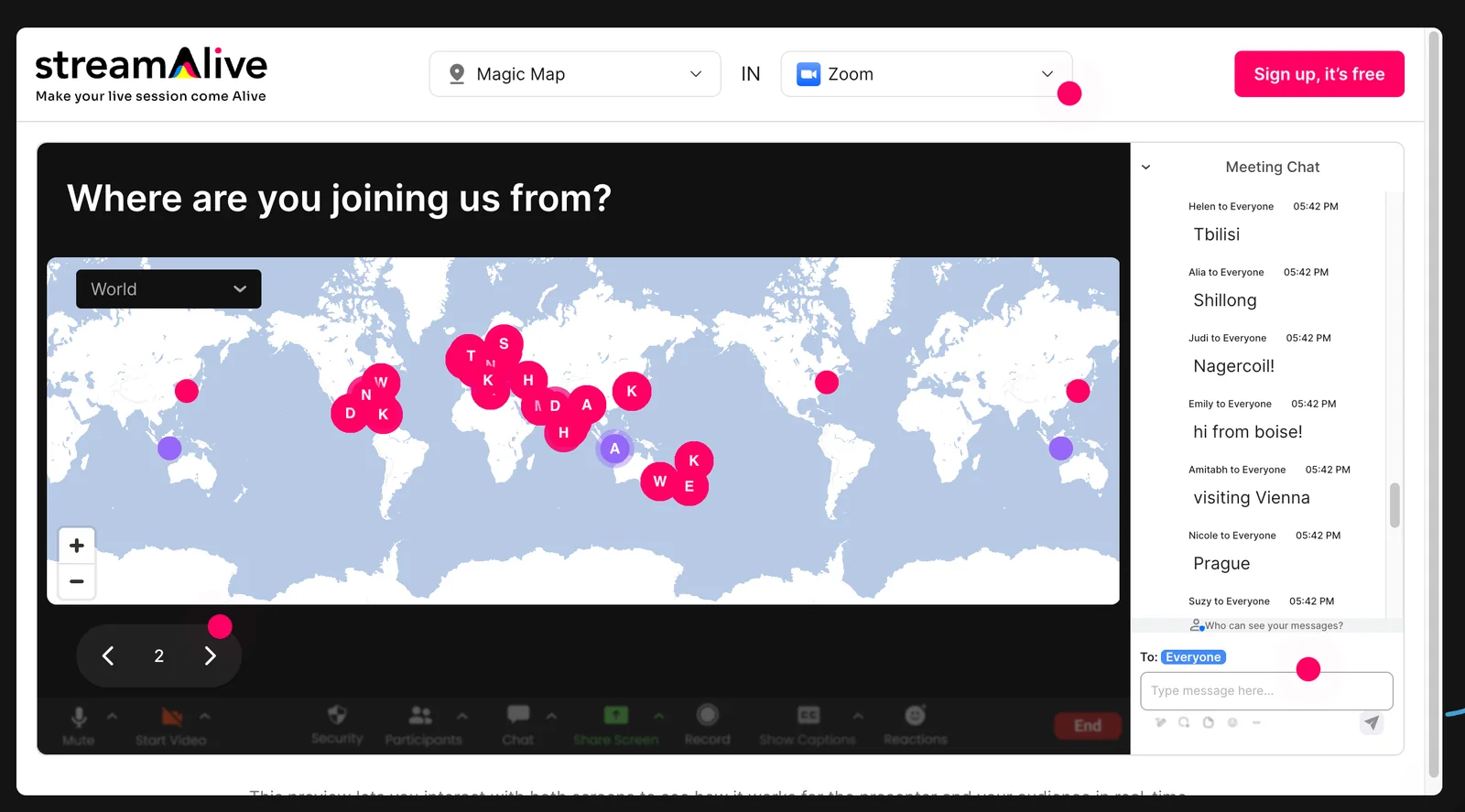
StreamAlive is a live audience engagement platform that boosts participation with interactive tools and real-time metrics. It supports in-person, hybrid, and virtual sessions and integrates with platforms like Zoom, Microsoft Teams, YouTube Live, and Twitch. Organizers can run interactive activities, monitor engagement during events, and use metrics to improve session effectiveness and follow-up. The platform focuses on making live sessions more exciting and measurable for hosts and presenters.
Screenshots
Key Features
Use Cases



Frequently asked questions about StreamAlive
What is the pricing structure for StreamAlive?
StreamAlive follows a freemium pricing model that includes a free tier offering essential interactive tools and basic analytics. For users seeking advanced features and dedicated support, StreamAlive provides custom pricing on its paid plans. For specific pricing details, it’s best to contact StreamAlive directly.
Key Points
- Freemium Model: Access to basic tools without cost.
- Paid Plans: Custom pricing for enhanced features.
- Direct Contact: Pricing details are available upon request.
Detailed Explanation
StreamAlive's freemium model is designed to cater to a wide range of users, from casual streamers to professional content creators. The free tier includes essential interactive tools that allow users to engage their audience effectively. These tools are ideal for those starting out or experimenting with interactive live streaming.
For users requiring more advanced functionalities, StreamAlive offers paid plans that come with additional features such as in-depth analytics, custom branding options, and priority support. The pricing for these plans is not fixed, allowing for customization based on the specific needs of individuals or organizations. This flexibility makes it easier for clients to find a plan that fits both their budget and requirements.
To get the most accurate and up-to-date pricing information, potential users should reach out directly to StreamAlive’s customer service. This ensures they can discuss their unique needs and receive a tailored quote.
Best Practices / Tips
- Start with the Free Tier: If you're new to interactive streaming, begin with the free tier to understand your needs before investing in paid plans.
- Assess Your Requirements: Evaluate which advanced features you truly need before opting for a paid plan to avoid overspending.
- Contact Support: Don’t hesitate to inquire about custom pricing options and available discounts for longer commitments or larger teams.
Additional Resources
What are the key features of StreamAlive?
StreamAlive offers a suite of interactive features including polls, quizzes, and real-time reactions, alongside advanced analytics, multi-platform integration, session moderation tools, customizable branding, and data export options for thorough post-event analysis. These features empower hosts to enhance audience engagement and streamline event management effectively.
Key Points
- Interactive Widgets: Engaging tools like polls and quizzes.
- Real-Time Analytics: Instant feedback and insights during events.
- Custom Branding: Tailor the platform's look to match your brand.
Detailed Explanation
StreamAlive's interactive widgets allow event hosts to create engaging experiences through features like polls and quizzes, which can significantly boost audience participation. For instance, during a webinar, a host can use a live poll to gauge audience opinions on topics discussed, making the session more interactive and dynamic.
Real-time analytics provide immediate insights into participant engagement, enabling hosts to adjust their presentations on-the-fly. For example, if analytics show a drop in engagement, the host can introduce a quiz or a Q&A session to re-engage the audience.
Multi-platform integration ensures that StreamAlive can be seamlessly used with popular streaming services like Zoom, Microsoft Teams, and YouTube Live. This flexibility allows hosts to reach broader audiences without any hassle. Additionally, session moderation tools help streamline discussions, manage questions from participants, and maintain an organized flow of information.
Custom branding options let users personalize their event interface, aligning it with their brand identity. This customization enhances the professional appearance of the event, making it more appealing to attendees.
Lastly, data export capabilities allow event organizers to download comprehensive reports post-event. These reports include participant engagement metrics, poll results, and quiz scores, which are essential for evaluating the success of the event and planning future engagements.
Best Practices / Tips
- Engage Early: Start with a poll or question to hook the audience's attention right from the beginning.
- Utilize Analytics: Regularly check real-time analytics to adapt your content and maintain high engagement levels.
- Promote Interactivity: Encourage audience participation by integrating quizzes and live Q&As throughout the session.
- Customize Branding: Invest time in customizing your event's branding to reinforce brand recognition and professionalism.
Additional Resources
How can I get started with StreamAlive for my events?
To get started with StreamAlive for your events, visit their official website and sign up for a free account. After registration, you can create interactive sessions, seamlessly integrate with popular platforms like Zoom and Microsoft Teams, and customize your event settings to enhance audience engagement.
Key Points
- Sign Up for a Free Account: Easy registration process.
- Platform Integration: Works with Zoom, Teams, and more.
- Customization Options: Tailor your event settings for optimal engagement.
Detailed Explanation
StreamAlive is an innovative platform designed to make your virtual events interactive and engaging. Here’s how to get started:
-
Visit the Official Website: Navigate to StreamAlive's website where you can find comprehensive information about the platform.
-
Create a Free Account: Click on the "Sign Up" button. Fill in your details, including your email address and a password. You will receive a confirmation email to activate your account.
-
Explore the Dashboard: Once logged in, you’ll access an intuitive dashboard. Here, you can create new sessions by clicking on the "Create Session" button.
-
Integrate with Other Platforms: StreamAlive allows integration with popular platforms like Zoom, Microsoft Teams, and Google Meet. Choose your preferred platform during session setup, and follow the integration prompts to connect your accounts.
-
Customize Your Event Settings: Tailor your session by adding interactive elements like polls, Q&A features, and real-time analytics. You can also customize the branding, including logos and color schemes, to align with your event theme.
-
Launch Your Event: After setting up, you can launch your event, invite participants, and engage them with interactive features throughout the session.
Best Practices / Tips
- Test Before Your Event: Conduct a trial run with a small audience to ensure all interactive features function as intended.
- Engage Your Audience: Use polls and Q&A sessions to keep your audience involved. This can significantly increase interaction and retention.
- Monitor Analytics: Post-event, review the analytics provided by StreamAlive to understand participant engagement and gather insights for future events.
Additional Resources
- StreamAlive Help Center for detailed guides and troubleshooting.
- Webinars and Tutorials to learn more about maximizing platform features.
- Community Forums for networking with other users and sharing tips.
Can StreamAlive integrate with popular video conferencing tools?
Yes, StreamAlive seamlessly integrates with popular video conferencing platforms like Zoom, Microsoft Teams, YouTube Live, and Twitch. This integration enhances audience engagement in various formats, including in-person and hybrid events, making it easier for hosts to connect and interact with participants.
Key Points
- Wide Integration: Compatible with major platforms like Zoom and Teams.
- Enhanced Engagement: Facilitates real-time audience interaction.
- Versatile Formats: Supports in-person, virtual, and hybrid events.
Detailed Explanation
StreamAlive’s integration capabilities allow event organizers to enhance their audience's experience significantly. By connecting with platforms like Zoom, Microsoft Teams, YouTube Live, and Twitch, users can utilize StreamAlive’s features, such as real-time polls, quizzes, and Q&A sessions, to boost audience participation.
For instance, during a Zoom webinar, a host can launch a poll via StreamAlive, allowing participants to interact directly from their devices. Similarly, while streaming on Twitch, users can engage viewers with interactive elements that keep them focused and involved.
Use Cases
- Corporate Meetings: Enhance team collaboration with live polls and feedback.
- Webinars: Increase attendee engagement with quizzes and instant Q&A.
- Live Streaming: Foster community interaction on platforms like Twitch through real-time discussions.
Best Practices / Tips
- Test Integrations: Before the event, ensure that all integrations are functioning properly to avoid technical issues.
- Engage Early: Start engaging your audience with polls and questions at the beginning of the event to capture attention.
- Analyze Feedback: Use insights from StreamAlive’s engagement tools to improve future events.
Additional Resources
How does StreamAlive compare to other audience engagement tools?
StreamAlive excels compared to other audience engagement tools due to its real-time analytics, seamless multi-platform compatibility, and diverse interactive features. Its superior integration for hybrid events significantly boosts audience participation, making it a compelling choice for event organizers looking to enhance interaction and engagement.
Key Points
- Real-Time Analytics: Provides instant insights into audience behavior and engagement levels.
- Multi-Platform Compatibility: Works across various streaming platforms, ensuring accessibility for all users.
- Interactive Features: Offers diverse tools like polls, quizzes, and Q&A sessions to enhance engagement.
Detailed Explanation
StreamAlive differentiates itself by offering real-time analytics that allow event organizers to monitor audience engagement as it happens. This feature is crucial for making immediate adjustments to content or interaction strategies during live events. For instance, if a poll shows low participation, organizers can pivot their approach to encourage more interaction.
In terms of multi-platform compatibility, StreamAlive integrates seamlessly with popular platforms like Zoom, YouTube, and Facebook Live. This flexibility ensures that users can engage their audience wherever they are, without being restricted to a single platform. As hybrid events become more popular, having a tool that can function across multiple channels is invaluable.
StreamAlive's interactive features are extensive, including options for live polls, quizzes, and real-time Q&A. These tools not only enhance audience participation but also provide a more dynamic experience, allowing attendees to feel more connected and involved. For example, during a webinar, organizers can use live polls to gauge audience sentiment or knowledge, adjusting their content accordingly.
Best Practices / Tips
- Utilize Analytics: Regularly check the real-time analytics dashboard to gauge audience engagement levels and adjust your strategy on the fly.
- Promote Interaction: Encourage participants to engage with interactive features like polls and quizzes to keep the energy high and maintain interest.
- Test Multi-Platform Functionality: Before the event, test the integration across all platforms to ensure a smooth experience for attendees.
Additional Resources
Explore more AI Ai Services tools
Browse all Ai Services tools →Compare StreamAlive: vs ZeroClick · vs jurniti · vs Cadenya · vs OpenObserve