

JXP-Wan 2.6
AIGenerates videos from text or images with multi-shot storytelling, reference video control, and native audio sync.
JXP-Wan 2.6
Generates videos from text or images with multi-shot storytelling, reference video control, and native audio sync.
About JXP-Wan 2.6
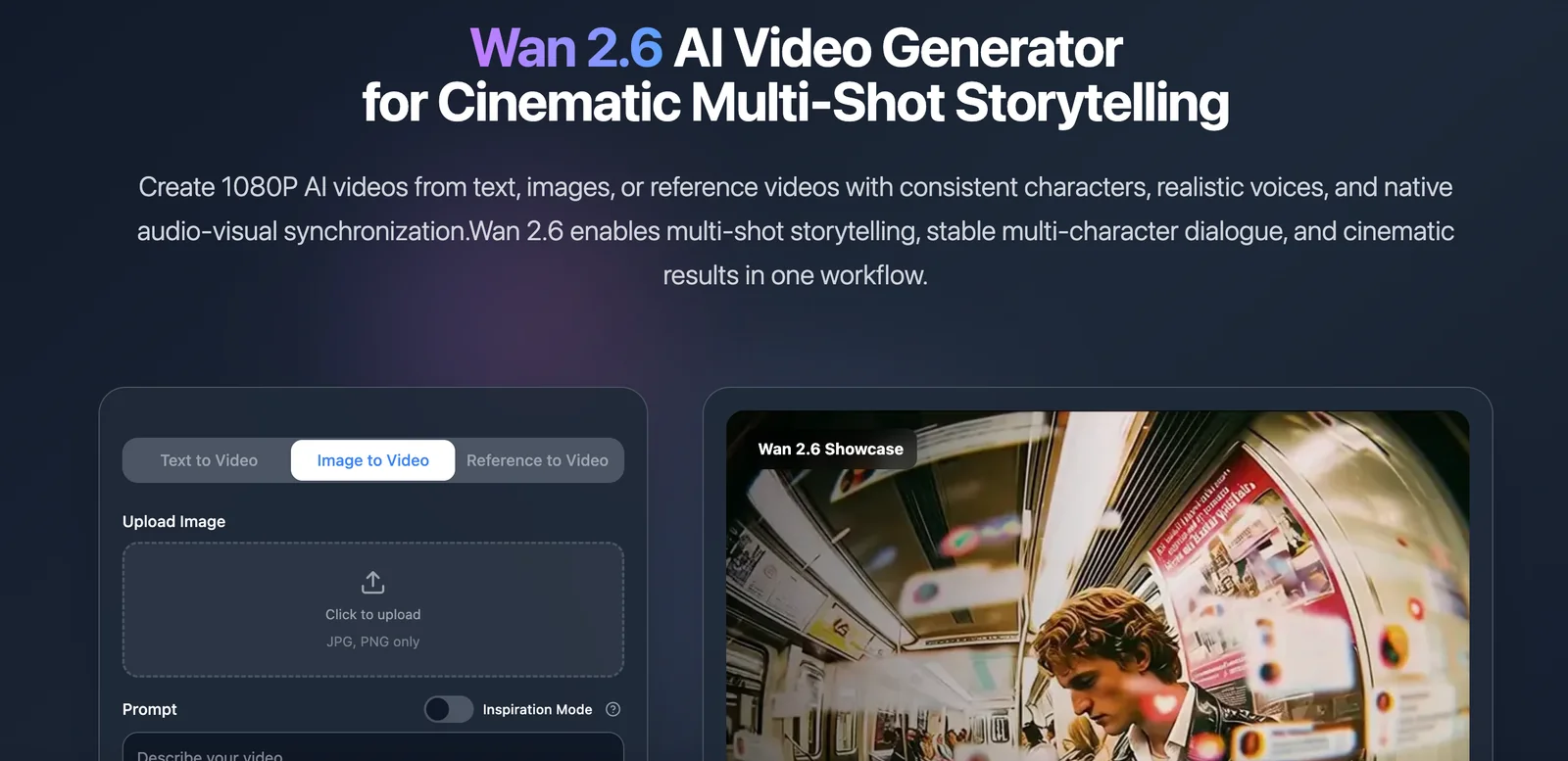
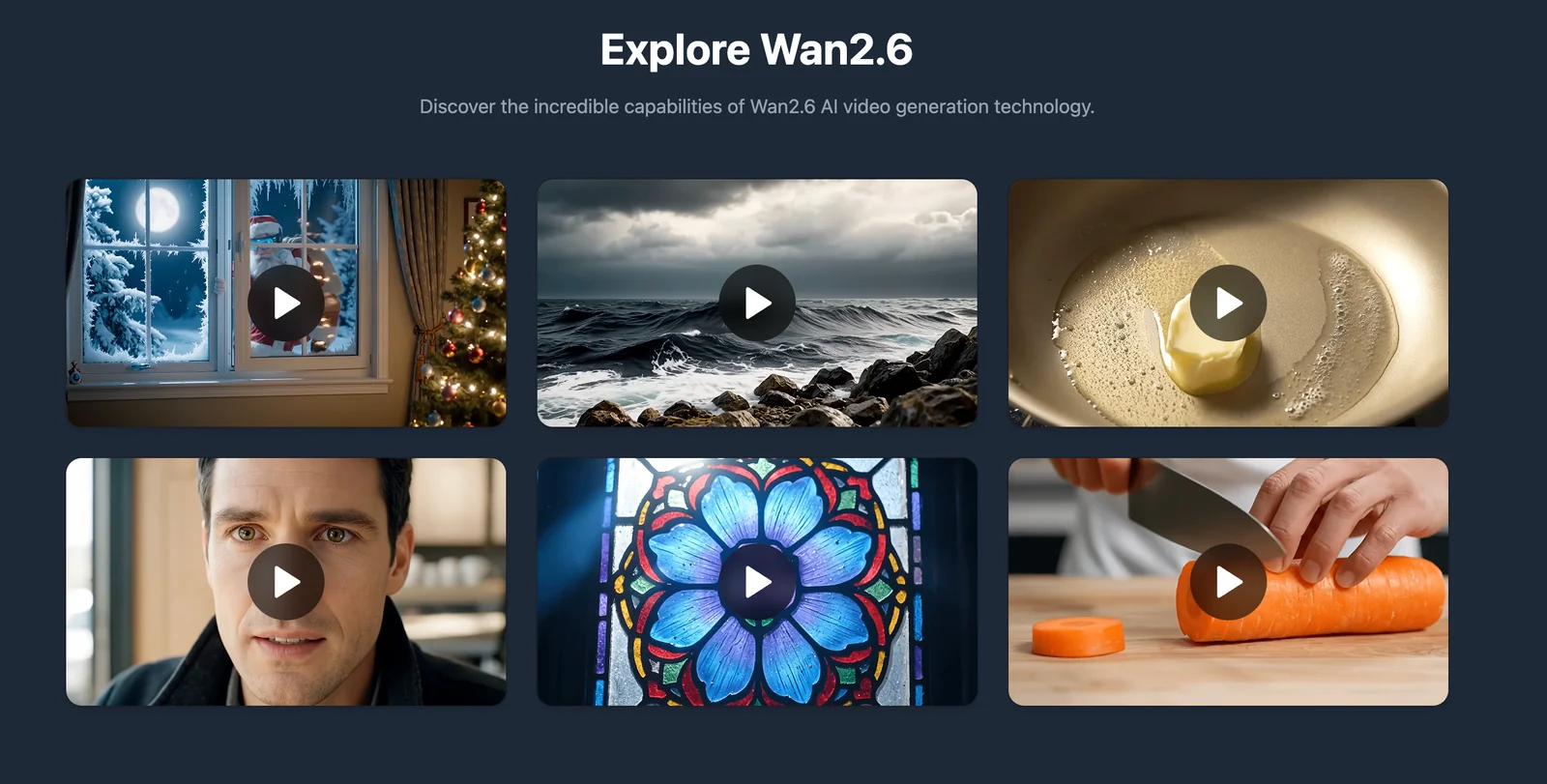
Wan 2.6 is an AI-driven video generation tool that creates multi-shot videos from text prompts or input images. It supports multi-shot storytelling to compose sequences of distinct camera shots and scenes, and it accepts reference videos to control motion, framing, and style consistency. Native audio sync ensures generated visuals align with provided audio, making the output suitable for narrated scenes, dialogue, or music-driven edits. Wan 2.6 is positioned for creators and production teams who need rapid prototyping, storyboarding, and content generation with controlled visual references.
Screenshots
Key Features
Use Cases


Frequently asked questions about JXP-Wan 2.6
What pricing options are available for JXP-Wan 2.6?
JXP-Wan 2.6 offers a flexible pricing structure, including a freemium model that allows users to generate basic text or image-to-video content for free. For enhanced features, a customizable paid plan is available, which offers higher resolution and longer video exports tailored to user needs.
Key Points
- Freemium Model: Access to basic features at no cost.
- Custom Paid Plan: Tailored options for advanced users.
- Higher Resolution Exports: Enhanced video quality and length.
Detailed Explanation
JXP-Wan 2.6 provides users with two primary pricing tiers: a freemium model and a custom paid plan. The freemium tier allows users to create basic videos from text or images without any financial commitment. This is ideal for casual users or those just starting to explore video generation.
For those seeking more advanced capabilities, the custom paid plan is designed to meet diverse needs. Users can choose specific features based on their requirements, such as:
- Higher Resolution Exports: Create videos in 1080p or 4K, ensuring top-quality visuals.
- Longer Video Durations: Generate videos that exceed the duration limits set in the free tier.
- Additional Features: Access to advanced editing tools, templates, and more sophisticated AI capabilities for video generation.
Pricing details for the custom plan can vary depending on the specific features chosen. Users are encouraged to contact JXP-Wan directly for a quote tailored to their needs.
Best Practices / Tips
- Evaluate Your Needs: Before opting for a paid plan, assess what features are essential for your projects to avoid unnecessary expenses.
- Experiment with the Free Tier: Utilize the freemium model to familiarize yourself with the platform and determine if the additional features justify the cost.
- Stay Updated: Follow JXP-Wan’s announcements for any pricing changes or new features, which can enhance your user experience.
Additional Resources
What are the key features of JXP-Wan 2.6?
JXP-Wan 2.6 offers advanced features like multi-shot storytelling, flexible text and image input for video generation, reference video control, and native audio synchronization. These elements ensure narrative consistency, allowing creators to produce professional-quality videos efficiently and effectively.
Key Points
- Multi-Shot Storytelling: Create complex narratives with ease.
- Text and Image Input: Flexible options for diverse content creation.
- Reference Video Control: Fine-tune your videos to match desired styles.
Detailed Explanation
JXP-Wan 2.6 revolutionizes video production with its multi-shot storytelling feature, enabling users to weave together various scenes and perspectives seamlessly. This tool is particularly beneficial for filmmakers and content creators who want to enhance their storytelling techniques without the need for extensive editing skills.
The text and image input capability allows users to generate videos by simply entering text descriptions or uploading images. This flexibility accommodates a wide range of content types—from informative videos to artistic presentations—making it ideal for marketers, educators, and social media influencers looking to engage their audiences creatively.
With the reference video control feature, users can upload a reference video to guide their editing process. This ensures that the final output aligns closely with their vision, providing a level of control that is often lacking in traditional video editing software.
Furthermore, the native audio synchronization feature guarantees that audio tracks sync perfectly with video content, crucial for maintaining professional standards in video production. This eliminates the hassle of manual syncing, allowing creators to focus on narrative and visual elements.
Best Practices / Tips
- Utilize Multi-Shot Storytelling: Experiment with different angles and scenes to enhance engagement in your videos.
- Leverage Text and Image Inputs: Maximize creativity by combining diverse media types to enrich storytelling.
- Use Reference Videos: Always upload a reference video when possible to ensure consistency and quality in your narrative.
Additional Resources
How do I get started with JXP-Wan 2.6?
To get started with JXP-Wan 2.6, visit the official website, create an account, and select either the free tier or one of the paid options. The platform features a user-friendly interface that allows you to easily generate videos from text or images.
Key Points
- Account Creation: Sign up for free or choose a paid plan.
- User Interface: Navigate the intuitive dashboard to create content.
- Content Generation: Convert text or images into engaging videos effortlessly.
Detailed Explanation
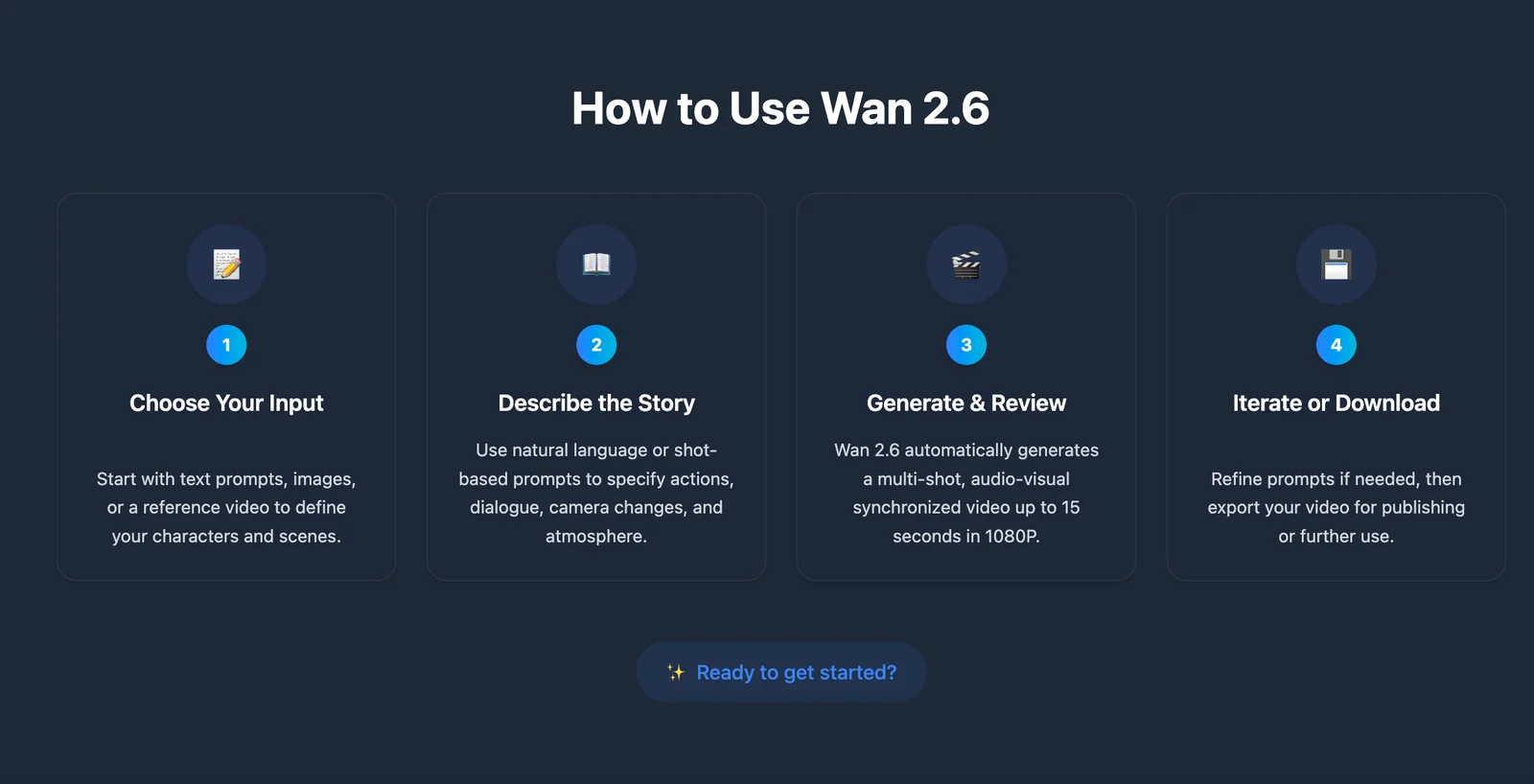
Starting with JXP-Wan 2.6 is straightforward. First, go to the official JXP-Wan website. Click on the "Sign Up" button to create an account. You’ll need to provide basic information like your name, email address, and a password. JXP-Wan offers a free tier that allows you to explore its features, while paid options are available for users seeking enhanced capabilities.
Once registered, log in to access the user-friendly dashboard. Here, you can choose to create a video by uploading images or entering text. The platform supports various formats, making it versatile for different content types. For instance, you can input a script for a promotional video or upload images for a slideshow presentation.
After selecting your content, JXP-Wan's AI tools will assist you in generating videos quickly. You can customize your project by selecting different styles, themes, and background music options, ensuring that your videos align with your brand’s aesthetics.
Best Practices / Tips
- Experiment with Different Formats: Use both text and image inputs to see which generates the best engagement.
- Explore Paid Options: Consider upgrading to a paid plan to access advanced features such as higher resolution outputs and additional templates.
- Preview Your Videos: Always preview your generated videos before finalizing to ensure they meet your expectations.
Additional Resources
- JXP-Wan Documentation for detailed guides and tutorials.
- Community Forum for user tips and shared experiences.
- YouTube Channel for video tutorials and walkthroughs.
Does JXP-Wan 2.6 require any technical skills to use?
No, JXP-Wan 2.6 does not require any technical skills to use. It features an intuitive interface that allows users of all experience levels, including beginners, to create videos effortlessly without needing extensive technical knowledge.
Key Points
- User-Friendly Interface: Designed for all skill levels.
- No Technical Skills Needed: Suitable for beginners and advanced users alike.
- Quick Learning Curve: Users can start creating videos almost immediately.
Detailed Explanation
JXP-Wan 2.6 is specifically crafted to cater to users with varying levels of expertise. Its user-friendly interface simplifies complex tasks, enabling even those unfamiliar with video editing to produce high-quality content. The software incorporates drag-and-drop functionality, which allows users to easily add clips, images, and audio tracks to their projects.
For instance, a beginner can start a new video project by selecting a template from the built-in library. They can then customize it by dragging elements into the workspace, adjusting colors, and adding text overlays—all without prior experience. Advanced users will appreciate the ability to delve deeper into editing features, such as transitions and effects, which can enhance the final product.
Use Cases:
- Social Media Content: Ideal for creating engaging posts for platforms like Instagram or TikTok.
- Educational Videos: Teachers can easily produce instructional content for students.
- Marketing Materials: Businesses can create promotional videos to showcase their products or services.
Best Practices / Tips
- Explore Tutorials: Utilize any available tutorials or guides within the software to maximize your understanding.
- Start Simple: Try beginning with pre-designed templates before attempting custom projects.
- Experiment with Features: Take the time to explore various tools and effects to enhance your videos creatively.
- Stay Updated: Regularly check for software updates, as new features may improve usability and add functionality.
Additional Resources
Where can I learn more about the technical aspects of JXP-Wan 2.6?
For detailed technical information about JXP-Wan 2.6, including API access, integration possibilities, and user manuals, visit the official JXP website. It provides comprehensive resources, including documentation and support for developers and users interested in optimizing their experience with JXP-Wan 2.6.
Key Points
- Official Documentation: Access user manuals and API guides.
- Integration Options: Explore various integration capabilities with JXP-Wan 2.6.
- Community Support: Engage with forums and user communities for real-time assistance.
Detailed Explanation
JXP-Wan 2.6 offers advanced features for network management and optimization. Detailed technical information can be found on the official JXP website, which includes:
-
API Access: The API documentation outlines how to interact with JXP-Wan 2.6 programmatically. This allows developers to integrate JXP-Wan functionalities into their own applications, enhancing automation and operational efficiency.
-
Integration Possibilities: The platform supports multiple integration options with existing systems, such as RESTful APIs and webhooks. This flexibility enables seamless connectivity with other software, simplifying data flow and enhancing overall performance.
-
User Manuals & Tutorials: Comprehensive user manuals cover installation, configuration, and troubleshooting. Additionally, video tutorials can guide users through common tasks, making it easier to harness the full potential of JXP-Wan 2.6.
Best Practices / Tips
- Regularly Check Updates: Stay informed about the latest updates on JXP-Wan 2.6 through the official website to utilize new features and security patches.
- Engage with the Community: Join forums and discussion groups related to JXP-Wan to share experiences and learn from other users’ challenges and solutions.
- Test API Integrations: Before deploying any integrations, thoroughly test API calls in a sandbox environment to avoid disruptions in your production systems.
Additional Resources
By utilizing these resources, you can deepen your understanding of JXP-Wan 2.6 and effectively integrate its capabilities into your projects, ensuring optimal performance and user satisfaction.
Explore more AI Ai Services tools
Browse all Ai Services tools →Browse by use case: Video Generation
Compare JXP-Wan 2.6: vs Claude Academy · vs Switchyard · vs Router by Ramp · vs Supernova