

nao
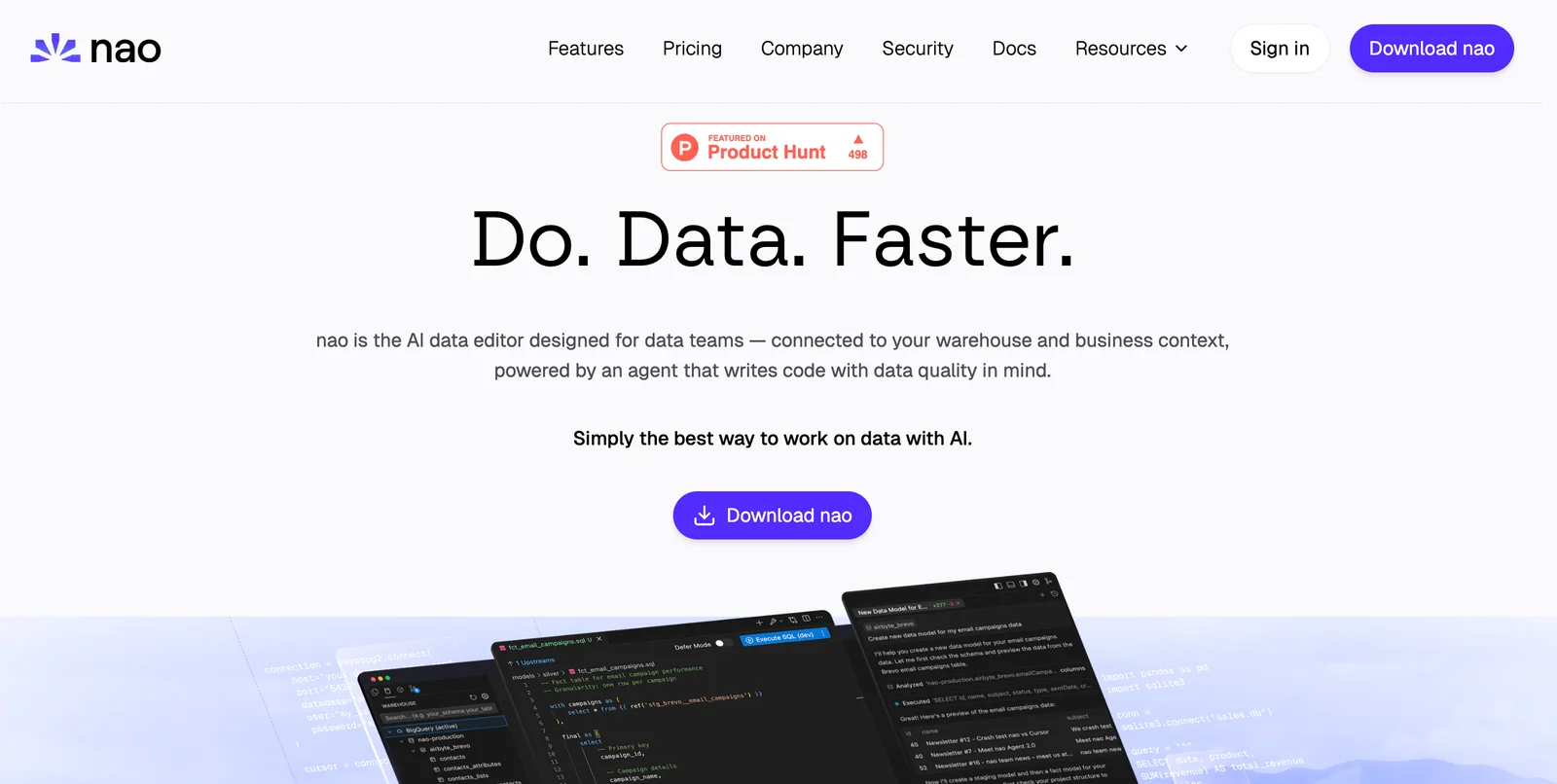
AIAn AI data editor that understands data work and helps teams clean, transform, and analyze data faster.
nao
An AI data editor that understands data work and helps teams clean, transform, and analyze data faster.
About nao
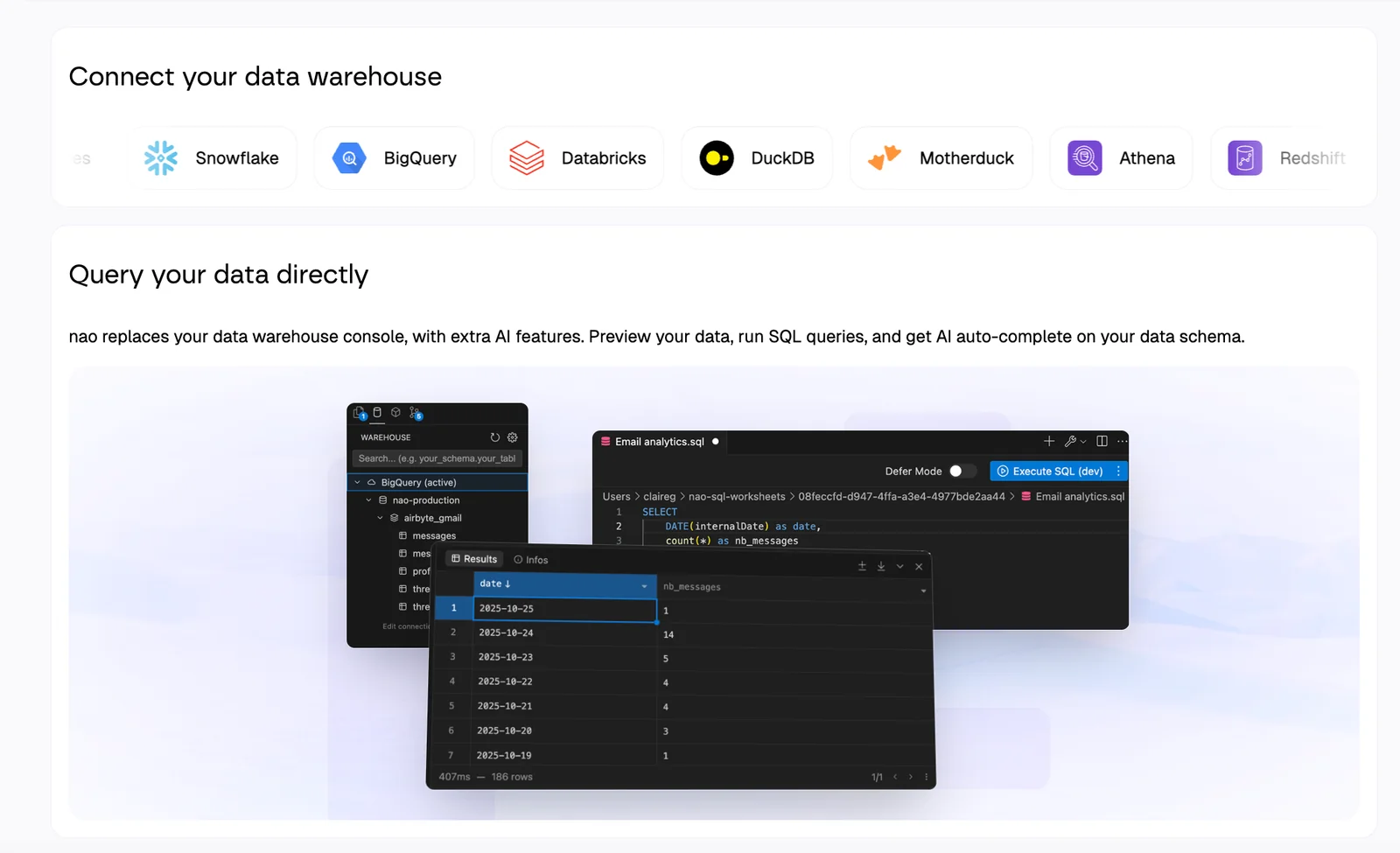
nao is presented as the first AI data editor designed to understand data work and accelerate common data tasks. It aims to provide a data-centric editor experience that reduces manual effort in cleaning, transforming, documenting, and exploring datasets, increasing productivity for data practitioners. Developed by nao Labs, the product positions itself to streamline data workflows by embedding data-aware tooling and intelligence directly into the editing environment.
Screenshots
Key Features
Use Cases


Frequently asked questions about nao
What is the pricing structure for nao and what free options are available?
Nao operates on a freemium pricing model, offering a basic free plan alongside various paid tiers for more advanced features. For precise details on pricing and enterprise options, it is recommended to contact Nao Labs directly for tailored information based on user needs.
Key Points
- Nao uses a freemium pricing model.
- A free plan is available, providing basic functionalities.
- Detailed pricing tiers and enterprise solutions require direct contact with Nao Labs.
Detailed Explanation
Nao's freemium pricing structure allows users to access a basic version of its services without any cost, which is ideal for individuals or small teams looking to explore the platform's capabilities. While the specifics of the free plan are not explicitly stated, it typically includes essential features that can help users understand the software's benefits.
For users requiring more advanced functionalities, Nao offers several paid tiers. These tiers are designed to cater to different user needs, from individuals to larger organizations. Generally, these plans may include enhanced features such as advanced analytics, increased storage, or priority support.
To get the most accurate and detailed information on pricing, including any potential discounts for educational institutions or non-profits, contacting Nao Labs directly is advisable. They can provide a tailored pricing structure that reflects the specific requirements of your organization.
Best Practices / Tips
- Evaluate Your Needs: Before selecting a plan, assess what features you truly need. The free plan can be a great starting point.
- Contact Support for Clarification: If you’re unsure about the best plan for your use case, reach out to Nao Labs' support team for guidance.
- Watch for Promotions: Keep an eye on Nao Labs' announcements for any promotional offers that could reduce costs.
Additional Resources
What are the key features of the nao AI data editor?
Nao AI Data Editor features an intuitive, editor-centric interface designed for efficient dataset editing. Key functionalities include intelligent data cleaning and transformation suggestions, natural-language command execution, collaboration tools for team projects, and workflow acceleration capabilities to streamline data preparation processes.
Key Points
- Editor-Centric Interface: User-friendly design enhances dataset editing.
- Intelligent Data Cleaning: Automated suggestions improve data quality.
- Natural-Language Commands: Simplifies complex tasks with voice or text input.
Detailed Explanation
Nao AI Data Editor is engineered to optimize the data preparation phase, making it suitable for businesses and data analysts.
1. Editor-Centric Interface
The interface is designed with the user in mind, enabling effortless navigation and dataset manipulation. Users can easily import, view, and edit datasets within a clean workspace, which minimizes distractions and enhances productivity.
2. Intelligent Data Cleaning
One of Nao's standout features is its ability to analyze datasets and provide intelligent suggestions for cleaning and transforming data. For example, if you have missing values, Nao can recommend imputation methods or highlight outliers that may skew your analysis.
3. Natural-Language Commands
Nao supports natural-language processing, allowing users to execute commands using plain language. This means you can simply type or say phrases like, “Remove duplicates from column A,” and Nao will understand and execute the request. This feature greatly reduces the learning curve for new users.
4. Collaboration Tools
Nao enables seamless collaboration among team members by providing features like shared workspaces and version control. Teams can work simultaneously on datasets, track changes, and communicate effectively within the platform, ensuring everyone is on the same page.
5. Workflow Acceleration
The platform includes automation tools to speed up repetitive tasks, such as data validation and report generation. This not only saves time but also reduces the likelihood of errors, allowing data professionals to focus on more strategic initiatives.
Best Practices / Tips
- Utilize Natural-Language Commands: Take advantage of this feature to streamline your workflow and reduce manual input.
- Regularly Clean Your Datasets: Use Nao’s intelligent cleaning suggestions to maintain high-quality data, which is crucial for accurate analysis.
- Explore Collaboration Features: Engage with your team within the platform to maximize efficiency and minimize data silos.
Additional Resources
How can I get started using nao for data analysis?
To get started using Nao for data analysis, visit the official Nao website and create a free account. After registration, you can navigate its user-friendly interface to clean, transform, and analyze datasets effectively, making data analysis accessible for users of all skill levels.
Key Points
- Sign up for a free account on the Nao website.
- Familiarize yourself with the intuitive user interface.
- Utilize built-in tools for data cleaning and transformation.
Detailed Explanation
Starting with Nao is straightforward. First, navigate to Nao's official website and click on the “Sign Up” button. By creating a free account, you gain access to a variety of tools designed for effective data analysis.
Once registered, you will encounter a dashboard that presents options for importing your datasets directly from various sources, including CSV files, databases, and cloud storage solutions like Google Drive or Dropbox.
Step-by-Step Guide:
- Sign Up: Complete the registration form, and verify your email.
- Import Data: Use the "Import" feature to upload your datasets.
- Explore the Interface: Familiarize yourself with sections like Data Cleaning, Data Transformation, and Data Visualization.
- Data Cleaning: Utilize tools to identify missing values, duplicates, and outliers.
- Data Transformation: Apply functions to reshape your data, such as merging datasets or filtering rows.
- Analyze and Visualize: Use Nao’s analytical tools to derive insights and create visualizations, making it easier to interpret your findings.
Nao’s intuitive design caters to both beginners and experienced analysts, offering tutorials and guides to assist users at every step.
Best Practices / Tips
- Start with Sample Data: Experiment with Nao’s sample datasets to familiarize yourself with its features before using your own data.
- Utilize Tutorials: Take advantage of Nao's tutorials and documentation for better understanding and advanced techniques.
- Stay Organized: Label your datasets clearly and maintain a logical folder structure for easy access and management.
- Regularly Save Work: Ensure you regularly save your progress to avoid losing any insights.
Additional Resources
By following these steps and utilizing available resources, you can successfully leverage Nao for impactful data analysis.
Can nao integrate with other data sources and what are the technical requirements?
Yes, Nao can integrate with various data sources, including APIs and databases. For specific technical requirements and compatibility details, it's best to consult the official Nao website or contact their support team for comprehensive assistance tailored to your integration needs.
Key Points
- Nao supports integration with common data sources.
- Specific integrations may vary based on your use case.
- Official documentation provides detailed technical requirements.
Detailed Explanation
Nao is designed to work seamlessly with a wide range of data sources, enabling users to leverage existing datasets for enhanced functionality. Its integration capabilities include:
-
API Integrations: Nao can connect to various APIs, allowing for real-time data transfer and interaction. This is particularly useful for applications that require up-to-date information from external services.
-
Database Connectivity: Nao supports connections to popular databases like MySQL, PostgreSQL, and MongoDB. This enables users to pull data directly from their databases, facilitating dynamic content updates and data analysis.
-
Data Formats: Nao can handle multiple data formats, such as JSON, XML, and CSV, ensuring flexibility in how data is ingested and processed.
-
Customization: Depending on your technical expertise, you can customize the integration process to meet specific business needs, such as implementing data filtering or transformation before ingestion.
Example Use Cases
- A retail company can integrate Nao with their inventory management system to track stock levels in real-time.
- A healthcare provider might use Nao to pull patient data from their Electronic Health Record (EHR) system to improve patient engagement.
Best Practices / Tips
-
Review Technical Documentation: Always start by reviewing the official Nao documentation to understand the specific technical requirements for integration. This will save time and ensure compatibility.
-
Test Integrations: Conduct thorough testing of your integrations in a development environment before deploying them in a production setting. This helps identify potential issues early.
-
Monitor Performance: After integration, continuously monitor the performance and data flow to ensure everything is functioning as expected. Set up alerts for any anomalies.
-
Reach Out for Support: Don’t hesitate to contact Nao’s support team for guidance or troubleshooting if you encounter challenges during integration.
Additional Resources
How does nao compare to other AI data editing tools in the market?
Nao is a leading AI data editing tool that distinguishes itself with a user-friendly, editor-centric interface and smart suggestions for data cleaning and transformation. Compared to traditional spreadsheet tools, Nao offers enhanced capabilities that streamline workflows and improve data quality, making it a compelling choice for data professionals.
Key Points
- User-Friendly Interface: Nao provides an intuitive design that simplifies data editing.
- Intelligent Suggestions: The tool offers automated recommendations for data cleaning.
- Enhanced Collaboration: Nao supports real-time collaboration, making teamwork more efficient.
Detailed Explanation
Nao's editor-centric interface is designed to enhance user experience by providing a clear layout that minimizes distractions. Unlike traditional spreadsheet tools like Excel or Google Sheets, Nao focuses on data editing with features that assist users in identifying and correcting errors quickly. For instance, its intelligent suggestions can automatically highlight inconsistencies in data formats or suggest optimal transformation techniques, saving time and improving accuracy.
In addition, Nao supports various data sources, allowing users to import and manipulate data seamlessly from databases, CSV files, and APIs. This integration capability makes it a versatile choice for businesses looking to streamline their data operations. For example, a marketing team can use Nao to clean and analyze customer data from multiple channels, ensuring that all insights are based on accurate information.
Collaboration is another area where Nao excels. Teams can work together in real-time, enabling them to share insights and modifications instantly. This feature is particularly beneficial for data-driven projects where multiple stakeholders need to review and contribute to data insights.
Best Practices / Tips
- Leverage Automation: Use Nao's intelligent suggestions to automate repetitive data cleaning tasks, reducing manual effort.
- Regular Training: Keep your team updated on new features and best practices to maximize the tool's potential.
- Utilize Collaboration Features: Encourage team members to use Nao’s collaboration tools for improved communication and efficiency.
Additional Resources
Explore more AI Ai Services tools
Browse all Ai Services tools →Compare nao: vs Claude Academy · vs Switchyard · vs Router by Ramp · vs Supernova