

Bolt
AIIn-browser AI-powered development agent to prompt, run, edit, and deploy full‑stack websites, apps and prototypes without local setup.
Bolt
In-browser AI-powered development agent to prompt, run, edit, and deploy full‑stack websites, apps and prototypes without local setup.
About Bolt
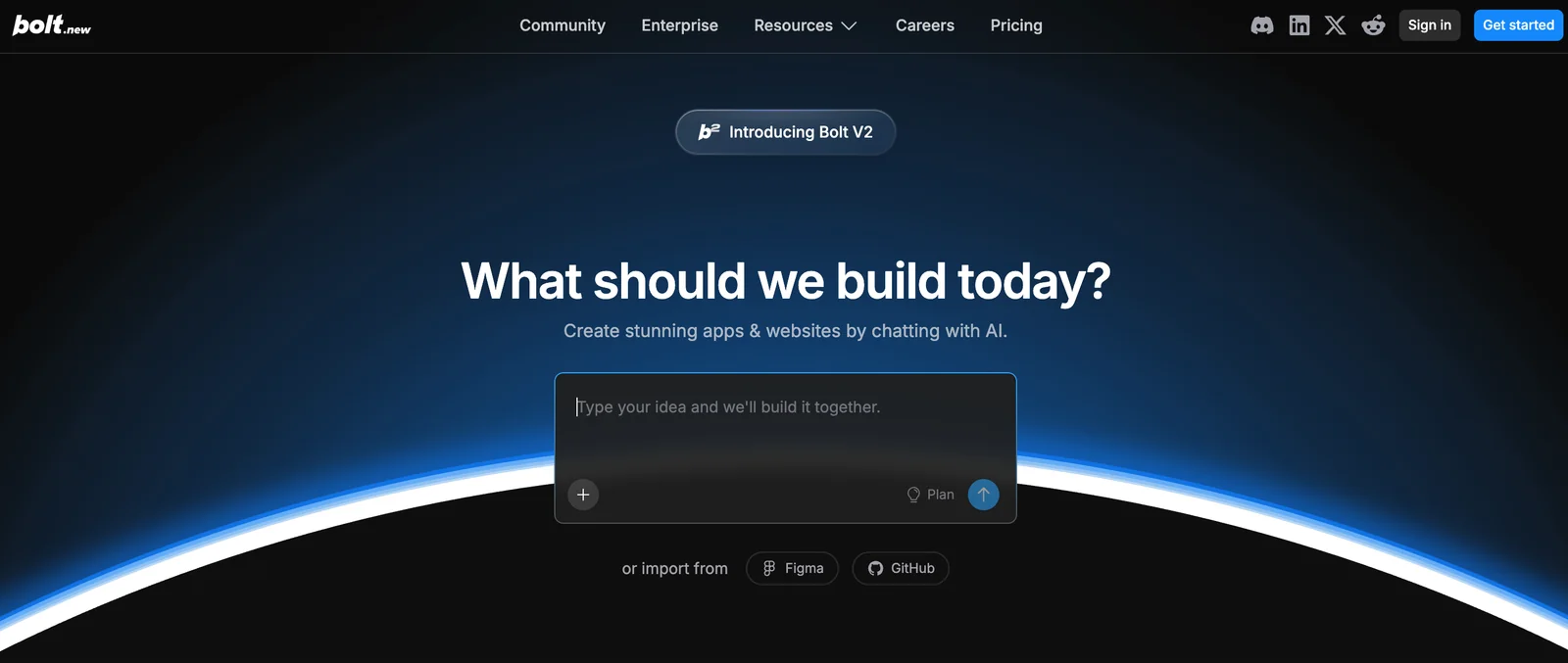
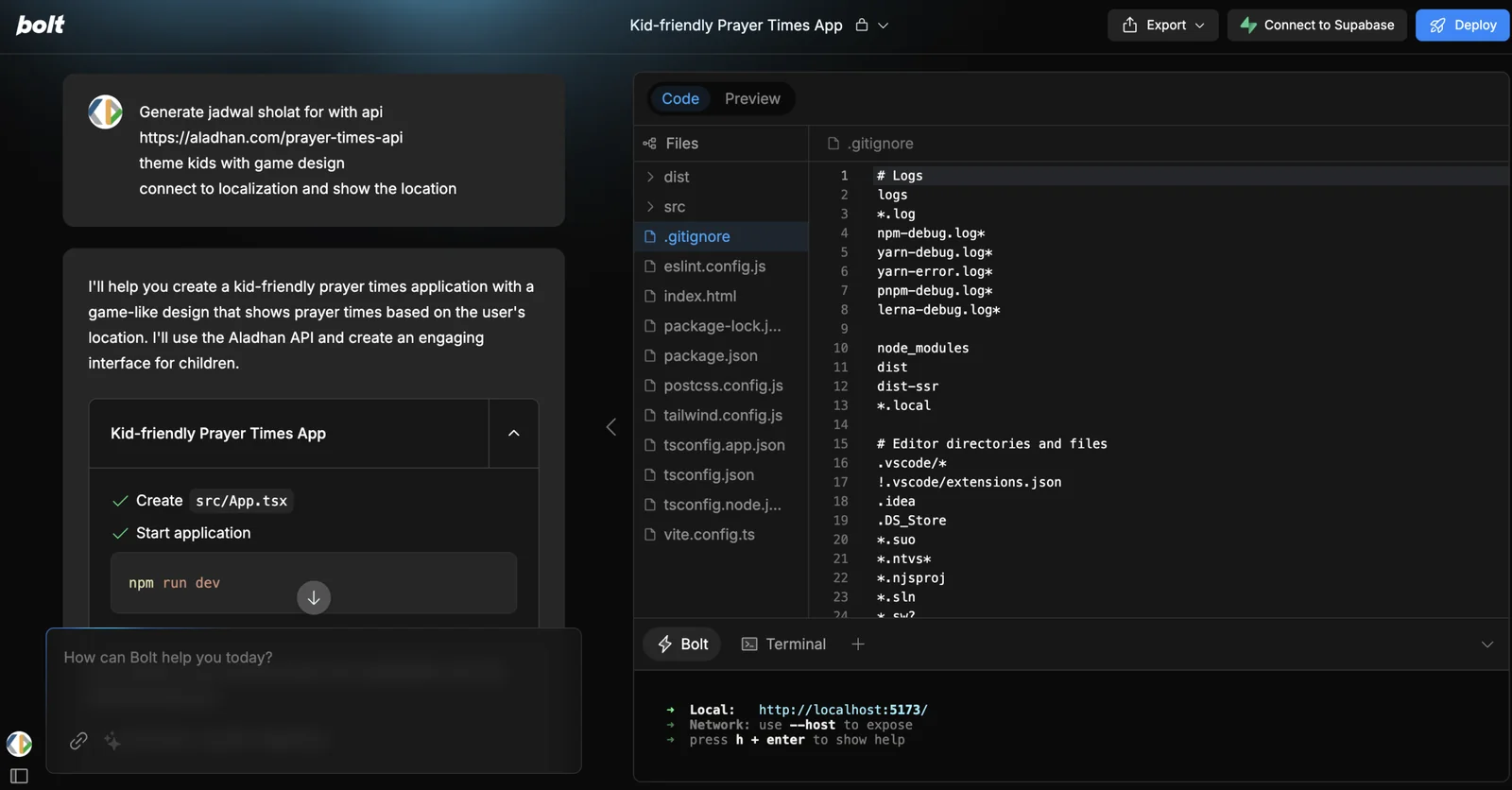
Bolt (bolt.new) is an AI-powered full‑stack development agent that lets users prompt, run, edit, and deploy web applications entirely in the browser. It integrates large language models with an in‑browser development environment powered by StackBlitz WebContainers so projects run live without local installation. Users can iterate via natural-language prompts, preview and edit generated code, and deploy projects that run on the same web runtime. An official open-source variant (bolt.diy) enables choosing the LLM per prompt for greater control and privacy. Paid subscriptions are available to increase AI token limits and enable private projects.
Screenshots
Key Features
Use Cases



Frequently asked questions about Bolt
What are the pricing options for Bolt?
Bolt offers a freemium pricing model that includes a free tier with limited AI token usage, a paid subscription starting at approximately $20 per month for enhanced features, and a team plan costing around $30 per month per member. Custom pricing is available for enterprise-level users.
Key Points
- Freemium Model: Offers a free tier with basic features.
- Paid Subscriptions: Starting at $20/month for additional functionalities.
- Team and Enterprise Plans: Team plans at $30/month/member; enterprise pricing is customizable.
Detailed Explanation
Bolt's pricing structure is designed to cater to different user needs, from individual users to large enterprises.
-
Freemium Tier: This entry-level option allows users to access basic features without any financial commitment. However, it comes with limited AI token usage, meaning users have restricted access to certain functionalities and may need to upgrade for more extensive use.
-
Paid Subscription: The standard subscription plan is priced at around $20 per month. This plan unlocks enhanced features such as additional AI tokens, priority support, and premium integrations that can significantly improve user experience. It's ideal for freelancers, small businesses, or anyone needing more advanced capabilities without breaking the bank.
-
Team Plan: For organizations that require collaboration across multiple users, Bolt offers a team plan priced at approximately $30 per month per member. This plan includes all the features of the paid subscription, plus collaborative tools that allow teams to work more efficiently. It’s perfect for startups or small businesses that need to streamline their operations and improve productivity.
-
Enterprise Solutions: For larger organizations or those with specialized needs, Bolt provides custom enterprise pricing. This option can be tailored to fit specific requirements, such as scaling AI token usage, offering bespoke training, and dedicated support. Interested businesses should contact Bolt directly to discuss their needs and receive a tailored quote.
Best Practices / Tips
- Evaluate Your Needs: Before choosing a pricing plan, assess your requirements. If you're just starting, the freemium option may suffice. However, if you anticipate heavy usage, consider the paid option for better value.
- Monitor Token Usage: Keep an eye on your AI token consumption to avoid unexpected limitations, especially if you start on the free plan.
- Contact Sales for Custom Plans: If you're part of a larger organization, reaching out to Bolt’s sales team can help you negotiate tailored solutions that fit your team's specific needs.
Additional Resources
How do I get started using Bolt?
To get started using Bolt, visit the official website, create an account, and select a pricing plan that suits your needs. Once registered, you can begin prompting the platform to generate and deploy full-stack applications directly within your browser, streamlining your development process.
Key Points
- Visit the Official Website: Access Bolt's features online.
- Create an Account: Sign up to start using the platform.
- Select a Plan: Choose a pricing option that fits your requirements.
Detailed Explanation
To effectively use Bolt, follow these steps:
-
Visit the Official Website: Navigate to Bolt's website to access its services. The homepage provides an overview of features and benefits.
-
Create an Account: Click on the "Sign Up" button. You will need to provide essential information such as your email address, username, and password. An email verification may be required to activate your account.
-
Select a Plan: Bolt offers several pricing tiers, including a free trial for new users. Review the features of each plan, such as the number of applications you can deploy and the level of support provided. Choose a plan that aligns with your project needs.
-
Begin Using Bolt: After setting up your account, you can access the development environment directly in your web browser. Use the intuitive interface to start building your full-stack applications. You can create prompts that instruct Bolt to generate code, deploy applications, and manage various aspects of your development workflow seamlessly.
Use Cases:
- Startups: Rapidly prototype applications to test market fit.
- Developers: Quickly build and deploy applications without extensive setup.
- Teams: Collaborate on projects in real-time, making use of Bolt’s cloud capabilities.
Best Practices / Tips
- Explore Documentation: Familiarize yourself with Bolt’s documentation for advanced features and tips on best practices.
- Utilize Templates: Start with pre-built templates to accelerate your development process.
- Regularly Save Your Work: Ensure you are saving your progress frequently to avoid losing any changes.
- Leverage Community Support: Join forums or communities focused on Bolt for additional insights and troubleshooting tips.
Additional Resources
By following these steps and utilizing the resources, you can efficiently start using Bolt to create robust full-stack applications.
What are the key features of Bolt?
Bolt is a powerful development platform that features prompt-driven development, an in-browser runtime with WebContainers, live editing and previews, one-click deployments, and an open-source variant called bolt.diy for customizable workflows, making it ideal for modern web developers seeking efficiency and flexibility.
Key Points
- Prompt-Driven Development: Streamline coding with guided prompts.
- In-Browser Runtime: Use WebContainers for seamless execution.
- Live Editing & Previews: Instantly see changes in real-time.
Detailed Explanation
Bolt integrates several innovative features that enhance the web development experience:
-
Prompt-Driven Development: This feature allows developers to start coding quickly by providing contextual prompts and suggestions, reducing the time spent on setup and allowing for a smoother workflow. For instance, when creating a new project, Bolt prompts users with common configurations and best practices, which helps newcomers get up to speed faster.
-
In-Browser Runtime with WebContainers: Bolt utilizes WebContainers, enabling developers to run their applications directly in the browser without needing local setups. This is particularly beneficial for collaborative work, as it allows teams to share and test code effortlessly. Imagine a scenario where a developer can share a live link that showcases their work instantly, with no installation required.
-
Live Editing and Previews: The live editing feature empowers developers to see their changes in real-time. As they write code, they can immediately observe the results, making debugging more efficient. For example, adjusting a CSS property will instantly reflect on the UI, allowing for quick iterations.
-
One-Click Deployments: With Bolt, deploying applications is simplified to a single click. This significantly reduces deployment time and minimizes the chance of errors that can occur in traditional deployment processes. Developers can focus more on coding rather than managing deployment intricacies.
-
Open-Source Variant (bolt.diy): For those looking for customization, bolt.diy offers an open-source option that allows users to tailor workflows to their specific needs. This flexibility makes Bolt suitable for various project requirements, from personal projects to large-scale applications.
Best Practices / Tips
- Utilize Prompts: Take advantage of the prompt-driven development feature to save time and follow best practices.
- Familiarize with WebContainers: Explore how WebContainers work to maximize collaborative potential in your projects.
- Regularly Test Changes: Make it a habit to utilize live editing to catch issues early in the development process.
- Leverage One-Click Deployments: Use this feature for quick testing and sharing with stakeholders, but ensure thorough testing before final production releases.
Additional Resources
How does Bolt compare to other development tools?
Bolt differentiates itself from other development tools through its in-browser runtime, which eliminates the need for local setup, and its innovative prompt-driven code generation. This allows for rapid prototyping and is particularly advantageous in workshops and demos, making it a preferred choice for developers seeking efficiency.
Key Points
- In-Browser Runtime: No local installation required.
- Prompt-Driven Code Generation: Streamlines coding with intelligent suggestions.
- Ideal for Workshops: Facilitates quick demos and collaborative coding sessions.
Detailed Explanation
Bolt is a cutting-edge development tool that operates completely within the browser, significantly reducing barriers to entry for developers. Unlike traditional Integrated Development Environments (IDEs) that require extensive local setups, Bolt's in-browser runtime allows users to start coding instantly. This feature is particularly beneficial for environments such as coding boot camps, hackathons, or educational workshops where time is of the essence.
The unique prompt-driven code generation feature of Bolt enhances the coding experience by providing intelligent suggestions tailored to user input. This not only accelerates the coding process but also helps developers, especially beginners, to learn best practices and improve their skills through guided prompts. For example, when a user types a function name, Bolt can suggest the complete syntax, saving time and reducing errors.
Additionally, Bolt supports collaborative coding, making it easy for multiple users to work on the same project simultaneously. This is a significant advantage over traditional tools, which may require complex setup for shared environments. The seamless integration of collaboration features in Bolt positions it as an appealing choice for team projects and educational settings.
Best Practices / Tips
- Maximize Efficiency: Use Bolt’s prompt-driven features to learn new coding techniques quickly.
- Leverage Collaboration: Utilize the real-time collaboration tools to enhance teamwork during coding sessions.
- Explore Use Cases: Experiment with different project types in workshops to fully understand Bolt's capabilities.
Additional Resources
By utilizing Bolt, developers can streamline their workflow, improve collaboration, and eliminate the cumbersome setup process associated with traditional development environments.
Does Bolt have an API or integration options?
Yes, Bolt offers an API and integration options, especially with its open-source version, bolt.diy. This allows teams to choose their own language model (LLM) for tailored workflows while ensuring enhanced privacy and flexibility in implementation.
Key Points
- API Availability: Bolt provides a robust API for developers.
- Open-Source Flexibility: The bolt.diy version supports custom LLMs.
- Enhanced Privacy: Teams can maintain data privacy through personalized configurations.
Detailed Explanation
Bolt's API is designed to facilitate seamless integrations, enabling developers to connect Bolt with other applications and services effectively. The open-source version, bolt.diy, empowers teams to select their own language models (LLMs), providing the freedom to create unique workflows tailored to specific business needs.
For instance, if a company requires specialized language processing for legal documents, they can integrate a custom LLM that understands legal jargon, ensuring accuracy and relevance. This flexibility not only enhances the workflow but also maintains privacy, as organizations can control their data flow and processing environments.
To utilize Bolt's API, developers typically follow these steps:
- Access Documentation: Start by visiting the official Bolt API documentation for comprehensive guidelines.
- Authentication: Set up necessary authentication using API keys to secure your requests.
- Integration Setup: Choose the appropriate endpoints for your desired functions, whether it’s for data retrieval, model training, or workflow management.
- Testing: Implement tests in a controlled environment before deploying to production to ensure everything operates smoothly.
Best Practices / Tips
- Understand Your Needs: Before integrating, assess your organization's specific requirements to choose the right LLM that aligns with your goals.
- Regular Updates: Keep your Bolt instance and any integrated components updated to leverage the latest features and security enhancements.
- Monitor Performance: After integration, regularly monitor performance metrics to identify areas for improvement.
- Security Considerations: Always prioritize data security by ensuring proper authentication and authorization measures are in place.
Additional Resources
Explore more AI Ai Agents tools
Browse all Ai Agents tools →Browse by use case: Automation & Productivity
Compare Bolt: vs ShogunAI · vs fx · vs OneCLI · vs OpenViking